
ZoogVPN: A Capable Yet Unremarkable Free and Paid VPN
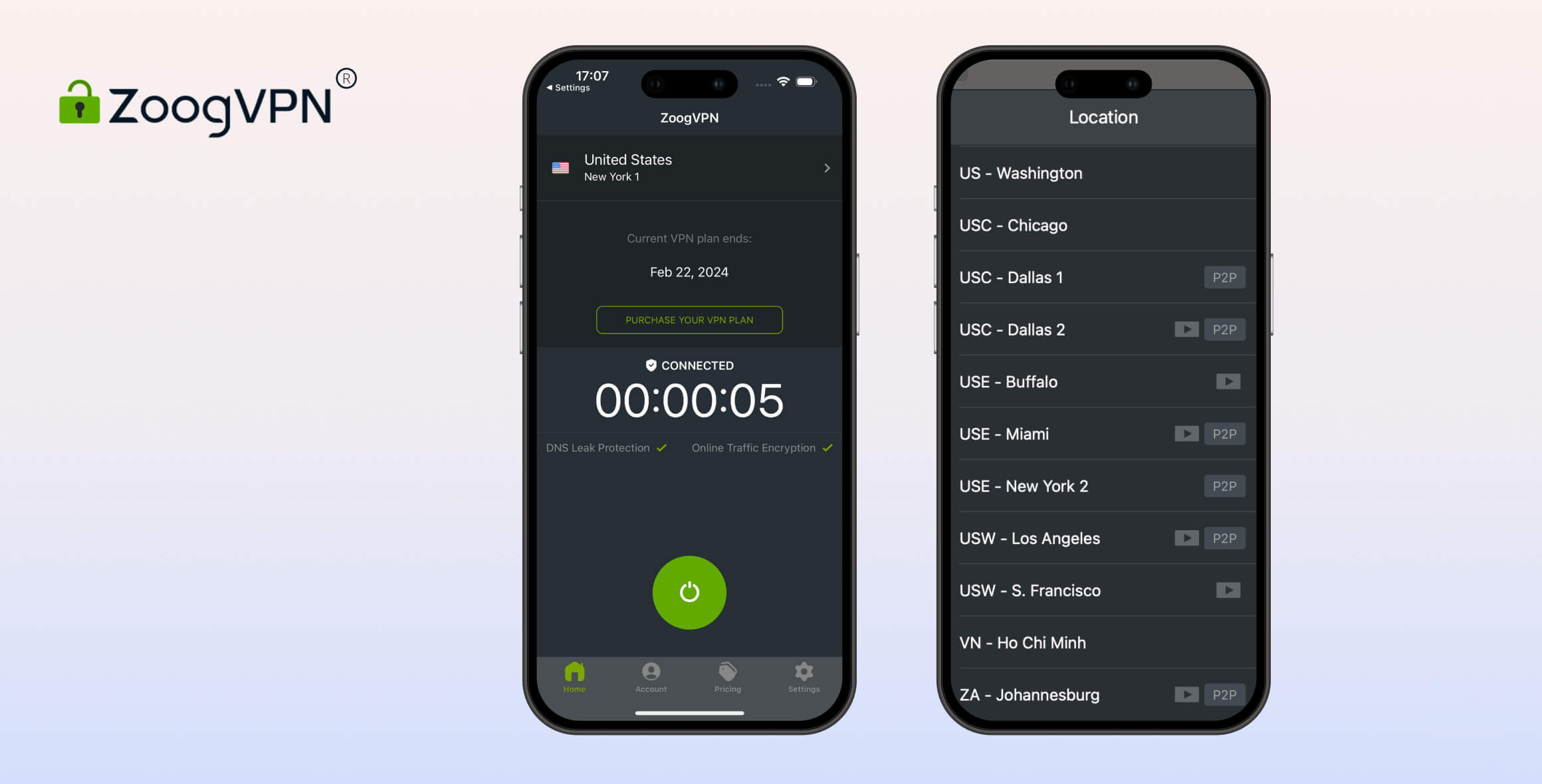
ZoogVPN is a solid mid-tier service, scoring 6.7/10 in our tests. It’s fast, private, and easy to use. It’s extremely cheap on a 2-year plan — under $2 per month — and there’s a free version if you want to try before you buy. However, in our tests, it didn’t unblock many streaming services, and its kill switch was faulty on macOS.
- Pros
- Doesn’t log identifiable data
- Unblocks Max
- Fast on nearby connections
- Cons
- Only 3 countries
- Does not work with Netflix
- No free servers outside Europe and North America
- Slow torrenting speeds
- Pros
- Fast local & international speeds
- Works with BBC iPlayer & Max
- Servers optimized for P2P activity
- Affordable price tag
- Cons
- No kill switch on iOS
- Kill switch leaks on macOS
- Uses third-party DNS servers
- Does not work with Netflix
Launched in May 2013, ZoogVPN has been around for a long time. It’s independently run, registered in Greece, and operates out of Ukraine.
ZoogVPN has both free and paid versions. To review it thoroughly, we tested both through our rigorous VPN testing process to see how it compares to competitors.
Privacy
ZoogVPN is a trustworthy VPN based in the EU. It doesn’t store personally identifiable data like your IP address, DNS requests, or connection timestamps. It only collects anonymized bandwidth usage and your account information to maintain the service. We’d like to see diskless servers, first-party DNS, and an independent audit.
| Originating IP Address | No |
|---|---|
| Browsing Activity | No |
| Individual Connection Timestamps | No |
| Date of Last Connection | No |
| VPN Server IP | No |
| Device Information | No |
| Individual Bandwidth Usage | Yes |
| Account Information | Yes |
You can read ZoogVPN’s full privacy policy on its website.
ZoogVPN is effectively a no-logs VPN that doesn’t collect personally identifiable data. It does collect anonymized bandwidth data to enforce the free plan’s 10GB data limit and retains account information for refunds and customer support — typical for most VPN services.
Importantly, ZoogVPN does not collect your originating IP address, DNS requests, connection timestamps, assigned IP address, or ISP.
Without this information, ZoogVPN can’t help authorities identify a specific user’s browsing history.
One drawback is that ZoogVPN hasn’t implemented a diskless server network yet. Many top-tier VPNs like ExpressVPN and NordVPN have fully converted their networks to prevent logging at a hardware level.
No-Logs Policy Proven in Law Enforcement Data Request
ZoogVPN reached out to us and showed proof that it refused to share customer information with government authorities. It says it has “consistently refused such requests.”
The data request was sent via email, and the VPN replied that it did not have the requested data and therefore could not provide it.
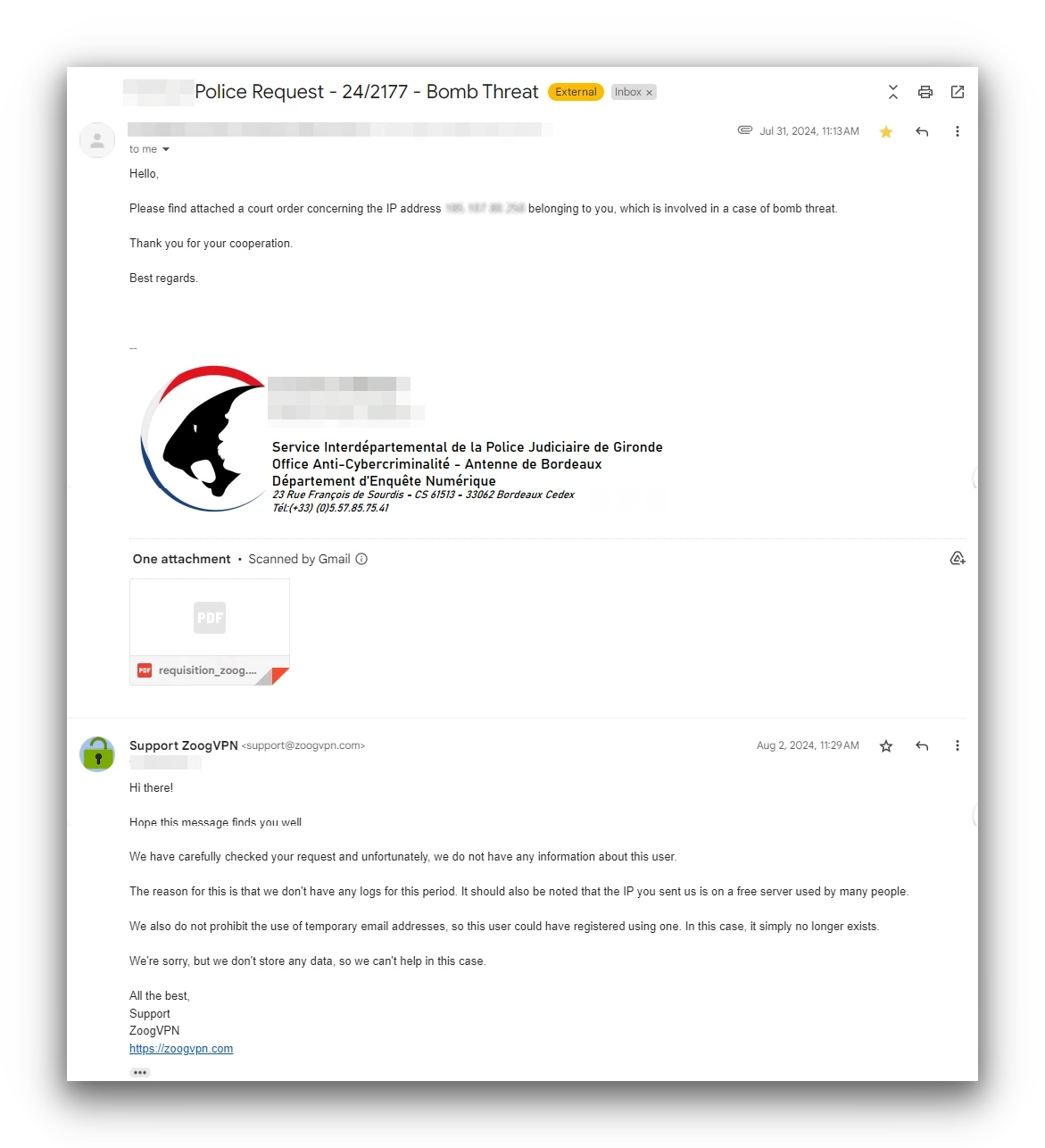
ZoogVPN is unable to share user information because it does not collect identifiable data.
You can also use a temporary email address with no personal information to further protect your identity.
Overall, ZoogVPN has a strict no-logs policy that will protect your identity online, though it doesn’t rank as highly as our favorite no-logs VPN: Private Internet Access.
No Independent Audit & Worrying Warrant Canary
Unlike top-tier VPNs, ZoogVPN doesn’t publish regular third-party audits confirming adherence to its privacy policy.
In comparison, Proton VPN conducts regular audits to prove both its paid and free versions don’t log identifying information.
ZoogVPN also hasn’t updated the date on its warrant canary since March 2022. We last emailed ZoogVPN then to ask why it hadn’t been updated.
An out-of-date warrant canary is meant to warn users that the service received an official data request and provided information on a specific date.
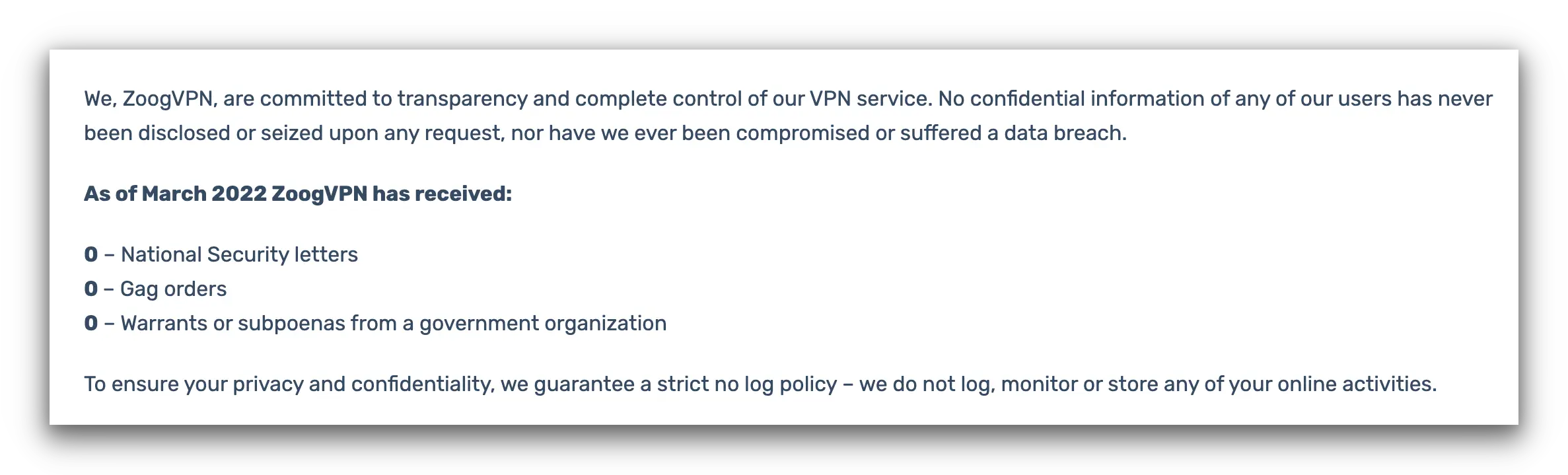
ZoogVPN’s warrant canary should be updated at least monthly.
Given ZoogVPN provided proof that it received a data request and refused cooperation, it seems the page simply hasn’t been updated monthly.
In short, ZoogVPN should maintain an up-to-date warrant canary or, better yet, publish a transparency report.
Who Owns ZoogVPN?
ZoogVPN is owned by Zoog Services Single Member Private Company, incorporated in Greece and headquartered in Ukraine. Most employees are also in Ukraine.
ZoogVPN is featured as a product of Softoria, a company registered in Ukraine that also advertises data mining services.
Softoria’s management team includes individuals from ZoogVPN, DataforSEO, and DataImpulse.
It’s usually a bit concerning when companies affiliated with a VPN also operate advertising or data mining businesses.
We reached out via email for clarification on ownership and staffing. ZoogVPN confirmed that Softoria and ZoogVPN are owned by the same person but did not confirm who that person is.
ZoogVPN also said the corporate structure is not detailed on its website due to “threats from authorities and law enforcement agencies” and “dangers faced by those who advocate for online privacy, as seen in cases like Pavel Durov.”
Uses Third-Party DNS Servers
Using our IP and DNS leak test tool, ZoogVPN passed IPv4, IPv6, and WebRTC leak tests. However, it uses third-party DNS servers.
It also failed to mask our geolocation with its macOS app. In theory, its Chrome extension could prevent HTML5 leaks with an HTML5 blocker, but it currently lacks this feature.
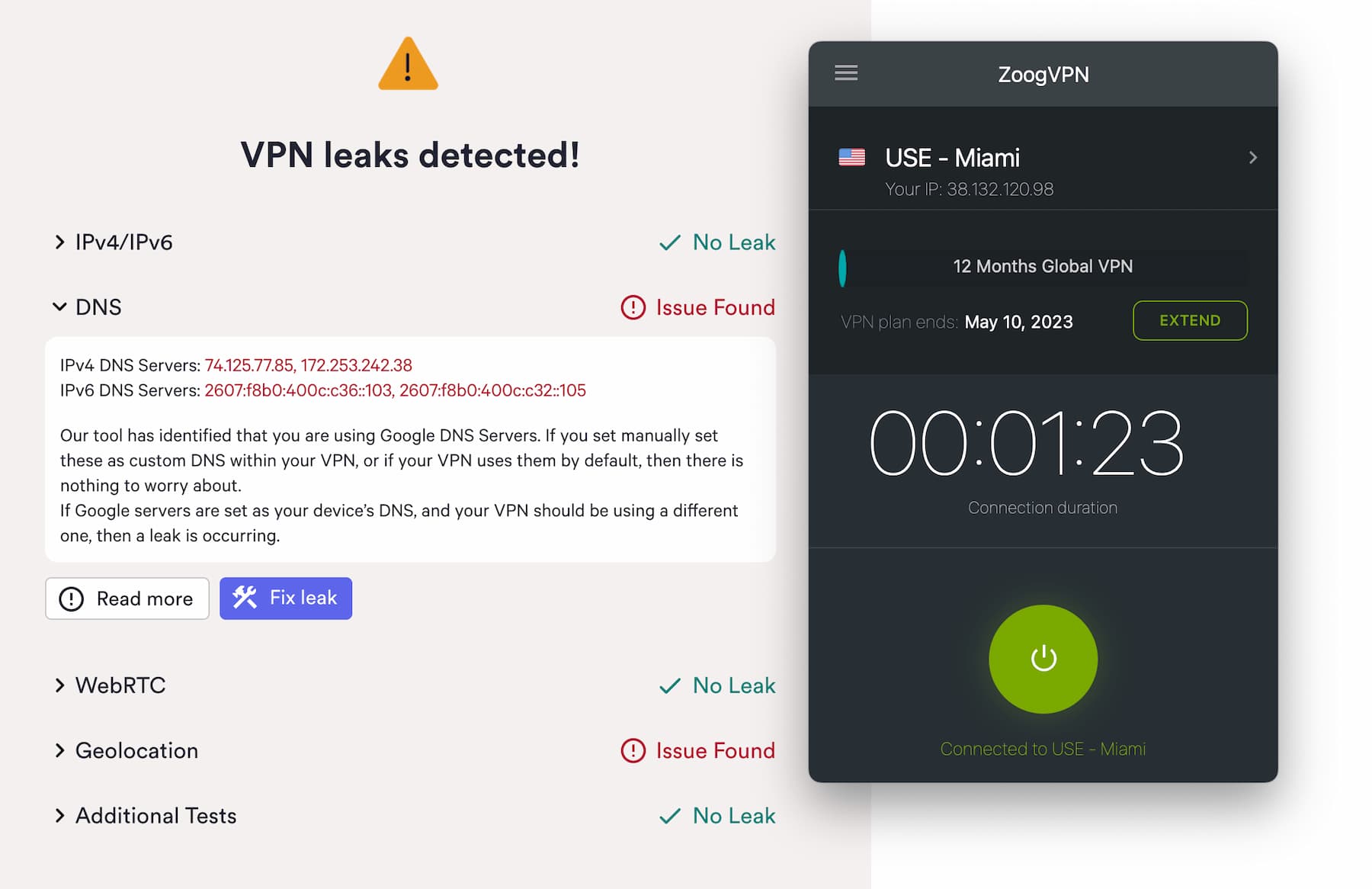
Our VPN leaks test detected Google’s DNS servers while connected to ZoogVPN.
As shown above, ZoogVPN doesn’t use first-party DNS servers and instead routes DNS traffic through Google DNS.
This isn’t a complete loss of anonymity — your requests are still mixed with thousands of others — but it’s not as good as using first-party DNS.
It’s fairly common for mid-tier VPNs to rely on third-party DNS servers, but ZoogVPN will need to address this to earn a higher rating.
Streaming
ZoogVPN disappoints for streaming. It offers many streaming-optimized servers, but not all work. We successfully accessed Amazon Prime Video, BBC iPlayer, Disney+, HBO Max, and ITVX. However, it didn’t unblock any Netflix libraries, Hulu, or DAZN. Its Amazon Fire TV app also fails to unblock geo-restricted content.
| Streaming Service | Works with ZoogVPN (Free) | Works with ZoogVPN |
|---|---|---|
| BBC iPlayer (UK) | Yes | Yes |
| DAZN (Canada) | No | No |
| Disney+ (UK) | No | Yes |
| Hulu (US) | No | No |
| ITVX (UK) | Yes | Yes |
| HBO Max (US) | Yes | Yes |
| Netflix (US) | No | No |
| Netflix (UK) | No | No |
| Prime Video (US) | No | Yes |
| Sky Go (UK) | No | No |
ZoogVPN provides several streaming-friendly servers in multiple locations — clearly marked with a play button.
But they don’t always work. We unblocked Amazon Prime Video, BBC iPlayer, Disney+, and ITVX, but failed to access any Netflix library, including the US catalog.
You can check which servers are intended for specific streaming services on ZoogVPN’s network status page.
As for video quality, ZoogVPN’s speeds are fast enough for Full HD streaming with minimal buffering.
Tested: ZoogVPN Unblocks UK Streaming Services
In our tests, ZoogVPN bypassed geoblocks on BBC iPlayer and ITVX. We streamed shows like Doctor Who, Industry, and Love Island without blocks or buffering.
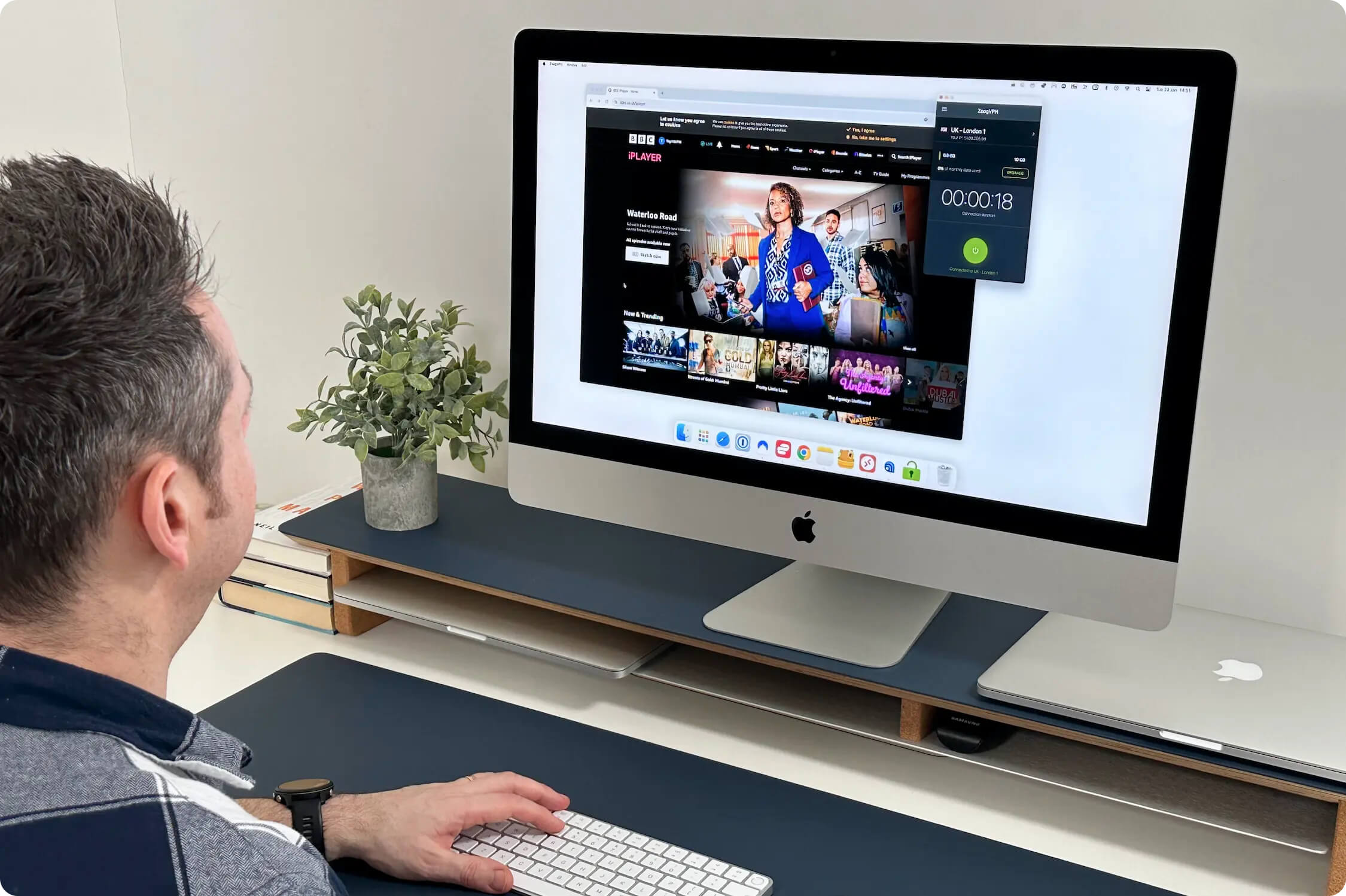
We used ZoogVPN’s paid UK – London 1 server to access iPlayer.
ZoogVPN Doesn’t Unblock US Netflix
Using ZoogVPN, we couldn’t access US Netflix or any international Netflix library. If you want a VPN that reliably works with US Netflix and other platforms, ExpressVPN is the best option.
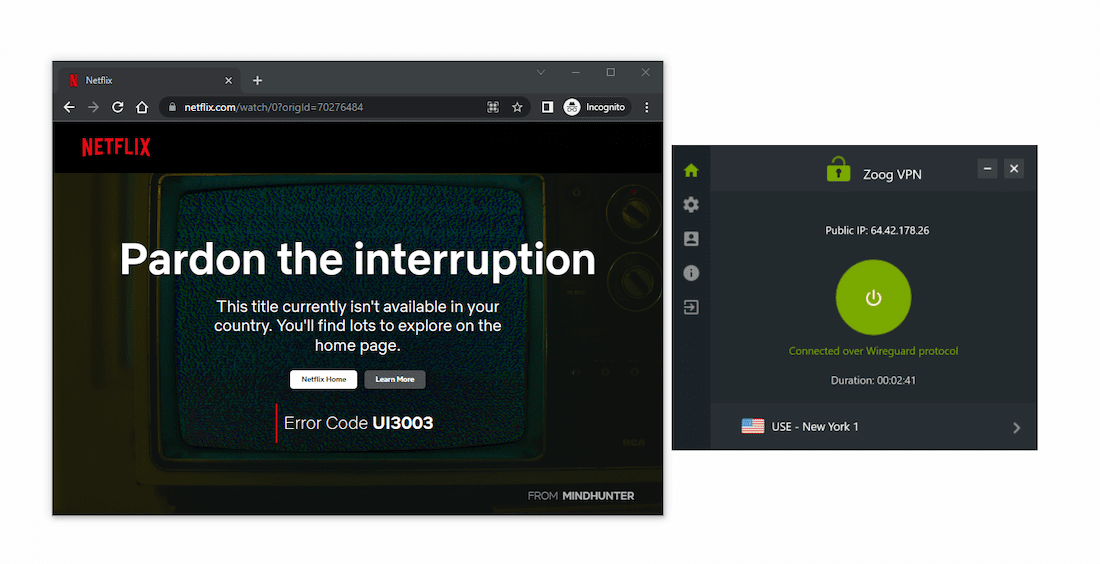
Connected to ZoogVPN’s New York server, we weren’t able to stream Netflix.
Despite the Netflix issue, we streamed Amazon Prime Video, Disney+, HBO Max, and YouTube with ZoogVPN.
ZoogVPN Free Doesn’t Unblock US Netflix
ZoogVPN Free unblocks fewer services than the paid version, which is typical for a free VPN. Its 10GB monthly data cap also limits streaming — it runs out after roughly four hours of Full HD viewing.
With ZoogVPN Free, we couldn’t access US Netflix or Disney+, but it occasionally unblocked HBO Max. We streamed The Last of Us in HD without buffering.
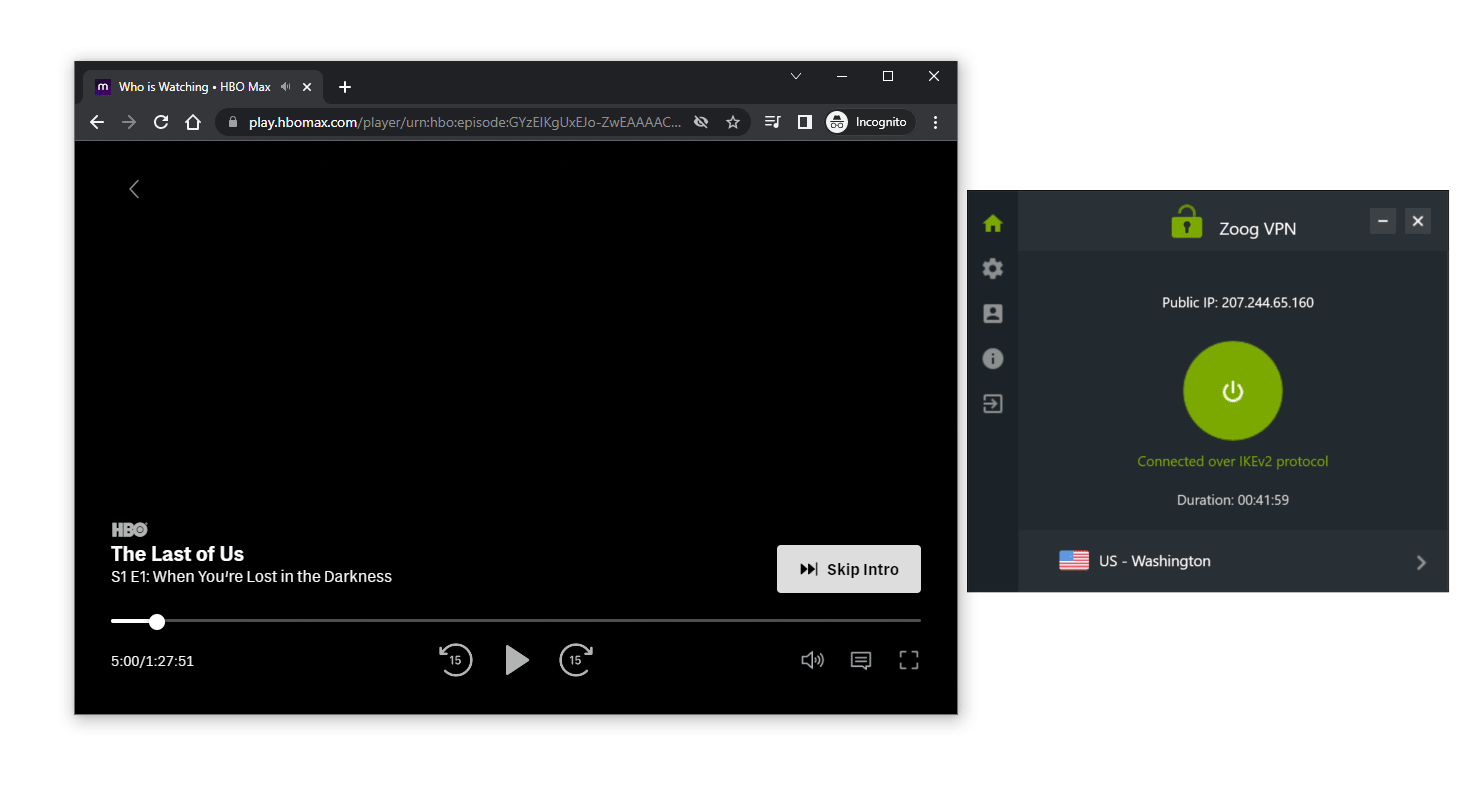
In our recent tests, ZoogVPN Free’s Washington server worked with HBO Max.
ZoogVPN Free doesn’t include streaming-optimized servers for US services, though it does for Singapore.
Speed
Both ZoogVPN versions are fast on local and international connections. We recorded a 4% speed loss on local connections — a very good result. Long-distance speeds were also strong, with an average 18% loss. Ping times could be better on international links, but most users won’t notice. As expected, ZoogVPN Free isn’t as fast as the paid version.
ZoogVPN’s speeds impressed us over both short- and long-distance connections.
Here’s a table showing ZoogVPN’s speed test results:
| No VPN (New York) | US (New York) | Canada (Toronto) | US (Los Angeles) | UK (London) | Germany (Berlin) | Brazil (São Paulo) | Japan (Tokyo) | South Africa (Johannesburg) | Australia (Sydney) | |
|---|---|---|---|---|---|---|---|---|---|---|
| Server Location |  |
|
 |
|
 |
 |
 |
 |
 |
 |
| Download Speed | 100Mbps | 96Mbps | 93Mbps | 95Mbps | 88Mbps | 87Mbps | 96Mbps | 89Mbps | 41Mbps | 78Mbps |
| Upload Speed | 100Mbps | 94Mbps | 94Mbps | 96Mbps | 95Mbps | 96Mbps | 78Mbps | 93Mbps | 38Mbps | 94Mbps |
| Ping | 1ms | 6ms | 19ms | 90ms | 76ms | 88ms | 113ms | 146ms | 571ms | 208ms |
| Distance | 0mi | 5mi | 300mi | 2,500mi | 3,500mi |
Uploads and downloads were consistently quick enough for HD streaming and smooth torrenting on nearby servers. This is much faster than other mid-tier VPNs we’ve reviewed.
Ping times were less impressive but shouldn’t affect most users. For a lesser-known product, ZoogVPN’s speeds are great.
These speeds will let you stream, torrent, and browse without buffering or lag.
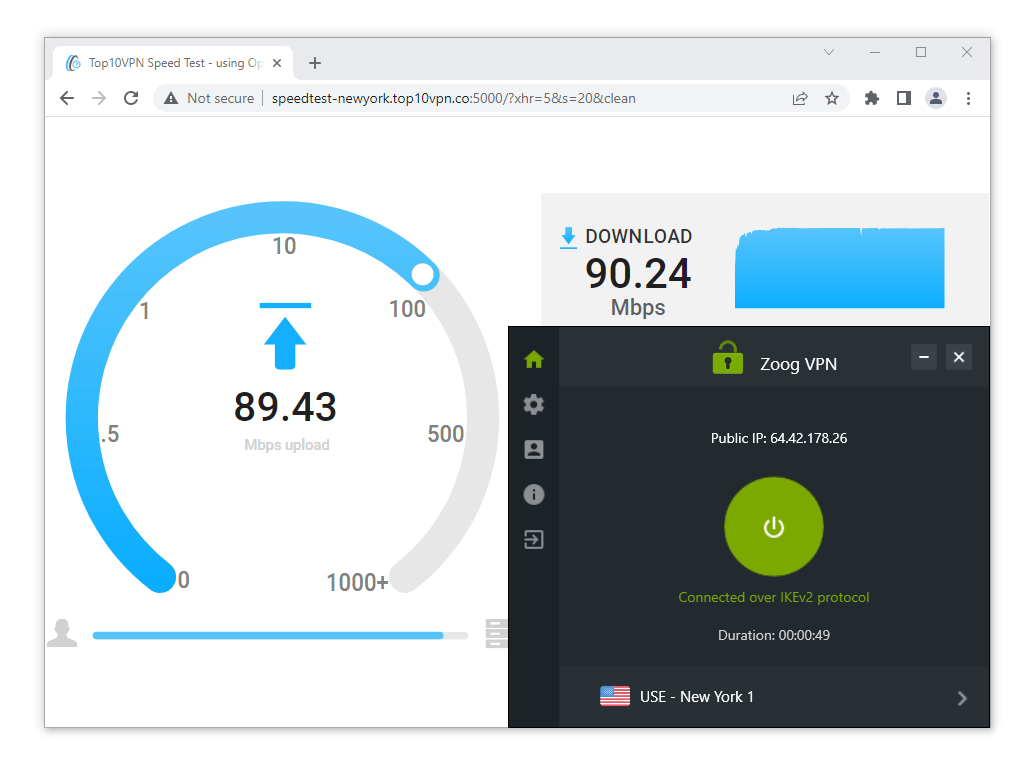
In our recent speed tests, we used ZoogVPN’s New York server to test its speeds.
ZoogVPN Free Speed Tests
ZoogVPN Free is very fast for a free VPN. In our tests, it was almost as fast as the premium version. That makes ZoogVPN one of the fastest free VPNs around, with no sign of throttling.
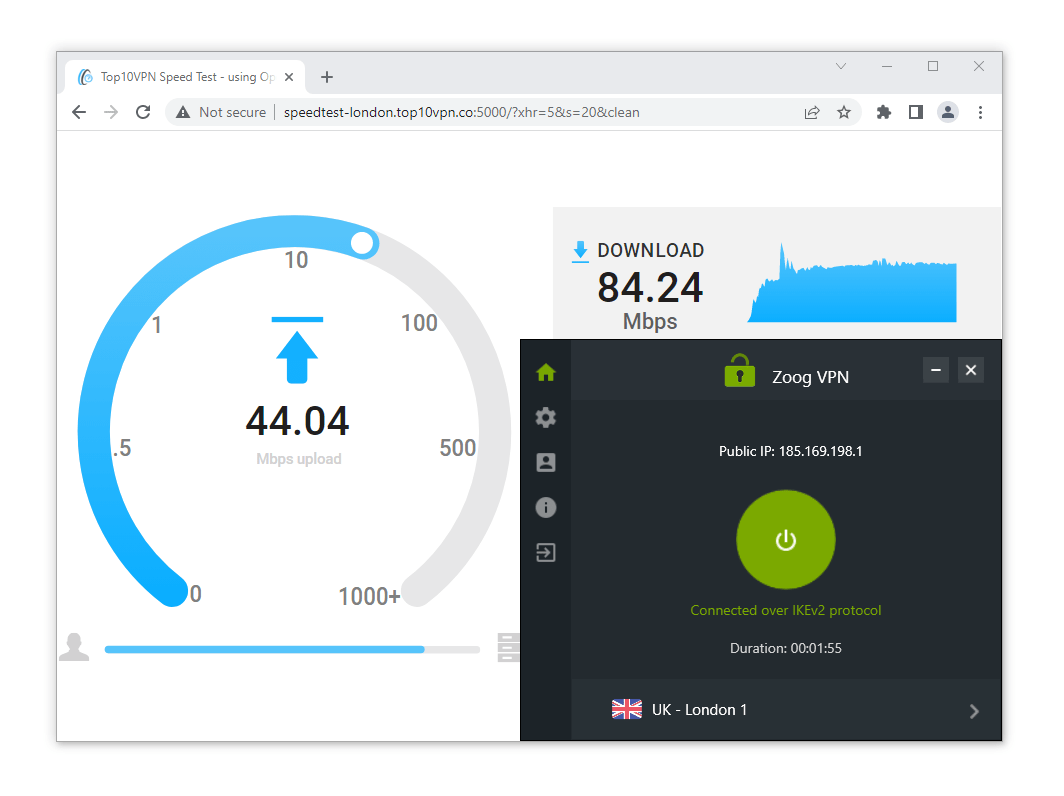
We manually test both free and premium versions of VPNs to compare speed performance.
For the best speeds, choose a server close to your location. However, ZoogVPN Free only has servers in 3 countries, so many users won’t have a nearby option.
To mitigate this, consider a free VPN like TunnelBear Free, which has servers in 47 countries.
Here’s a table showing ZoogVPN Free’s speed results:
| No VPN (New York) | US (New York) | UK (London) | Germany (Berlin) | |
|---|---|---|---|---|
| Server Location | |
|
|
|
| Download Speed | 100Mbps | 94Mbps | 88Mbps | 86Mbps |
| Upload Speed | 100Mbps | 88Mbps | 42Mbps | 23Mbps |
| Ping | 1ms | 17ms | 79ms | 85ms |
| Distance | 0mi | 5mi | 3,500mi | 4,000mi |
Security
ZoogVPN provides a basic level of security. It offers industry-standard encryption and a choice of OpenVPN and WireGuard, but there are concerns. The kill switch leaked our IP address on macOS, and there’s no kill switch at all on the mobile apps, which is a major oversight. ZoogVPN will encrypt your data, but if you want extensive security, look elsewhere.
| Independent Audit | No |
|---|---|
| VPN Kill Switch | Yes |
| Leak Protection | Yes |
ZoogVPN covers the basics for security and extras.
It connects to OpenVPN by default — one of the most secure protocols — and it also supports WireGuard.
Traffic is encrypted with AES-256, a cipher considered unbreakable.
WireGuard uses ChaCha20 encryption, which is faster and more efficient.
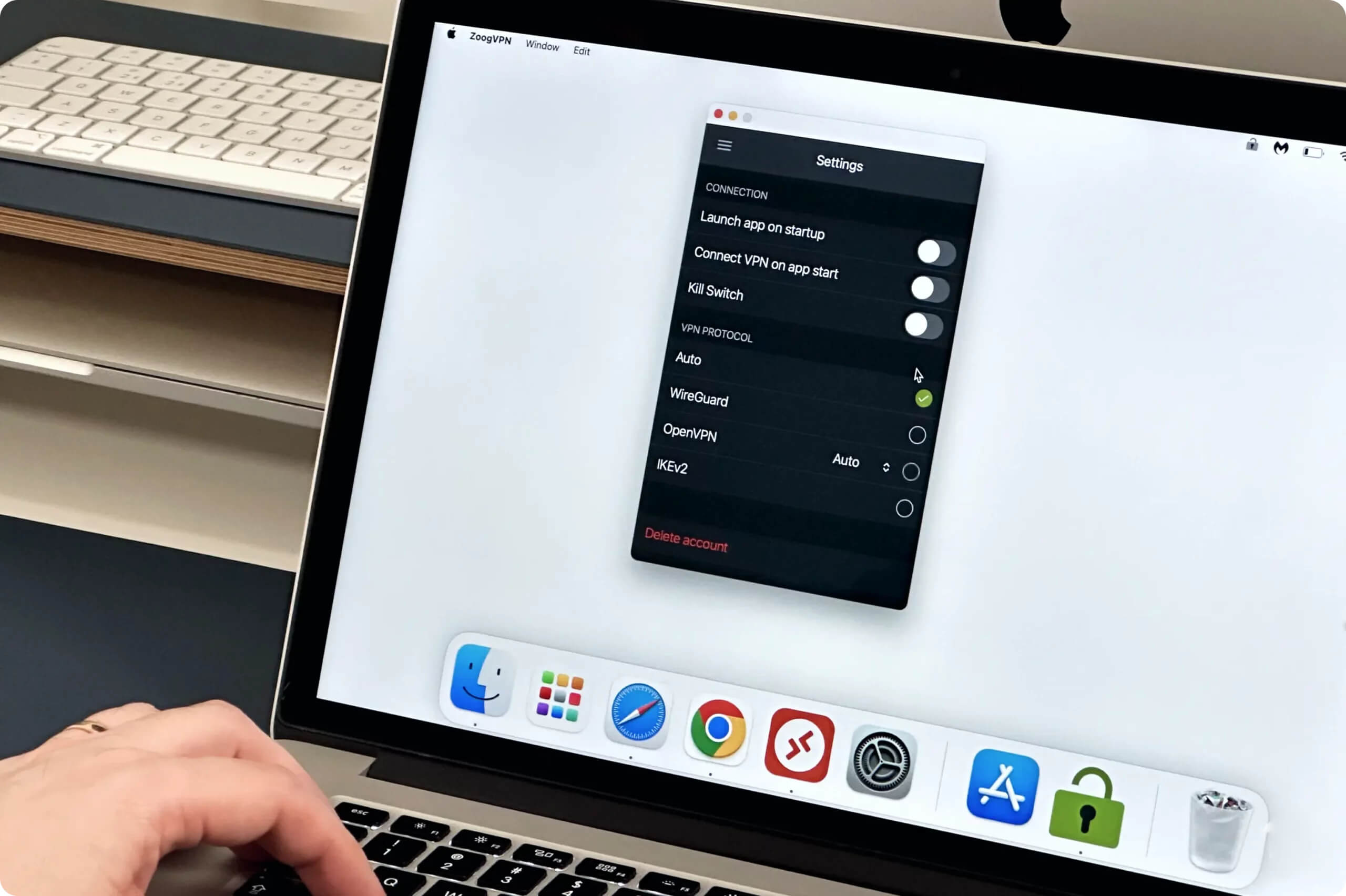
ZoogVPN security settings on macOS.
Beyond the basics, ZoogVPN offers a few advanced options, like split tunneling on Android and Windows, and a SOCKS5 proxy.
This may be enough for casual users, but experienced users might find the options limited.
There’s no double VPN, ad blocking, tracker blocking, or WebRTC blocking.
It does have a VPN kill switch for Windows, Android, and macOS to prevent leaks if the connection drops.
However, we encountered issues with ZoogVPN’s kill switch, detailed below.
Unlike NordVPN, which publishes detailed software release notes, ZoogVPN doesn’t release update notes for any platform. You might miss key details about bug fixes and new features.
ZoogVPN Owns Some of Its Servers
Almost all of ZoogVPN’s servers are bare-metal (physical) and located where advertised. The service owns a few servers but leases most from trusted third parties.
ZoogVPN doesn’t label virtual or physical servers in the app, but confirmed via email that servers in “exotic locations” may be virtual.
This isn’t as strong as ExpressVPN, which owns its entire physical network, or PIA, which clearly labels virtual servers.
Kill Switch Leaked Our Real IP Address on macOS
We had mixed results testing the kill switch. On Windows, it worked reliably and never leaked our IP address.
On macOS, ZoogVPN leaked our real IP when switching servers and when our internet dropped.
Put simply, ZoogVPN’s kill switch did not work on macOS at the time of testing, so we don’t recommend relying on it if you’re using a Mac.
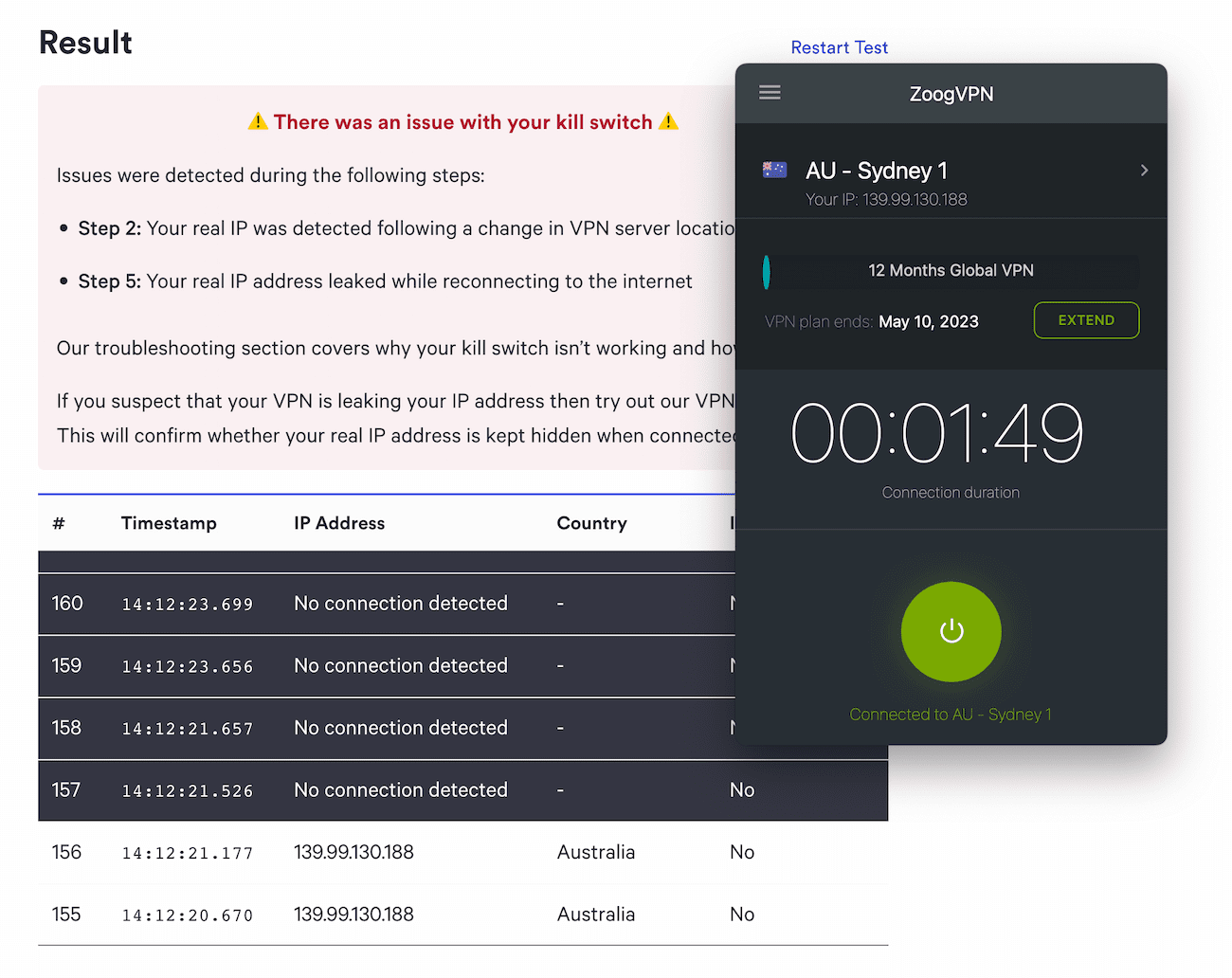
ZoogVPN failed our kill switch test on macOS.
Missing Technical Features We’d Like to See
ZoogVPN offers the essentials, which may be enough for beginners or occasional users.
However, there are better VPNs with more advanced features and reliable kill switches on all devices.
To improve its security rating, ZoogVPN should invest in additional features.
Here are features we’d like ZoogVPN to add:
- Kill switch on iOS.
- Open-source code for transparency.
Server Locations
ZoogVPN has servers in 71 countries and 90+ cities. This is above average but doesn’t beat top-tier VPNs with 100+ countries. Some servers are physical, and most are leased from third parties. ZoogVPN Free has only 3 server locations across Europe and North America.
| Continent | ZoogVPN (Free) Countries with Servers |
ZoogVPN Countries with Servers |
|---|---|---|
| Europe | 2 | 34 |
| North America | 1 | 5 |
| Asia | 0 | 22 |
| South America | 0 | 6 |
| Africa | 0 | 2 |
| Oceania | 0 | 2 |
Like most VPNs, most ZoogVPN servers are in Europe. If you live in Africa or Oceania, there are only two options in each region.
ZoogVPN says all of its servers are bare-metal and physically located in the countries they represent, helping to avoid unexpected slowdowns.
With ZoogVPN Free, you can get an IP address in 3 locations — the Netherlands, the UK, and the US. This is less than half the server locations Windscribe Free offers.
It used to offer a free server in Asia, but that was recently removed. ZoogVPN Free used to be one of the best VPNs for Android, but now our top free picks are Windscribe Free and Proton VPN Free.
A ZoogVPN subscription includes multiple specialized servers for streaming, torrenting, and obfuscation.
These servers are designed to be faster and more efficient for certain tasks. They are clearly labeled in the app with icons:
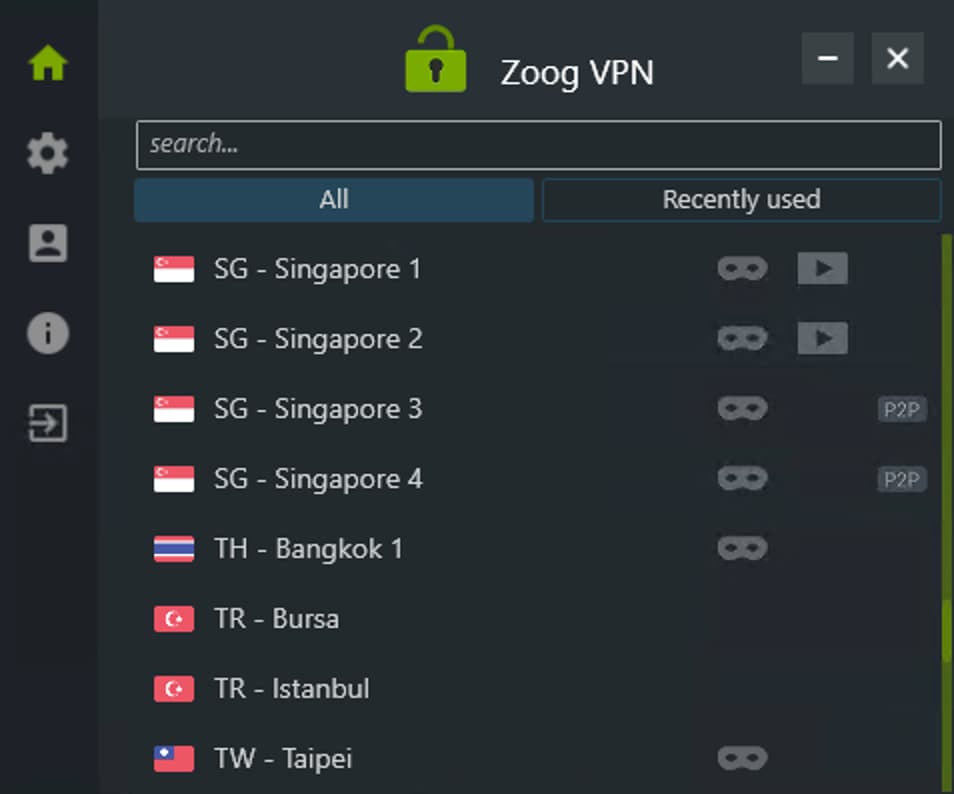
ZoogVPN’s specialized servers are spread across continents.
ZoogVPN Free used to include streaming and P2P servers, but now you only get one obfuscated server location — the UK.
Here’s how many specialized servers ZoogVPN offers:
| Subscription | ||
|---|---|---|
| Streaming Servers | ||
| Obfuscated Servers | ||
| P2P Servers |
User Experience
ZoogVPN has simple, stripped-back apps that anyone can use. It suits newcomers and those who want the free version for a quick fix. But the app design isn’t as polished as top-tier competitors.
We found it easy to install and set up ZoogVPN on all our test devices. The website includes clear setup guides.
You can download ZoogVPN and start using it for free on all major platforms once you verify your email address. All versions of the app include minimal features: protocol selection, a kill switch toggle, and a few extras on Windows and Android.
Here’s a closer look at each ZoogVPN app:
Desktop & Laptop (Windows & Mac)
ZoogVPN’s desktop clients differ in protocol options and whether the window can be resized.
Windows is the better client, with no bugs and easier navigation. Both desktop apps include the basics: OpenVPN, a kill switch, and the option to launch on startup.
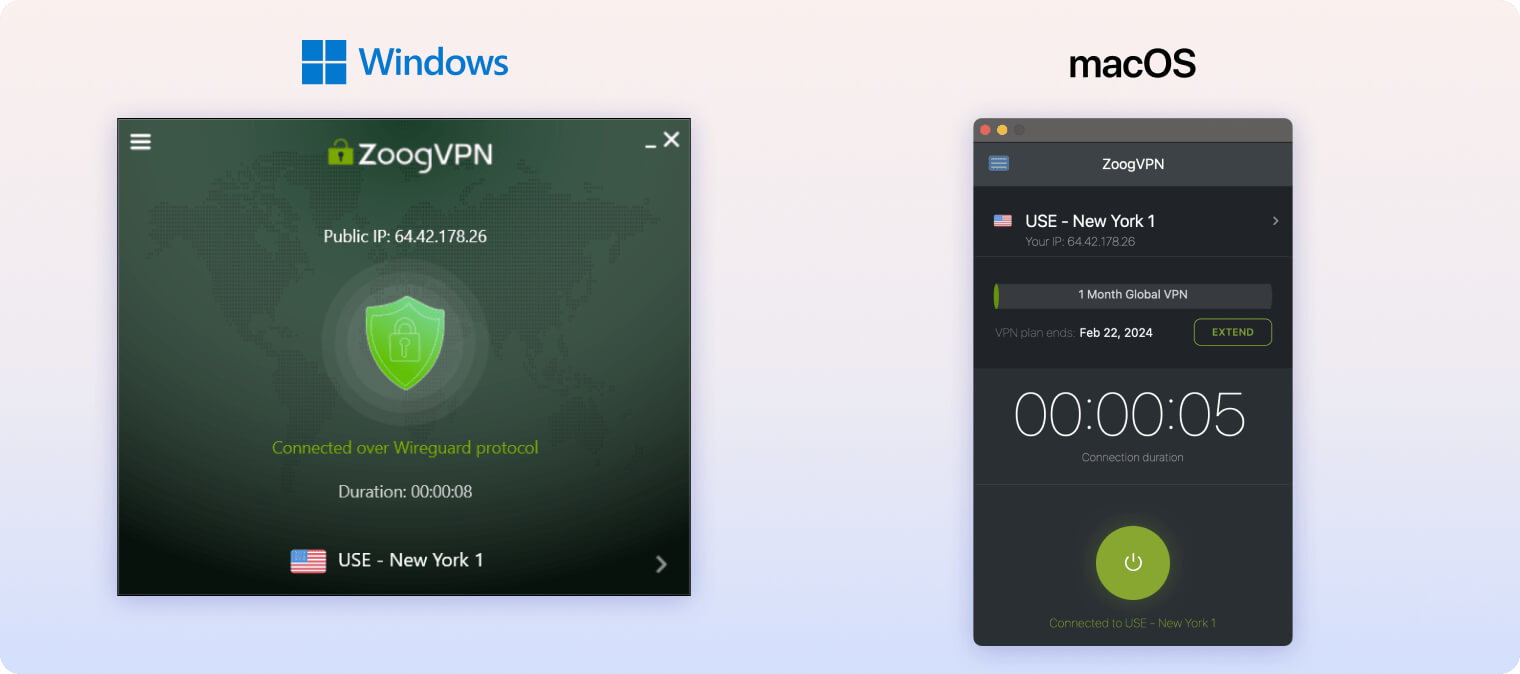
ZoogVPN previously had bugs on macOS, where the window was fixed in the center and couldn’t be moved.
We’re glad ZoogVPN recently fixed these issues, but we’d like the option to resize the window on macOS.
In earlier tests, ZoogVPN failed to connect using OpenVPN on our MacBook Pro. We’re pleased to see this bug has also been fixed in recent updates.
Mobile (iPhone & Android)
ZoogVPN’s mobile apps are easy to install from official app stores and straightforward to use.
A kill switch and split tunneling are available on Android, which helps maintain privacy on the go. We’d like ZoogVPN to add the same features to iOS.
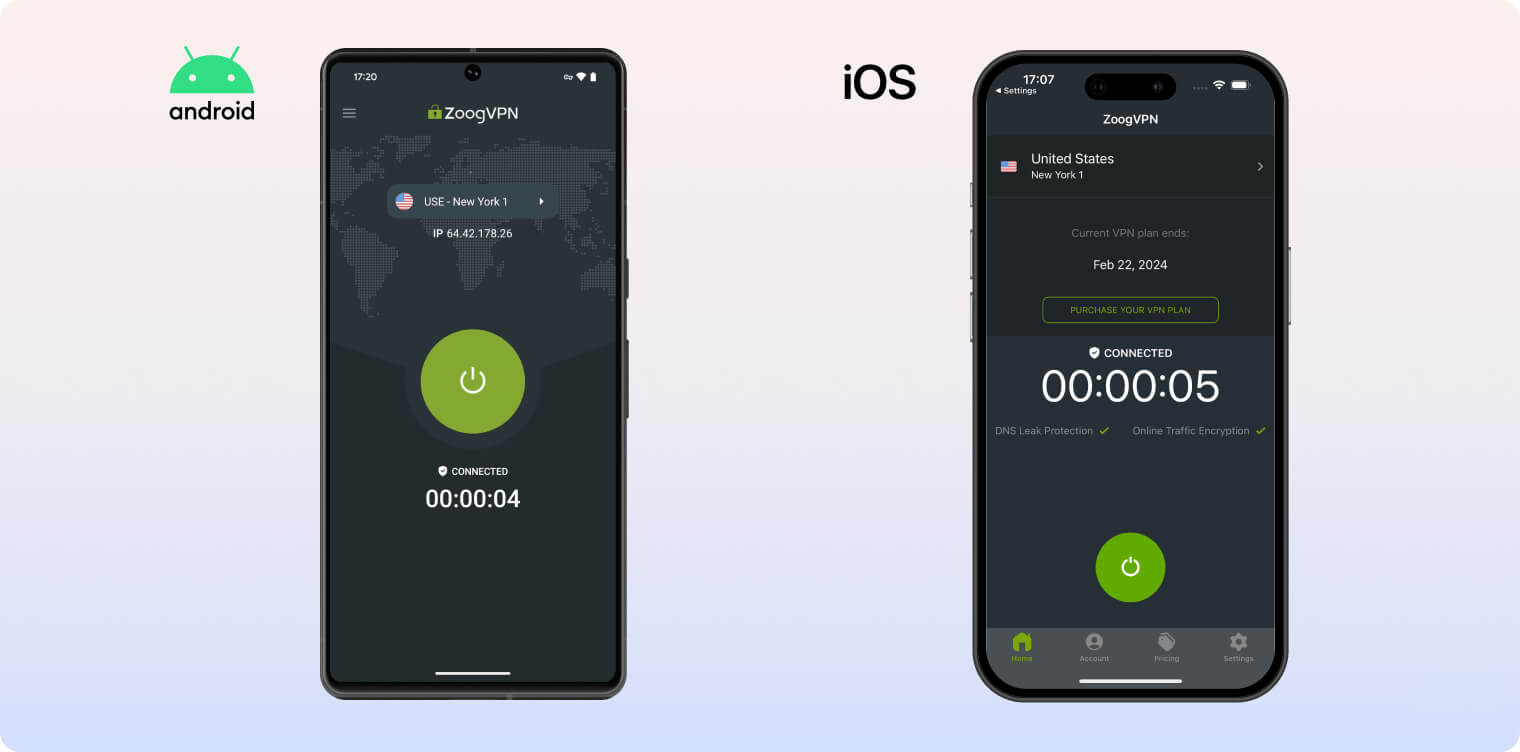
Both mobile apps use the same dull green and gray color palette as the desktop clients.
Other VPNs look more modern on Android and iOS. The one redeeming factor is that ZoogVPN Free on iOS doesn’t require an email address.
The free version on Android and all other platforms requires an email for account verification.
Amazon Fire TV & Android TV
ZoogVPN’s custom apps for Amazon Fire TV and Android TV are user-friendly for beginners, but they don’t perform well at unblocking geo-restricted content.
They also lack key features advanced users expect. You’re limited to one protocol (OpenVPN), and there’s no kill switch to prevent IP leaks.
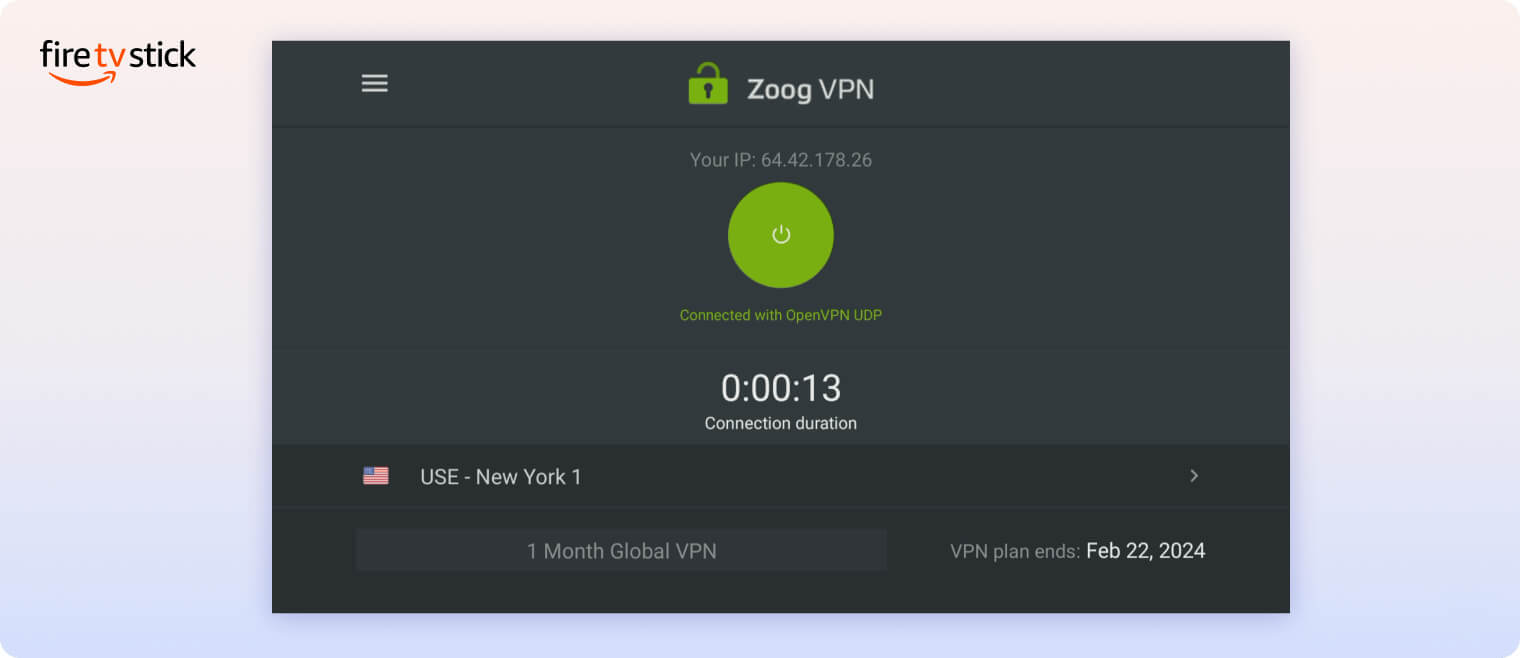
Unlike other ZoogVPN apps, the Amazon Fire and Android TV apps don’t let you search servers by country. You have to scroll through the full list manually.
You also don’t get ZoogVPN’s full server catalog on Amazon Fire TV, though you can use 58 of its streaming servers.
Torrenting
ZoogVPN has 39 P2P servers optimized for torrenting, but it’s not our top choice for this use case. It offers a kill switch on desktop, but it’s faulty on macOS. There’s no port forwarding.
| Torrenting Attribute | ZoogVPN (Free) | ZoogVPN |
|---|---|---|
| Permits P2P Traffic | Yes | Yes |
| Average Download Bitrate | 6.4MiB/s (43% loss) | 9.6MiB/s (4% loss) |
| Countries with P2P Servers | 3 | 71 |
| Port Forwarding | No | No |
| Kill Switch | Yes | Yes |
| Logging Policy | No Identifiable Data | No Identifiable Data |
ZoogVPN’s premium version includes P2P servers optimized specifically for torrenting.
These P2P-friendly servers are clearly marked in the server list. They cover many countries, including Canada, the US, and several in Europe and Asia-Pacific.
We saw a fast average bitrate on these servers — 9.6MiB/s. This makes ZoogVPN faster than ExpressVPN (9.8MiB/s) and NordVPN (9.8MiB/s), the two leading VPNs.
Although it works on Windows, the macOS kill switch can leak your IP when your connection drops. This is a serious risk if you rely on the VPN for protection while torrenting.
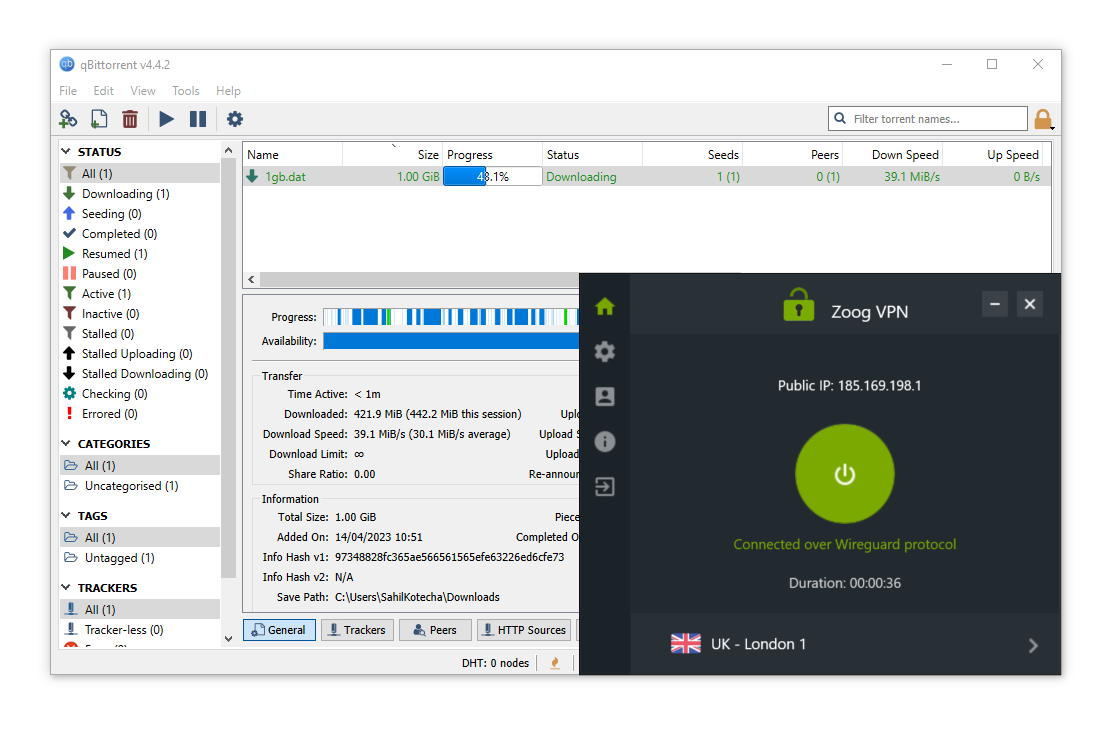
We used ZoogVPN’s WireGuard protocol for torrenting tests.
If you plan to use a VPN for torrenting, we highly recommend Private Internet Access or PrivadoVPN Free.
Device Compatibility
ZoogVPN is surprisingly compatible for a mid-tier VPN. It has custom apps for a wide range of devices, including Windows, Mac, iOS, Android, Fire TV Stick, and Android TV. ZoogVPN allows up to 5 simultaneous connections, which matches the industry average of five. It doesn’t offer browser extensions, but it can be installed on a router for whole-home coverage.
| Windows | Yes |
|---|---|
| Mac | Yes |
| iOS | Yes |
| Android | Yes |
| Linux | Yes |
| Amazon Fire TV | Yes |
| Android TV | Yes |
| Apple TV | No |
| Router | Manual Setup Only |
| Chrome | Yes |
Simultaneous Connections: 5
You can install the software on Linux and routers, but it requires manual configuration.
You can use ZoogVPN on up to 5 devices at once with a single subscription, which is generous compared to some competitors.
Here’s a summary of key differences between ZoogVPN’s apps:
| Platform | Protocols | Kill Switch | Obfuscation |
|---|---|---|---|
| Windows | IKEv2, OpenVPN, WireGuard, Shadow, ZoogTLS | Yes | Yes |
| macOS | OpenVPN, IKEv2 | Yes | No |
| iOS | IKEv2, OpenVPN, WireGuard | No | No |
| Android | OpenVPN, WireGuard | Yes | Yes |
Games Consoles & Streaming Devices
If you want to protect streaming devices, ZoogVPN has custom apps for Amazon Fire TV Stick and Android TV.
You can also install ZoogVPN on your router to cover multiple devices at once. We don’t recommend this to beginners since setup is complex, but ZoogVPN provides instructions for advanced users.
Browser Extensions
ZoogVPN doesn’t offer browser extensions, which isn’t a significant loss.
While browser add-ons are lightweight, they don’t provide the same protection levels as full VPN apps.
Additional Features
ZoogVPN’s extra features are thin in both free and paid tiers. There’s no multi-hop, ad blocker, dedicated or static IPs, or custom proxy servers. Performance in highly censored regions like China and Russia is inconsistent. If you have issues, you can contact ZoogVPN via live chat or email through its online form.
| Additional Feature | ZoogVPN (Free) | ZoogVPN |
|---|---|---|
| Split Tunneling | No | Yes |
| VPN Obfuscation | No | Yes |
| Multi-Hop Servers | No | No |
| Dedicated IP | No | No |
| Ad Blocker | No | No |
| SOCKS5 Proxy | No | Yes |
Obfuscated Servers
ZoogVPN offers obfuscated servers and a feature called “Zoogshadowing” to bypass online censorship. These tools can work, but they aren’t consistently reliable over long periods.
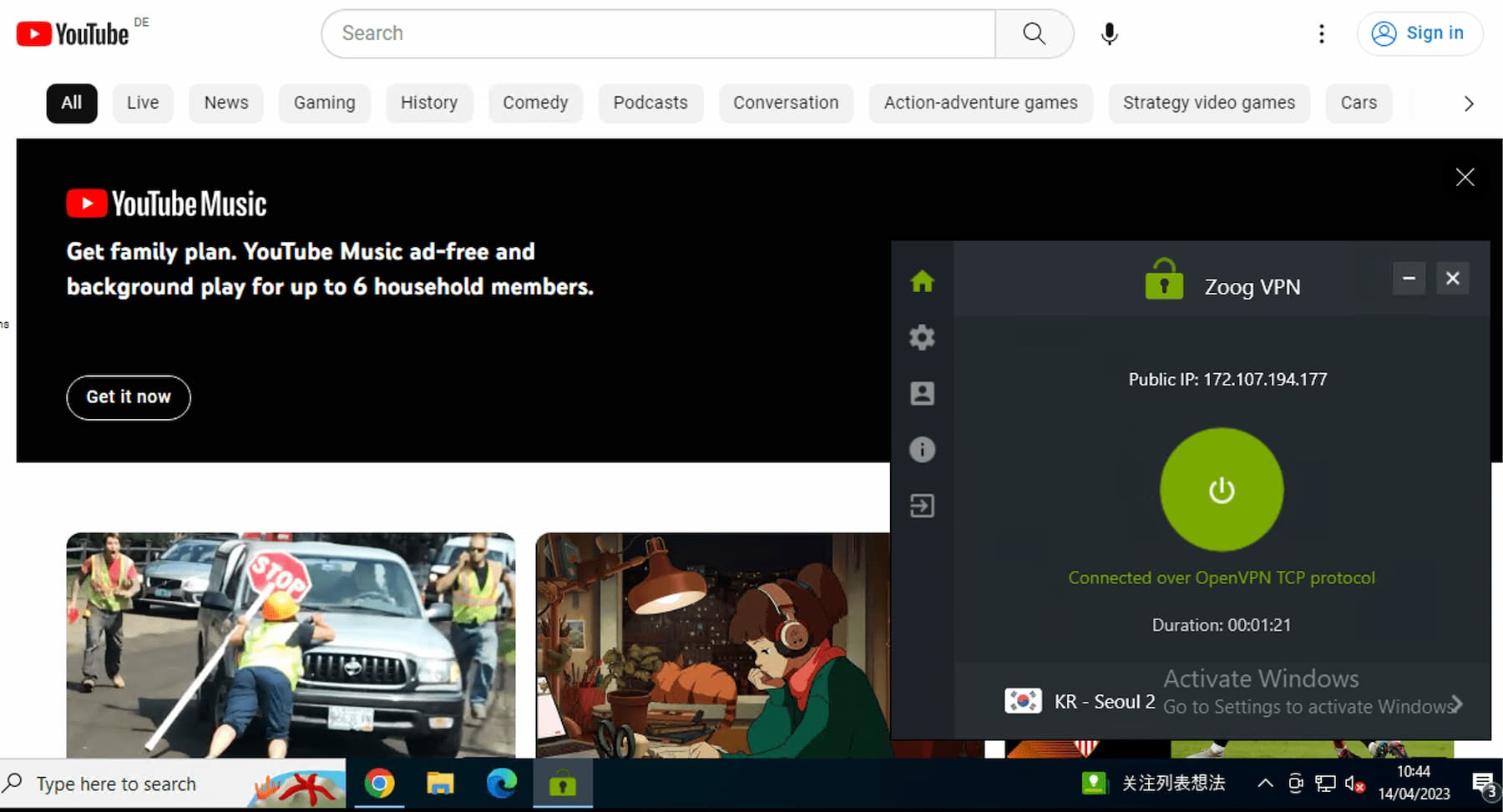
Using ZoogVPN, we watched YouTube in China.
In our recent tests in China, it took more than five minutes to connect to a South Korean obfuscated server (KR – Seoul 2). However, once connected, we were able to unblock YouTube and other censored websites.
While ZoogVPN’s paid version can sometimes bypass firewalls, the free version is less reliable in censored regions. We couldn’t connect to a single server using ZoogVPN Free in China.
If you need a free VPN for use in censored regions, consider Windscribe Free. It offers more server locations and more dependable obfuscation tools.
24/7 Live Chat Support
ZoogVPN’s 24/7 live chat is useful for quick, simple questions. Replies are usually polite and helpful.
For more technical issues, we recommend using ZoogVPN’s email ticketing system. We waited about an hour for a response, but the replies were helpful when they arrived.
There’s a basic FAQ on the ZoogVPN website and setup wizards for many platforms, but the online resources aren’t comprehensive.
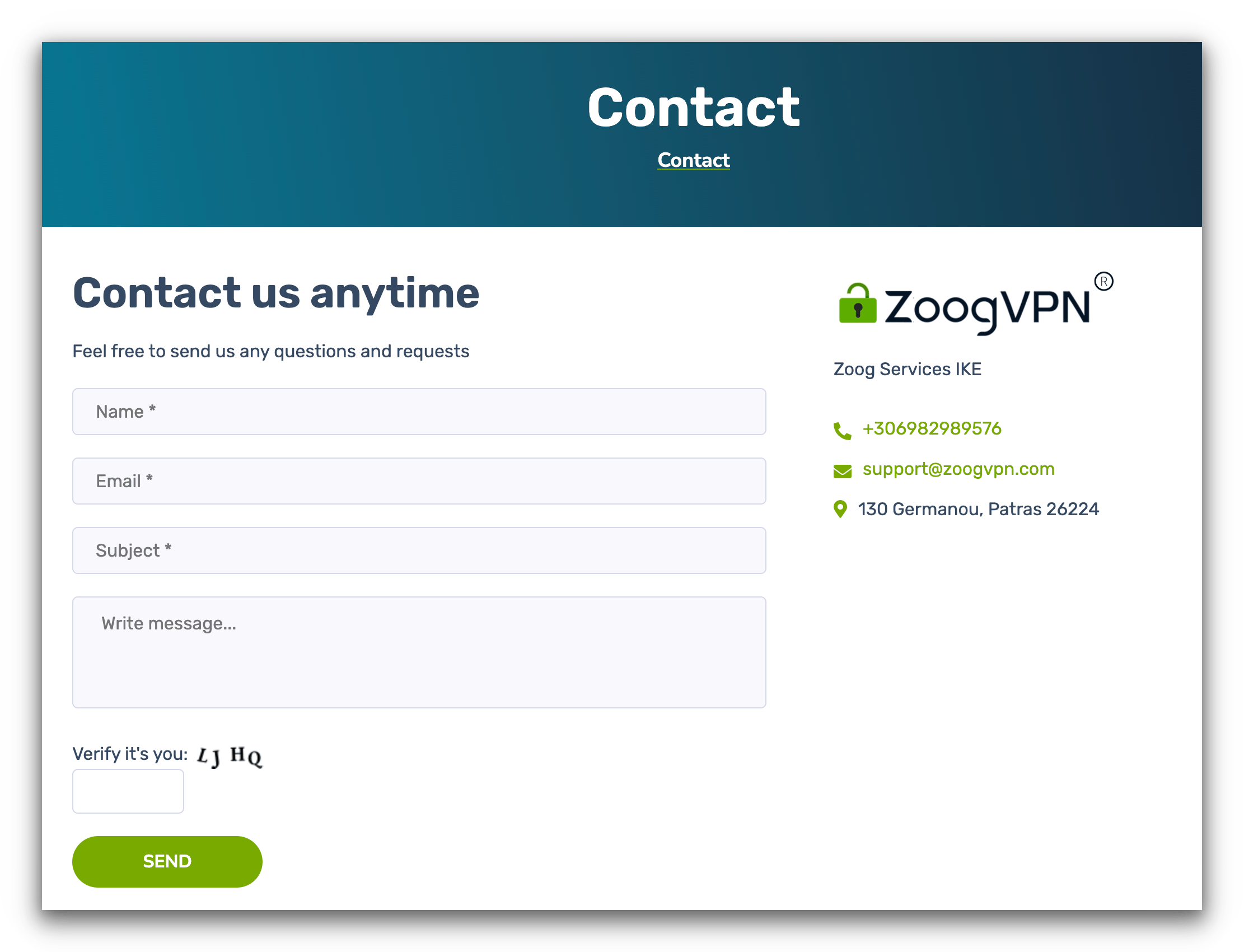
We used ZoogVPN’s website contact page to get in touch with customer support.
ZoogVPN Key Data
| Attribute | ZoogVPN | Typical Free VPN |
|---|---|---|
| Owner | Zoog Services Single Member Private Company | Independent |
| Launch Date | 2013 | 2015 |
| Safe to Use | Yes | No |
| Data Cap | 10GB per month | 10GB per month |
| Payment Details Required | No | No |
| Account Required | Yes | Yes |
| Contains Ads | No | Yes |
| Local Download Speed | 94Mbps (6% loss) | 61Mbps (39% loss) |
| International Download Speed | 85Mbps (15% loss) | 55Mbps (45% loss) |
| Countries with Servers | 3 | 4 |
| Privacy Policy | No Identifiable Data | Identifiable Data |
| Simultaneous Connections | 1 | 1 |
| Manually Select Server Location | No | Yes |
| Netflix Libraries | 0 | 0 |
| Torrenting | Yes | No |
| Works In China? | No | No |
| Customer Support | Live Chat | Online Resources |
| Apps & Extensions |
          |
|
ZoogVPN Key Data
| Attribute | ZoogVPN | Typical VPN |
|---|---|---|
| Local Download Speed | 96Mbps (4% loss) | 89Mbps (11% loss) |
| International Download Speed | 82Mbps (18% loss) | 80Mbps (20% loss) |
| Countries with Servers | 71 | 40 |
| Privacy Policy | No Identifiable Data | Identifiable Data |
| Simultaneous Connections | 5 | 10 |
| Netflix Libraries | 0 | 3 |
| Torrenting | Yes | Yes |
| Works In China? | Sometimes | No |
| Cheapest Price | 1.87/mo over 24 months | $3.87/mo over 24 months |
| Customer Support | Live Chat | |
| Apps & Extensions |
|
|
Price
Price Plans
| 1 month | $9.99 |
|---|---|
| 12 months | $35.88 ($2.99/mo) |
| 2 years | $44.88 ($1.87/mo) |
Free Trial
| Money-Back Guarantee | 7 days |
|---|---|
| Free Trial | No |
| 100% Free Plan | Yes |
| Data Cap | 10GB per month |