
X-VPN: Improved Transparency, But Logs Connection Timestamps and Still Falls Short on Speed and Trust
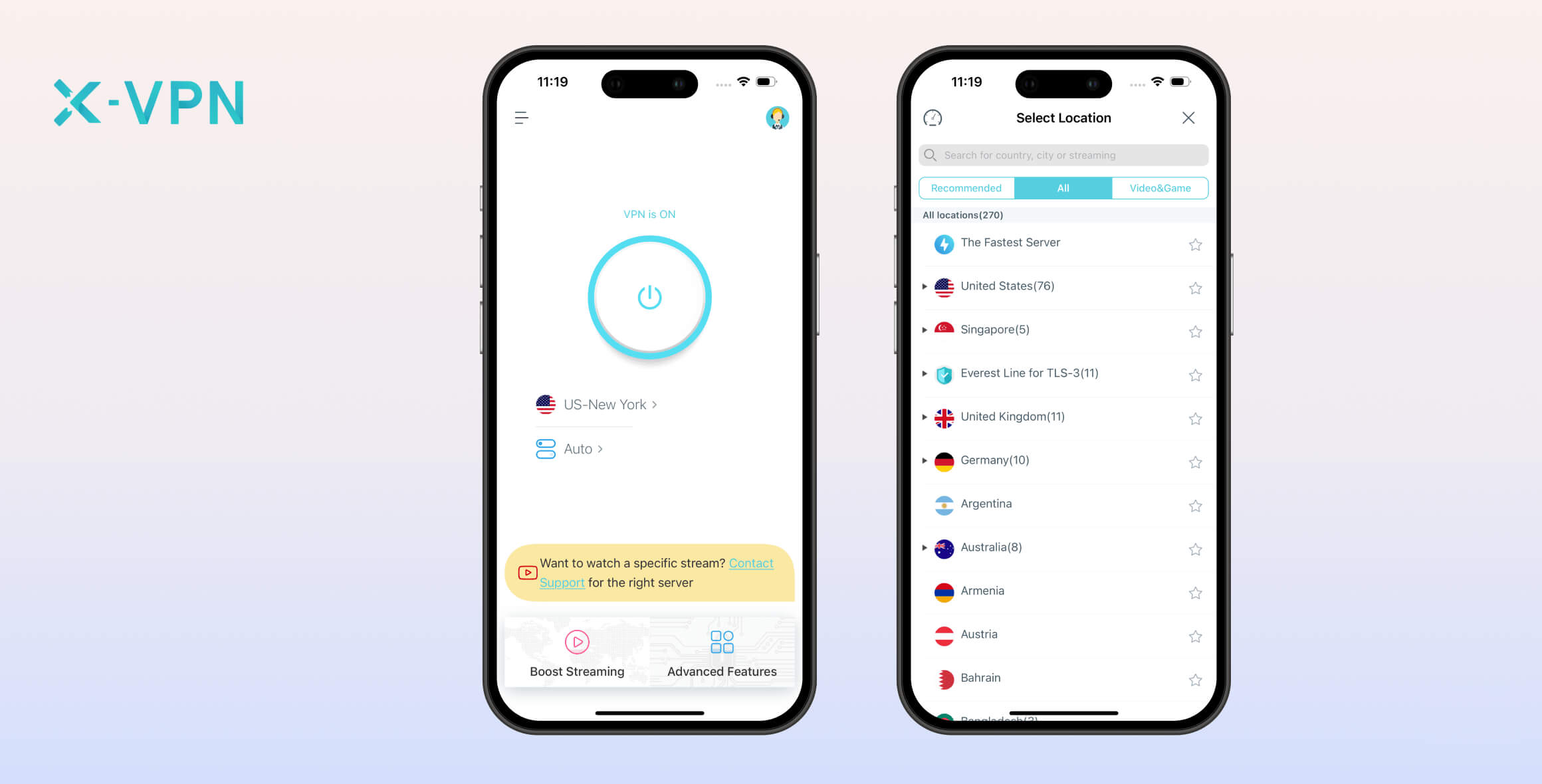
X-VPN is an underwhelming freemium VPN service, despite a large network of 8,000+ servers. Its website, logging policy, and overall transparency have improved significantly, but we can’t ignore its ties to China, reliance on closed-source VPN protocols, and poor speed test results. To be blunt, X-VPN isn’t worth your time when better alternatives are available.
- Pros
- Unlimited data
- Apps for mobile, desktop & streaming devices
- Cons
- Can’t manually choose a server location
- Close-source proprietary protocol
- Doesn’t work with any streaming services
- No kill switch on free plan
- Unskippable ads
- Slow download speeds
- Pros
- Works with US Netflix, Disney+, HBO Max, and more
- 8,000+ VPN servers in 64 countries
- VPN apps for most devices including Apple TV
- Easy to set up and connect
- Free tier has unlimited data
- Cons
- Slow connection speeds
- WebRTC leaks on Chrome extension
- Close-source proprietary protocol
- Expensive subscriptions
- Slow average bitrate
- Ownership has ties to China
X-VPN is a lesser-known freemium VPN based in Hong Kong and developed by Free Connected Limited.
Recently, X-VPN added open-source protocol options like WireGuard and redesigned its website. As a result, we re-tested the VPN and updated our review.
Privacy
Our main concern with X-VPN is its leadership’s ties to mainland China, a country hostile to VPNs and digital rights. While it claims to collect minimal data, we can’t trust this until it’s proven by an independent audit or a real court case.
| Originating IP Address | No |
|---|---|
| Browsing Activity | No |
| Individual Connection Timestamps | Yes |
| Date of Last Connection | No |
| VPN Server IP | No |
| Device Information | Yes |
| Individual Bandwidth Usage | No |
| Account Information | Yes |
You can read X-VPN’s full privacy policy on its website.
As shown above, X-VPN doesn’t log enough data to identify you. It does collect connection timestamps, but these are deleted within 48 hours. We’d like to see X-VPN reduce this window to 15 minutes, like NordVPN, or stop logging them entirely.
X-VPN also collects your real-world location at the country level only. Even combined with timestamps, this isn’t enough to de-anonymize you.
Previously, X-VPN logged different data depending on the device, which was confusing and arbitrary. Thankfully, it now uses a single logging policy across all platforms and devices.
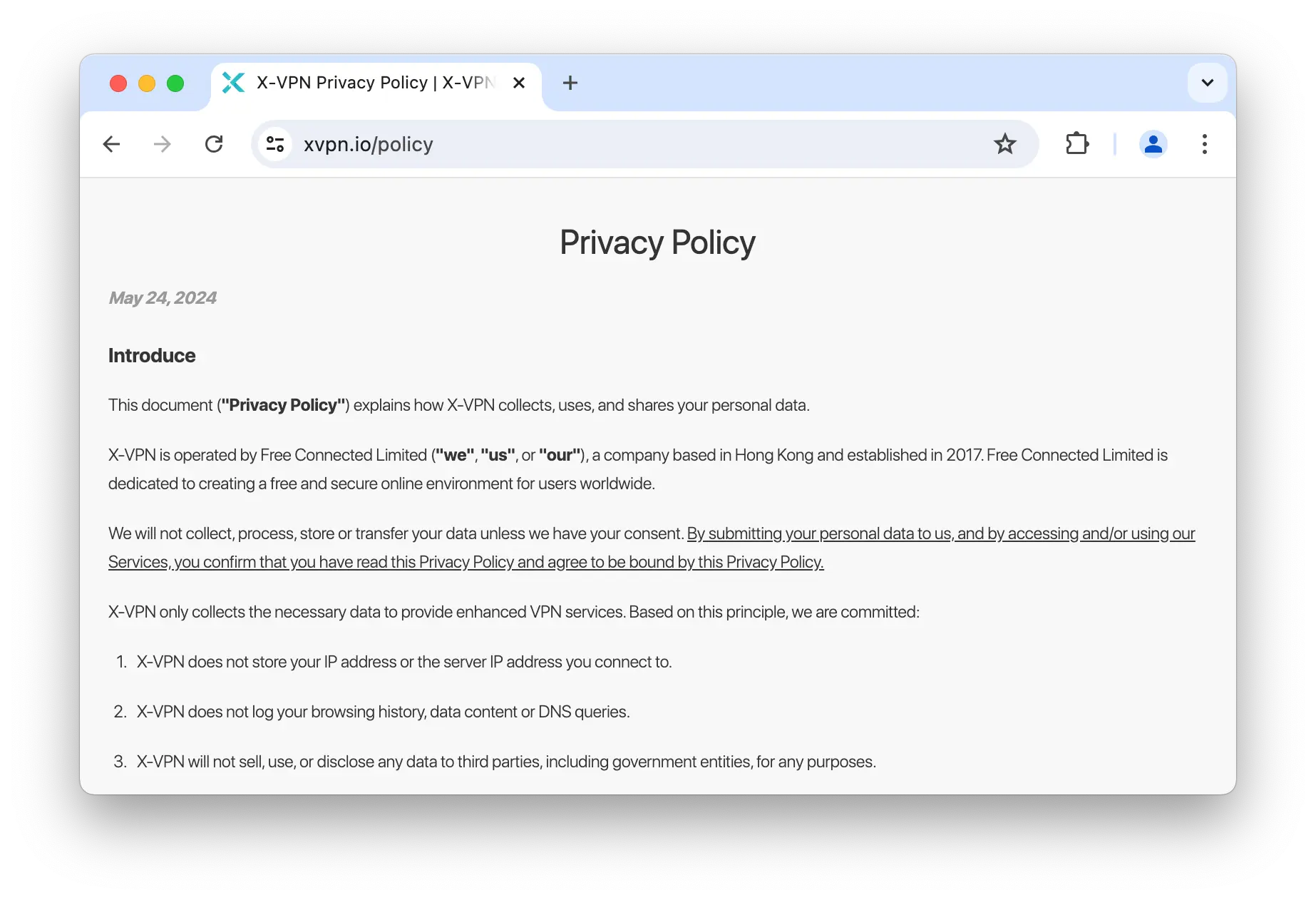
X-VPN’s privacy policy clearly outlines its logging practices.
X-VPN has also completely overhauled its website, which now looks professional and polished. While this doesn’t change its logging practices, it makes the product feel more reputable.
Plus, X-VPN uses diskless servers, so any activity logs are periodically wiped, and it supports multiple anonymous payment methods.
Though greatly improved, we’d feel more confident in X-VPN’s logging policy if it were verified by an independent audit or supported by a warrant canary.
Links to Chinese Ownership
X-VPN is owned by Free Connected Limited, incorporated in July 2017 and based in Hong Kong.
We do not consider Hong Kong a privacy-friendly jurisdiction due to its ties to the Chinese government, which actively restricts VPNs and engages in digital surveillance.
Our free VPN ownership investigation found that X-VPN has links to mainland China, which raises privacy concerns for the reasons above.
Jin Li, the company’s director, and Chengdu Zhuozhuo Technology Co., the sole shareholder, are based in Sichuan, China.
Streaming
Using X-VPN’s dedicated streaming servers, we were able to unblock US Netflix, HBO Max, Disney+, BBC iPlayer, and more. X-VPN Free doesn’t allow access to these servers and failed with every streaming service we tested.
| Streaming Service | Works with X-VPN (Free) | Works with X-VPN |
|---|---|---|
| BBC iPlayer (UK) | No | Yes |
| DAZN (Canada) | No | No |
| Disney+ (UK) | No | No |
| Hulu (US) | No | Yes |
| ITVX (UK) | No | Yes |
| HBO Max (US) | No | Yes |
| Netflix (US) | No | Yes |
| Netflix (UK) | No | No |
| Prime Video (US) | No | Yes |
| Sky Go (UK) | No | No |
You can find X-VPN’s optimal dedicated server for each streaming service on its website.
Paid plans include streaming-optimized servers in 12 countries. Using these, we unblocked every major streaming service we test, consistently.
While this is great, we’d prefer X-VPN integrate this into its standard servers instead of separating them.
You can see a more detailed analysis of our X-VPN streaming tests in the next section.
Unblocks US Netflix
We used X-VPN’s US-Video-N server to successfully unblock US Netflix from abroad.
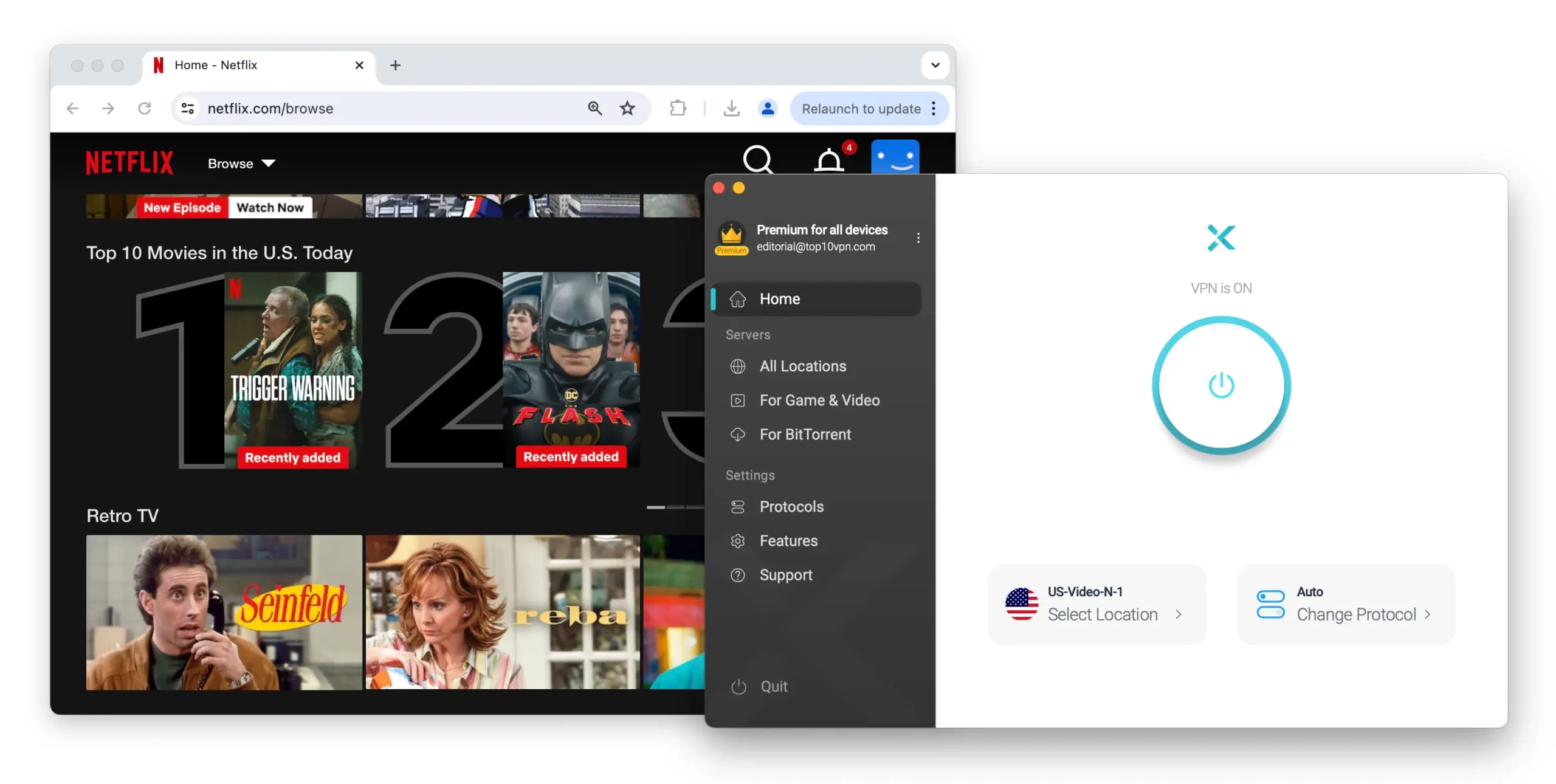
X-VPN’s dedicated US Netflix server always unblocked the streaming service.
Streams loaded almost immediately with no buffering or resolution drops.
We also tried several standard US servers and found none worked with Netflix. X-VPN should fix this disparity, as it wastes time navigating to a separate menu to find dedicated servers.
Better VPNs, like NordVPN, automatically assign a working server from the normal list.
We also confirmed X-VPN works with Netflix Australia, but slow international speeds meant the stream took over three minutes to load.
Works with BBC iPlayer
While connected to GB-Video-B, X-VPN reliably unblocked BBC iPlayer.
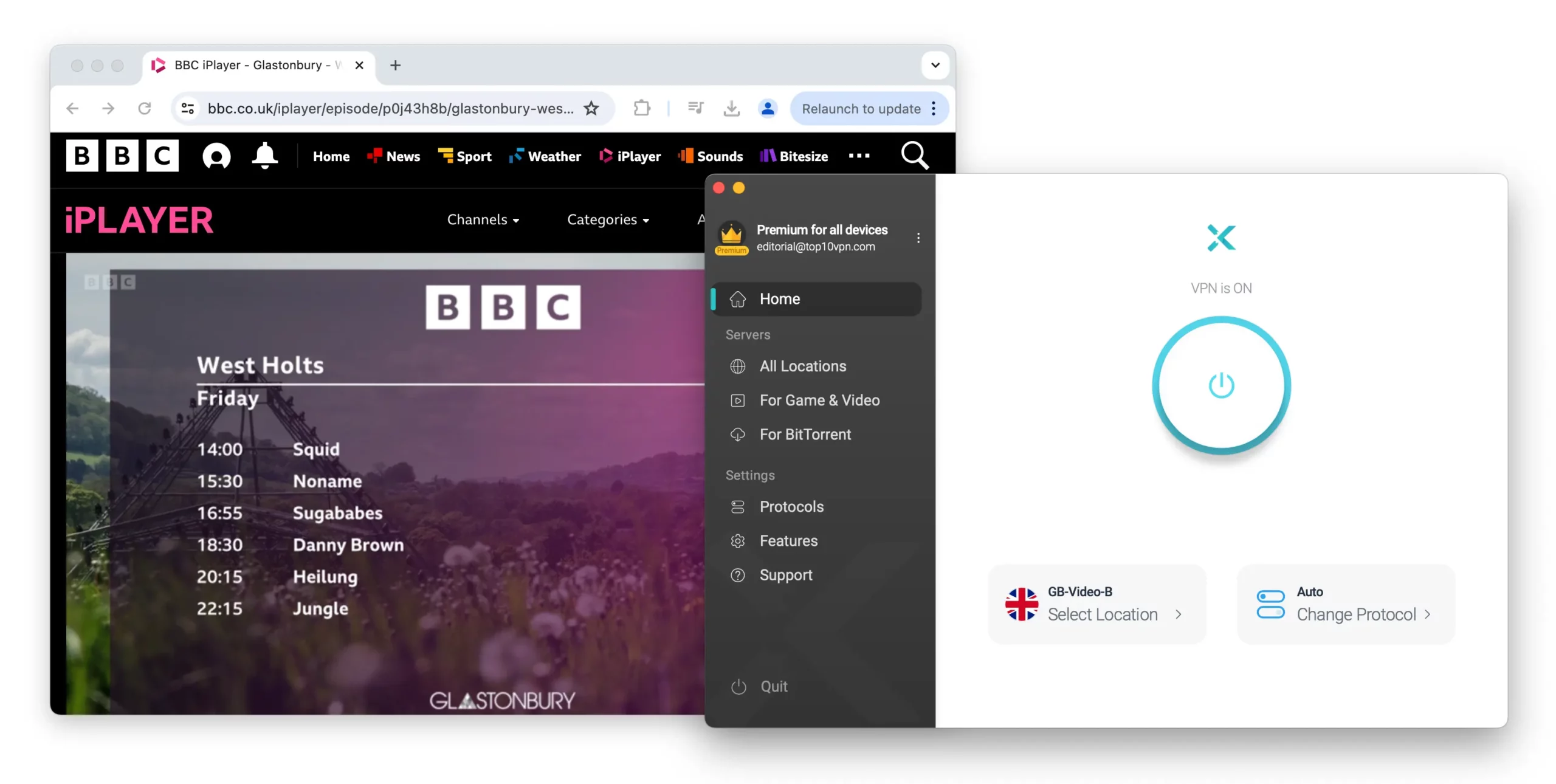
We used X-VPN to stream live content on BBC iPlayer.
Both live and on-demand content worked without issues. However, X-VPN’s standard UK servers were less consistent and often required multiple attempts.
X-VPN Free Streaming Tests
X-VPN’s Free tier is a poor choice for streaming, as it fails to unblock any platform. This has been true since our testing began and is unlikely to change.
Because X-VPN Free automatically assigns the server closest to your real location, you can’t spoof your location to access geo-restricted content.
We even tried the free US server with Hulu and Max, but the VPN was detected every time.
If you want a free VPN for streaming, we recommend Windscribe Free. It can stream five Netflix libraries—more than either version of X-VPN—as well as Max, Hulu, and Amazon Prime Video.
Speed
Using the Everest Protocol, we recorded poor speeds on nearly every X-VPN server we tested. Our speeds dropped by 35% on nearby servers and by as much as 84% on a South Africa server. We couldn’t improve X-VPN’s mediocre speeds regardless of the protocol used.
To test X-VPN’s speeds, we connected to servers on six continents using a 100Mbps connection, then averaged the results.
Here’s a table showing X-VPN’s speed test results:
| No VPN (New York) | US (New York) | Canada (Toronto) | US (Los Angeles) | UK (London) | Germany (Berlin) | Brazil (São Paulo) | Japan (Tokyo) | South Africa (Johannesburg) | Australia (Sydney) | |
|---|---|---|---|---|---|---|---|---|---|---|
| Server Location |  |
|
 |
|
 |
 |
 |
 |
 |
 |
| Download Speed | 100Mbps | 65Mbps | 57Mbps | 22Mbps | 22Mbps | 18Mbps | 17Mbps | 17Mbps | 16Mbps | 81Mbps |
| Upload Speed | 100Mbps | 55Mbps | 34Mbps | 8Mbps | 12Mbps | 7Mbps | 5Mbps | 6Mbps | 2Mbps | 3Mbps |
| Ping | 1ms | 7ms | 15ms | 70ms | 74ms | 87ms | 115ms | 149ms | 602ms | 214ms |
| Distance | 0mi | 5mi | 300mi | 2,500mi | 3,500mi | 4,000mi | 4,800mi | 6,700mi | 8,000mi | 9,900mi |
As the data shows, X-VPN reduced our local download speed to 65Mbps. This is poor and makes X-VPN one of the slowest paid VPNs we’ve reviewed. More than 30 VPNs we track deliver faster local downloads.
Its international speeds are also weak for a paid service, with an average download speed of 32Mbps across all locations.
Expect data-heavy activities like HD streaming, torrenting, and online gaming to be especially slow with X-VPN. We recommend using a leading VPN for speed instead.
Use the chart below to see how poorly X-VPN compares to top-tier VPNs over short and long distances:
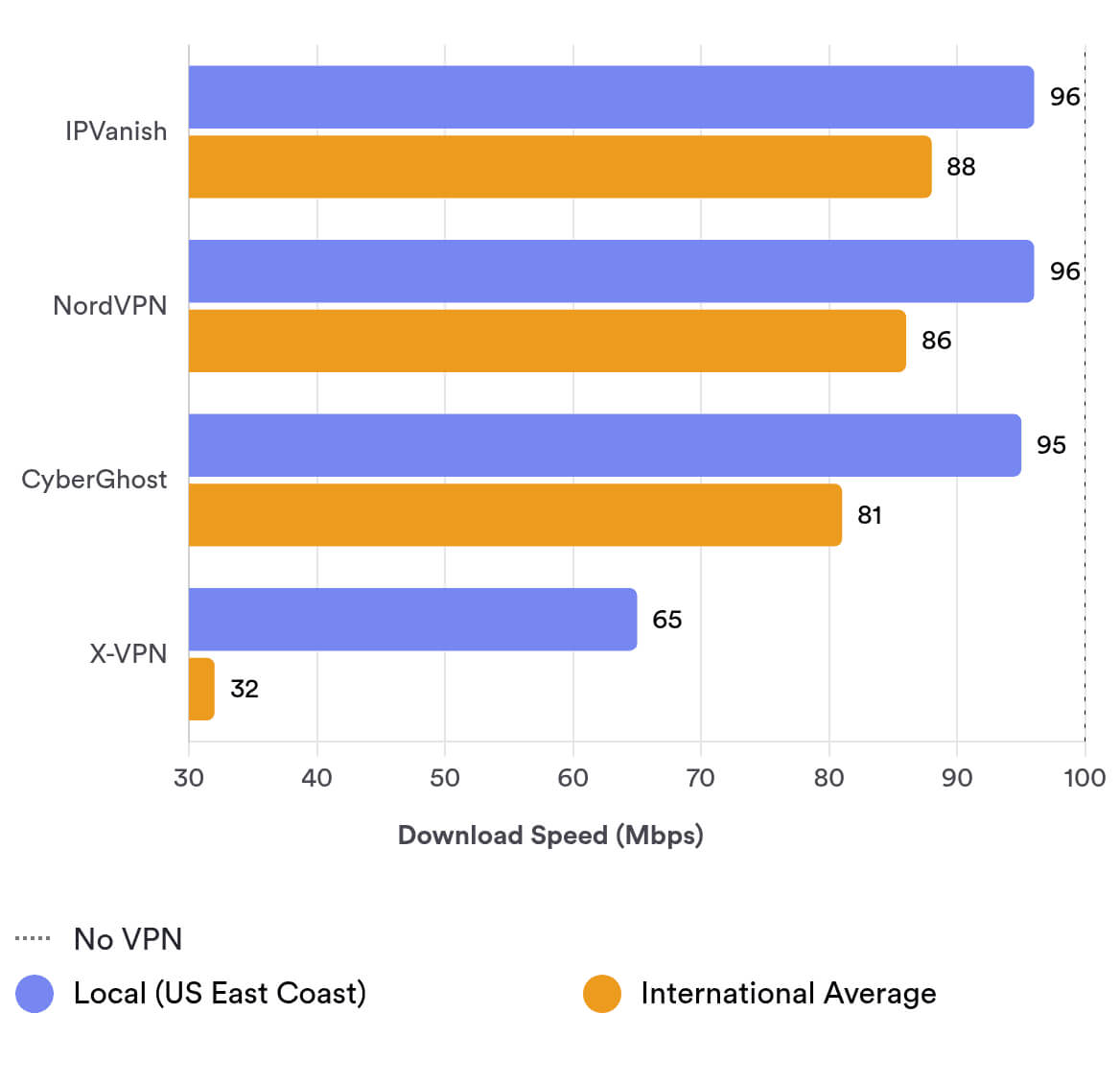
As shown above, X-VPN’s local speeds are about 33% slower than leading VPNs on average. Over international connections, its average download speed is exactly 56Mbps slower than IPVanish.
X-VPN Free Speed Test Results
We couldn’t apply our full speed testing methodology to X-VPN Free because the connection was periodically interrupted to push upgrades to the paid version.
After repeated reconnections, we were able to test X-VPN Free’s iOS app.
Below are the results we recorded using the free version:
| No VPN (New York) | US (New York) | |
|---|---|---|
| Server Location | |
|
| Download Speed | 100Mbps | 54Mbps |
| Upload Speed | 100Mbps | 71Mbps |
| Ping | 1ms | 8ms |
| Distance | 0mi | 5mi |
As expected, X-VPN Free is even slower than the paid version, with an average download speed loss of 46%.
While this isn’t the worst for a free VPN, its limited server options and persistent ads mean we can’t recommend X-VPN Free.
Security
X-VPN defaults to AES-256 encryption and its proprietary Everest protocol. While this passed our tests, you can also choose the proven and secure ChaCha20 encryption with WireGuard tunneling. X-VPN includes leak protection and an effective kill switch, though the latter is restricted to paid users.
| Independent Audit | No |
|---|---|
| VPN Kill Switch | Yes |
| Leak Protection | Yes |
Uses Open-Source & Proprietary Protocols
X-VPN uses a self-developed protocol called Everest to encrypt your traffic. Because it’s closed-source, we’re limited to the information provided by the company.
X-VPN states that the Everest protocol uses obfuscation technology and industry-standard AES-256 encryption. It’s compatible with multiple transmission protocols, including UDP, TCP, HTTP, and TLS, all listed within the app.
We used Wireshark, a packet analyzer, to inspect our network traffic while connected with the Everest protocol.
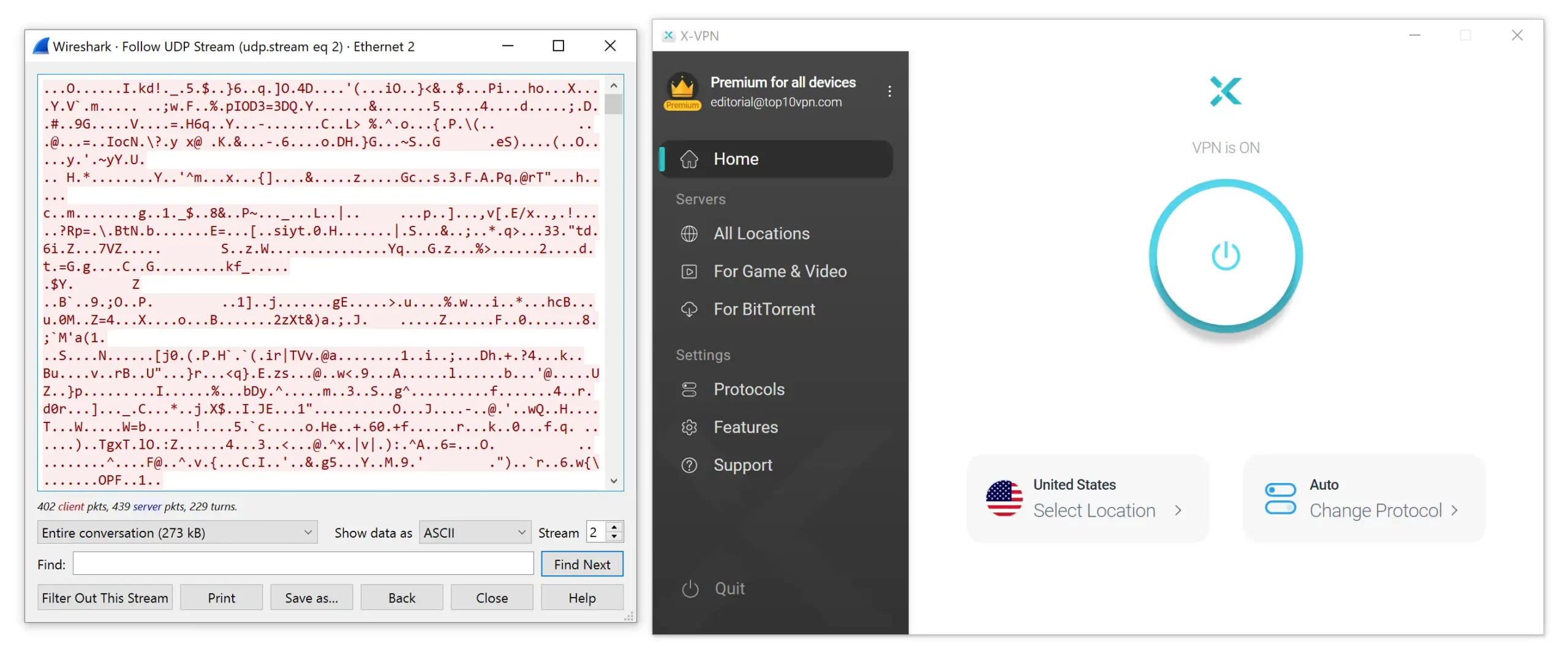
X-VPN’s proprietary protocol successfully encrypted our traffic.
As shown above, X-VPN encrypted our traffic. While we can’t fully assess Everest’s strength or reliability, it will at least conceal your online activity.
We’re also pleased that X-VPN added OpenVPN and WireGuard to its apps. These secure, open-source protocols are widely used in the industry and will keep your traffic safe.
Reliable but Paywalled Kill Switch
All X-VPN apps include a kill switch, but you need a subscription to use it on iOS and Android.
This is poor practice and puts your data at risk if your mobile connection drops unexpectedly.
To test the kill switch, we forced an internet disconnection while running our in-house tool. In each instance, X-VPN blocked network traffic and no data left the VPN tunnel.
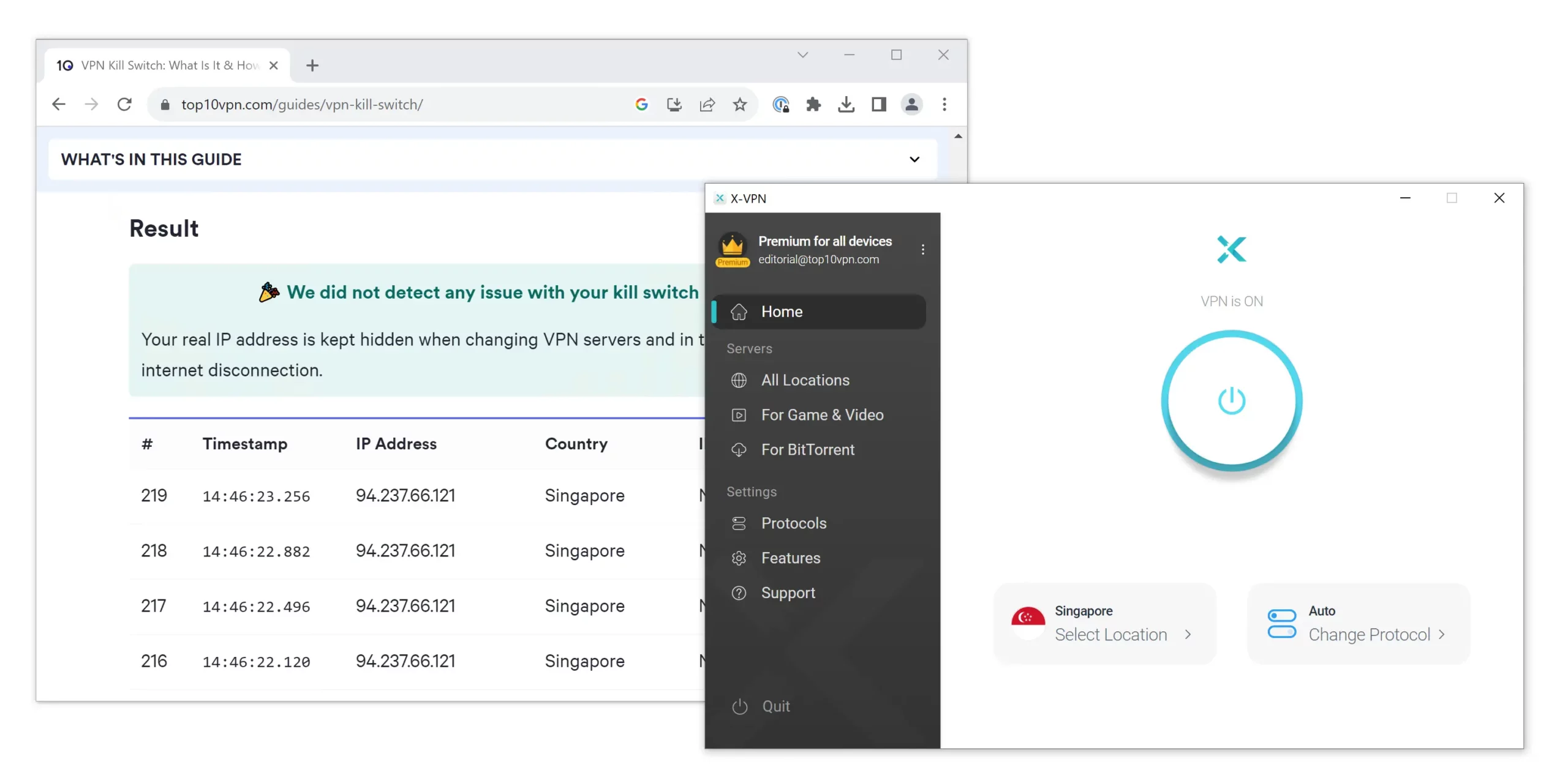
X-VPN’s kill switch never leaked our real IP address.
Server Locations
X-VPN offers IP addresses in 64 countries, with city-level options in 7 of them. Its 8,000+ servers outnumber most VPNs we’ve tested. However, the free tier is limited to a single server location.
| Continent | X-VPN (Free) Countries with Servers |
X-VPN Countries with Servers |
|---|---|---|
| North America | 1 | 3 |
| Europe | 0 | 31 |
| Asia | 0 | 21 |
| South America | 0 | 4 |
| Africa | 0 | 3 |
| Oceania | 0 | 2 |
You can connect to popular locations like the US, UK, Canada, and India. These high-demand regions also include city-level servers, so you can select a specific city within each country.
X-VPN also provides coverage in regions often underserved by VPNs. There are servers in Egypt and South Africa, multiple options across the Middle East, and choices in South America.
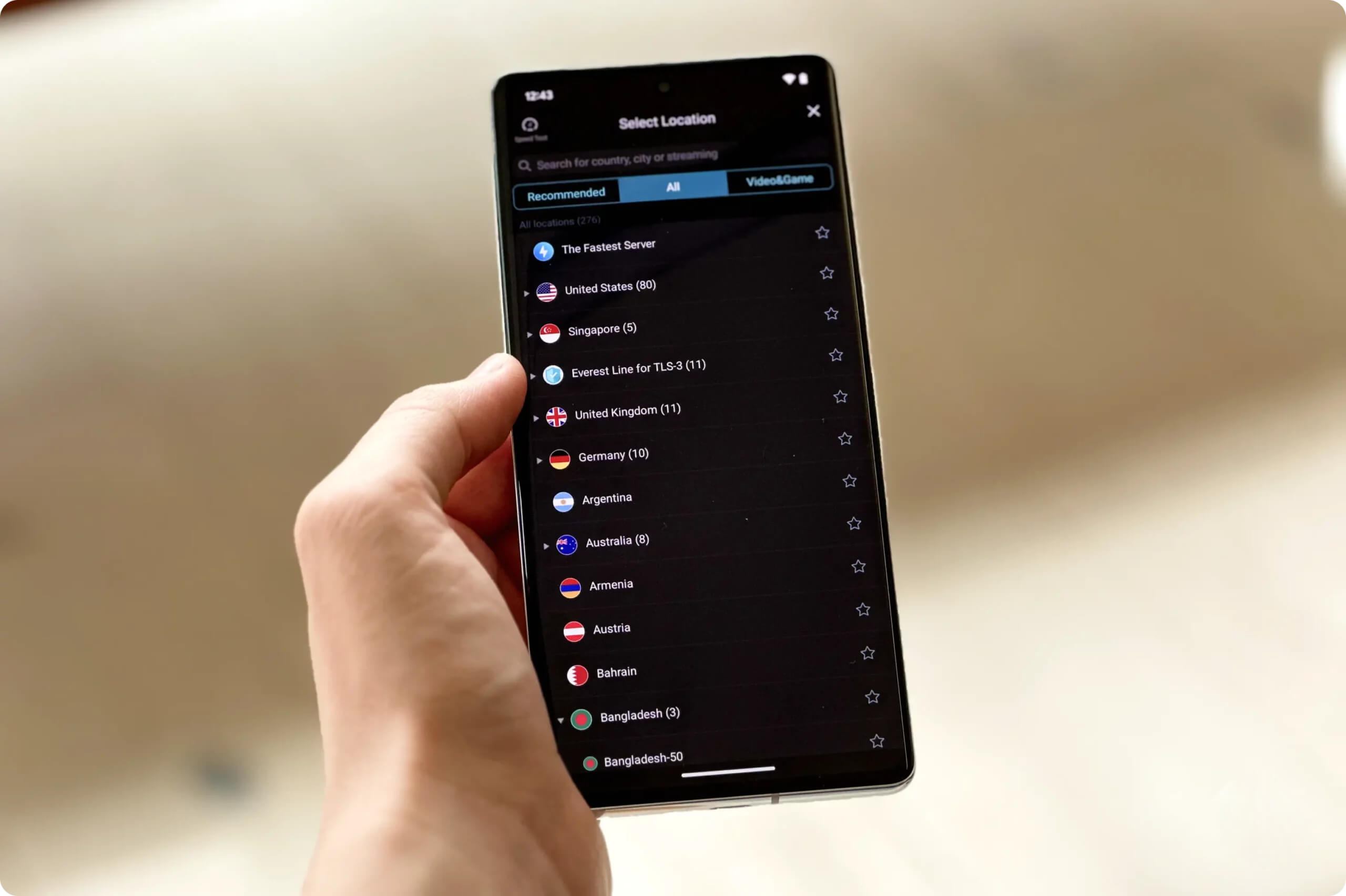
X-VPN’s server network encompasses all six inhabited continents.
While X-VPN doesn’t match the breadth of locations offered by top providers like ExpressVPN or Surfshark, its total server count is among the largest. With over 8,000 virtual servers, you’re unlikely to face congestion or trouble connecting.
Here’s how X-VPN’s server network compares to our highest-rated VPNs:
| VPN Service | No. Of Servers | No. Of Countries | Average No. Of Servers Per Country |
|---|---|---|---|
| PIA | 18,651 | 91 | 205 |
| X-VPN | 8,000+ | 64 | 125 |
| NordVPN | 8,100 | 127 | 57 |
| IPVanish | 3,100 | 112 | 42 |
| ExpressVPN | 13,360 | 109 | 28 |
| HMA | 1080 | 195 | 6 |
X-VPN Free Server Coverage
If you tap or click the power button in X-VPN Free, it automatically connects you to the nearest server.
You don’t get to choose or see the server location beforehand, but an X-VPN representative told us there are 10 free server locations and IP addresses you can be assigned.
All 64 paid server locations are displayed in the free app, but selecting one prompts you to upgrade. This quickly became annoying during testing.
User Experience
X-VPN offers simple apps for all platforms that are easy to set up and use. However, odd design choices—like separate server lists and ads—make the overall experience frustrating at times.
To get started, click “Get Started” on the website and create an account, then download the app for your device.
This process took about five minutes. On desktop, you can speed it up by logging in via mobile.
X-VPN uses a plain white design across platforms with a central power button that turns blue when connected. While it’s straightforward to connect—just tap or click the button—we found usability issues beyond that, especially when choosing servers and navigating the app.
Here’s a more detailed look at our experience across devices:
Desktop & Laptop (Windows & macOS)
X-VPN is identical on Windows and macOS, with the same interface and features. We appreciate the simplicity, but the desktop apps lack the polish of a bespoke VPN.
The home screen has no graphical elements, like an interactive widget, and the X-VPN logo is tiny, resulting in a generic, flat appearance. For comparison, Windscribe’s desktop app includes a toggle for its kill switch and changes the interface to match the flag of your connected country.
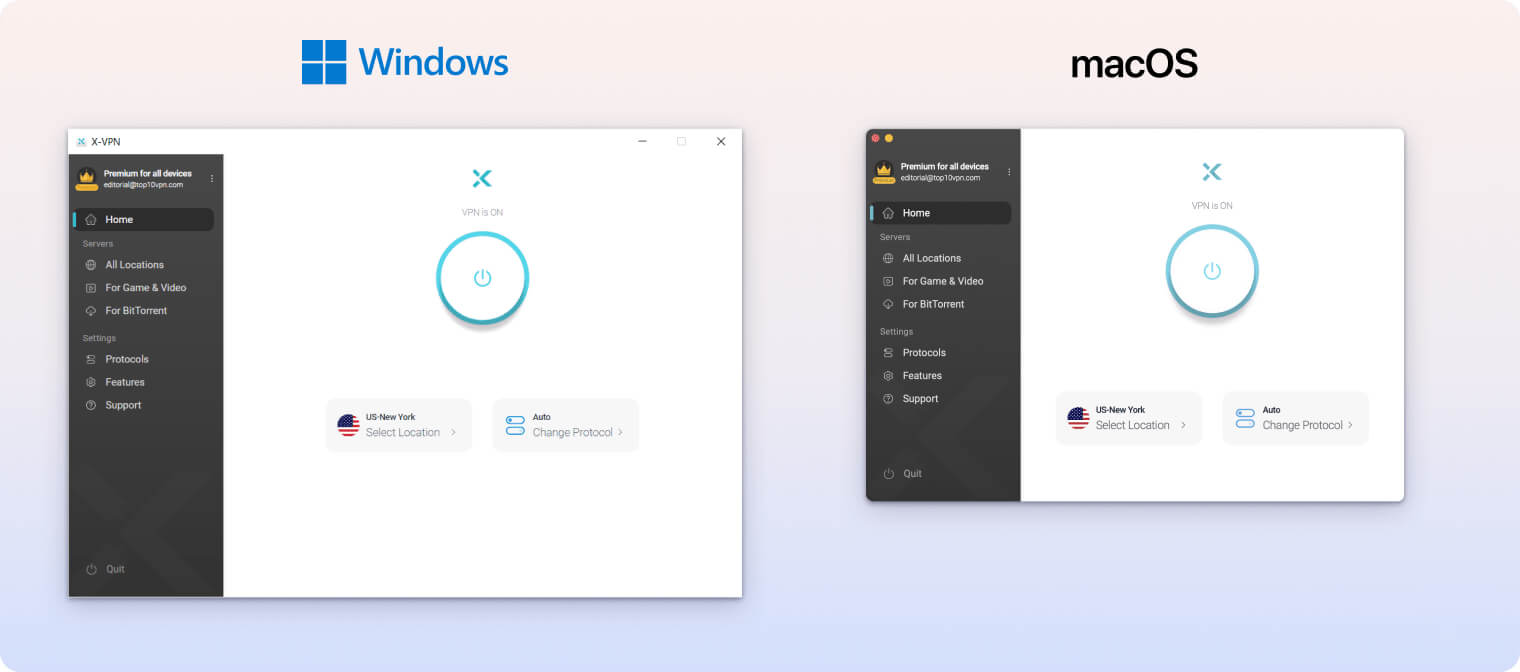
The apps are easy to use and connect with a single click. Still, we’d like the specialty servers for gaming, streaming, and torrenting to be integrated into the main server list for faster navigation.
We’d also like the option to resize the desktop apps, especially on Windows. When we tried watching Hulu, the app obscured much of the screen, making viewing frustrating.
This is less of an issue on macOS, where you can add X-VPN to the menu bar in settings.
Mobile (iPhone & Android)
X-VPN’s white-blue color scheme and simple design look better on smaller screens than on desktop. Despite that, we found the mobile apps harder to use.
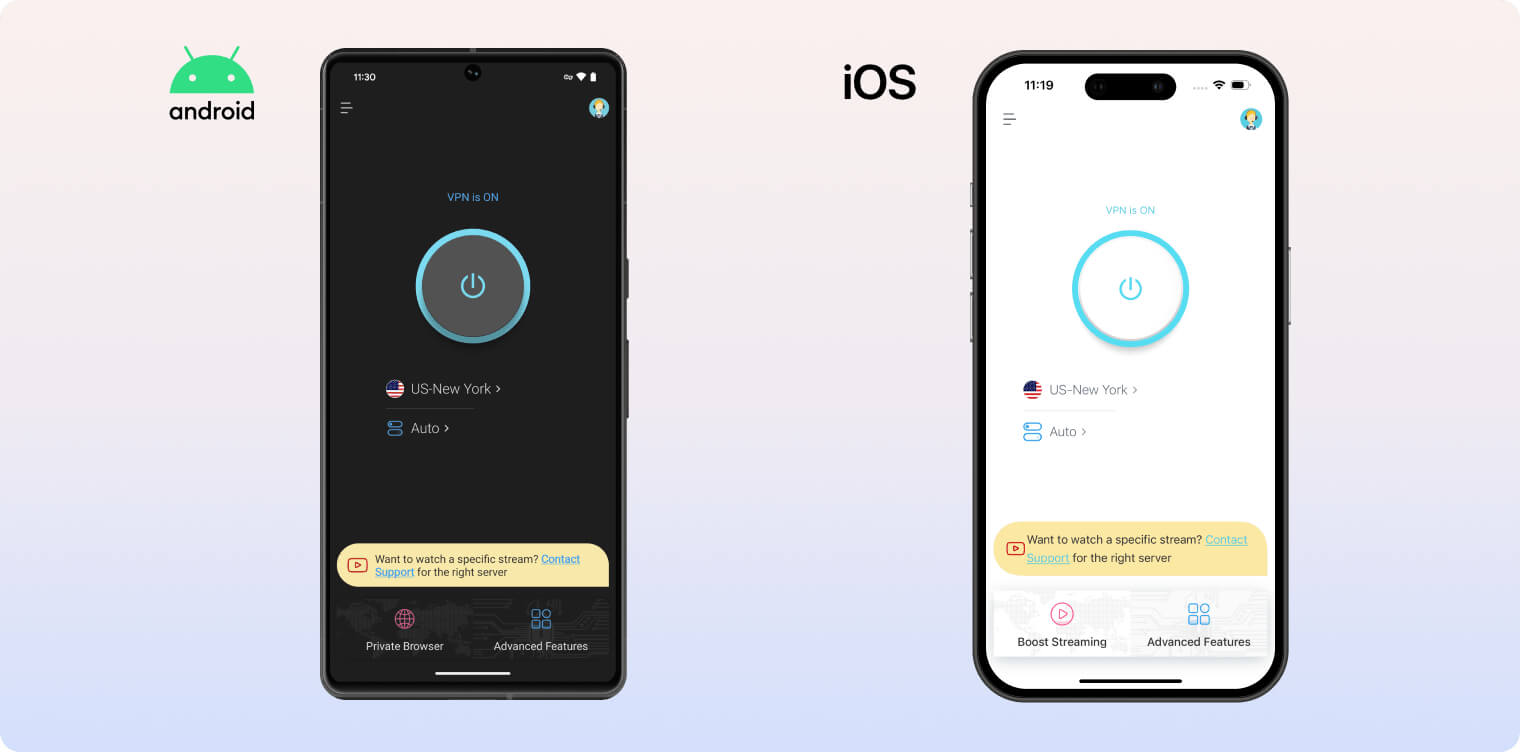
X-VPN’s mobile apps display a permanent banner ad along the bottom, which is distracting. Even worse, the iOS app frequently shows full-screen pop-up ads that can redirect you to a webpage if you tap them accidentally.
On the free version, you can unlock four additional server locations in the US, UK, Germany, and India by watching an unskippable ad. This is an odd choice and became irritating after extended use.
We liked that both mobile apps include a dark mode and a “follow system settings” option. Going forward, we’d like to see mobile-specific features like iOS Shortcuts support or GPS spoofing on Android.
Streaming Devices (Fire TV, Apple TV & Android TV)
X-VPN’s apps for Fire TV, Apple TV, and Android TV are functional and match the general design of its desktop and mobile apps.
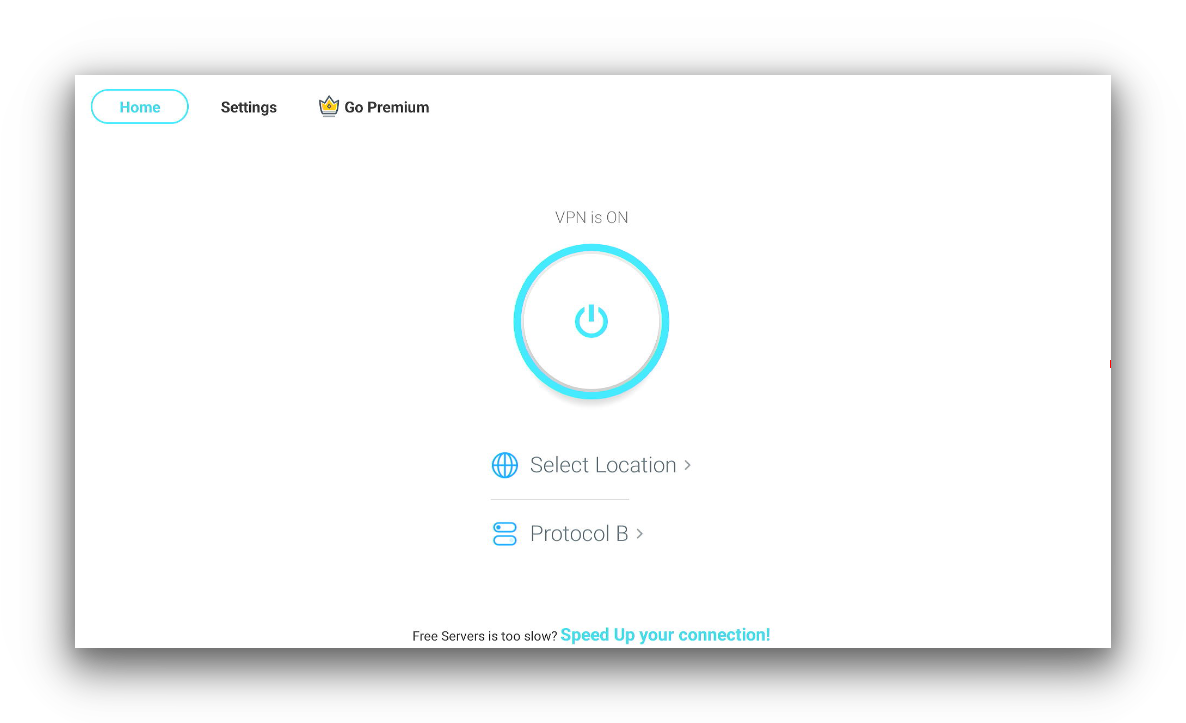
X-VPN’s Amazon Fire TV App doesn’t come with any extra features.
The apps are basic, but you get full access to the X-VPN server network, including streaming-optimized options.
The newly released Apple TV app is the most refined, with a working kill switch and a slick design. We also liked logging in via mobile, which is much faster than typing credentials with the sensitive Apple TV remote.
Torrenting
X-VPN is a poor choice for torrenting. Its unverified logging policy and opaque ownership undermine privacy, and its download speeds are too slow for most content.
| Torrenting Attribute | X-VPN (Free) | X-VPN |
|---|---|---|
| Permits P2P Traffic | Yes | Yes |
| Average Download Bitrate | 2.0MiB/s (80% loss) | 4.1MiB/s (59% loss) |
| Countries with P2P Servers | 1 | 64 |
| Port Forwarding | No | No |
| Kill Switch | Yes | Yes |
| Logging Policy | Identifiable Data | Identifiable Data |
We tested X-VPN using qBittorrent on a fixed 10 MiB/s connection. We downloaded a 1 GB test file in under four minutes on paid servers. The same file took twice as long with X-VPN Free.
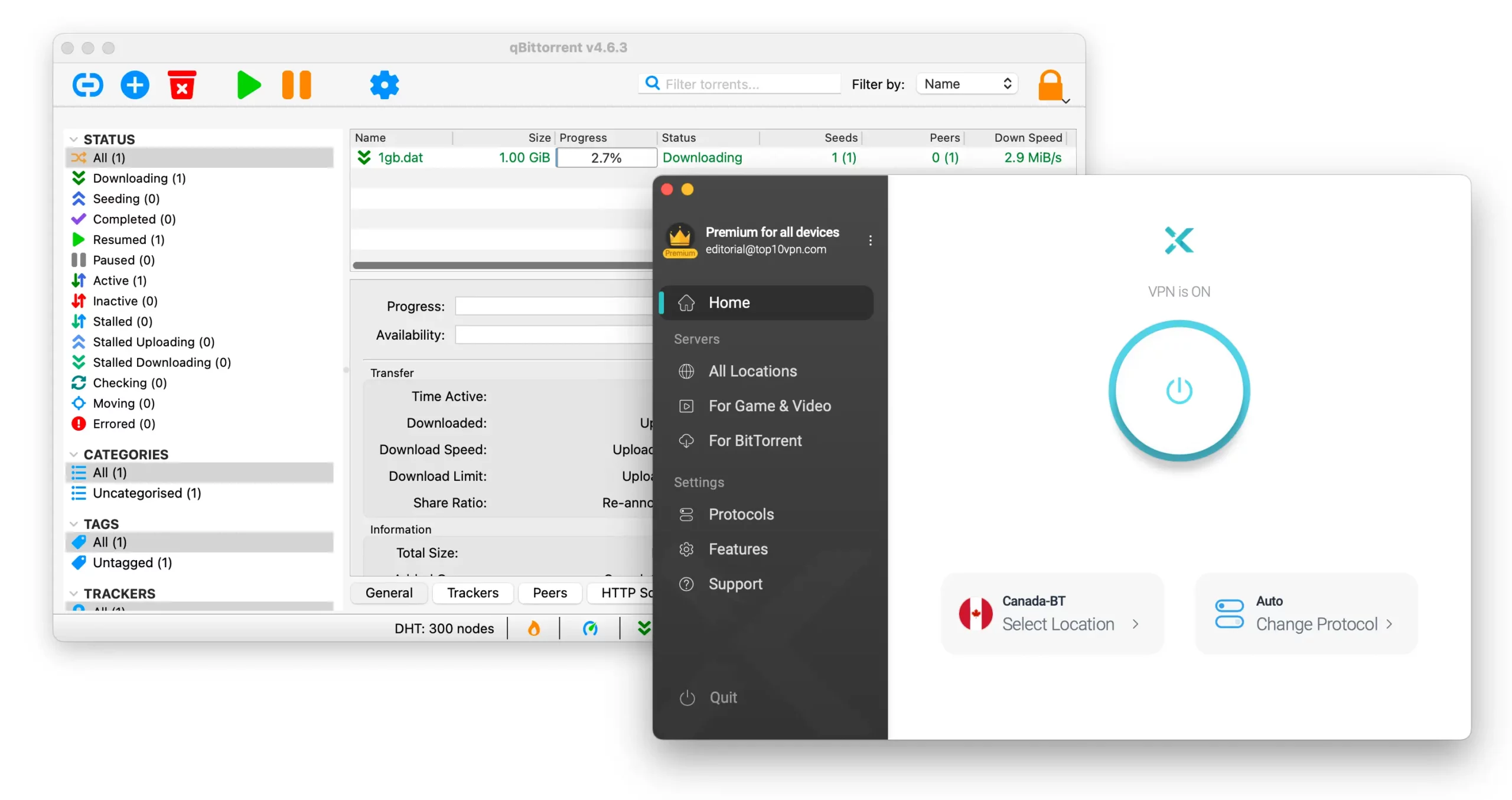
We found it much easier to locate X-VPN’s torrenting servers than before.
X-VPN is one of the slowest torrenting VPNs we’ve tested, even on its paid plan. Its average bitrate of 4.1 MiB/s compares poorly to top VPNs like PIA and ExpressVPN, which average 9.6 MiB/s and 9.8 MiB/s, respectively.
We’re pleased that X-VPN now labels P2P servers with “BT,” rather than the confusing “Ultimate Line” tag tied to a specific protocol.
X-VPN’s P2P-optimized servers aren’t available on the free plan, which partly explains its poor 2.0 MiB/s bitrate.
Device Compatibility
X-VPN has apps for most major platforms, including Windows, Mac, iOS, and Android. More impressively, it offers dedicated apps for Fire TV, Apple TV, and Android TV, a command line tool for Linux, and a browser extension for Google Chrome. It also supports routers via manual setup.
| Windows | Yes |
|---|---|
| Mac | Yes |
| iOS | Yes |
| Android | Yes |
| Linux | Yes |
| Amazon Fire TV | Yes |
| Android TV | Yes |
| Apple TV | Yes |
| Router | Manual Setup Only |
| Chrome | Yes |
Simultaneous Connections: 5
You can download X-VPN’s dedicated apps for a wide range of streaming devices, including Fire TV and Android TV.
To improve, we’d like to see X-VPN add a Smart DNS tool for easy access to geo-restricted content on game consoles and streaming devices.
We’d also welcome a dedicated router app to simplify setup and expand device compatibility.
5 Simultaneous Connections
With a single X-VPN subscription, you can connect up to 5 devices at the same time. If you want to use it on more devices, you’ll need to log out on another device first.
This limit is standard, but competing services like Surfshark and IPVanish offer unlimited simultaneous connections.
Additional Features
X-VPN’s additional features vary by platform and subscription tier. The paid version includes a solid set of tools such as split tunneling, an obfuscation protocol, multi-hop, and a static IP option (mobile only). The free app lacks all of these except split tunneling.
| Additional Feature | X-VPN (Free) | X-VPN |
|---|---|---|
| Split Tunneling | Yes | Yes |
| VPN Obfuscation | No | Yes |
| Multi-Hop Servers | No | Yes |
| Dedicated IP | No | No |
| Ad Blocker | No | No |
Split Tunneling for Paid Users Only
X-VPN includes split tunneling on all its apps when you sign in with a paid account. It lets you exclude specific apps from the VPN tunnel, such as a weather or banking app.
Restrictive Double VPN Feature
You can enable Double VPN in the X-VPN app settings to route your traffic through two servers instead of one. This boosts anonymity by adding a second intermediary between your device and the internet.
However, this feature is limited to paid plans, and you can’t choose the server locations used. We’d like to see X-VPN add server selection for Double VPN, similar to NordVPN and Surfshark.
Static IP Is Limited to Mobile Apps Only
X-VPN offers a Static VPN IP feature, but only on its mobile apps for paid plans. To use it, go to Advanced Features > Static IP, where you’ll see a list of recently used VPN IP addresses.
These IP addresses are stored only on your device and are not logged by X-VPN.
We’d also like X-VPN to offer dedicated IP addresses. A dedicated IP is used only by you, which can help with IP allowlists, secure remote access, and fewer CAPTCHAs.
Technical Features We’d Like to See Added
X-VPN has significantly improved its feature set in recent years, but it still lacks some advanced options. Here are the features we’d like added:
- Ad blocker for a cleaner browsing experience.
- Kill switch for free users on mobile.
- Dedicated IP addresses for secure access and to reduce CAPTCHAs on search engines.
- Multi-hop server choice so users can customize their Double VPN routes.
X-VPN Key Data
| Attribute | X-VPN | Typical Free VPN |
|---|---|---|
| Owner | Free Connected Limited | Independent |
| Launch Date | 2017 | 2015 |
| Safe to Use | No | No |
| Data Cap | Unlimited | 10GB per month |
| Payment Details Required | No | No |
| Account Required | Yes | Yes |
| Contains Ads | No | Yes |
| Local Download Speed | 54Mbps (46% loss) | 61Mbps (39% loss) |
| International Download Speed | N/A | 55Mbps (45% loss) |
| Countries with Servers | 1 | 4 |
| Privacy Policy | Identifiable Data | Identifiable Data |
| Simultaneous Connections | 1 | 1 |
| Manually Select Server Location | No | Yes |
| Netflix Libraries | 0 | 0 |
| Torrenting | Yes | No |
| Works In China? | No | No |
| Customer Support | Live Chat | Online Resources |
| Apps & Extensions |
          |
|
X-VPN Key Data
| Attribute | X-VPN | Typical VPN |
|---|---|---|
| Local Download Speed | 65Mbps (35% loss) | 89Mbps (11% loss) |
| International Download Speed | 32Mbps (68% loss) | 80Mbps (20% loss) |
| Countries with Servers | 64 | 40 |
| Privacy Policy | Identifiable Data | Identifiable Data |
| Simultaneous Connections | 5 | 10 |
| Netflix Libraries | 2 | 3 |
| Torrenting | Yes | Yes |
| Works In China? | No | No |
| Cheapest Price | 5.99/mo over 12 months | $3.87/mo over 24 months |
| Customer Support | Live Chat | |
| Apps & Extensions |
|
|
Price
Price Plans
| 12 months | $71.88 ($5.99/mo) |
|---|---|
| 6 months | $59.94 ($9.99/mo) |
| 1 month | $11.99 |
Free Trial
| Money-Back Guarantee | 30 days |
|---|---|
| Free Trial | 7 days (mobile only) |
| 100% Free Plan | Yes |
| Data Cap | Unlimited |