
VPNBook: Extremely Slow, Logs IPs, Leaks DNS, and Barely Unblocks Streaming
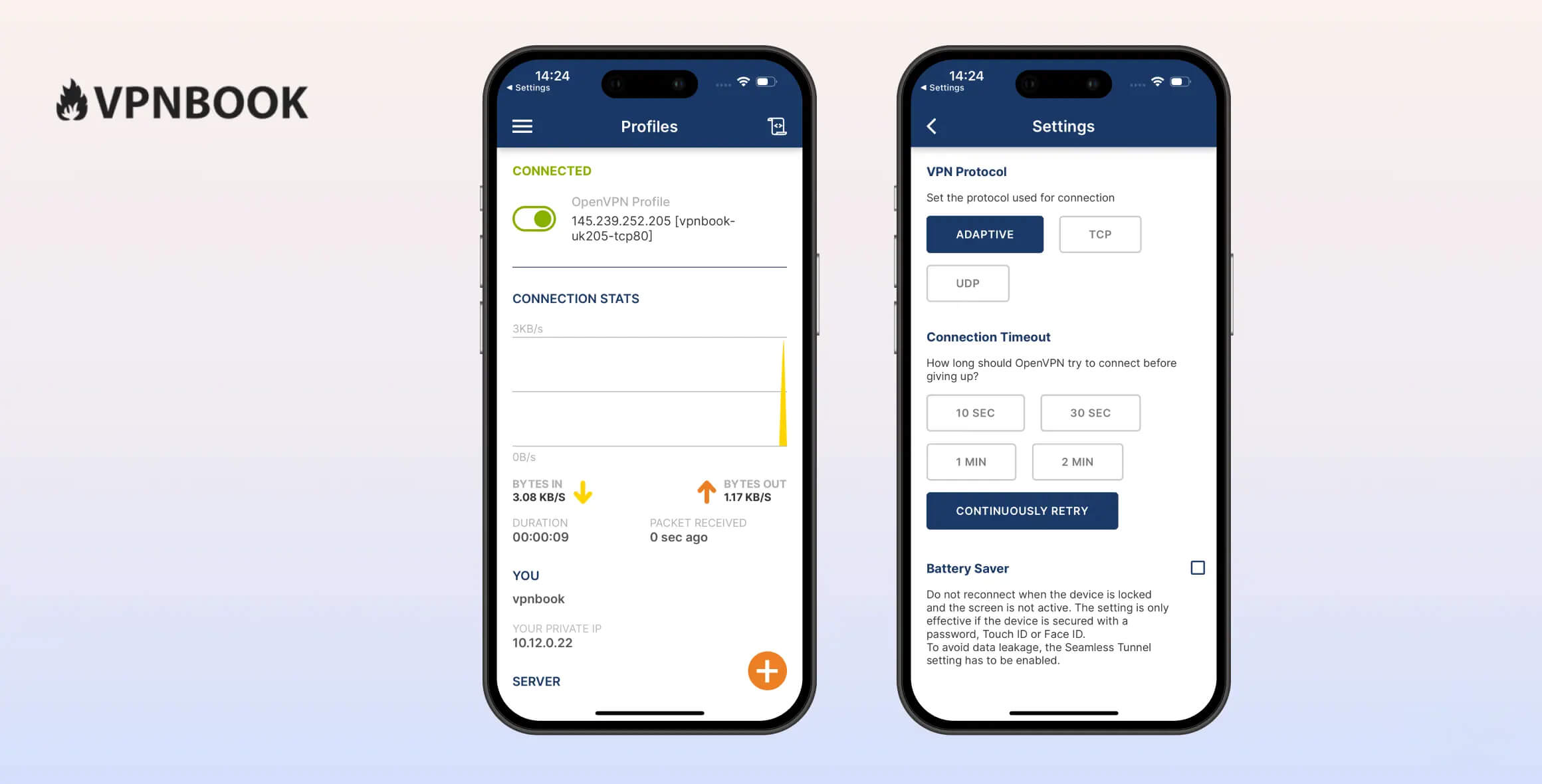
VPNBook is one of the worst free VPNs we’ve reviewed, scoring just 1.2 according to our testing methodology. It logs your real IP address and leaks DNS requests, meaning your web activity can be visible and the VPN offers virtually no protection. It’s extremely slow and works with almost no streaming sites. It also only has servers in five countries.
- Pros
- Uses OpenVPN & AES-256 encryption
- Compatible with most platforms & devices
- Free
- Cons
- Logs IP addresses & connection timestamps
- Requires manual configuration
- Very slow speeds
- IPv6 leaks & no kill switch
- Doesn’t unblock streaming platforms
- Only five server locations
VPNBook is one of the worst VPNs we’ve tested, with no sign of improvement. It isn’t secure and cannot guarantee your anonymity or privacy online—our security tests found DNS leaks and no kill switch.
Even if privacy isn’t your main concern, it fails in other areas too. It’s among the slowest VPNs we’ve tested, with local download speeds struggling to reach even 14Mbps.
That speed is too slow for Full HD streaming without buffering—though VPNBook only unblocked one streaming service in our tests anyway.
It’s awkward to set up and far behind modern VPNs for usability. There aren’t enough servers and there are no extra features.
Privacy
Ranked #52 out of 61 VPNs for Privacy
VPNBook logs your IP address—the worst type of data a VPN can collect because it can reveal your identity. VPNBook’s Swiss jurisdiction would normally be a positive, but we don’t know how it stores or protects user data. We recommend avoiding VPNBook, as there are safer free alternatives like Proton VPN Free and PrivadoVPN Free.
| Originating IP Address | Yes |
|---|---|
| Browsing Activity | No |
| Individual Connection Timestamps | Yes |
| Date of Last Connection | No |
| VPN Server IP | No |
| Device Information | No |
| Individual Bandwidth Usage | No |
| Account Information | No |
You can read VPNBook’s full privacy policy on its website.
You should not trust VPNBook to keep your IP address or browsing history private. We strongly believe a VPN retaining your true IP address is unacceptable. It’s even worse when the VPN is unclear about how long it stores this data and how it secures it on its servers.
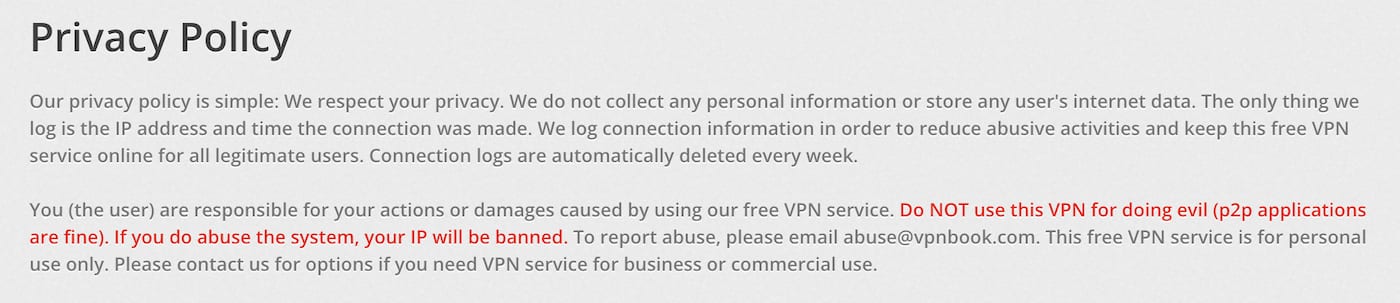
VPNBook’s Privacy Policy is extremely short and vague.
This VPN service logs your IP address, which it claims to delete after one week. There is no information on how VPNBook’s servers are protected or whether they’re leased from a third party.
Unclear Ownership & Lacking Company Transparency
There is no verifiable information available about VPNBook. It does not disclose who owns the company, who runs it, or how it operates.
VPNBook states it is based in Switzerland. Normally we’d praise this jurisdiction for strong privacy laws, but those laws can’t protect users when a VPN logs highly revealing personal data.
To reiterate: if you care about online privacy and anonymity, you should not use VPNBook.
EXPERT ADVICE: Using a free VPN doesn’t have to mean sacrificing your privacy. Proton VPN Free, for example, doesn’t log personally identifiable data and is 100% free.
Streaming
Ranked #46 out of 61 VPNs for Streaming
VPNBook can access only one streaming service we test—HBO Max—which surprised us. It cannot unblock any other major geo-restricted platform and, for some Netflix regions, it can’t even load the website.
| Streaming Service | Works with VPNBook (Free) |
|---|---|
| BBC iPlayer (UK) | No |
| DAZN (Canada) | No |
| Disney+ (UK) | No |
| Hulu (US) | No |
| ITVX (UK) | No |
| HBO Max (US) | Yes |
| Netflix (US) | No |
| Netflix (UK) | No |
| Prime Video (US) | No |
| Sky Go (UK) | No |
The last time we tested VPNBook with streaming services, none worked. It has since improved enough to unblock HBO Max, which genuinely surprised us. Plenty of good VPNs can’t even do that.
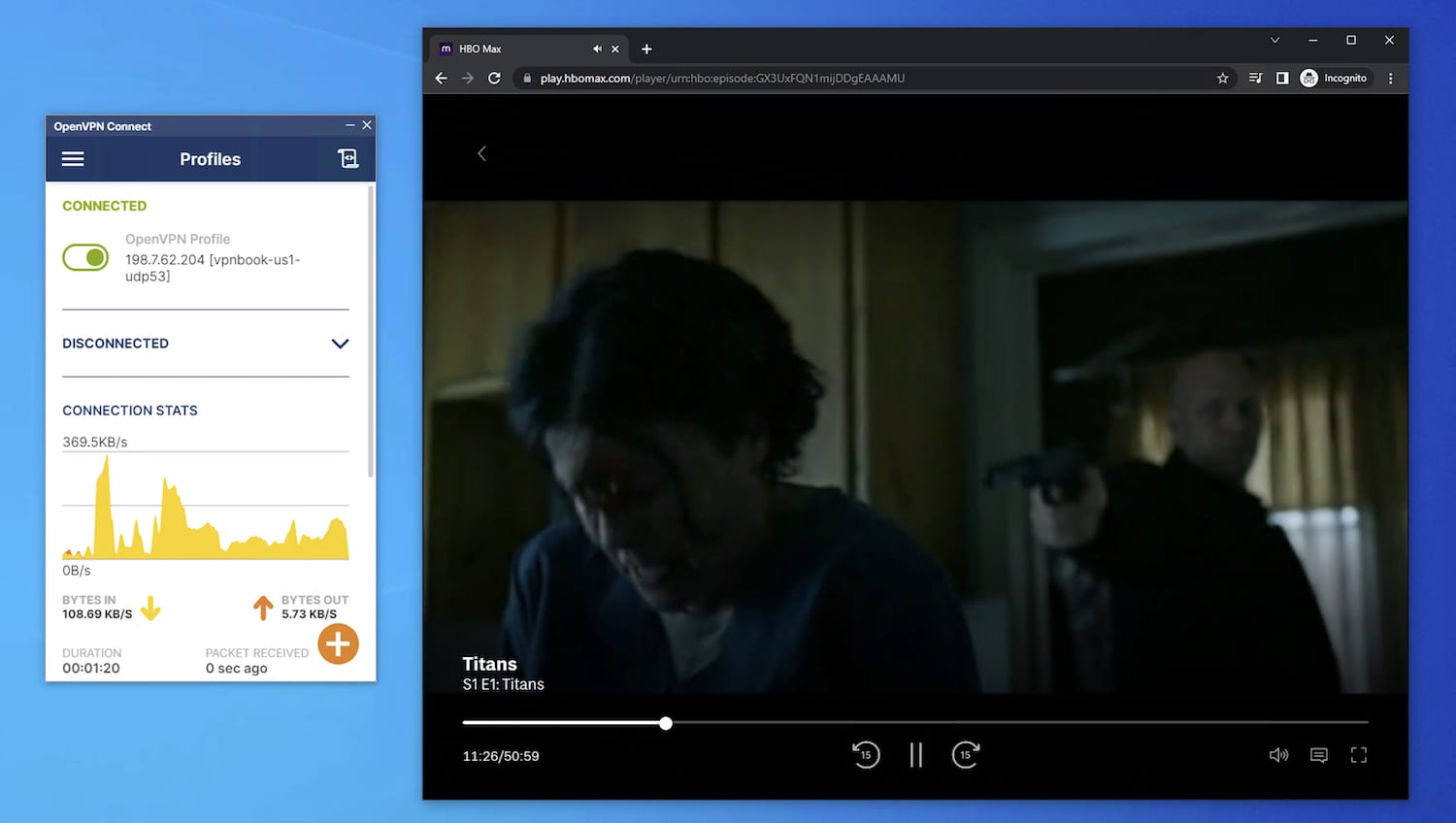
VPNBook did unblock HBOMax in our testing, but you shouldn’t rely on it to do so.
We still don’t recommend it for HBO Max. Speeds on its US UDP server were so slow that videos only played in blurry, low resolution.
We couldn’t log into Netflix on that same US server, and other locations wouldn’t even load the Netflix site. The lack of a UK server also means we can’t test UK-only services like BBC iPlayer.
EXPERT ADVICE: NordVPN is an excellent streaming VPN, unblocking Netflix USA, HBO Max, Disney+, and more. Try NordVPN risk-free for 30 days.
Speed
Ranked #55 out of 61 VPNs for Speed
VPNBook is one of the slowest VPNs on the market. On our 100Mbps connection, download speeds dropped to just 14Mbps. It’s too slow for streaming, and online gaming is out of the question.
Here’s a table showing Free VPN by VPNBook’s speed test results:
| No VPN (New York) | US (New York) | Canada (Toronto) | UK (London) | |
|---|---|---|---|---|
| Server Location |  |
|
 |
 |
| Download Speed | 100Mbps | 14Mbps | 13Mbps | 1Mbps |
| Upload Speed | 100Mbps | 1Mbps | 1Mbps | 4Mbps |
| Ping | 1ms | 29ms | 35ms | 107ms |
| Distance | 0mi | 5mi | 300mi | 3,500mi |
As the data shows, VPNBook reduced our local US download speeds by 86%.
This makes VPNBook one of the slowest free VPNs we’ve tested and nowhere near as good as Windscribe Free or Proton VPN Free.
High Latency
In our 2025 speed tests, we recorded 29ms ping on a local US server. By comparison, Windscribe Free’s ping times are around 5ms.
Security
Ranked #53 out of 61 VPNs for Security
VPNBook lacks security extras, but it does offer OpenVPN with strong AES encryption. However, we experienced IPv6 leaks during testing, which can expose your real location.
| Independent Audit | No |
|---|---|
| VPN Kill Switch | No |
| Leak Protection | No |
VPNBook supports OpenVPN—our preferred protocol. It’s open-source, secure, and reasonably fast. Combined with AES-128 or AES-256, it’s very safe.
Unfortunately, that’s where the positives end.
VPNBook also provides PPTP configuration files. While PPTP is easier to set up, it is not safe to use.
PPTP can be cracked in minutes. Sadly, it’s not uncommon for poor-quality VPNs to rely on weak protocols—X-VPN is another example.
Even if you use OpenVPN, VPNBook doesn’t include a kill switch, which can put your data at risk.
If the VPN disconnects suddenly, your IP address can be exposed to your ISP and other third parties.
Even when the VPN was connected, we experienced IPv6 leaks during testing:
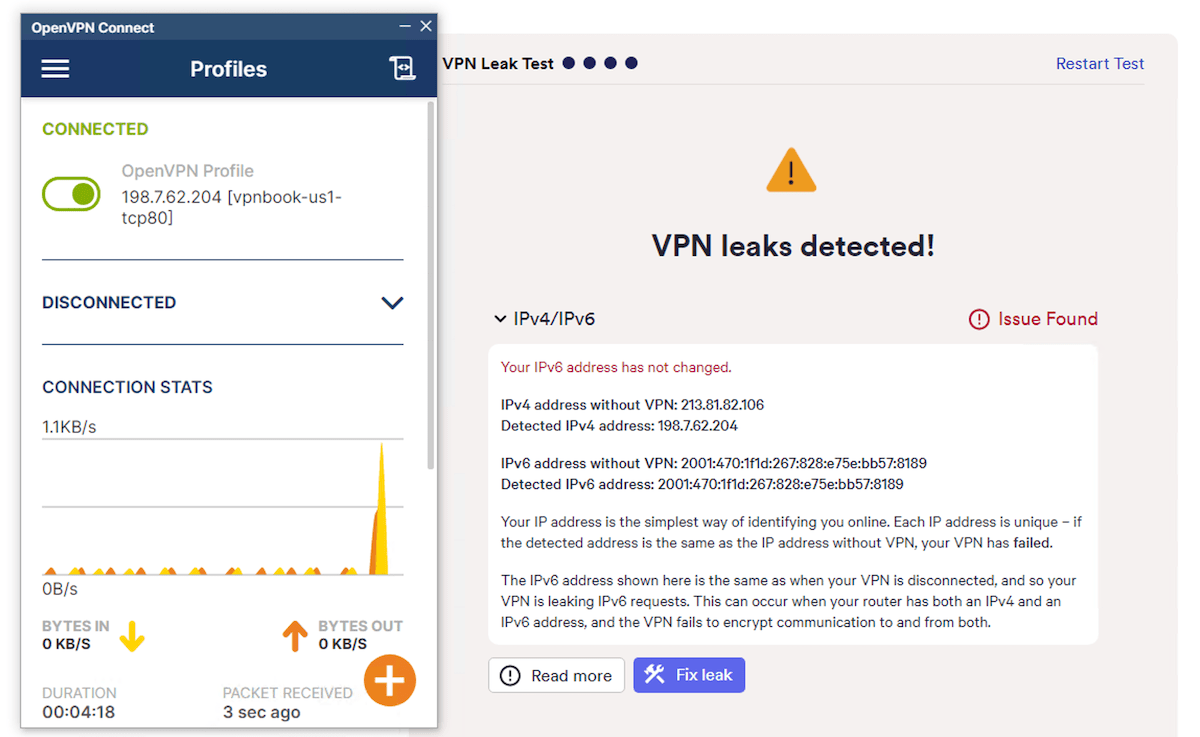
IPv6 leaks are extremely dangerous.
VPNBook isn’t a safe VPN to use. Unlike other feature-light VPNs, it also isn’t particularly easy or beginner-friendly.
Server Locations
Ranked #48 out of 61 VPNs for Server Locations
VPNBook’s network covers only five countries, small even by free VPN standards. All five are in Europe or North America. It’s unclear whether these servers are owned by VPNBook, or whether they’re virtual or physical.
| Continent | Countries with Servers |
|---|---|
| Europe | 3 |
| North America | 2 |
| Asia | 0 |
| South America | 0 |
| Africa | 0 |
| Oceania | 0 |
VPNBook’s five free server locations are:
- Canada
- France
- Germany
- Poland
- US
There are no servers in Africa, Asia-Pacific, or South America. There isn’t even a UK server, which is unusual.
There are only eight servers in total with eight IP addresses. This leads to congestion at peak times, which helps explain the poor speeds.
There’s no information on whether these servers are owned or rented, or if they’re physical or virtual.
This is an extremely small network, even for a free VPN. While premium VPNs like Private Internet Access have thousands of servers worldwide, even free services offer far more than VPNBook—TunnelBear Free, for example, has 47 countries.
User Experience
Ranked #62 out of 61 VPNs for User Experience
Once set up, VPNBook is easy to use—mainly because it has almost no features. You toggle the connection to your chosen server on and off, and that’s it.
The setup process, while flexible, is time-consuming and inconvenient. It isn’t overly complex, but it’s intimidating for beginners, and VPNBook’s instructions are outdated and no longer accurate. It’s a much worse experience than installing a standard VPN app.
You can choose between PPTP or OpenVPN, each requiring a separate setup.
Torrenting
Ranked #52 out of 61 VPNs for Torrenting
VPNBook is unsafe for torrenting and far too slow for P2P activity. Our download rate on the Germany UDP server fell from 10.0MiB/s to just 0.8MiB/s—a 1GB file took nearly 20 minutes. You can only torrent on two of its five locations.
| Torrenting Attribute | VPNBook (Free) |
|---|---|
| Permits P2P Traffic | Yes |
| Average Download Bitrate | 0.8MiB/s (92% loss) |
| Countries with P2P Servers | 2 |
| Port Forwarding | No |
| Kill Switch | No |
| Logging Policy | Excessive Logs |
VPNBook allows P2P traffic on two servers: Germany and Poland. If you use the VPNBook Android app rather than the OpenVPN app, you can only torrent on the Germany server.
We tried torrenting on other servers and our downloads were simply blocked.
Downloading via Germany was painfully slow. VPNBook is the second-slowest torrenting VPN we’ve tested.
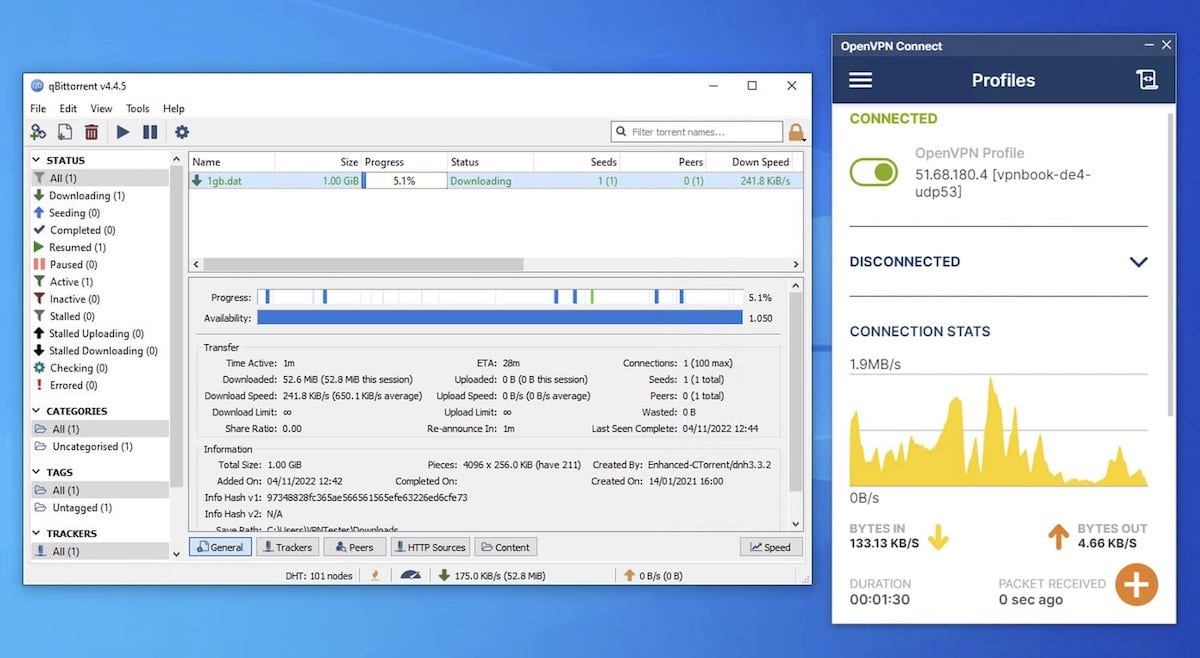
Any files large enough to require torrenting to download will take hours to complete if you use VPNBook.
Beyond speed, we advise against using VPNBook for torrenting because it logs your IP address, which can reveal your file-sharing activity.
There’s also no kill switch, which increases the risk of exposing your IP address. If VPNBook fails (which it might), your real IP would be visible to other peers and your ISP.
Device Compatibility
VPNBook has no native apps. Instead, you must install the OpenVPN Connect app and import VPNBook configuration files. It can also be set up at the router level.
| Windows | Manual Setup Only |
|---|---|
| Mac | Manual Setup Only |
| iOS | Manual Setup Only |
| Android | Manual Setup Only |
| Linux | Manual Setup Only |
| Amazon Fire TV | No |
| Android TV | No |
| Apple TV | No |
| Router | Manual Setup Only |
| Chrome | No |
Simultaneous Connections: Unlimited
If you decide to use VPNBook, here are more detailed setup instructions.
How to Set Up VPNBook on Windows & macOS
VPNBook’s setup instructions refer to an older version of OpenVPN Connect, so they’re now outdated.
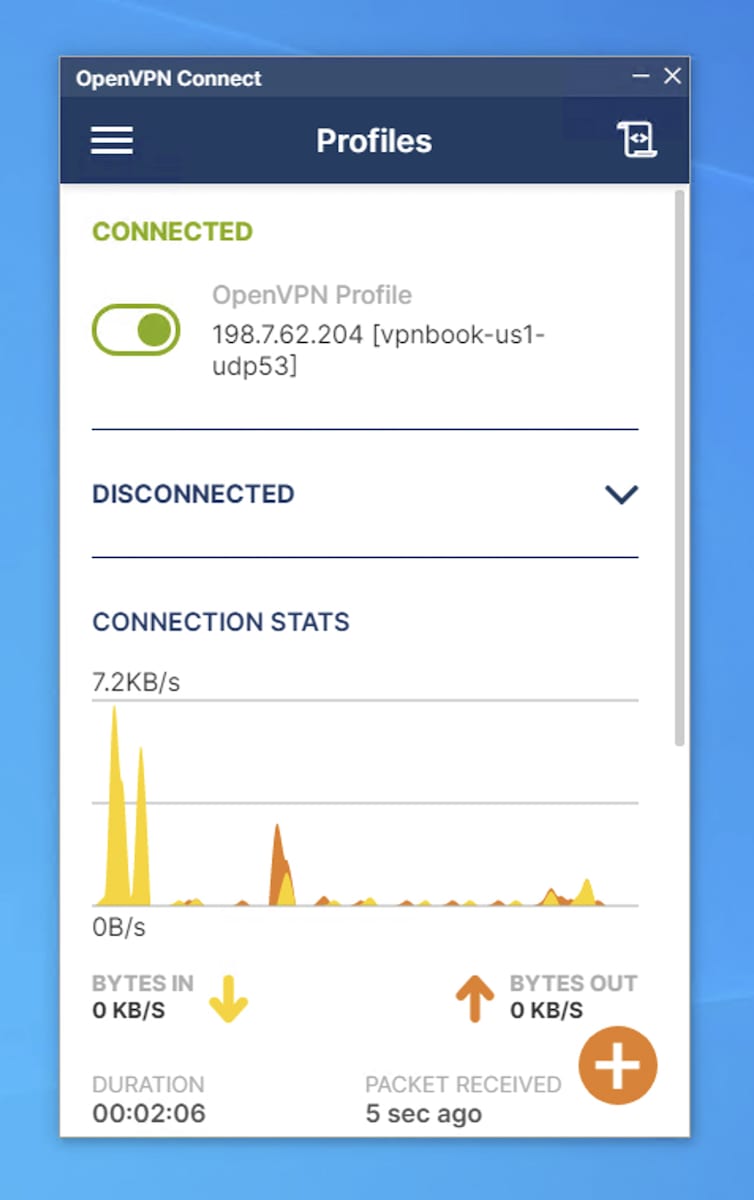
Running VPNBook via the OpenVPN Connect app on Windows.
Follow these steps to set up VPNBook on Windows and macOS:
- Download the latest version of OpenVPN Connect and run the installer.
- Go to the VPNBook homepage. Midway down the page, click the OpenVPN tab to see all available servers, each offered as a certificate bundle with TCP and UDP options.
- Click the connection you want to download the configuration file.
- Open OpenVPN Connect.
- Click the + icon, select the File tab, click Browse, and choose the OpenVPN configuration file you downloaded.
- On the next screen, enter the username, check Save password, and enter the password. The credentials are on the VPNBook homepage.
- Click Connect.
Repeat for any additional servers or protocols you want.
How to Set Up VPNBook on Android
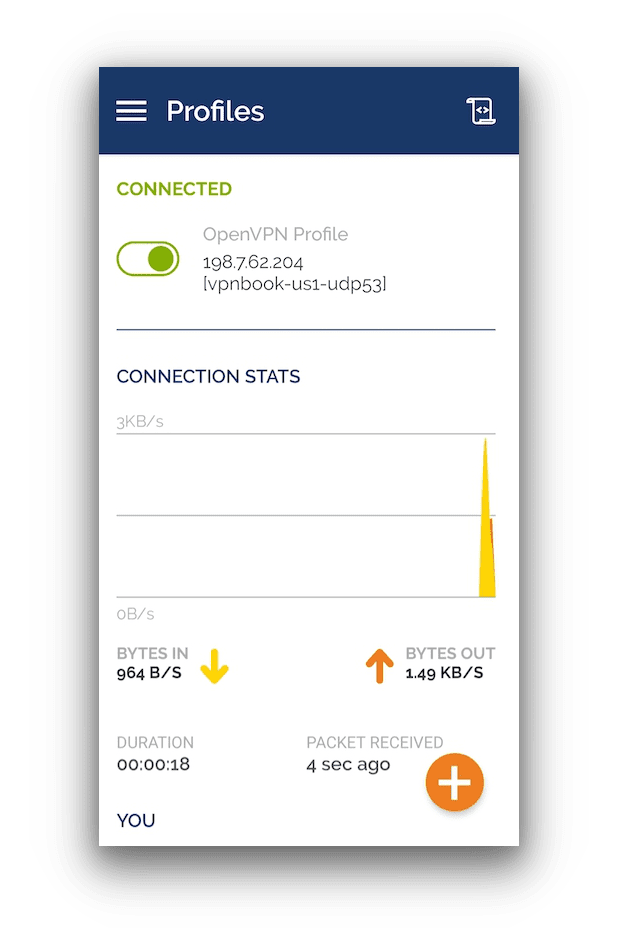
The OpenVPN Connect app for Android using VPNBook config files.
Setting up VPNBook on Android is very similar to desktop:
- Download OpenVPN Connect from the Google Play Store.
- Go to the VPNBook homepage and open the OpenVPN tab to view available server bundles with TCP and UDP options.
- Click on the connection you wish to use to begin its download – this won’t take long at all.
- Locate the downloaded .zip file and extract it.
- Open OpenVPN Connect.
- Tap the + icon, select the File tab, tap Browse, and choose the configuration file.
- Enter the username, check Save password, and enter the password (listed on the VPNBook homepage).
- Tap Connect.
How to Set Up VPNBook on iPhone & iPad
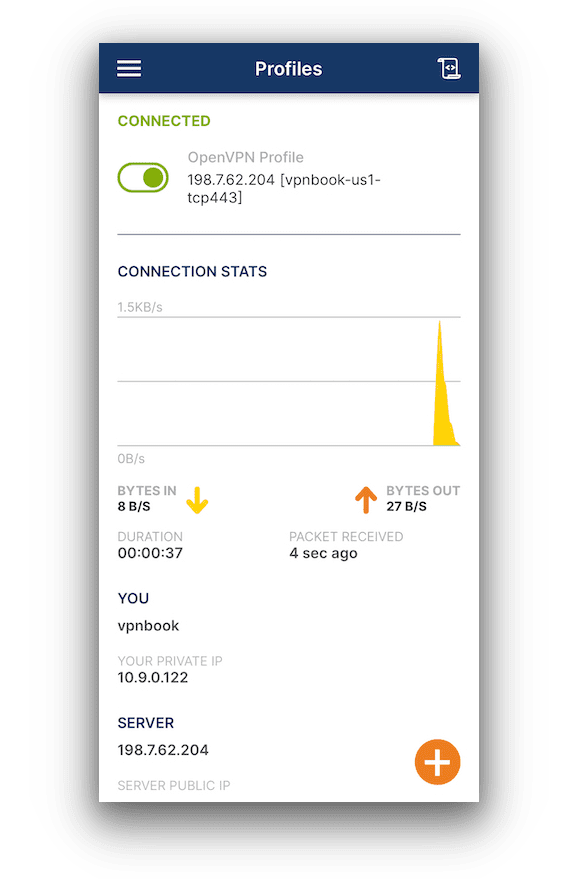
VPNBook for iPhone via the OpenVPN Connect app.
Setting up VPNBook on iOS works a bit differently but is still quick:
- Download OpenVPN Connect from the App Store.
- Go to the VPNBook homepage and open the OpenVPN tab to view the server bundles with TCP and UDP options.
- Click on the connection you wish to use to begin its download – this won’t take long at all.
- The files will download to the Downloads folder in the Files app. Extract the .zip file.
- Open the extracted folder and tap a profile. Tap the Share icon, then tap the OpenVPN icon.
- The configuration will open in OpenVPN Connect. Tap Add.
- Enter the username, check Save password, and enter the password (listed on the VPNBook homepage).
- Tap Connect.
EXPERT ADVICE: Do not use VPNBook’s PPTP configuration files. PPTP is outdated and unsafe—always choose OpenVPN when available.
Additional Features
VPNBook offers no additional features, aside from an unattended support email. Even basic features we expect from every VPN—like split tunneling or native apps—are missing.
| Additional Feature | VPNBook (Free) |
|---|---|
| Split Tunneling | No |
| VPN Obfuscation | No |
| Multi-Hop Servers | No |
| Dedicated IP | No |
| Ad Blocker | No |
Additional Features We’d Like to See
While any added feature would help, these are the most important ones missing:
- Live chat support to guide users through VPNBook’s manual setup.
- Split tunneling to customize your VPN usage.
- Obfuscation technology to bypass censorship.
VPNBook Key Data
| Attribute | VPNBook | Typical Free VPN |
|---|---|---|
| Owner | Undisclosed | Independent |
| Launch Date | 2013 | 2015 |
| Safe to Use | No | No |
| Data Cap | Unlimited | 10GB per month |
| Payment Details Required | No | No |
| Account Required | No | Yes |
| Contains Ads | No | Yes |
| Local Download Speed | 14Mbps (86% loss) | 61Mbps (39% loss) |
| International Download Speed | 7Mbps (93% | 55Mbps (45% loss) |
| Countries with Servers | 5 | 4 |
| Privacy Policy | Excessive Logs | Identifiable Data |
| Simultaneous Connections | Unlimited | 1 |
| Manually Select Server Location | Yes | Yes |
| Netflix Libraries | 0 | 0 |
| Torrenting | Yes | No |
| Works In China? | No | No |
| Customer Support | Email & Online Resources | Online Resources |
| Apps & Extensions |
          |
|
Price
Price Plans
| Safe to Use | No |
|---|---|
| Data Cap | Unlimited |
| Payment Details Required | No |
| Manually Select Server Location | Yes |
| Account Required | No |
| Contains Ads | No |