
VPN.AC: Surprisingly Fast & Private Service (Works in China, Great for Streaming and Torrenting)
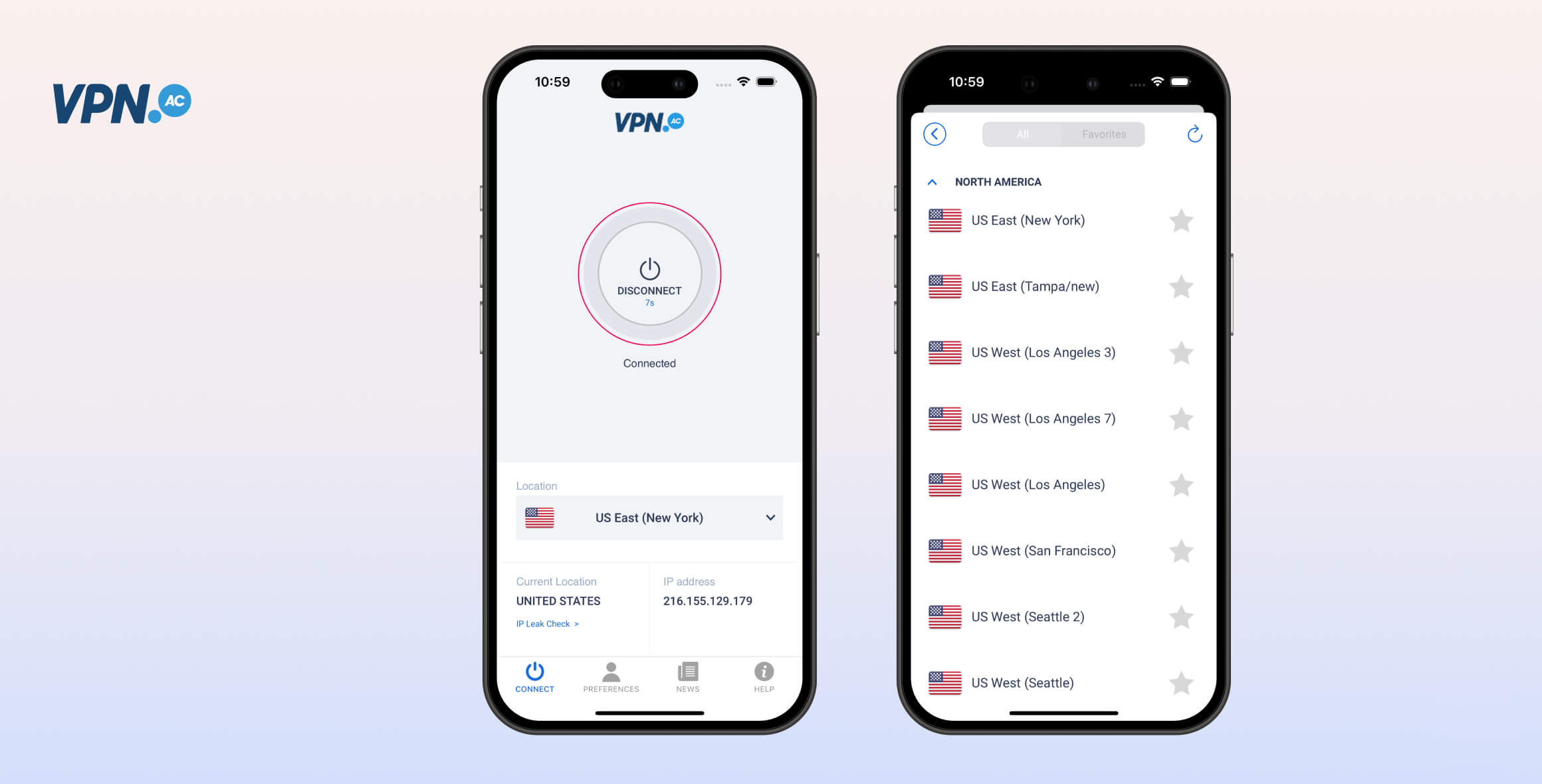
VPN.AC is fast, private, and works in China. It has a strong privacy policy and a secure server network that’s great for torrenting and unblocking international streaming services. VPN.AC isn’t perfect, but it’s a safe and affordable VPN with helpful advanced features.
- Pros
- Excellent privacy & security features
- Unblocks China with obfuscation tools
- Quality, secure servers
- Sensible privacy policy
- Fast speeds
- Good for streaming & torrenting
- Cons
- Only 25 countries on server list
- Support needs improvement
- Torrenting on non-optimized servers is slow
VPN.AC is highly competitive in almost every respect, and it deserves your consideration even against some of the biggest names in the industry.
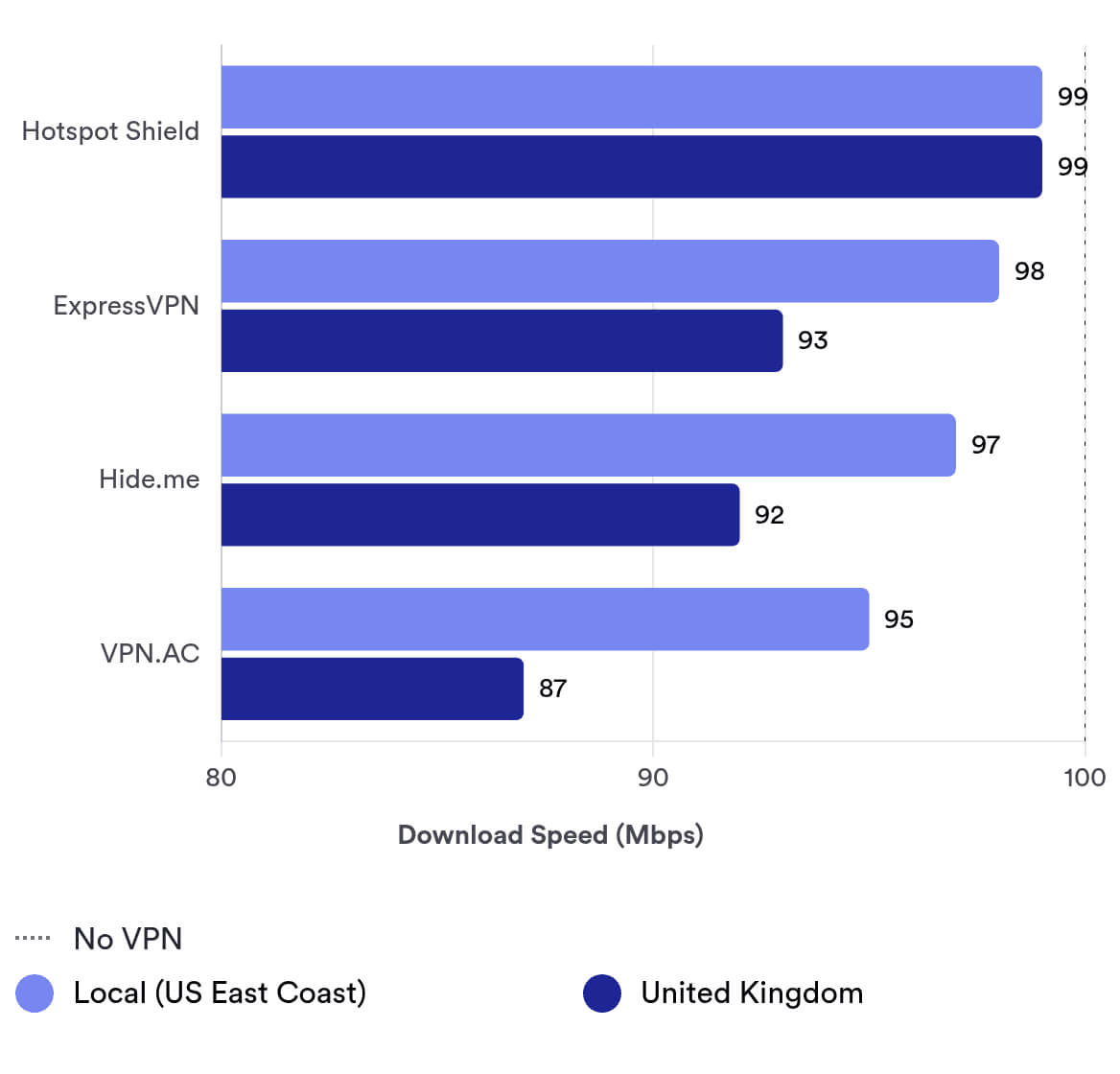
It’s cheaper than many VPNs we rate higher, and it’s faster than a lot of them, too—its 95Mbps download speeds on local connections are extremely impressive.
We also trust its logging policy, so you should feel comfortable letting VPN.AC handle your sensitive data. While it may initially log more data than we’d recommend, it deletes it right after each session ends. Its Romanian jurisdiction is also largely sound. It’s an excellent choice for both streaming and torrenting.
Our only real criticisms are its refund policy and customer support. The refund policy needs clearer terms, and we’d like to see VPN.AC add live chat.
Privacy
Ranked #24 out of 61 VPNs for Privacy
VPN.AC logs your original public IP address, session timestamps, and total bandwidth used. Importantly, this data is stored only for the duration of your session. That makes the logging policy somewhat acceptable, but it’s still not ideal. We’d like to see VPN.AC commission a third-party audit to verify that it deletes data after each session. Its Romanian jurisdiction is also reassuring.
| Originating IP Address | Yes |
|---|---|
| Browsing Activity | No |
| Individual Connection Timestamps | Yes |
| Date of Last Connection | No |
| VPN Server IP | No |
| Device Information | No |
| Individual Bandwidth Usage | Yes |
| Account Information | No |
You can read VPN.AC’s full privacy policy on its website.
VPN.AC is incorporated in Romania and owned by Netsec Interactive Solutions. It lists its full address on its website and LinkedIn page: 76 Calea Dumbravii Street, 550399, Sibiu, Romania.
Romania is a strong base for a VPN. Although it is part of the EU, data retention is illegal under Romanian court rulings.
In 2009, when the government implemented the EU’s 2006 Data Retention Directive, the Constitutional Court of Romania (CCR) ruled that these laws violated citizens’ privacy rights and were unconstitutional.
As a result, Romania remains the only EU country to have successfully rejected the EU’s data retention laws.
Streaming
Ranked #8 out of 61 VPNs for Streaming
VPN.AC works with a range of streaming services worldwide, including Amazon Prime Video US, BBC iPlayer, Disney+, ITV Hub, All 4, and YouTube. However, it can only unblock the US Netflix library, which is disappointing. HBO Max and Hulu are available, but only through the browser extension.
| Streaming Service | Works with VPN.AC |
|---|---|
| BBC iPlayer (UK) | Yes |
| DAZN (Canada) | No |
| Disney+ (UK) | No |
| Hulu (US) | Yes |
| ITVX (UK) | Yes |
| HBO Max (US) | Yes |
| Netflix (US) | Yes |
| Netflix (UK) | No |
| Prime Video (US) | Yes |
| Sky Go (UK) | No |
How much you’ll get out of VPN.AC for streaming depends on your location. It does a great job unblocking all three major UK services: BBC iPlayer, ITV Hub, and All 4. We found it worked on any UK server and any protocol.
This isn’t very helpful if you live in the UK, but it’s excellent if you don’t.
It’s also solid for unblocking US streaming sites: it works with US Netflix, Amazon Prime Video US, and the US Disney+ library.
Getting some of them to work isn’t always straightforward, though. To access Disney+, we had to use the OpenVPN XOR protocol.
When connected to a US server, we couldn’t log in to Netflix. However, if we logged in with the VPN disconnected and then connected to a US server after signing in, it worked fine.
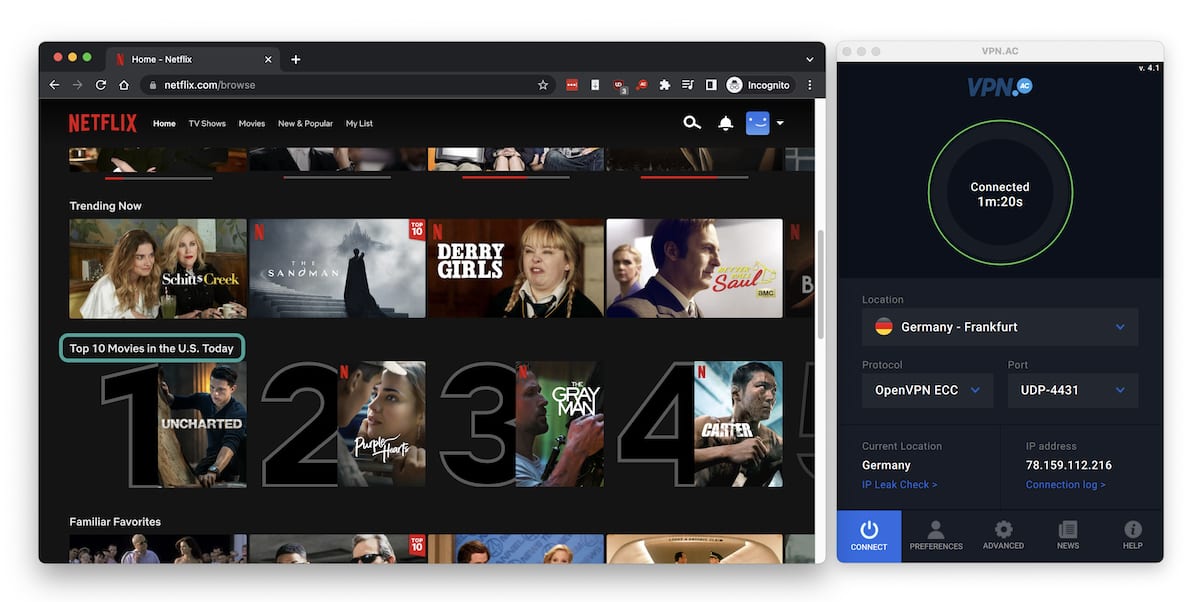
In this example we’re connected to a German VPN.AC server but still accessing US Netflix.
VPN.AC also appears to default to US Netflix whenever the VPN is connected. This means that, while it couldn’t unblock any other Netflix region, it consistently unblocked US Netflix no matter which server we used, regardless of the region.
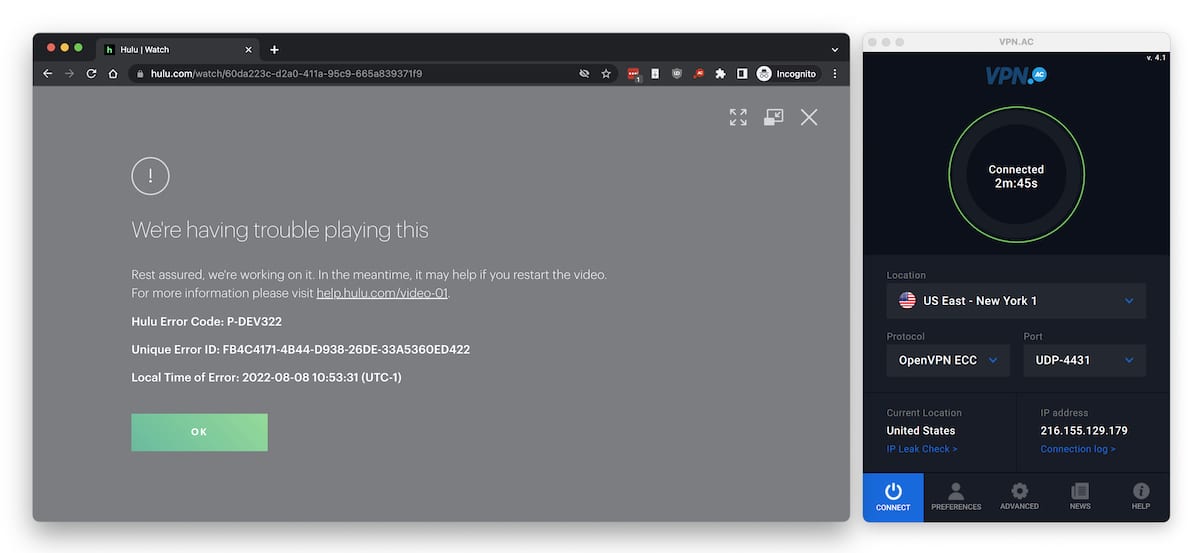
After a long time on a black screen, Hulu would also sometimes show us error code P-DEV322.
Hulu initially seemed to work. We were able to log in and select a show, but the screen stayed black and nothing played.
HBO Max behaved similarly. We could log in, but playback failed. We saw two error messages we hadn’t encountered before: e09e07e0-b551-4356-8799-f4c0210111cc (“Something Went Wrong”) and a generic “Can’t Play Title.”

HBO Max’s error code doesn’t tell you what went wrong, but it’s safe to say it’s related to using a VPN.
We then tested both services while connected through the VPN.AC Chrome extension, and it successfully unblocked them. The same result occurred with the Amazon Fire TV app.
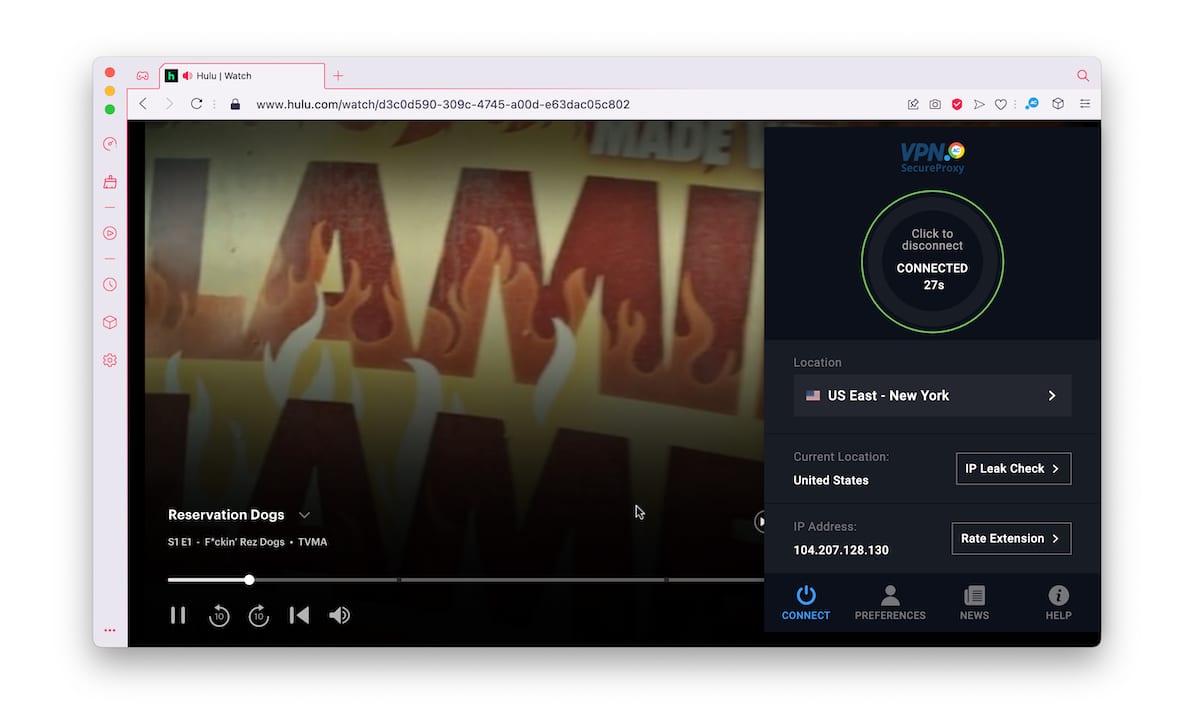
Hulu streamed with no issues when using the Chrome extension – here we show it working in the Opera GX browser.
Speed
Ranked #42 out of 61 VPNs for Speed
Based on our 2025 speed tests, VPN.AC’s international performance has improved but still trails top VPNs like Hotspot Shield and IPVanish. We measured an average 23% speed loss on international connections, which is disappointing. However, local download speeds are strong, reaching up to 95 Mbps on our 100 Mbps connection.
Here are the speeds we recorded while using VPN.AC on a 100Mbps baseline connection:
| No VPN (New York) | US (New York) | Canada (Toronto) | US (Los Angeles) | UK (London) | Germany (Berlin) | Brazil (São Paulo) | Japan (Tokyo) | Australia (Sydney) | |
|---|---|---|---|---|---|---|---|---|---|
| Server Location |  |
|
 |
|
 |
 |
 |
 |
 |
| Download Speed | 100Mbps | 95Mbps | 95Mbps | 78Mbps | 87Mbps | 88Mbps | 86Mbps | 68Mbps | 40Mbps |
| Upload Speed | 100Mbps | 95Mbps | 94Mbps | 66Mbps | 93Mbps | 95Mbps | 92Mbps | 61Mbps | 48Mbps |
| Ping | 1ms | 40ms | 15ms | 198ms | 87ms | 92ms | 119ms | 283ms | 667ms |
| Distance | 0mi | 5mi | 300mi | 2,500mi | 3,500mi | 4,000mi | 4,800mi | 6,700mi | 9,900mi |
As expected, VPN.AC’s speeds drop when connected to servers on other continents. For example, our download speed fell to 68 Mbps when connecting from the US to Japan.
On a closer server, we only saw a slight decrease to 95 Mbps when connected to New York.
We consider a 5% drop on a nearby server to be negligible. You should be able to leave the VPN on and browse, download, and stream as usual without noticing a difference.
To put VPN.AC’s speed test results in context, compare its speeds to other top VPNs in the bar chart below.
High Ping Times
VPN.AC has unusually high local and international ping times, making it a poor choice for online gaming.
We measured up to 40 ms on a local connection, placing it in the worst 10% of VPNs for latency.
This isn’t surprising, as VPN.AC has historically shown higher ping times than top-tier gaming VPNs like ExpressVPN and NordVPN.
Security
Ranked #30 out of 61 VPNs for Security
VPN.AC’s main weakness is the lack of WireGuard, a modern protocol known for speed and efficiency. Without it, we recommend using OpenVPN with AES-256 encryption to secure your web traffic. While the VPN’s kill switch passed our tests on Windows, Android, and iOS, it failed on macOS, which is a serious concern. To improve security, VPN.AC should consider independent audits and open-sourcing its app code.
| Independent Audit | No |
|---|---|
| VPN Kill Switch | Yes |
| Leak Protection | Yes |
WireGuard may be on its way to becoming the dominant VPN protocol, but there’s still nothing wrong with OpenVPN.
Trustworthy, fast, and secure, OpenVPN is VPN.AC’s protocol of choice. On most platforms, it offers four variants: ECC, 256-bit, 128-bit, and XOR. Here’s how they differ:
| OpenVPN ECC | Uses 128-bit AES encryption combined with elliptic-curve cryptography. |
| OpenVPN 128-bit | Uses standard 128-bit AES encryption. |
| OpenVPN 256-bit | Uses standard 256-bit AES encryption. |
| OpenVPN XOR | Uses 128-bit AES encryption combined with XOR obfuscation. |
All of these support both TCP and UDP. UDP is faster, while TCP is more reliable.
This is an uncommon approach to protocols that we haven’t seen from other VPN services. We recommend OpenVPN ECC or 256-bit for everyday use, and OpenVPN XOR when you need to bypass strict censorship (for example, in China).
On macOS and Windows, there’s also the outdated L2TP option, which we recommend avoiding. iOS doesn’t let you choose a protocol and uses IKEv2 by default, which offers similar speed and security to OpenVPN. You can also choose IKEv2 on Windows if you prefer.
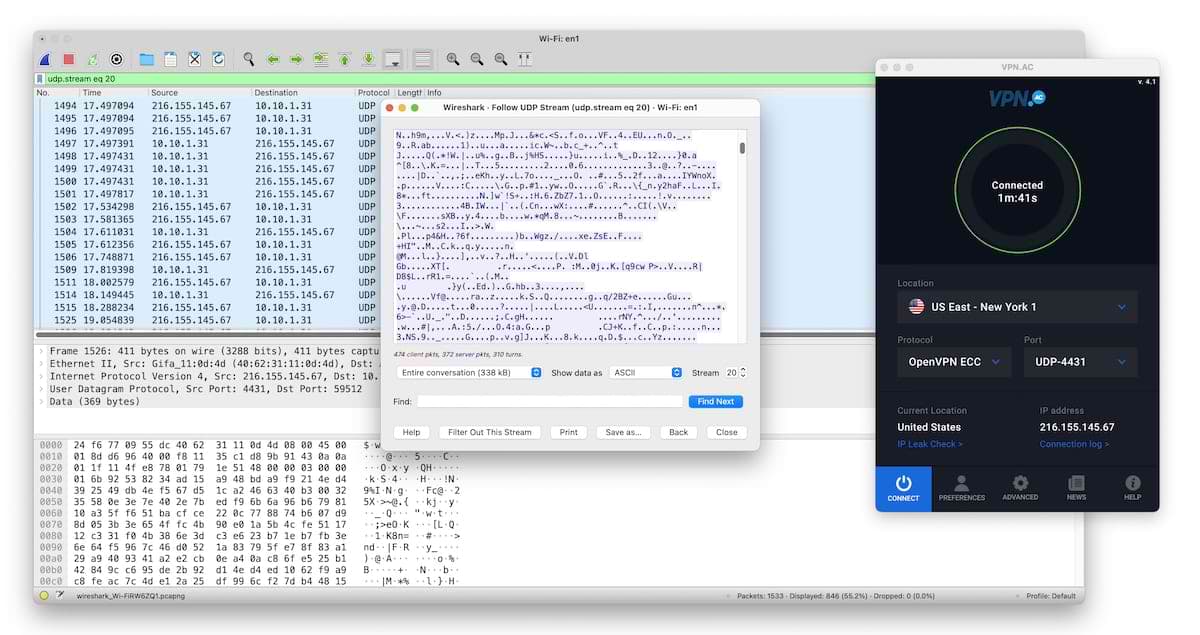
We packet sniffed our own connection using Wireshark while connected to VPN.AC. We observed everything fully encrypted.
VPN.AC successfully encrypted all our traffic while connected. We confirmed this with Wireshark, a packet-sniffing tool, as shown above.
Kill Switch Has Issues on macOS
The kill switch is one of the most important features of any VPN—without it, your real IP can be exposed if the VPN drops, and your traffic can become unencrypted.
The good news is that VPN.AC passed our kill switch tests on Windows, Android, and iOS.
The bad news is that we encountered occasional issues on macOS. It worked when we manually disconnected Wi-Fi, but it sometimes failed when we switched between server locations.
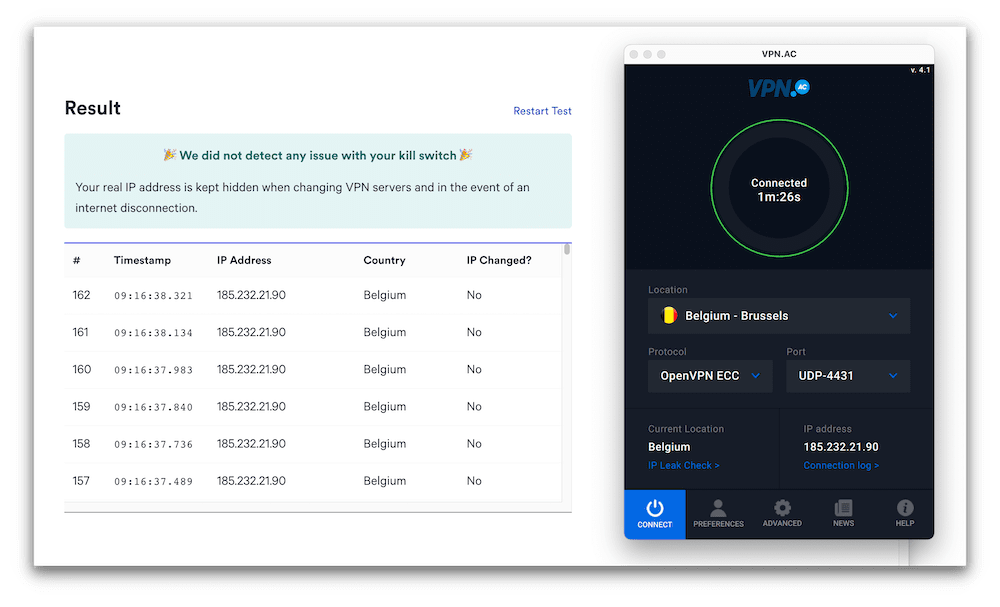
In this instance, when we tested VPN.AC’s kill switch there were no leaks. However that wasn’t always the case.
This isn’t catastrophic, since switching servers is usually a user-initiated action. However, it’s inconvenient if you need to change servers in the middle of a sensitive or private task.
VPN.AC Is Safe to Use on All Platforms
We scanned all of VPN.AC’s installers with VirusTotal.com, and the results were clean: it’s safe to install on your devices.
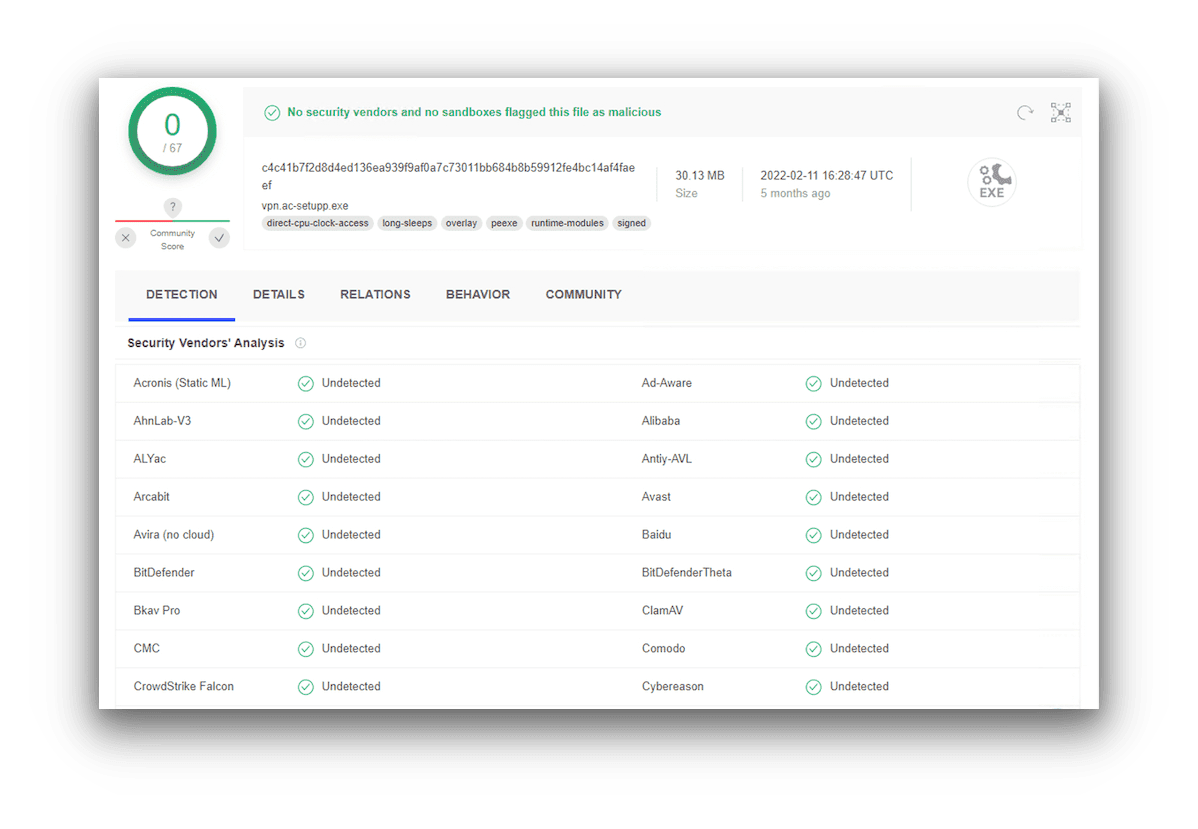
VirusTotal runs checks on a huge and constantly-updated database of known viruses and malware.
We also reviewed its Android app permissions using the εxodus tool:
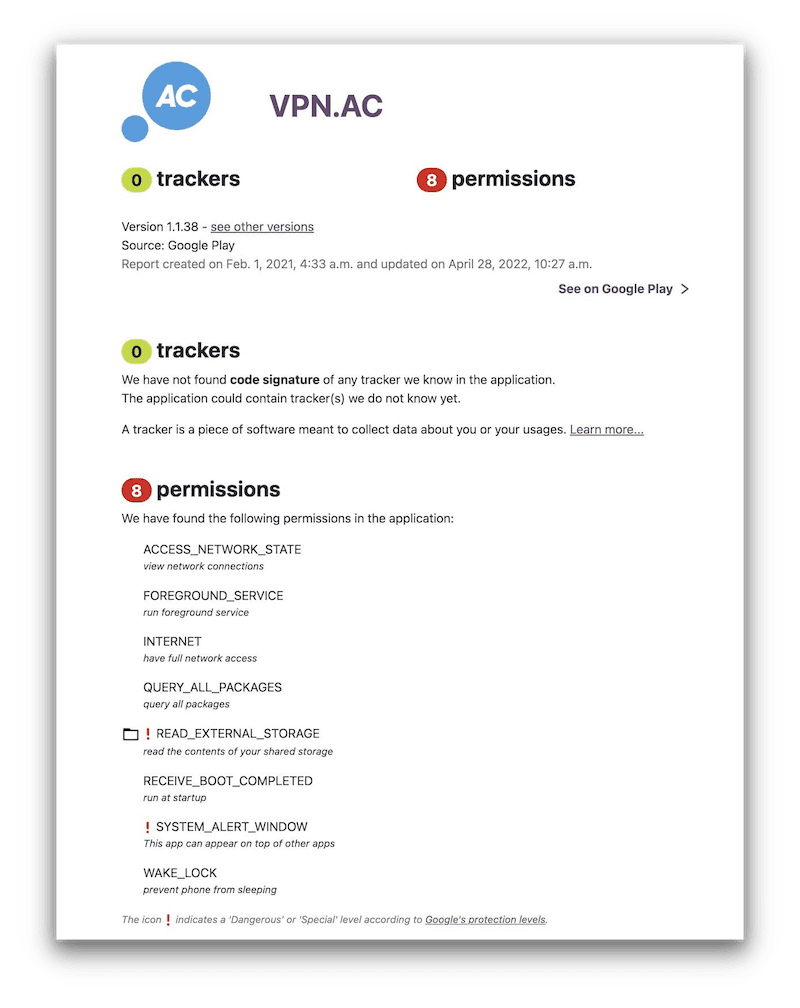
Some permissions are absolutely necessary for a VPN to operate – we are satisfied with almost all of VPN.AC’s.
It’s normal to see several permissions due to how VPNs work. However, one stood out as unusual: permission to read all external storage devices attached to your device.
That said, we still trust VPN.AC on Android.
Server Locations
Ranked #38 out of 61 VPNs for Server Locations
If you live in North America or Europe, you’ll have no issues with VPN.AC’s network of servers in 25 countries. It also offers a solid selection in the Asia-Pacific region. The entire network uses privately owned, bare-metal servers that are genuinely located where they claim to be. However, the Middle East and all of Africa are completely unserved, and Brazil is the only option in South America. If you live in one of these regions, VPN.AC is a poor choice.
| Continent | Countries with Servers |
|---|---|
| Europe | 16 |
| Asia | 5 |
| North America | 2 |
| South America | 1 |
| Oceania | 1 |
| Africa | 0 |
We want to stress how rare it is for a VPN to run a 100% privately owned server network with no virtual servers. VPN.AC has done exactly that, delivering stronger security and faster speeds.
However, this approach comes with trade-offs in server coverage. We recognize that avoiding virtual or rented servers is costly, but it leaves a large part of the world without nearby VPN.AC locations.
VPN.AC has servers in 25 countries, 17 of which are in Western and Southern Europe. There are no servers in the Middle East or Africa, and only one in South America (Brazil).
When a network is this concentrated, it limits who can use the service effectively. If you live in a region not covered by VPN.AC, we strongly recommend considering a different VPN, as good as VPN.AC is.
User Experience
Ranked #15 out of 61 VPNs for User Experience
Although VPN.AC could use a visual refresh to feel more modern, it’s undeniably easy to use. Everything is where you’d expect it, and advanced features are clearly labeled. There’s also a light and dark mode available across all its apps.
We’ve already outlined the technical differences between VPN.AC on each platform—here’s a closer look at its apps.
VPN.AC Windows Program
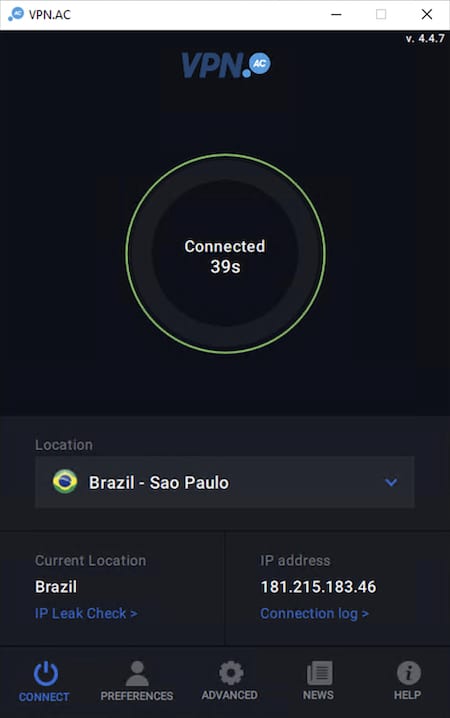
VPNs often prioritize Windows when designing their apps, and VPN.AC is no exception—though the gap isn’t huge.
Whether you’re new to VPNs or a frequent user, the Windows client is easy to use. If you just want basic protection, you only need the server list and the connect button.
Advanced settings provide enough options to tailor the service to your needs.
The one notable omission is split tunneling, which we consider a basic feature on Windows.
VPN.AC macOS App
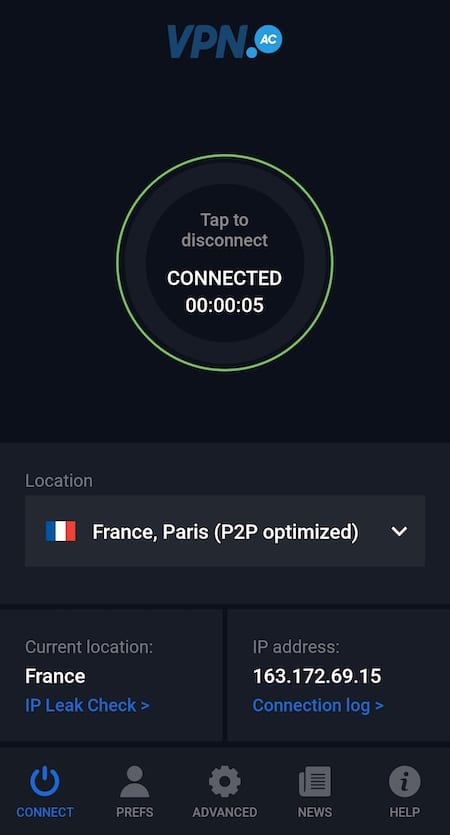
The macOS app looks identical to the Windows version, which helps avoid confusion and shows that VPN.AC hasn’t overlooked Mac users.
The only feature missing compared to Windows is the DNS filtering ad blocker.
VPN.AC Linux GUI Client
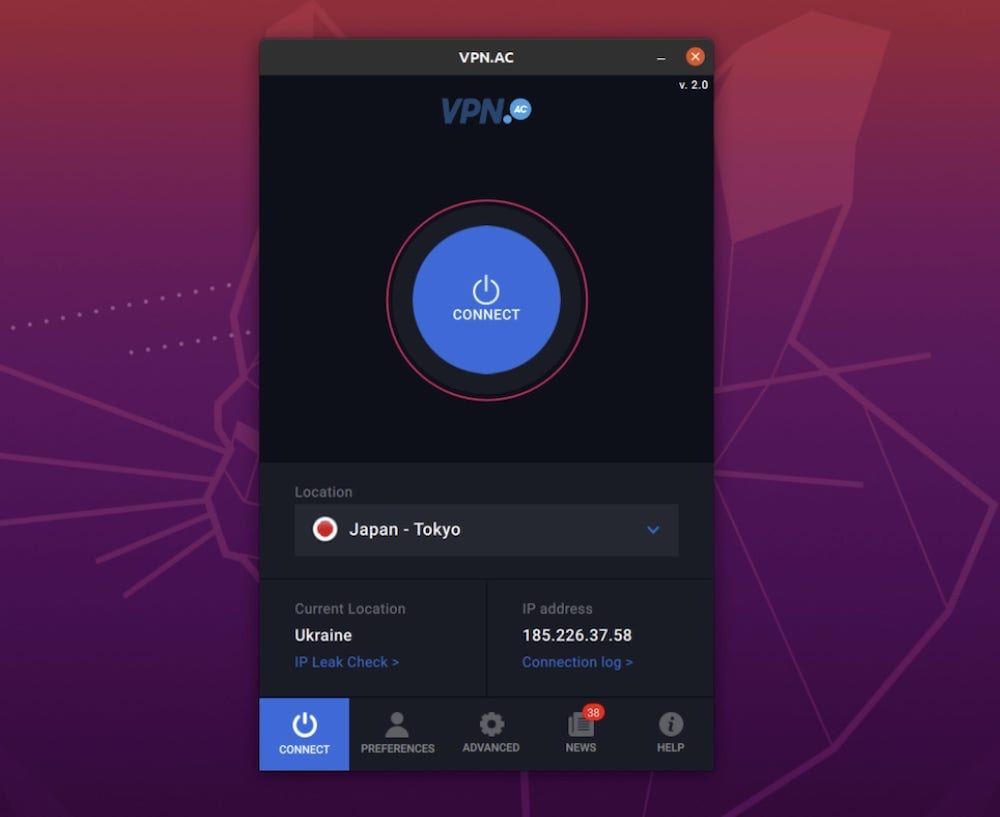
VPN.AC lists its native Linux app as a beta, but in our testing it performed reliably.
Unlike the Windows and macOS apps, it lacks IPv6 blocking, which could expose your IPv6 address if your connection uses one.
VPN.AC iOS App
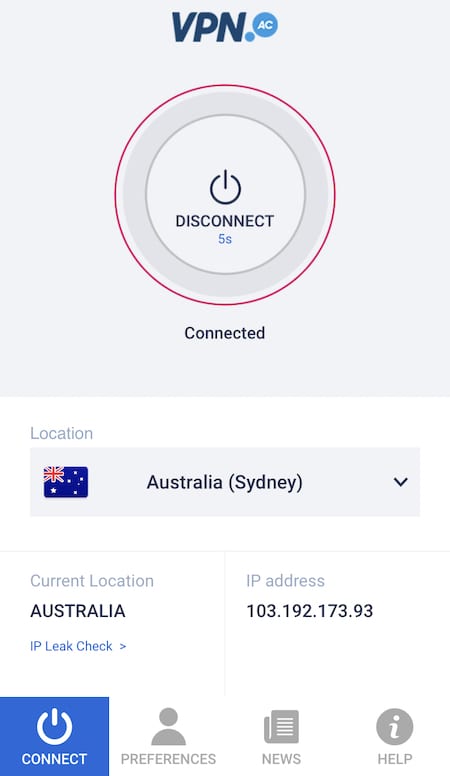
The iOS app is light on features. It includes a reliable kill switch, and you can still use China-optimized servers, but that’s about it. The design is similar to the desktop versions, but the functionality is much more limited.
VPN.AC Android App
The Android app is the only VPN.AC client with split tunneling, which is unusual, but at least one platform has it. This lets you choose which apps use the VPN connection and which bypass it.
It mirrors the desktop design, with the main omission being IPv6 blocking.
VPN.AC Fire TV App
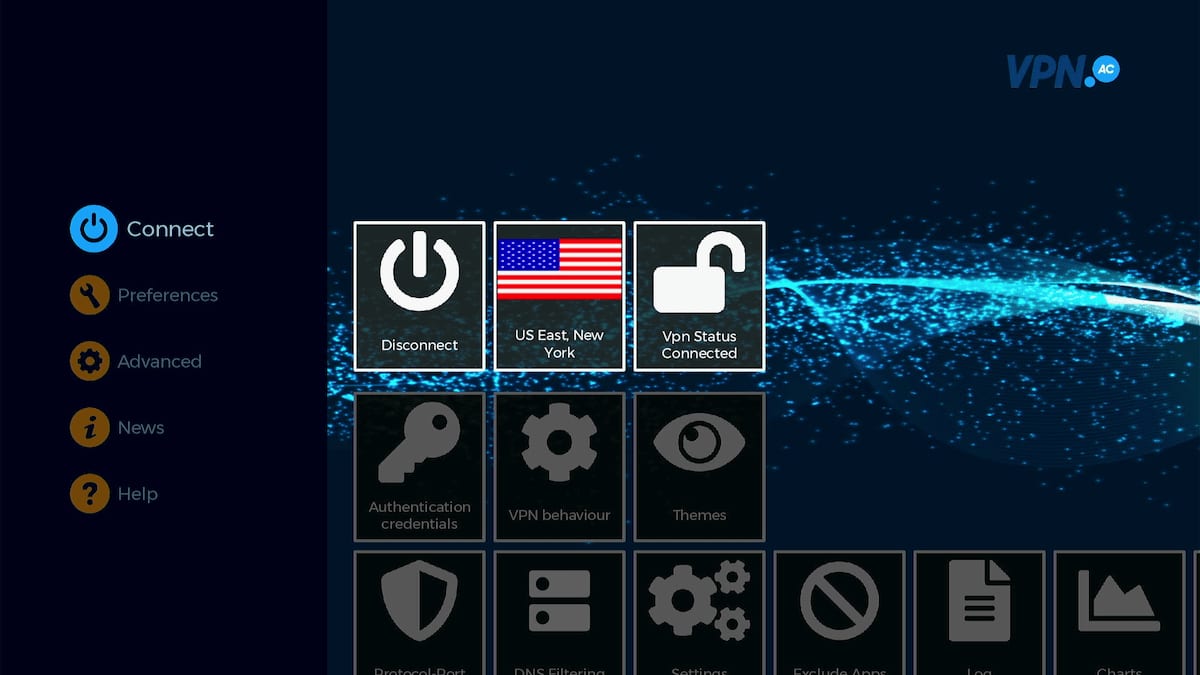
The Fire TV app is the most visually different of the lineup. Many VPNs struggle to deliver a smooth Fire TV experience, and VPN.AC is no exception.
Still, it works well, and once you get used to it, navigation is acceptable. We also appreciate that it includes some of the extra features found on the desktop app. For connecting to a server and streaming, it’s perfectly serviceable.
Torrenting
Ranked #18 out of 61 VPNs for Torrenting
We recorded very impressive P2P speeds with VPN.AC, but that’s mainly because we’re lucky to have a P2P-optimized server nearby. VPN.AC allows torrenting across its entire network, but speeds are significantly slower on regular servers.
| Torrenting Attribute | VPN.AC |
|---|---|
| Permits P2P Traffic | Yes |
| Average Download Bitrate | 9.0MiB/s (10% loss) |
| Countries with P2P Servers | 25 |
| Port Forwarding | No |
| Kill Switch | Yes |
| Logging Policy | Identifiable Data |
While we like that VPN.AC allows torrenting across its entire server network, we were disappointed to find during testing that speeds are heavily capped on non-optimized servers.
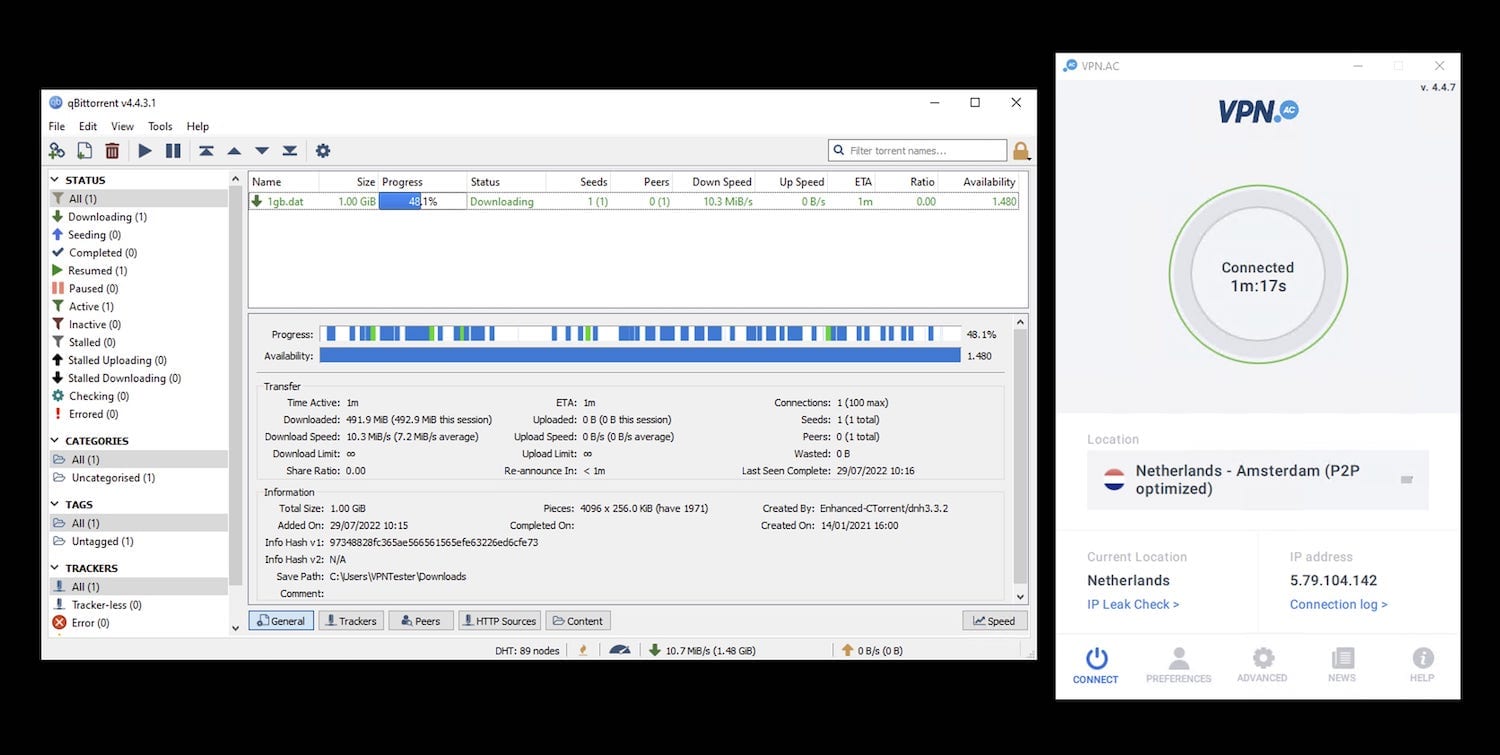
VPN.AC’s dedicated P2P servers recorded some very impressive download bitrates.
We saw excellent performance on the P2P-optimized France and Netherlands servers: an average of 9.0 MiB/s compared to 10.0 MiB/s with no VPN at all—fantastic for torrenting.
However, when we connected to a UK server, speeds dropped to just 1.5 MiB/s on average. This is because the UK has no P2P-optimized servers.
While we were able to work around this, not everyone will be so fortunate. Asia, Oceania, and South America have no torrenting servers at all. You can still torrent on your nearest standard VPN.AC server, but you’ll likely see the same slow speeds we experienced.
A Secure Choice for Torrenting
VPN.AC has a working kill switch and can be fast, but it isn’t the most private VPN available.
There’s also no port forwarding, which is disappointing, but the VPN.AC knowledge base does include instructions for setting up the SOCKS5 proxy on qBitTorrent, uTorrent, and Deluge.
It also offers a helpful guide to creating a torrenting-specific kill switch in Windows. If you follow those steps, your PC will automatically stop all torrent traffic if the VPN fails, preventing an IP leak.
Device Compatibility
VPN.AC may not have the most polished apps, but it offers a consistent design across all the major platforms it supports—desktop, mobile, and streaming devices. It also provides extensions for the most popular browsers, and anything not directly supported can be set up through a router installation.
| Windows | Yes |
|---|---|
| Mac | Yes |
| iOS | Yes |
| Android | Yes |
| Linux | Yes |
| Amazon Fire TV | Yes |
| Android TV | Yes |
| Apple TV | No |
| Router | Manual Setup Only |
| Chrome | Yes |
Simultaneous Connections: 12
We appreciate the consistent design across the most popular platforms: VPN.AC looks virtually identical on Windows, macOS, iOS, and Android.
There’s also a full-GUI Linux app for Ubuntu, Debian, and Mint. VPN.AC notes it’s officially in beta, but in our testing on Ubuntu 20 it worked well and matched the Windows app. If you prefer, there’s also a command-line interface.
VPN.AC also offers custom setup options for routers. There are quite a few, so here’s a breakdown of what you can configure and on which router types:
| Router Type | OpenVPN | WireGuard |
|---|---|---|
| DD-WRT | ✓ | ✗ |
| Tomato | ✓ | ✗ |
| AsusWRT | ✓ | ✗ |
| pfSense | ✓ | ✓ |
| OpenWRT | ✗ | ✓ |
| OPNSense | ✓ | ✓ |
| Ubiquiti EdgeRouter | ✓ | ✗ |
VPN.AC provides WireGuard configuration files for three types of routers, but it still doesn’t offer WireGuard as a protocol in its main app—an odd choice and something we hope changes in the future.
Browser Extensions
VPN.AC’s browser extensions are surprisingly good. They give you access to more server locations than the main app and work very well for unblocking streaming services, often outperforming the app itself.
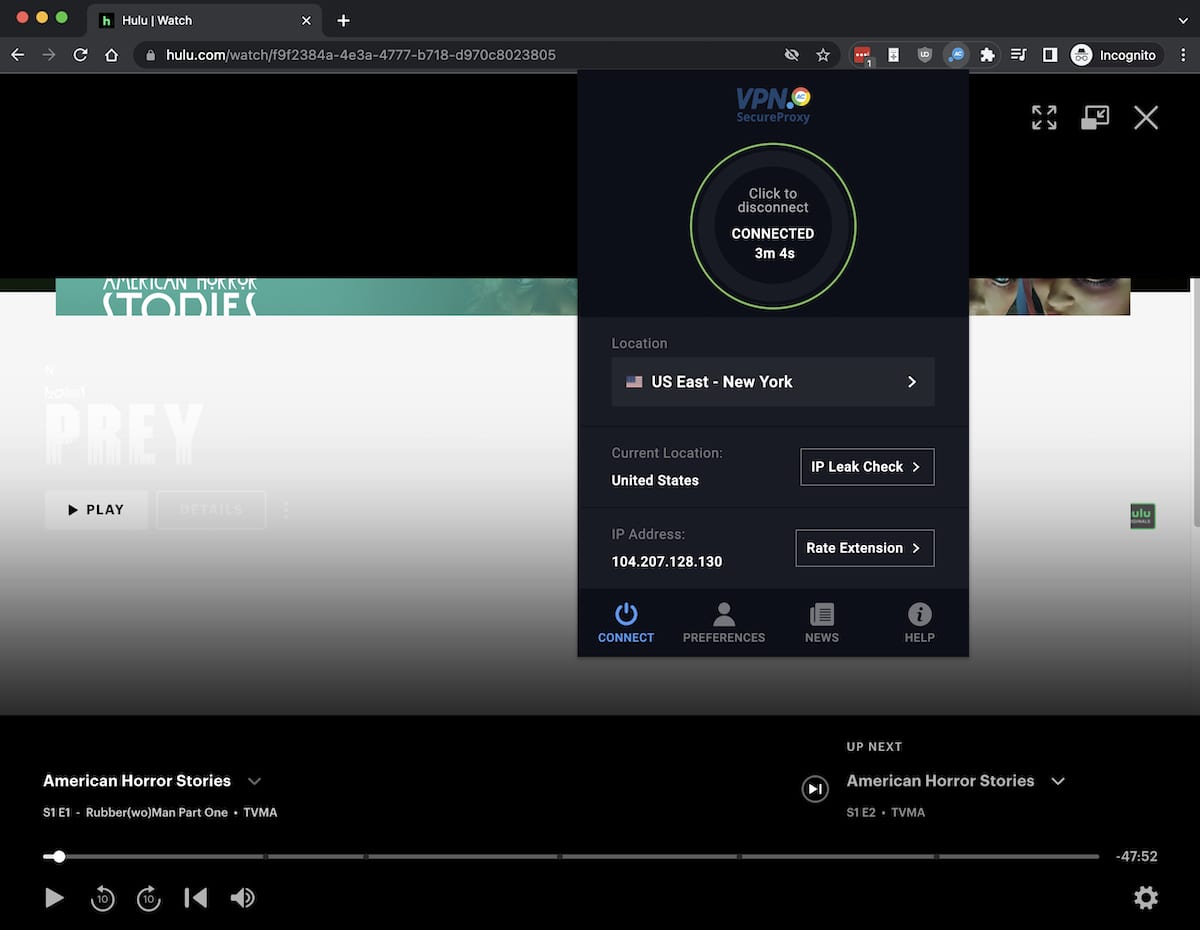
We had the most success when using the US East – New York server to access Hulu.
The extensions encrypt your traffic, effectively geo-spoof your location, include a WebRTC blocker, and can help bypass internet censorship in China. They also offer website split tunneling, letting you choose which sites go through the browser VPN and which do not.
Additional Features
VPN.AC’s security features are somewhat underwhelming. The VPN offers split tunneling, DNS filtering, IPv6 blocking, multi-hop servers, and XOR Scramble, but it’s disappointing that these aren’t available on all devices. It also lacks popular options like dedicated IPs, 24/7 live chat support, and GPS spoofing.
| Additional Feature | VPN.AC |
|---|---|
| Split Tunneling | Yes (Android only) |
| VPN Obfuscation | Yes |
| Multi-Hop Servers | Yes |
| Dedicated IP | No |
| Ad Blocker | Yes |
Extra Features Vary by Platform
We prefer VPNs to offer a consistent set of features across all their apps. VPN.AC can be confusing because the options vary significantly between platforms.
See the table below for an overview of VPN.AC’s extra features and the platforms they’re available on:
| Feature | Windows | macOS | Linux | iOS | Android |
|---|---|---|---|---|---|
| Kill Switch | ✓ | ✓ | ✓ | ✓ | ✓ |
| Split Tunneling | ✗ | ✗ | ✗ | ✗ | ✓ |
| Protocol Selection | ✓ | ✓ | ✓ | ✗ | ✓ |
| China-Optimized Servers | ✓ | ✓ | ✓ | ✓ | ✓ |
| DNS Filtering | ✓ | ✗ | ✗ | ✗ | ✓ |
| IPv6 Blocking | ✓ | ✓ | ✗ | ✗ | ✗ |
Split tunneling is the notable omission here. It’s not as critical for security as a kill switch, but it’s a popular, practical feature found on most VPNs. Limiting it to Android is an unusual choice for VPN.AC.
We also like the inclusion of IPv6 blocking on desktop, which ensures your IPv6 address won’t leak (if you have one).
DNS filtering is the latest feature added to VPN.AC. It’s off by default on Windows and Android, but offers two modes: SecureDNS and SecureDNS + local streaming.
When set to SecureDNS + local streaming, it blocks the same content but lets you access your usual local Netflix library.
When set to SecureDNS + local streaming, it blocks the same content but lets you access your usual local Netflix library.
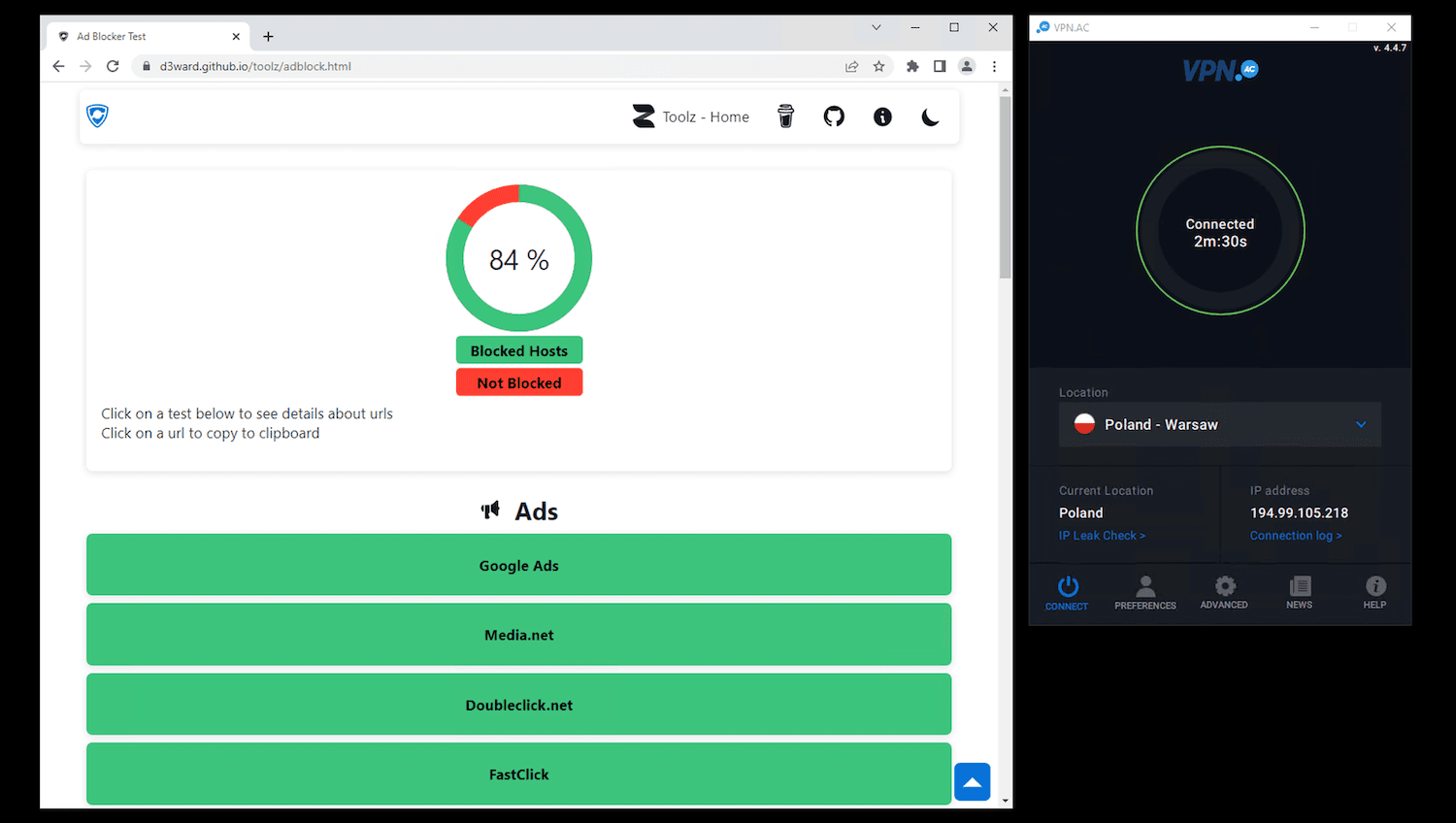
VPN.AC performed very well, but an outright ad and tracker blocker like uBlock Origin would score close to 100%.
VPN.AC’s content blocker works well, successfully blocking 84% of ads and trackers—above average for a VPN-based blocker.
Sometimes Works in China
VPN.AC invests significant effort into working in China, but its recent performance has dropped sharply in our testing.
There’s an option in the advanced settings labeled “I am in China or other censored country.” Turning this on reveals a list of China-optimized servers in the main list.
Combine one of these servers with the OpenVPN XOR protocol/obfuscation available in all apps, and you should be able to bypass firewalls in countries like Russia, Turkey, and the UAE.
VPN.AC has many servers optimized for use in China, and it didn’t slow our internet as much as other China-focused VPNs.
Good Online Resources But No Live Chat
VPN.AC’s support site has two sections: tutorials and a knowledge base. The tutorials show how to install the VPN on every supported device and OS—both with the apps and via third-party software for individual protocols.
The knowledge base covers most other topics. If you’re curious about protocol differences, app features, or billing, we were impressed by the breadth and detail of the articles.
It’s a shame, then, that you must rely on a ticketing system to get direct answers from a VPN.AC employee.
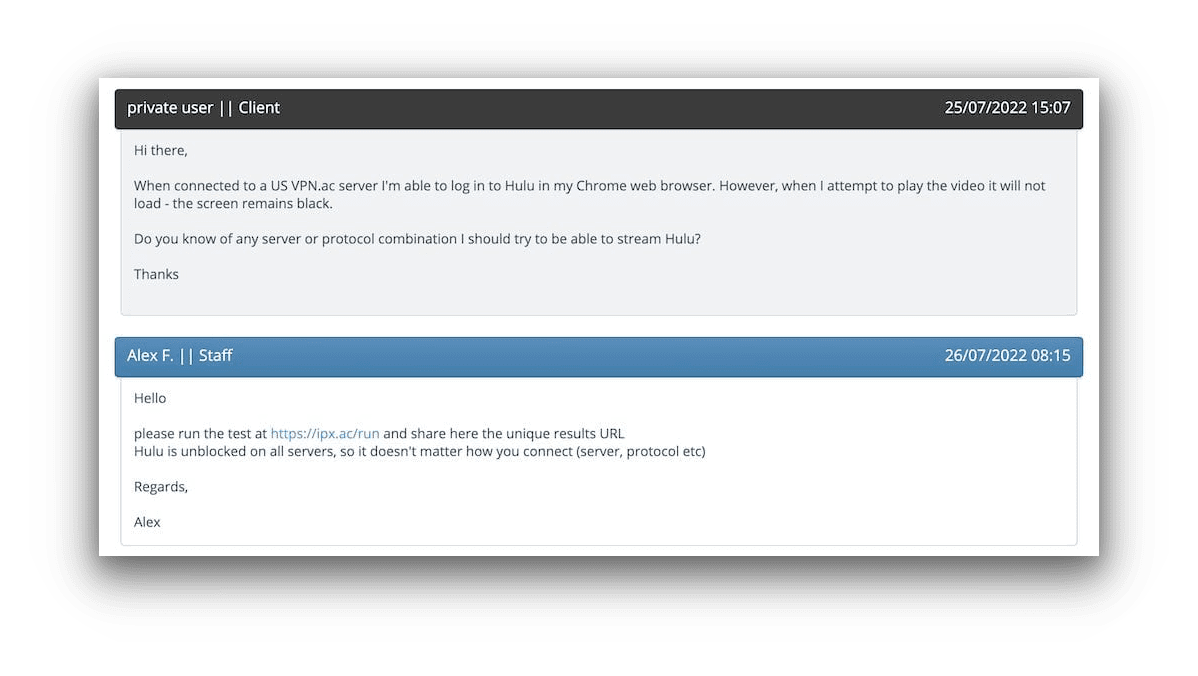
VPN.AC’s customer support are knowledgeable and keen to help, but the wait times take away from that.
When we submitted a question around 3 p.m., we waited until 8 a.m. the next day for a reply.
To be fair, this isn’t always the case—we’ve also received responses in just 25 minutes. The inconsistency remains a problem, though. If your VPN isn’t working, you want a quick resolution you can count on.
Excellent Multi-Hop Servers
VPN.AC offers one of the best selections of Double VPN servers we’ve seen. In the app, it’s called Double Hop, with exit nodes in eight well-distributed countries.
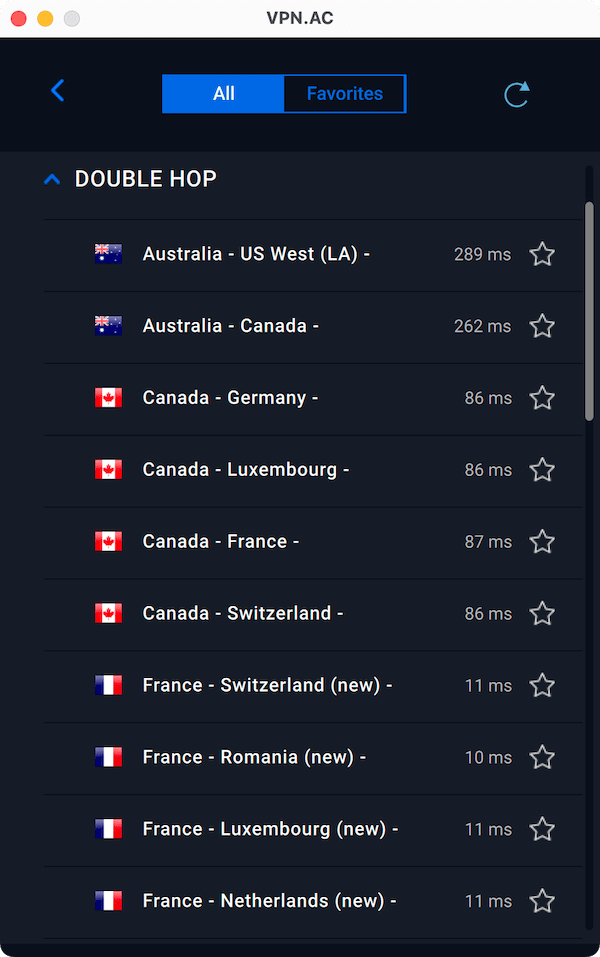
Most VPNs that offer Double VPN have far fewer choices than VPN.AC.
Double Hop routes your traffic to a VPN server in one location, then forwards it to a second location—the one that assigns your IP address.
This will reduce your internet speed, but it increases security.
VPN.AC Key Data
| Attribute | VPN.AC | Typical VPN |
|---|---|---|
| Owner | Netsec Interactive Solutions | Independent |
| Launch Date | 2009 | 2015 |
| Local Download Speed | 95Mbps (5% loss) | 89Mbps (11% loss) |
| International Download Speed | 77Mbps (23% loss) | 80Mbps (20% loss) |
| Countries with Servers | 25 | 40 |
| Privacy Policy | Identifiable Data | Identifiable Data |
| Simultaneous Connections | 12 | 10 |
| Netflix Libraries | 1 | 3 |
| Torrenting | Yes | Yes |
| Works In China? | No | No |
| Cheapest Price | 3.75/mo over 24 months | $3.87/mo over 24 months |
| Customer Support | Email support via online ticket | |
| Apps & Extensions |
          |
|
Price
Price Plans
| 1 month | $9.00 |
|---|---|
| 3 months | $24.00 ($8.00/mo) |
| 12 months | $57.60 ($4.80/mo) |
| 2 years | $90.00 ($3.75/mo) |
Free Trial
| Money-Back Guarantee | 7 days |
|---|---|
| Free Trial | No |
| 100% Free Plan | No |