
VPN 360: Slow, Data-Hungry, and Not Worth Using
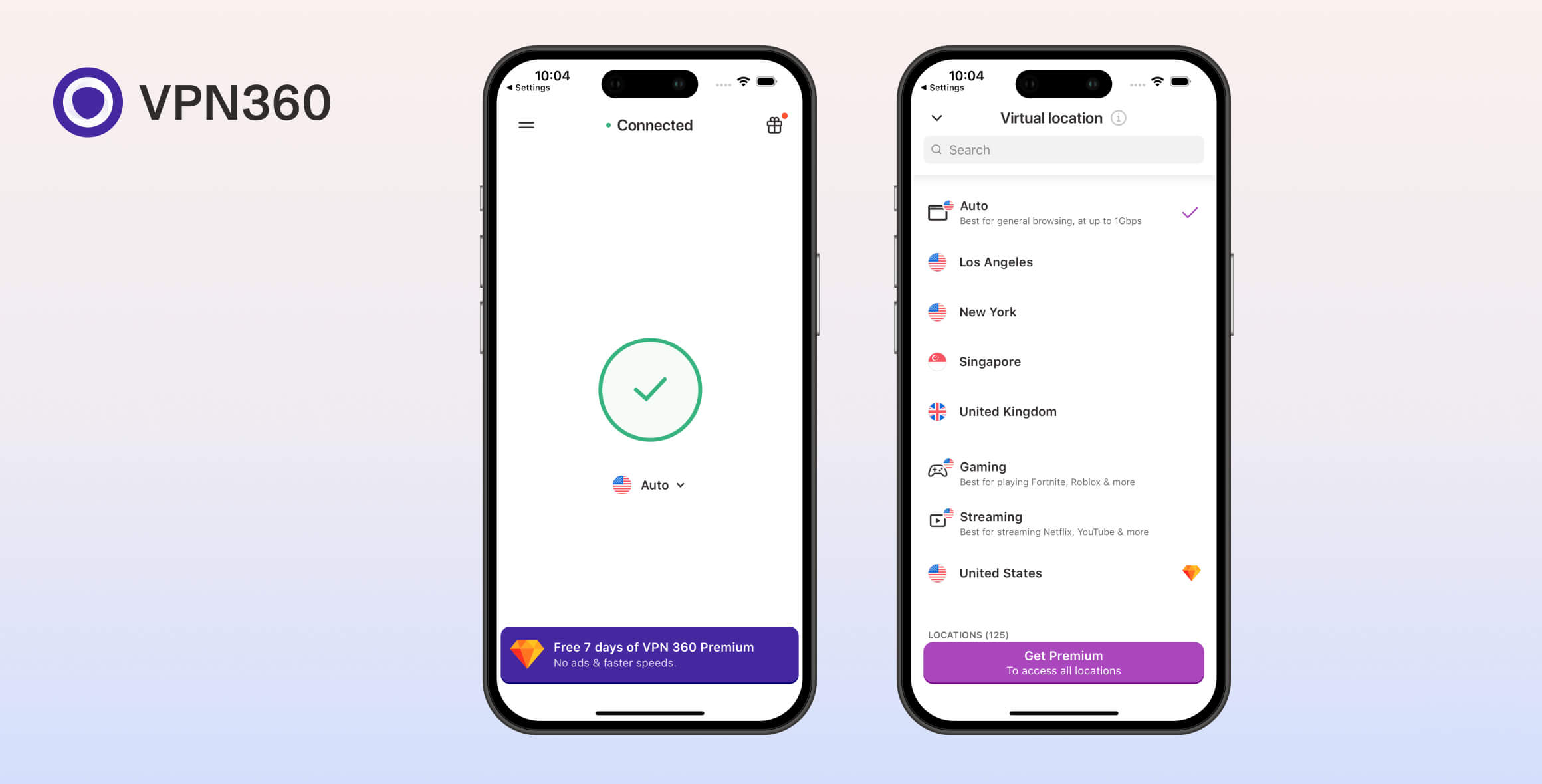
VPN 360 is a free, mobile-only VPN for iOS and Android. We don’t recommend using it: its security and privacy are weak, its speeds are slow, and it doesn’t work with Netflix. The app is also filled with advertisements. There are much safer and more reliable VPNs available.
- Pros
- Custom apps are very simple to use
- Useful data privacy & advertiser settings on iOS
- Cons
- Invasive logging policy
- Slow speeds
- iOS kill switch is faulty
- Doesn’t work with US Netflix
- Intrusive pop-up ads
- Blocks all torrenting traffic
VPN 360 is a popular freemium VPN with over 5 million downloads on the Google Play Store alone. It’s also popular on the App Store.
While VPN 360 has both free and premium versions, this review focuses on the free app.
We put the service through our full VPN testing process to measure speeds, evaluate privacy and security, test streaming access, contact support, and more.
Our results show that VPN 360 is not safe to use. Although it has improved since being acquired by Aura, VPN 360 is still one of the worst VPNs we’ve tested.
Privacy
Ranked #52 out of 61 VPNs for Privacy
VPN 360 logs too much personally identifiable information, including your IP address, connection timestamps, and the server location you connect to. Its US jurisdiction and intrusive logging policy mean you should avoid it.
| Originating IP Address | Yes |
|---|---|
| Browsing Activity | Yes |
| Individual Connection Timestamps | Yes |
| Date of Last Connection | Yes |
| VPN Server IP | No |
| Device Information | Yes |
| Individual Bandwidth Usage | Yes |
| Account Information | Yes |
You can read VPN360’s full privacy policy on its website.
As shown above, VPN 360 logs a lot of personal data, including your originating IP address, domain names, VPN server location, and timestamps.
Previously, VPN 360 did not have its own privacy policy. We had to rely on Aura’s policy and the policies inside the Android and iOS apps.
Now, in 2025, VPN 360 has published a dedicated privacy policy, and it does include some protections. For example, the domain names users visit are aggregated monthly. Still, a truly private VPN wouldn’t store domain names at all.
We are also extremely disappointed that VPN 360 Free allows advertisers to access user IP addresses and device information. VPN 360 uses customer IP addresses to identify internet service providers, which it treats as non-identifiable information.
Making matters worse, the policy is not as clear or detailed as it should be. Compared to no-logs VPNs like Private Internet Access and PrivateVPN, VPN 360’s policy contains contradictions and vague language.
It’s also confusing that the policy claims to apply to Hotspot Shield, Betternet, and Ultra VPN, despite those services having their own separate policies.
Here’s how VPN 360’s logging policy compares to other top-tier budget and free VPNs:
| VPN Service | Privacy & Logging Policy Rating | Logging Policy | Independently Verified | Jurisdiction |
|---|---|---|---|---|
| Private Internet Access | 9.7 | No Logs | Yes | US (Five Eyes Member) |
| ProtonVPN Free | 9.5 | No Logs | Yes | Switzerland (Privacy Haven) |
| PrivateVPN | 9.3 | No Logs | Yes | Sweden (14 Eyes Member) |
| Windscribe Free | 8.9 | No Identifiable Data | Yes | Canada (Five Eyes Member) |
| PrivadoVPN Free | 6.4 | No Identifiable Data | No | Switzerland (Privacy Haven) |
| VPN 360 Free | 0.1 | Excessive Logs | No | US (Five Eyes Member) |
Streaming
Ranked #33 out of 61 VPNs for Streaming
In our tests, VPN 360 Free unblocked only one streaming service: HBO Max. Even then, its download speeds were so poor that buffering and low video quality were constant. It could not access international Netflix libraries, Amazon Prime Video, Hulu, or BBC iPlayer. It failed to unblock any UK streaming service.
| Streaming Service | Works with VPN 360 (Free) |
|---|---|
| BBC iPlayer (UK) | No |
| DAZN (Canada) | No |
| Disney+ (UK) | No |
| Hulu (US) | No |
| ITVX (UK) | No |
| HBO Max (US) | Yes |
| Netflix (US) | No |
| Netflix (UK) | No |
| Prime Video (US) | No |
| Sky Go (UK) | No |
VPN 360 fails to unblock the US, UK, and Singapore Netflix libraries — the only three regions where it has servers. On both Android and iOS, we could log in to Netflix, but we could only stream Netflix originals.
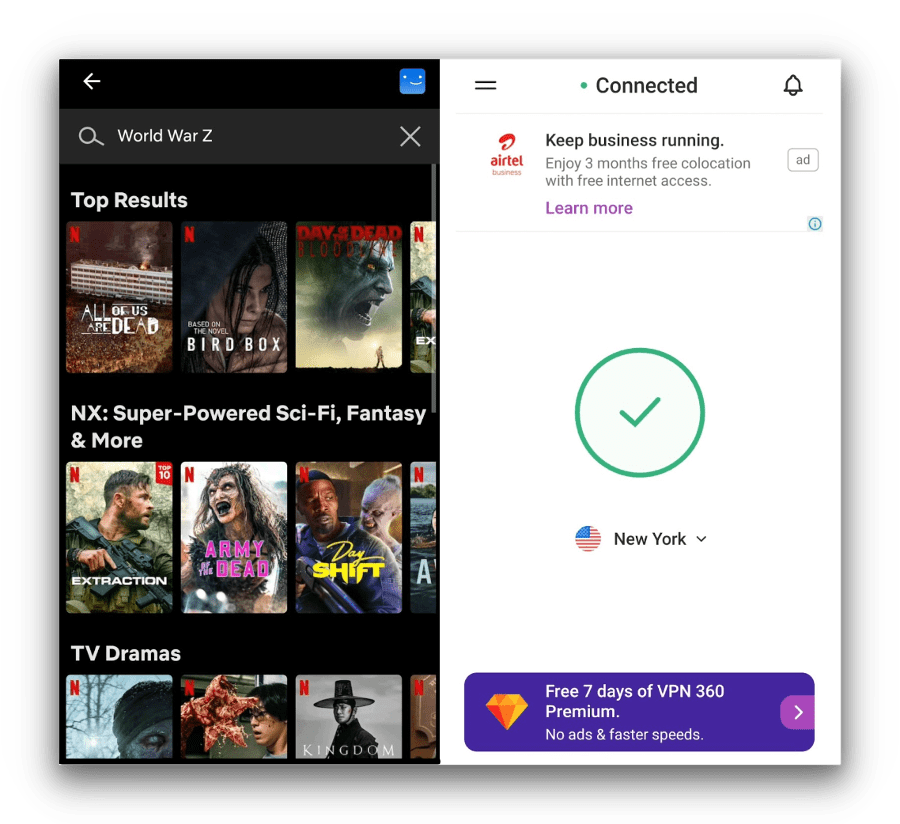
VPN 360 didn’t work to unblock US Netflix, instead we were only able to stream Netflix original content.
Most free VPNs fail to unblock US Netflix, so this isn’t unusual.
However, some free VPNs can stream international Netflix libraries. PrivadoVPN Free can unblock US Netflix, and Windscribe Free can stream UK Netflix.
Doesn’t Unblock Amazon Prime, Hulu, or British Streaming Services
In our tests, VPN 360 couldn’t stream most major services, including Amazon Prime Video and Hulu.
We were also disappointed that it failed with every UK streaming service we tried. BBC iPlayer, ITVX, and All 4 all blocked the VPN.
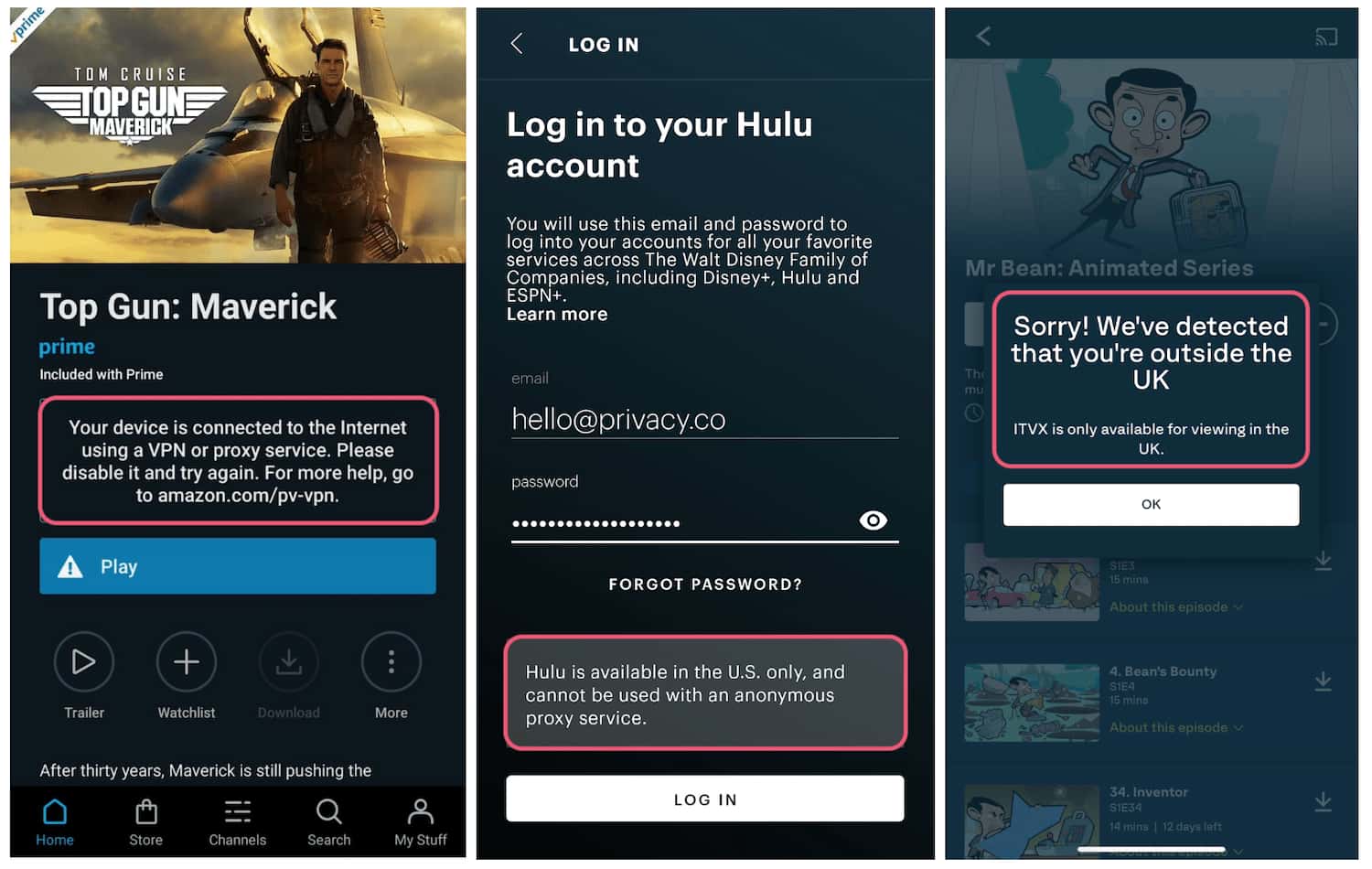
VPN 360 was detected and blocked by most streaming services.
VPN 360 is a poor choice for streaming. Many other VPNs can unblock these services without buffering and quality issues.
Streams Disney+, HBO Max & YouTube
VPN 360 is unreliable for streaming, but in recent tests we were able to stream on Disney+, HBO Max, and YouTube.
The download speeds were so slow that video quality rarely exceeded 480p, which made for a disappointing experience. You also can’t watch on a laptop or TV, since VPN 360 is mobile-only.
We found the Los Angeles server the most reliable for Disney+ and HBO Max on both Android and iOS.
Still, we don’t expect the free app to keep unblocking these platforms consistently.
VPN 360’s Streaming Performance Compared to Other Free VPNs
No free VPN we’ve tested matches premium services for streaming. Some free options are better than others, though:
| VPN Service | Streaming Rating | No. of Netflix Libraries | US Netflix | BBC iPlayer | HBO Max |
|---|---|---|---|---|---|
| PrivadoVPN Free | 4.3 | 2 | Yes | No | Yes |
| Windscribe Free | 5.7 | 5 | No | Yes | Yes |
| VPN 360 Free | 0.8 | 0 | No | No | Yes |
Speed
Ranked #59 out of 61 VPNs for Speed
VPN 360 is very slow. On all available servers, we saw speed losses of up to 95%, which impacts almost every online activity.
We tested VPN 360 across its server list. Here are the results:
| No VPN (New York) | US (New York) | UK (London) | Singapore | |
|---|---|---|---|---|
| Server Location |  |
|
 |
 |
| Download Speed | 100Mbps | 5Mbps | 5Mbps | 4Mbps |
| Upload Speed | 100Mbps | 4Mbps | 3Mbps | 3Mbps |
| Ping | 1ms | 21ms | 134ms | 391ms |
| Distance | 0mi | 5mi | 3,500mi | 8,300mi |
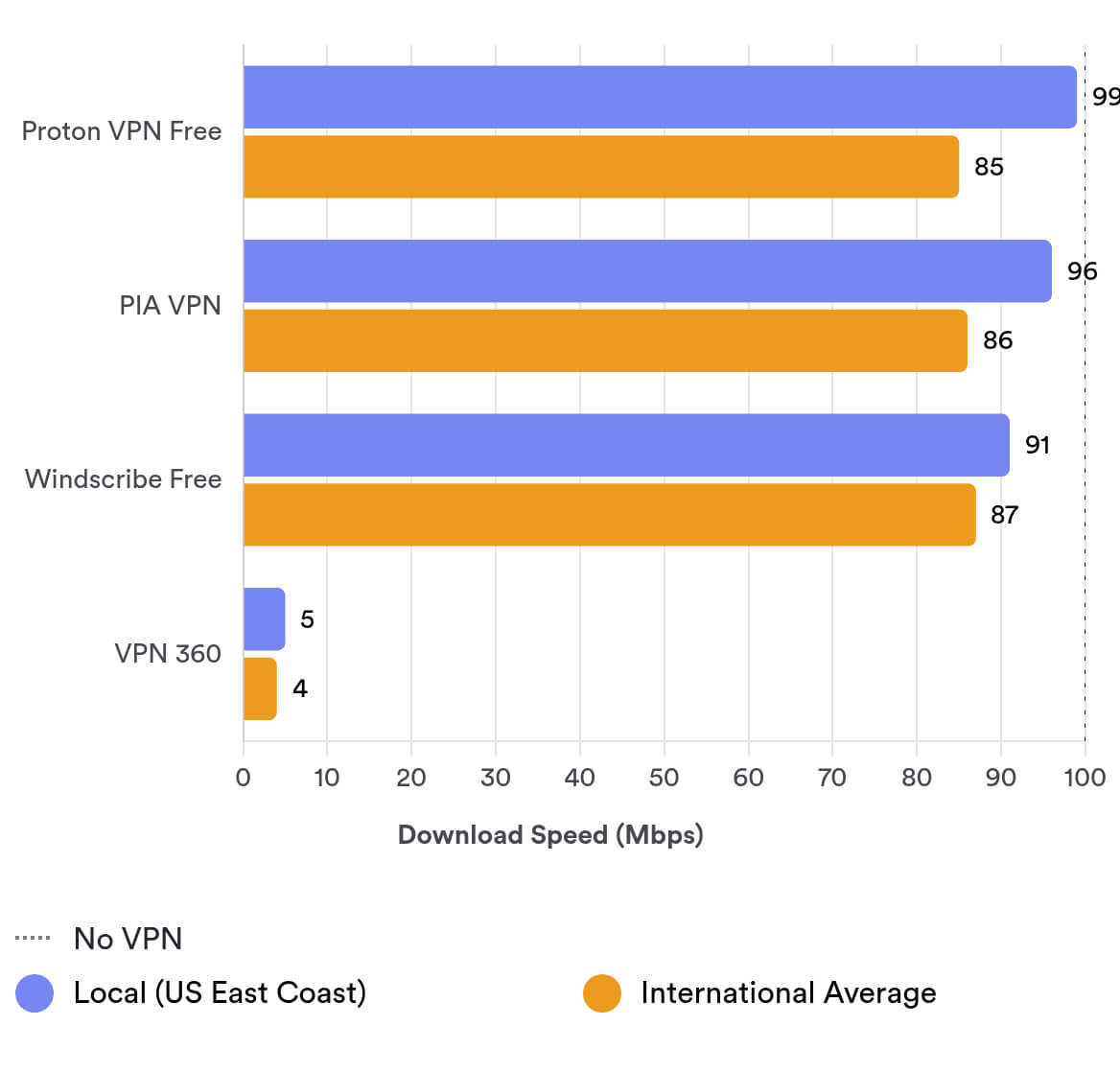
As you can see, VPN 360 reduced our local New York download speeds by 95% to 5Mbps. This is terrible, even for a free VPN.
Connecting to the UK, speeds dropped to 5Mbps again, suggesting VPN 360 enforces a speed cap.
These speeds are extremely poor and worse than most free VPNs we’ve tested. VPN 360 is essentially unusable for streaming or gaming and was frustrating in our benchmarks.
Here’s a comparison of VPN 360’s slow performance against the best free and low-cost VPNs:
Security
Ranked #36 out of 61 VPNs for Security
VPN 360 is not among the safest free VPNs. We found issues with its kill switch, and it doesn’t disclose its encryption standard, so we can’t confirm if it uses AES-256.
| Independent Audit | No |
|---|---|
| VPN Kill Switch | Yes |
| Leak Protection | No |
Hydra & WireGuard Protocols
VPN 360 offers three protocols on mobile: WireGuard and IKEv2, which are common, and Hydra, Hotspot Shield’s proprietary protocol known for speed in our Hotspot Shield tests.
Despite Hotspot Shield’s strong Hydra performance, VPN 360 was slow with Hydra. We recorded 5Mbps on a 100Mbps connection.
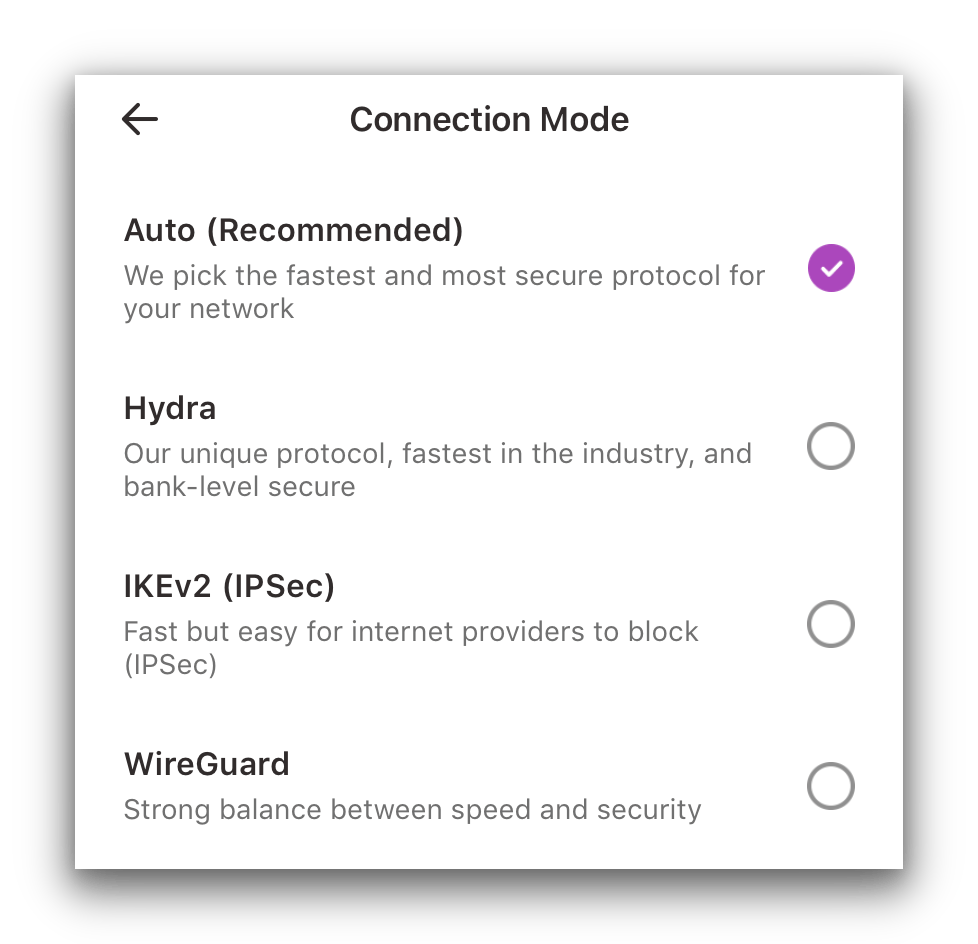
VPN 360 has three protocols on mobile: Hydra, IKEv2, and WireGuard.
We typically recommend WireGuard because it’s both secure and fast. If you prioritize speed, you might try Hydra.
However, Hydra is closed-source, so we can’t review the code. Hotspot Shield says cybersecurity firms assessed it, but we can’t verify that.
Kill Switch Leaks on iOS
In our tests, VPN 360 prevented IP leaks on Android, but on iOS it leaked our IP address when switching servers.
We also found a software bug in the latest iOS version. With the kill switch enabled, we couldn’t disable it.
Each time we disconnected, the app auto-reconnected, even if the kill switch was toggled off. We had to restart our test iPhone to stop the connection.
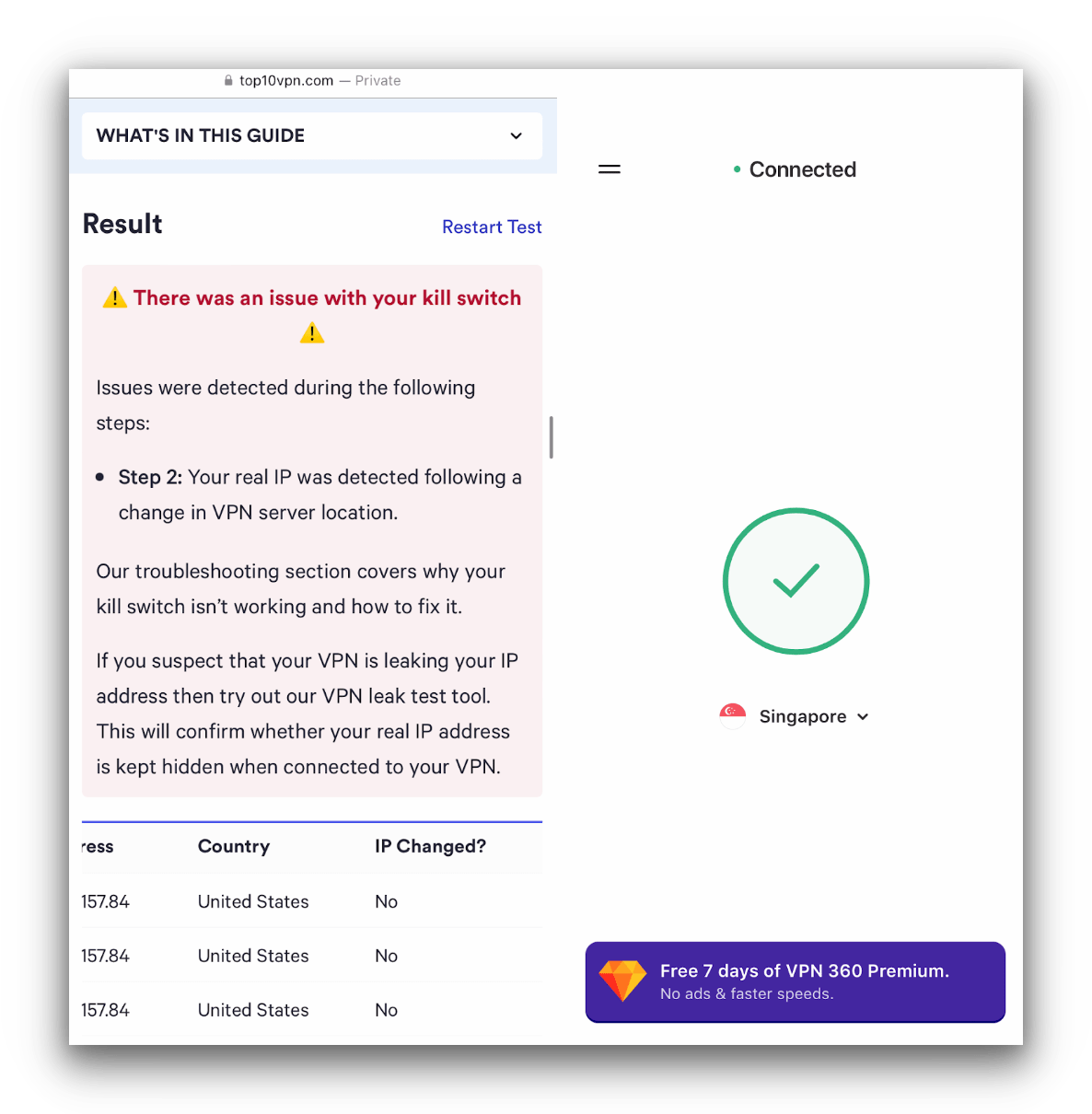
Our kill switch tool flagged VPN 360’s iOS app as faulty.
This is disappointing because the iOS app is otherwise more private than Android. You can disable data collection by advertisers on iOS, but the kill switch issue undermines that benefit.
No IPv4, IPv6, or WebRTC Leaks
We did not see IPv4, DNS, WebRTC, or geolocation leaks while connected to a server in Singapore.
We tested both Android and iOS and confirmed the VPN hid these data points and our real location.
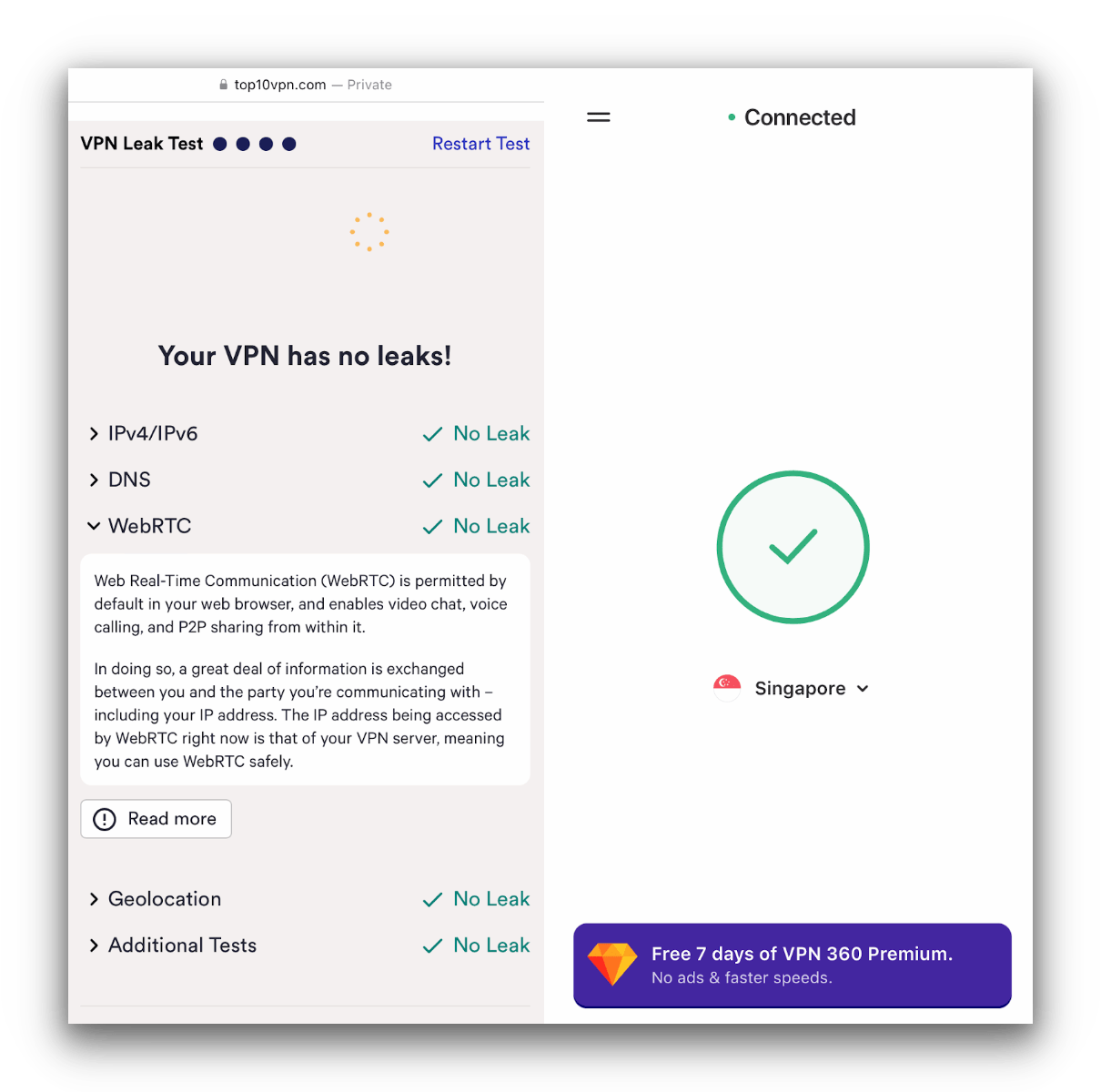
VPN 360 passed our other leak tests.
Customize Privacy Settings on iOS
Most free VPNs show ads to make money, and only a few let you control advertiser access to your data.
VPN 360 is one of the few that offers helpful privacy settings. On iOS, you can refuse data sharing with the app and deny advertiser access to your data. These settings are not available on Android.
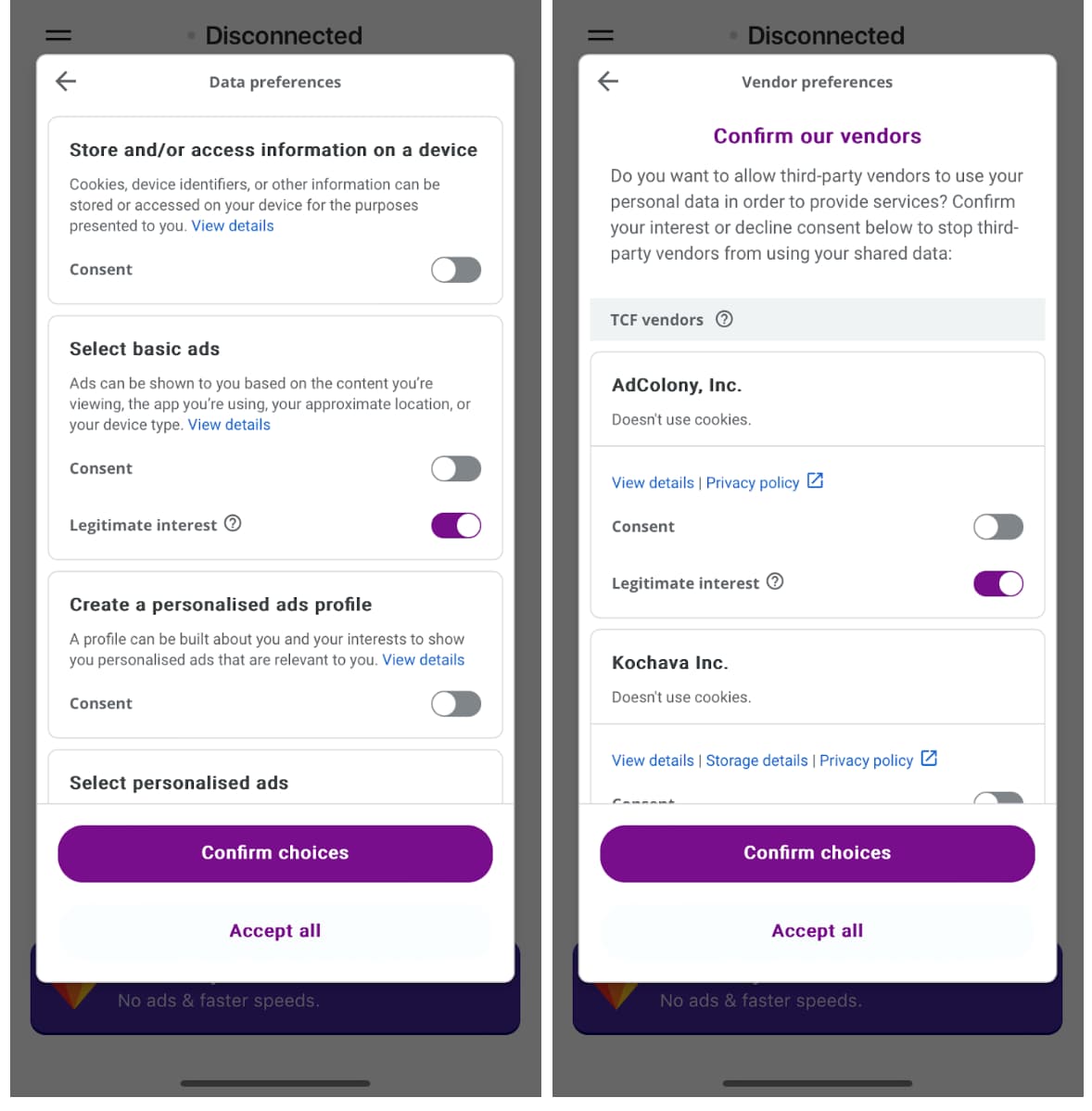
We recommend opting out of all data sharing and declining all advertiser requests for data.
Security Features We’d Like to See
VPN 360 includes the basics but needs major upgrades to compete with the best free VPNs. We’d like to see:
- A functional kill switch on iOS and Android to prevent leaks
- OpenVPN as an alternative to WireGuard
- Data leak protection on iOS and Android
- Clear use of AES-256 encryption on iOS and Android
- Open-source code for transparency and scrutiny
Server Locations
Ranked #54 out of 61 VPNs for Server Locations
VPN 360 Free has four server locations in three countries: the US, the UK, and Singapore. The network focuses on English-speaking regions and excludes many countries in Africa and Oceania. You can’t choose specific servers, and VPN 360 doesn’t disclose its IP address count. The very slow speeds suggest server congestion.
| Continent | Countries with Servers |
|---|---|
| Europe | 1 |
| Asia | 1 |
| North America | 1 |
| South America | 0 |
| Africa | 0 |
| Oceania | 0 |
For a free VPN, the selection is acceptable: one server on the US West Coast, one on the East Coast, one in the UK, and one in Singapore. This is more than some free VPNs like VPNhub, which offers only one location.
However, competitors like Windscribe Free offer servers in 10 countries, and PrivadoVPN Free in 11. If you want more choice, there are better free alternatives.
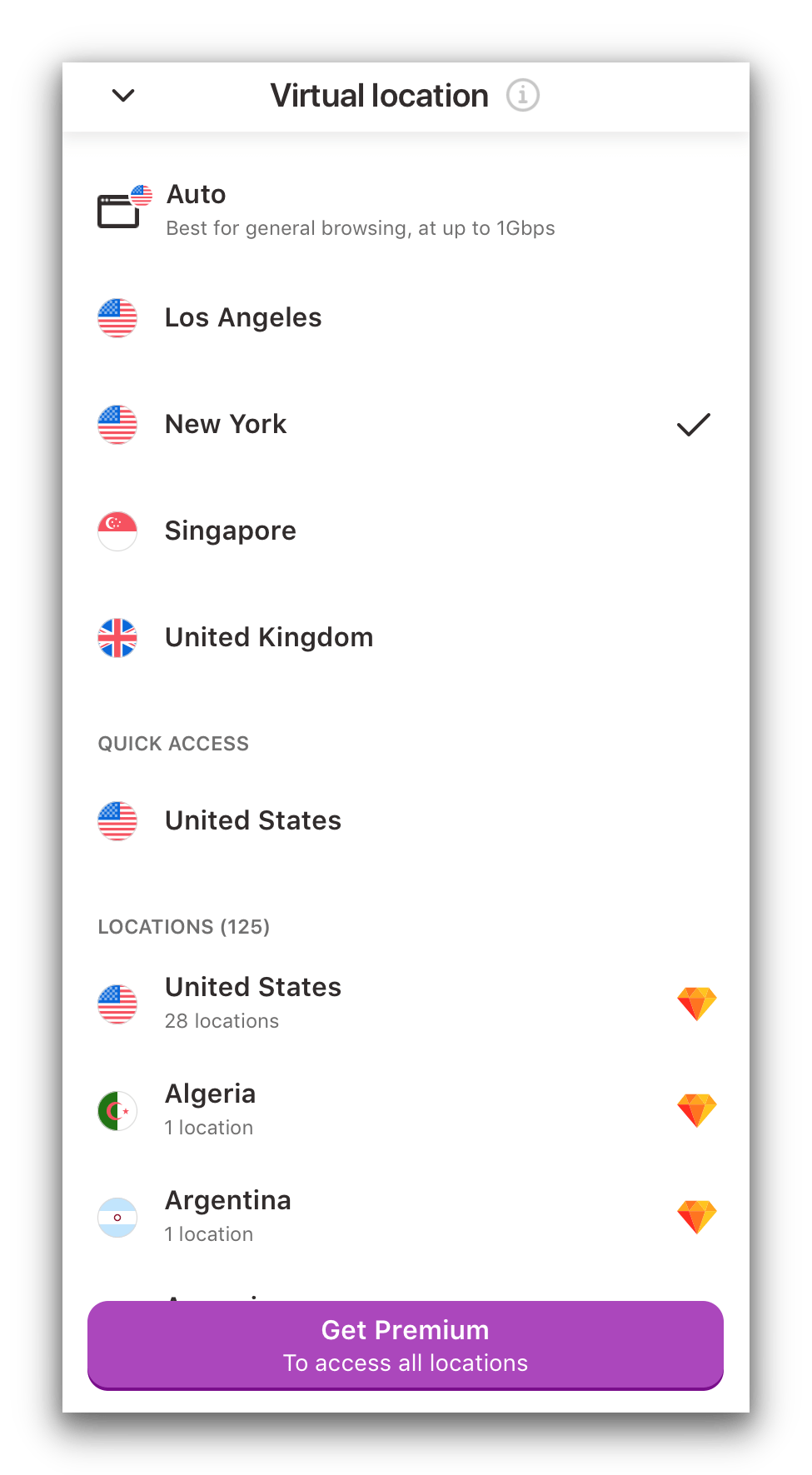
VPN 360 offers the same amount of free servers on Android and iOS.
We’re glad to see two city-level US servers (Los Angeles and New York), covering both coasts. Unfortunately, users in central US still lack nearby options.
In short, VPN 360 offers only four server locations. When many users connect to the same servers, congestion can slow everyone’s speeds.
User Experience
Ranked #52 out of 61 VPNs for User Experience
VPN 360’s apps are very limited. They’re simple to use and look nearly identical on Android and iOS, but they lack customization. The apps also include irritating pop-up ads. The iOS app is nicer to use than the Android app because you can disable ads in Privacy Settings.
The VPN 360 apps are almost the same on both platforms. There’s a large connect button, a settings menu, and a server list on the home screen. Both apps offer the same server locations.
To access the server list, tap the drop-down next to the current location.
The key difference is iOS privacy controls, which let you disable and reject permissions for in-app ads. This greatly reduces the number of ads shown while connecting and disconnecting.
We’re pleased this option exists on iOS, and we’d like to see it added to Android.
Here are screenshots of VPN 360’s mobile home screens and an example ad we saw during testing:
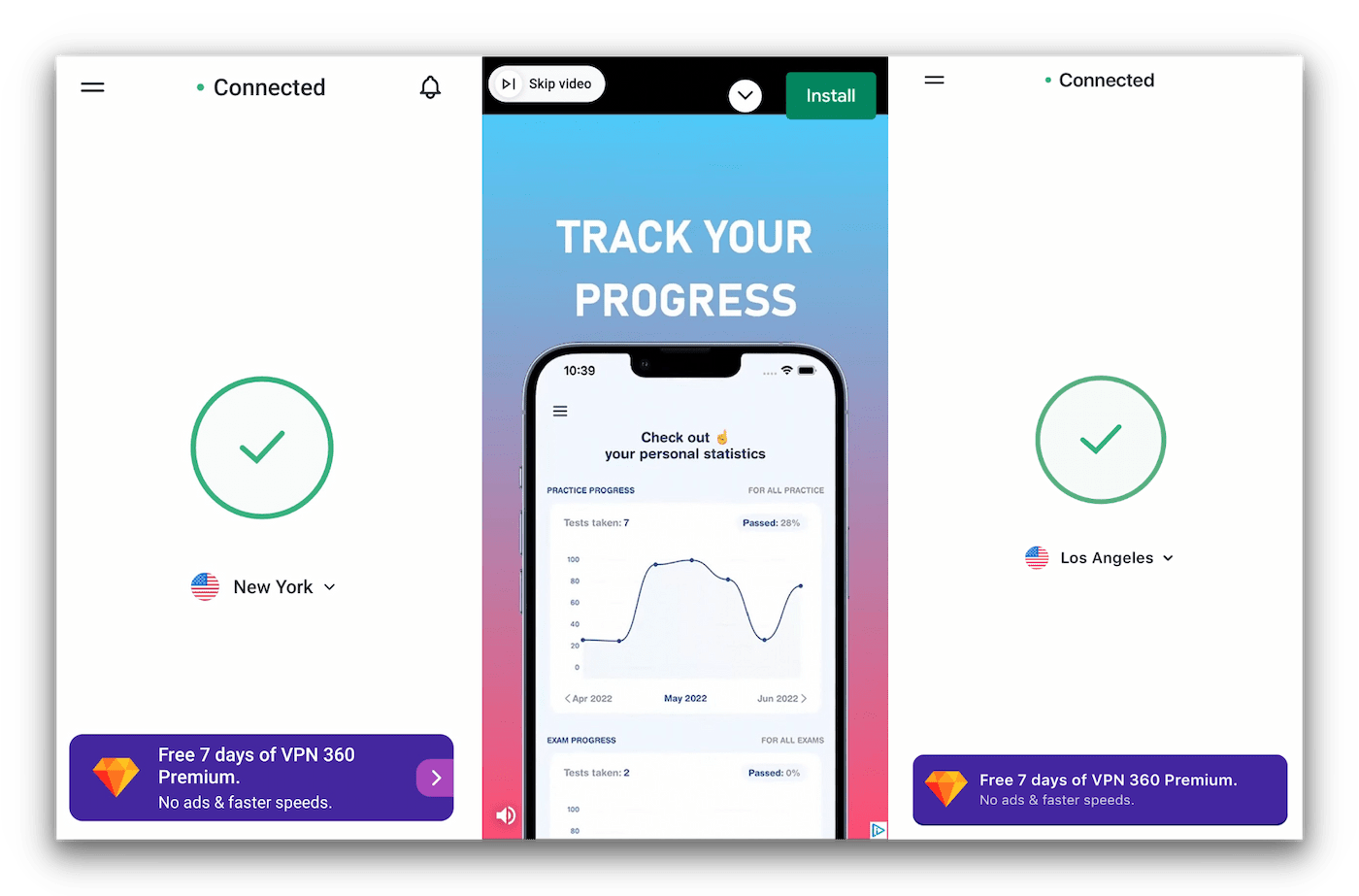
VPN 360 on Android (left) and iOS (left) both have minimalist apps, though they both feature a small ad at the bottom for a premium free trial.
While testing VPN 360, it was easy to open settings via the hamburger menu. From there, we could switch protocols (Hydra or WireGuard), enable the kill switch, and turn on the Always-on feature.
Torrenting
Ranked #53 out of 61 VPNs for Torrenting
VPN 360 blocks all P2P traffic on its free servers, so you can’t use it for torrenting. Even if you could, it’s not private enough, doesn’t offer desktop apps, and is too slow for regular file sharing.
| Torrenting Attribute | VPN 360 (Free) |
|---|---|
| Permits P2P Traffic | No |
| Average Download Bitrate | N/A |
| Countries with P2P Servers | 0 |
| Port Forwarding | No |
| Kill Switch | Yes |
| Logging Policy | Excessive Logs |
VPN 360 doesn’t explicitly ban torrenting in its terms, privacy policy, or knowledge base, but in our P2P tests it didn’t allow torrenting. We also ran into pop-up ads while connecting to test torrenting.
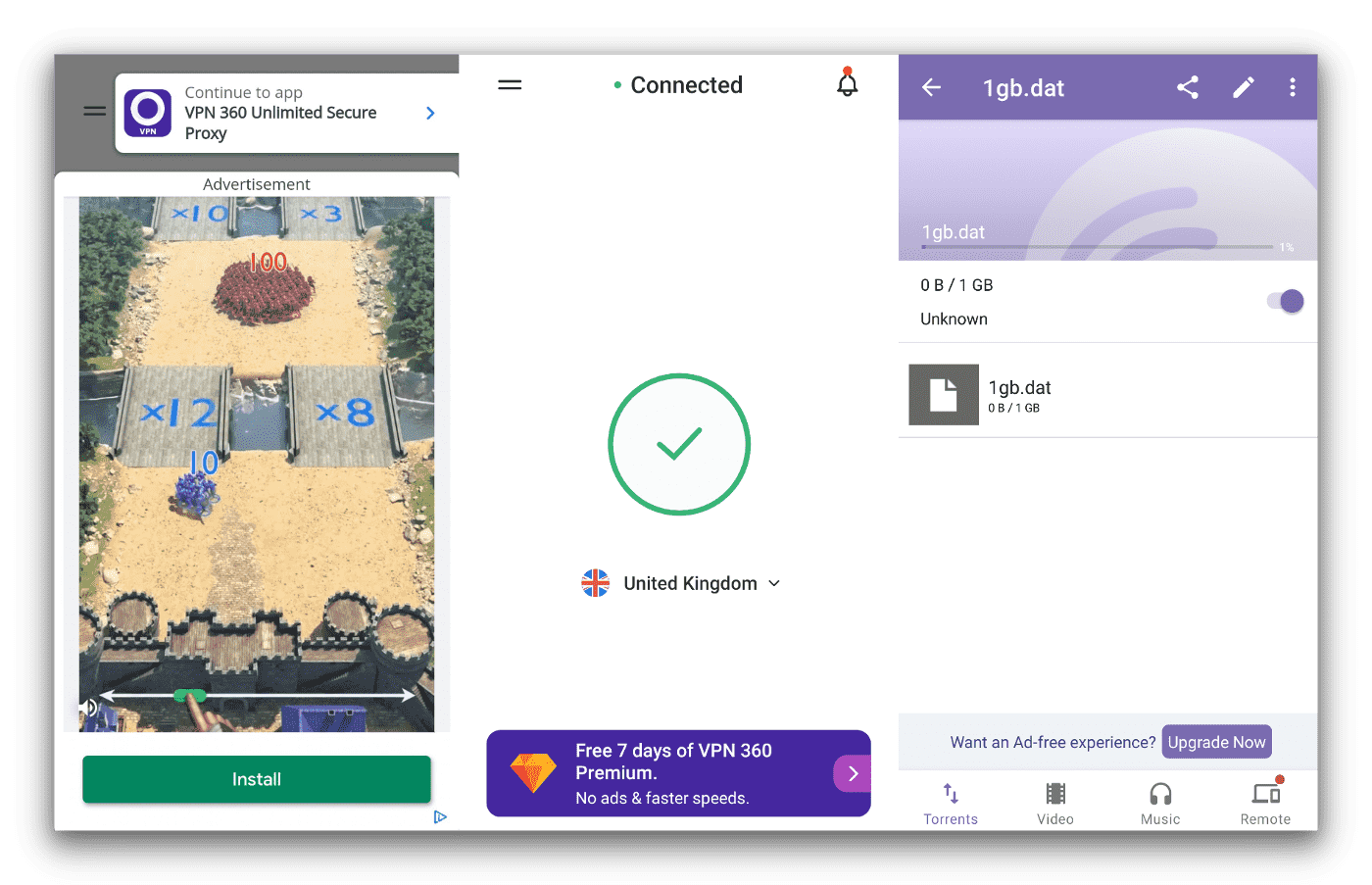
In our torrenting tests on Android, VPN 360 refused to permit downloads using BitTorrent.
Even if P2P were allowed, speeds would be frustratingly slow. Its invasive logging policy is another reason not to use VPN 360 for torrenting.
Instead of VPN 360, consider one of these free VPNs for torrenting.
Windscribe Free is a strong alternative. It includes IP leak protection, unlimited devices, and the fastest torrenting speeds we’ve seen on a free VPN. It’s a far better option that doesn’t compromise privacy or usability.
Device Compatibility
VPN 360 is mobile-only, available on Android and iOS. Both apps offer the same technical features with minor differences. VPN 360 allows up to six devices at once, though few users will need that on mobile-only apps. Its lack of desktop apps makes it hard to recommend for most people.
| Windows | No |
|---|---|
| Mac | No |
| iOS | Yes |
| Android | Yes |
| Linux | No |
| Amazon Fire TV | No |
| Android TV | No |
| Apple TV | No |
| Router | No |
| Chrome | No |
Simultaneous Connections: 6
To install VPN 360, download it from the Google Play Store or Apple App Store. On both stores, the developer is Pango GmbH.
After installation, enter your email address and click the sign-in link sent to your inbox. You can then use the free VPN and connect to four locations.
Here’s a table with key differences between the iOS and Android apps:
| App | Protocols | Split Tunneling | Kill Switch | Privacy Settings | Always-on Feature |
|---|---|---|---|---|---|
| Android | Hydra, WireGuard | Yes | Yes | No | Yes |
| iOS | Hydra, IKEv2, WireGuard | Yes | Yes | Yes | Yes |
We’re very disappointed there are no desktop apps for Windows or macOS, and no browser extensions. VPN 360 lags behind competitors in device support.
It also can’t be used on game consoles like PlayStation or Xbox, or on streaming devices like Amazon Fire TV or Android TV.
Despite supporting only a few device types, it still imposes a six-device limit per account. That limit feels unnecessary when most people won’t use more than one or two phones at a time.
Additional Features
VPN 360 offers almost no extra features beyond the basics. Although it recently added split tunneling, it still doesn’t work in China or other heavily censored regions, it lacks multi-hop servers, and it doesn’t block ads.
| Additional Feature | VPN 360 (Free) |
|---|---|
| Split Tunneling | Yes |
| VPN Obfuscation | No |
| Multi-Hop Servers | No |
| Dedicated IP | No |
| Ad Blocker | No |
Split Tunneling Is Available on Both Apps
One of the few extra features is split tunneling, which lets some traffic go through the VPN while other traffic uses your local network.
In our tests, split tunneling worked well. We could keep access to local services like banking apps while connected to a Singapore server.
Unlike some competitors, VPN 360 lets you include or exclude specific apps from the VPN tunnel, giving you helpful control.
VPN 360 Key Data
| Attribute | VPN 360 | Typical Free VPN |
|---|---|---|
| Owner | Aura | Independent |
| Launch Date | 2017 | 2015 |
| Safe to Use | No | No |
| Data Cap | Unlimited | 10GB per month |
| Payment Details Required | No | No |
| Account Required | No | Yes |
| Contains Ads | Yes | Yes |
| Local Download Speed | 5Mbps (95% loss) | 61Mbps (39% loss) |
| International Download Speed | 4Mbps (96% loss) | 55Mbps (45% loss) |
| Countries with Servers | 3 | 4 |
| Privacy Policy | Excessive Logs | Identifiable Data |
| Simultaneous Connections | 6 | 1 |
| Manually Select Server Location | Yes | Yes |
| Netflix Libraries | 0 | 0 |
| Torrenting | No | No |
| Works In China? | No | No |
| Customer Support | Online Resources | |
| Apps & Extensions |
          |
|
Price
Price Plans
| Safe to Use | No |
|---|---|
| Data Cap | Unlimited |
| Payment Details Required | No |
| Manually Select Server Location | Yes |
| Account Required | No |
| Contains Ads | Yes |