
Touch VPN: An Unsafe, Underperforming Free VPN to Avoid
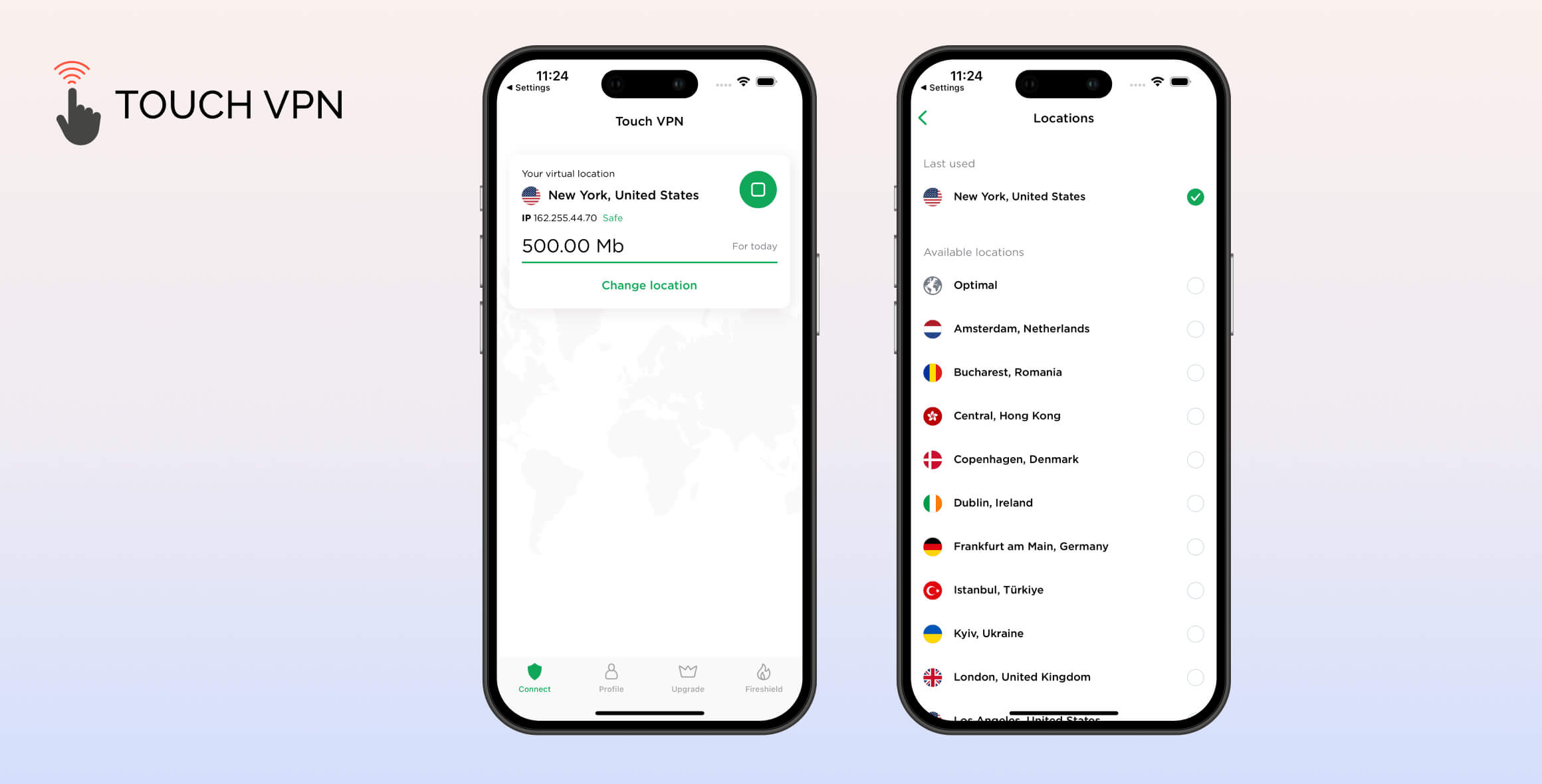
Touch VPN is an unsafe free VPN that performs poorly across all testing categories. Its intrusive logging policy, US jurisdiction, and weak security make it too risky to use. It also fails to work with streaming services, blocks BitTorrent traffic, and enforces a 500MB daily data cap. Put simply, you should not install Touch VPN on your device.
- Pros
- User-friendly apps
- No personal or payment details required on signup
- Servers in 24 countries
- Cons
- Uses the least secure VPN protocol (PPTP)
- Very intrusive logging policy & US based
- Leaks DNS requests
- Doesn't unblock streaming services
- No security features or kill switch
- Blocks torrenting traffic
Touch VPN is a lesser-known free VPN from the US software company Aura, which also owns Betternet and Hotspot Shield.
In this updated Touch VPN review, we tested all of its apps and extensions to see how it performs in key areas. Unfortunately, it performed poorly across the board, especially in privacy, security, and streaming.
Privacy
Ranked #46 out of 61 VPNs for Privacy
Touch VPN collects too much of your data. It logs your bandwidth usage, approximate location, and temporarily records your real IP address. It’s also incorporated in the US—one of the worst jurisdictions for a VPN.
| Originating IP Address | Yes |
|---|---|
| Browsing Activity | No |
| Individual Connection Timestamps | Yes |
| Date of Last Connection | No |
| VPN Server IP | No |
| Device Information | Yes |
| Individual Bandwidth Usage | Yes |
| Account Information | No |
You can read Touch VPN’s full privacy policy on its website.
Touch VPN collects enough data to put your privacy at risk. It permanently logs your originating location and Internet Service Provider, which combined can identify you.
It only stores your real IP address during your VPN session. However, this doesn’t stop Touch VPN from using your IP address more broadly:
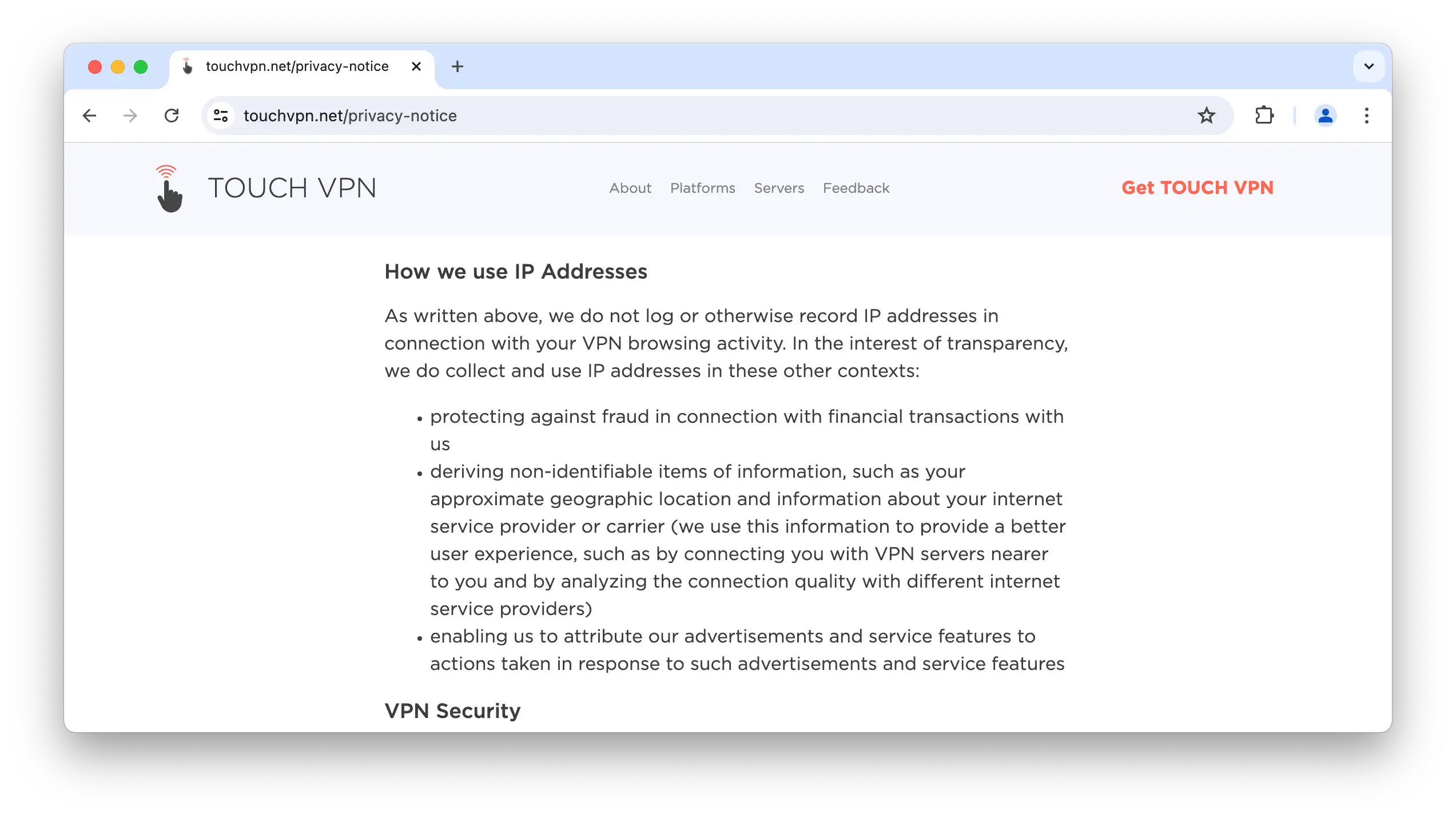
Touch VPN admits to logging and using your real IP address.
Although Touch VPN claims your approximate location is “non-identifiable,” we are concerned about how it collects and stores this information.
The service justifies this by saying your location helps “provide a better user experience.” We don’t accept this, as better VPNs optimize performance with far less intrusive logging.
We’d like Touch VPN to clarify its logging practices and reduce the data it collects. We also recommend a third-party audit of its logging policy to improve transparency and trust.
US-based Ownership
Touch VPN is owned by Aura, a digital security company based in the US. Aura also develops Betternet.
US ownership is far from ideal, as the United States has intrusive surveillance laws and is a founding member of the Five Eyes intelligence alliance.
Given Touch VPN’s admitted logging practices, its US base is a serious concern.
Streaming
Ranked #53 out of 61 VPNs for Streaming
Touch VPN fails to unblock any streaming service we tested. We couldn’t watch Netflix, BBC iPlayer, or any other platform. Even if it could access Netflix, the 500MB daily cap limits you to around 10 minutes of HD streaming.
| Streaming Service | Works with Touch VPN (Free) |
|---|---|
| BBC iPlayer (UK) | No |
| DAZN (Canada) | No |
| Disney+ (UK) | No |
| Hulu (US) | No |
| ITVX (UK) | No |
| HBO Max (US) | No |
| Netflix (US) | No |
| Netflix (UK) | No |
| Prime Video (US) | No |
| Sky Go (UK) | No |
Touch VPN consistently failed to unblock US Netflix and other services on both its apps and browser extensions.
Every platform we tested showed an error or prevented us from signing in.
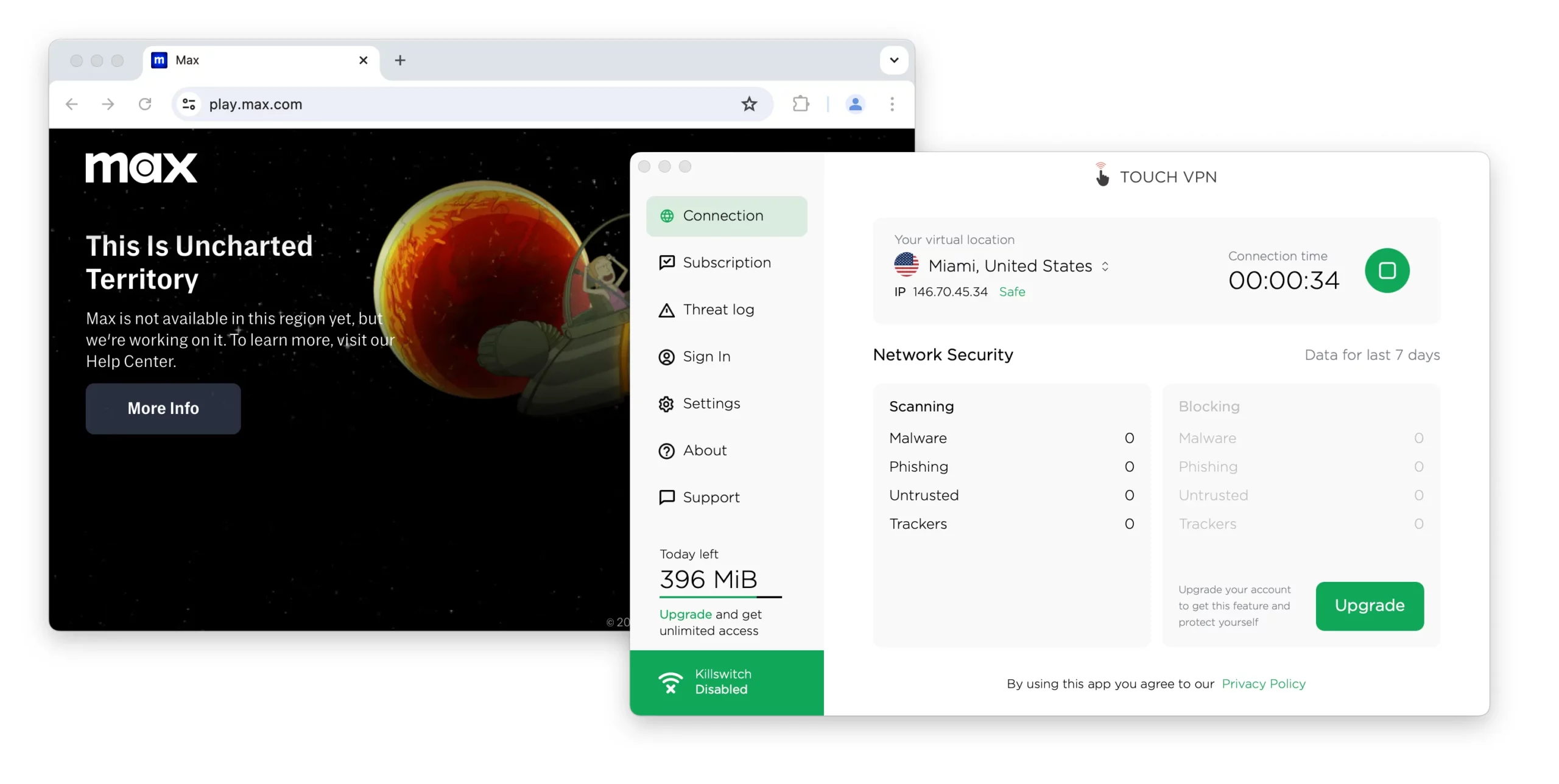
Touch VPN failed to unblock HBO Max.
You also wouldn’t be able to stream for long due to the 500MB data limit.
According to Netflix’s data usage guidance, you could only stream about two hours on the lowest quality setting with Touch VPN, compared to 33 hours with Windscribe Free.
If you want to unblock international Netflix libraries on a budget, use one of these free VPNs designed to bypass geo-restrictions.
Speed
Ranked #45 out of 61 VPNs for Speed
Touch VPN barely affected our local speeds, with an average speed loss of just 2%. However, long-distance results were terrible, with an average international speed loss of 89%.
We tested speeds by connecting to servers across four continents using a fixed 100Mbps internet connection.
Here are Touch VPN’s full speed test results:
| No VPN (New York) | US (New York) | UK (London) | Japan (Tokyo) | Australia (Sydney) | |
|---|---|---|---|---|---|
| Server Location |  |
|
 |
 |
 |
| Download Speed | 100Mbps | 98Mbps | 29Mbps | 2Mbps | 0Mbps |
| Upload Speed | 100Mbps | 96Mbps | 74Mbps | 40Mbps | 33Mbps |
| Ping | 1ms | 5ms | 120ms | 350ms | 401ms |
| Distance | 0mi | 5mi | 3,500mi | 6,700mi | 9,900mi |
For a free VPN, a 2% local download loss is excellent. Frustratingly, you can’t make use of these speeds for much beyond basic browsing due to the 500MB cap.
As shown, Touch VPN’s international speeds are much slower. For example, our download speed dropped by 98% on the Japan server, making anything beyond simple browsing impossible.
Similarly, speeds fell by 71% on average when connecting to a distant UK server—one of the worst US-UK results we’ve recorded.
If you need a free VPN with consistently fast international speeds, we recommend PrivadoVPN Free. We recorded fast speeds across its network, averaging 92Mbps on international downloads. It’s also much safer than Touch VPN, offering a private logging policy, AES-256 encryption, and OpenVPN across all apps.
Security
Ranked #56 out of 61 VPNs for Security
Touch VPN is unsafe and should be avoided. Its desktop and iOS apps still use PPTP, a protocol so outdated it’s dangerous. There’s also no kill switch except on Android, putting your personal data at risk.
| Independent Audit | No |
|---|---|
| VPN Kill Switch | No |
| Leak Protection | Yes |
Touch VPN Uses an Unsafe Protocol
Because Touch VPN provides little information about its protocols or encryption, we contacted support. They told us:
“All device that is compatible with Touch VPN is using PPTP encryption and It is automatically set [sic].”
PPTP is insecure and outdated and should not be used under any circumstances. Skilled attackers can break PPTP encryption within minutes.
Since none of the Touch VPN apps, aside from Android, disclose the protocol in use, we assume they all run on PPTP.
To verify this, we analyzed network traffic while using Touch VPN’s Windows app and found:
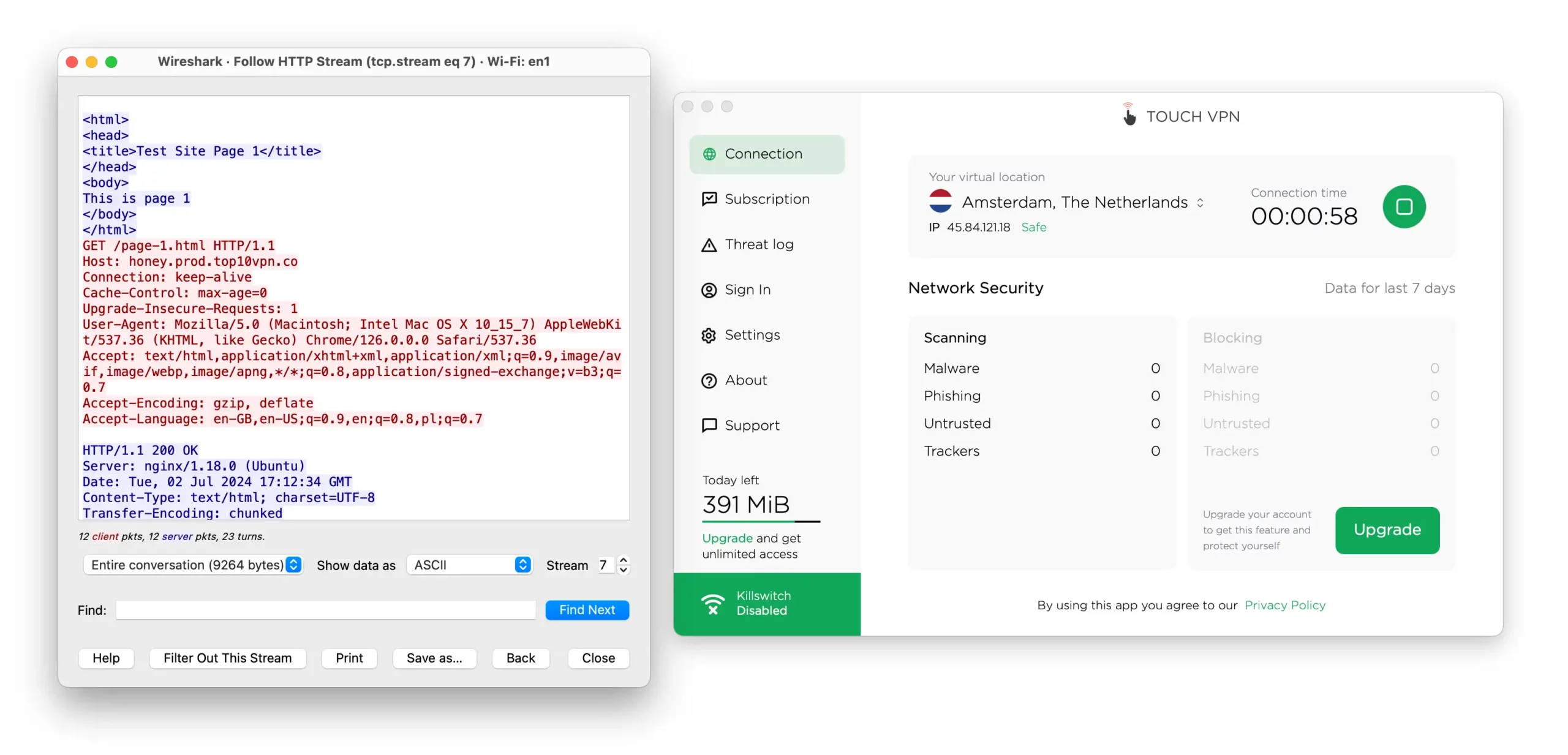
Touch VPN left our internet traffic visible.
As shown, Touch VPN failed to properly encrypt our traffic due to its reliance on PPTP.
On Android, you can choose Touch VPN’s Hydra protocol or industry-standard OpenVPN and WireGuard. These are far safer and can be trusted to secure your connection.
Leaks DNS Requests on Windows
We tested all Touch VPN apps for IP, DNS, and WebRTC leaks using our custom leak test tool.
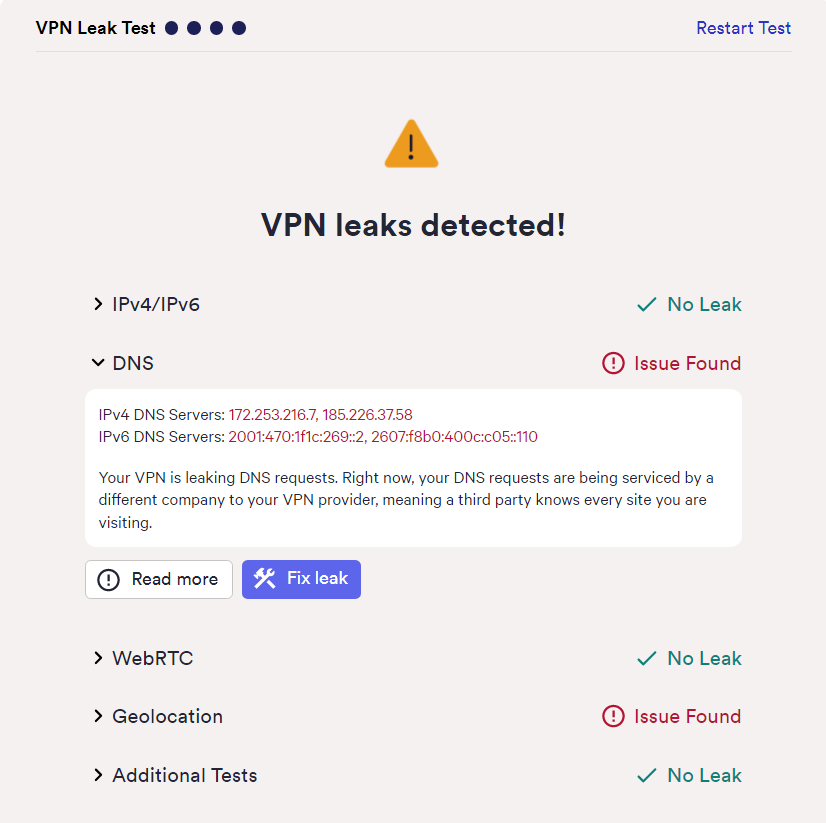
Your personal data is at risk when using Touch VPN.
On Windows, our DNS requests leaked, meaning your browsing could be visible to anyone monitoring your connection.
No Kill Switch On Desktop or iOS
None of Touch VPN’s free apps have a kill switch except Android. If the VPN drops, your real IP and traffic can be exposed.
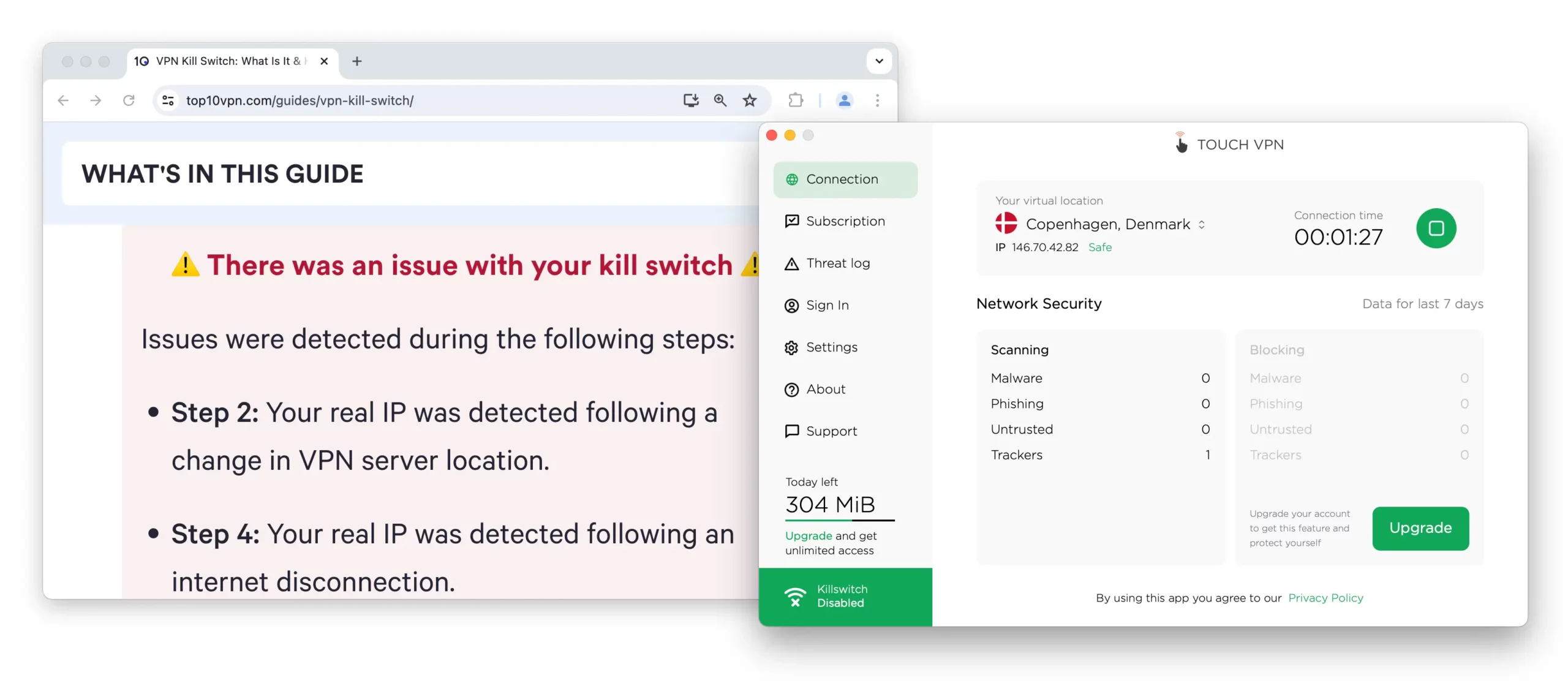
Touch VPN’s kill switch isn’t available on free plans.
We used our kill switch test tool to see if the iOS app had a hidden kill switch. It didn’t—our real IP leaked every time, confirming there is no kill switch.
Server Locations
Ranked #11 out of 61 VPNs for Server Locations
Touch VPN’s server availability depends on the platform. Across all versions, the network focuses on Europe, North America, and parts of Asia.
| Continent | Countries with Servers |
|---|---|
| Europe | 16 |
| Asia | 4 |
| North America | 3 |
| Oceania | 1 |
| South America | 0 |
| Africa | 0 |
Touch VPN offers servers in 24 countries and 29 cities, which is strong for a free service.
There are city-level options in the US and UK:
- United States: Los Angeles, Miami, Newark, San Jose, New York.
- United Kingdom: London, Manchester.
The network is reasonably broad, with servers in Asia, including Japan, Singapore, and Hong Kong.
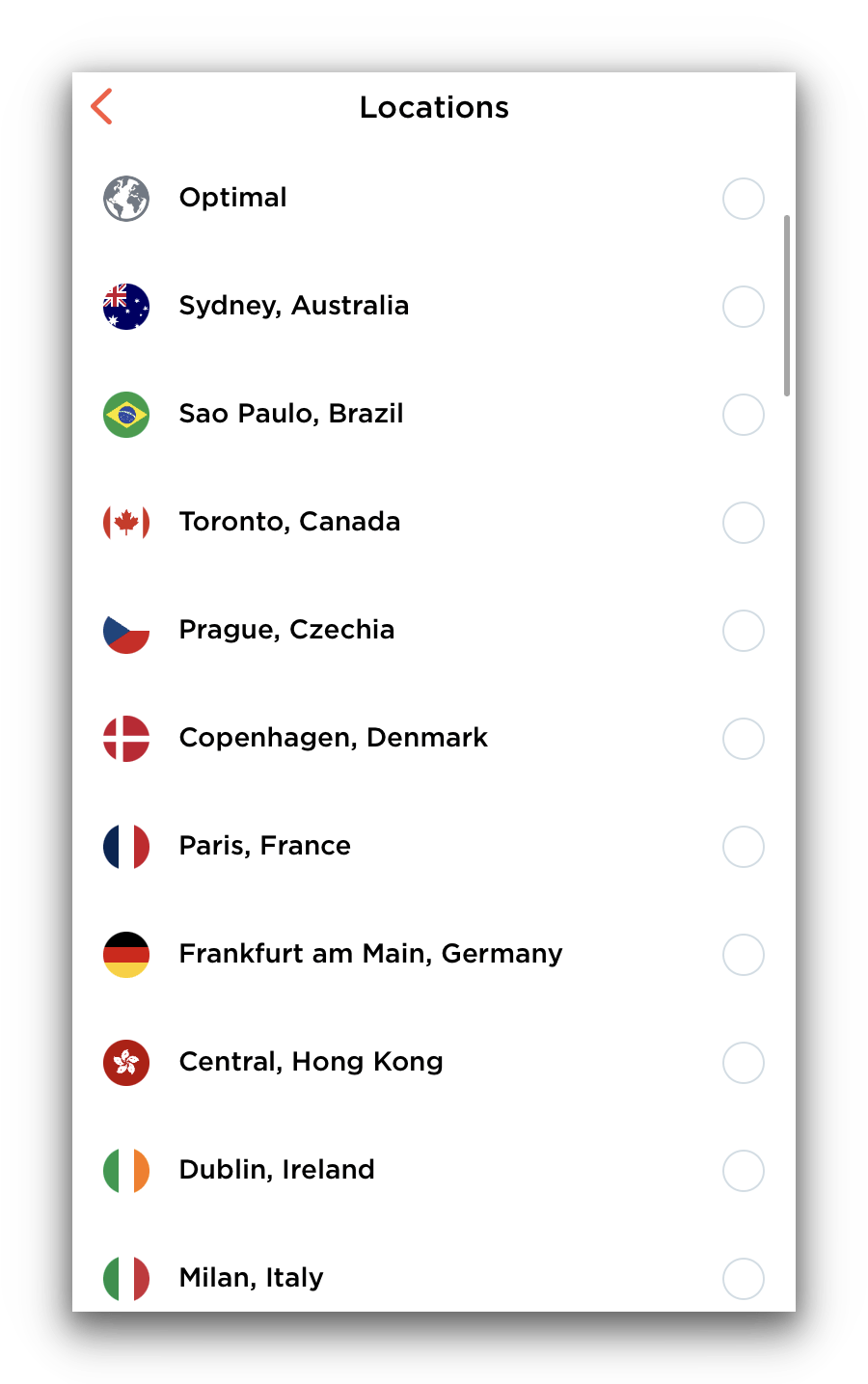
Touch VPN’s server network is impressive for a free service.
iOS and Android have the same server list as desktop, except Bulgaria and Hong Kong are paywalled.
There are no servers in Africa or South America on any platform. While disappointing, coverage across four continents is still notable for a free VPN.
If you want a free VPN with wider coverage, try TunnelBear Free. It shares its paid network, covering 47 countries.
User Experience
Ranked #56 out of 61 VPNs for User Experience
Touch VPN is difficult to set up on PC or Mac, with multiple installers and extra steps. Once installed, it’s simple to use and connects with one click.
The Windows setup is needlessly complicated. If you download the app from the website, it launches an outdated Microsoft installer and may require several attempts.
Confusingly, there’s also a Touch VPN app in the Microsoft Store that’s superior to the website version in almost every way.
Touch VPN should do what most VPNs do: provide a single Windows app that installs cleanly.
On macOS and mobile, setup was straightforward.
Below is our hands-on experience by platform:
Desktop & Laptop (Windows & Mac)
Touch VPN’s desktop apps are simple and user-friendly.
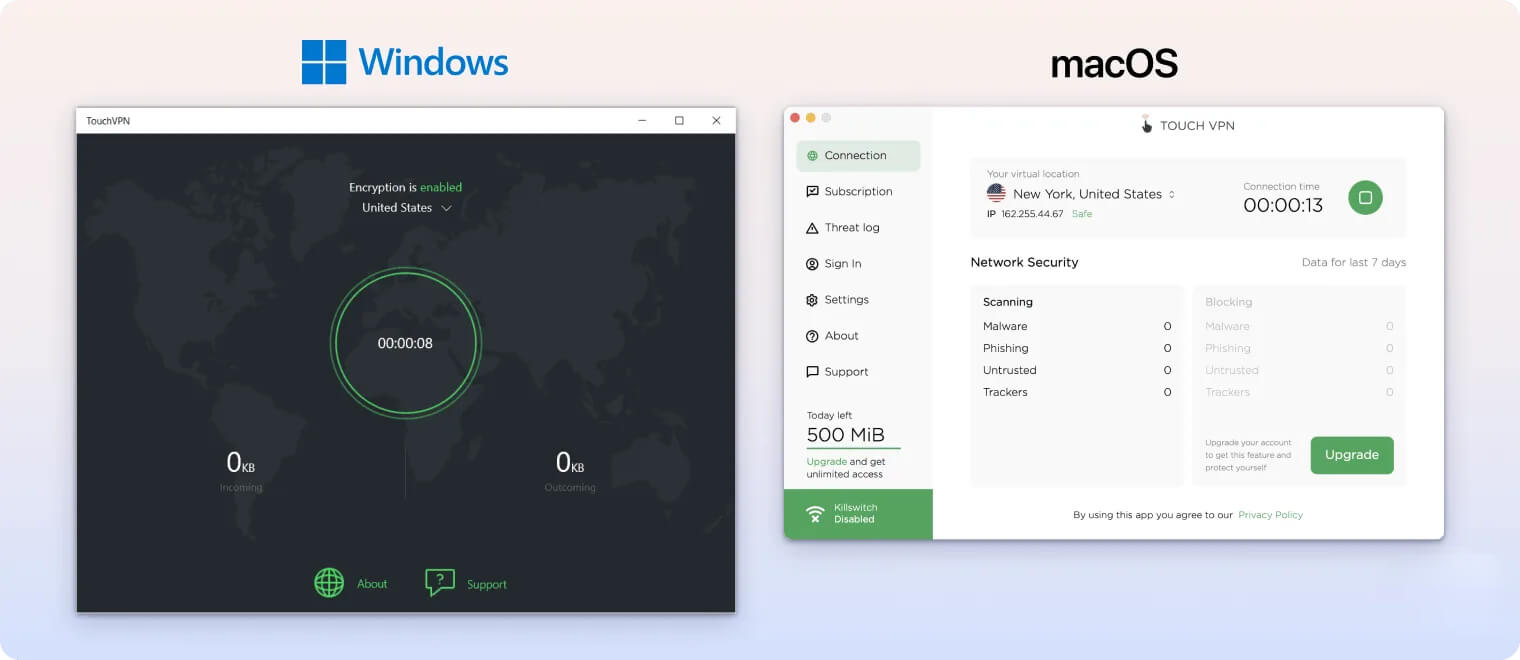
The apps use a white, green, and orange color palette that works well across most screens.
However, we couldn’t resize either desktop app, which was frustrating when testing alongside streaming services.
To get started, click Connect once and the VPN connects.
Once connected, the app adds clutter with stats like connection time and bandwidth usage. We found this distracting and a poor use of space.
We did like that your remaining data is always visible in the bottom-left corner. This helped us avoid hitting the data cap unexpectedly.
Mobile (iPhone & Android)
Touch VPN is much easier to set up on mobile, and its app design is more polished than on desktop.
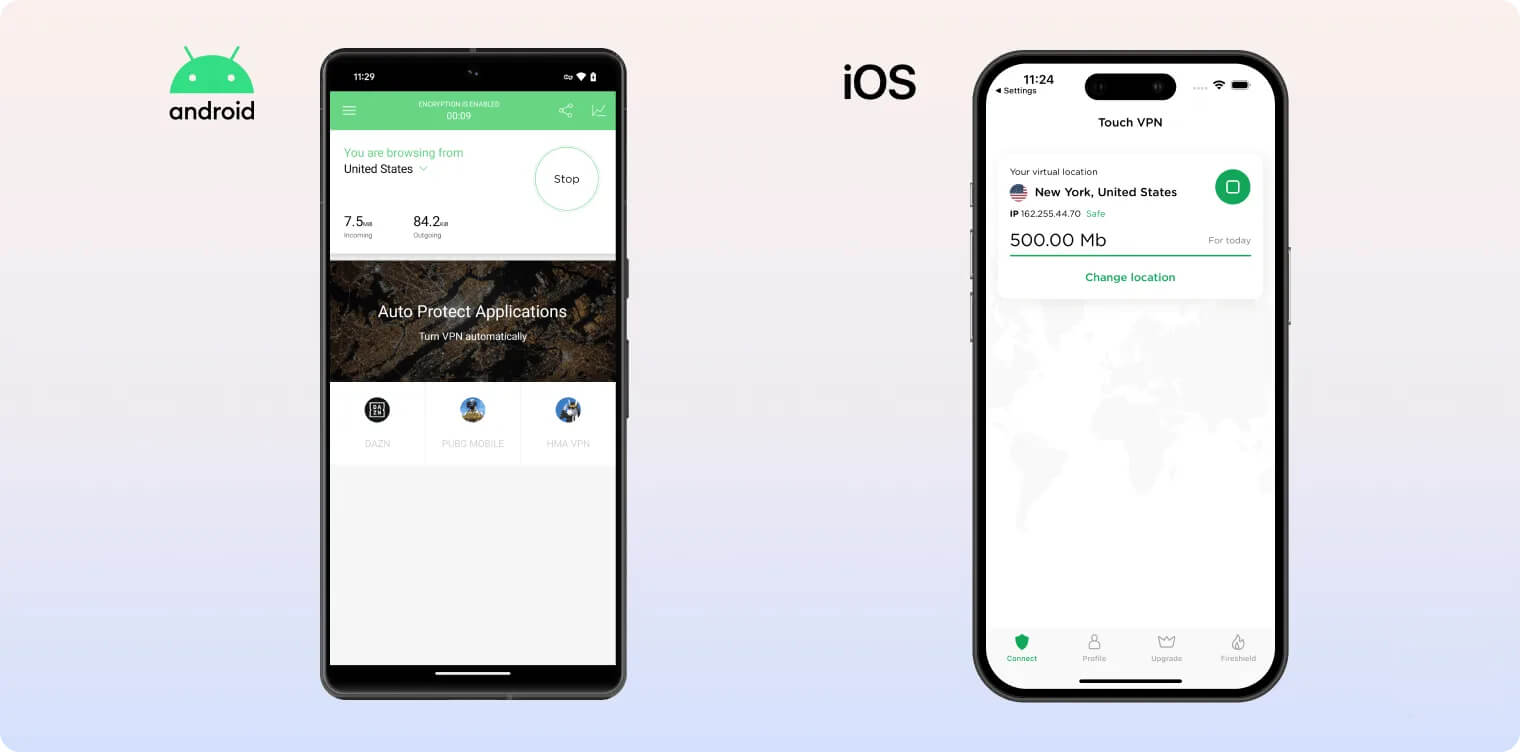
The iOS app uses a slick, minimalist design with just a few essential buttons for connecting and switching servers.
To use the mobile app, tap Connect once. However, we disliked having to watch a video ad every time we connected.
The Android app also shows a persistent banner ad while connected, which we often clicked by accident.
Browser Extensions
Touch VPN’s browser extensions look and behave differently from its desktop and mobile apps.
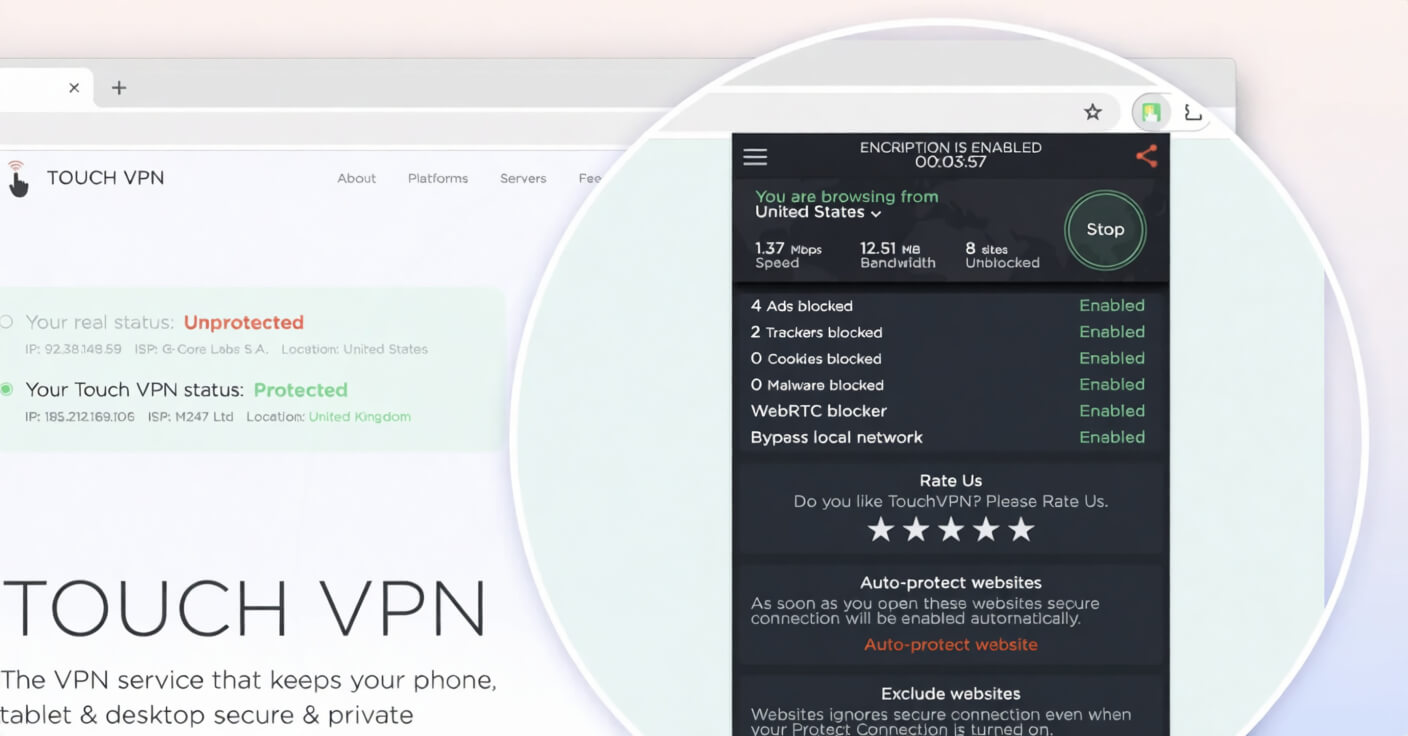
They’re still easy to use—click to connect—but the lack of design consistency is confusing at first.
In our testing, the Chrome extension often assigned the wrong IP address. For example, selecting Canada would sometimes give us a UK IP.
This became increasingly frustrating for basic tasks like browsing.
Torrenting
Ranked #53 out of 61 VPNs for Torrenting
We advise avoiding Touch VPN for P2P file-sharing. It logs too much, lacks key security features, and doesn’t work reliably.
| Torrenting Attribute | Touch VPN (Free) |
|---|---|
| Permits P2P Traffic | Yes |
| Average Download Bitrate | 4.4MiB/s (5.6% loss) |
| Countries with P2P Servers | 24 |
| Port Forwarding | No |
| Kill Switch | No |
| Logging Policy | Excessive Logs |
Touch VPN previously did not support P2P on any servers. We contacted support for clarity and received this reply:
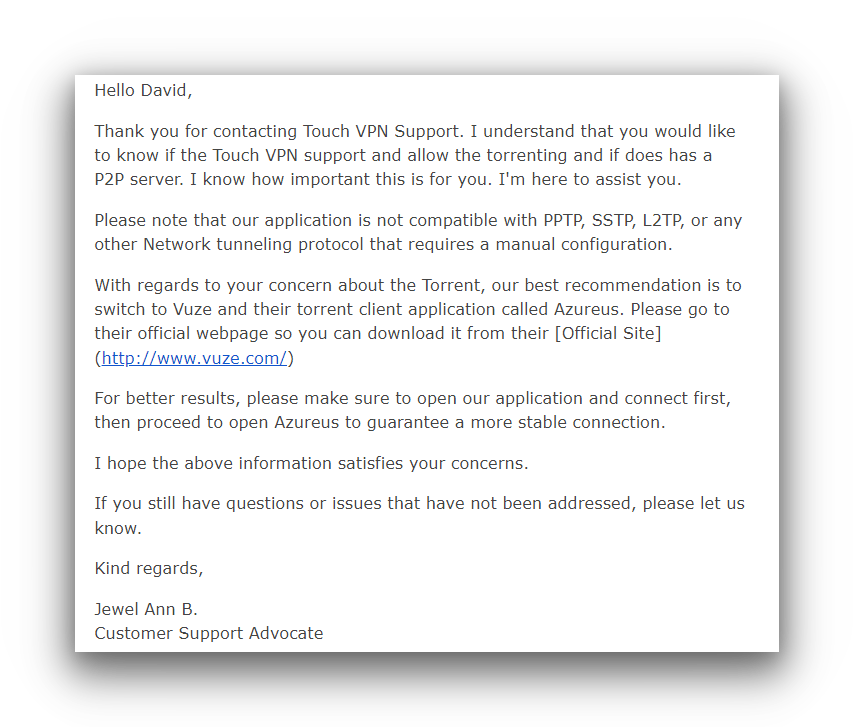
Touch VPN claims it supports torrenting and even recommends a client.
Despite this, torrenting still isn’t allowed in practice. In our tests, the client paused every time Touch VPN was active.
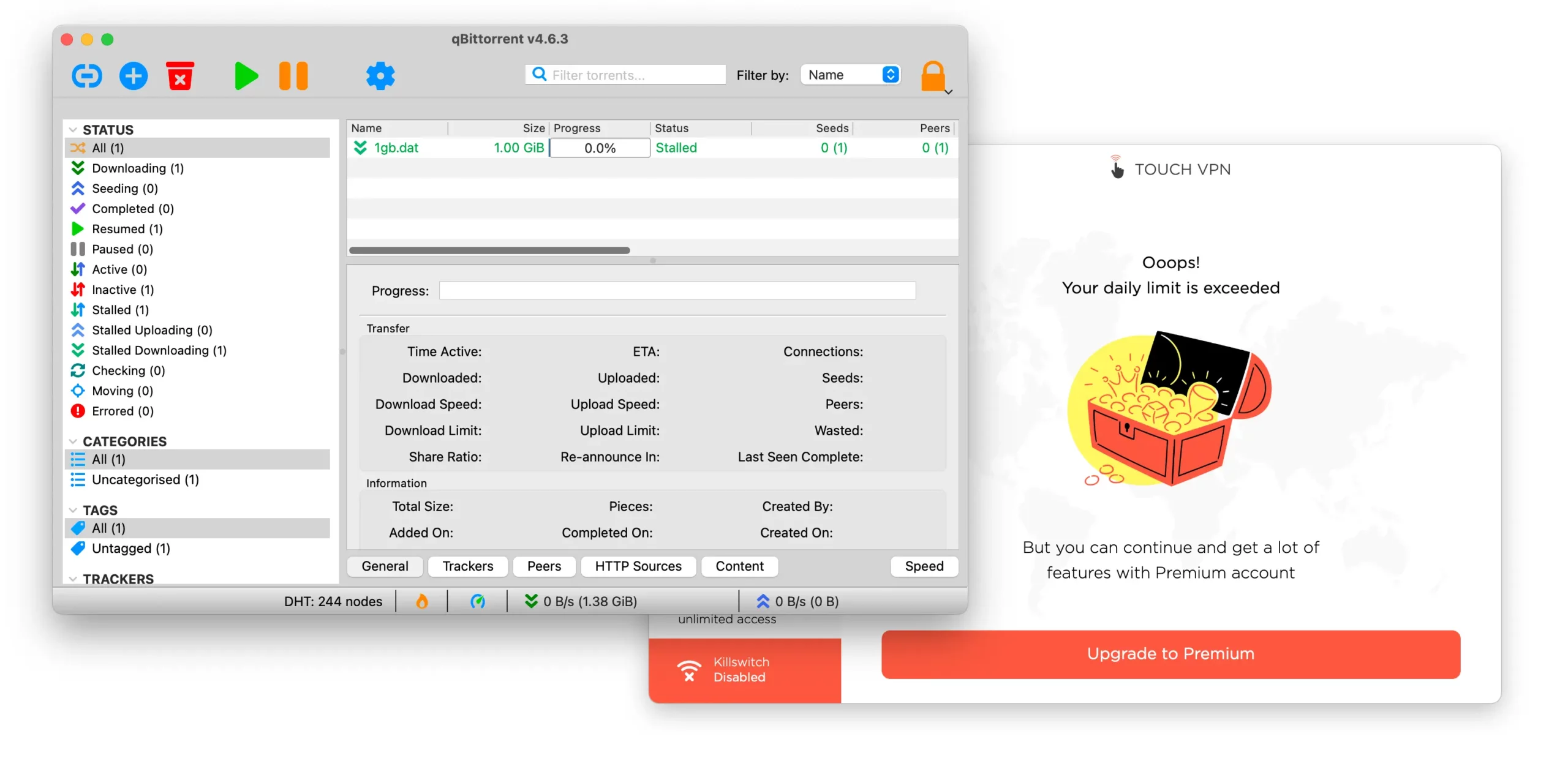
Touch VPN ran out of data while our test file stalled.
Even if P2P worked, we still couldn’t recommend Touch VPN. It logs too much data, is based in the US, and may share information with ISPs or authorities.
It’s also not secure for torrenting: there’s no kill switch and it relies on PPTP.
To keep your downloads private, check our best VPNs for torrenting instead.
Device Compatibility
Touch VPN only has apps for Windows, macOS, iOS, and Android. There are Chrome and Firefox extensions, but we don’t recommend them due to frequent IP misassignment. You can’t install Touch VPN on routers or streaming devices.
| Windows | Yes |
|---|---|
| Mac | Yes |
| iOS | Yes |
| Android | Yes |
| Linux | No |
| Amazon Fire TV | No |
| Android TV | No |
| Apple TV | No |
| Router | No |
| Chrome | Yes |
Simultaneous Connections: Unlimited
Available protocols and features vary greatly by platform.
Key differences include:
| HydraVPN | WireGuard | OpenVPN | PPTP | Ad Blocker | Split Tunneling | Kill Switch | |
|---|---|---|---|---|---|---|---|
| Windows | ✗ | ✗ | ✗ | ✗ | ✗ | ✗ | ✗ |
| Microsoft Store | ✗ | ✗ | ✗ | ✓ | ✗ | ✗ | ✗ |
| macOS | ✗ | ✗ | ✗ | ✓ | ✓ | ✗ | ✗ |
| Android | ✓ | ✓ | ✓ | ✗ | ✗ | ✓ | ✓ |
| iOS | ✗ | ✗ | ✗ | ✓ | ✓ | ✓ | ✗ |
Unlimited Simultaneous Connections
Since Touch VPN doesn’t require account details at sign-up, you can install it on as many devices as you like.
Additional Features
Touch VPN lacks many expected features, including dedicated IPs, multi-hop, and anti-censorship tools. It includes an ad blocker, but it’s iOS-only and blocked just 22% of ads in our tests. There’s also split tunneling and a paywalled support email.
| Additional Feature | Touch VPN (Free) |
|---|---|
| Split Tunneling | Yes |
| VPN Obfuscation | No |
| Multi-Hop Servers | No |
| Dedicated IP | No |
| Ad Blocker | Yes |
Customizable Split Tunneling but Exclusive to Mobile
Split tunneling is only available on mobile and only when using the Hydra protocol.
Like PIA, you can include or exclude specific apps from the VPN tunnel. This flexibility is rare and welcome.
Ad Blocker Performs Poorly
Surprisingly, Touch VPN offers split tunneling on both mobile apps. The iOS app also includes a built-in ad blocker.
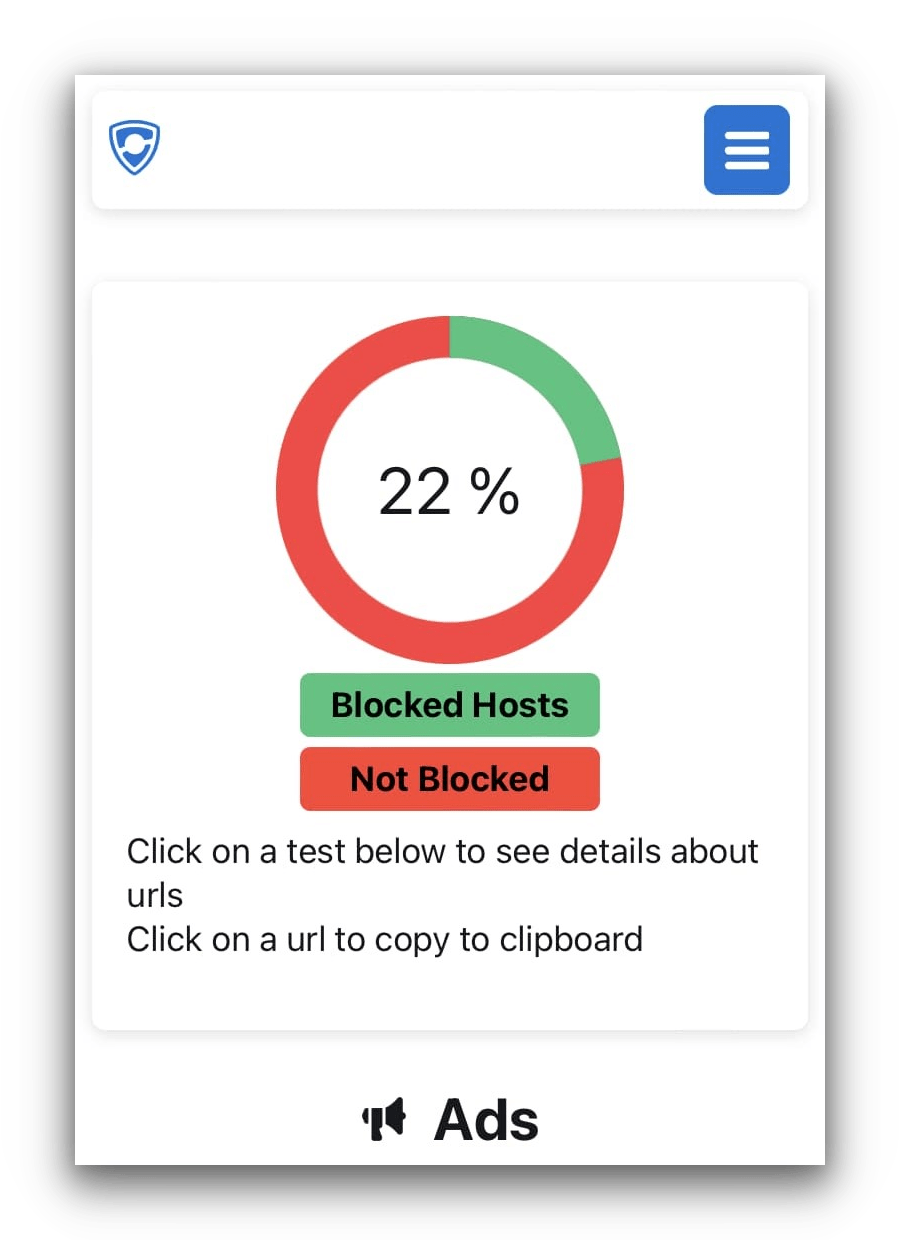
Touch VPN only scored 7% higher than Safari’s default ad block score.
The Fireshield ad blocker performed poorly in our tests, blocking just 22% of common ads and trackers.
Compared to mainstream blockers like uBlock Origin at 91%, this is a very poor result.
EXPERT ADVICE: If you want a VPN with effective ad blocking, consider a top-rated service with an integrated blocker. We recommend Private Internet Access’ MACE, which blocked 80% of ads in our tests.
Touch VPN Key Data
| Attribute | Touch VPN | Typical Free VPN |
|---|---|---|
| Owner | Aura | Independent |
| Launch Date | 2014 | 2015 |
| Safe to Use | No | No |
| Data Cap | Unlimited | 10GB per month |
| Payment Details Required | No | No |
| Account Required | Yes | Yes |
| Contains Ads | Yes | Yes |
| Local Download Speed | 98Mbps (2% loss) | 61Mbps (39% loss) |
| International Download Speed | 11Mbps (89% loss) | 55Mbps (45% loss) |
| Countries with Servers | 24 | 4 |
| Privacy Policy | Excessive Logs | Identifiable Data |
| Simultaneous Connections | Unlimited | 1 |
| Manually Select Server Location | Yes | Yes |
| Netflix Libraries | 0 | 0 |
| Torrenting | Yes | No |
| Works In China? | No | No |
| Customer Support | Email Support | Online Resources |
| Apps & Extensions |
          |
|
Price
Price Plans
| Safe to Use | No |
|---|---|
| Data Cap | Unlimited |
| Payment Details Required | No |
| Manually Select Server Location | Yes |
| Account Required | No |
| Contains Ads | Yes |