
PureVPN: Compromised Privacy, Limited Streaming, and Middling Speeds Undercut Budget Appeal
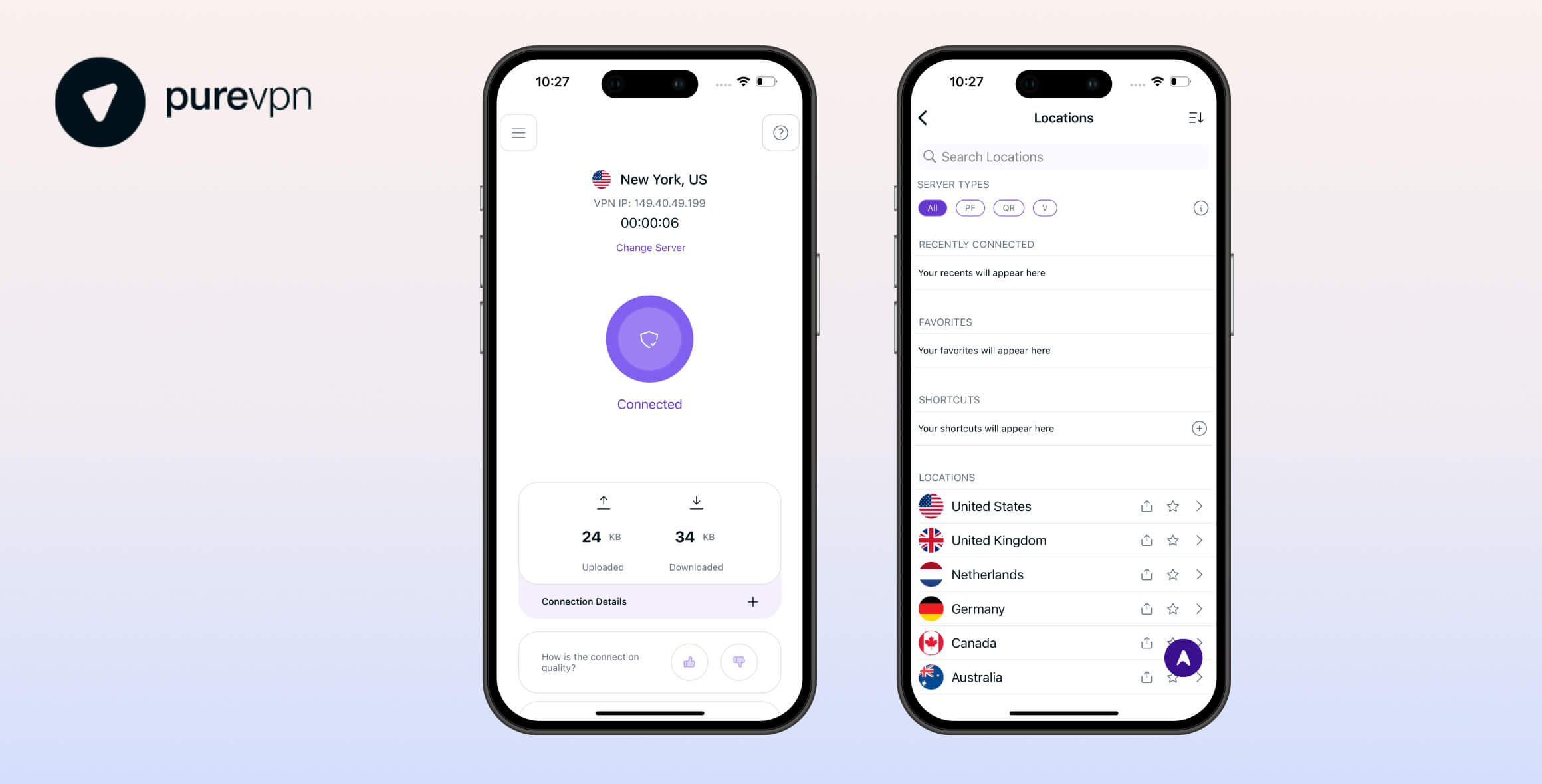
PureVPN offers affordable web traffic encryption but lacks standout features. It trails competitors in privacy protections, streaming capabilities, and connection speeds, while bombarding users with upgrade prompts and locking key features behind paywalls. Only the entry-level Standard plan delivers reasonable value.
- Pros
- Robust encryption
- Apps for every major device
- GPS spoofer on browser extensions
- Based in privacy-friendly territory
- Cheap standard subscription
- Cons
- Logs too much data & won’t share audits
- Mixed streaming performance
- Excessive prompts to buy add-ons
- Kill switch doesn’t work 100%
- No genuine free trial or free version
- Slow customer support
PureVPN didn’t stand out enough to merit choosing it over competing services.
From the start, we found its subscription plans needlessly complicated, with core features like port forwarding and unlimited simultaneous connections locked behind extra payments—features most VPNs include by default.
Even the advertised “free trial” requires a $0.99 payment.
Testing the Standard plan revealed further limitations: it only unblocked a handful of streaming platforms and logged connection timestamps along with bandwidth usage.
Ultimately, despite its sleek interface, PureVPN felt focused on minimal data encryption basics rather than robust privacy protections, prioritizing revenue over user security.
Privacy
Ranked #27 out of 61 VPNs for Privacy
PureVPN provides certain privacy protections but has notable shortcomings. The service retains identifiable user data, its transparency reports are outdated, and independent audits aren’t publicly accessible. While PureVPN has made improvements like reducing logging and relocating to the privacy-friendly British Virgin Islands, further steps—such as adopting diskless servers—are needed to rebuild trust. The company has faced criticism for past cooperation with law enforcement, though it now emphasizes that user activity is anonymized within shared IP pools.
| Originating IP Address | No |
|---|---|
| Browsing Activity | No |
| Individual Connection Timestamps | Yes |
| Date of Last Connection | Yes |
| VPN Server IP | No |
| Device Information | No |
| Individual Bandwidth Usage | Yes |
| Account Information | No |
You can read PureVPN’s full privacy policy on its website.
PureVPN retains some user data and has a history of cooperation with law enforcement, making it a concern for those prioritizing privacy.
While this track record may deter privacy-focused users, the service has made efforts to improve by reducing data logging and relocating its operations to the British Virgin Islands—a jurisdiction known for strong privacy protections and no mandatory data retention laws.
When questioned about the risks of data collection potentially exposing users, PureVPN emphasized that individual activities are not directly tied to specific accounts. The company explained its approach:
“…we rely on obscurity to reduce the chances of linking a user with a specific activity. Instead, each activity can be linked to a pool of users which gives the users plausible deniability.”
While plausible deniability offers some protection, it falls short of a verified no-logs policy. Competitors like Private Internet Access have successfully demonstrated their no-logs claims during legal challenges, including server seizures.
PureVPN’s transparency reports and past audits by KPMG suggest progress, but the company has yet to match the proven track record of leading privacy-focused VPNs.
Transparency Reports & Always-On Audit
We commend PureVPN for publishing transparency reports detailing intellectual property complaints and legal requests. Each report prominently states:
“PureVPN has been unable to comply with these requests as it does not maintain or log any data of its user’s online activity.”
A notable improvement is PureVPN’s adoption of an “always-on” audit system, allowing KPMG International Limited to conduct unannounced audits at any time.
KPMG has already verified PureVPN’s privacy policy compliance through two separate audits.
However, critical gaps remain. PureVPN openly acknowledges collecting certain user data, meaning it cannot claim full “no-logs” status like some competitors.
Additionally, its transparency reports have not been updated in over a year—an issue requiring urgent attention.
More concerning, these reports remain inaccessible to the public. While PureVPN highlights positive excerpts on its website, it provides no direct links to the full documents. This selective transparency raises doubts about whether the reports fully support the company’s claims.
Streaming
Ranked #28 out of 61 VPNs for Streaming
PureVPN’s streaming performance is inconsistent. While it reliably unblocks BBC iPlayer, UK Netflix, and a few other platforms, it struggles with many major services like Hulu, Peacock, Prime Video, and international streaming sites. Our rating reflects these limitations, as numerous servers marketed for streaming access frequently fail to work as advertised.
| Streaming Service | Works with PureVPN |
|---|---|
| BBC iPlayer (UK) | Yes |
| DAZN (Canada) | Yes |
| Disney+ (UK) | No |
| Hulu (US) | No |
| ITVX (UK) | Yes |
| HBO Max (US) | Yes |
| Netflix (US) | No |
| Netflix (UK) | Yes |
| Prime Video (US) | No |
| Sky Go (UK) | No |
PureVPN offers a wide variety of streaming servers listed under its ‘Shortcuts’ feature. While this approach sounds promising in theory, we noticed many of these servers failed to reliably access their advertised streaming platforms.
For instance, despite having an Italy-based shortcut labeled for RaiPlay, the service remained inaccessible during our tests.
However, UK-focused streaming performance proved stronger—we consistently streamed content from BBC iPlayer, UK Netflix, and ITVX without issues using PureVPN.
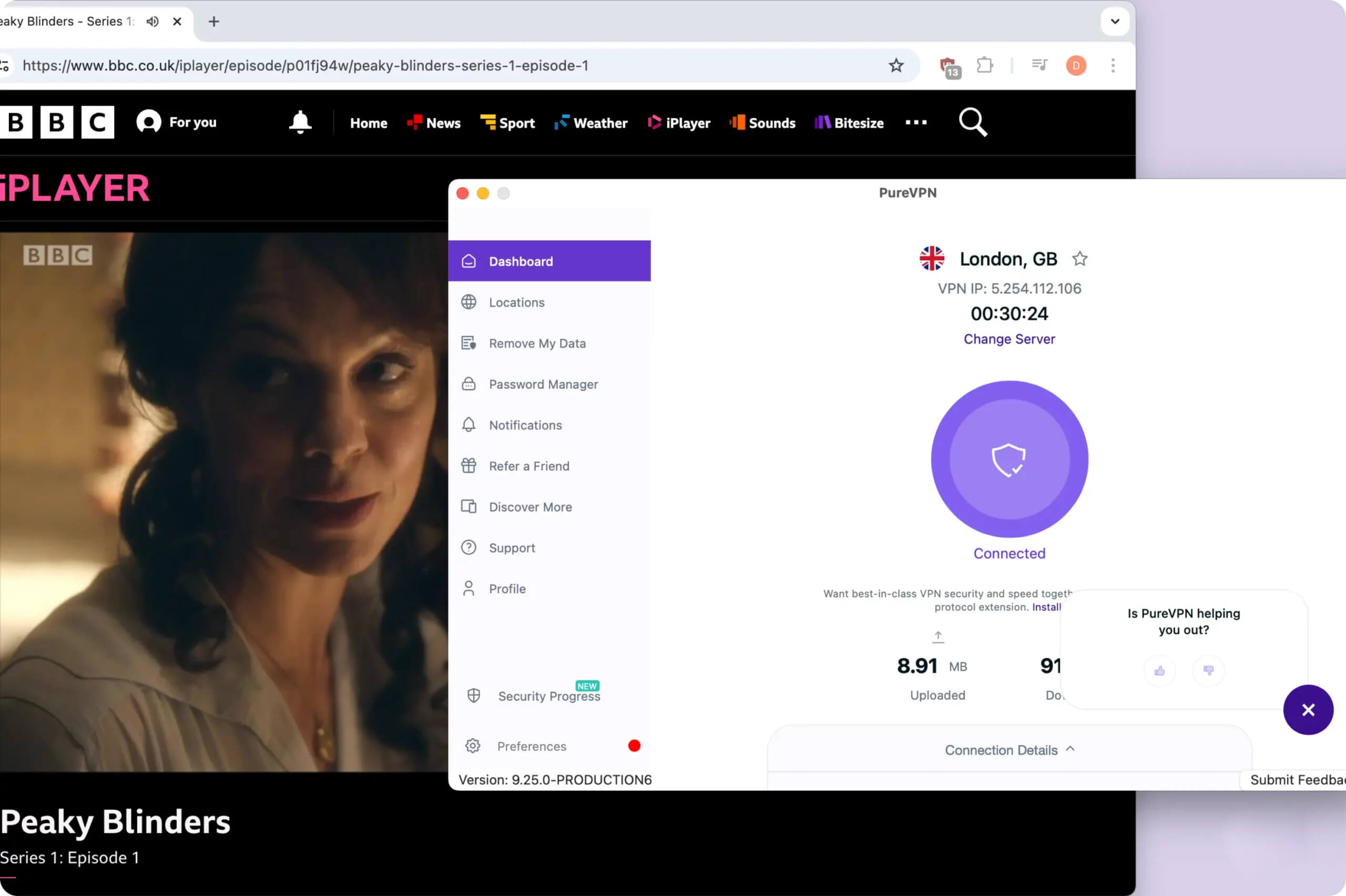
PureVPN offers a reliable way to watch BBC iPlayer outside the UK
We also managed to access Max from our London office, but we had to try a few servers before we found one that worked
Speed
Ranked #43 out of 61 VPNs for Speed
PureVPN ranks below average in speed performance. While its 18% speed loss compared to normal internet speeds might not seem significant alone, the difference becomes noticeable when compared to top-tier VPN services. When connecting to international servers, download speeds drop by 20% – a substantial reduction that users will likely detect during everyday use.
To test PureVPN’s impact on our internet speed, we connected to servers in 6 continents and recorded its average speeds. You can examine the results below.
| No VPN (New York) | US (New York) | Canada (Toronto) | US (Los Angeles) | UK (London) | Germany (Berlin) | Brazil (São Paulo) | Japan (Tokyo) | South Africa (Johannesburg) | Australia (Sydney) | |
|---|---|---|---|---|---|---|---|---|---|---|
| Server Location |  |
|
 |
|
 |
 |
 |
 |
 |
 |
| Download Speed | 100Mbps | 82Mbps | 94Mbps | 69Mbps | 90Mbps | 89Mbps | 78Mbps | 87Mbps | 46Mbps | 76Mbps |
| Upload Speed | 100Mbps | 76Mbps | 90Mbps | 61Mbps | 93Mbps | 94Mbps | 22Mbps | 93Mbps | 74Mbps | 80Mbps |
| Ping | 1ms | 7ms | 15ms | 79ms | 73ms | 100ms | 114ms | 144ms | 570ms | 256ms |
| Distance | 0mi | 5mi | 300mi | 2,500mi | 3,500mi | 4,000mi | 4,800mi | 6,700mi | 8,000mi | 9,900mi |
The results were underwhelming. An 18% speed loss when connecting to the nearest server falls short of expectations for a premium service.
Based on our testing data, PureVPN ranks 44th overall for speed performance, placing it in the bottom tier of VPNs we’ve evaluated.
While not every provider can match Hotspot Shield’s exceptional 1% local speed loss, PureVPN should ideally maintain losses under 5% on nearby servers to remain competitive.
Its international speeds align better with typical expectations, showing a 20% average download speed reduction—a reasonable figure given the distances involved.
PureVPN works adequately for light web browsing and standard-definition streaming, but we wouldn’t recommend it for data-heavy activities like simultaneous large downloads or 4K video streaming.
Security
Ranked #8 out of 61 VPNs for Security
PureVPN takes a streamlined approach to security, prioritizing essential features like strong AES-256 encryption and the widely adopted WireGuard protocol. However, the service sometimes automatically switches users to weaker protocols during connections, and our testing revealed vulnerabilities in its kill switch functionality.
| Independent Audit | No |
|---|---|
| VPN Kill Switch | Yes |
| Leak Protection | Yes |
Our tests confirm that PureVPN encrypts your internet traffic. Using Wireshark, we verified that our data became securely encrypted into unreadable code.

PureVPN encrypts your internet traffic effectively.
However, PureVPN’s security measures remain limited to the basics. Its applications are closed-source, preventing independent verification of their code, and the service has never undergone third-party security audits.
Protocol Concerns
The “Connect to Fallback” feature automatically switches protocols if connection attempts fail.
While this sounds convenient, we strongly advise using WireGuard exclusively for better security. The problem arises because PureVPN prioritizes weaker protocols like IPSec by default when automatic protocol selection is enabled—often without clear user awareness.
Disabling automatic protocol selection triggers persistent warnings about potential connectivity issues, implying the service relies heavily on its fallback system. This dependence on older protocols like IPSec creates unnecessary security risks, as these lack the modern safeguards built into WireGuard.
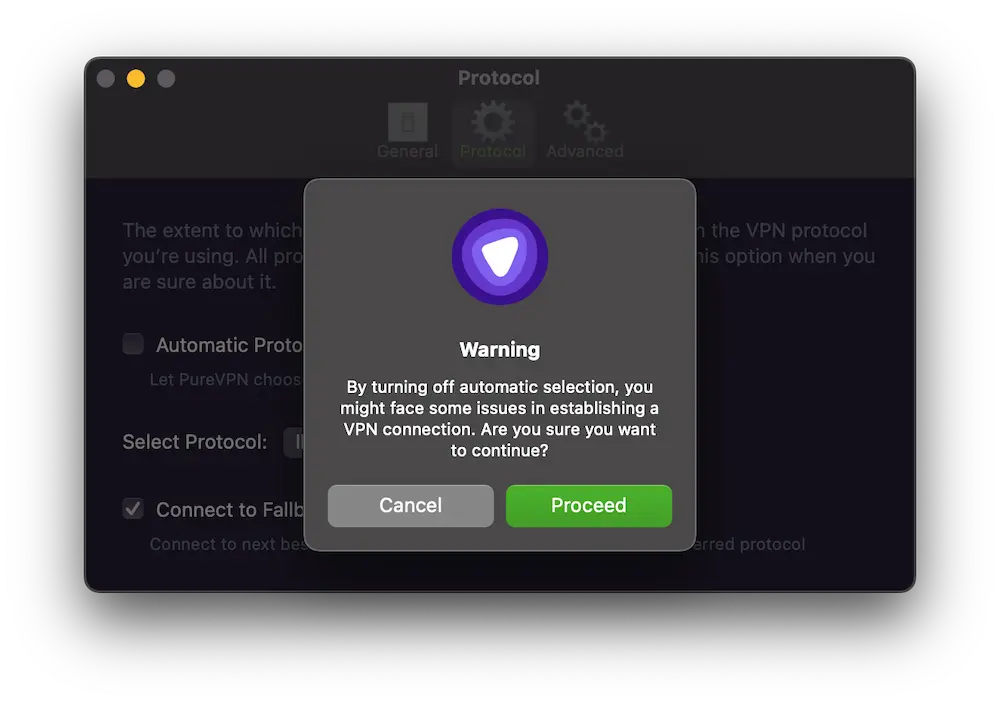
PureVPN deters you from using anything other than the inferior IPSec protocol.
Unfortunately, we encountered connection issues when disabling automatic protocol selection. The iOS app failed to establish connections unless using the default IPSec protocol, suggesting reliance on this weaker protocol rather than treating it as a backup option.
Kill Switch Vulnerabilities
Our testing revealed critical vulnerabilities in PureVPN’s kill switch functionality. While the feature exists, it doesn’t reliably hide your IP address during connection failures.
Specifically, changing server locations or reconnecting after unexpected drops temporarily exposes users’ real IP addresses.
A proper kill switch should maintain continuous protection throughout disconnection and reconnection processes – a standard achieved by competitors like Mullvad, Mozilla VPN, and Private Internet Access.
Server Locations
Ranked #16 out of 61 VPNs for Server Locations
PureVPN’s network of 6,000 servers across 68 countries may not be the largest available, but it stands out for its quality-focused approach and geographic diversity. The service extends beyond typical North American and European coverage, with primarily physical server locations ensuring reliable connections. While we appreciate its strategic expansion into regions with significant internet access challenges, additional city-level server options would further strengthen its offering. The company’s ongoing upgrades to high-speed infrastructure demonstrate a commitment to balancing reach with performance.
| Continent | Countries with Servers |
|---|---|
| Europe | 31 |
| Asia | 13 |
| North America | 5 |
| South America | 5 |
| Africa | 3 |
| Oceania | 1 |
When it comes to servers, PureVPN prioritizes quality over quantity.
Its network spans 6,000 servers across 68 countries—fewer than competitors like CyberGhost and Surfshark, which cover 100+ countries, but strategically includes regions others often overlook.
The provider deliberately reduced its server count by half in recent years to transition from virtual to physical infrastructure, ensuring more reliable connections.
While most servers are now physical, virtual servers remain only where local regulations or logistical challenges make physical setups impractical. This focus on performance extends to ongoing upgrades, with high-speed 20Gbps servers bolstering network capabilities.
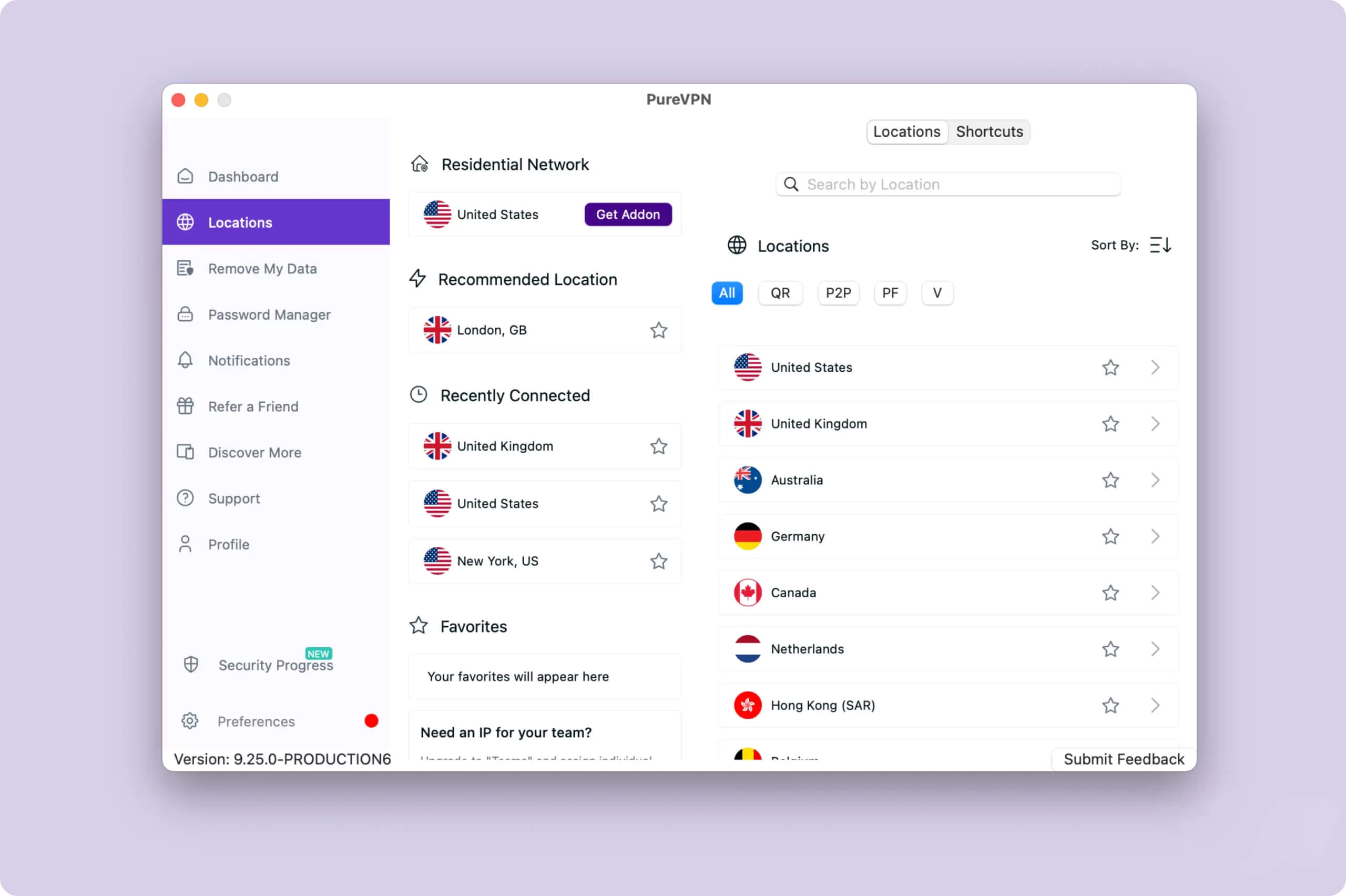
PureVPN retains virtual servers in countries where physical infrastructure is challenging to deploy, including Afghanistan, Bahrain, and Egypt.
The company has also upgraded its network with 20Gbps servers to improve performance.
Notably, PureVPN prioritizes expanding IP address availability in underserved regions such as Africa, Asia, the Middle East, and South America.
This focus proves particularly valuable in areas where internet restrictions are common, as local VPN servers enable more reliable access while maintaining privacy. By strengthening both server capacity and geographic diversity, PureVPN addresses critical connectivity needs across global markets.
User Experience
Ranked #15 out of 61 VPNs for User Experience
PureVPN’s redesign has improved usability and appearance across all apps, but it could be streamlined further, and it doesn’t always work seamlessly. Our experience was also hindered by frequent prompts to upgrade your plan or buy add-ons.
Installation & Setup
We found the PureVPN sign-up process more taxing than almost any other VPN.
First, you’re presented with four plans based on commitment length, and each plan has three versions: Standard, Plus, and HBO Max.
No matter which plan you choose, you then see a list of add-ons, each with an extra cost. Options include a dedicated IP, port forwarding, a dedicated server, a residential network, and multi-login.
We spent a lot of time figuring out what these features actually do and whether they were worth adding.
What’s worse, many VPNs include useful features like port forwarding and multi-login in their standard packages.
For example, PIA and Surfshark let you connect unlimited devices. To connect more than 10 devices with PureVPN, you must pay at least $1.49 extra per month—and it still isn’t unlimited.
If you pick the most expensive PureVPN plan and add every available feature, the total at checkout comes to $70.00 per month.
That pricing feels like it depends on customers not knowing any better.
Interface & Ease of Use
Using the Standard plan, we were frustrated by frequent prompts to upgrade or buy add-ons.
These features are visible in the app even if you skip them at checkout.
For example, “Remove My Data,” “Password Manager,” and “Discover More” take up valuable space in the menu and clutter the interface with unnecessary items. Similarly, there are prompts for “Teams,” “PureKeep,” a residential network, and more.

Most of these flashy features aren’t essential for a VPN, and the heavy promotion made us feel PureVPN was eager to upsell, which isn’t reassuring from a privacy service.
That said, the apps have been substantially improved since their December 2023 redesign. They are now easy to use, modern, and consistent across devices.
We were particularly fond of the option to filter server types with simple toggles labeled V, P2P, QR, and PF. The acronyms may seem unclear, but helpful tooltips explain each one.
We also liked the Connection Details on the home screen, which highlights your protocol, kill switch status, and other information that’s usually buried in the settings menu.
Day-to-Day Experience
PureVPN works well most of the time. However, after leaving it on for a few hours, our internet connection sometimes stopped working and only recovered after reconnecting to the VPN server.
It’s a minor issue and easy to fix, but VPNs like ExpressVPN can run indefinitely without you noticing.
Another small but irritating quirk was that every time we disconnected from a server, PureVPN popped up a prompt asking if the service was working. If you click ‘No,’ it asks again the next time you disconnect.
There are several ways to customize your PureVPN setup, including toggles for ‘Auto-connect after wake,’ ‘Auto-connect after launch,’ ‘Prevent auto sleep,’ and ‘Start on launch.’ We didn’t feel the need to use them, but they do add a security benefit by helping ensure you never go online without the VPN connected.
Torrenting
Ranked #23 out of 61 VPNs for Torrenting
PureVPN isn’t the best choice for torrenting. It offers only a small selection of P2P servers, logs identifiable data, and has a faulty kill switch. Its torrenting speeds are good, but they don’t match the fastest services. The lack of port forwarding in the standard subscription makes this worse.
| Torrenting Attribute | PureVPN |
|---|---|
| Permits P2P Traffic | Yes |
| Average Download Bitrate | 8.1MiB/s (19% loss) |
| Countries with P2P Servers | 68 |
| Port Forwarding | No |
| Kill Switch | Yes |
| Logging Policy | Identifiable Data |
We’re not comfortable recommending PureVPN if you regularly download torrents.
It offers P2P servers, but they cover only about 50% of the network. As a result, some regions can’t torrent using local connections.
For example, if you live in southern Africa, your nearest P2P server may be in Angola—thousands of miles away.
PureVPN’s torrenting speed is also average at 8.1 MiB/s. By comparison, our preferred VPN for torrenting, IPVanish, averages 9.9 MiB/s.
More concerning, PureVPN’s imperfect privacy policy, controversial history, and unreliable kill switch can put your anonymity at risk.
To make matters worse, port forwarding isn’t included in the Standard plan, so users seeking faster speeds won’t have access to it.
Device Compatibility
PureVPN is available as an app on all major devices, including desktop, mobile, Fire TV Stick, Android TV, and more. It includes a generous 10-device allowance and helpful browser extensions.
| Windows | Yes |
|---|---|
| Mac | Yes |
| iOS | Yes |
| Android | Yes |
| Linux | Yes |
| Amazon Fire TV | Yes |
| Android TV | Yes |
| Apple TV | Yes |
| Router | Yes |
| Chrome | Yes |
Simultaneous Connections: 10
There are no oversights in PureVPN’s app suite: every major device is covered.
You can install PureVPN on a router, covering all devices connected to your home Wi-Fi. The DD-WRT router applet is one of the most impressive offerings—very few VPNs have dedicated router apps. There’s also a Linux GUI.
Once installed, you can access a GUI from your router’s login page to choose servers and enable extra features. There are also installation guides for many other routers.
However, we tried to set up PureVPN on our test Linksys router and found the process difficult. The guide’s screenshots were out of date, and support was not very helpful.
PureVPN includes a 10-device allowance, meaning you can use it on up to 10 devices at the same time. This is generous for a single subscription, though not as generous as VPNs with no device limit, like IPVanish.
Streaming Devices & Smart DNS
PureVPN’s Amazon Fire TV Stick app isn’t the best we’ve used, but it’s still a solid choice if you want to unblock geo-restricted content.
It’s easy to navigate and lets you connect to your chosen server in just a few clicks.
There’s also a Kodi add-on, which is uncommon among VPNs. However, PureVPN might not be the best choice for Kodi due to its imperfect logging policy.
Unfortunately, there’s no Smart DNS. VPNs like NordVPN make streaming US content very easy with excellent Smart DNS tools, and PureVPN is lagging behind here.
The ability to install PureVPN on a router means you can use it for gaming. Ping times were consistently low in our speed tests (6 ms on IKEv2 and OpenVPN), which means you’re less likely to experience lag.
Browser Extensions
PureVPN’s extensions are useful and include some advanced features, like WebRTC leak protection.
Most impressive is the GPS spoofer. These are rare and usually limited to Android devices, as with Windscribe and Surfshark, so it’s great to see PureVPN offer one for browsers.
We tested the GPS spoofer to see if our detected location matched our chosen server using a GPS coordinate tool. It worked, as shown in our results.
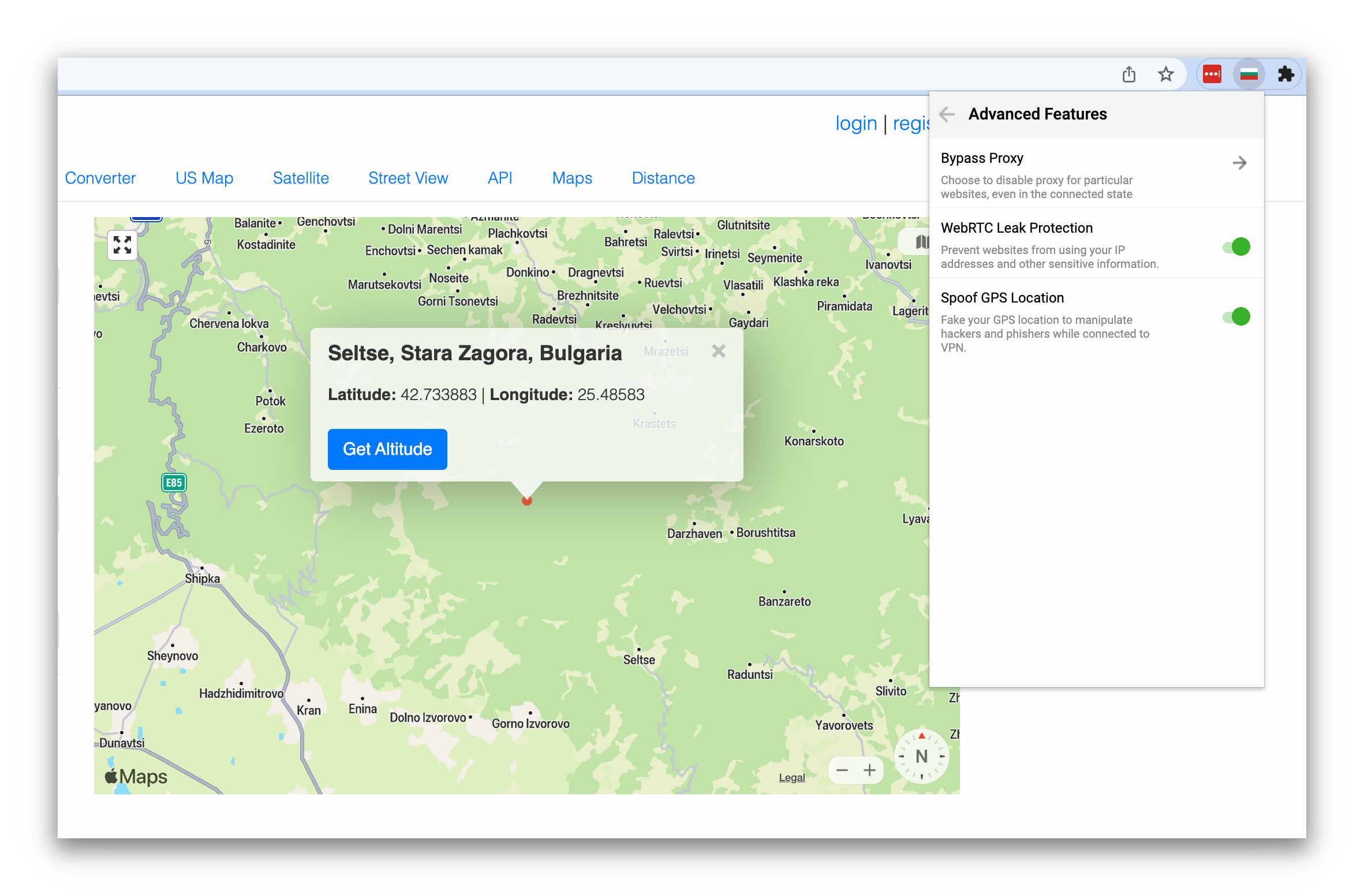
PureVPN’s GPS spoofer worked to match our geolocation to our chosen server location.
PureVPN may develop extensions for Safari and Opera. Keep in mind that these are proxies, not full VPNs: they can change your IP address, but they do not encrypt all of your device’s traffic.
Additional Features
PureVPN advertises flashy extra features, but most require additional fees. Some are genuinely useful—like port forwarding and a dedicated IP—but we don’t recommend paying more when many VPNs include these in standard plans. PureVPN also struggles with censorship, and we found it hard to get effective customer support.
| Additional Feature | PureVPN |
|---|---|
| Split Tunneling | Yes |
| VPN Obfuscation | No |
| Multi-Hop Servers | No |
| Dedicated IP | Yes (additional fee) |
| Ad Blocker | No |
Many of PureVPN’s extra features require additional payment, such as a dedicated IP, and some useful options are missing entirely, like Double VPN.
Don’t expect it to bypass censorship either. In our tests on a Shanghai server, PureVPN was quickly detected by the Great Firewall.
We also found customer support hard to reach. The live chat is bot-run, and it took up to six hours to receive a human response by email.
Split Tunneling & Tracker Blocker
We were glad that split tunneling is included at no extra cost; we used it to route selected websites and apps outside the VPN.
A tracker blocker is included as well, but our tests showed it only blocks about 25% of ads and trackers. You may not need it when uBlock Origin blocks around 99%.
PureVPN Key Data
| Attribute | PureVPN | Typical VPN |
|---|---|---|
| Owner | Disrupt | Independent |
| Launch Date | 2007 | 2015 |
| Local Download Speed | 82Mbps (18% loss) | 89Mbps (11% loss) |
| International Download Speed | 80Mbps (20% loss) | 80Mbps (20% loss) |
| Countries with Servers | 68 | 40 |
| Privacy Policy | Identifiable Data | Identifiable Data |
| Simultaneous Connections | 10 | 10 |
| Netflix Libraries | 2 | 3 |
| Torrenting | Yes | Yes |
| Works In China? | No | No |
| Cheapest Price | 1.99/mo over 60 months | $3.87/mo over 24 months |
| Customer Support | 24/7 Live Chat | |
| Apps & Extensions |
          |
|
Price
Price Plans
| Length | Standard |
|---|---|
| 1 month | $12.95 |
| 12 months | $47.88 ($3.99/mo) |
| 2 years | $51.60 ($2.15/mo) |
| 5 years | $119.40 ($1.99/mo) |
Free Trial
| Money-Back Guarantee | 31 days |
|---|---|
| Free Trial | No |
| 100% Free Plan | No |