
Proton VPN: Exceptionally Secure, Fast, and the Best Truly Free VPN
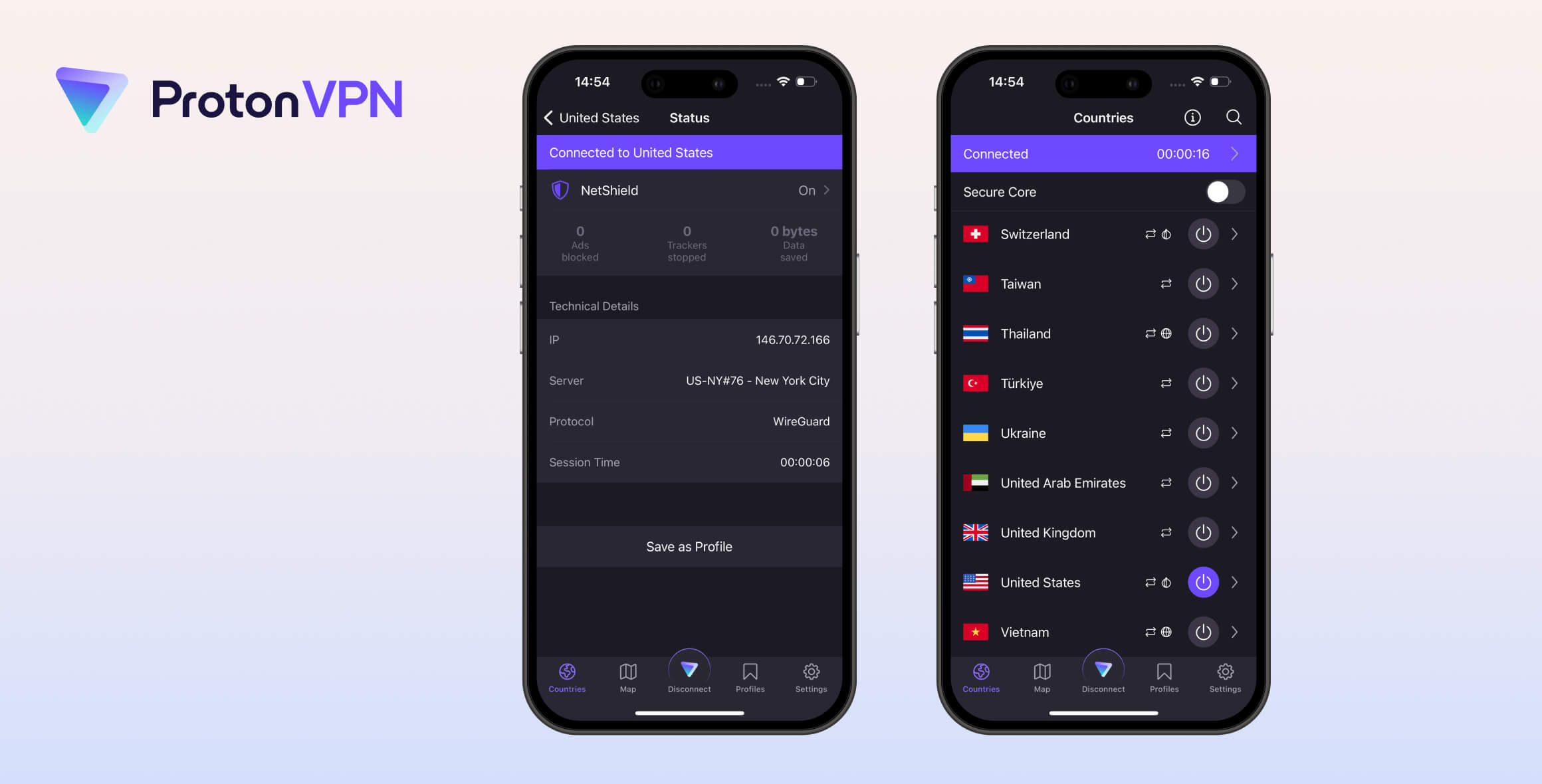
Proton VPN is a well-rounded VPN service that’s highly secure, easy to use, and delivers excellent connection speeds. Its biggest strength is privacy and security: it keeps no logs, is independently audited, and its apps are open-source. While the premium plan is pricey, Proton VPN is the best free VPN available: it’s safe, extremely fast, and has no data limits — though it doesn’t work with Netflix or torrenting.
- Pros
- Unlimited data
- Fastest free VPN available
- Same best-in-class privacy protections as paid tier
- Cons
- Can’t choose server location
- Doesn’t work with any streaming services
- Doesn’t allow torrenting traffic
- Only 1 simultaneous connection
- Pros
- One of few truly no-logs VPNs
- Works with US Netflix, Disney+ & BBC iPlayer
- Best-in-class security features
- Servers in 126 countries
- Allows port forwarding for fast torrenting
- Secure Core multi-hop servers provide stronger encryptionve & easy to use apps
- Cons
- Expensive
- Live chat customer support is not 24/7
- No Smart DNS feature
- Speeds have worsened recently
Since 2017, Proton VPN has been one of the most popular and trusted VPNs. It was created and is still run by Proton AG, the Swiss company behind Proton Mail and Proton Drive.
The VPN has a distinct community culture — founded by scientists who met at CERN and still run by them today. It has also started transitioning to a Swiss non-profit structure to prevent corporate takeovers.
Overall, Proton VPN is an exceptional service. It takes privacy and security extremely seriously, with regular independent audits, open-source apps, and a bug bounty program.
This makes it a great option for protecting your online privacy on the go and for torrenting safely. It also works with many streaming services like US Netflix, Disney+, HBO Max, and more.
Its apps are well-designed and highly customizable, letting you create preset profiles and tweak key features from the home screen (like the kill switch and port forwarding).
Proton VPN offers both paid and free versions. We appreciated being able to try the free plan first before committing to a subscription.
However, we think Proton VPN may be freemium downgrading over time — reducing the quality or convenience of the free plan to push users toward the paid tier.
The paid plan provides a big upgrade: you get more features, can choose your server location, and can use the VPN for torrenting.
Even so, Proton VPN remains the best free VPN because it offers unlimited monthly data and is genuinely safe to use. It has the same no-logs policy as the paid version, operates in a safe jurisdiction, and has undergone multiple audits.
Privacy
Proton VPN is a legitimate service you can trust to keep your activity private and anonymous. Its zero-logs policy has been audited and verified by third parties and real-world cases. It doesn’t collect or sell user data, and its Swiss jurisdiction means it isn’t subject to data retention laws.
| Originating IP Address | No |
|---|---|
| Browsing Activity | No |
| Individual Connection Timestamps | No |
| Date of Last Connection | No |
| VPN Server IP | No |
| Device Information | No |
| Individual Bandwidth Usage | No |
| Account Information | Yes |
You can read Proton VPN’s full privacy policy on its website.
Proton VPN is one of the few VPNs with a truly zero-logs policy — almost no information about you is stored. This policy is identical for both free and premium users.
The only information Proton VPN stores is the email you provide when creating an account. You can minimize this by using a new, anonymous email address.
All profile data is encrypted, stored locally on its servers, and is immediately deleted when you terminate your account.
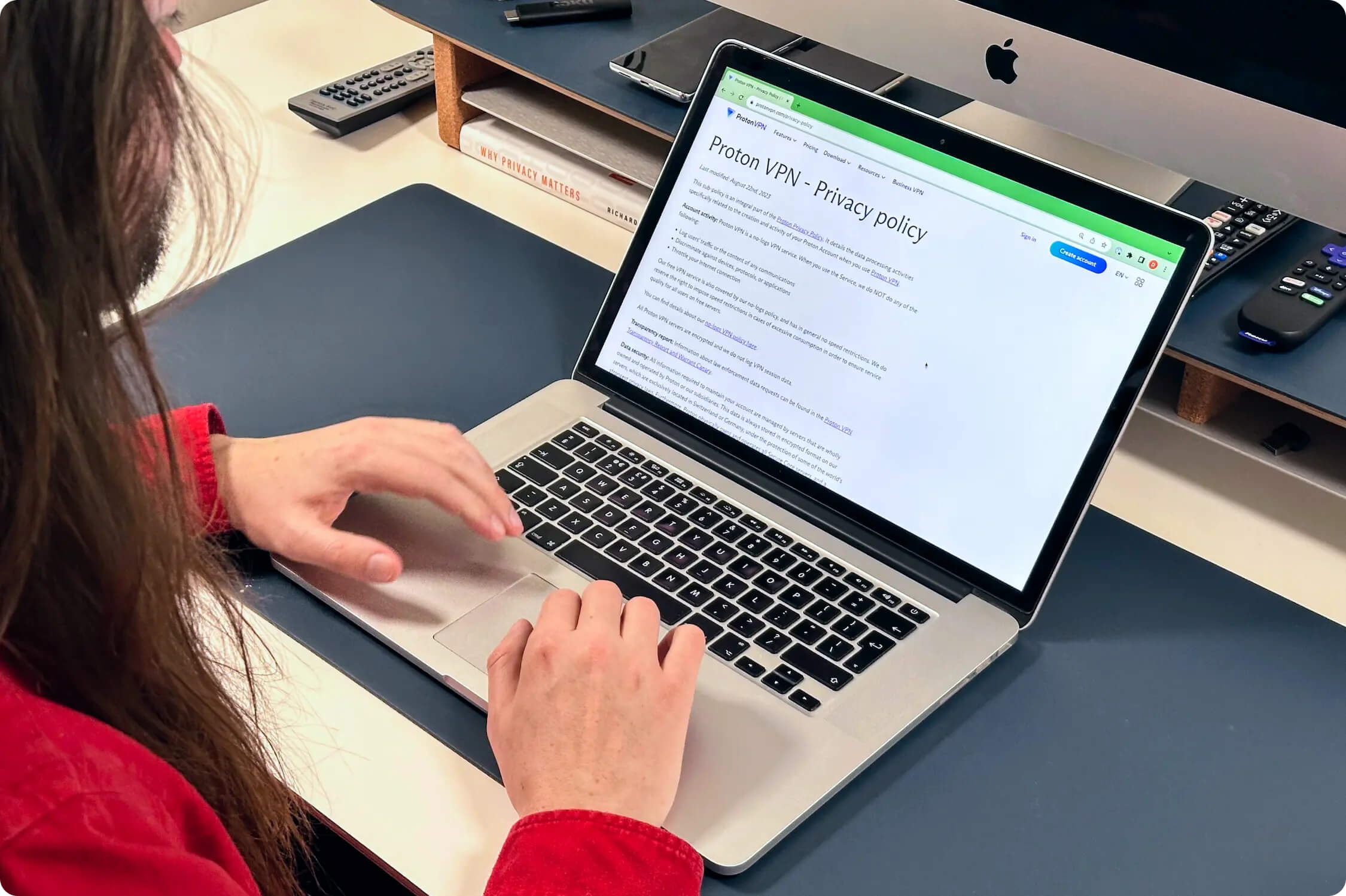
Proton VPN’s logging policy clearly describes what information is and is not retained by the service.
This is one of the best VPN logging policies we’ve seen — and it’s been proven true.
In January 2019, a Swiss court requested information about a Proton VPN user. Proton VPN was unable to provide any user data because it hadn’t stored any.
This puts Proton VPN among the few VPNs whose logging policies have been verified in a real-world test — the ultimate validation of a privacy policy.
Proton VPN’s logging policy was also audited by Securitum in April 2022, confirming it doesn’t retain user data.
Proton VPN is Based in Switzerland
Proton VPN operates under Swiss jurisdiction, which is a strong base for a VPN provider.
Switzerland has robust privacy laws, a history of respecting user privacy, and no data retention requirements for VPNs. It’s also outside the EU, so EU data retention laws don’t apply.
Switzerland is not a member of the 14 Eyes alliance or any other intelligence-sharing coalition, so it has no formal structure for collecting and sharing surveillance data with other nations.
Privacy-hostile Swiss laws like BÜPF and NDG do not apply to Proton VPN because the company is not considered a “major telecommunications operator” or a “major internet service provider.”
Streaming
Proton VPN has improved its streaming performance. It now works with six Netflix regions, HBO Max, Hulu, Disney+, Amazon Prime Video, and more. It’s a decent choice for streaming — but only if you pay. The free plan doesn’t unblock any streaming services.
| Streaming Service | Works with Proton VPN (Free) | Works with Proton VPN |
|---|---|---|
| BBC iPlayer (UK) | No | Yes |
| DAZN (Canada) | No | Yes |
| Disney+ (UK) | No | Yes |
| Hulu (US) | No | Yes |
| ITVX (UK) | No | No |
| HBO Max (US) | No | Yes |
| Netflix (US) | No | Yes |
| Netflix (UK) | No | Yes |
| Prime Video (US) | No | Yes |
| Sky Go (UK) | No | Yes |
Proton VPN’s streaming ability depends on your plan. Free servers are blocked by Netflix, while Plus servers consistently work with US Netflix and five other regions.

Proton VPN works well with US Netflix.
Although Proton VPN claims it works with Netflix “in almost every country,” our tests show it unblocks only six regions.
That’s better than average, but significantly fewer than top competitors like ExpressVPN and NordVPN, which access 18 and 17 regions respectively.
Proton VPN also fails to unblock several popular Netflix regions, including Australia, Canada, and the UK.
Works with Popular Streaming Services
Beyond Netflix, Proton VPN unblocks Hulu, BBC iPlayer, Disney+, and Amazon Prime Video. In our latest tests, it even worked to watch the Australian Football League from abroad.
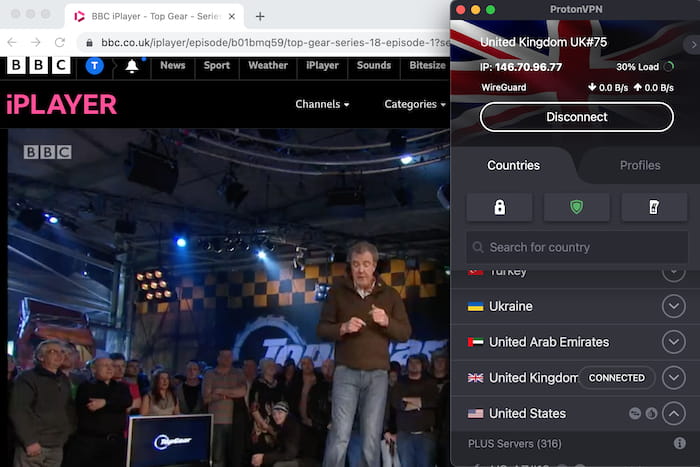
Proton VPN worked with BBC iPlayer every time we tested it.
Here are the Proton VPN servers we tested that successfully unblocked popular streaming services:
| Streaming Service | Server IDs |
|---|---|
| Amazon Prime Video | US-FL#36, US-CO#11, US-AZ#2 |
| BBC iPlayer | UK#35, UK#11, UK#39 |
| Disney+ | US-TX#18, US-WA#10, US-CA#19 |
| Hulu | US-FL#13, US-IL#40, US-IL#42 |
| US Netflix | US-NY#11, US-CA#14, US-GA#20 |
Free Version Doesn’t Work with Streaming Services
Proton VPN Free is a poor choice for streaming. You can’t select a country, so you can’t unblock services from other regions or access different Netflix libraries.
The VPN used to offer three free locations (the US, the Netherlands, and Japan), but as of 2025 Proton VPN now connects you to the “fastest” available server from 10 locations. In addition to those three, you might also be connected to Canada, Mexico, or Singapore, for example.
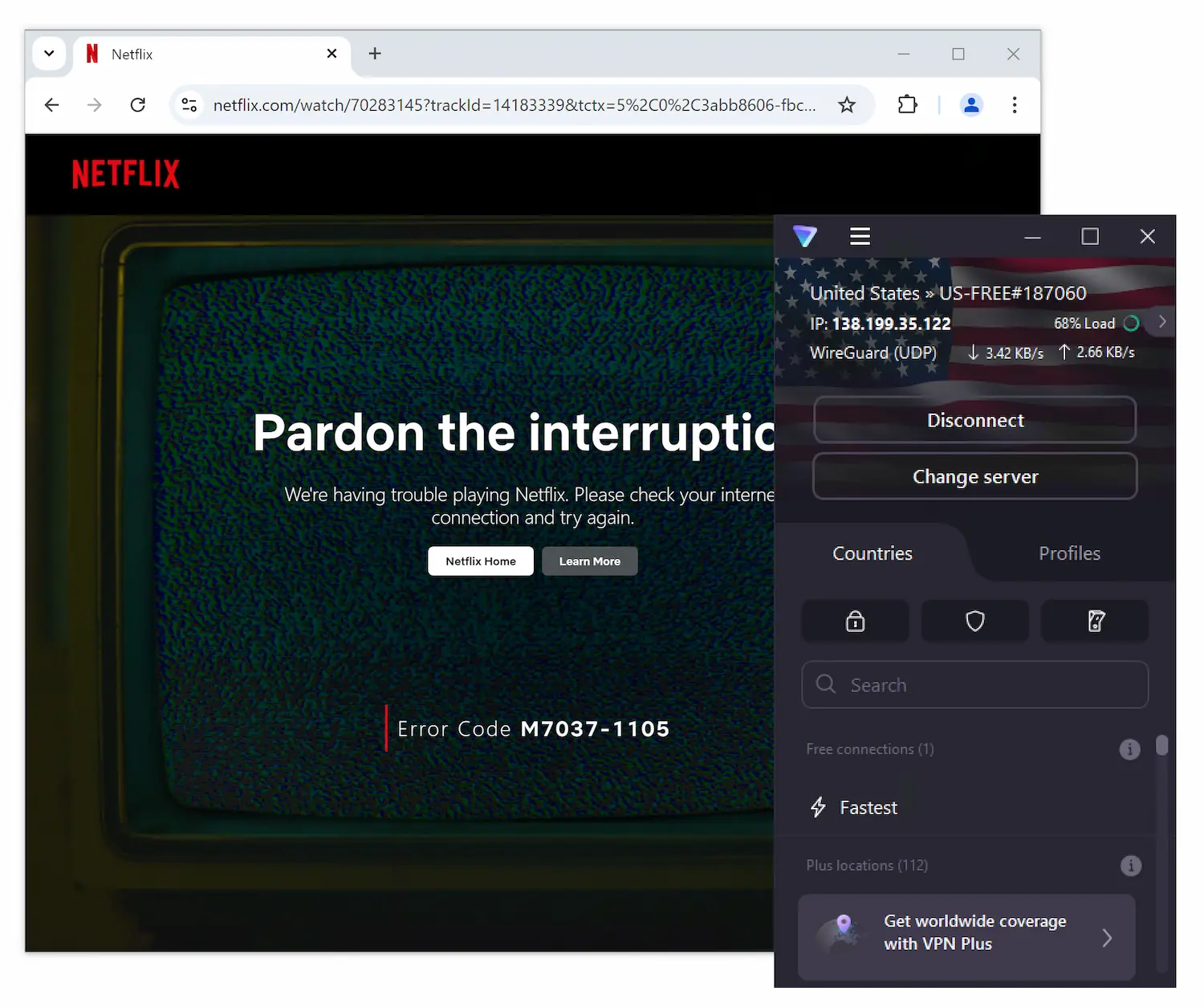
Though its paid option is reliable, Proton VPN Free can’t bypass Netflix’s geo-blocks.
This is disappointing, as it previously unblocked services like F1TV to stream live races without paying.
For a free VPN that works better for streaming, consider Windscribe Free or PrivadoVPN Free.
We’ve compiled an up-to-date list of the best free VPNs for Netflix to help you choose.
Speed
Proton VPN is very fast, with an average local download speed of 88Mbps. However, it trails big rivals in recent tests. Even on WireGuard, its local speeds are consistently slower than NordVPN, IPVanish, and several others. Proton VPN Free, however, is the fastest free VPN we’ve tested.
| No VPN (New York) | USA (New York) | Canada (Toronto) | USA (Los Angeles) | UK (London) | Germany (Berlin) | Brazil (São Paulo) | Japan (Tokyo) | South Africa (Johannesburg) | Australia (Sydney) | |
|---|---|---|---|---|---|---|---|---|---|---|
| Server Location |  |
|
 |
|
 |
 |
 |
 |
 |
 |
| Download Speed | 100Mbit/s | 88Mbps | 91Mbps | 91Mbps | 89Mbps | 89Mbps | 92Mbps | 83Mbps | 64Mbps | 76Mbps |
| Upload Speed | 100Mbit/s | 90Mbps | 95Mbps | 83Mbps | 47Mbps | 94Mbps | 93Mbps | 11Mbps | 62Mbps | 91Mbps |
| Ping | 1 ms | 7ms | 14ms | 88ms | 73ms | 102ms | 113ms | 145ms | 596ms | 212ms |
| Distance | 0mi | 5mi | 300mi | 2,500mi | 3,500mi | 4,000mi | 4,800mi | 6,700mi | 8,000mi | 9,900mi |
Oddly, despite testing from New York, Proton VPN produced faster download speeds on several servers farther away than its New York server.
It’s possible the New York servers were slower or congested, and you may get faster speeds on a nearby server.
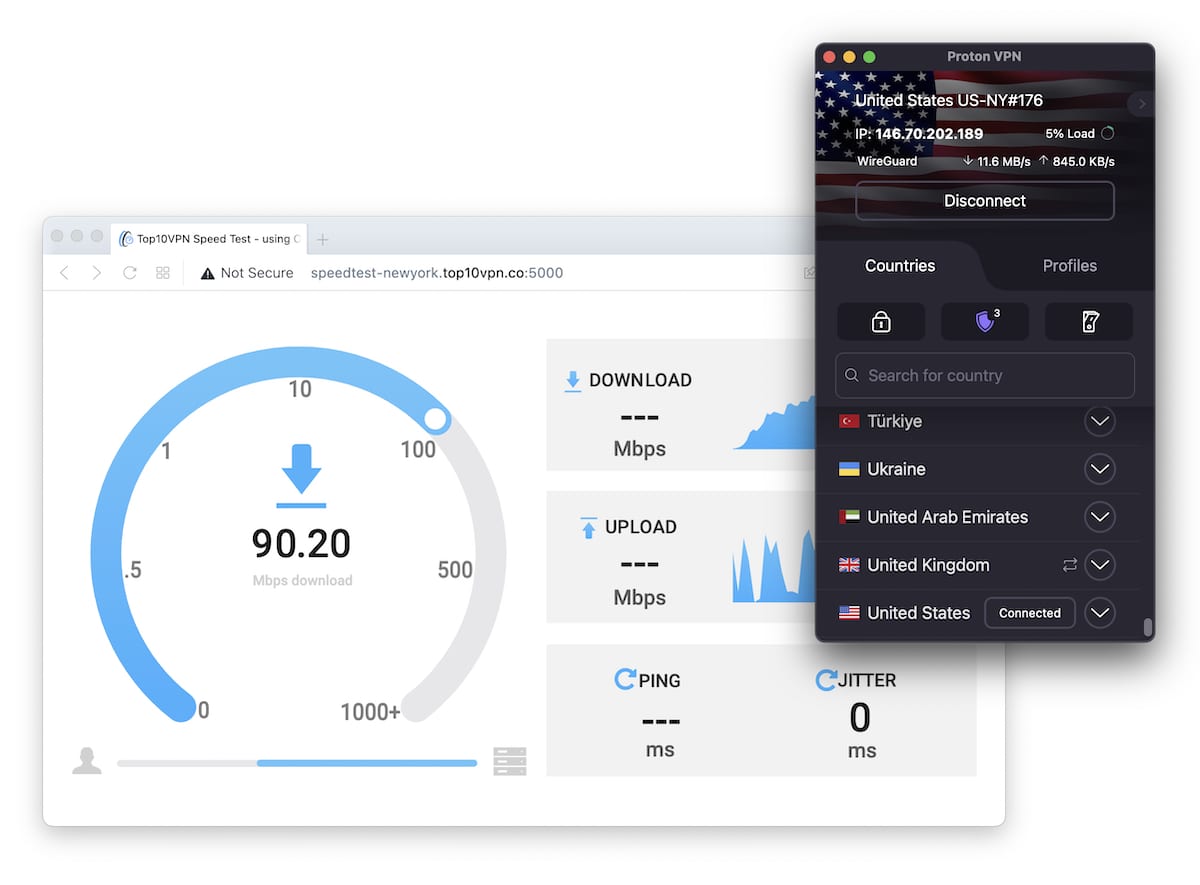
While Proton VPN’s local download speeds are good, we’ve seen plenty better.
Proton VPN struggled on very distant servers: 64Mbps in South Africa and 76Mbps in Australia are decent and better than many lesser VPNs, but still slower than big-name rivals like Hotspot Shield or even Ivacy VPN.
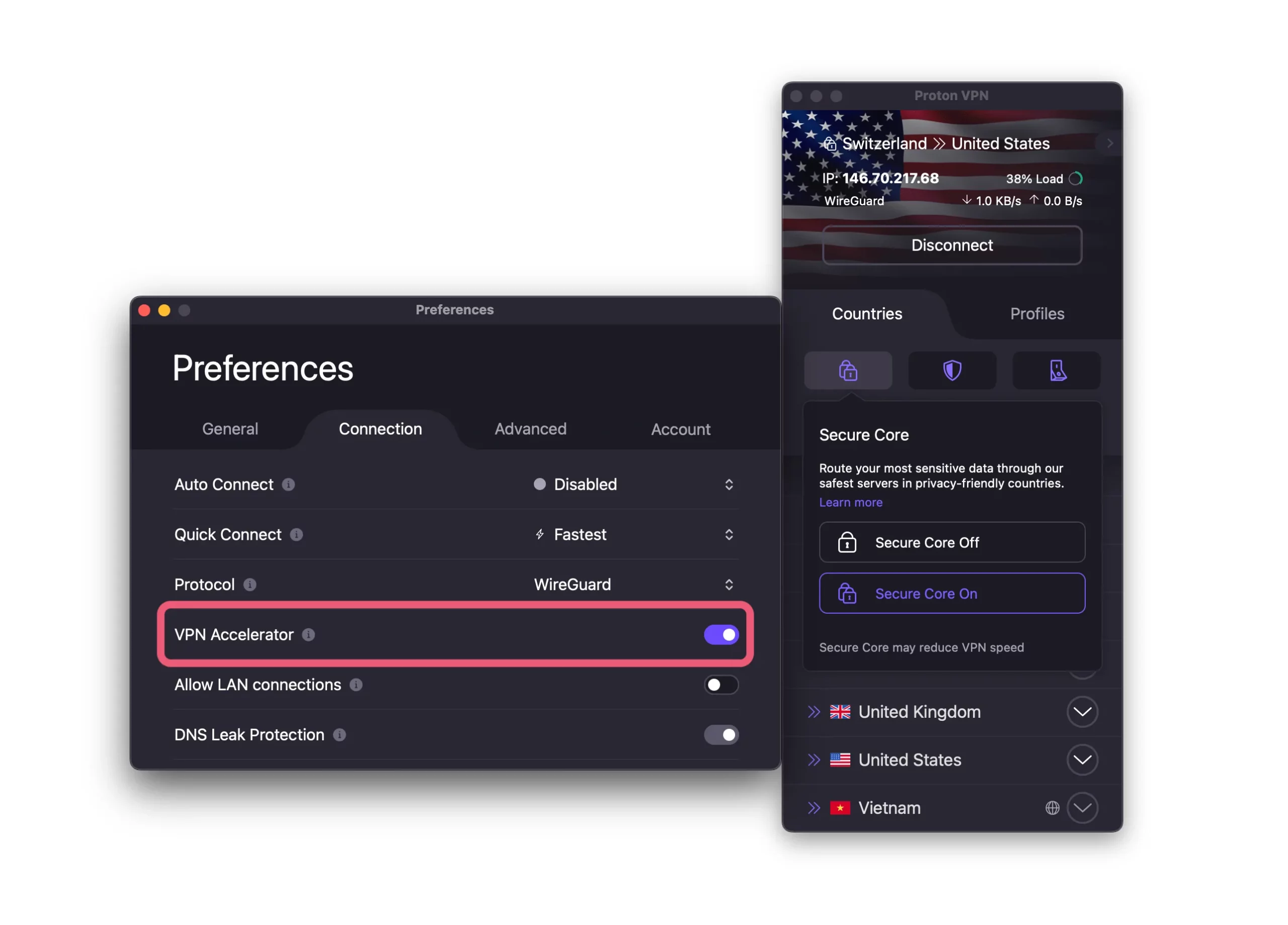
We recommend toggling on the VPN Accelerator in Settings.
EXPERT ADVICE: For the fastest speeds, enable VPN Accelerator in Settings > Connection.
Proton VPN Free Is the Fastest Free VPN
Proton VPN’s free app impressed us. It’s the fastest free VPN we’ve tested.
| No VPN (New York) | USA (New York) | Netherlands (Amsterdam) | Japan (Tokyo) | |
|---|---|---|---|---|
| Server Location | |
|
 |
|
| Download Speed | 100Mbit/s | 99Mbps | 83Mbps | 83Mbps |
| Upload Speed | 100Mbit/s | 98Mbps | 95Mbps | 11Mbps |
| Ping | 1 ms | 9ms | 96 ms | 145ms |
| Distance | 0mi | 5mi | 3,000mi | 6,700mi |
Beyond the raw speeds, Proton VPN Free is the only reputable free VPN with no data cap.
You won’t run out of bandwidth for downloading, streaming, gaming, or anything else.
Just note that with only about 2,000 free servers (versus 15,370 on paid), speeds may be less consistent due to congestion.
Security
Proton VPN has excellent security credentials verified by third-party audits. Its open-source apps use industry-standard protocols with AES-256 encryption, and it passed our IP, DNS, and WebRTC leak tests on all platforms. Proton VPN reliably masks your IP address and encrypts your data.
| Independent Audit | Yes |
|---|---|
| VPN Kill Switch | Yes |
| Leak Protection | Yes |
Proton VPN’s Highly Encrypted Connections
As part of our security tests, we reviewed Proton VPN’s connection specifics to assess encryption strength. We were impressed.
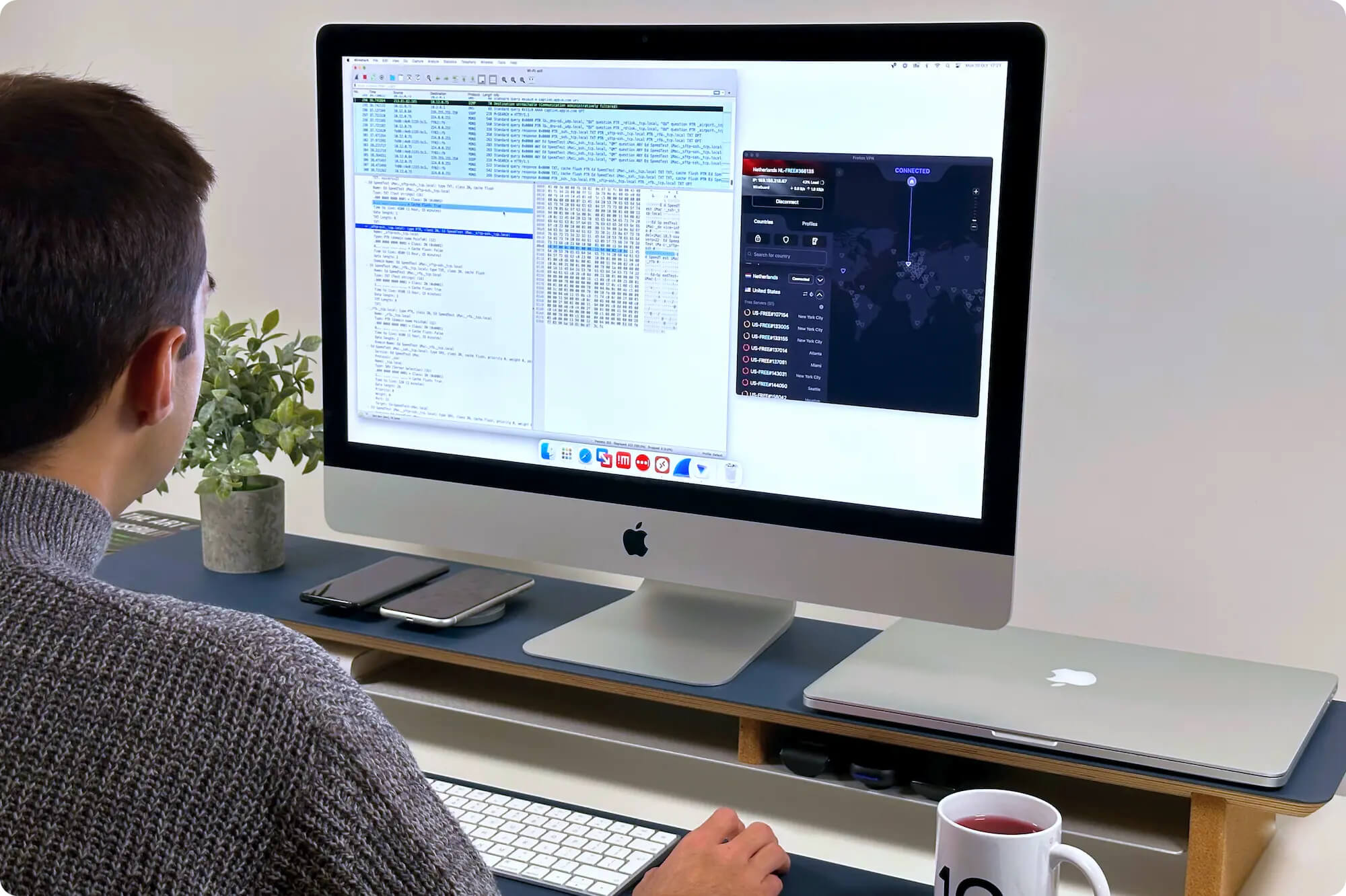
Proton VPN successfully encrypted our test data transfers.
Our tests confirm Proton VPN’s encryption exceeds the needs of most users and will protect your data from ISPs and potential attackers.
We also like that Proton VPN uses Perfect Forward Secrecy, which further protects against data breaches.
Dependable Kill Switch on Windows & Android
A VPN kill switch is essential. Without it, your IP could be exposed if the VPN disconnects.
Proton VPN includes a kill switch on Windows, macOS, iOS, and Android, but it’s not enabled by default, so turn it on from the home screen.
We tested the kill switch by running manual IP and DNS leak tests while disconnecting the VPN. The kill switch worked perfectly on Windows and did not expose our true IP.
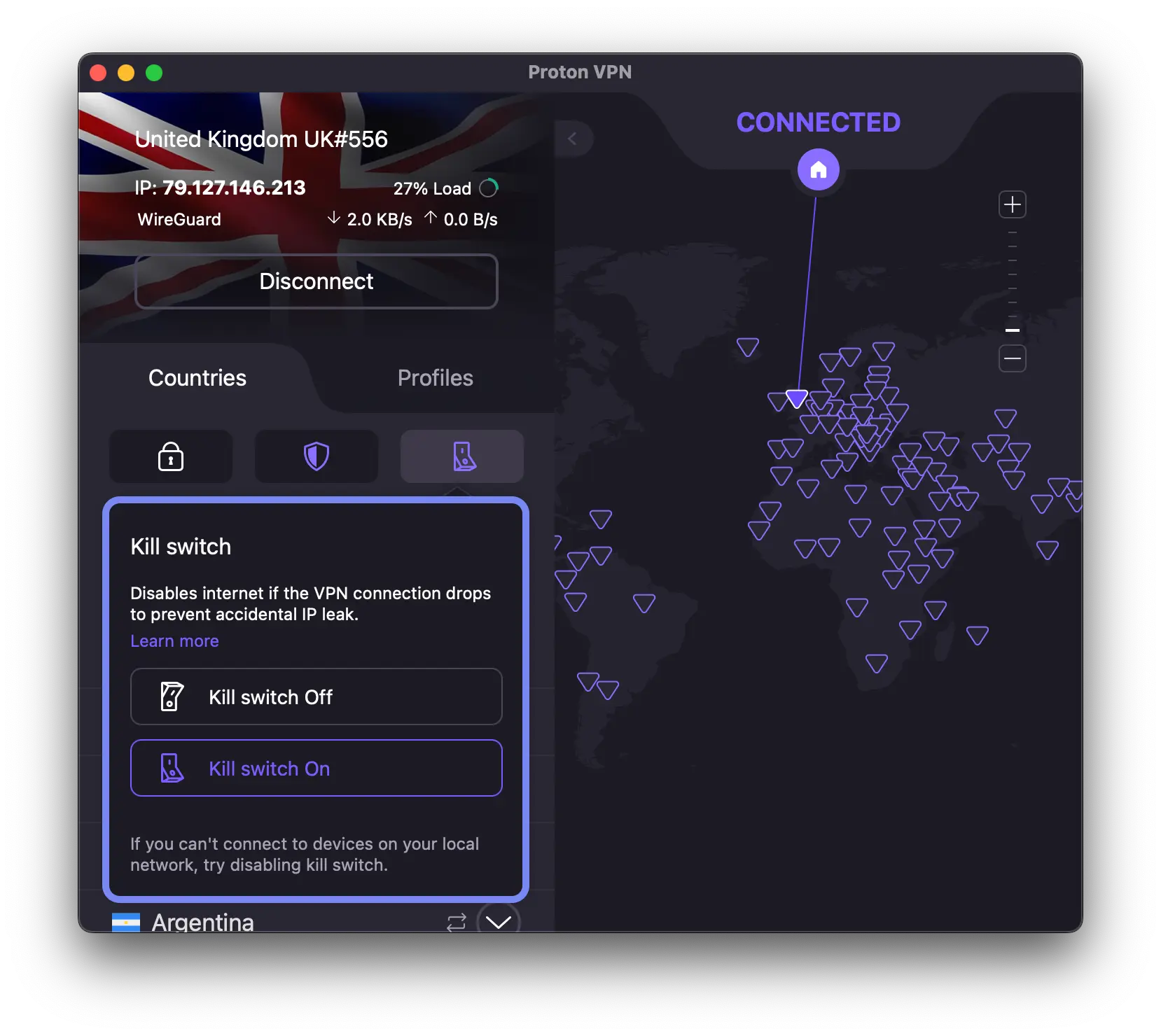
It takes just two clicks to turn on the kill switch from Proton VPN’s homepage.
On macOS, Proton VPN warns about a T2 security chip bug on certain Apple devices that can cause system crashes.
Customer support told us the bug has been fixed on Proton’s side, but Apple hasn’t implemented a universal fix for all Mac devices.
Use caution on Macs with T2 chips (mainly MacBooks from 2018–2020).

Our MacBook Pro was flagged for its T2 chip, which could cause software crashes when the VPN’s kill switch is enabled.
Passed Our Data Leak Tests
Before trusting a VPN, real-world IP and DNS leak tests help verify it’s working properly.
All Proton VPN apps include IPv6 and DNS leak protection. We used our IP and DNS leak testing tool on macOS and Android to verify.
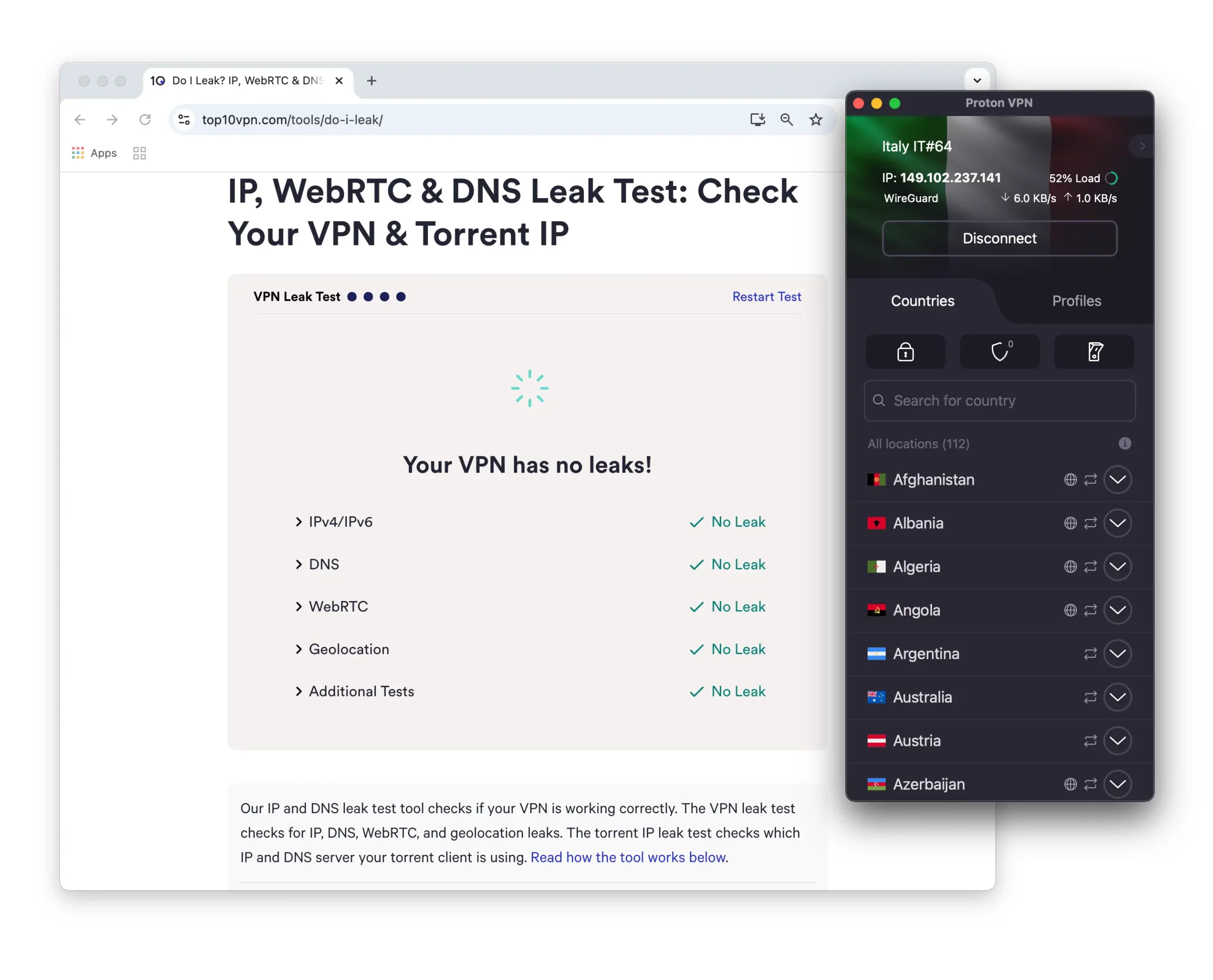
We didn’t detect any IP, DNS, WebRTC, or Geolocation leaks with Proton VPN.
We experienced no DNS leaks. Proton VPN runs its own DNS servers and directly handles DNS requests, reducing the risk of third-party leaks.
Open-Source Apps & Bug Bounty Program
Proton VPN’s Windows, macOS, Android, and iOS apps are all open-source. The source code is on GitHub, and discovered vulnerabilities have been fixed.
Open-source apps allow public review and contributions. Combined with Proton VPN’s bug bounty program, this improves security through broader scrutiny.
This transparency is rare among VPN providers, and we appreciate Proton VPN’s commitment.
Server Locations
Proton VPN runs 15,370 servers in 126 countries — an excellent spread, even compared to top VPNs like ExpressVPN and Private Internet Access.
| Continent | Proton VPN (Free) Countries with Servers |
Proton VPN Countries with Servers |
|---|---|---|
| Europe | 5 | 41 |
| North America | 3 | 6 |
| Asia | 2 | 34 |
| South America | 0 | 7 |
| Africa | 0 | 22 |
| Oceania | 0 | 2 |
Most servers are physical, bare-metal servers located in their listed countries.
Maintaining genuine servers across such a wide range is impressive. There are some exceptions, but we like Proton VPN’s approach.
That said, Proton VPN rents most of its servers from third-party data centers. We prefer providers that own most servers, as it reduces the risk of interference or compromise.
A Proton VPN representative told us the company takes extra steps to secure rented servers and ensure they don’t log data. Given Proton VPN’s strong privacy stance, we trust these safeguards.
Proton VPN also owns some servers — these are part of its Secure Core network.
Proton VPN Free Doesn’t Allow You to Choose Server Location
With freemium VPNs, server selection is usually limited, and Proton VPN is no exception.
While the free plan used to let you choose a location, the app now automatically connects you to the “fastest” available free server.
There are currently free servers in 10 countries, including Canada, Mexico, and the US. Across multiple tests, we were connected to various locations, sometimes surprisingly distant ones like Japan.
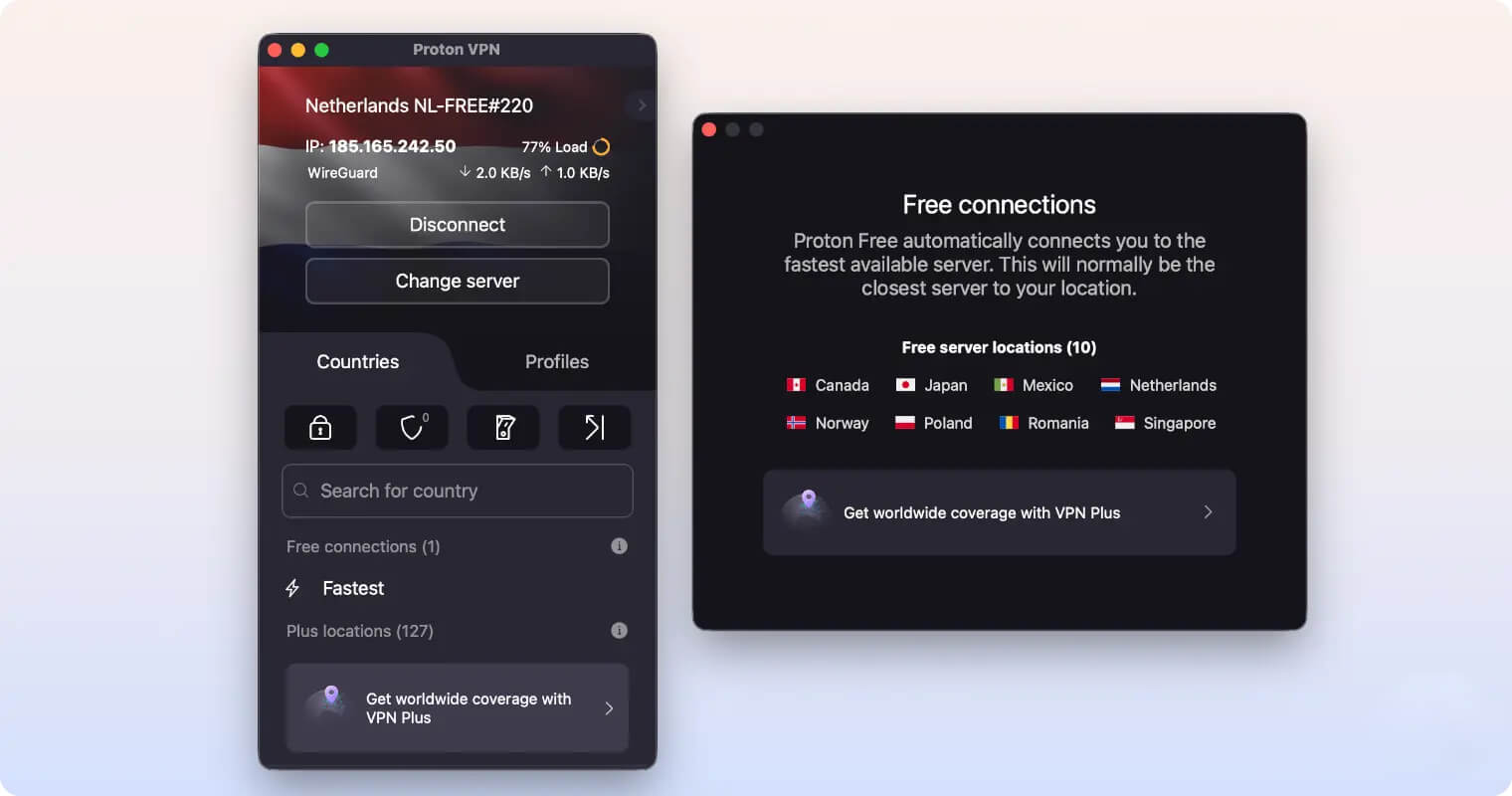
Proton VPN Free disappointingly doesn’t let you pick a server location.
This is a significant downgrade. For example, from the US, we can no longer reliably get a Japanese IP or change location for services like YouTube TV, as we were frequently connected elsewhere.
User Experience
Proton VPN looks great across platforms and is straightforward if you want a “set and forget” experience. Despite its many advanced features, Proton VPN clearly explains each one with labels and tooltips. Some items could use more clarity, but you should be able to use it without major issues.
Installation & Setup
Installation is simple. For the paid plan, choose your term, enter your email, and pay by credit card or PayPal. You’ll get an auto-generated password or you can create your own.
For Proton VPN Free, it’s even easier. Go to Proton VPN Free, sign up with your email, and install the app on your device. We like that the free plan doesn’t require payment details.
There are apps for all popular devices: Windows, Android, macOS, and iOS. You can also manually configure Proton VPN on your router to cover your entire home.
Interface & Ease of Use
Proton VPN’s purple, black, and white color palette feels modern and sleek — a much-needed upgrade from the older green-and-black scheme.
However, the interface could still improve. Map-based interfaces on desktop can be confusing when zoomed out, especially in dense regions like Europe.
On the plus side, you can quickly toggle essential features like the kill switch and multi-hop servers from the home screen. You can also access your preset Profiles from the home screen, making it faster to unblock your favorite Netflix show or start torrenting.
Desktop & Laptop (Windows & Mac)
Proton VPN’s apps feature a large world map where you can browse and connect to servers.
If you don’t like map interfaces, you can resize the app to a slimmer window similar to the mobile layout.
As is common with VPNs, the Windows client is the most complete.
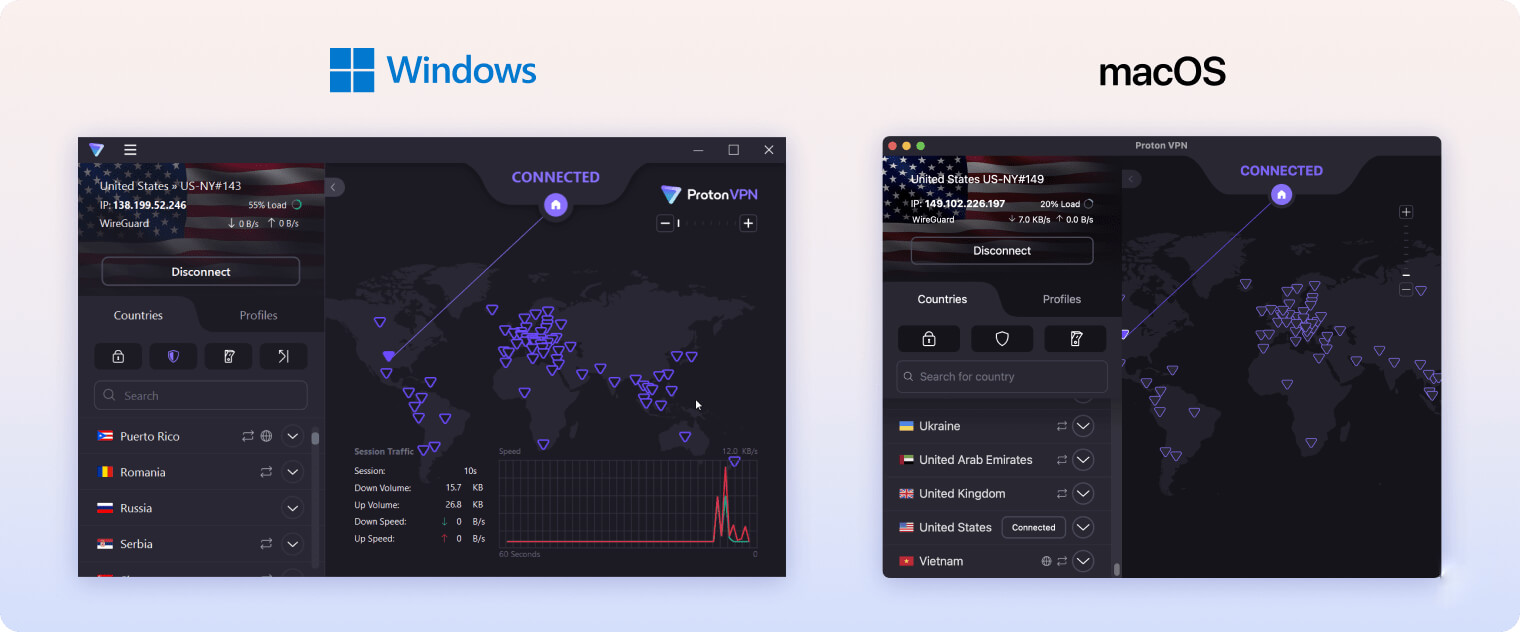
The Windows app includes all advanced features: kill switch, split tunneling, and “alternative routing” — which bypasses some blocked websites by routing through different Proton VPN servers.
The macOS client recently added OpenVPN, WireGuard, and alternative routing — a big improvement — but still lacks split tunneling.
Proton VPN is a polished app that feels premium. The free version looks and feels the same.
Mobile (iPhone & Android)
The Android app is the stronger of the two mobile apps — it has most of the same features as Windows.
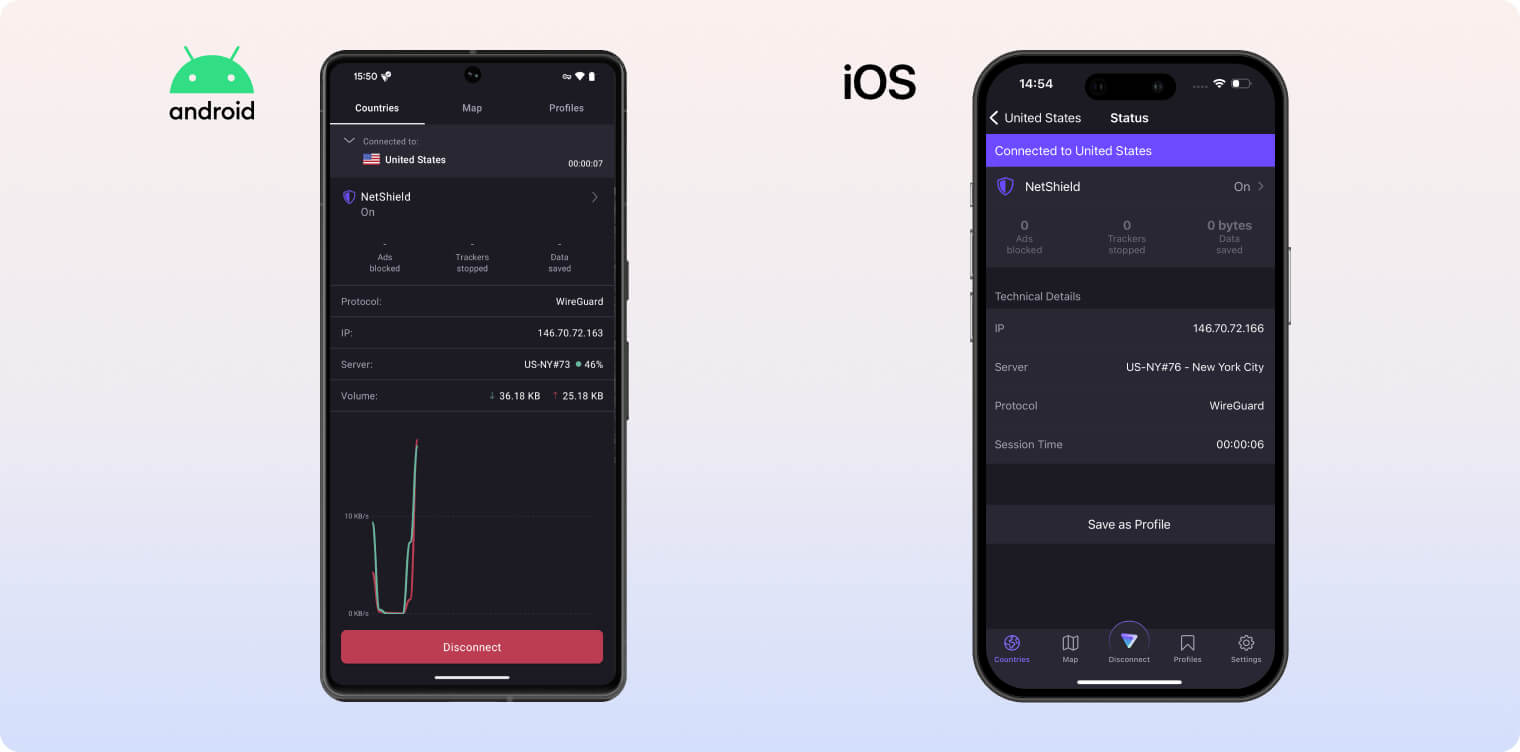
Both of Proton VPN’s mobile apps are well-designed and feel responsive to use.
Android includes an “Always-on” feature that re-establishes the VPN after a drop. In our tests, it activated too late and didn’t protect our IP in time.
The iOS app is more limited and lacks split tunneling and alternative routing. It does have “Always-on” and remains easy to use.
Linux
Proton VPN has native Linux software with a full graphical user interface (GUI) — rare among VPNs and worthy of praise.
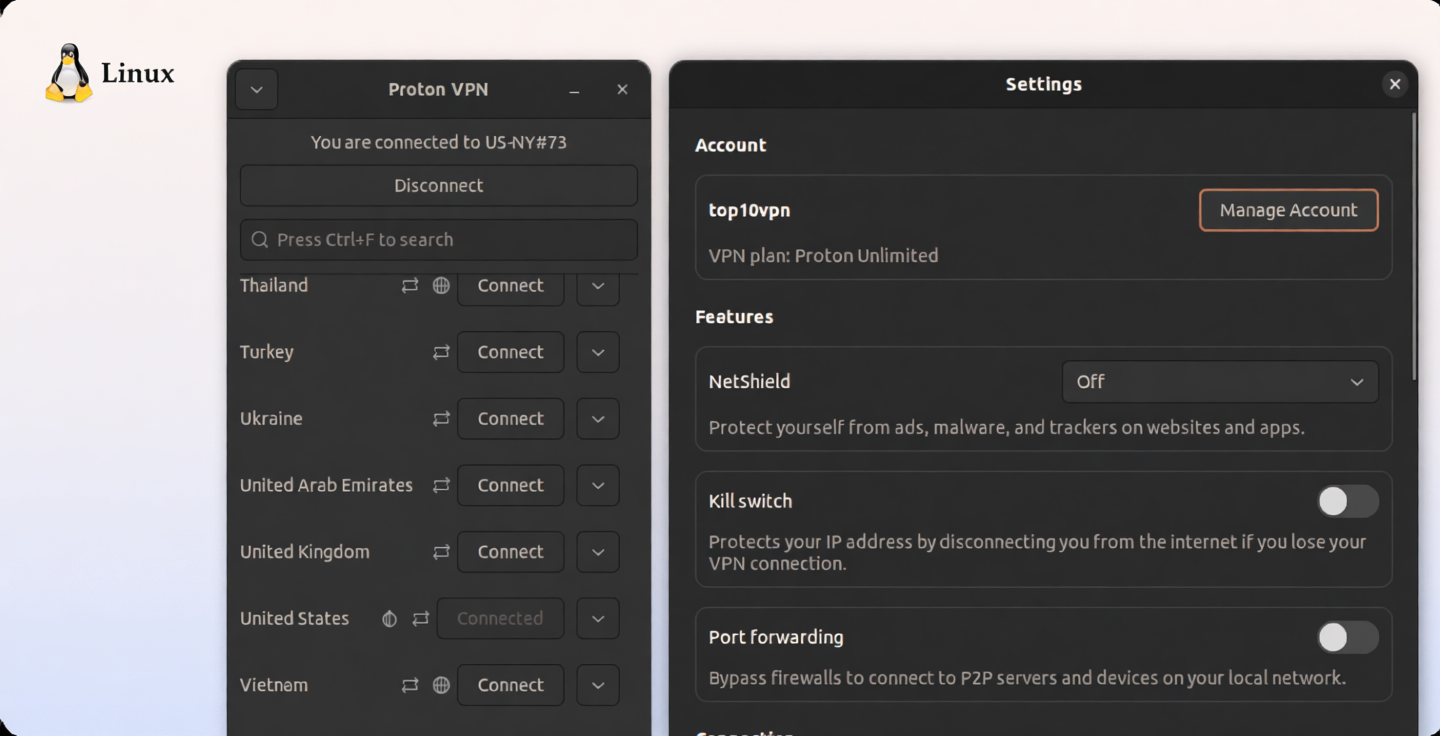
It looks better and is easier to use than command-line-only VPNs like ExpressVPN. Proton VPN for Linux supports:
- Debian 10+
- Ubuntu 20.04 (LTS)+
- Mint 20+
- MX Linux 19+
- Kali Linux
- Elementary OS 6.0+
- Fedora 34+
- Arch Linux/Manjaro
Streaming Devices (Apple TV, Android TV & Fire TV)
Proton VPN offers intuitive apps for Apple TV, Android TV, and Fire TV. Countries are grouped by continent, making it easy to find the location you want.
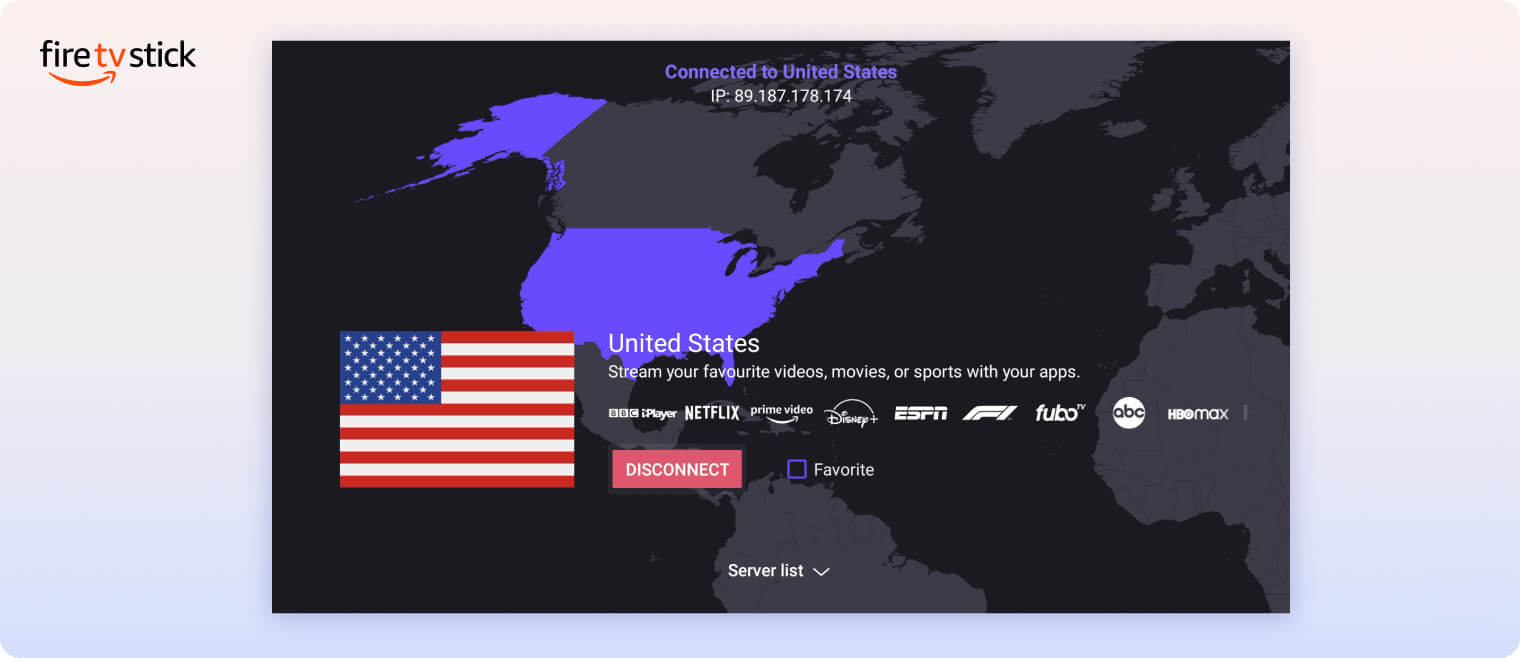
To log in, you must input a URL on another device. We prefer the process used by ExpressVPN and NordVPN, which lets you scan a QR code.
All three TV apps use WireGuard and ChaCha20 encryption, but they lack a kill switch.
That means if you’re torrenting or streaming on a Firestick, Apple TV, or Android TV, your IP could be exposed if the VPN drops.
Day-to-Day Experience
Relying on Proton VPN day-to-day is smooth. Once you set up Profiles and tweak settings, you can make it behave exactly how you want.
We didn’t encounter connection failures or major bugs. When issues did arise, there were clear in-app notices and helpful information via Proton’s website and live chat.
Overall, Proton VPN excels as a daily driver with feature-rich, intuitive apps and streamlined navigation. In our experience, its windows and tabs are thoughtfully organized and easy to use.
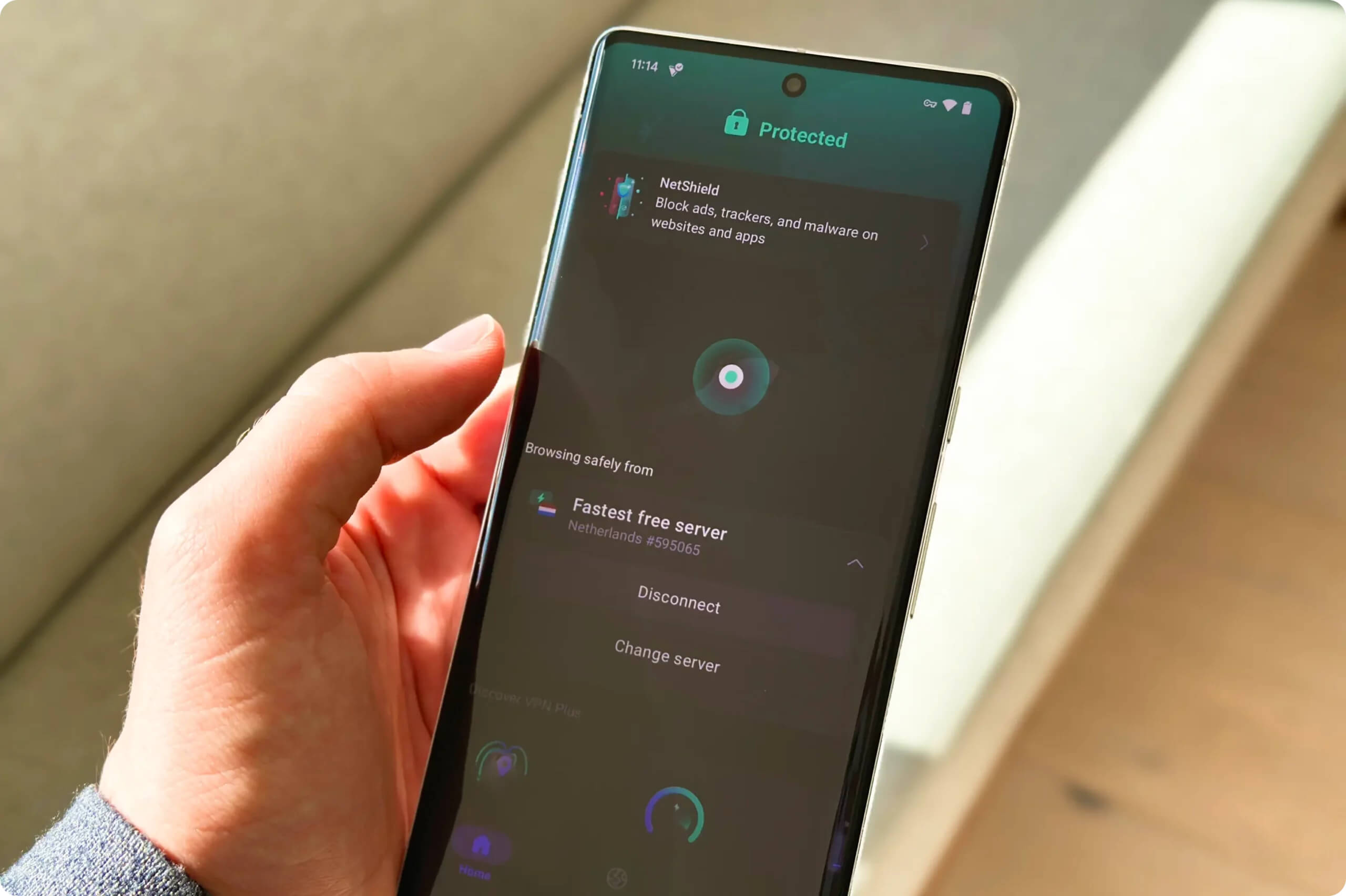
Proton VPN Free doesn’t let you choose a server location on Android.
Torrenting
Proton VPN is great for safe torrenting, even if it isn’t quite as strong as PIA or Mullvad. It offers P2P-optimized servers, port forwarding to boost seeding speeds, and a reliable kill switch. With an average bitrate of 9.7MiB/s, it’s also fast. Proton VPN Free can’t be used for torrenting — it’s blocked on all servers.
| Torrenting Attribute | Proton VPN (Free) | Proton VPN |
|---|---|---|
| Permits P2P Traffic | No | Yes |
| Average Download Bitrate | N/A | 9.7MiB/s (3% loss) |
| Countries with P2P Servers | 0 | 126 |
| Port Forwarding | No | Yes |
| Kill Switch | Yes | Yes |
| Logging Policy | No Logs | No Logs |
Our P2P tests showed torrenting with Proton VPN is private, secure, and fast.
All locations allow torrenting via P2P VPN redirect, which securely re-routes your traffic to a nearby server for better download speeds.
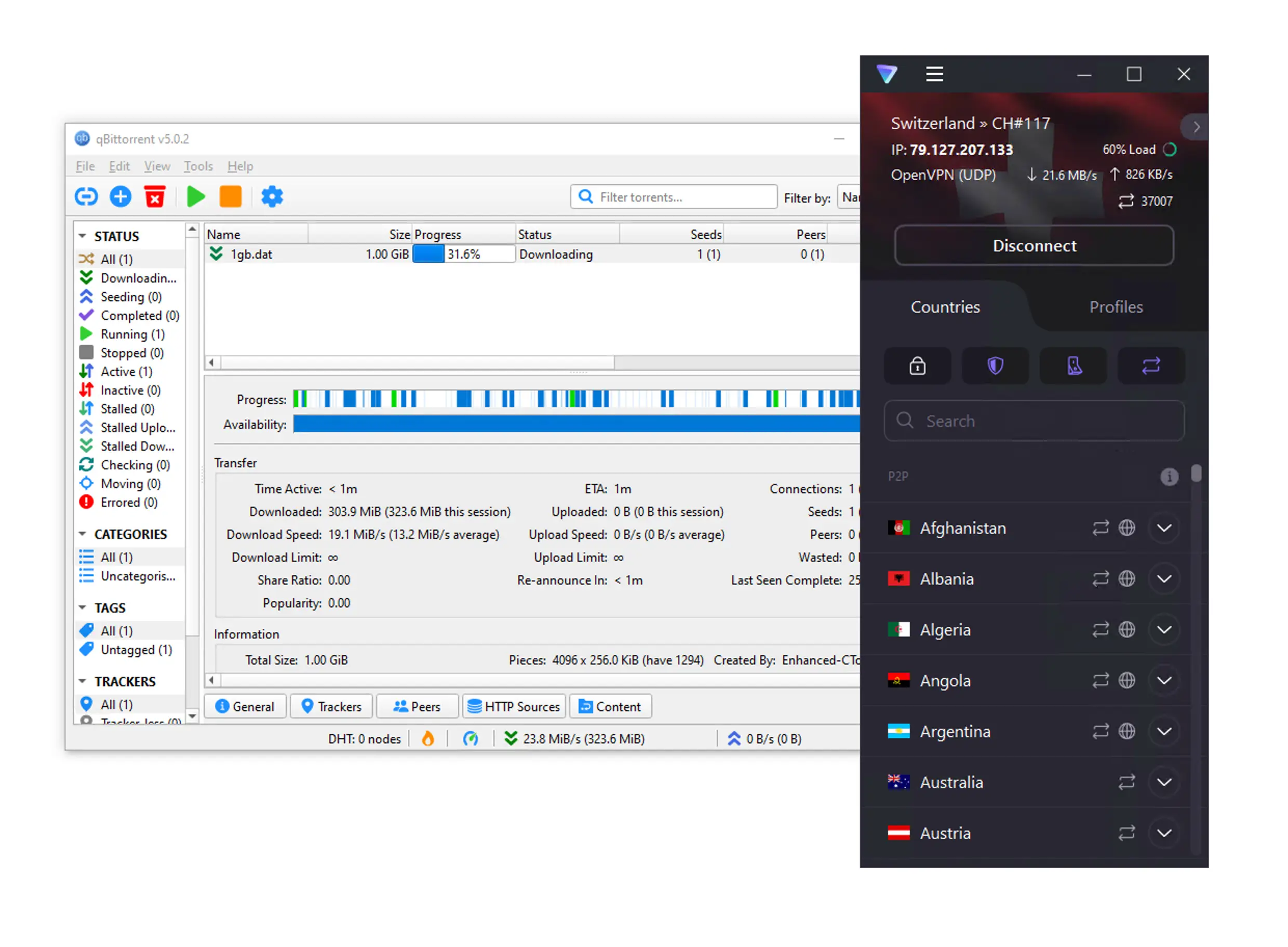
Proton VPN is an excellent choice for torrenting.
There are high-performance servers optimized for P2P — clearly marked in the app — but you can torrent on any server.
Proton VPN has expanded its P2P-optimized servers from 20 to 85 countries, improving coverage.
However, we noticed almost no difference in speeds between P2P-labeled and regular servers.
Wherever you are, Proton VPN is a strong torrenting VPN — we just wish the free plan allowed P2P.
Proton VPN Supports Port Forwarding
Proton VPN is one of the few VPNs that support port forwarding. This lets you bypass your router’s NAT firewall and transfer files faster.
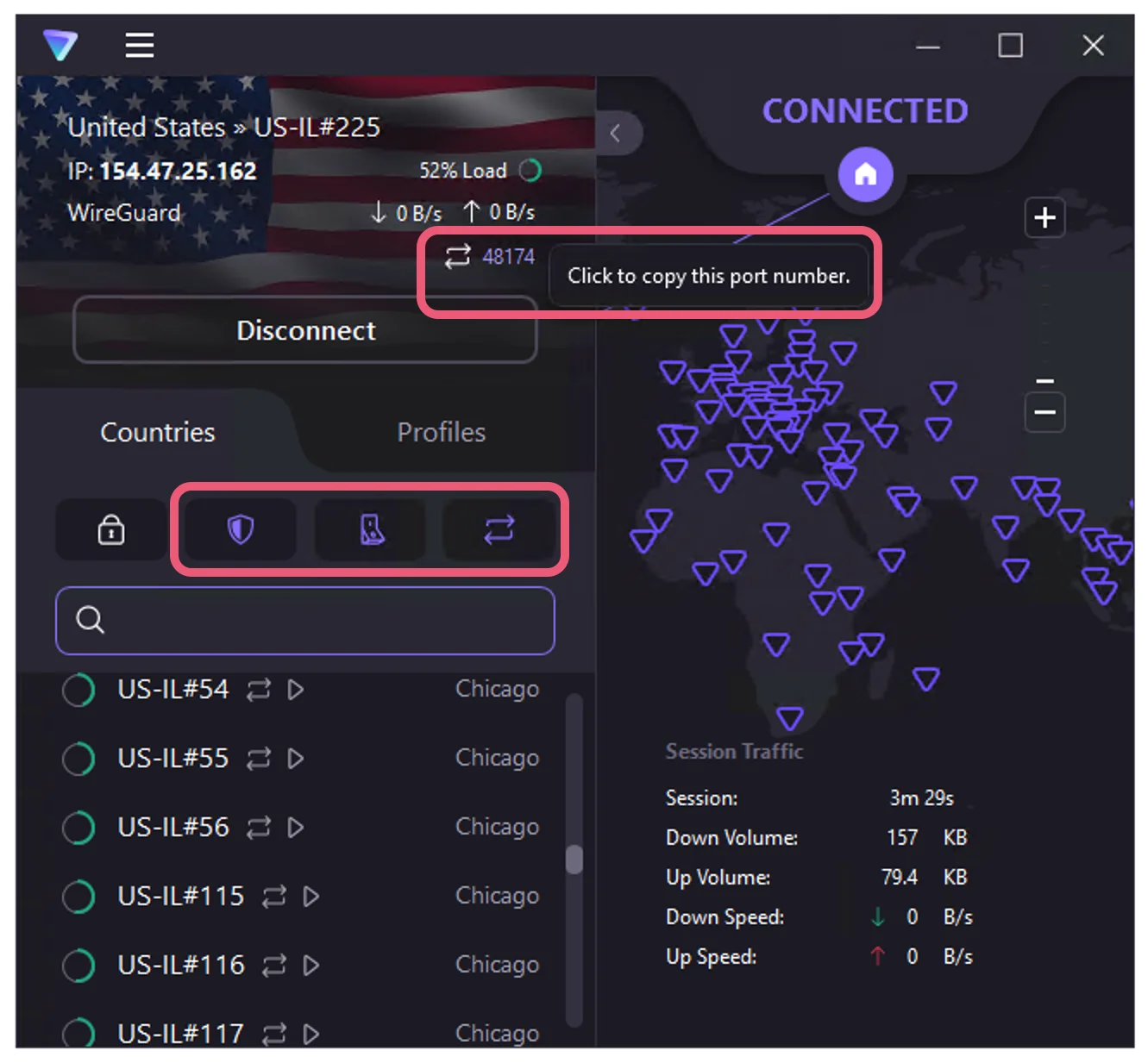
We configured Proton VPN on Windows to enable NetShield (malware-blocker), the kill switch, and port forwarding.
Proton VPN is fast for torrenting anyway, but port forwarding increased our P2P speeds by about 10%. The downside: it’s currently only on Windows. We hope it comes to other platforms soon.
Free Version Blocks P2P Traffic
If you want a free VPN for torrenting, look elsewhere — Proton VPN Free blocks P2P.
Device Compatibility
Proton VPN has apps for Windows, macOS, iOS, and Android, plus a full GUI for Linux. You can use up to 10 devices at once on the paid plan or three on the free plan — generous limits. You can also install Proton VPN on a router that supports OpenVPN as a client, but setup is cumbersome and may reduce speeds.
| Windows | Yes |
|---|---|
| Mac | Yes |
| iOS | Yes |
| Android | Yes |
| Linux | Yes |
| Amazon Fire TV | Yes |
| Android TV | Yes |
| Apple TV | Yes |
| Router | Manual Setup Only |
| Chrome | Yes |
Simultaneous Connections: 10
Proton VPN doesn’t offer Smart DNS for unblocking video content on devices like Xbox or PlayStation, which makes these devices harder to use with the service.
The only workaround is to install Proton VPN on your home router, but many routers aren’t supported. You can find the full list of compatible models in the support section of Proton VPN’s website. Your router’s firmware must be one of the following:
- AsusWRT
- DD-WRT
- OpenWRT
- pfSense
- Tomato
- FreshTomato
- Vilfo
Alternatively, you can buy a router pre-flashed with Proton VPN. This avoids the complex setup, but it’s expensive.
If you want to stream on game consoles and similar devices, we strongly recommend choosing a VPN with a reliable Smart DNS service instead — CyberGhost and ExpressVPN are both excellent options.
Additional Features
Proton VPN’s feature set is impressive, but not all tools worked well in our tests. Even with the NetShield ad blocker enabled, we still saw ads, and multi-hop servers slowed our connection more than other VPNs we tested. None of these extra features are available on the free plan.
| Additional Feature | Proton VPN (Free) | Proton VPN |
|---|---|---|
| Split Tunneling | Yes | Yes |
| VPN Obfuscation | Yes | Yes |
| Multi-Hop Servers | No | Yes |
| Dedicated IP | No | No |
| Ad Blocker | No | Yes |
You can see a summary of the differences between Proton VPN’s apps in the table below:
| VPN Protocol | Kill Switch | Split Tunneling | Alternative Routing | |
|---|---|---|---|---|
| Windows | WireGuard, OpenVPN & IKEv2 | ✓ | ✓ | ✓ |
| MacOS | WireGuard, OpenVPN & IKEv2 | ✓ | ✗ | ✓ |
| iOS | WireGuard, OpenVPN & IKEv2 | ✗ | ✗ | ✗ |
| Android | WireGuard, OpenVPN & IKEv2 | ✗ | ✓ | ✓ |
Profiles Feature Is Useful & Convenient
A standout benefit of Proton VPN is its Profiles feature, which lets you create custom presets of servers and settings to match your needs.
Profiles allows you to choose the server type (standard, Secure Core, P2P, or Tor), location, specific server, and protocol (WireGuard, WireGuard TCP, IKEv2, or Stealth).
For example, if a specific server consistently works with US Netflix, you can create a profile as a shortcut to that server and access it from the Profiles tab on the home screen.
This is an advanced feature designed for power users, but it’s also one of Proton VPN’s best.
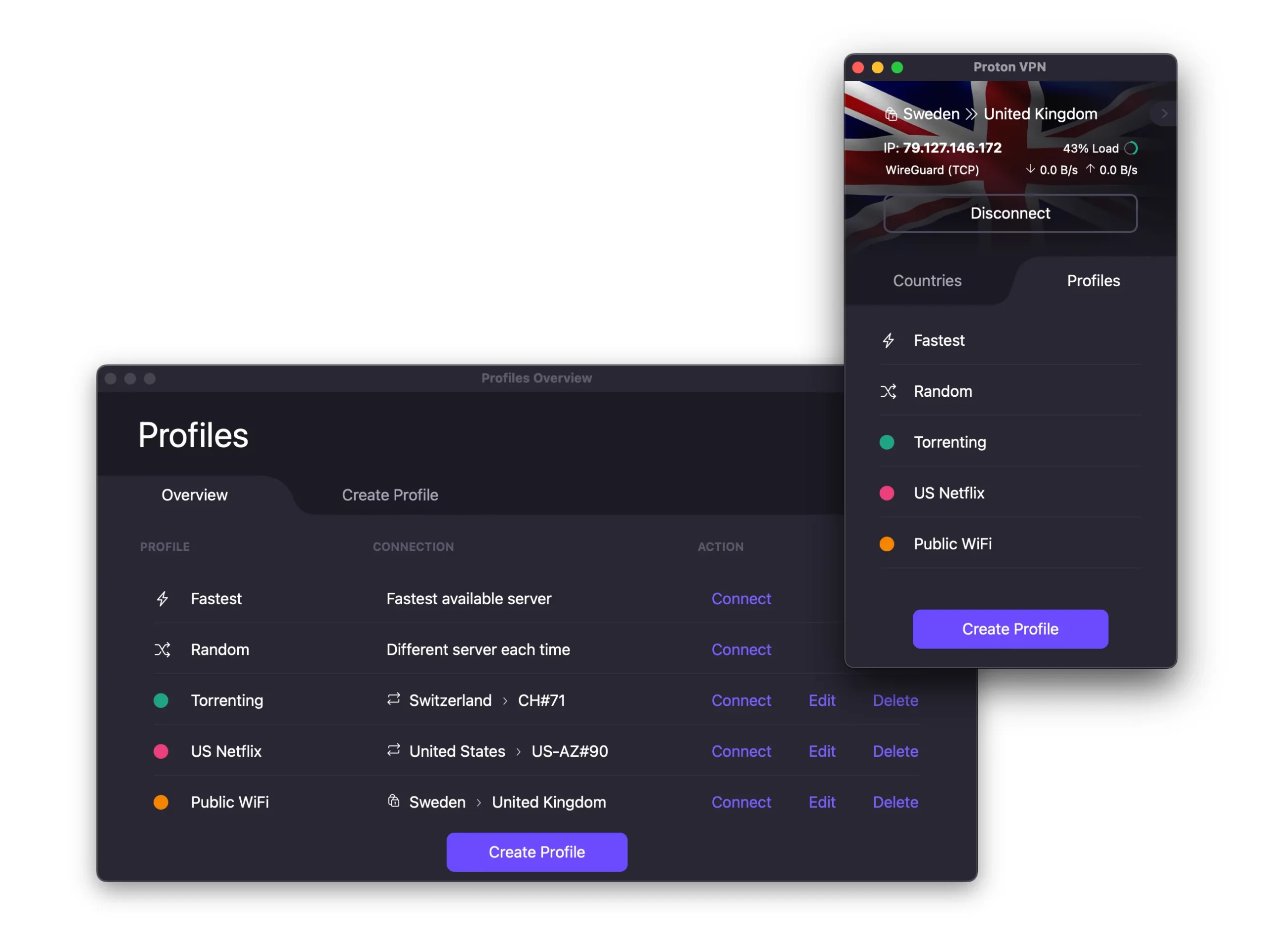
We used Profiles to pre-set server combinations for torrenting, unblocking US Netflix, and staying safe on public WiFi.
Split Tunneling
With split tunneling, your VPN creates a separate pathway that goes directly through your ISP, as if you weren’t using a VPN.
This is useful for keeping compatibility with devices and services that need a local IP address, such as a wireless printer.
Proton VPN includes split tunneling in its Windows and Android apps, but not on macOS or iOS. To use it, toggle on the apps you want to exclude from the encrypted VPN tunnel.
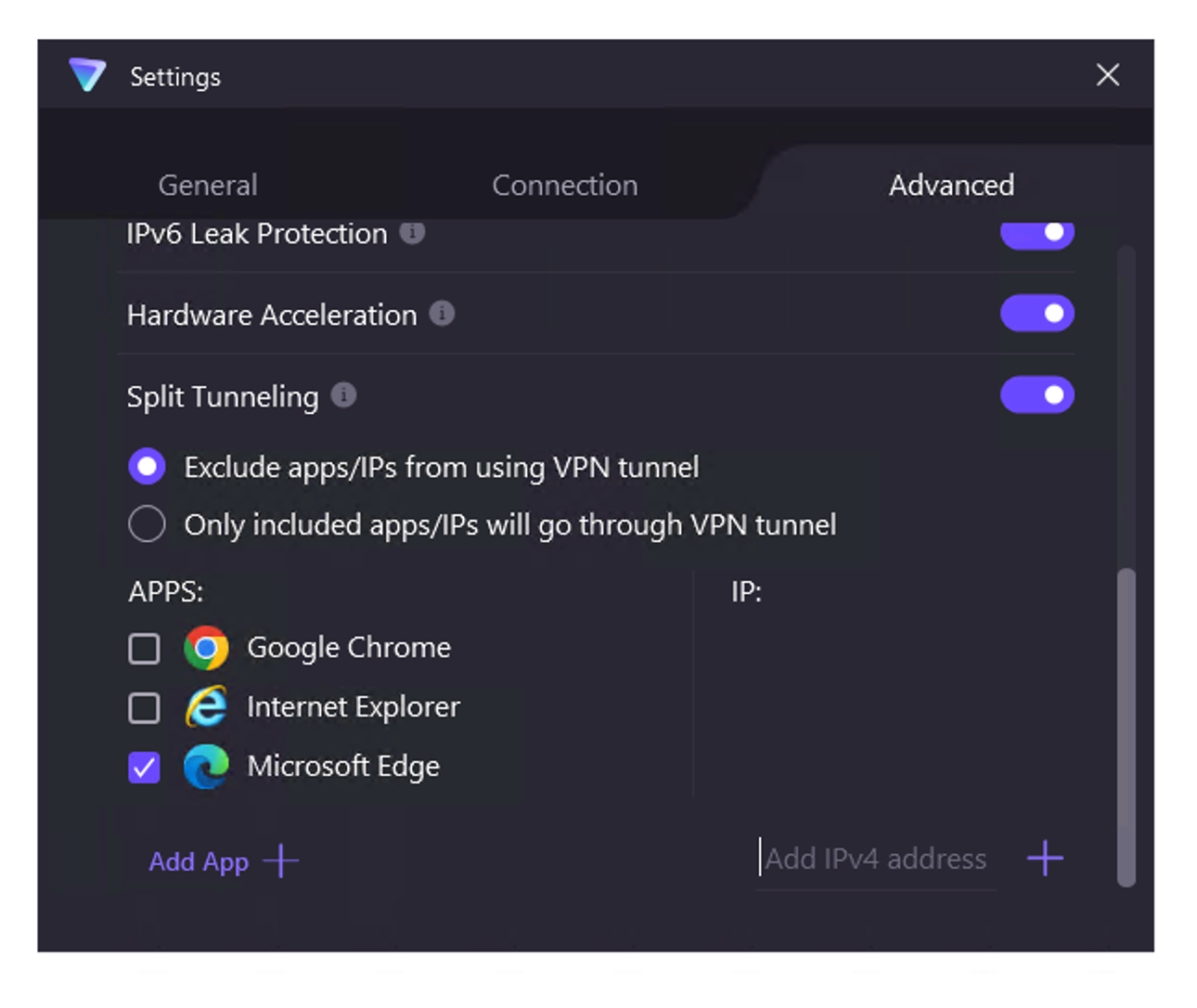
Proton VPN lets you select certain apps or IP addresses to bypass or be included in your VPN tunnel.
In our tests, split tunneling allowed us to access devices on our local network while connected to a Netherlands server to safely download a torrent file.
EXPERT ADVICE: Any app you exclude from the VPN tunnel will use your real IP address. Avoid using this setting for sensitive activities, especially on public Wi-Fi.
NetShield Is a Poor Ad Blocker
Proton VPN Plus and Unlimited subscribers can use NetShield, the built-in ad, malware, and tracker blocker. You can enable it by clicking the shield icon on the app’s home screen.
We found NetShield effective at blocking malware and trackers, but weak at blocking ads.
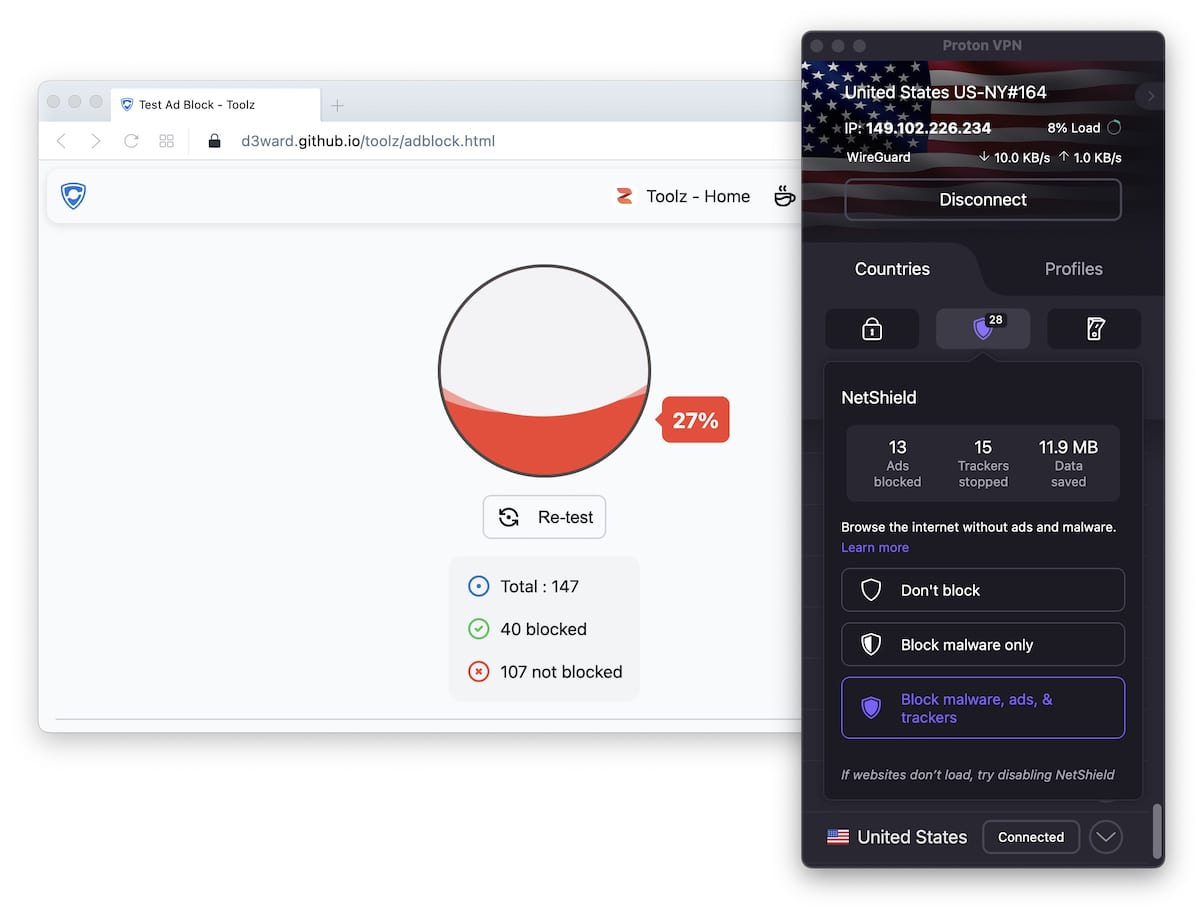
Running NetShield through d3ward’s ad block test tool it reported just a 27% success rate.
Unlike many ad blockers, NetShield doesn’t remove ad elements from pages. It replaces them with gray boxes, which is distracting.
Also, NetShield only works when you’re connected to a Proton VPN server, so you must stay connected to keep ads from appearing.
Proton VPN’s Secure Core Servers
Proton VPN owns servers in 68 of its locations. These make up its Secure Core network.
This feature — available only on Plus and Unlimited plans — routes your traffic through a Secure Core server before sending it to another server in Proton VPN’s network.
This is a form of Double VPN (also called Multi-Hop), which routes traffic through two VPN servers instead of one for added security.
Because Proton VPN owns and controls these servers, Secure Core may offer stronger security than similar features like NordVPN’s or Surfshark’s Double VPN.
Not long ago, Secure Core servers existed in only three countries — it’s good to see Proton VPN expanding the list.
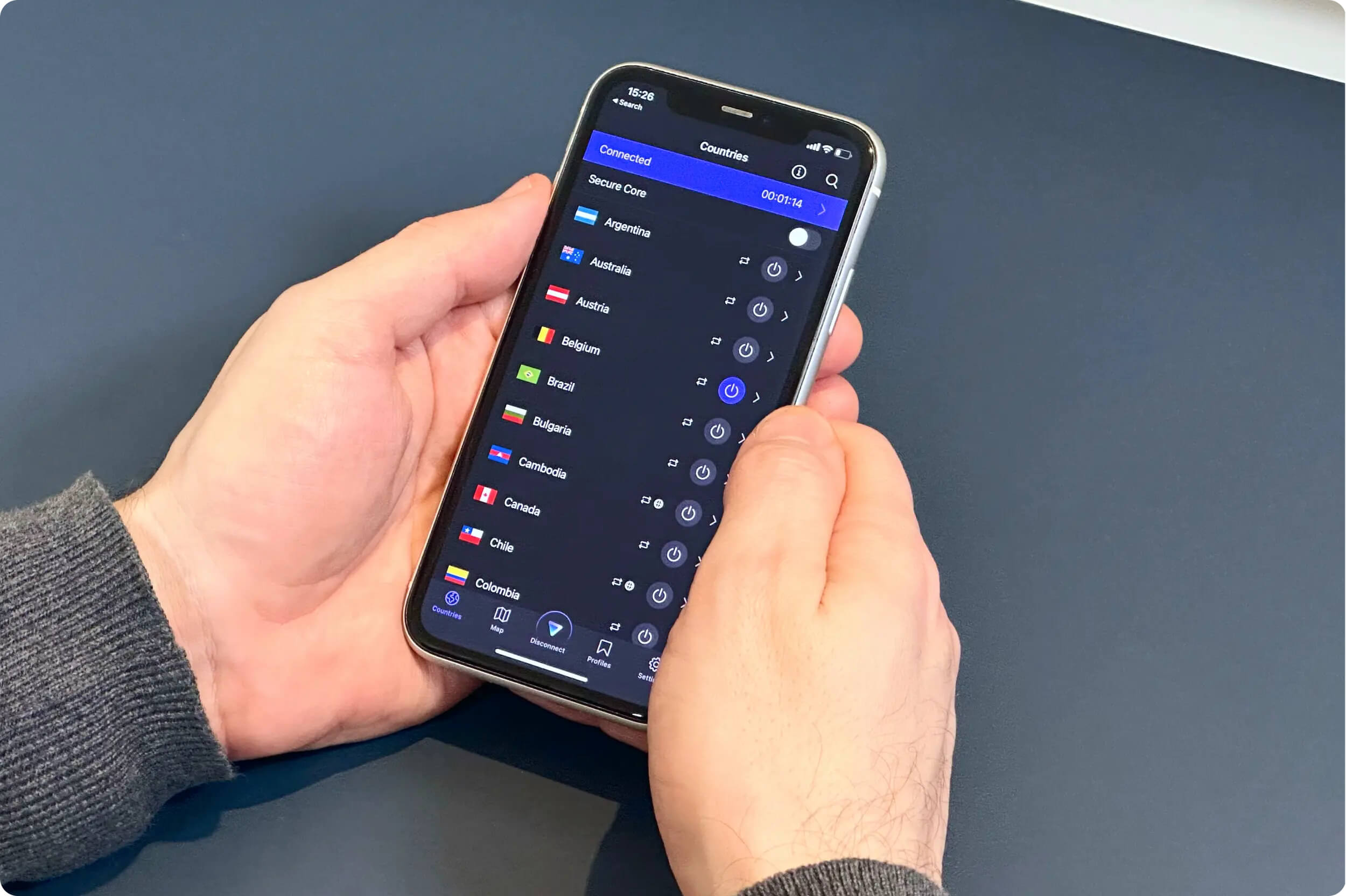
Proton VPN’s Secure Core servers setting in the iOS app.
The downside is that Secure Core servers noticeably reduce internet speed.
Below are the download speed reductions when connecting from the UK to UK and US servers, comparing normal to Secure Core connections:
Normal Server:
- US: 88Mbps (12% loss)
- UK: 89Mbps (11% loss)
Secure Core Server:
- US: 30Mbps (70% loss)
- UK: 18Mbps (82% loss)
Download speeds are much slower on the Secure Core network due to extra encryption and the longer data path.
Additional Features We’d Like to See
- A much better ad blocker. As shown above, NetShield isn’t strong enough. We like that it’s built in, but it needs major improvements.
- A reliable Stealth protocol. Proton VPN currently doesn’t work consistently in China, despite offering Stealth. It needs to be improved to reliably bypass the Great Firewall.
- An advanced kill switch. With the current kill switch enabled, you lose access to your local network and its devices. A more advanced version should allow some customization.
Proton VPN Key Data
| Attribute | Proton VPN | Typical Free VPN |
|---|---|---|
| Owner | Proton | Independent |
| Launch Date | 2017 | 2015 |
| Safe to Use | Yes | No |
| Data Cap | Unlimited | 10GB per month |
| Payment Details Required | No | No |
| Account Required | Yes | Yes |
| Contains Ads | No | Yes |
| Local Download Speed | 99Mbps (1% loss) | 61Mbps (39% loss) |
| International Download Speed | 85Mbps (15% loss) | 55Mbps (45% loss) |
| Countries with Servers | 10 | 4 |
| Privacy Policy | No Logs | Identifiable Data |
| Simultaneous Connections | 1 | 1 |
| Manually Select Server Location | No | Yes |
| Netflix Libraries | 0 | 0 |
| Torrenting | No | No |
| Works In China? | No | No |
| Customer Support | Email & Online Resources Only | Online Resources |
| Apps & Extensions |
          |
|
Proton VPN Key Data
| Attribute | Proton VPN | Typical VPN |
|---|---|---|
| Local Download Speed | 88Mbps (12% loss) | 89Mbps (11% loss) |
| International Download Speed | 84Mbps (16% loss) | 80Mbps (20% loss) |
| Countries with Servers | 126 | 40 |
| Privacy Policy | No Logs | Identifiable Data |
| Simultaneous Connections | 10 | 10 |
| Netflix Libraries | 6 | 3 |
| Torrenting | Yes | Yes |
| Works In China? | No | No |
| Cheapest Price | 4.99/mo over 24 months | $3.87/mo over 24 months |
| Customer Support | Live Chat | |
| Apps & Extensions |
|
|
Price
Price Plans
| 1 month | $9.99 |
|---|---|
| 12 months | $71.88 ($5.99/mo) |
| 2 years | $119.76 ($4.99/mo) |
Free Trial
| Money-Back Guarantee | 30 days |
|---|---|
| Free Trial | No |
| 100% Free Plan | Yes |
| Data Cap | Unlimited |