
Mullvad VPN: Outstanding Privacy, Underwhelming Streaming
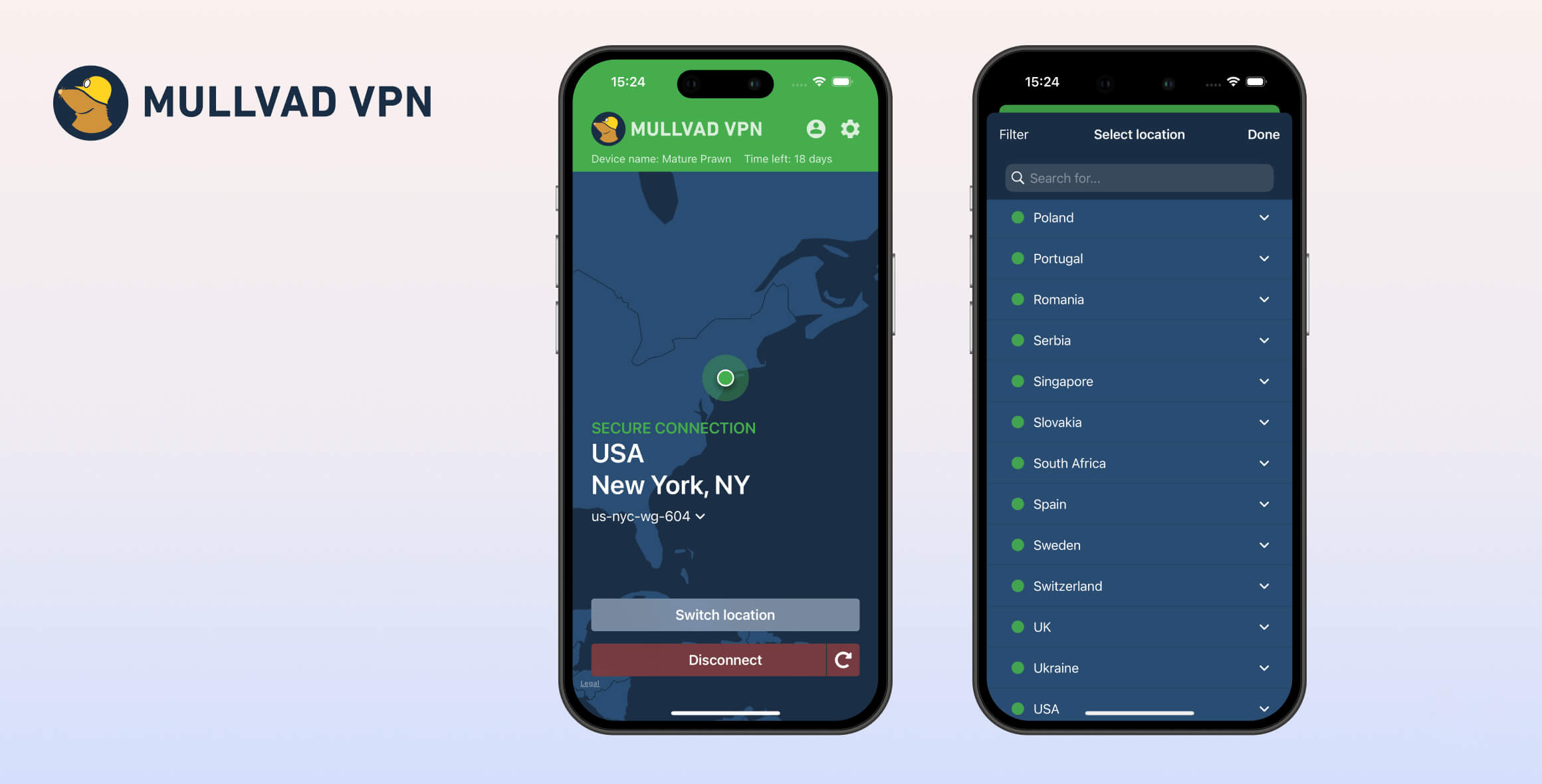
Mullvad is an excellent choice if your priority is online privacy and anonymity. It excels thanks to WireGuard, ChaCha20 encryption, and a strict no-logs policy. However, it cannot reliably unblock streaming services, bypass heavy web censorship, or offer features like dedicated IP addresses or port forwarding.
- Pros
- Extremely safe and private
- Advanced customization options & SOCKS5
- Multi-hop servers & obfuscation technology
- IPv6 support & automatic kill switch
- Cash payment available
- Good for Linux users & torrenters
- Cons
- Fails to unblock most streaming sites
- No transparency report or logging audit
- No live chat support
- No Fire TV Stick app or Smart DNS
- Port forwarding removed
- Firefox proxy extension only
Mullvad VPN is respected by privacy advocates for its strong security credentials and principled approach to user privacy.
It delivers a straightforward service with robust encryption and privacy protections at a flat rate, without unnecessary add-ons.
However, if you want to stream movies and TV from outside your home country, Mullvad is not the right choice. It does not attempt to unblock popular services like US Netflix or BBC iPlayer and lacks streaming-focused features such as Smart DNS or Fire TV Stick support.
There are also inconsistencies across platforms, with features varying between desktop and mobile apps. While Mullvad provides excellent documentation and email support, the lack of live chat can be frustrating if you sometimes need immediate help.
EXPERT ADVICE: ExpressVPN is similarly focused on privacy and security but is much better at bypassing streaming geo-blocks.
ExpressVPN’s fast, no-logs servers unblock 18 Netflix regions (including the US), HBO Max, and many more services. Use its 100% money-back guarantee to try ExpressVPN risk-free.
Privacy
Ranked #5 out of 61 VPNs for Privacy
Mullvad does not log sensitive data, and its privacy claims have been verified. It collects only payment information and customer support correspondence. Still, we’d like to see Mullvad go further by owning its entire server network and publishing regular transparency reports.
| Originating IP Address | No |
|---|---|
| Browsing Activity | No |
| Individual Connection Timestamps | No |
| Date of Last Connection | No |
| VPN Server IP | No |
| Device Information | No |
| Individual Bandwidth Usage | No |
| Account Information | No |
You can read Mullvad’s full privacy policy on its website.
Mullvad’s privacy policy is clear: it does not log traffic, user bandwidth, or your originating IP address. It previously logged some server usage metadata but has since stopped doing so.
Mullvad does not ask for an email address or any personal details to create an account. Instead, it generates a random account number that you use to activate the VPN.
Mullvad also no longer runs subscriptions. It uses a one-time payment model so it never needs to retain user billing data.
This approach is unique and shows how much Mullvad values privacy. Just don’t lose your account number.
Proven No-Logs In Server Seizure
Mullvad’s privacy promise was tested in May 2023 when Swedish authorities raided its offices, and no user data was found.
Mullvad has also made its entire VPN and DNS server infrastructure diskless, meaning no data is stored on physical hardware.
Sweden (EU) Jurisdiction Is Not Ideal
Mullvad is based in Sweden and must comply with the EU’s GDPR. This has privacy implications: Mullvad must collect certain payment details if you use bank wire, PayPal, Swish, or Stripe.
Here’s what Mullvad can see based on your payment method:
- Bank wire: your name, address, bank account number and Mullvad account number.
- PayPal: transaction-ID, your name, country of origin, email address.
- Swish: Swish-ID, name, phone number.
- Stripe: Stripe charge ID, expiration date, last four digits of the card, card type, and origin country.
If you pay by bank wire, your Mullvad account number will be linked to personally identifiable information. Mullvad warns against bank wire for this reason:
“Please avoid making payments through bank wire if you do not want your Mullvad account to be traceable to you.”
For maximum privacy, you can pay with Bitcoin or even cash. We appreciate that Mullvad is transparent and offers these options.
The only other data Mullvad collects is the content of emails and problem reports you send, including the email address you use. Mullvad advises against sharing personal data when contacting support.
While Mullvad does receive information requests, it has no activity logs to provide. Mullvad says:
“We frequently get requests regarding IP-addresses and if we know which user was using it at a certain time. Since we do not have any VPN activity logs, they get very similar responses […] that we have no information that could help their investigation, and that all our IP-addresses are shared by our users.”
Who Is Behind Mullvad VPN?
Mullvad VPN is owned by the Swedish company Amagicom AB and led by CEO Jan Axel Jonsson. The owners and sole shareholders of Amagicom AB are Fredrik Strömberg and Daniel Berntsson, who describe themselves as “idealists.” The company is based at Engelbrektsgatan 28, 411 37 Göteborg, Sweden.
As many VPNs are acquired by larger companies like Kape Technologies (owner of ExpressVPN and CyberGhost), Ziff Davis (IPVanish, StrongVPN), and Cyberspace (NordVPN, Surfshark, AtlasVPN), Mullvad remains independent, and its owners say they have no interest in selling.
Streaming
Ranked #19 out of 61 VPNs for Streaming
Mullvad is disappointing for streaming. It only unblocked the US Amazon Prime Video library and HBO Max on the Raleigh server in our tests. It failed to access US Netflix, Hulu, BBC iPlayer, and more.
| Streaming Service | Works with Mullvad VPN |
|---|---|
| BBC iPlayer (UK) | No |
| DAZN (Canada) | No |
| Disney+ (UK) | No |
| Hulu (US) | No |
| ITVX (UK) | No |
| HBO Max (US) | Yes |
| Netflix (US) | No |
| Netflix (UK) | No |
| Prime Video (US) | Yes |
| Sky Go (UK) | Yes |
Mullvad doesn’t claim to unblock streaming sites, and it no longer works with Netflix. It also hasn’t developed streaming-optimized servers or an Amazon Fire TV Stick app.
Across major streaming platforms, we found very limited success. Only Amazon Prime Video (US) and HBO Max were accessible outside their regions. Hulu remained blocked.
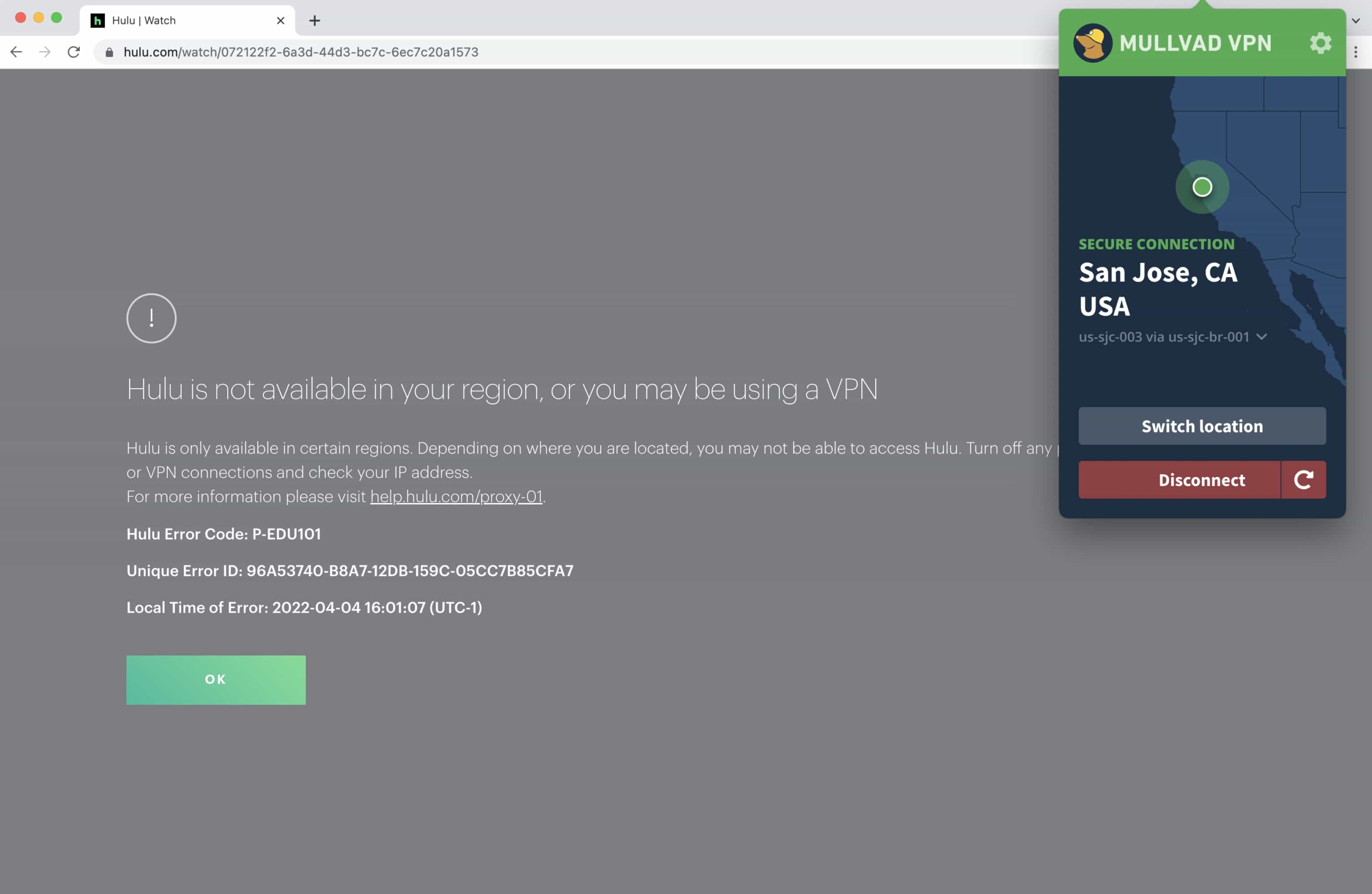
Mullvad failed to unblock Hulu and most other streaming services.
Despite this, Mullvad is one of the best VPNs for streaming Sky Go. It almost always worked in our testing and maintained 720p quality.
Like Astrill VPN, Mullvad prioritizes privacy. Still, a VPN can do both. We’d love to see Mullvad improve its ability to unblock streaming sites, especially Netflix, so we can recommend it more broadly.
Speed
Ranked #33 out of 61 VPNs for Speed
Mullvad is fast on both OpenVPN and WireGuard. Local speeds are excellent, with only a 6% loss compared to our base connection. Long-distance speeds drop more, but within expectations.
We tested servers across six continents using a 100Mbps connection, similar to a typical home network.
Here are Mullvad’s speed test results:
| No VPN (New York) | US (New York) | Canada (Toronto) | US (Los Angeles) | UK (London) | Germany (Berlin) | Brazil (São Paulo) | Japan (Tokyo) | South Africa (Johannesburg) | Australia (Sydney) | |
|---|---|---|---|---|---|---|---|---|---|---|
| Server Location |  |
|
 |
|
 |
 |
 |
 |
 |
 |
| Download Speed | 100Mbps | 94Mbps | 95Mbps | 88Mbps | 87Mbps | 86Mbps | 90Mbps | 84Mbps | 77Mbps | 77Mbps |
| Upload Speed | 100Mbps | 84Mbps | 92Mbps | 92Mbps | 74Mbps | 93Mbps | 88Mbps | 79Mbps | 61Mbps | 94Mbps |
| Ping | 1ms | 6ms | 14ms | 80ms | 74ms | 84ms | 112ms | 145ms | 393ms | 212ms |
| Distance | 0mi | 5mi | 300mi | 2,500mi | 3,500mi | 4,000mi | 4,800mi | 6,700mi | 8,000mi | 9,900mi |
A 6% difference from our normal speeds is very good, though not quite as fast as some competitors.
We recorded over 95Mbps to Canada, which is strong for the distance, and up to 90Mbps to Brazil.
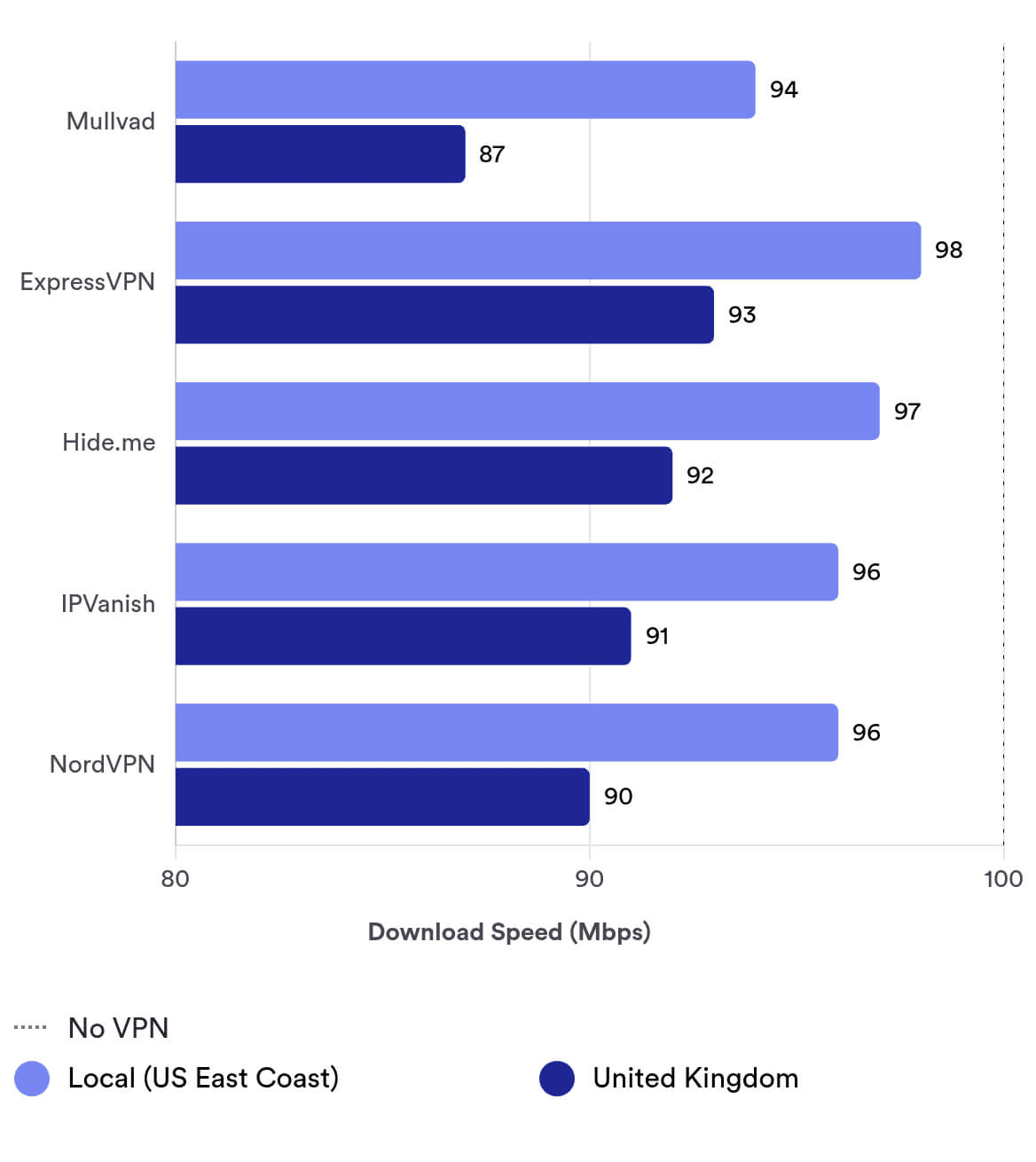
However, average downloads of 87Mbps to the UK were less impressive. As shown above, Mullvad lags behind some popular rivals on certain long routes.
There are faster options for long-distance connections, like Hotspot Shield, but most users will find Mullvad’s performance more than adequate.
Security
Ranked #3 out of 61 VPNs for Security
Mullvad is a secure, no-frills VPN. While not as feature-packed as some leaders, it includes all essentials: a reliable kill switch, AES-256 and ChaCha20 encryption, and the OpenVPN and WireGuard protocols. Its apps are fully open-source, and it even offers quantum-resistant WireGuard. Importantly, Mullvad conducts yearly audits and actively fixes vulnerabilities.
| Independent Audit | Yes |
|---|---|
| VPN Kill Switch | Yes |
| Leak Protection | Yes |
Mullvad offers strong AES-256 and ChaCha20 encryption, plus an always-on kill switch, double VPN, split tunneling, and a tracker blocker.
Mullvad continues to invest in security and privacy, adding features and commissioning regular penetration tests and audits.
Offers the Safest Protocols
Mullvad supports OpenVPN and WireGuard on almost every platform—Android has WireGuard only. We like that it omits outdated, unsafe protocols like PPTP and SSTP.
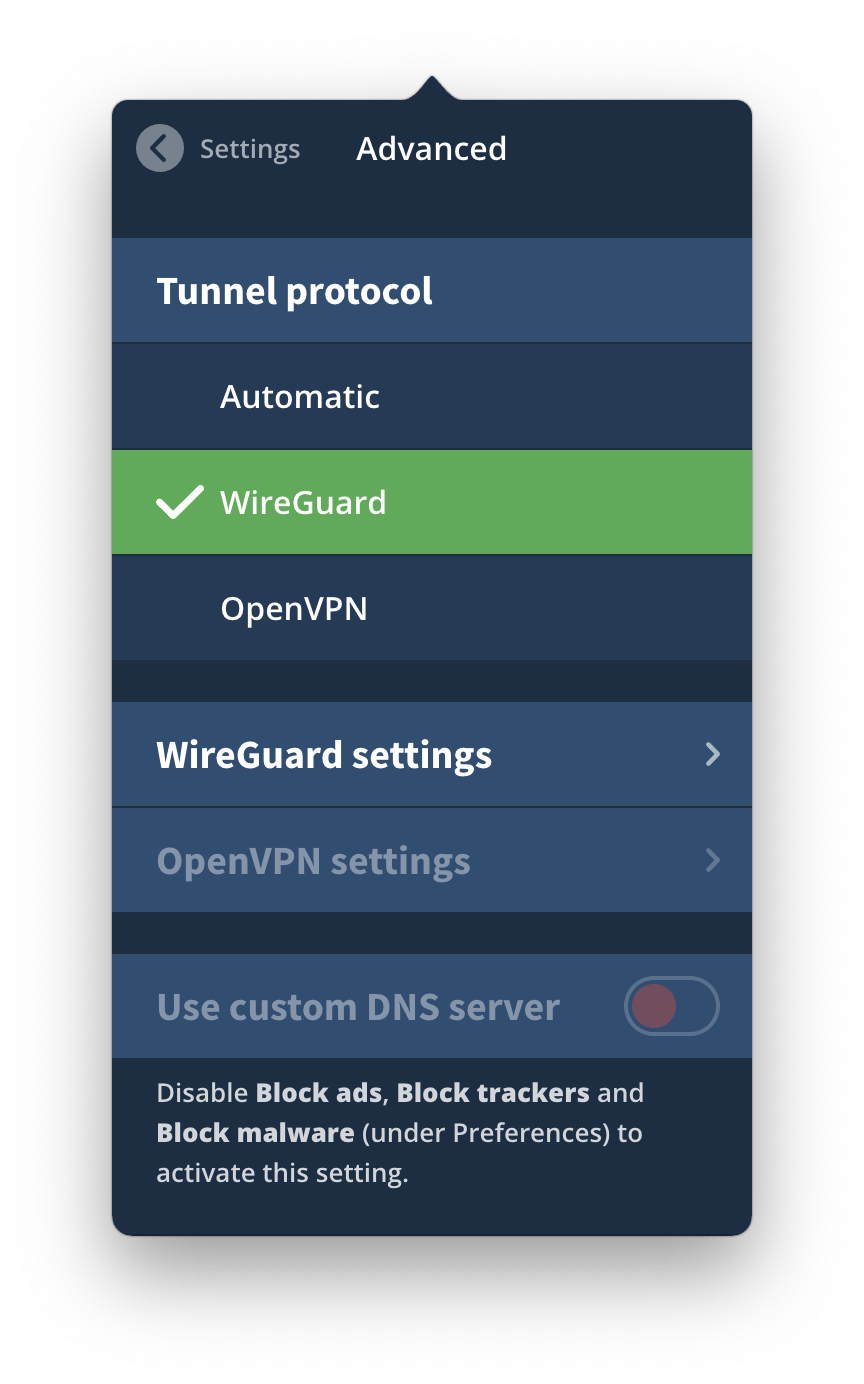
Mullvad has two protocols: WireGuard and OpenVPN.
Mullvad donated to WireGuard’s development and was among the first VPNs to adopt it, which has since become industry standard.
Each protocol has configurable options. With WireGuard, you can enable multi-hop, change ports, and choose IPv4 or IPv6. With OpenVPN, you can select UDP or TCP and enable Bridge Mode, Mullvad’s obfuscation tool.
It’s unfortunate that Bridge Mode isn’t available on WireGuard and multi-hop isn’t available on OpenVPN.
Split tunneling lets you choose which apps use the VPN and is available on Windows, macOS, Android, and Linux.
Automatic Kill Switch
EXPERT ADVICE:
Mullvad has warned about potential DNS leaks on Android, even with “Block connections without VPN” enabled (Android’s native kill switch), due to an Android OS bug.
Avoid Mullvad on Android for sensitive tasks until a fix is deployed.
Mullvad’s built-in kill switch is always on. It blocks your internet if the VPN disconnects, preventing accidental exposure of your real IP.
Many VPNs ship with kill switches off by default, so we appreciate Mullvad’s default-on approach.
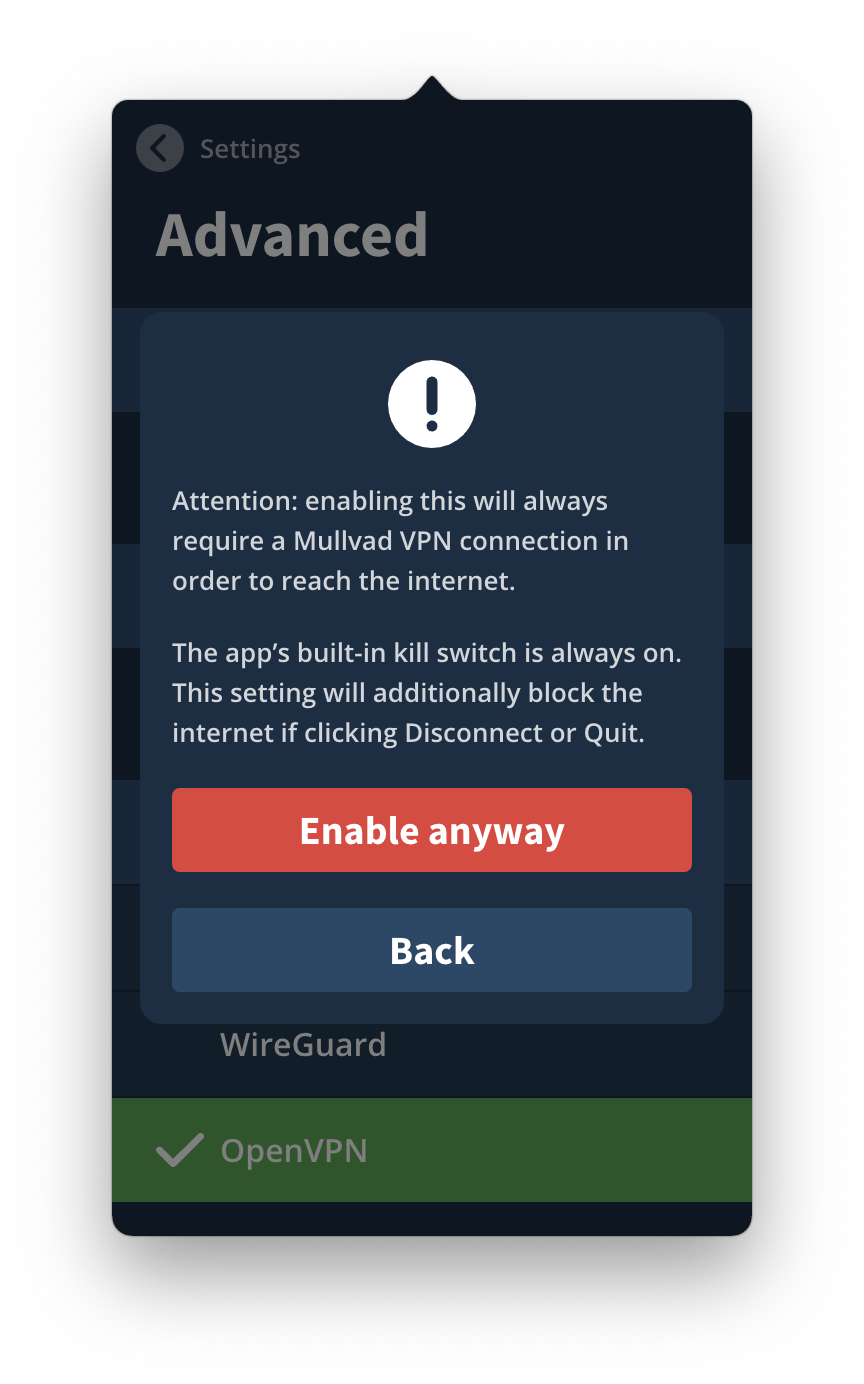
Mullvad can block your internet connection until you connect to an encrypted VPN server.
Mullvad’s iOS kill switch runs continuously in the background.
On Android, you must enable both Always-on VPN and Block connections without VPN in system settings. Ideally, this would be integrated directly in the app.
A Range of Additional Security Initiatives
Mullvad provides an ad blocker, IPv6 support, and ongoing protocol improvements.
Regular Security Audits
Mullvad conducts frequent audits and penetration tests on its servers and apps.
These external assessments help identify and fix bugs and vulnerabilities, improving security over time.
Here are some of Mullvad’s recent security audits and their results:
| Year | Critical | High-level | Medium-level | Low-level |
|---|---|---|---|---|
| 2022 – Mullvad Apps | 0 | 0 | 2 | 2 |
| 2023 – Mullvad Account & Payment Services | 0 | 0 | 0 | 7 |
| 2023 – Mullvad Servers | 1 | 6 | 4 | 10 |
| 2024 – Mullvad OpenVPN & WireGuard | 0 | 0 | 1 | 1 |
Open-Source Apps
All of Mullvad’s desktop and mobile apps are fully open-source.
Anyone can view the code on GitHub and report issues.
While other privacy-focused VPNs like PIA and IVPN have also open-sourced their apps, it’s still relatively rare in the industry.
Full IPv6 Support
Many VPNs block IPv6 and risk leaks by forcing IPv4 only. Mullvad supports IPv6 properly, making it a strong option if your ISP offers IPv6.
Improving WireGuard
Mullvad is at the forefront of VPN security innovation and continues to future-proof its service.
For example, its DAITA feature on Windows (Defense against AI-guided Traffic Analysis) adds random background traffic to obscure patterns from mass surveillance, such as the FBI’s methods.
Note that DAITA increases data usage and can reduce speeds.
Mullvad also implemented quantum-resistant WireGuard connections in 2023.
Server Locations
Ranked #24 out of 61 VPNs for Server Locations
Mullvad has 674 physical servers across 44 countries. It’s not a huge network, but most users—especially in Europe—should be satisfied. Most servers are rented but vetted and secure.
| Continent | Countries with Servers |
|---|---|
| Europe | 29 |
| Asia | 6 |
| North America | 3 |
| South America | 3 |
| Oceania | 2 |
| Africa | 1 |
Mullvad’s 44-country coverage is smaller than some competitors. ExpressVPN, for example, is in 109 countries. Still, most users should be happy with the selection, and server congestion is not an issue.
Good City-Level Server Options
Mullvad offers strong city-level coverage in several countries.
Examples include:
- Australia (five cities)
- Canada (four cities)
- France (three cities)
- Germany (three cities)
- Japan (two cities)
- UK (three cities)
- US (18 cities)
EXPERT TIP: Some city locations change with protocol. For example, Osaka and Marseille aren’t available with OpenVPN. Choose the automatic protocol for the widest city selection.
The US leads with 18 city options—better than many top US VPNs, though still behind PIA’s 50-state coverage.
Australia is also strong, with Adelaide, Brisbane, Melbourne, Perth, and Sydney. Even top competitors often offer only three or four Australian cities.
Other regions are less well covered. Africa has just one country (South Africa), and Asia and the Middle East are limited.
Mullvad Rents Most of Its Servers
Mullvad is transparent about its infrastructure, including whether servers are owned or rented, their speeds, and whether they support WireGuard or OpenVPN.
Most servers are rented. This is fine if providers are trustworthy and thoroughly vetted. Mullvad says they are, and that rented servers are not shared.
Because Mullvad is so transparent, you can choose to connect only to Mullvad-owned servers. These may be the most secure, but privacy risk is low on rented servers as well.
All-Physical Server Network
Mullvad operates only physical servers, which explains the smaller country list.
Virtual servers can provide an IP from one country while being located in another, enabling near-global coverage for some VPNs. With Mullvad, every server is where it claims to be.
Neither approach is inherently better, but physical servers are generally considered less vulnerable to certain attacks.
No Static IP Addresses
Mullvad does not offer static (dedicated) IP addresses. You won’t be assigned the same IP twice, which is good for privacy.
However, this can hurt streaming access, as static IPs often appear more like typical residential traffic.
User Experience
Ranked #12 out of 61 VPNs for User Experience
Mullvad’s apps are sleek, uncluttered, and pleasant to use. We like their simplicity and the helpful explanations beside each feature, which make the app less intimidating for newcomers. We haven’t encountered bugs, and the interface is consistent across platforms. To minimize confusion, we wish the feature set were identical across devices.
Installation & Setup
Setup is refreshingly simple. After creating a Mullvad account—no personal information required—we downloaded the app for our device. Mullvad’s account system is unique: you get an anonymous account number instead of using an email or password. This reinforces its privacy-first approach.
Installation is quick and intuitive. The app opens to a main screen with a large connect button, a server list, and a settings menu. Advanced options like managing WireGuard keys are handled on the website, which is slightly less convenient.
Even so, Mullvad provides clear in-app explanations that make technical features easier to use.
Interface & Ease of Use
Mullvad’s interface is clean, consistent, and user-friendly. It focuses on the essentials, making it suitable for both beginners and advanced users.
On desktop (Windows and macOS) and mobile (iOS and Android), the layout is the same: a large connect button, server list, and settings cog. This consistency helps when switching devices.
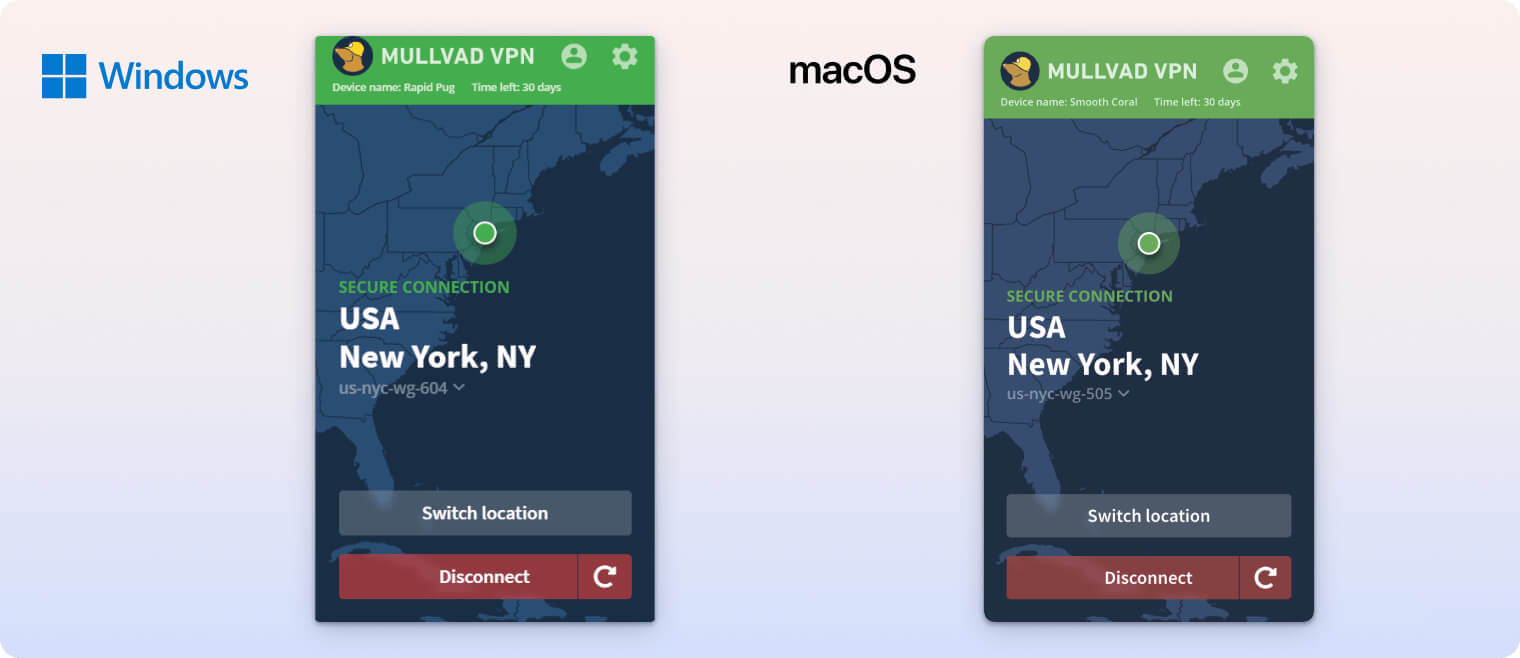
There are, however, functional differences. Most features are on desktop, while mobile varies. The Android app includes split tunneling; the iOS app includes ad, tracker, and malware blocking. Neither mobile app supports OpenVPN or features like Bridge Mode and “Always Require VPN,” which are available on desktop.
Both desktop and mobile default to WireGuard, with automatic key rotation every four days for added security. This works seamlessly across devices.
We appreciate the design and ease of use, but these feature discrepancies can be confusing for users who rely on specific tools on multiple devices. Unifying features would improve the experience.
Day-to-Day Experience
Day-to-day use is smooth and straightforward. Connections are quick, and the app stays out of the way. Most days, we simply tap connect and let it run.
The platform inconsistencies are the main drawback. Split tunneling exists only on Android, and OpenVPN with Bridge Mode isn’t on mobile at all. Switching devices can therefore be confusing.
Some settings, such as WireGuard key management, require logging into the website. It’s not a dealbreaker, but a fully self-contained app would be preferable.
Despite these minor issues, Mullvad remains one of the most pleasant VPNs to use, balancing simplicity with technical depth. With a unified feature set, it would score even higher for usability.
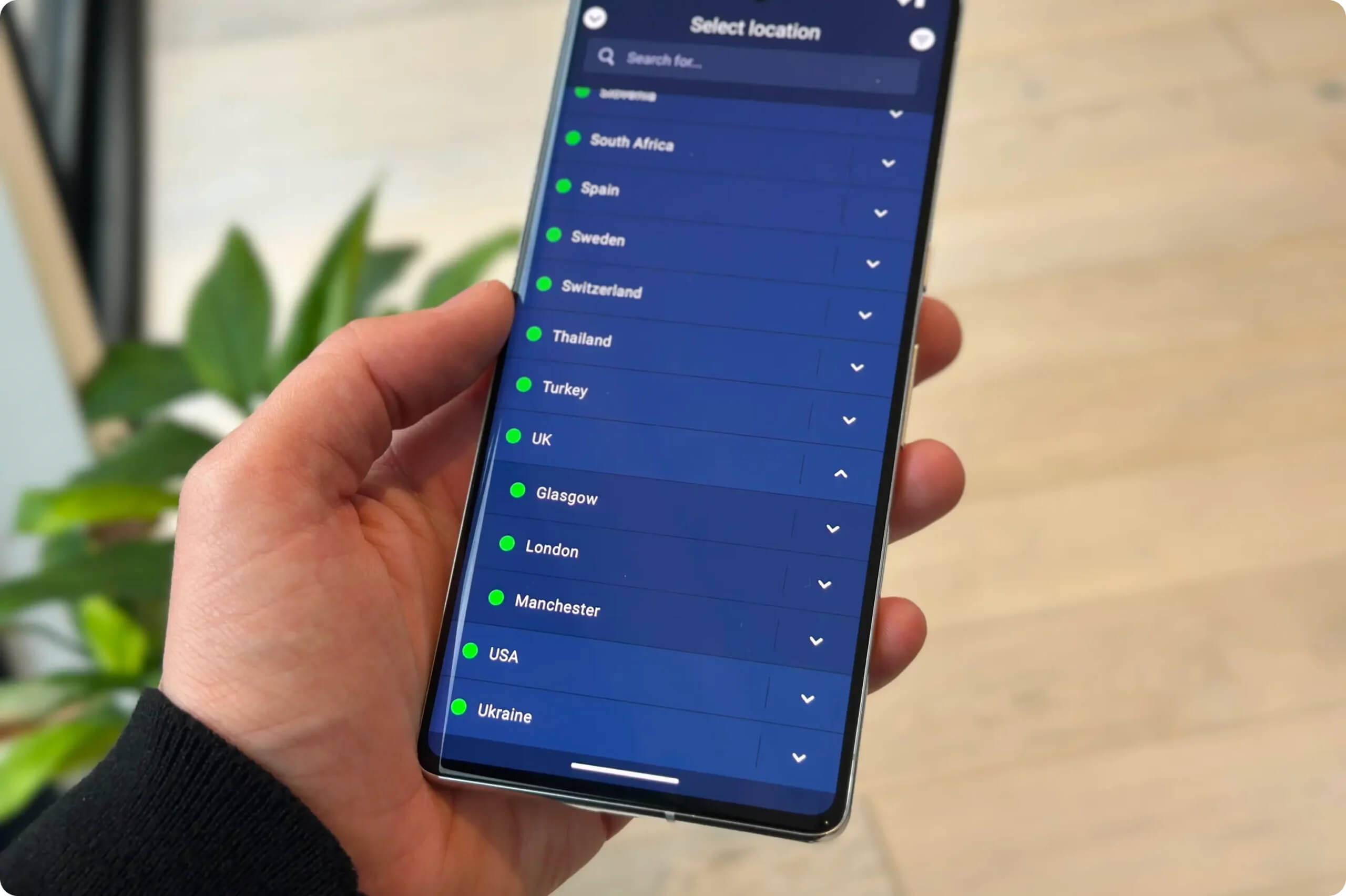
For a privacy-first product, Mullvad’s apps are surprisingly nice and easy to use.
Torrenting
Ranked #6 out of 61 VPNs for Torrenting
Mullvad is better for torrenting than streaming. All servers allow P2P, average download rates hit 9.8MiB/s, the logging policy is safe, and a SOCKS5 proxy is available. However, Mullvad has removed port forwarding.
| Torrenting Attribute | Mullvad VPN |
|---|---|
| Permits P2P Traffic | Yes |
| Average Download Bitrate | 9.8MiB/s (2% loss) |
| Countries with P2P Servers | 44 |
| Port Forwarding | No |
| Kill Switch | Yes |
| Logging Policy | No Identifiable Data |
Mullvad is a top torrenting VPN. All servers are P2P-friendly, with no restrictions like those some providers (e.g., TorGuard) have introduced.
Testing with clients like qBittorrent, we saw fast, stable downloads and an excellent average bitrate of 9.8MiB/s.
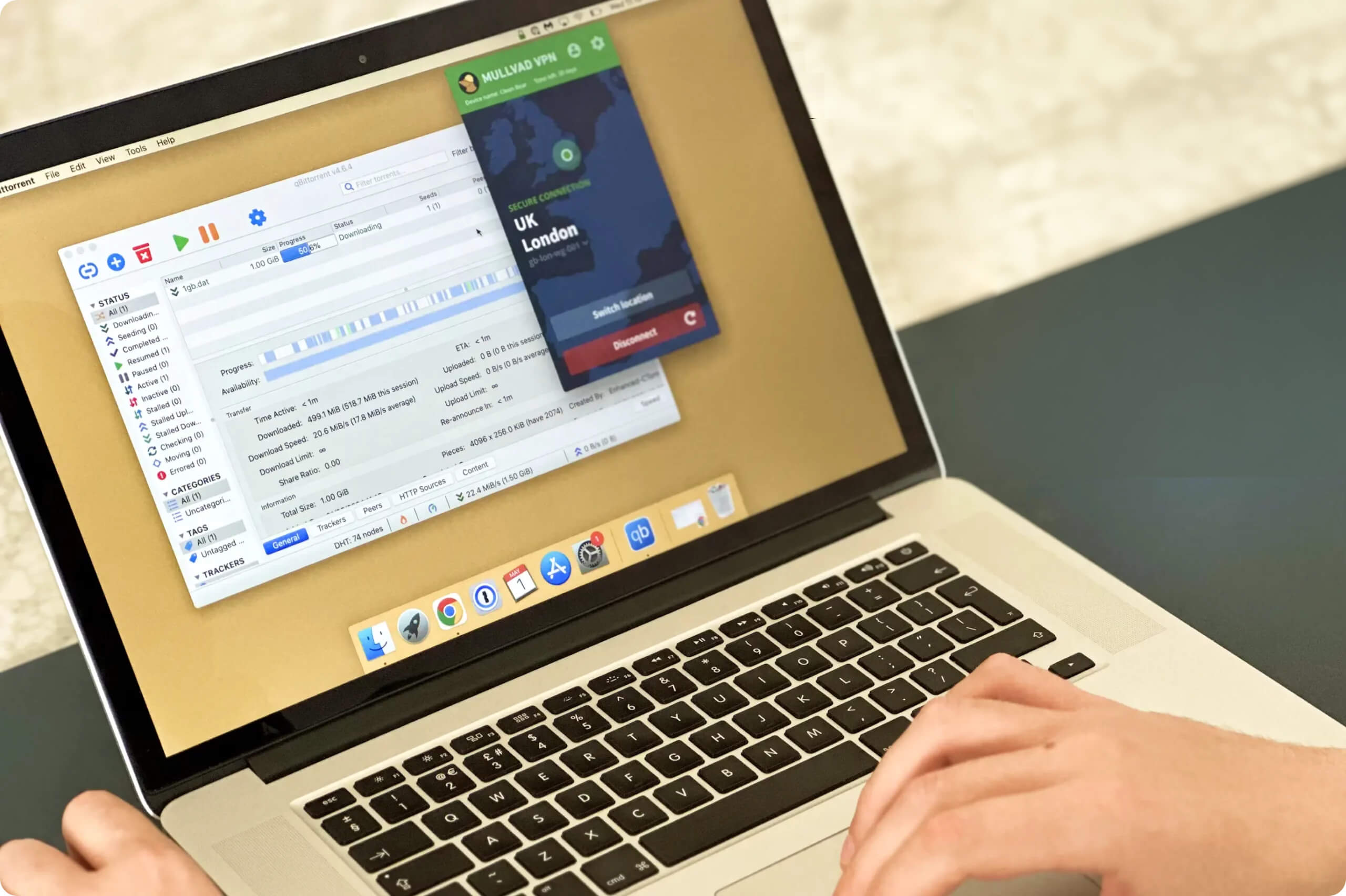
While not the absolute fastest, Mullvad is still a quick and private choice—helped by its kill switch and safe logging policy.
SOCKS5 Proxy Is Available, But Port Forwarding Has Been Removed
SOCKS5 is available on all Mullvad servers once activated for the app you’re using. It’s great for torrenting and can also reduce CAPTCHAs.
However, citing “avenues for abuse,” Mullvad no longer supports port forwarding. While useful for faster P2P and gaming optimizations like NAT type changes and lower latency, this feature has been discontinued.
Device Compatibility
Mullvad works on major platforms, including Windows, macOS, iOS, and Android. But it lacks support for some devices, such as a dedicated Fire TV app or Smart DNS. You can configure it on a router to cover smart TVs and consoles, but that’s less convenient than native apps.
| Windows | Yes |
|---|---|
| Mac | Yes |
| iOS | Yes |
| Android | Yes |
| Linux | Yes |
| Amazon Fire TV | No |
| Android TV | Yes |
| Apple TV | No |
| Router | Manual Setup Only |
| Chrome | No |
Simultaneous Connections: 5
Mullvad’s compatibility is average compared to competitors. Notably, there’s still no Fire TV app despite years of Android TV support.
You can connect up to five devices at once. To add more, you’ll need to disconnect a device first.
Many competitors, like Surfshark and Windscribe, allow unlimited devices.
Additional Features
Mullvad includes useful extras like split tunneling and ad, tracker, and malware blocking. It also offers multi-hop servers and obfuscation to bypass censorship, which works in places like Russia and Turkey, but not reliably in China.
| Additional Feature | Mullvad VPN |
|---|---|
| Split Tunneling | Yes |
| VPN Obfuscation | Yes |
| Multi-Hop Servers | Yes |
| Dedicated IP | No |
| Ad Blocker | Yes |
| Private Browser | Yes |
Obfuscation Technology
Mullvad’s Bridge Mode connects first to a Mullvad “Bridge server” using the Shadowsocks proxy to avoid fingerprinting, then routes you to the desired country.
This method doesn’t always work. In our Shanghai tests, Bridge Mode couldn’t bypass China’s Great Firewall, which is among the most advanced censorship systems.
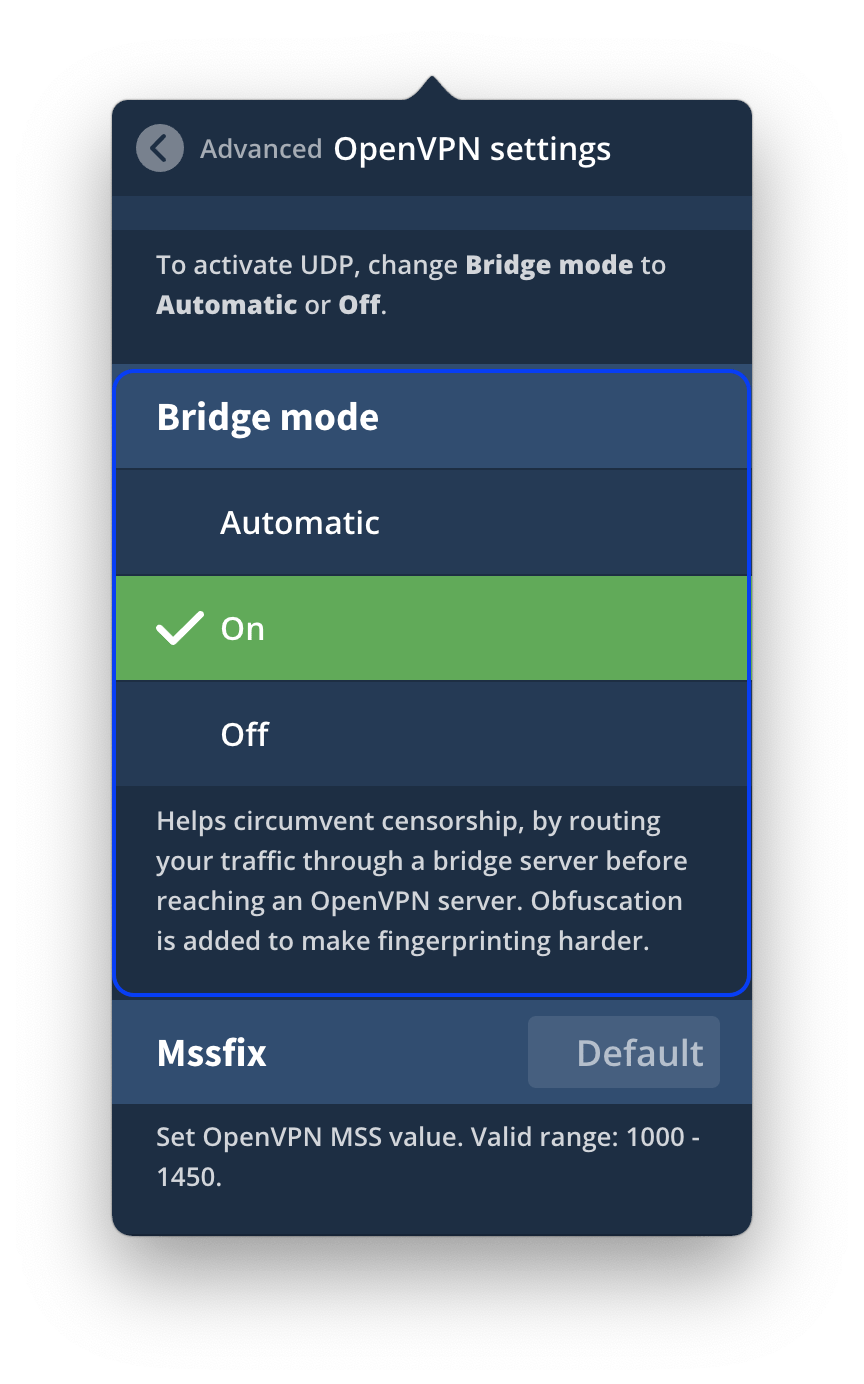
Mullvad’s Bridge Mode is available on OpenVPN only.
Bridge Mode is more likely to work in countries with less sophisticated censorship, such as the UAE, Turkey, and Russia.
Working Ad, Tracker & Malware blocker
Under Preferences, you can toggle launch on startup, auto-connect, and enable ad, tracker, and malware blocking.
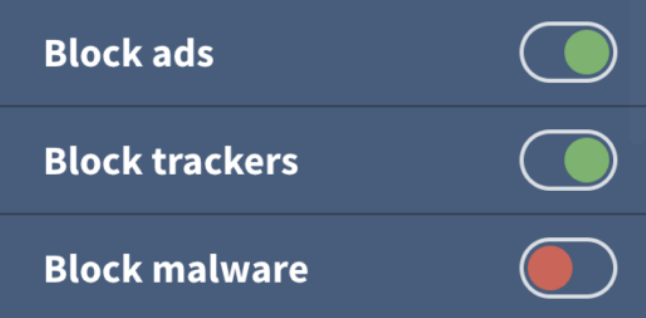
Mullvad can block intrusive ads, trackers, and malware.
Mullvad’s blocker isn’t the strongest we’ve tested, but it blocks most social and analytics trackers and some pop-up ads.
It’s worth enabling if you’re using Mullvad, though tools like uBlock Origin remain more effective.
Mullvad Browser
Built with the Tor Project, Mullvad Browser reduces tracking and browser fingerprinting by:
It does this by:
- Disabling telemetry
- Blocking third-party trackers
- Deleting cookies, cache, and history after each session
You can use it on Windows, macOS, or Linux.
Mullvad VPN Key Data
| Attribute | Mullvad VPN | Typical VPN |
|---|---|---|
| Owner | Amagicom AB (Independent) | Independent |
| Launch Date | 2009 | 2015 |
| Local Download Speed | 94Mbps (6% loss) | 89Mbps (11% loss) |
| International Download Speed | 85Mbps (15% loss) | 80Mbps (20% loss) |
| Countries with Servers | 44 | 40 |
| Privacy Policy | No Identifiable Data | Identifiable Data |
| Simultaneous Connections | 5 | 10 |
| Netflix Libraries | 0 | 3 |
| Torrenting | Yes | Yes |
| Works In China? | No | No |
| Cheapest Price | 5.50/mo over 1 months | $3.87/mo over 24 months |
| Customer Support | Email & Online Resources | |
| Apps & Extensions |
          |
|
Price
Price Plans
| 1 month | $5.50 |
|---|
Free Trial
| Money-Back Guarantee | 30 days |
|---|---|
| Free Trial | No |
| 100% Free Plan | No |