
FastestVPN: Low-Cost Lifetime VPN That Excels at Streaming
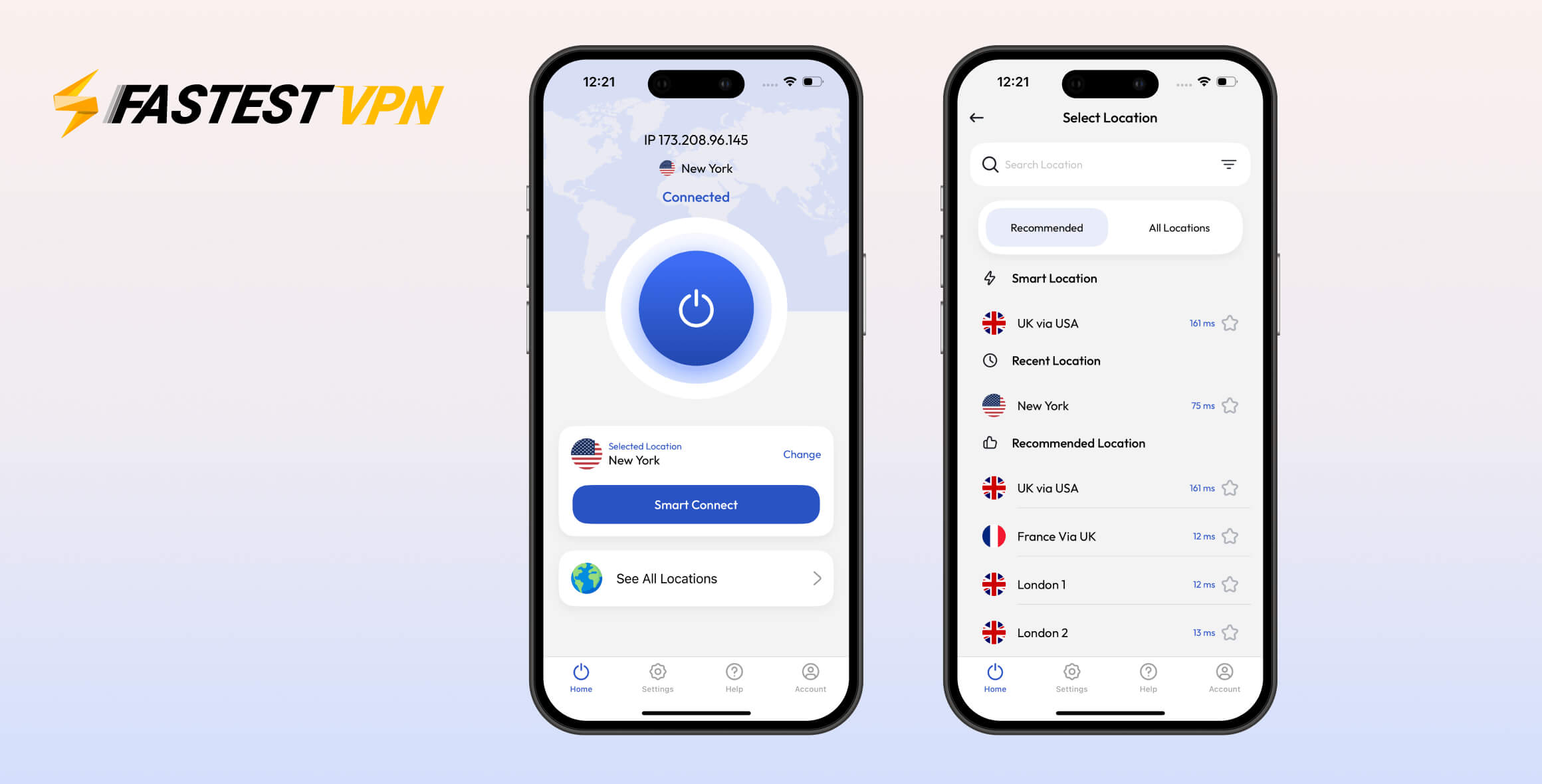
Thanks to its lifetime deal, FastestVPN is one of the best-value VPNs around. It works well for streaming and is user-friendly for beginners. However, it needs improvements in key areas: it leaks DNS requests and IPv6 data on Windows, and bugs can make the experience frustrating. FastestVPN is a flawed but inexpensive option for reliable streaming.
- Pros
- Lifetime subscription bargain
- Private logging policy
- Excellent for global streaming
- Fast live chat support
- Unrestricted torrenting
- Cons
- Windows app leaks DNS requests
- No IPv6 support leads to leaks
- Connection failures & bugs
- Small server network
- Router installation does not work
FastestVPN’s main strengths are streaming and privacy. It has an audited privacy policy and excels at unblocking streaming sites worldwide, including geo-blocked sports on DAZN, British TV on Channel 4 and BBC iPlayer, and content from five Netflix libraries, including the US.
It’s also one of the best-value VPNs due to a special $40.00 lifetime subscription. FastestVPN offers responsive live chat support and places no restrictions on torrenting.
That said, FastestVPN is limited by a small server network, some functional issues, a short refund window, and the absence of the best-in-class WireGuard protocol on all platforms. It still has a way to go before it can challenge the top VPNs.
Privacy
Ranked #18 out of 61 VPNs for Privacy
FastestVPN logs very little data: only your email address, connection duration, and payment details, which are deleted when you deactivate your account. It’s based in the Cayman Islands, a strong privacy jurisdiction, and there are no known scandals involving the company. We also like that it recently completed a third-party audit of its logging policy, which improved our trust in the service.
| Originating IP Address | No |
|---|---|
| Browsing Activity | No |
| Individual Connection Timestamps | No |
| Date of Last Connection | No |
| VPN Server IP | No |
| Device Information | No |
| Individual Bandwidth Usage | No |
| Account Information | Yes |
You can read FastestVPN’s full privacy policy on its website.
FastestVPN clearly explains what data it collects and stores. Its recent no-logs audit by the independent firm Altius IT further builds confidence.
Cayman Islands Jurisdiction
FastestVPN is incorporated in the Cayman Islands, a privacy-friendly location.
There are no mandatory data retention laws like those in the EU’s Data Retention Directive, and the Cayman Islands is not part of intelligence-sharing alliances such as the Five Eyes. It has also enacted its own Data Protection Law.
FastestVPN Ownership Is Not Very Transparent
FastestVPN could increase trust by publishing regular transparency reports detailing any law enforcement requests. This is fairly common in the industry.
We’d also like more clarity about the company behind FastestVPN. The website provides minimal information, stating only that it was founded by “a team of dedicated IT specialists.”
While this is not unusual for a privacy-focused company, we prefer visibility into the corporate structure behind VPN services.
When we asked FastestVPN, we were told:
“We would like to tell you that we are located at the Grand Pavilion Commercial Center, West Bay Road, Cayman Islands. Our Marketing and Support teams are located in Dallas, Texas. The brand is owned by Fast Technologies Ltd.”
There is little public information available about Fast Technologies Ltd. We found that it was founded by Pakistani businessman Azneem Bilwani in 2017. Bilwani served as chairman of the Intermarket Group, a manufacturing firm, until 2021.
Streaming
Ranked #10 out of 61 VPNs for Streaming
FastestVPN offers streaming-optimized servers that unblock five Netflix libraries, including US Netflix, as well as other major platforms. These include HBO Max, Hulu, BBC iPlayer, and DAZN Canada. It’s particularly strong for streaming in the US, Canada, UK, and India. Only its Italy streaming server failed in our tests.
| Streaming Service | Works with FastestVPN |
|---|---|
| BBC iPlayer (UK) | Yes |
| DAZN (Canada) | Yes |
| Disney+ (UK) | No |
| Hulu (US) | Yes |
| ITVX (UK) | Yes |
| HBO Max (US) | Yes |
| Netflix (US) | Yes |
| Netflix (UK) | Yes |
| Prime Video (US) | Yes |
| Sky Go (UK) | No |
FastestVPN includes streaming-optimized servers for several countries, including the US, Canada, India, Italy, Japan, and the UK. You can access them via the streaming server tab.
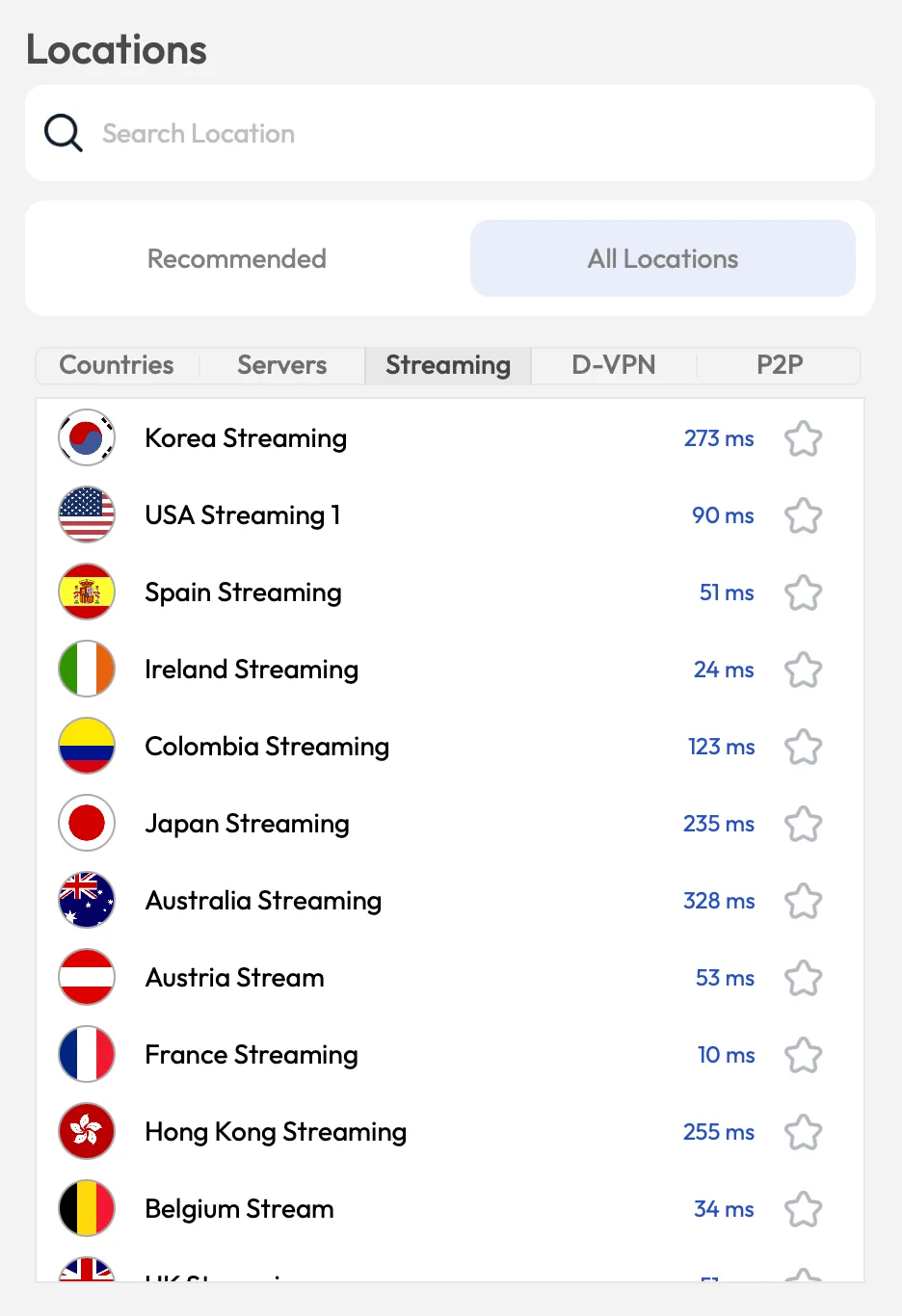
FastestVPN has streaming servers in the US, UK, Canada, Japan, and more.
The app doesn’t specify which services each server unblocks, but in our tests, all of them—except Italy—worked with their country’s Netflix library, including reliable access to Netflix Japan, plus more.
You can also use FastestVPN to sign up for HBO Max from outside the US and to stream Hulu.
Overall, FastestVPN is an excellent choice for streaming. While the Italy streaming server does not work and a Germany streaming server would help, the other servers reliably unblock the most popular platforms worldwide.
Unblocks UK Streaming Services
UK streaming sites are easy to access. FastestVPN unblocks Channel 4, BBC iPlayer, and ITVX. You can also stream from the Disney+ Star hub from anywhere, which is not available in the US.
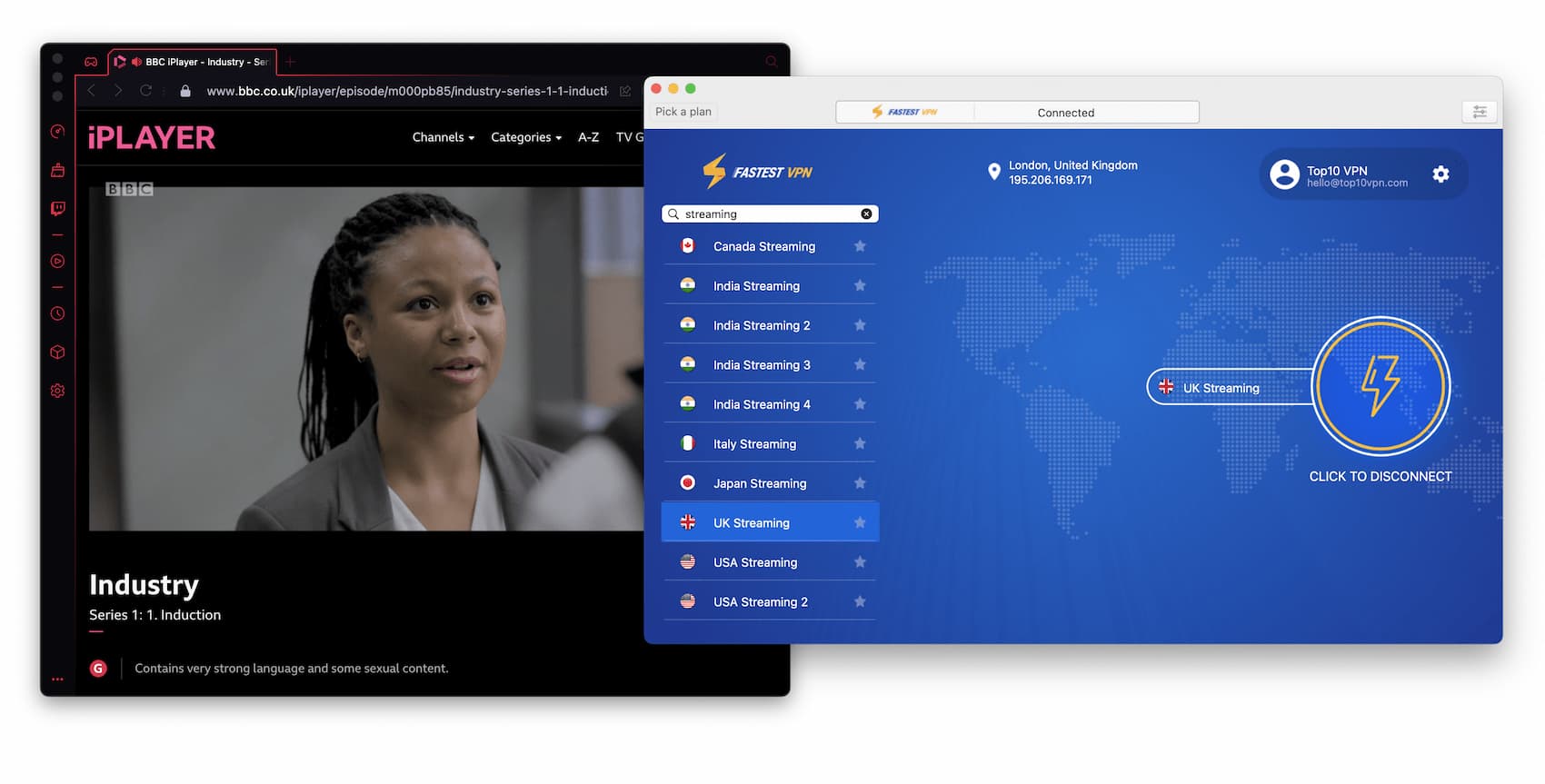
FastestVPN unblocks all major UK streaming services.
Speed
Ranked #28 out of 61 VPNs for Speed
FastestVPN isn’t as fast as its name suggests, but it delivers strong speeds across its network. It’s most reliable for nearby connections, and international speeds are solid, too. Long-distance connections to the US are weaker, with higher download loss, low upload speeds, and high ping.
| No VPN (New York) | US (New York) | Canada (Toronto) | US (Los Angeles) | UK (London) | Germany (Berlin) | Brazil (São Paulo) | Japan (Tokyo) | Australia (Sydney) | |
|---|---|---|---|---|---|---|---|---|---|
| Server Location |  |
|
 |
|
 |
 |
 |
 |
 |
| Download Speed | 100Mbps | 98Mbps | 95Mbps | 90Mbps | 93Mbps | 87Mbps | 87Mbps | 83Mbps | 83Mbps |
| Upload Speed | 100Mbps | 91Mbps | 92Mbps | 88Mbps | 92Mbps | 89Mbps | 90Mbps | 89Mbps | 91Mbps |
| Ping | 1ms | 8ms | 14ms | 256ms | 74ms | 204ms | 128ms | 145ms | 69ms |
| Distance | 0mi | 5mi | 300mi | 2,500mi | 3,500mi | 4,000mi | 4,800mi | 6,700mi | 9,900mi |
FastestVPN is fast enough for all typical internet use, but still behind the fastest VPNs on the market.
We saw speeds drop consistently as the server location moved farther from our real location. For example, the average download speed in Canada was an impressive 96Mbps, while the UK averaged 80Mbps.
All of FastestVPN’s download speeds meet our threshold for a fast VPN. However, upload speeds are the main weakness, dropping significantly on all but the closest servers.
This may not affect casual browsing or streaming, but if you game online, make frequent video calls, or torrent regularly, it could be noticeable.
Security
Ranked #46 out of 61 VPNs for Security
FastestVPN covers the basics of VPN security and is leak-free on macOS. On Windows, however, it leaks sensitive data, including DNS requests. On the plus side, it supports WireGuard and OpenVPN with ChaCha20 and AES-256. The kill switch also needs improvement.
| Independent Audit | No |
|---|---|
| VPN Kill Switch | Yes |
| Leak Protection | Yes |
FastestVPN is secure and includes essential features, plus extras like an ad blocker and double VPN servers, but it’s not as advanced as VPNs like NordVPN or Windscribe. It lacks features such as RAM-only servers and GPS spoofing.
Split tunneling is available on all devices except macOS. The apps support WireGuard, OpenVPN (TCP & UDP), and IKEv2. We recommend OpenVPN or WireGuard for the best mix of speed and security.
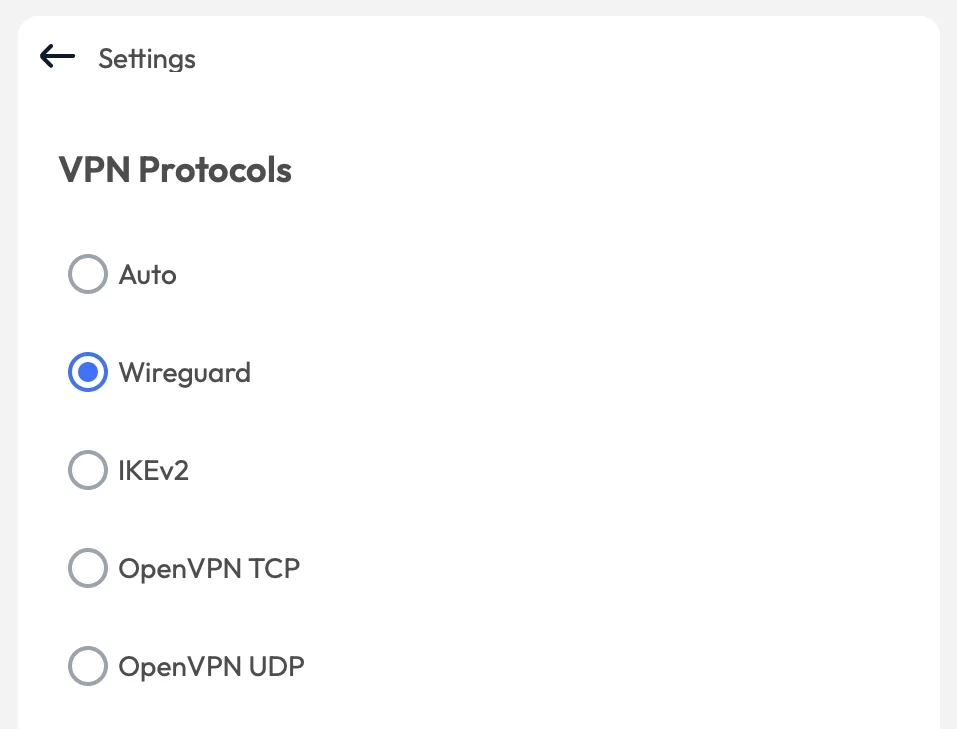
FastestVPN has WireGuard enabled by default, which is fast and secure.
Does FastestVPN Encrypt Your Traffic?
We verified FastestVPN’s encryption using Wireshark, a packet-sniffing tool.
As shown in our test, when connected to FastestVPN, our traffic became unreadable, confirming successful encryption.
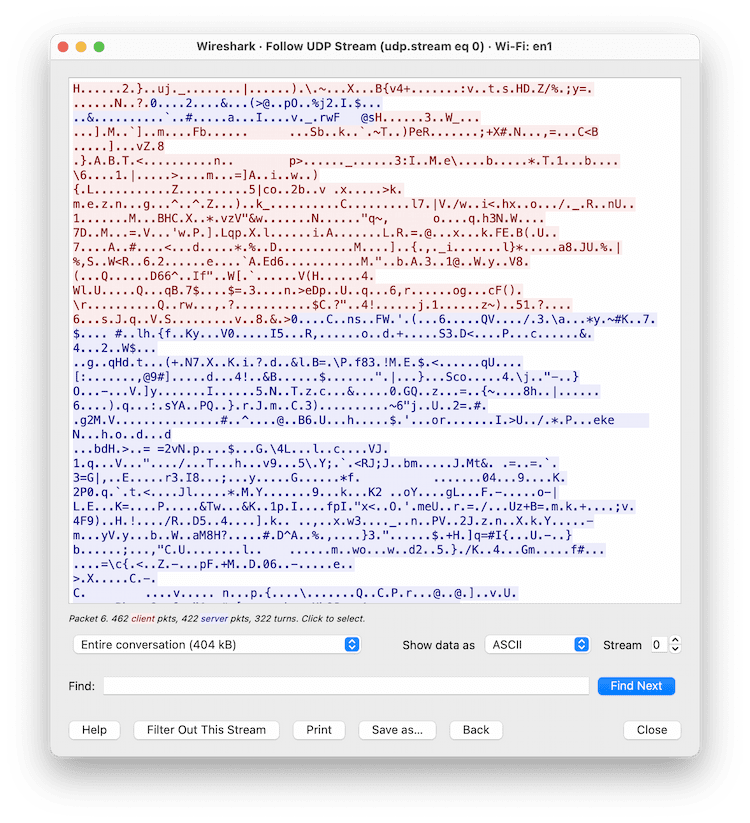
FastestVPN encrypts your internet traffic.
FastestVPN uses AES-256 and ChaCha20, both industry-leading ciphers. This meets our expectations for a quality VPN.
FastestVPN’s Kill Switch Failed Our Tests
We tested FastestVPN’s kill switch using our custom tool and recorded the results to show how FastestVPN can expose your real IP.
FastestVPN failed our kill switch tests on macOS.
On macOS and Windows, your IP address may be exposed when switching servers or reconnecting after a drop. This needs fixing.
The kill switch behaves slightly better on Windows if you also enable “Automatically Reconnect,” but it’s still not airtight.
EXPERT ADVICE: The kill switch is automatic on macOS only. You must enable it manually on other platforms. It is not supported on the IKEv2 protocol on Android.
Leaks, Virus & Malware Checks
We ran leak, malware, and tracker tests and were disappointed with the results.
Our leak tests show FastestVPN does not leak IP, DNS, WebRTC, or Geolocation data on macOS, but it does on Windows.
Specifically, DNS requests leak on Windows. DNS leaks are serious because your ISP can still see which websites you visit, significantly reducing privacy. For this reason, we advise against using FastestVPN on Windows.
IPv6 leaks on Windows
FastestVPN does not support IPv6. On macOS, it blocks IPv6 traffic to prevent leaks.
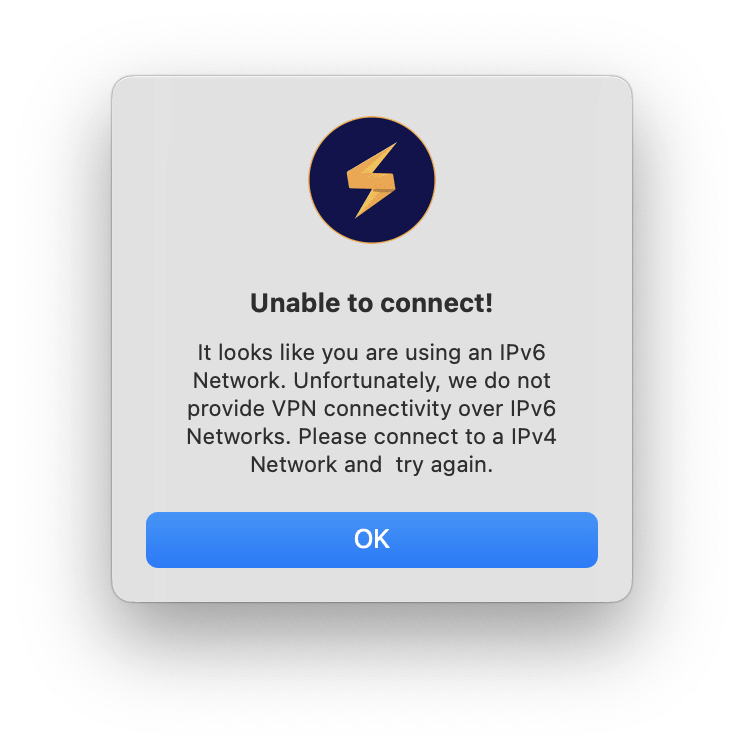
FastestVPN blocks IPv6 connections on macOS but not on Windows.
Blocking IPv6 is a safe interim measure, but full IPv6 support is preferable.
On Windows, the app does not automatically block IPv6, and our tests confirmed IPv6 leaks. This is a major security issue.
Server Locations
Ranked #31 out of 61 VPNs for Server Locations
FastestVPN’s website claims servers in over 40 countries, but we counted only 48 in the app. This is not a large selection, and there are just 550 individual servers. The network is heavily Western-centric, with no locations in Africa and only one each in South America and the Middle East. We’d also like more city-level options. Still, major countries are covered and the underlying infrastructure is solid.
| Continent | FastestVPN Countries with Servers |
|---|---|
| Europe | 29 |
| Asia | 10 |
| North America | 3 |
| South America | 3 |
| Africa | 2 |
| Oceania | 1 |
With only 48 countries, FastestVPN trails many competitors. ExpressVPN, for example, has 109 countries.
It also has just 550 individual servers, whereas many rivals run thousands.
A smaller network increases the risk of server congestion, which can cause slower speeds and frequent CAPTCHAs. This will worsen as the service grows.
Most servers are in Western regions, so users elsewhere may struggle to find nearby, fast connections.
The US is best served, with 13 city-level locations across 13 states.
Available servers can also vary by protocol.
The FastestVPN protocol you choose affects which servers are available.
Physical Server Network
All FastestVPN servers are physical, bare-metal servers, located in the regions they represent.
By contrast, virtual servers provide IPs from a country while being physically hosted elsewhere.
This helps explain the smaller network, as physical servers are more costly to deploy and maintain. The upside is better security and stability.
The exception is India, where FastestVPN uses virtual locations to avoid compliance with India’s VPN data law requiring user data retention. We support this approach.
FastestVPN would not say whether it owns or rents its servers, calling this “confidential.” We assume they’re rented, as many providers publicize owning their infrastructure.
User Experience
Ranked #45 out of 61 VPNs for User Experience
FastestVPN is easy to use but needs app updates and bug fixes that currently make the experience frustrating. We encountered failed connections and very slow connection times. More language options would also improve accessibility.
The apps need both design updates and stability improvements. The interface lags behind more polished, user-friendly competitors.
During testing, we ran into technical issues and bugs, such as servers that wouldn’t connect and long loading times.
At the same time, FastestVPN is so light on extra features that it remains simple and beginner-friendly: a home screen with a connect button, a server list, and a settings cog.
FastestVPN on Desktop: macOS & Windows
On macOS, FastestVPN only lets you change servers and protocols. There are no additional features. The kill switch is enabled automatically.
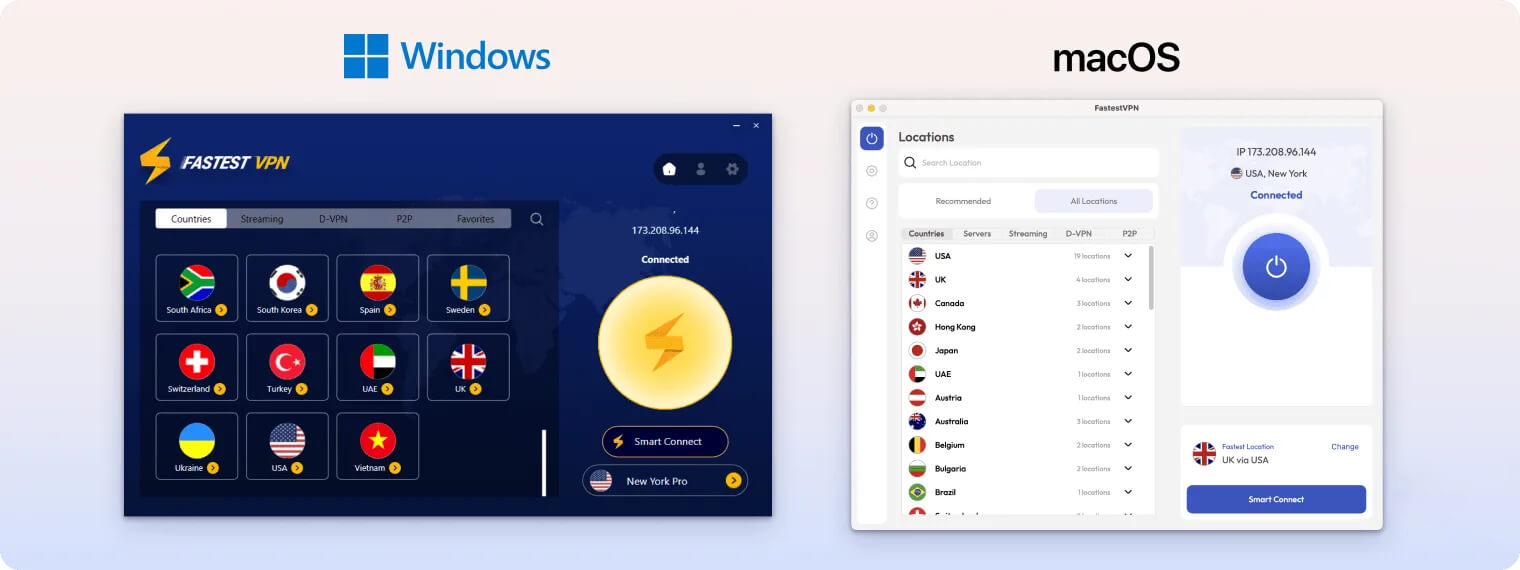
This keeps it simple but not necessarily better. You can have an advanced VPN that remains easy to use—Surfshark, for instance, strikes a good balance.
The Windows app is slightly more capable, with split tunneling and convenience options like Auto-Connect After Launch and Launch at Startup.
However, setting up FastestVPN on Windows is confusing—you must manually install the TAP adapter—and the app crashed frequently in our tests.
FastestVPN on Mobile: iOS & Android
On iOS, FastestVPN is minimal and straightforward, with a central connect button, a server list, and a basic settings page to change protocols or enable Smart Tunneling (split tunneling).
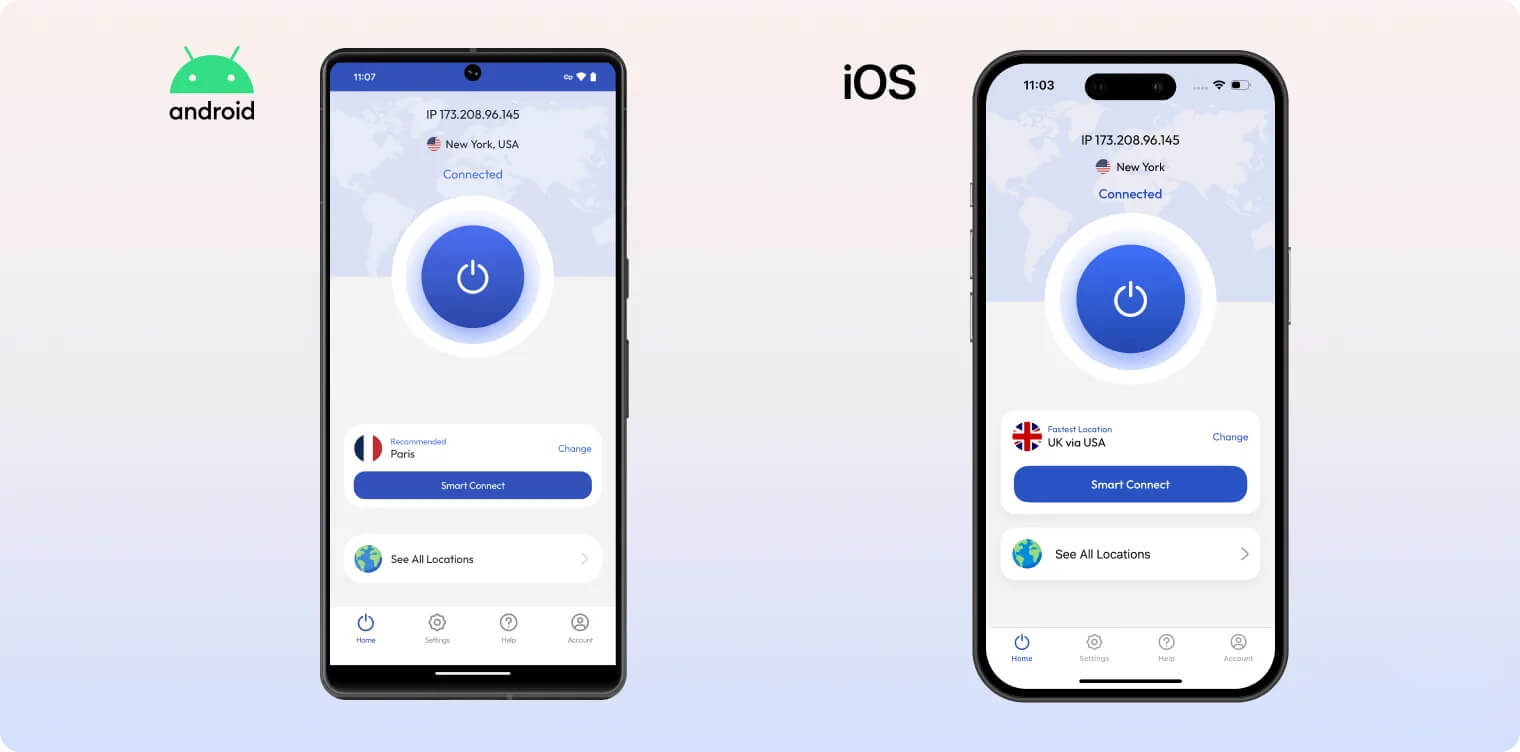
Smart Tunneling lets you route selected traffic outside the VPN tunnel.
The Android app is similarly simple and also supports split tunneling, but the kill switch must be set up manually through Android system settings.
Both mobile apps are extremely easy to use.
Fire TV App Only Works with UDP & TCP Protocol
FastestVPN claims to have a custom Fire TV app, but it doesn’t appear in the Fire TV app store.
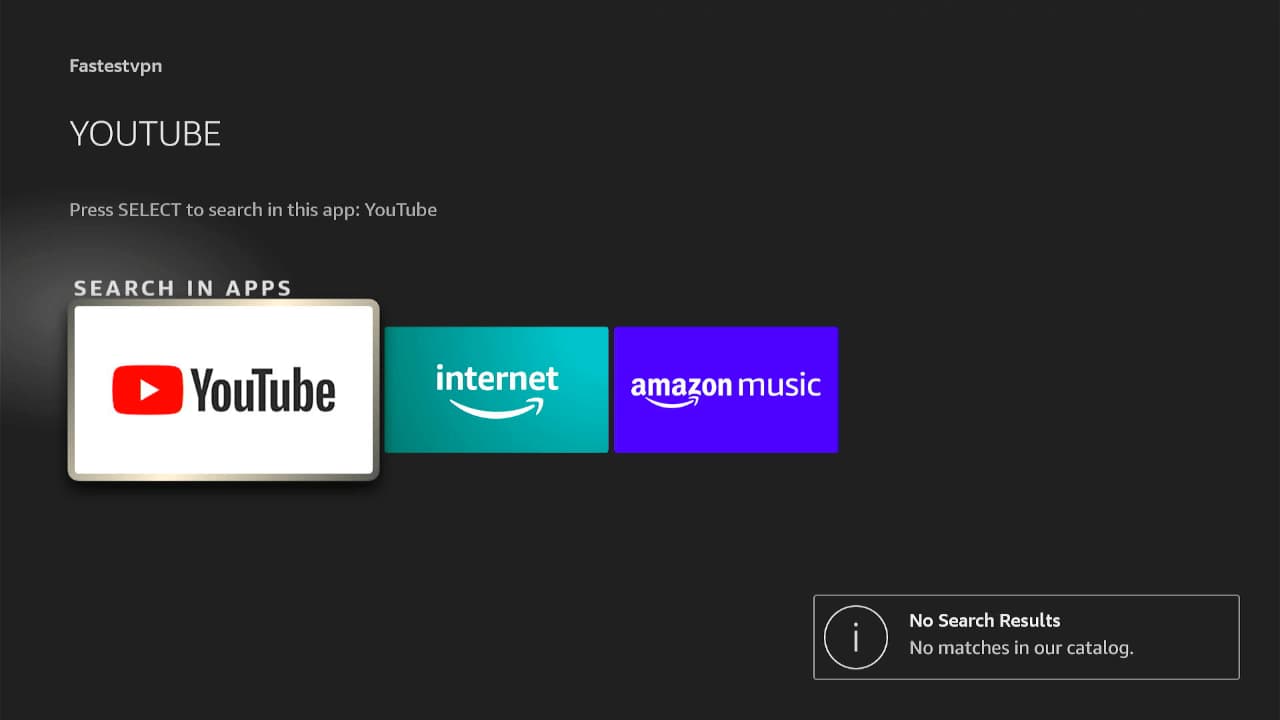
FastestVPN is not available on the Fire TV store and has to be manually installed.
We followed the manual installation guide and got it working, but it took time. We also found that the VPN connect button does not work with IKEv2.
To make the Fire TV app work, you must select UDP or TCP. Go to Settings > Select Protocol.
You can use FastestVPN’s Fire TV app to unblock Netflix.
Browser Extensions
These extensions include streaming servers for Netflix, Hotstar, PureFlix, and Prime Video US, plus options like Block WebRTC and an ad blocker.
However, in our tests, the extension streaming servers did not unblock the listed sites.
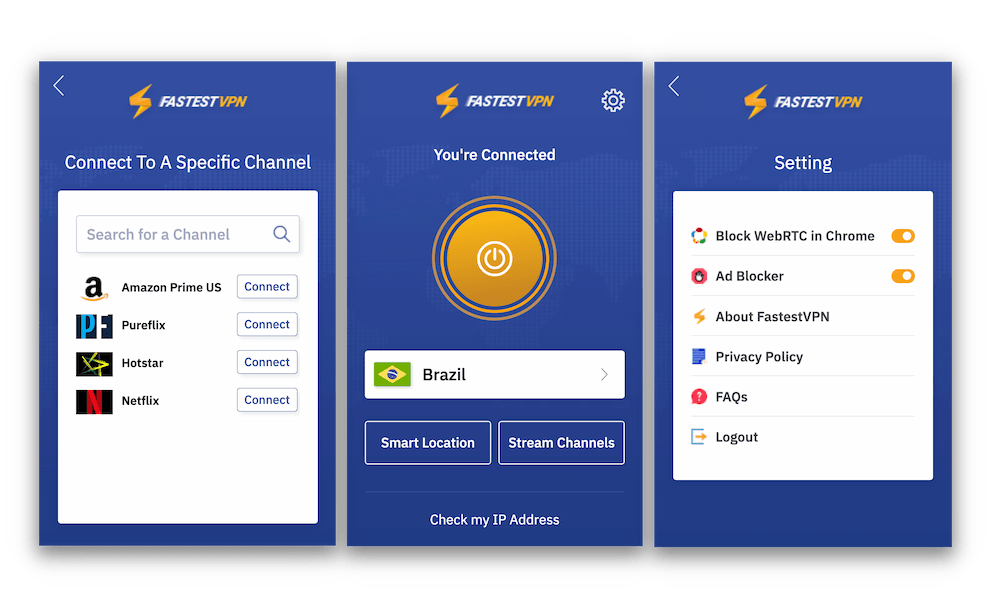
FastestVPN’s browser extensions come with additional features – but they don’t work.
Additionally, the extension ad blockers performed worse than the desktop versions, blocking only 22% of ads and trackers in our tests.
FastestVPN’s extensions are limited and not free, unlike those from Windscribe, CyberGhost, and TunnelBear.
If you’re a FastestVPN subscriber, they can provide quicker, more private browsing. Remember: extensions are not full VPNs and only encrypt browser traffic. They don’t protect other apps like torrent clients or email.
FastestVPN’s browser add-ons are HTTPS proxies. They encrypt browser traffic but leave all non-browser traffic unprotected. They should not replace the full desktop VPN app.
Torrenting
Ranked #34 out of 61 VPNs for Torrenting
FastestVPN allows P2P across its network and its logging policy is safe, but we recorded some of the slowest torrenting speeds we’ve seen: just 0.7MiB/s. Combined with an imperfect kill switch and DNS leaks, we recommend avoiding FastestVPN for file sharing. There’s also no port forwarding or SOCKS5.
| Torrenting Attribute | FastestVPN |
|---|---|
| Permits P2P Traffic | Yes |
| Average Download Bitrate | 0.3MiB/s (97% loss) |
| Countries with P2P Servers | 48 |
| Port Forwarding | No |
| Kill Switch | Yes |
| Logging Policy | No Logs |
A strong torrenting VPN typically reaches around 10.0MiB/s for quick, easy downloads.
We also expect port forwarding and SOCKS5 support, both popular with experienced torrenters. FastestVPN lacks both.
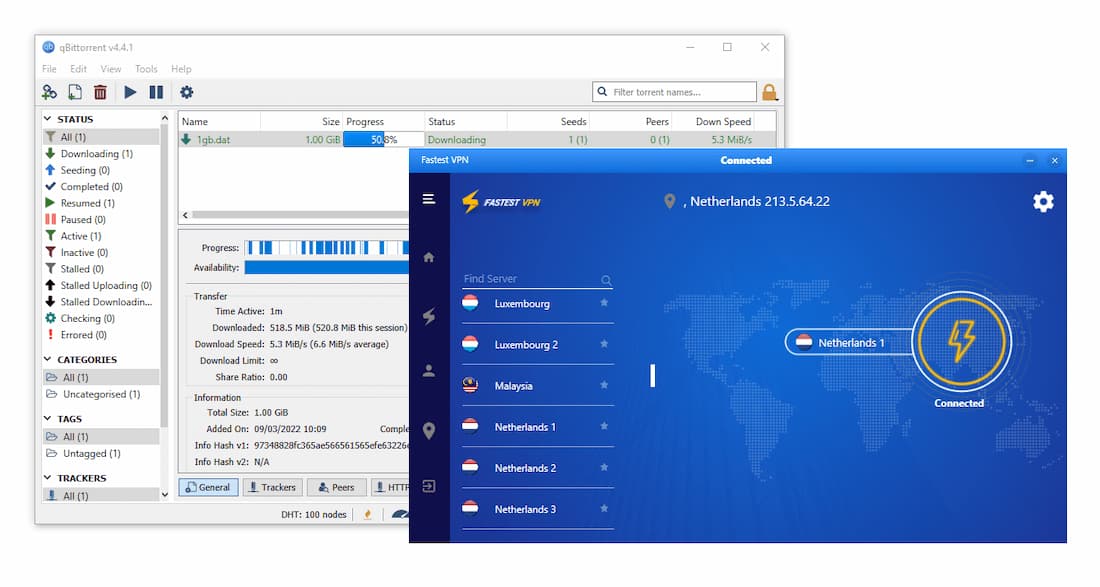
We tested FastestVPN on qBittorrent
We also have security concerns about the kill switch and leaks. Our tests show the kill switch doesn’t always block your real IP, meaning a drop could reveal your location.
Additionally, we found DNS and IPv6 leaks on Windows, which is very serious. Do not use FastestVPN for torrenting on Windows.
It’s unfortunate, as FastestVPN allows torrenting on all servers and has a suitably private logging policy.
Device Compatibility
FastestVPN provides custom apps for Windows, macOS, Android, and iOS. It claims to support Fire TV and Android TV, but these require manual installation. We also struggled to install FastestVPN on a router despite following the guide. As a result, we couldn’t use FastestVPN on Smart TVs, game consoles, Apple TV, Roku, and other devices.
| Windows | Yes |
|---|---|
| Mac | Yes |
| iOS | Yes |
| Android | Yes |
| Linux | Yes |
| Amazon Fire TV | No |
| Android TV | No |
| Apple TV | No |
| Router | No |
| Chrome | No |
Simultaneous Connections: 10
FastestVPN can be used on Linux, but only with manual configuration, which can be challenging for beginners. The best Linux VPNs provide dedicated GUI apps.
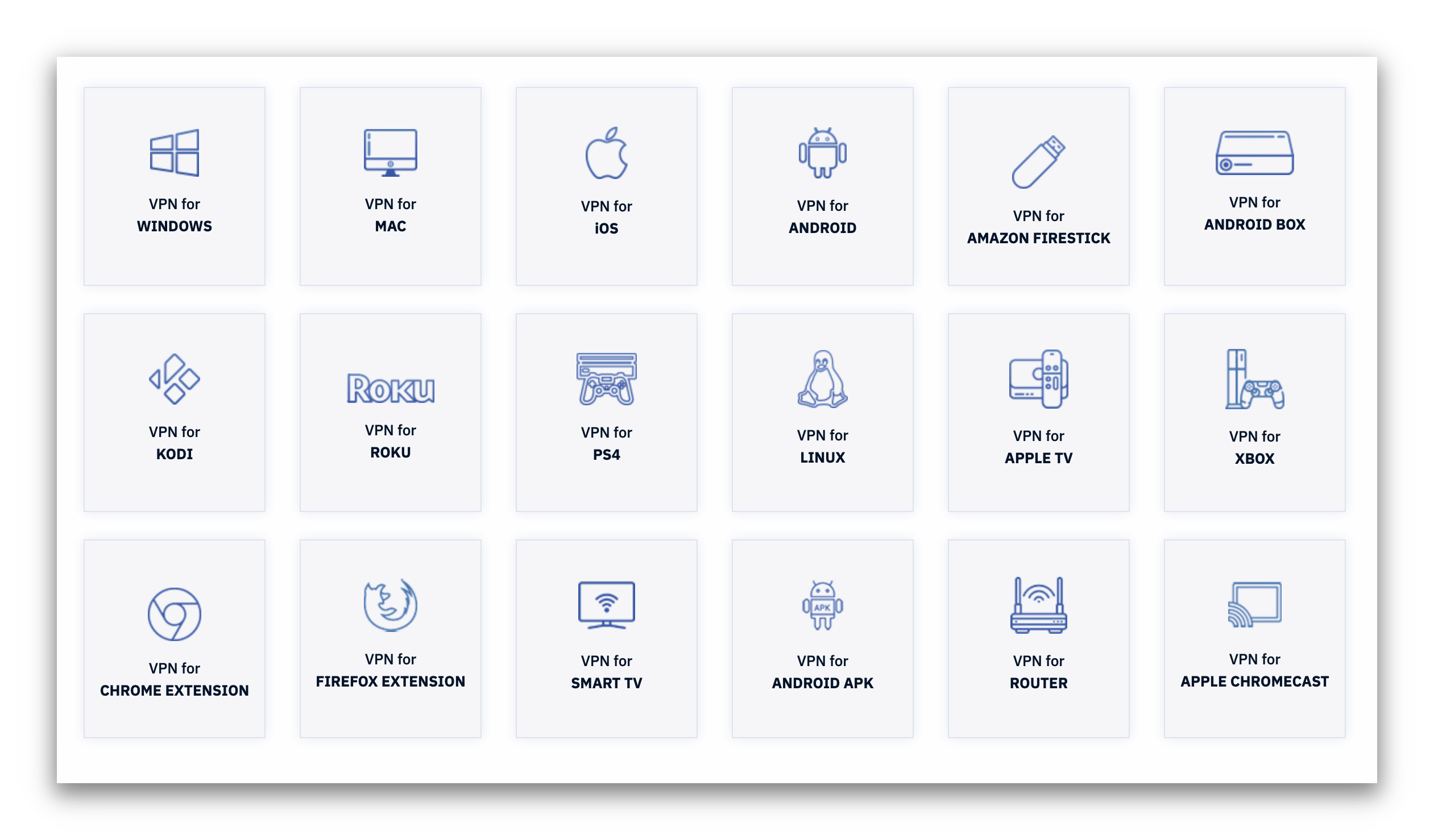
FastestVPN lists a wide variety of devices and platforms it’s compatible with.
Router Installation Does Not Work
When we tried installing FastestVPN on our LINKSYS WRT 32100 ACN test router, the process was difficult and ultimately failed to establish a VPN connection.
Because we couldn’t install FastestVPN on our router, we were unable to use it on consoles and other devices without dedicated apps, including Smart TVs, Apple TV, and Roku. This significantly limits compatibility.
10 Simultaneous VPN Connections
FastestVPN allows 10 simultaneous connections across as many devices as you like.
It’s effectively unlimited per account, as FastestVPN does not log the number of devices associated with your account.
This generous allowance should cover all your devices.
Additional Features
FastestVPN includes a few useful extras like an ad blocker and split tunneling. However, it lacks important additions such as obfuscation to bypass censorship, making it less capable than leading VPNs.
| Additional Feature | FastestVPN |
|---|---|
| Split Tunneling | Yes |
| VPN Obfuscation | No |
| Multi-Hop Servers | No |
| Dedicated IP | No |
| Ad Blocker | Yes |
Poor Ad & Tracker Blocker
FastestVPN claims to have an ad and tracker blocker enabled on all apps.
In our ad-block tests, it blocked only 56% of ads and trackers, making it one of the poorest performers we’ve tested.
Top VPN ad blockers typically block over 90% of ads and trackers.
Using the EFF’s tracking test, FastestVPN also failed to block trackers effectively.
FastestVPN was disappointing at blocking both ads and trackers.
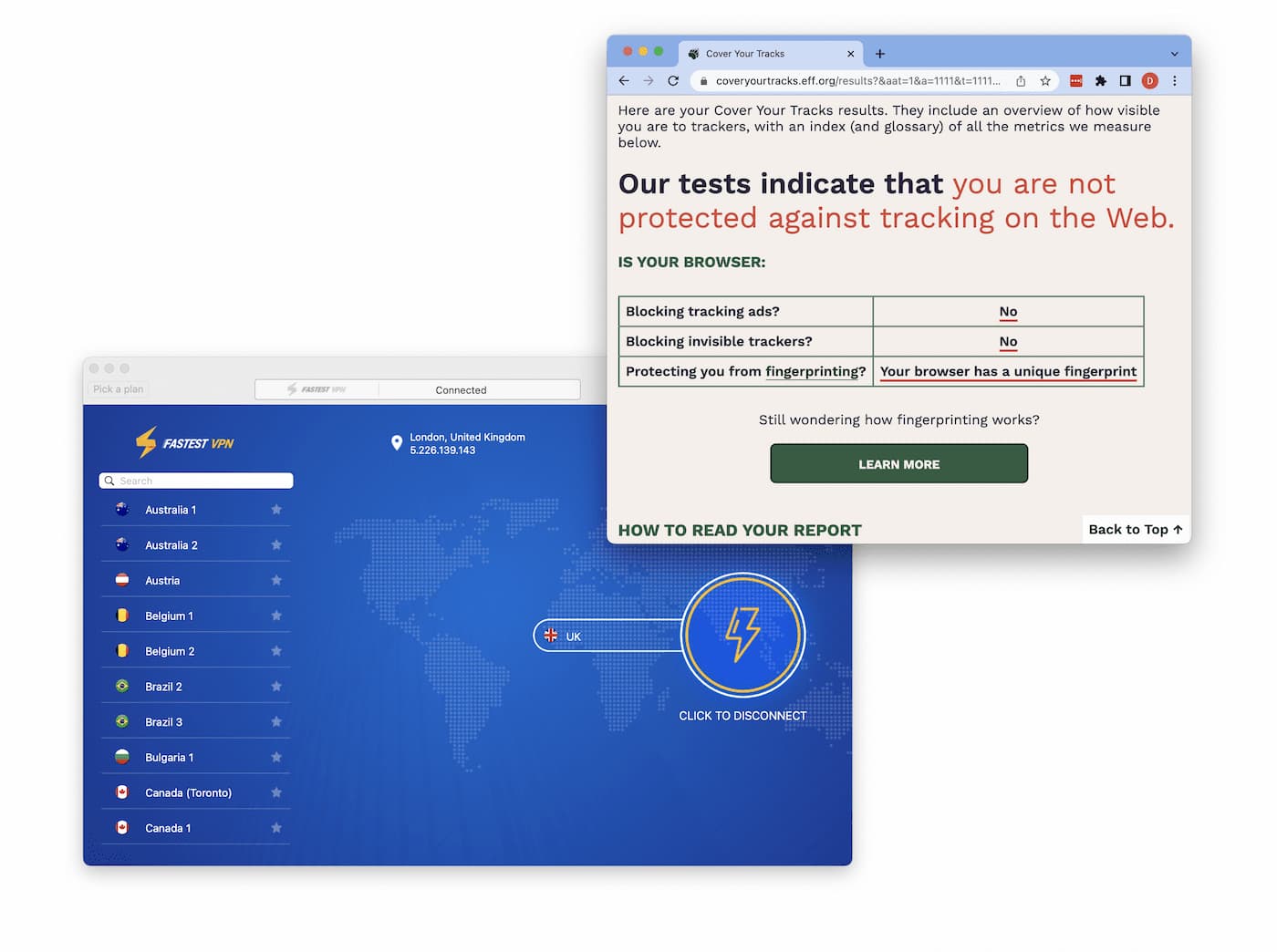
FastestVPN was disappointing at blocking both ads and trackers.
Overall, FastestVPN needs to improve its security: fix DNS leaks, add full IPv6 support, and implement a reliable, system-wide kill switch. Only then should it focus on advanced features like multi-hop, RAM-only servers, and rotating IPs. It has a long way to go.
FastestVPN Key Data
| Attribute | FastestVPN | Typical VPN |
|---|---|---|
| Owner | Fast Technology Ltd (Independent) | Independent |
| Launch Date | 2017 | 2015 |
| Local Download Speed | 96Mbps (4% loss) | 89Mbps (11% loss) |
| International Download Speed | 86Mbps (14% loss) | 80Mbps (20% loss) |
| Countries with Servers | 48 | 40 |
| Privacy Policy | No Logs | Identifiable Data |
| Simultaneous Connections | 10 | 10 |
| Netflix Libraries | 5 | 3 |
| Torrenting | Yes | Yes |
| Works In China? | No | No |
| Cheapest Price | 1.11/mo over 36 months | $3.87/mo over 24 months |
| Customer Support | Live Chat Support | |
| Apps & Extensions |
          |
|
Price
Price Plans
| 1 month | $10.00 |
|---|---|
| 12 months | $29.88 ($2.49/mo) |
| 3 years | $39.96 ($1.11/mo) |
| Lifetime | $40.00 ($0.03/mo) |
Free Trial
| Money-Back Guarantee | 15 days |
|---|---|
| Free Trial | No |
| 100% Free Plan | No |