
Betternet VPN: Skip This Logging and Limited Free VPN
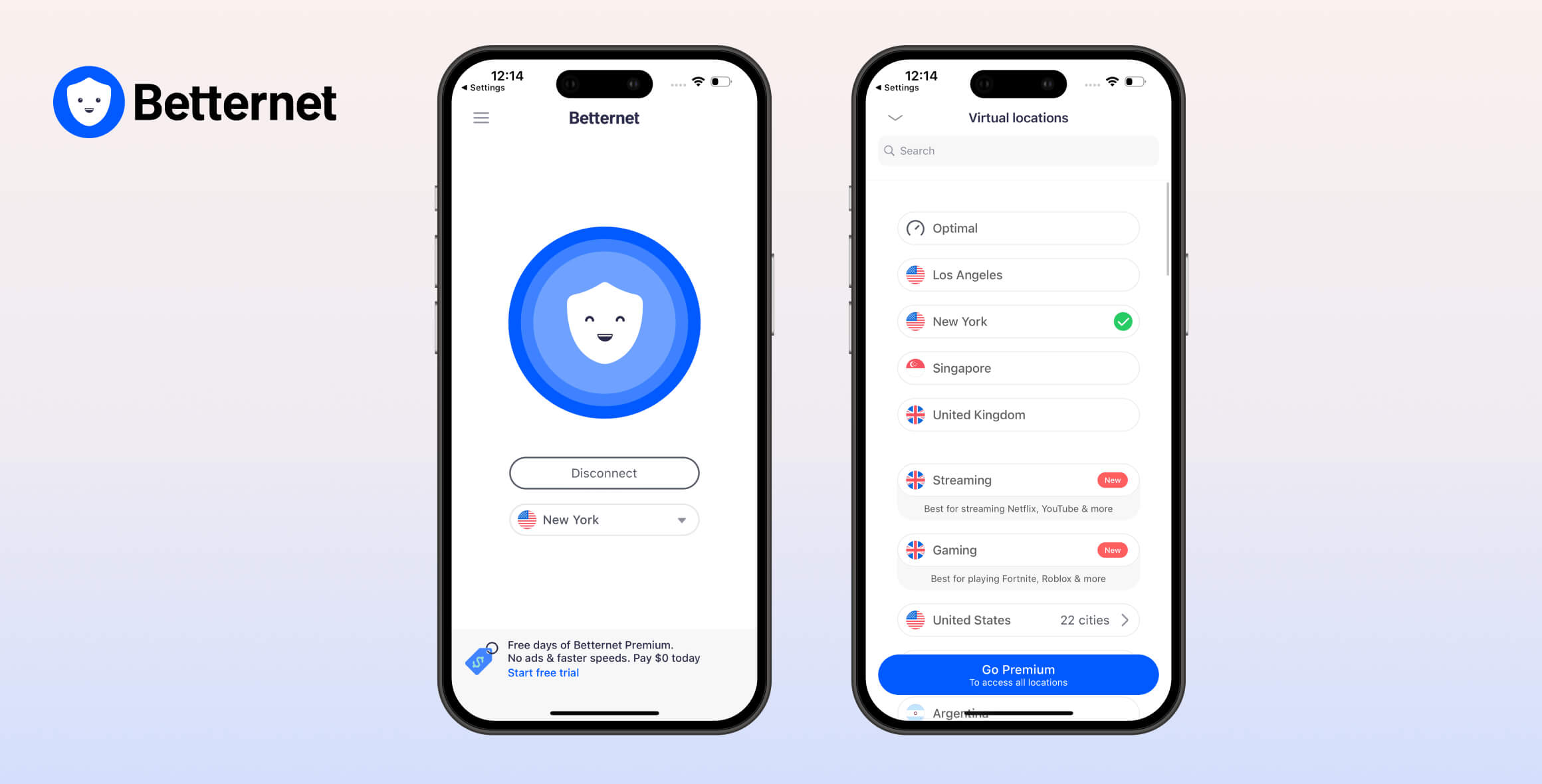
Betternet VPN isn’t a safe or reliable VPN, despite recent improvements. It has only 3 server locations, logs identifying data, and can’t unblock streaming services or support torrenting. We also found it frustrating to use due to a restrictive 500MB daily data cap and unskippable ads. Betternet is fast, but it’s not private or functional, and we don’t recommend it.
- Pros
- Easy-to-use VPN apps
- Cons
- Doesn’t work with any streaming services
- Restrictive 500MB daily data cap
- DNS leaks & previous malware issues
- Only 3 server locations & barely any features
- Difficult to install & usability issues
- Blocks torrenting on its free plan
Launched in 2015, Betternet is a freemium VPN service developed by the Aura group.
In this updated review, we evaluated Betternet’s free version using our VPN testing methodology. Our testing confirms that Betternet VPN Free still isn’t safe, reliable, or private.
EXPERT ADVICE: Instead of using a risky VPN like Betternet, try Private Internet Access. It’s fast, secure, and unblocks websites and apps worldwide, including US Netflix. Try PIA VPN risk-free for 30 days.
Privacy
Ranked #39 out of 61 VPNs for Privacy
Betternet is not a private VPN service. It logs your real IP address, approximate location, connection timestamps, and device information. While some of the most sensitive data is stored only for the duration of your session, it’s still enough to put your privacy at risk.
| Originating IP Address | Yes |
|---|---|
| Browsing Activity | No |
| Individual Connection Timestamps | Yes |
| Date of Last Connection | No |
| VPN Server IP | No |
| Device Information | Yes |
| Individual Bandwidth Usage | Yes |
| Account Information | Yes |
You can read Betternet’s full privacy policy on its website.
Betternet collects enough data to compromise your anonymity. The service permanently logs your ISP, originating location, and VPN connection timestamps. Together, these can be used to identify you.
Your real IP address is also logged, but only for the duration of the VPN session. While this specific practice alone may not identify you, we’d prefer if Betternet didn’t log IP addresses at all.
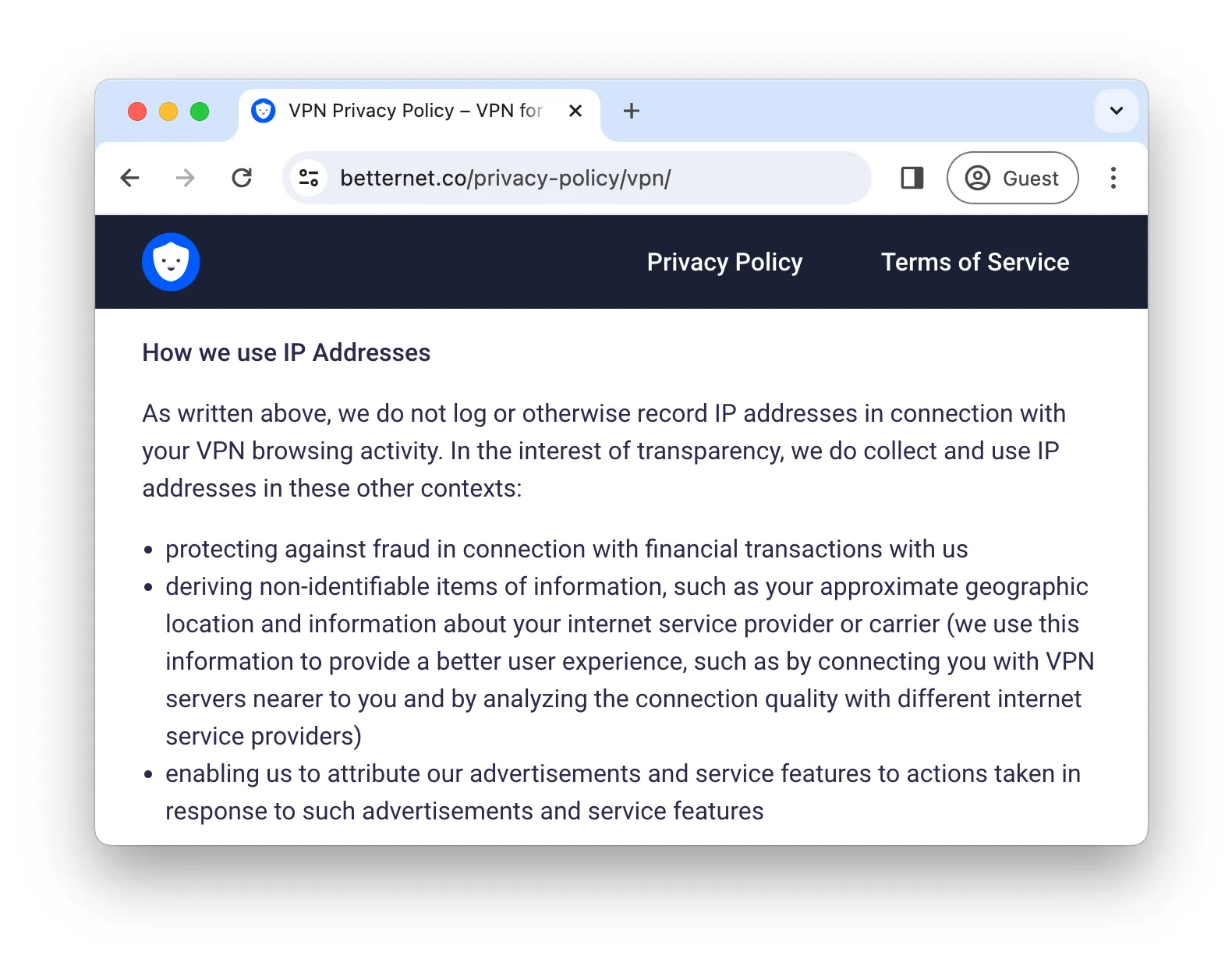
Betternet lists multiple reasons for logging your real IP address.
Betternet also uses your IP to estimate your geographic location. This is a concerning use of IP data, and it’s unclear why it’s necessary for the VPN to function.
Better VPNs, like Mullvad, provide a working service without logging any user information.
We’d feel less concerned about Betternet’s vague privacy policy if it offered real proof of its practices, such as an independent audit or regularly published transparency reports.
Controversial Ownership & US Jurisdiction
Betternet is owned by Aura, which also manages several other VPN services, including Hotspot Shield, Touch VPN, and VPN 360.
Because Aura—and by extension Betternet—is incorporated in the US, your data is subject to intrusive data laws and the Five Eyes surveillance alliance. In short, US authorities can compel Betternet to log and share user data.
We’d like to see Betternet implement a strict no-logs policy to mitigate the risks of its US jurisdiction or consider relocating to a country with more privacy-friendly laws, such as the British Virgin Islands or Seychelles.
Past Android App Controversy
Most of Aura’s VPN products have faced controversy. For example, Hotspot Shield was accused of injecting trackers into its Android app to collect and sell user data to advertisers.
While these allegations didn’t mention Betternet and occurred under different ownership, it’s notable that Betternet uses the same proprietary protocol and a similar privacy policy as Hotspot Shield.
Betternet also has its own history. A 2016 academic report on VPNs found that Betternet’s Android app contained malware and embedded tracking libraries.
This was never publicly addressed, but Betternet has since changed ownership and hasn’t been included in later reports.
Our more recent research into free VPN risks found excessive permissions in Betternet’s Android app but did not detect malware.
Streaming
Ranked #53 out of 61 VPNs for Streaming
Betternet intentionally blocks access to streaming services on its free plan, including Netflix, Hulu, and BBC iPlayer. Even if it didn’t, the data cap and limited server network prevent it from bypassing geo-restrictions.
| Streaming Service | Works with Betternet VPN (Free) |
|---|---|
| BBC iPlayer (UK) | No |
| DAZN (Canada) | No |
| Disney+ (UK) | No |
| Hulu (US) | No |
| ITVX (UK) | No |
| HBO Max (US) | No |
| Netflix (US) | No |
| Netflix (UK) | No |
| Prime Video (US) | No |
| Sky Go (UK) | No |
To push users toward its premium service, Betternet restricts streaming on the free plan. It’s listed as a deliberate limitation on the website.
Even if Betternet changed this policy, the 500MB daily cap limits you to roughly 12 minutes of HD streaming. If you want unrestricted access to streaming services, we recommend paying for a premium streaming VPN.
Can’t Access Any Netflix Regions
Betternet Free used to occasionally unblock US Netflix, but that’s no longer the case. In the past 18 months of testing, Betternet Free hasn’t worked with US Netflix once.
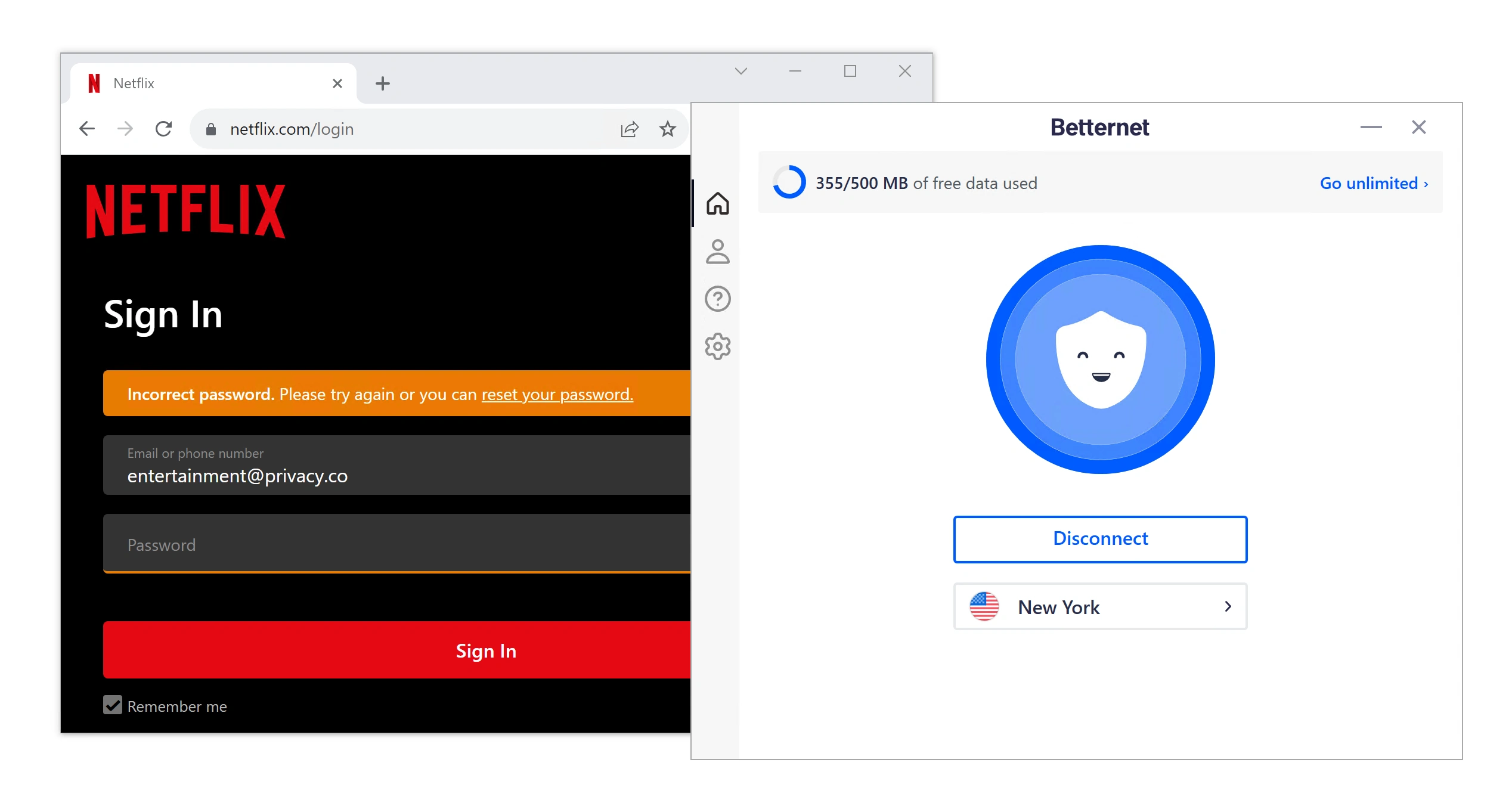
We couldn’t sign into US Netflix while connected to Betternet.
We also couldn’t access Netflix in the UK or Singapore using Betternet’s new servers.
For more reliable Netflix access, try the free version of Windscribe. It consistently unblocks five Netflix libraries without Betternet’s privacy risks.
Fails to Unblock US Streaming Services
Despite offering multiple US server locations, Betternet couldn’t unblock any US streaming platforms.
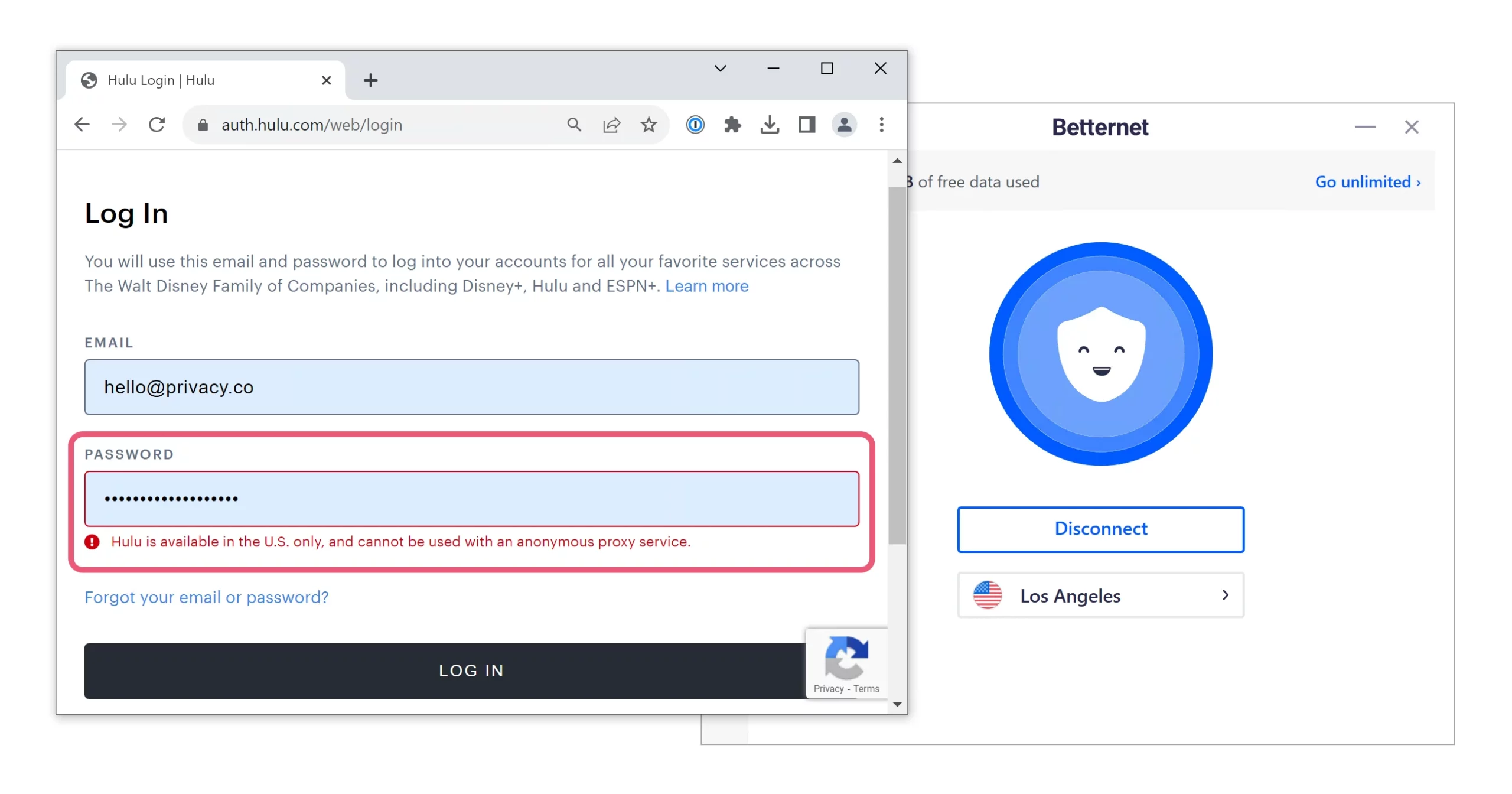
We couldn’t get Hulu to work with either of Betternet’s US servers.
We couldn’t bypass geo-blocks on Hulu, Max, Amazon Prime Video, or Disney+. Each service displayed an error indicating VPN or proxy usage.
Our testing shows that ExpressVPN is the best option for US streaming. Unlike Betternet, it consistently unblocks US Netflix, Max, Hulu, and more in 4K.
Speed
Ranked #27 out of 61 VPNs for Speed
Using its Hydra protocol, we recorded an average download speed loss of 3% across all server locations. This is impressive, but the 500MB daily data cap prevents you from taking advantage of it.
We calculated Betternet’s speed rating by testing each available server location several times and averaging the results.
Here are Betternet Free’s speed test results:
| No VPN (New York) | US (New York) | UK (London) | Singapore | |
|---|---|---|---|---|
| Server Location |  |
|
 |
 |
| Download Speed | 100Mbps | 94Mbps | 98Mbps | 98Mbps |
| Upload Speed | 100Mbps | 84Mbps | 53Mbps | 30Mbps |
| Ping | 1ms | 5ms | 81ms | 144ms |
| Distance | 0mi | 5mi | 3,500mi | 8,300mi |
As shown above, connecting to a nearby server barely affected download speed, with just a 6% drop.
This is more than fast enough for 4K streaming and other bandwidth-heavy tasks, but the 500MB cap limits you to minutes of use.
International downloads were even faster, with an average loss of 2%. Upload speeds fell sharply over long distances, which matters mainly for file-sharing.
For consistently fast speeds and unlimited data, we recommend a top-rated VPN like IPVanish. We recorded an average 4% download loss on nearby IPVanish servers, and upload speeds never dropped below 90Mbps, regardless of location.
Security
Ranked #46 out of 61 VPNs for Security
Betternet’s default settings are unsafe: the kill switch is off by default and it uses an unproven proprietary protocol. Once enabled, the kill switch works, and you can switch to the open-source WireGuard protocol.
| Independent Audit | No |
|---|---|
| VPN Kill Switch | Yes |
| Leak Protection | No |
Supports Hydra & Open-Source Protocols
Betternet defaults to its proprietary Hydra protocol (formerly Catapult Hydra). Though closed-source, we consider Hydra reasonably secure. It’s based on TLS 1.2 and uses 128-bit AES encryption, both proven to encrypt traffic safely. It also uses Perfect Forward Secrecy for added protection.
To verify this, we ran Betternet through Wireshark, a packet analyzer:
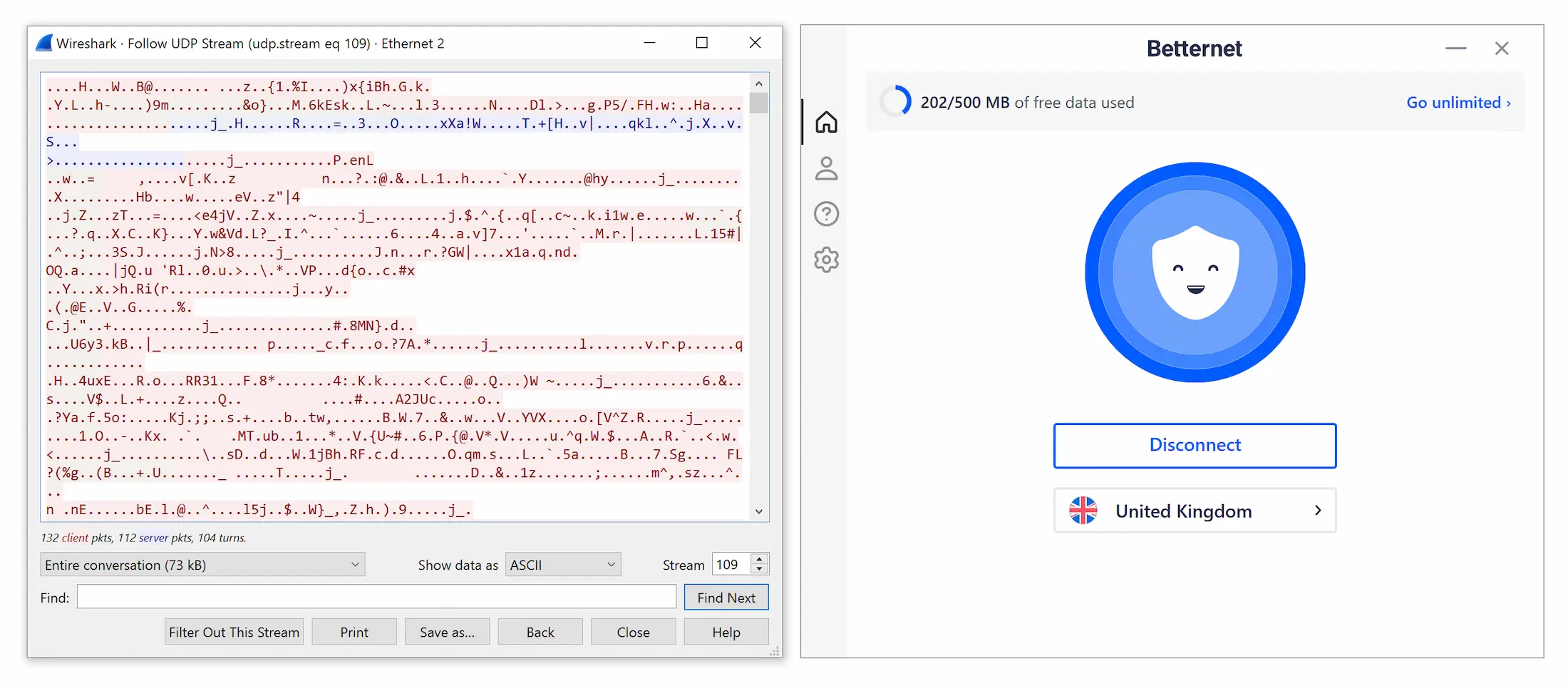
Betternet encrypted our web traffic with every protocol we tested.
As shown, Betternet successfully encrypted our traffic using Hydra. Each data packet appeared as an incoherent string, confirming encryption.
For further reassurance, Hydra is also used by Hotspot Shield, as well as VPNs from cybersecurity firms like Bitdefender and McAfee.
If you don’t trust Hydra, Betternet now includes WireGuard and IKEv2. Unlike Hydra, these protocols are open-source and widely used. WireGuard, in particular, is highly secure and has undergone multiple audits.
Passed All Leak Tests – Except Chrome
Our tests detected no IP, DNS, or WebRTC leaks when “Prevent IP Leaks” was enabled in Betternet’s settings.
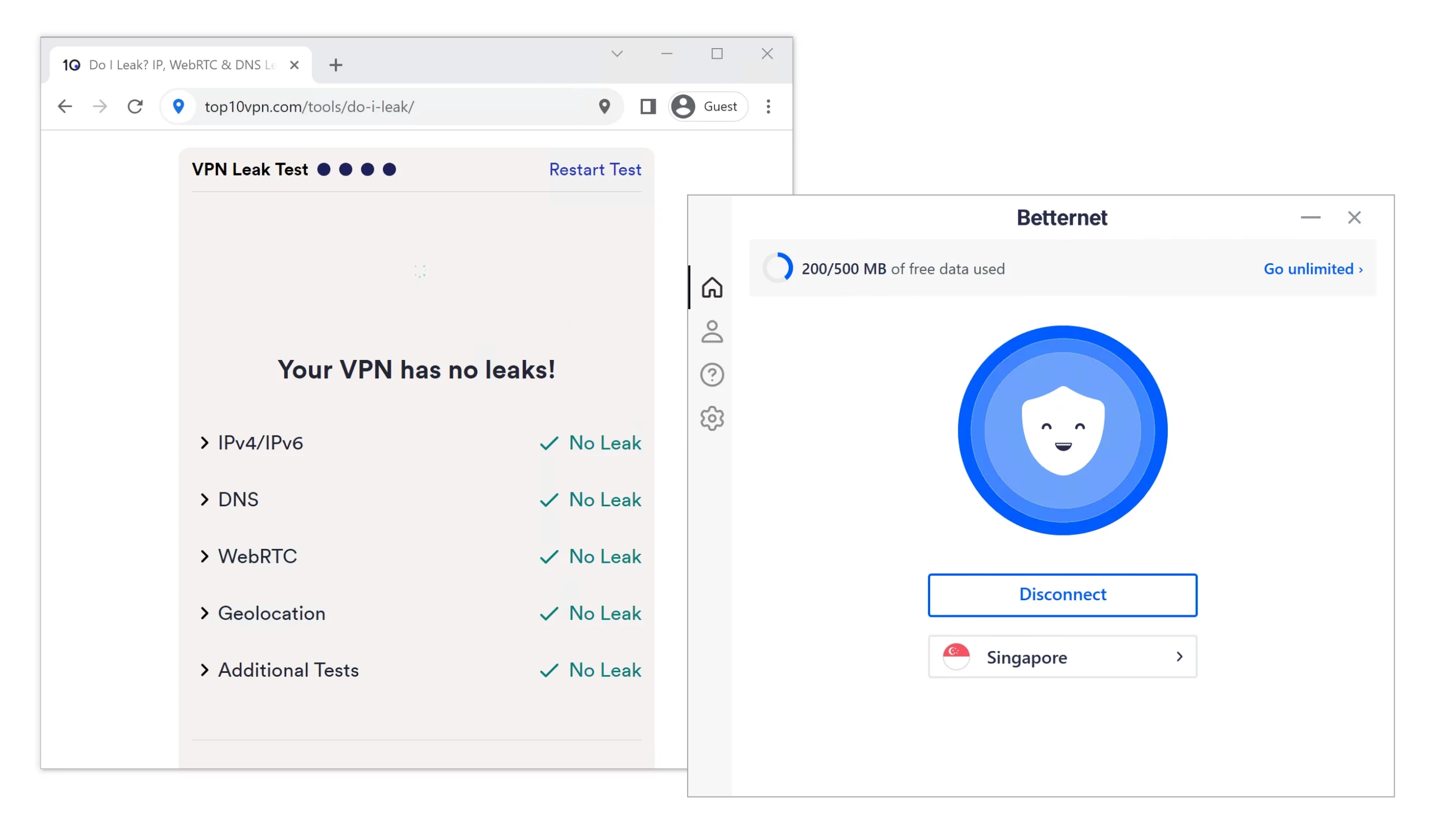
Betternet passed all tests on our proprietary VPN leak test tool.
However, turning this off caused DNS leaks. Thankfully, it’s enabled by default, but the option to disable it is confusing and unnecessary.
Betternet’s Chrome extension lacks this leak-blocking feature and leaked DNS requests in our tests. Your ISP can therefore see which websites you access on Chrome while using Betternet.
Effective Kill Switch On All Apps
Following an update in October 2022, Betternet added a kill switch to its desktop and mobile apps. This is essential, as it cuts your internet if the VPN disconnects, preventing data leaks.
We verified this with our kill switch test tool:
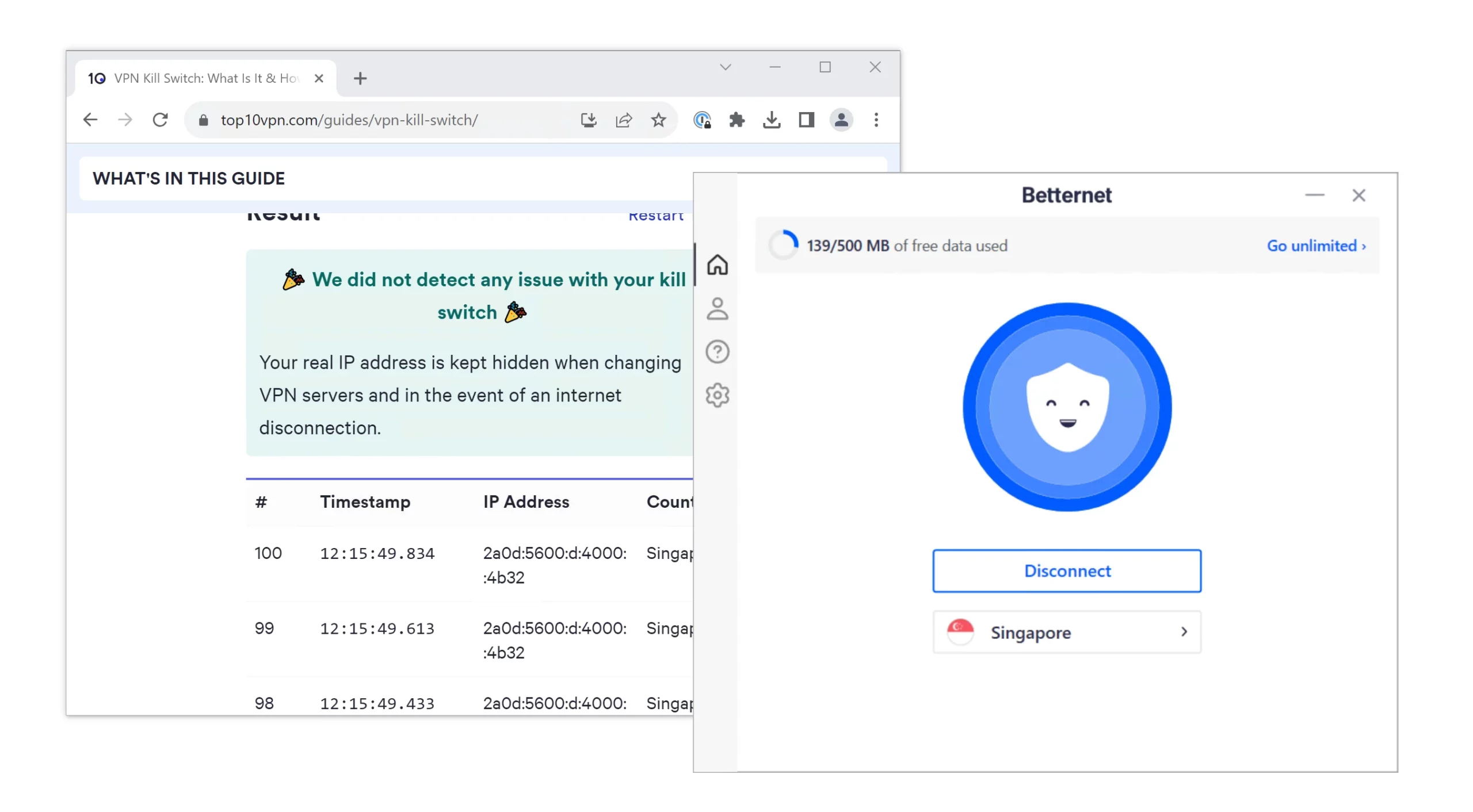
Betternet’s kill switch has a 100% success rate in our tests.
Our testing confirmed that the kill switch works, blocking traffic after server changes and disconnections.
We were concerned that the kill switch isn’t enabled by default. We recommend turning it on in the app settings before connecting.
Server Locations
Ranked #54 out of 61 VPNs for Server Locations
Betternet VPN Free has servers in 3 countries, including city-level options in the US. This is an improvement, but still limited compared to higher-rated free VPNs.
| Continent | Countries with Servers |
|---|---|
| Europe | 1 |
| Asia | 1 |
| North America | 1 |
| South America | 0 |
| Africa | 0 |
| Oceania | 0 |
As shown above, Betternet VPN Free no longer restricts you to a single server. In addition to the US, you can now connect to the UK and Singapore.
We also appreciate the addition of city-level options in the US, with servers in New York and Los Angeles. These serve both coasts well.
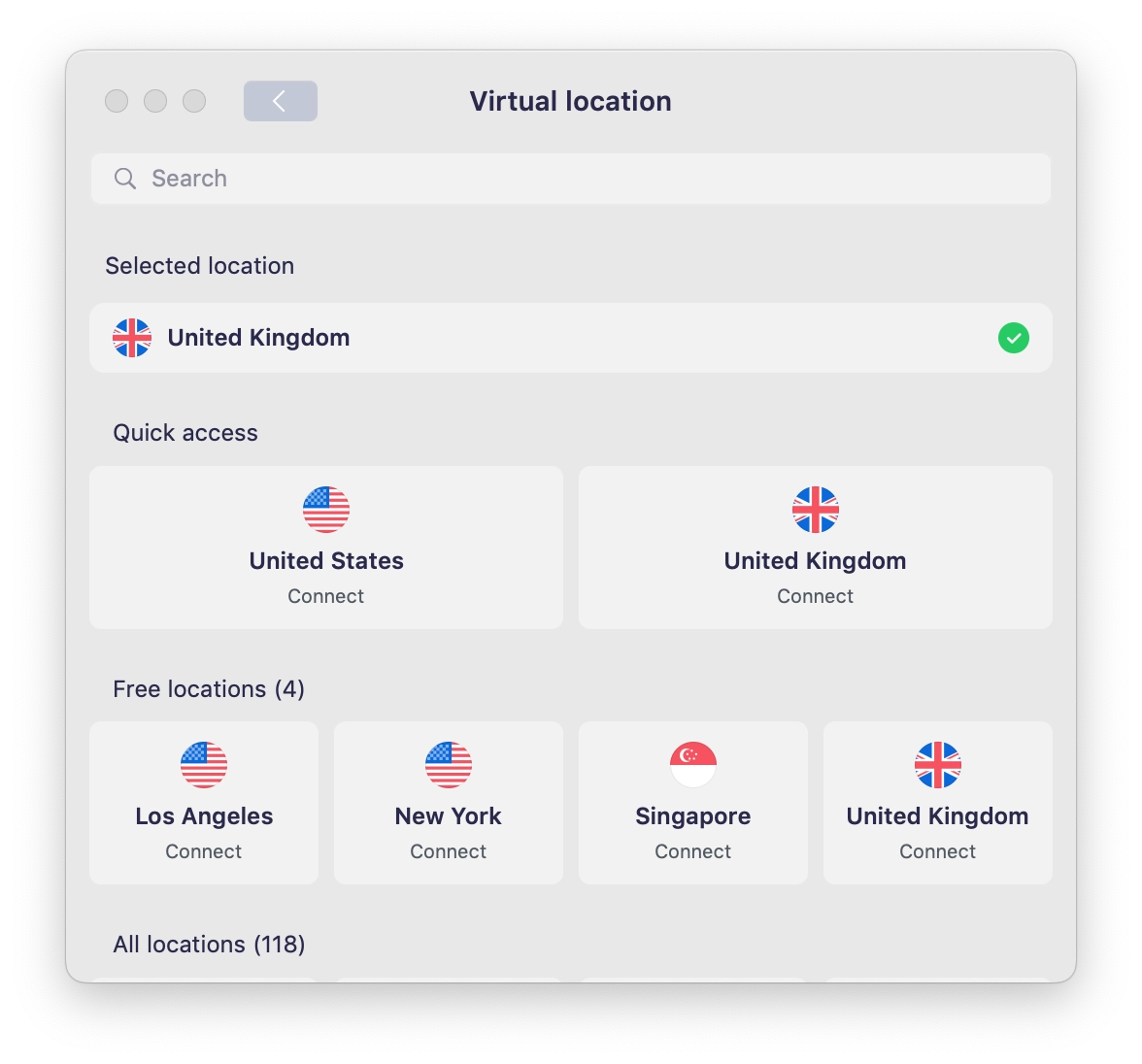
Betternet clearly labels its free server locations.
Despite improvements, Betternet’s server coverage remains inadequate. We’d like to see a broader network in Europe and Asia and expansion into underrepresented regions like South America and Africa.
A small server network can hurt speeds by forcing users to connect to distant or overcrowded servers.
User Experience
Ranked #60 out of 61 VPNs for User Experience
Betternet’s apps use a simple interface, but they’re plagued by ads, broken features, and connection issues. We also found it difficult and time-consuming to install the desktop apps.
We found installing, setting up, and using Betternet frustrating. First, it’s not clear where the free plan download link is on the provider’s site; better VPNs offer a dedicated download page.
We eventually found the link in the account area, but we would have preferred trying the VPN before creating an account.
During desktop installation, the download froze and forced us to open a second installer. We tested this on multiple devices, and it happened every time.
Once installed, the VPN required us to sign in again, even though the download link was inside our account area. The process took about 15 minutes, which is unacceptable.
We’d welcome an activation code to simplify setup and avoid re-entering login details.
Below is a closer look at how each Betternet app looks and functions:
Desktop & Laptop (Windows & Mac)
Betternet uses an identical interface on Windows and Mac, ensuring a similar experience on both platforms.
The desktop apps are simple and uncluttered, with a large central button and a smaller widget showing your current server location.
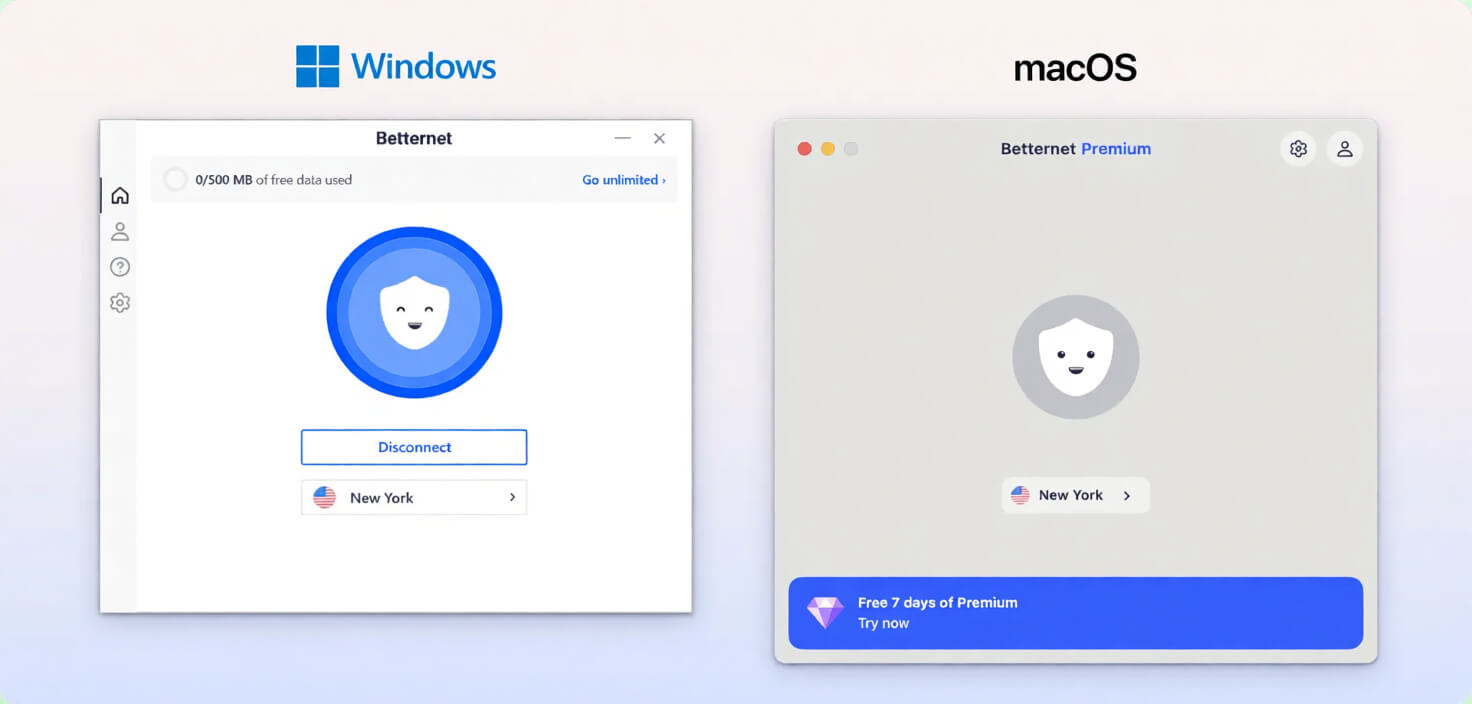
Despite the clean layout, we’d like the option to resize the desktop apps. Currently, they’re too large and take up a lot of screen space.
Clicking the central button starts your VPN connection, with the animation turning blue to indicate success. This worked on Windows but often failed to connect on macOS.
Selecting the server location opens the full server list. All 3 free locations appear at the top, and there’s a search function if you want to browse paywalled locations.
Frustratingly, we often couldn’t access the server list on macOS unless we disabled the kill switch first. We’re not sure why, but Betternet should fix this for a smoother experience.
We were also annoyed by the number of video ads in the desktop app. You must watch one when you launch the app, and others appear during use.
Mobile (iPhone & Android)
Betternet’s mobile apps are almost identical to the desktop versions, using the same layout and color scheme.
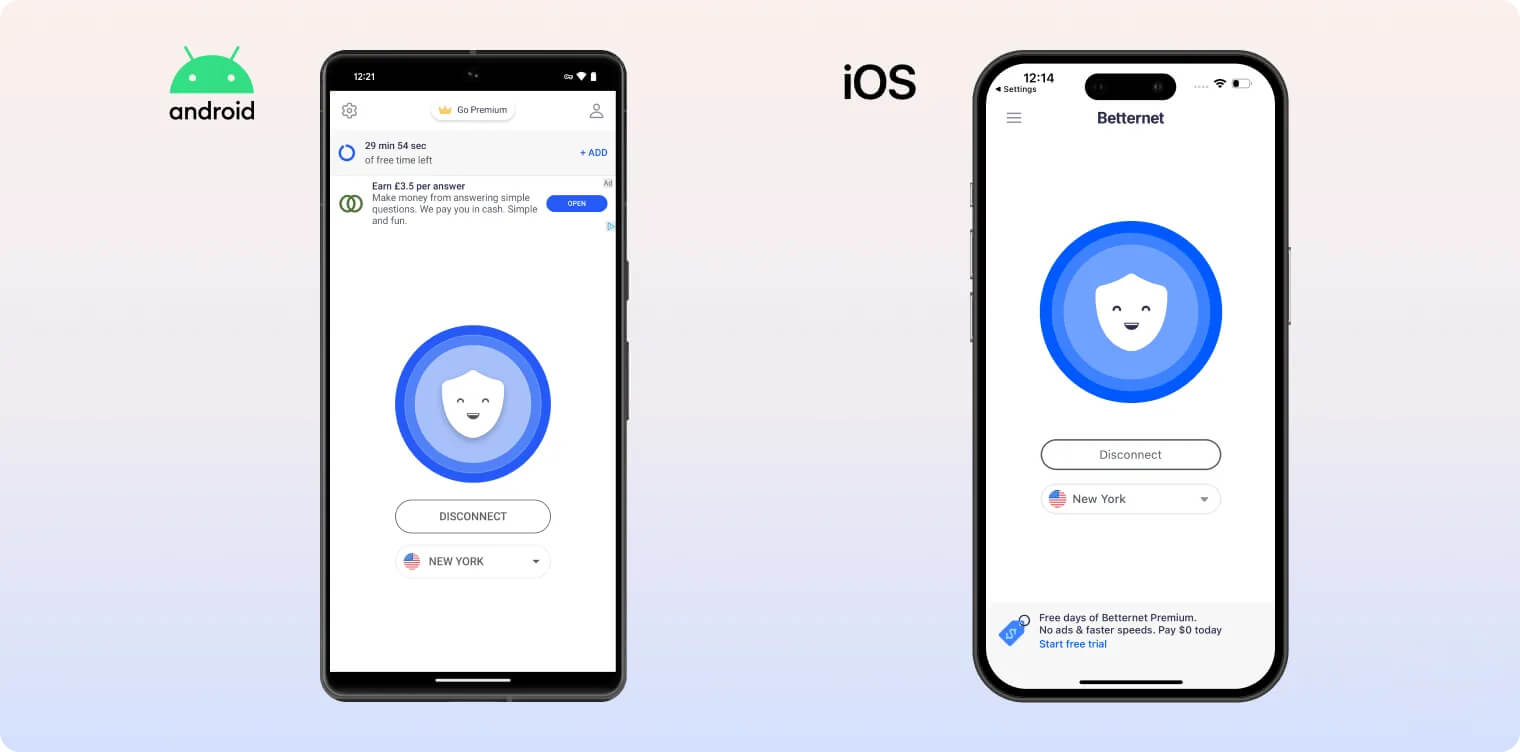
One major difference is that the mobile apps don’t have a 500MB data cap. Instead, you watch a video ad in exchange for 15 minutes of usage.
This is not only frustrating but also risky: the VPN disconnects after the time runs out, without warning. Your real IP can leak if you forget to enable the kill switch.
We especially struggled with Betternet’s Android app due to usability issues. For example, a prompt asks you to allow notifications to unlock “full functionality.”
This message blocks the bottom of the app and doesn’t disappear unless you accept it. Confusingly, we noticed no difference after allowing notifications.
The Android app also advertises 24/7 live chat in its settings. However, selecting it only opens an email to support, then traps you in the “chat” view. We had to restart the app to exit.
Torrenting
Ranked #53 out of 61 VPNs for Torrenting
Betternet blocked P2P traffic during our torrenting tests. Its logging policy also isn’t private enough for safe file-sharing.
| Torrenting Attribute | Betternet VPN (Free) |
|---|---|
| Permits P2P Traffic | No |
| Average Download Bitrate | N/A |
| Countries with P2P Servers | 0 |
| Port Forwarding | No |
| Kill Switch | Yes |
| Logging Policy | Excessive Logs |
Despite its FAQs claiming otherwise, Betternet has always blocked P2P traffic in our tests.
We suspect this is another attempt to push free users to pay for a subscription.
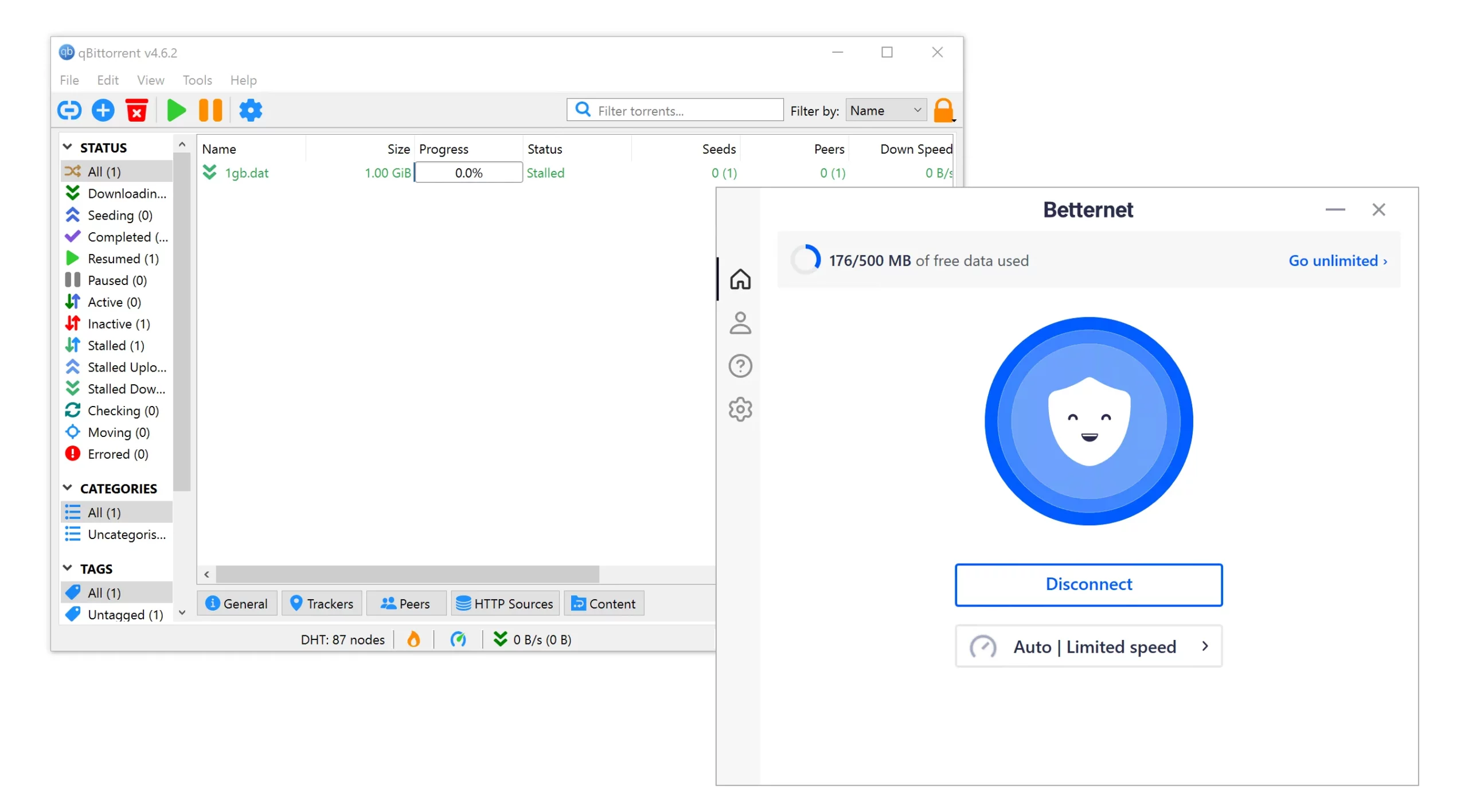
Betternet blocked our torrent client from downloading or seeding.
Even if Betternet allowed torrenting, we still couldn’t recommend it due to intrusive logging, US jurisdiction, and cooperation with DMCA requests.
If you need a VPN for torrenting, we recommend Private Internet Access. Its no-logs policy keeps your downloads anonymous, as verified by an independent audit.
Device Compatibility
Betternet has custom apps for desktop and mobile devices—the bare minimum for a VPN. It also offers a Chrome extension, but no router app, Smart DNS, or apps for streaming devices. Betternet allows five simultaneous connections, which is unusually low for a free VPN.
| Windows | Yes |
|---|---|
| Mac | Yes |
| iOS | Yes |
| Android | Yes |
| Linux | No |
| Amazon Fire TV | No |
| Android TV | No |
| Apple TV | No |
| Router | No |
| Chrome | Yes |
Simultaneous Connections: 5
Although Betternet covers the main platforms, its device support is limited.
Betternet doesn’t have apps for streaming devices like Amazon Fire TV Stick, Android TV, or Apple TV. You also can’t get around this by using a router, as Betternet isn’t compatible with router firmware.
There’s no Smart DNS tool for changing your location on streaming devices or game consoles.
You can install Betternet as a Chrome extension, but as covered in our security analysis, it failed to properly protect browser traffic. There are no extensions for Microsoft Edge or Firefox.
Five Simultaneous Connections
You can use Betternet Free on five devices at once. This is a puzzling limit, as most freemium VPNs don’t cap devices on their free plan.
For example, Windscribe and Atlas VPN allow unlimited devices on their free versions.
Additional Features
Aside from split tunneling and an unhelpful chatbot, Betternet lacks additional features. We’d like to see this improved.
| Additional Feature | Betternet VPN (Free) |
|---|---|
| Split Tunneling | Yes |
| VPN Obfuscation | No |
| Multi-Hop Servers | No |
| Dedicated IP | No |
| Ad Blocker | No |
Includes Split Tunneling on All Platforms
Betternet offers split tunneling on its Windows, macOS, Android, and iOS apps. This lets you exclude apps and websites from the VPN tunnel.
On Windows, this feature is called “Exclude Domains,” but it works the same way.
Extra Technical Features We’d Like to See
While we appreciate the addition of split tunneling and a kill switch, Betternet still lacks basic and advanced features. Here are some we’d like to see added:
- Multi-hop servers for extra anonymity and protection against traffic correlation.
- VPN obfuscation to bypass strict web censorship.
- An ad blocker for a smoother browsing and streaming experience.
Betternet VPN Key Data
| Attribute | Betternet VPN | Typical Free VPN |
|---|---|---|
| Owner | Aura | Independent |
| Launch Date | 2015 | 2015 |
| Safe to Use | No | No |
| Data Cap | 500MB per day | 10GB per month |
| Payment Details Required | No | No |
| Account Required | Yes | Yes |
| Contains Ads | Yes | Yes |
| Local Download Speed | 94Mbps (6% loss) | 61Mbps (39% loss) |
| International Download Speed | 98Mbps (2% loss) | 55Mbps (45% loss) |
| Countries with Servers | 3 | 4 |
| Privacy Policy | Excessive Logs | Identifiable Data |
| Simultaneous Connections | 5 | 1 |
| Manually Select Server Location | Yes | Yes |
| Netflix Libraries | 0 | 0 |
| Torrenting | No | No |
| Works In China? | No | No |
| Customer Support | Email & Online Resources Only | Online Resources |
| Apps & Extensions |
          |
|
Price
Price Plans
| Safe to Use | No |
|---|---|
| Data Cap | 500MB per day |
| Payment Details Required | No |
| Manually Select Server Location | Yes |
| Account Required | Yes |
| Contains Ads | Yes |