
Avast SecureLine VPN: Logs Too Much Data, Weak Streaming, Mixed Speeds, and Basic Security
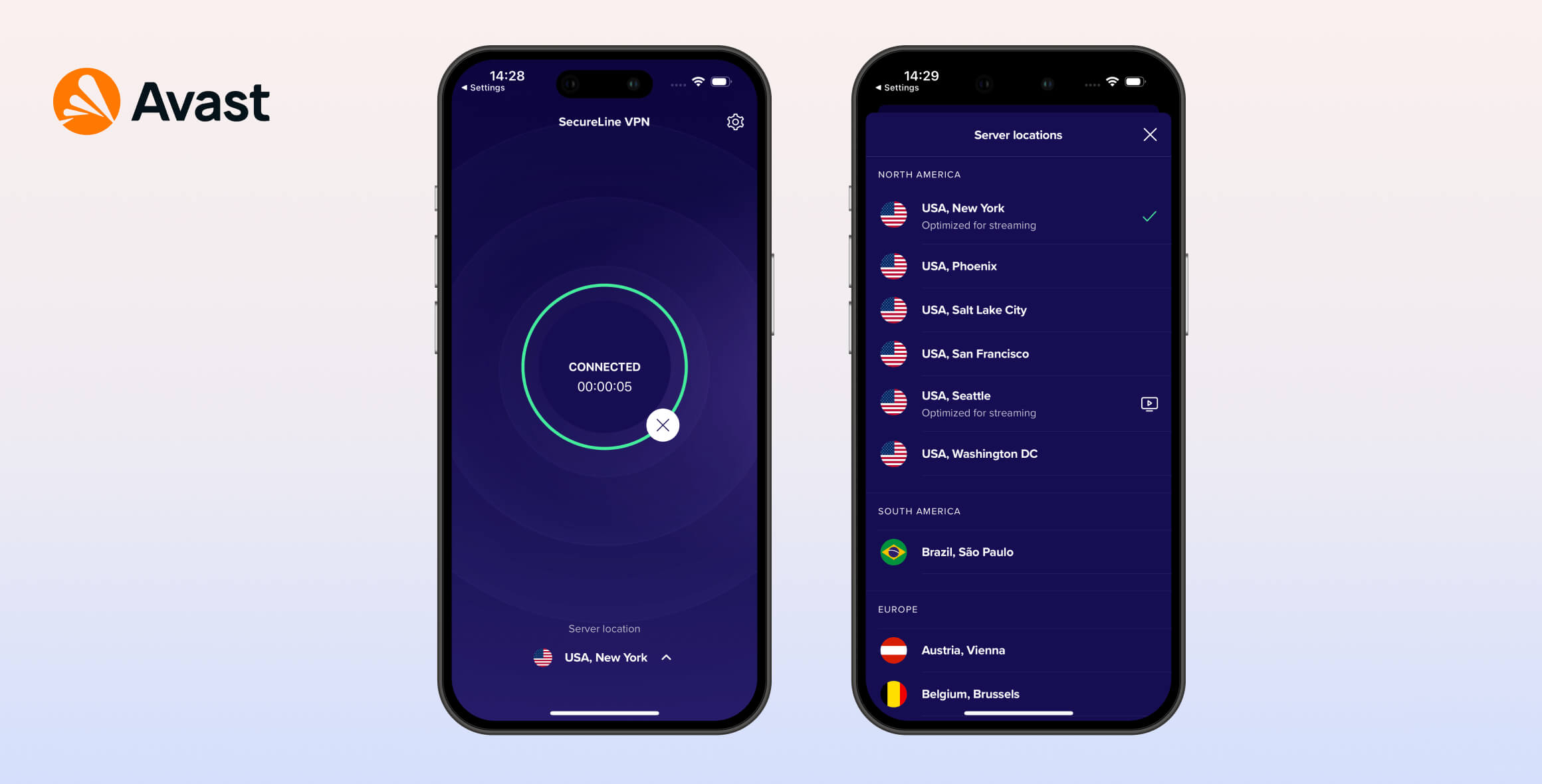
Avast SecureLine earned an underwhelming 5.3/10 in our tests. It logs too much user data, isn’t secure enough for torrenting, and doesn’t unblock US Netflix. Although it’s very fast and easy to use, there are more private, secure, and effective VPNs available for a lower price.
- Pros
- Avast Mimic protocol offers very fast speeds
- Unblocks Amazon Prime Video and BBC iPlayer
- P2P-optimized servers for torrenting
- Smart Mode split tunneling on macOS
- AES-256 cipher and kill switch across apps
- 24/7 live chat support
- Cons
- Intrusive logging policy
- Company history of sharing and selling data
- Warrant canary has not been updated
- Unable to unblock Disney+, HBO Max, Hulu, Netflix
- No OpenVPN protocol on Mac or iOS
- Not many global servers
Launched in 2014, Avast SecureLine VPN is owned by cybersecurity giant Avast RSO. Despite the company’s strong security reputation, its VPN performed poorly in several testing categories.
For this updated Avast VPN review, we put all of its apps through our in-house VPN testing process.
Privacy
Ranked #46 out of 61 VPNs for Privacy
Avast SecureLine VPN logs more data than we consider acceptable. Most concerning, the company has a history of sharing user information. While the service doesn’t record your IP address or browsing history, it does log connection timestamps and the amount of data transferred for up to 35 days.
| Originating IP Address | No |
|---|---|
| Browsing Activity | No |
| Individual Connection Timestamps | Yes |
| Date of Last Connection | No |
| VPN Server IP | No |
| Device Information | Yes |
| Individual Bandwidth Usage | Yes |
| Account Information | Yes |
You can read Avast VPN’s full privacy policy on its website.
Avast’s VPN privacy policy is clearly written and transparent, but the service logs more data than we’re comfortable with.
Avast’s servers store your connection data for 35 days, and any client data (account information) for up to two years. There’s no convincing justification for this practice.
At least Avast SecureLine doesn’t store your original IP address, DNS queries, or browsing history. This is the most sensitive information that no VPN should keep.
It’s also a positive that Avast has a dedicated privacy policy for its VPN (and another for its browser extension), rather than a vague, catch-all policy for all Avast products.
The problem is the content of the privacy policy. Avast makes it clear it will hand over user data to government agencies, which is a serious concern.
Avast VPN Operates Under EU Jurisdiction
Avast RSO is a Czech cybersecurity company founded in 1988. It’s best known for its antivirus software, but now sells a range of cybersecurity products. It also owns the HideMyAss! (HMA) and AVG VPN services.
Avast is headquartered in Prague, Czechia, and is therefore subject to EU data retention laws and intelligence-sharing agreements with privacy-unfriendly nations like the United States.
In its transparency report, Avast admitted to providing data to law enforcement in response to legal requests.
In 2017, Avast handed over information concerning 41 users, representing 31% of all legal requests that year.
Its cooperation with law enforcement dropped to 0% in 2021 (which could be due to a decline in users willing to share data, however).
Regardless, it shows Avast has data to hand over, and that its legal jurisdiction is not ideal for a VPN.
Warrant Canary Has Not Been Updated
Avast used to publish a quarterly warrant canary to warn users of gag orders. However, it has not updated the warrant canary since July 2023 (here’s an archived version of that final update) and the URL is now inactive. It’s possible the company received a gag order and cannot disclose it.
Avast Has a Privacy-Unfriendly History
Beyond logging too much connection data and being based in a less privacy-friendly jurisdiction, Avast has also been caught harvesting user browsing data.
In December 2019, Mozilla removed Avast’s antivirus browser extensions for violating its privacy rules.
The extensions were harvesting and sending data back to Avast. This data included websites visited, search terms, videos watched, links clicked, and unique device IDs.
In January 2020, it was reported that personal data harvested by free Avast add-ons was being monetized and sold to tech companies like Google.
While Avast has since abandoned this practice—and it does not apply to the VPN service—no privacy company should have engaged in this activity in the first place.
Streaming
Ranked #34 out of 61 VPNs for Streaming
Avast VPN is not a good choice for streaming. The service only unblocks German Netflix, Amazon Prime Video, and BBC iPlayer. It cannot access any other streaming service we tested, including other Netflix regions.
| Streaming Service | Works with Avast SecureLine VPN |
|---|---|
| BBC iPlayer (UK) | Yes |
| DAZN (Canada) | No |
| Disney+ (UK) | No |
| Hulu (US) | No |
| ITVX (UK) | No |
| HBO Max (US) | No |
| Netflix (US) | No |
| Netflix (UK) | No |
| Prime Video (US) | Yes |
| Sky Go (UK) | No |
Avast SecureLine has several servers labeled as optimized for video streaming, though it doesn’t specify which platforms they’re meant to unblock.
We tested all of these servers with major services like Netflix, HBO Max, Hulu, Amazon Prime Video, and BBC iPlayer.
We found Avast SecureLine works with Amazon Prime Video, BBC iPlayer, and All 4.
The UK streaming server bypassed Channel 4’s geo-blocks and accessed BBC iPlayer, but it didn’t work with UK Netflix.
Amazon Prime Video worked on the US Miami server, but not on the Gotham City (New York) or Seattle servers.
The Germany streaming server worked with German Netflix.
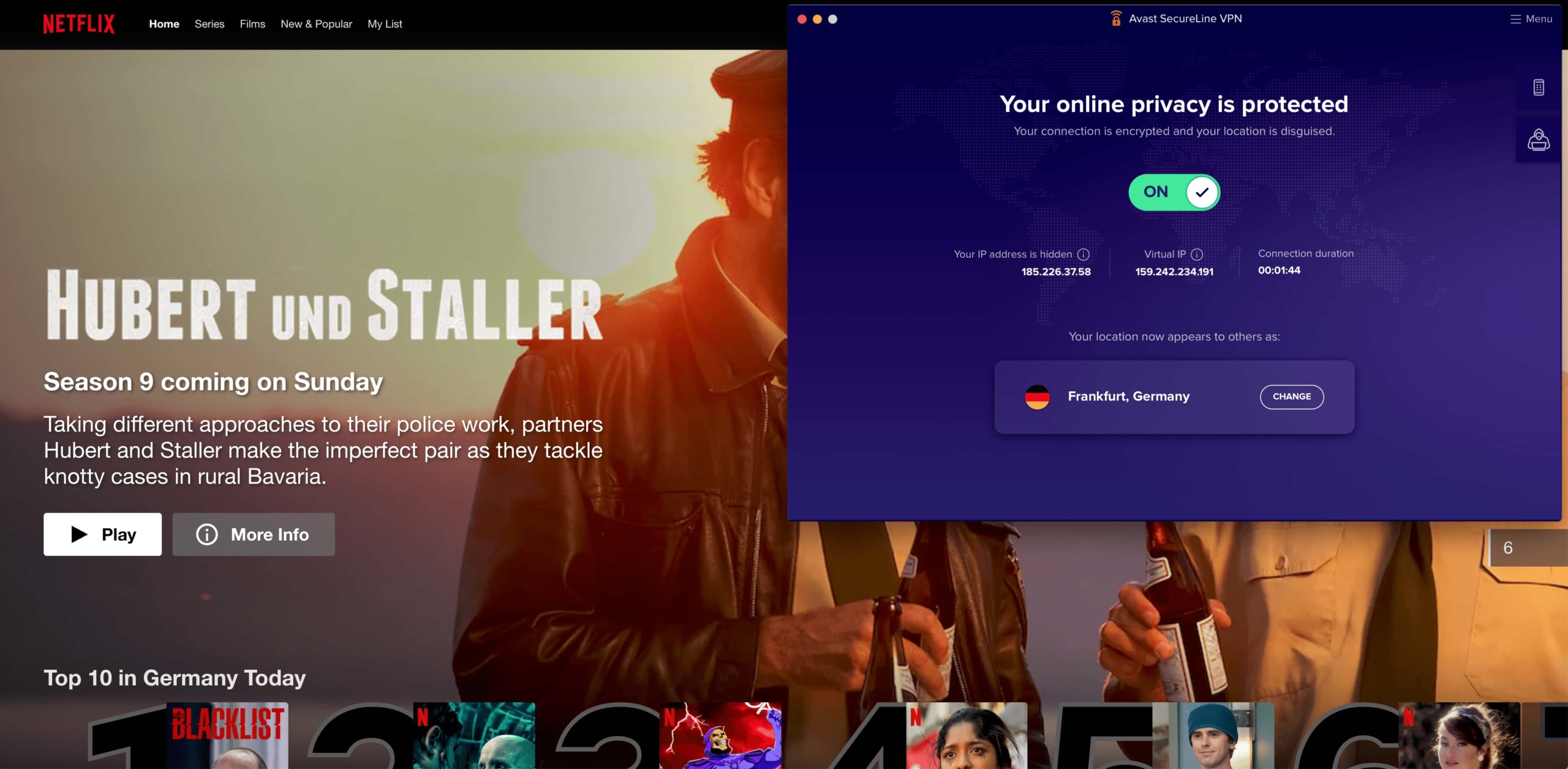
Avast SecureLine beat German Netflix blocks easily in our tests.
Avast VPN Doesn’t Unblock US Netflix, Disney+ and HBO Max
None of Avast’s four US streaming servers could access US Netflix.
None of the streaming-optimized servers worked with Disney+, either. Both HBO Max and Hulu detected our Avast VPN connections and blocked them.
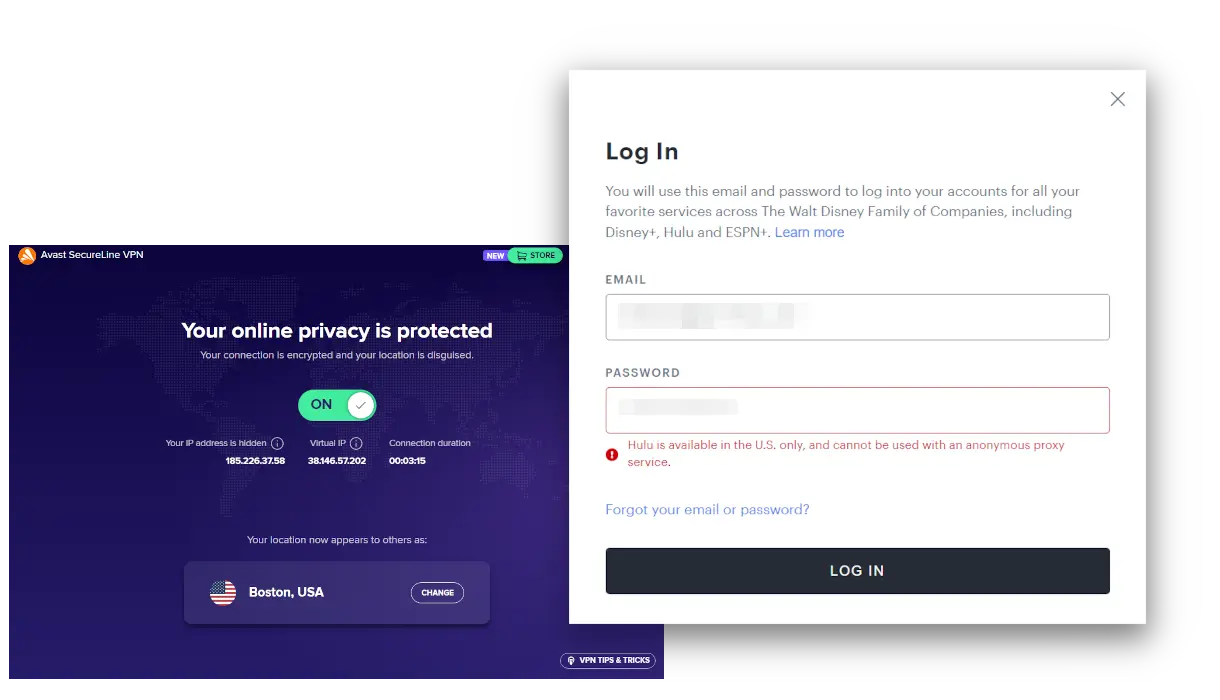
Our streaming tests found Avast VPN failed to unblock Hulu.
Based on our latest findings, there are far more effective streaming VPNs than Avast VPN.
Speed
Ranked #23 out of 61 VPNs for Speed
Avast SecureLine’s local download speeds are among the best we’ve recorded, averaging 98Mbps. However, its long-distance speeds are relatively slow compared to the fastest VPNs, with performance dropping by 21%. Based on this mixed performance, Avast scores 9.1 in our speed evaluation.
We tested Avast SecureLine on servers across six continents to evaluate its speed performance. Here are the full results:
| No VPN (New York) | US (New York) | Canada (Toronto) | US (Los Angeles) | UK (London) | Germany (Berlin) | Brazil (São Paulo) | Japan (Tokyo) | South Africa (Johannesburg) | Australia (Sydney) | |
|---|---|---|---|---|---|---|---|---|---|---|
| Server Location |  |
|
 |
|
 |
 |
 |
 |
 |
 |
| Download Speed | 100Mbps | 98Mbps | 100Mbps | 88Mbps | 93Mbps | 91Mbps | 48Mbps | 88Mbps | 53Mbps | 80Mbps |
| Upload Speed | 100Mbps | 95Mbps | 95Mbps | 96Mbps | 95Mbps | 85Mbps | 28Mbps | 97Mbps | 70Mbps | 92Mbps |
| Ping | 1ms | 7ms | 14ms | 91ms | 75ms | 83ms | 113ms | 142ms | 234ms | 257ms |
| Distance | 0mi | 5mi | 300mi | 2,500mi | 3,500mi | 4,000mi | 4,800mi | 6,700mi | 8,000mi | 9,900mi |
A short-distance download speed of 98Mbps is an excellent outcome. For local speed tests, it’s one of the best we’ve seen.
However, Avast’s long-distance speeds are quite slow compared to the fastest VPNs.
Use the bar chart below to compare Avast’s local and long-distance results against top performers like ExpressVPN and StrongVPN:
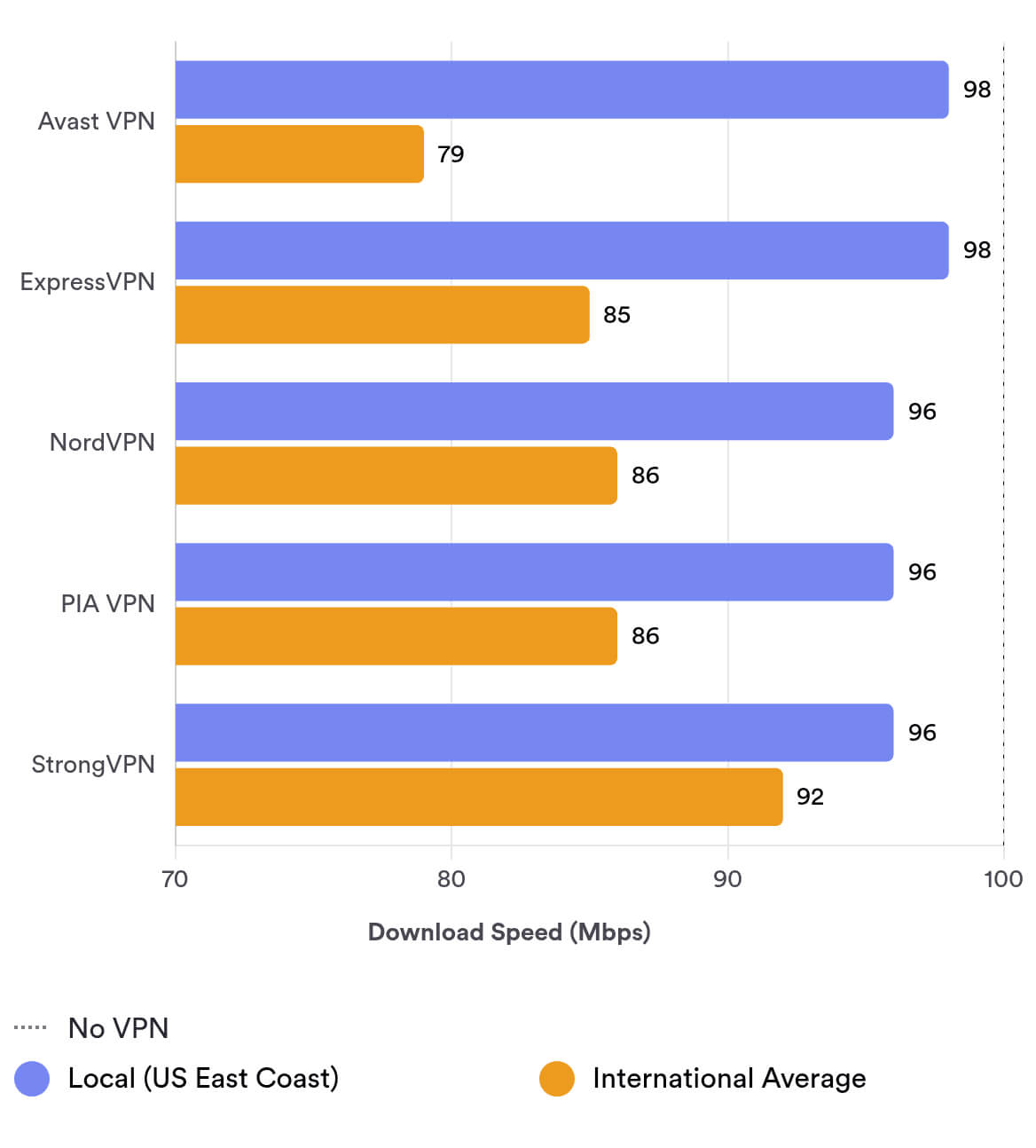
As you can see, Avast’s local speeds are very fast, but its long-distance connections lag behind. The best VPN for international connections is Hotspot Shield, which is only 1% slower than your normal internet speed wherever you connect.
EXPERT ADVICE: For optimal speed, we recommend using the Avast Mimic protocol for distant server locations and OpenVPN for local connections. On macOS, which doesn’t support OpenVPN, use Avast Mimic consistently.
Security
Ranked #24 out of 61 VPNs for Security
Avast VPN is secure enough to hide your IP address and encrypt your data with AES-256. It supports WireGuard and OpenVPN, and we detected no IP or DNS leaks in our testing. However, users seeking the highest level of security might prefer a VPN with more advanced features.
| Independent Audit | No |
|---|---|
| VPN Kill Switch | Yes |
| Leak Protection | Yes |
Avast VPN Uses a Proprietary VPN Protocol
Avast VPN includes an experimental in-house protocol called Avast Mimic. While it delivers fast speeds, Avast provided an unsatisfactory explanation of how the protocol works when we asked.
We would like a transparent, detailed explanation of how the protocol protects your data. With VPNs, data protection should be reliable, not experimental.
OpenVPN is now available as an alternative on all desktop and mobile devices. Avast VPN also supports WireGuard on Windows and Android, though we’d like to see this across all apps.
Safe Practices, but Too Basic
Avast SecureLine uses industry-standard AES-256 encryption and includes a kill switch across all apps. The kill switch is off by default, so you’ll need to enable it manually. These are solid security fundamentals.
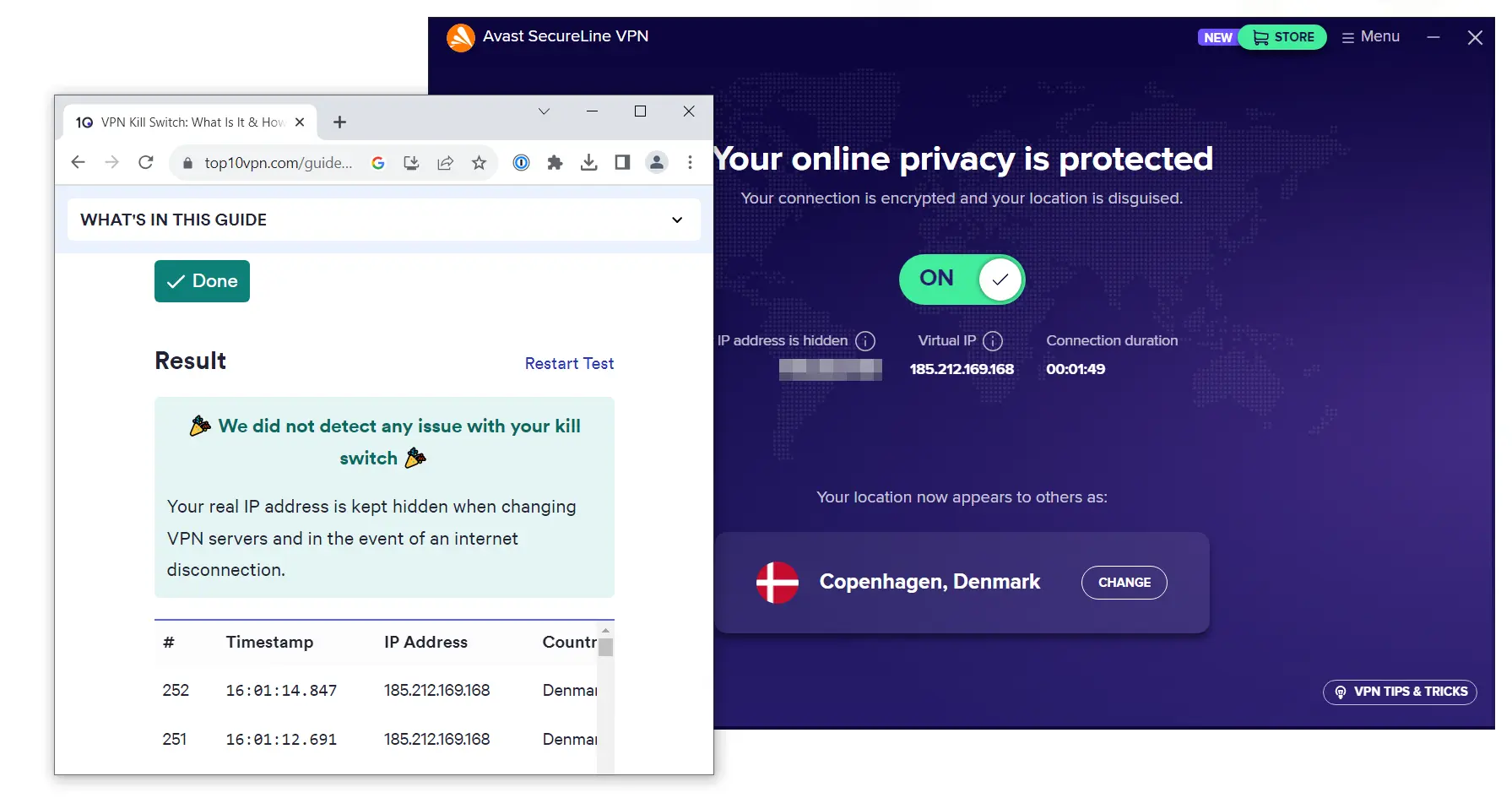
Avast VPN passed our kill switch tests by concealing our IP address.
However, Avast is basic compared to many leading VPNs, which are moving to RAM-only servers and open-source apps. Avast VPN would benefit from advanced, customizable protections like an ad and malware blocker, double VPN (multi-hop), Onion over VPN, and more granular DNS controls.
One impressive addition is a free password leak detector that checks whether passwords linked to your email have been exposed in data breaches. You simply enter an email address to scan.
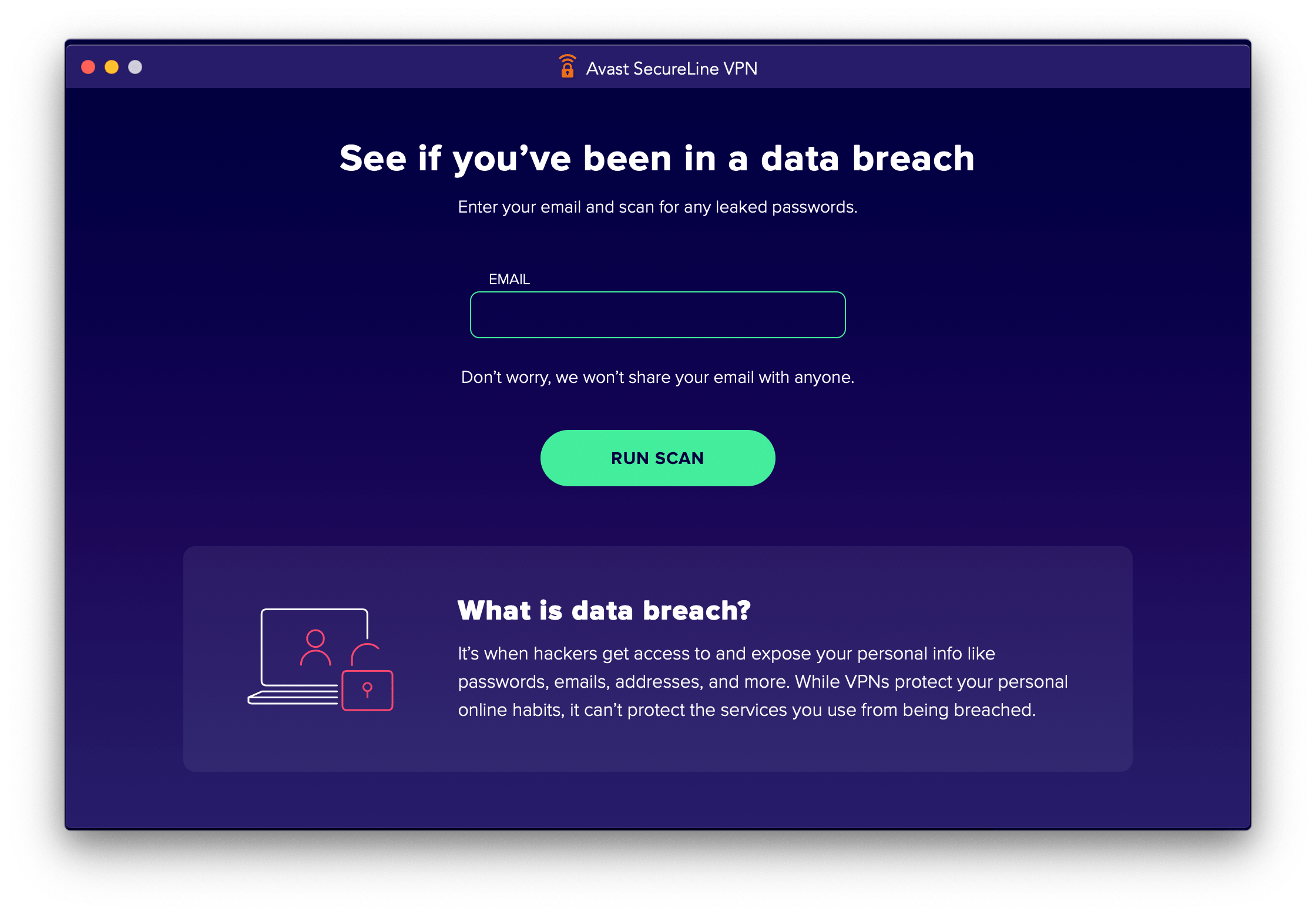
Avast SecureLine has a free password leak detector.
Avast Passed or IPv6, DNS & WebRTC Leak Tests
We ran Avast SecureLine through IPv6, DNS, and WebRTC leak tests. The VPN passed all tests, with no traffic leaks and all personal information hidden.
Server Locations
Ranked #33 out of 61 VPNs for Server Locations
Avast SecureLine has 700 servers across 37 countries. This is a limited selection, focused mostly on Europe and North America.
| Continent | Countries with Servers |
|---|---|
| Europe | 23 |
| Asia | 7 |
| North America | 3 |
| Oceania | 2 |
| South America | 1 |
| Africa | 1 |
Avast SecureLine’s 700 servers across 37 countries represent a disappointing range.
Top VPNs cover many more locations, like ExpressVPN’s 109 countries and CyberGhost’s 100.
Avast’s network is heavily concentrated in Europe and the US. There are relatively few servers in Asia, Africa, and the Middle East.
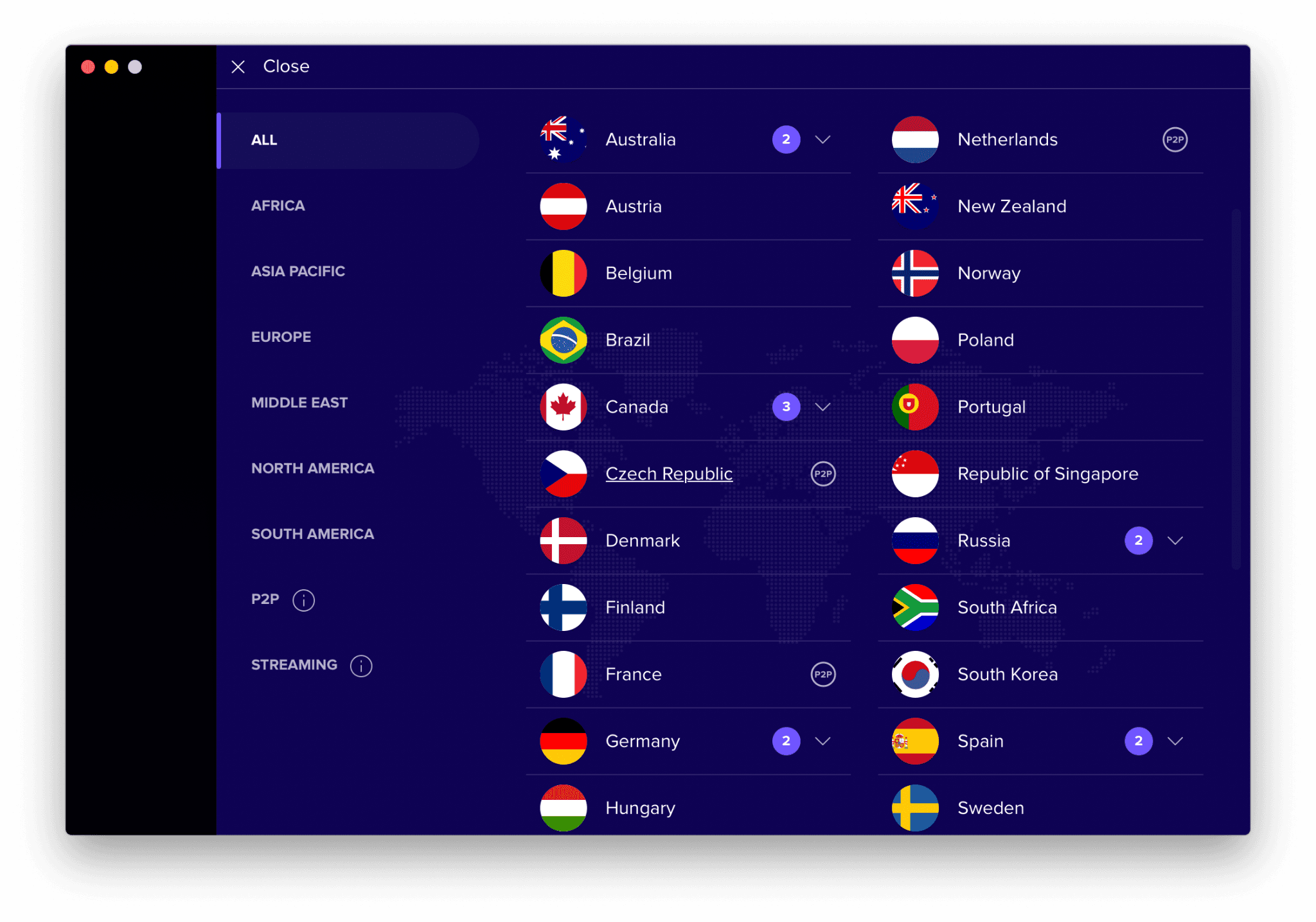
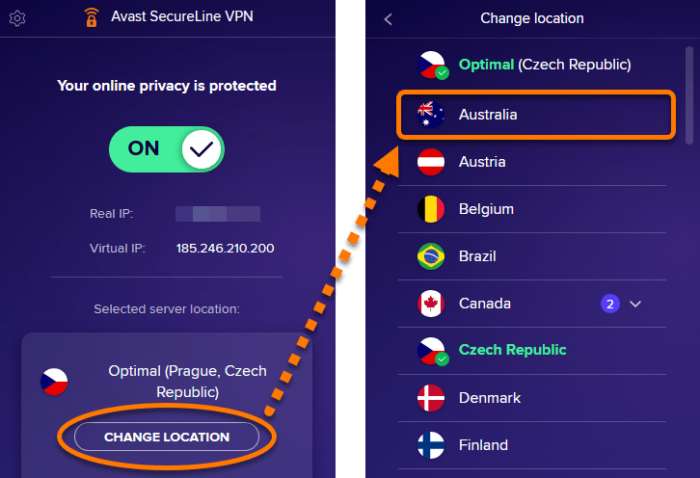
Avast VPN’s server list.
City-level selection is also limited. You can choose different cities only in:
- Australia
- Canada
- Germany
- Russia
- Spain
- UK
- US
It’s not a lot of choice, but at least there are city options in large countries like the US, Canada, and Australia.
Avast’s Server Network Is Part-Owned Part-Rented
Avast stated it both owns and rents servers but refused to disclose details for “security reasons.”
We don’t know which servers are owned and which are rented.
While renting servers is common to increase coverage, it does add risk if third parties mishandle data.
This isn’t necessarily a problem if the VPN carefully vets providers. However, even reputable VPNs have suffered from poor third-party server management, including NordVPN and Windscribe.
For maximum control, some VPNs operate fully self-owned infrastructure, such as IPVanish.
User Experience
Ranked #12 out of 61 VPNs for User Experience
Avast’s apps are extremely simple to use, which is great for beginners. Still, we’d like better integration of advanced features and more streamlined interfaces.
Avast SecureLine is straightforward and easy to understand. The apps are minimal: a home screen with a large connect button, plus a small set of settings and advanced options.
The apps look and function almost identically across devices, which is rare. Avast SecureLine is user-friendly and a viable option for VPN newcomers.
Avast VPN’s Desktop Apps: Windows & macOS
Avast SecureLine is identical on Windows and macOS, with clean, easy-to-navigate interfaces. Avast’s Smart Mode is available on both, which is notable since split tunneling is rarely offered on Mac.
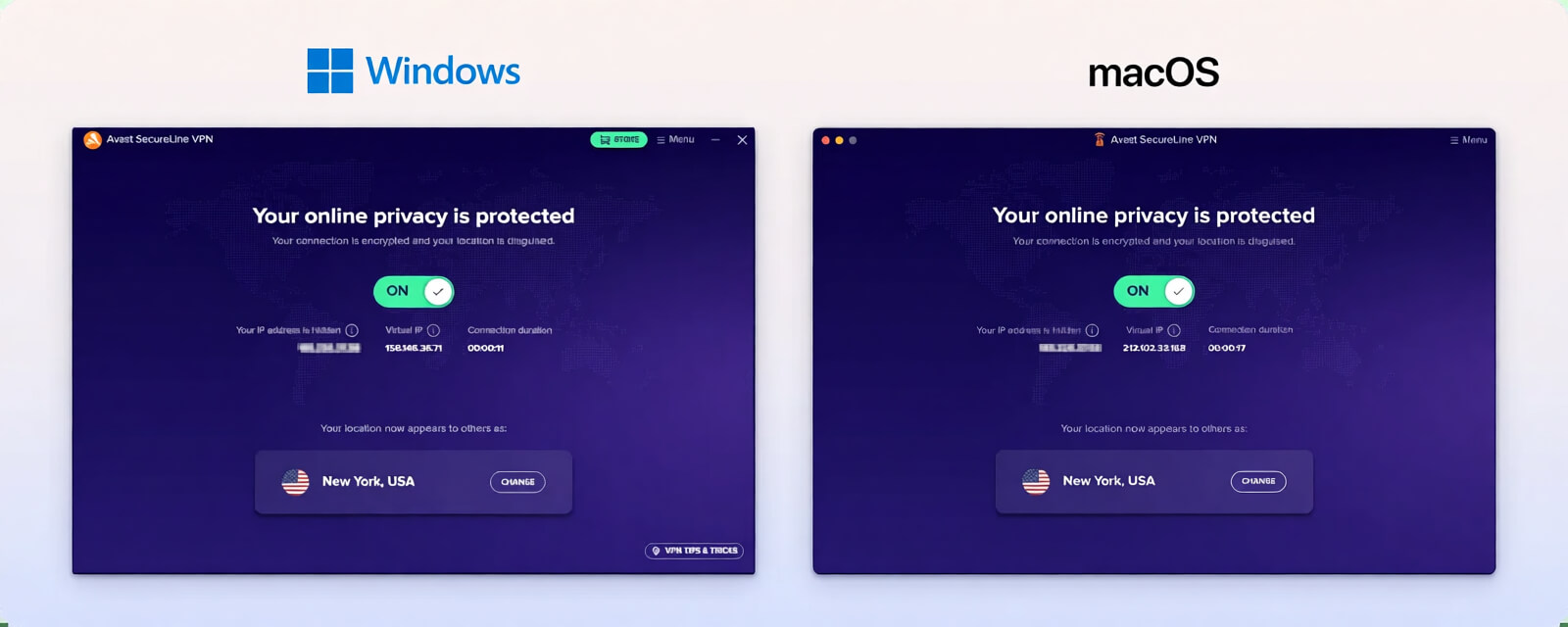
However, Windows supports the OpenVPN protocol while Mac does not. On macOS, the default is IPSec, and you can switch to Avast Mimic via the menu: Preferences > Experimental.
Avast VPN’s Mobile Apps: Android & iOS
Avast SecureLine’s Android app includes a kill switch, split tunneling, and auto-connect, and uses OpenVPN by default.
You can disable the automatic sharing of app-usage data with third parties—though it shouldn’t be enabled by default. Ideally, it would be opt-in.
The iOS app, by contrast, is minimal. None of its servers are labeled as P2P, and there are no customizable settings at all—not even auto-connect.
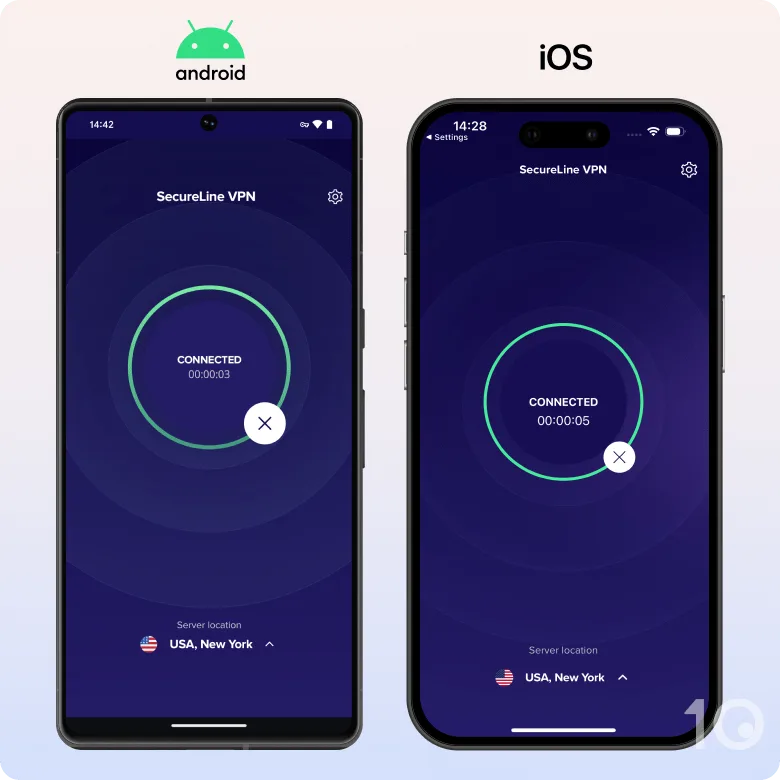
Both mobile apps include a basic Help FAQ, a link to the Avast Forum, and contact support.
The mobile apps have the same number of servers as desktop, but you cannot change your protocol on either mobile platform. This is a major drawback.
Overall, Avast SecureLine is more advanced and customizable on desktop than on mobile, which is common among VPNs.
Torrenting
Ranked #29 out of 61 VPNs for Torrenting
Avast VPN delivered fast torrenting speeds on its P2P-optimized servers. However, due to SecureLine’s intrusive logging practices, we don’t recommend it for safe torrenting.
| Torrenting Attribute | Avast SecureLine VPN |
|---|---|
| Permits P2P Traffic | Yes |
| Average Download Bitrate | 9.29MiB/s (7.1% loss) |
| Countries with P2P Servers | 6 |
| Port Forwarding | No |
| Kill Switch | Yes |
| Logging Policy | Identifiable Data |
Avast lists eight servers optimized for P2P activity:
- Czech Republic
- France
- Frankfurt, Germany
- London, UK
- Miami, US
- Netherlands
- New York, US
- Seattle, US
Testing torrent speeds on these P2P servers, we recorded an average download bitrate of 9.29MiB/s, comparable to leading torrenting VPNs. For example, PIA VPN averages 9.6MiB/s.
The VPN also has a kill switch to prevent accidental exposure while torrenting.
Despite the fast speeds, Avast VPN logs too much data. Its timestamp logs, past data-harvesting scandal, and cooperation with government agencies mean Avast SecureLine is not ideal for safe torrenting.
It also lacks torrent-specific features like a SOCKS5 proxy and port forwarding.
Device Compatibility
Avast VPN is available on Windows, Android, Mac, iOS, and Android TV. The native apps are simple to install and allow up to 10 simultaneous connections, which exceeds the industry standard of five. Disappointingly, Avast VPN doesn’t support Linux or Fire TV Stick.
| Windows | Yes |
|---|---|
| Mac | Yes |
| iOS | Yes |
| Android | Yes |
| Linux | No |
| Amazon Fire TV | No |
| Android TV | Yes |
| Apple TV | No |
| Router | No |
| Chrome | Yes |
Simultaneous Connections: 10
Outside the major platforms above, Avast VPN offers limited device compatibility.
There are no native apps for Fire TV Stick, no router configuration, and no Smart DNS. In practice, using the VPN on your TV is difficult.
Avast even directs users to its partner VPN, HideMyAss, for TV use. This is unacceptable for existing Avast subscribers—Avast needs to improve its device support.
Avast Supports 10 Simultaneous Connections
If you purchase an Avast SecureLine Multi-Device plan, you can use Avast VPN on up to 10 devices at once. This is generous, though some VPNs like Surfshark allow unlimited connections.
Browser Extensions
Avast SecureLine VPN provides proxy extensions for Google Chrome and Mozilla Firefox. Both add-ons are easy to set up and use.
The Avast VPN browser extension.
However, these are proxies, not full VPNs. They won’t fully encrypt your traffic and will only change your IP address within the browser, not across your entire device.
Additional Features
Avast SecureLine VPN doesn’t offer many additional features. There’s no reliable obfuscation, no dedicated IPs, multi-hop, GPS spoofing, or ad blocker—features that leading VPNs increasingly include at no extra cost.
| Additional Feature | Avast SecureLine VPN |
|---|---|
| Split Tunneling | Yes |
| VPN Obfuscation | No |
| Multi-Hop Servers | No |
| Dedicated IP | No |
| Ad Blocker | No |
Smart Mode Is a Useful Split Tunneling Tool
Avast SecureLine includes Smart Mode, an automatic split tunneling feature that chooses which websites and apps go through the VPN and which do not.
Avast says Smart Mode can “tell when you’re connecting to a sensitive site,” and can close the VPN session after you leave. This typically applies to banking and torrenting sites. It also detects when you’re on public Wi-Fi.
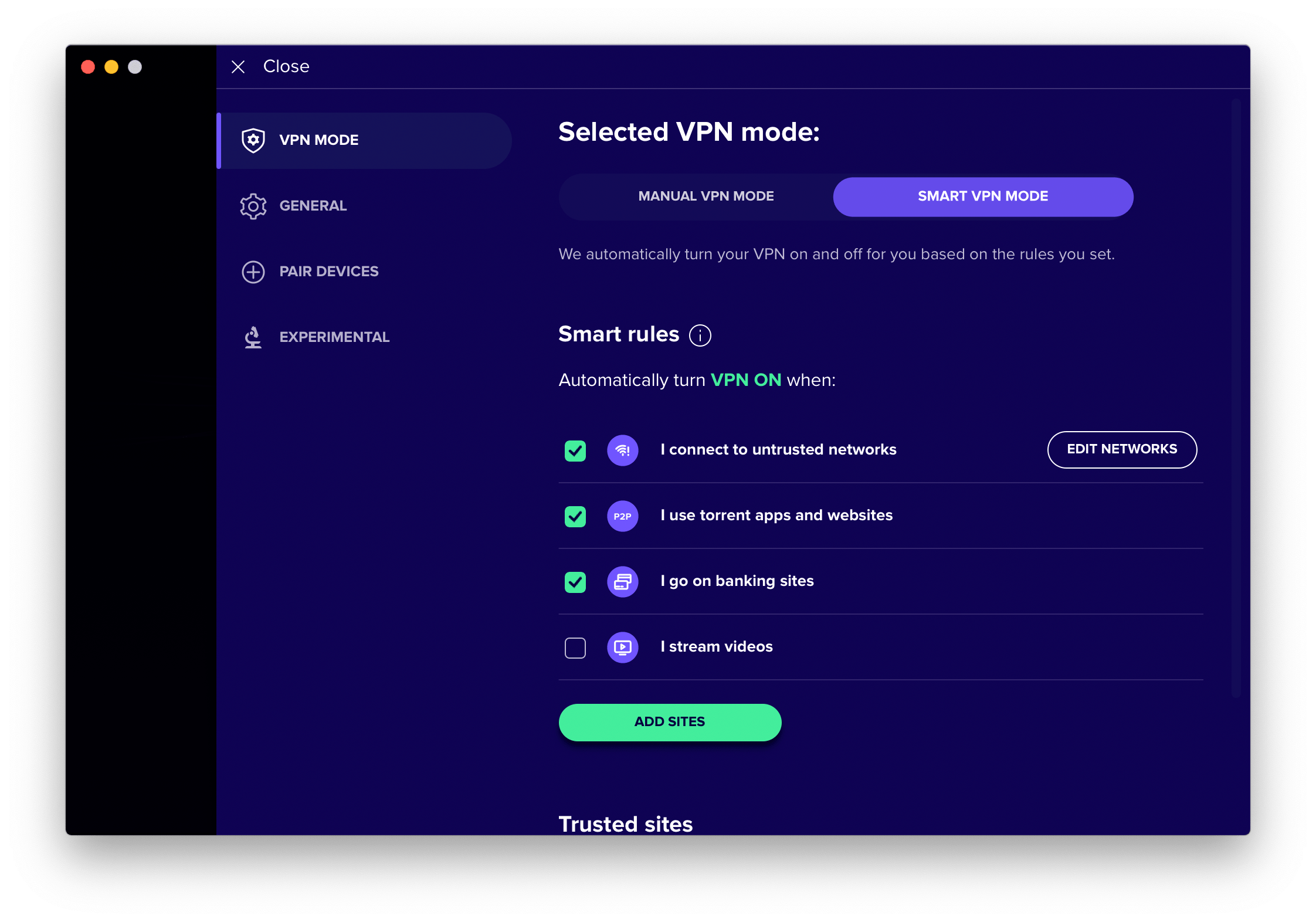
Smart VPN Mode is a split tunneling feature that can work automatically or manually.
You can also customize it by choosing which websites to encrypt or exclude, similar to standard split tunneling tools.
Credit to Avast for offering this on Mac—it’s rare to find working split tunneling on Apple devices. Even top VPNs like ExpressVPN and NordVPN don’t include it.
Not Reliable in China
We regularly test Avast SecureLine with a remote PC in Shanghai. Recently, we haven’t been able to connect as consistently as before.
Over the past year, it has only achieved a 30% success rate against the Great Firewall.
Most VPN websites are blocked in China, so you’ll need to download a VPN before traveling there, or use another VPN that works in the country.
Avast may work against censorship in countries like Russia and Turkey, which have less robust blocking methods than China. However, we recommend more effective alternatives like Hide.me, Windscribe Free, or Astrill VPN.
Good 24/7 Live Chat Support
Avast has improved its support. It now offers a 24/7 live chat in addition to FAQs and email. In the past, you were encouraged to call or wait for an email response.
The FAQs in the app and on the website are a bit too basic to be fully helpful. For example, we couldn’t find detailed information on the Avast Mimic protocol. That said, we received a response from a live chat agent.
If you choose customer support, you’ll be directed to the website to select the product and then either send an email or start a live chat.
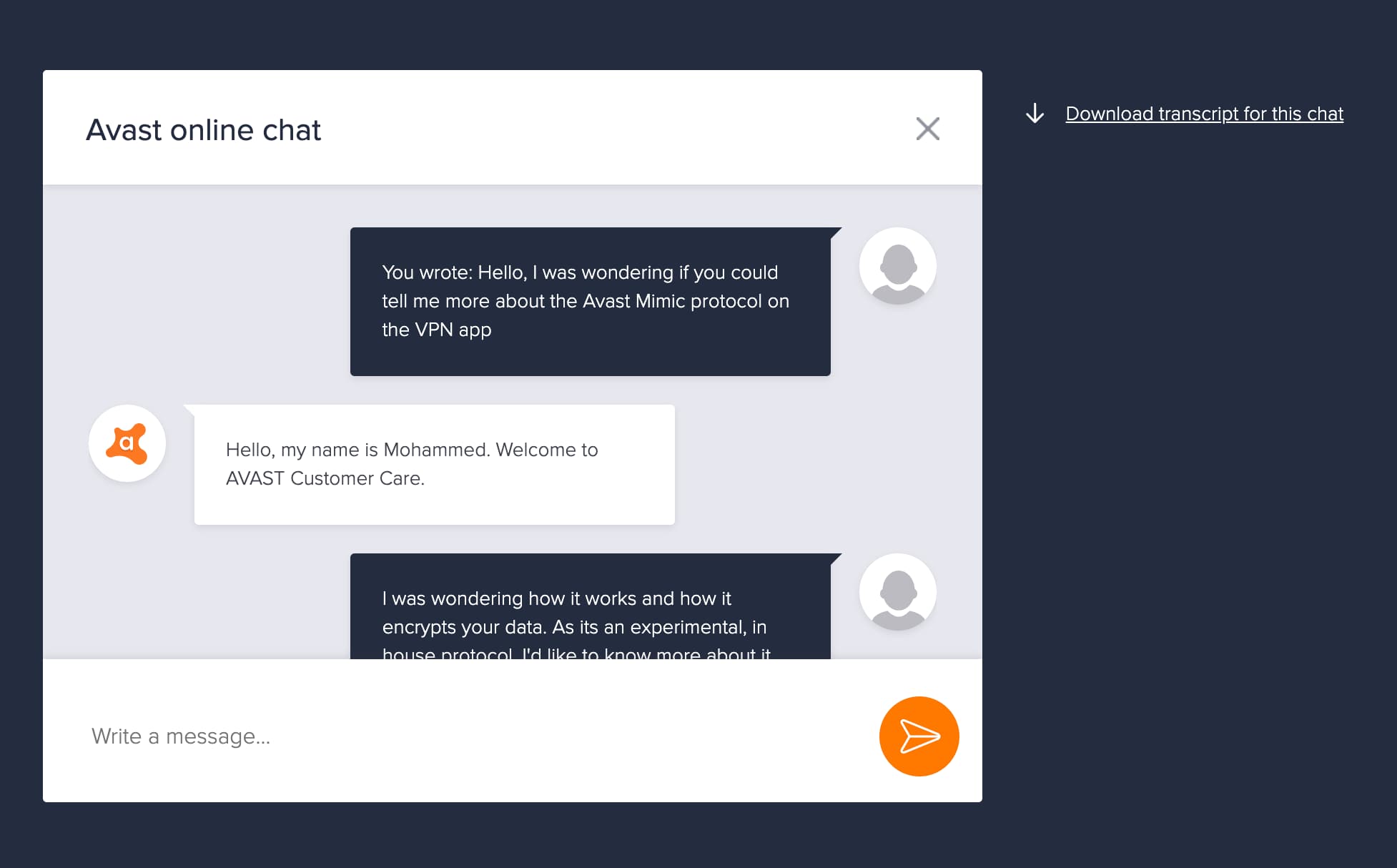
Avast has invested in a 24/7 live chat support system.
Customer support is polite and effective, if a little slow at times. While responses can feel scripted, the information provided was ultimately helpful.
You can’t access live chat instantly; you have to click through a few options and fill out a form first.
Impressively, we received a follow-up email the next day with expanded information—without asking:
“I’ve reviewed your live chat correspondence and I see that a question was unanswered regarding our servers.”
It then provided a more comprehensive answer. This shows initiative from Avast and a desire to help its customers.
Avast SecureLine VPN Key Data
| Attribute | Avast SecureLine VPN | Typical VPN |
|---|---|---|
| Owner | Avast RSO | Independent |
| Launch Date | 2013 | 2015 |
| Local Download Speed | 98Mbps (2% loss) | 89Mbps (11% loss) |
| International Download Speed | 79Mbps (21% loss) | 80Mbps (20% loss) |
| Countries with Servers | 37 | 40 |
| Privacy Policy | Identifiable Data | Identifiable Data |
| Simultaneous Connections | 10 | 10 |
| Netflix Libraries | 1 | 3 |
| Torrenting | Yes | Yes |
| Works In China? | Sometimes | No |
| Cheapest Price | 3.75/mo over 36 months | $3.87/mo over 24 months |
| Customer Support | 24/7 Live Chat | |
| Apps & Extensions |
          |
|
Price
Price Plans
| 12 months | $55.20 ($4.60/mo) |
|---|---|
| 2 years | $100.80 ($4.20/mo) |
| 3 years | $135.00 ($3.75/mo) |
Free Trial
| Money-Back Guarantee | 30 days |
|---|---|
| Free Trial | 7 days |
| 100% Free Plan | No |