
Astrill VPN: The Best for Bypassing Censorship in China, but Expensive and Limited for Streaming
Astrill VPN is a strong all-around service, and the very best for bypassing internet censorship in countries like China. It’s fast, private, and works with US Netflix, but it’s also more expensive than its competitors. We recommend Astrill for users in heavily censored countries. If you’re a beginner or casual user, consider a cheaper and simpler VPN.
- Pros
- 100% reliability in China, the UAE & Turkey
- OpenVPN, WireGuard plus custom protocols
- Extra features like ad blocker, leak protection and kill switch
- Servers optimized for P2P traffic and torrenting
- Works with US Netflix
- Cons
- The most expensive VPN service & no refund policy
- Changed jurisdiction from Seychelles to Liechtenstein
- Slower than other popular VPNs
- Doesn’t unblock HBO Max, Amazon Prime, or Disney+
- No transparency reports, warrant canary, or audit
- No web browser extensions or mobile kill switch
Founded in 2009, Astrill VPN is one of the longest-running VPNs. It’s owned by Veloxee Corp, and its development team is led by cryptographers.
Astrill is the most expensive VPN on the market, but it’s also the best for bypassing strict censorship and website blocks. In our view, it’s only worth the price if you regularly need to bypass web censorship.
We regularly test the VPN using our server in China, and its StealthVPN protocol continues to bypass the Great Firewall on every attempt. There is no doubt that Astrill is the best VPN for China.
Unlike every other VPN we’ve tested, Astrill has worked in China with a 100% success rate over the past seven years. In our testing via a server in Shanghai, we could always access blocked websites like YouTube and Instagram.
It’s also good for hiding torrenting activity from your ISP. The VPN has P2P-optimized servers and fast download speeds. We downloaded a 10GB torrent in just 32 minutes — the fastest of any VPN we’ve tested.
Outside these two use cases, Astrill VPN falls short. It doesn’t unblock as many streaming services as its competitors, and we were frequently limited to 720p video quality.
Its desktop apps are difficult for beginners, and many advanced features require an extra subscription on top of an already high price.
Alternatives to Astrill
- ExpressVPN: ExpressVPN outperforms Astrill in every area except censorship circumvention, and costs almost half as much. It unblocks more Netflix libraries, HBO Max, DAZN, Prime Video, and other platforms that Astrill fails to access.
- PIA: For a VPN with more included features, Private Internet Access is an excellent alternative. It offers multi-hop, split tunneling, and obfuscation like Astrill, but as part of its regular subscription. It’s also one of the few VPNs to outperform Astrill in our torrenting tests.
Privacy
Ranked #12 out of 45 VPNs for Privacy
Astrill’s logging policy is reasonably private. The VPN logs some sensitive, identifiable data during your connection, including your IP address, but it permanently deletes this information after each session. This helps maintain performance without compromising your privacy.
| Originating IP Address | Yes |
|---|---|
| Browsing Activity | No |
| Individual Connection Timestamps | Yes |
| Date of Last Connection | No |
| VPN Server IP | No |
| Device Information | Yes |
| Individual Bandwidth Usage | Yes |
| Account Information | Yes |
You can read Astrill’s full privacy policy on its website.
It’s not ideal that Astrill logs your IP address, but this data is only kept during your session and then permanently deleted.
This helps the app function without compromising privacy. All VPNs need to handle a minimal amount of information to operate; in this case, Astrill uses it to regulate the number of devices simultaneously connecting to one account.
However, this is a weak justification given that other VPNs, like ExpressVPN and PrivateVPN, monitor device connections without logging your IP address.
Astrill also tracks total bytes transferred for network maintenance and expansion. This isn’t personally identifiable and doesn’t threaten your privacy. Astrill reassures users that:
“The very design of our VPN server software does not allow us to see which clients accessed what websites even if we wanted to.”
Astrill does, however, log your last 20 connection records to help customer support troubleshoot issues. This includes:
- Connection time
- Connection duration
- Country
- Device type
- Astrill client version number
None of this is personally identifiable, and if your Astrill account is inactive for 30 days this information is automatically deleted. You can also request deletion by contacting [email protected].
Although none of the stored data is identifiable, this is unreasonable for a VPN that advertises itself as no-logs.
Astrill would benefit from commissioning an independent audit of its logging practices to remove any doubts about its safety. We’d also like to see regular transparency reports so users can review any data requests from government agencies.
We were impressed by Astrill VPN’s privacy-friendly payment options. You can purchase a subscription with cryptocurrency, such as Bitcoin, for increased anonymity.
This isn’t as anonymous as Mullvad VPN’s option to mail cash to its office, but it’s still notable.
Astrill VPN Is Owned by Veloxee Corp
Astrill VPN is owned by a corporate entity called Veloxee Corp.
Its subsidiary, Astrill Systems Corp., was built and is run by a team of cryptographers, programmers, and networking engineers.
The company isn’t particularly transparent, but it has serious security credentials; there’s never been a server breach, security leak, or major controversy.
Moved from Seychelles to Liechtenstein
Astrill VPN used to be incorporated in the privacy stronghold of the Seychelles. However, in November 2023 Astrill quietly moved its legal base to Liechtenstein.
Liechtenstein is not in the EU, but it does have a data-sharing agreement with Europol. Either way, it’s not as private as the Seychelles.
Streaming
Ranked #12 out of 45 VPNs for Streaming
Astrill’s biggest drawback is its inability to access geo-restricted content on most popular streaming sites. While it unblocks US Netflix, Hulu, and BBC iPlayer, it fails with many other streaming services. It also can’t reliably stream in 4K or 1080p, which makes it worse than its competitors.
| Streaming Service | Works with Astrill |
|---|---|
| BBC iPlayer (UK) | Yes |
| DAZN (Canada) | No |
| Disney+ (UK) | No |
| Hulu (US) | Yes |
| ITVX (UK) | Yes |
| HBO Max (US) | No |
| Netflix (US) | Yes |
| Netflix (UK) | No |
| Prime Video (US) | No |
| Sky Go (UK) | No |
Astrill focuses on privacy and anti-censorship, and this comes at the cost of streaming capabilities.
There is no mention of streaming across its website, and the VPN offers no optimized servers for services like Netflix, BBC iPlayer, or Disney+. There’s no native app for Amazon Fire TV Stick, either.
Astrill Can Only Access the US Netflix Region
Astrill does work to unblock the US Netflix library. Combined with its strong long-distance speeds, this makes it a viable (but expensive) option for those looking to stream US-exclusive Netflix content from abroad.

Astrill accesses the US Netflix library from overseas.
Astrill doesn’t unblock any other Netflix region. When we asked why we were getting US Netflix on its Australian servers, we were told that Netflix isn’t supported on them, so the traffic is automatically redirected to the US. This applies anytime you try to access a non-US library.
Reliably Unblocks Hulu
Despite its poor Netflix coverage, Astrill VPN consistently unblocks Hulu on all of its US servers.

Astrill VPN allowed us to stream Hulu from outside the US
Using Astrill, we bypassed Hulu’s geo-restrictions on both our Lenovo T480 laptop and our iPhone 15.
In each case, the video loaded without buffering and the quality stayed consistent.
Works with UK Streaming Platforms
Astrill’s performance with UK streaming services is more mixed than with US platforms.
We were able to unblock BBC iPlayer, All 4, and ITVX using Astrill’s London server, but video quality was often blurry.
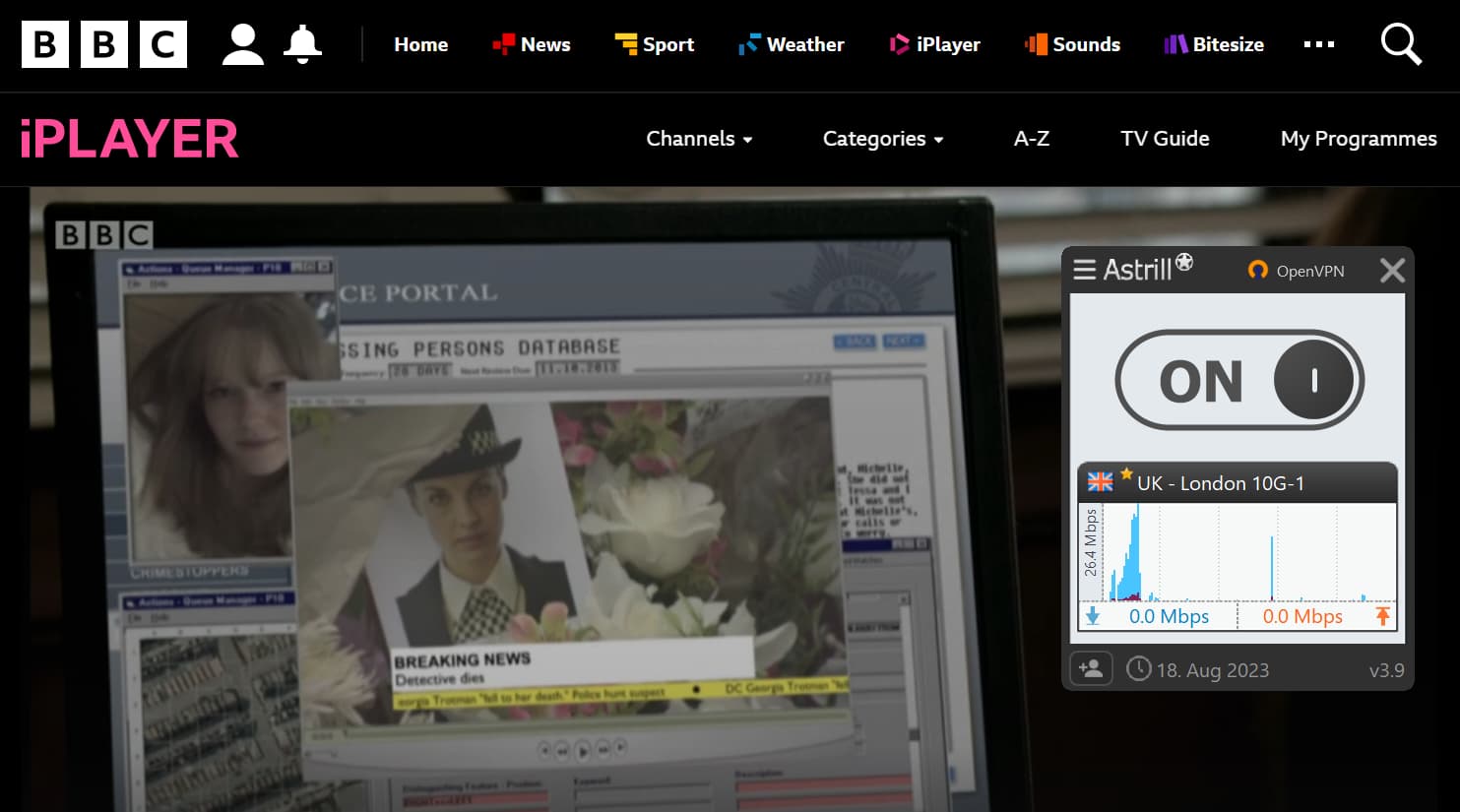
BBC iPlayer loaded faster than ITVX during our Astrill VPN streaming tests.
ITVX in particular took a few minutes to load, and the low-resolution stream was too blurry to watch on our iPhone.
Astrill Fails to Unblock Most Streaming Platforms
Despite its success with US Netflix and Hulu, Astrill can’t access US-based HBO Max or the American version of Amazon Prime Video.
Astrill also doesn’t unblock Disney+ if you’re in a region where it’s not yet available.
With no streaming-optimized servers, no Smart DNS, and limited access to major services, Astrill VPN can’t match the best VPNs for streaming. We’d expect a top streaming VPN to unblock multiple Netflix libraries, support a native Fire TV Stick app, and provide speeds sufficient for 4K — Astrill lacks all of this.
Speed
Ranked #31 out of 45 VPNs for Speed
At its fastest, we recorded a top download speed of 93Mbps (7% loss) using Astrill VPN. We had no issues torrenting large files or playing games online, and its long-distance performance is excellent. However, short-distance speeds don’t match the best VPNs, and ping is too high, which lowers its overall speed rating.
We connected to Astrill servers in five countries across four continents. All tests were run on a 100Mbps internet connection.
Here’s a table of Astrill VPN’s full speed test results:
| No VPN (New York) | US (New York) | Canada (Toronto) | US (Los Angeles) | UK (London) | Germany (Berlin) | Brazil (São Paulo) | Japan (Tokyo) | South Africa (Johannesburg) | Australia (Sydney) | |
|---|---|---|---|---|---|---|---|---|---|---|
| Server Location |  |
|
 |
|
 |
 |
 |
 |
 |
 |
| Download Speed | 100Mbps | 93Mbps | 95Mbps | 85Mbps | 89Mbps | 86Mbps | 81Mbps | 78Mbps | 31Mbps | 63Mbps |
| Upload Speed | 100Mbps | 96Mbps | 93Mbps | 87Mbps | 92Mbps | 96Mbps | 97Mbps | 93Mbps | 9Mbps | 91Mbps |
| Ping | 1ms | 50ms | 75ms | 188ms | 190ms | 230ms | 113ms | 330ms | 255ms | 480ms |
| Distance | 0mi | 5mi | 300mi | 2,500mi | 3,500mi | 4,000mi | 4,800mi | 6,700mi | 8,000mi | 9,900mi |
EXPERT ADVICE: If OpenVPN, StealthVPN, or WireGuard are slow, switch the connection to UDP. If that doesn’t help, lower the MTU value to 1400 or 1300 via Settings > VPN Options.
Astrill reduced our base speeds by 7% on a nearby server, making it slightly slower than many top VPNs. That said, its speeds are usually fast enough and remain stable without major fluctuations.
Over long distances, Astrill is consistent but among the slower VPNs on average in our tests. You probably won’t notice much impact on everyday browsing, but tasks like gaming or 4K streaming may suffer. You can see how Astrill compares to faster rivals below.
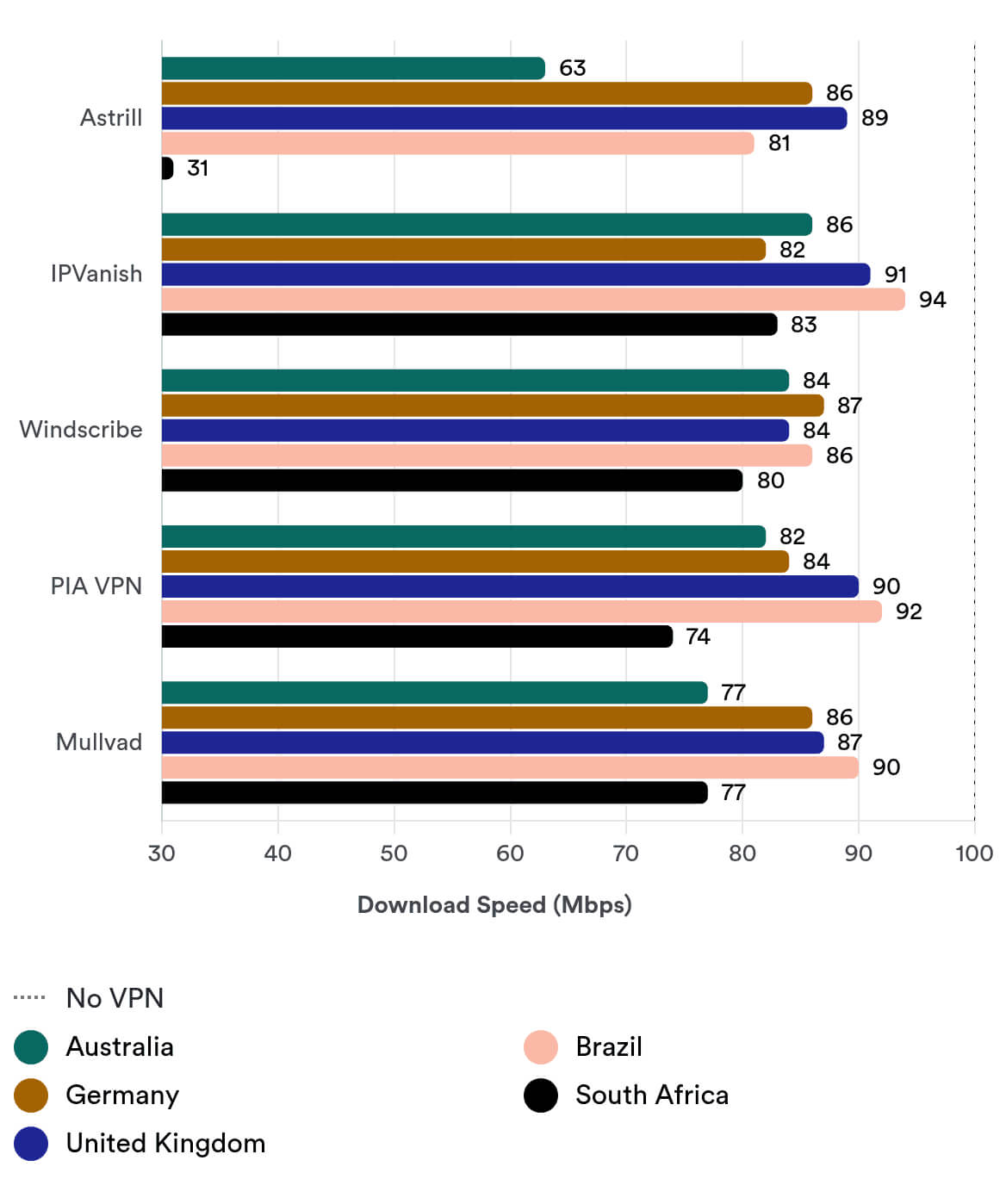
One odd result: the 95Mbps average speed on a Canadian server was actually faster than our nearby New York, US server.
Astrill Has a Built-In Speed Test Tool
Astrill includes a built-in speed test to help you find the fastest server before you connect.
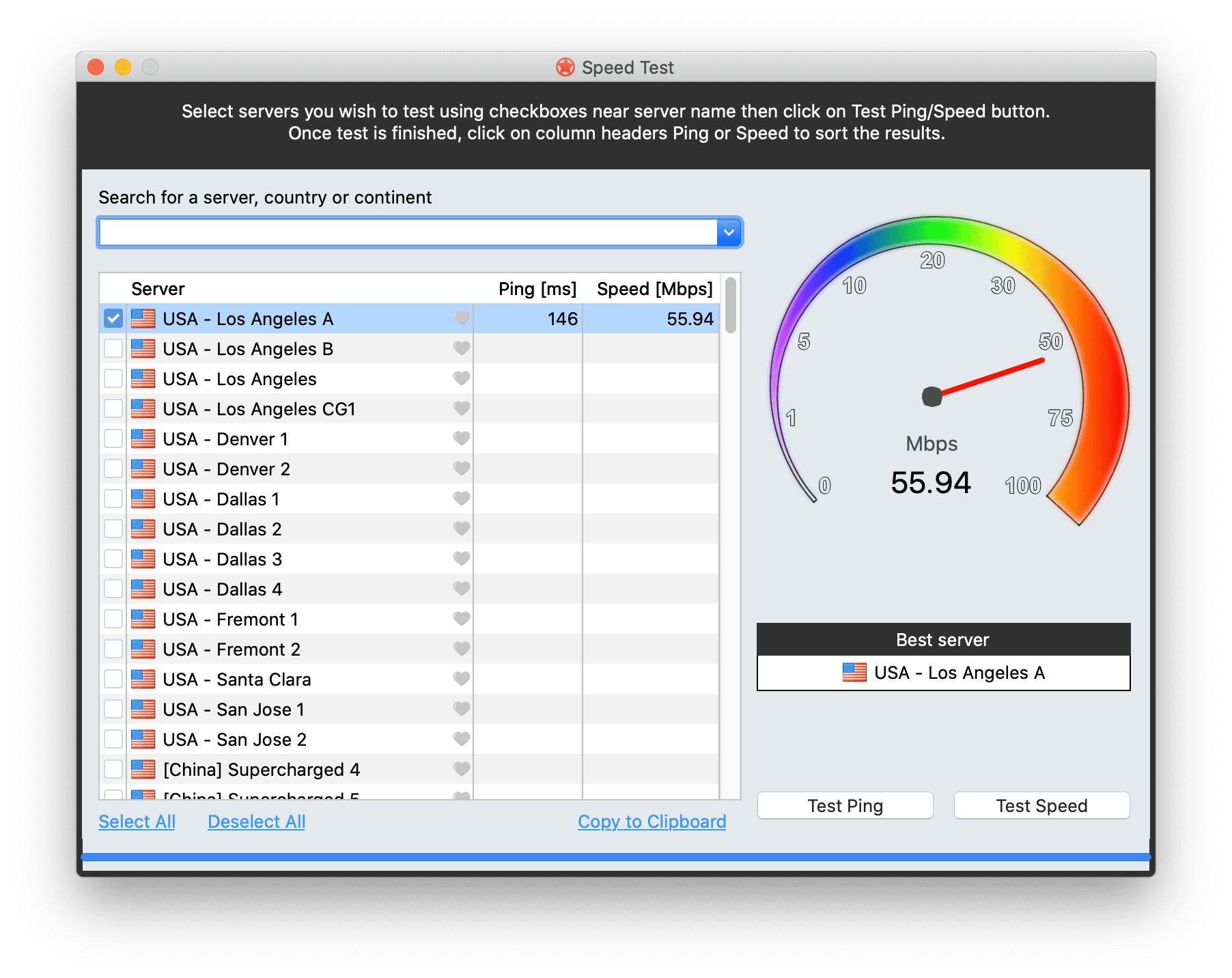
Astrill’s speed test tool works wherever you are in the world.
You can test each server’s speed and ping in real time. From our location, Los Angeles A was the fastest US server—surprising, since we test from the US East Coast.
Security
Ranked #11 out of 45 VPNs for Security
Astrill VPN is safe to use and offers one of the strongest security packages of any VPN. It uses the AES-256 cipher, supports four tunneling protocols (including OpenVPN and WireGuard), and provides an effective kill switch and leak protection. Still, there’s room to improve: we’d like Astrill to open-source its apps and proprietary protocols or undergo an independent server security audit.
| Independent Audit | No |
|---|---|
| VPN Kill Switch | Yes |
| Leak Protection | Yes |
Astrill Offers Multiple Proprietary Tunneling Protocols
OpenVPN and WireGuard are trusted, open-source protocols that excel in different areas. Astrill offers both, plus two proprietary options—StealthVPN and OpenWeb—balancing standardization with custom features.
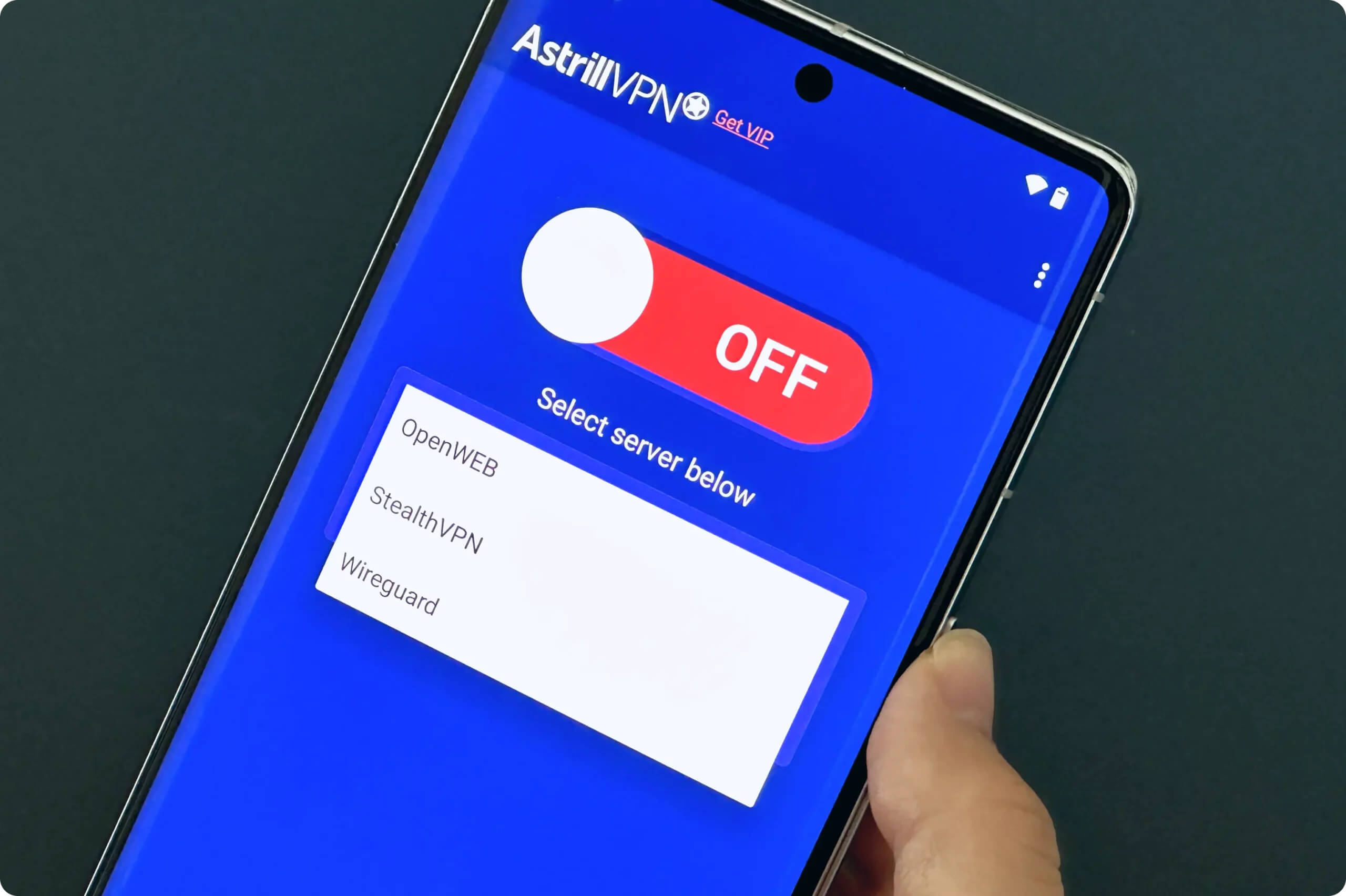
OpenWeb is a proprietary, TCP-based protocol designed for fast streaming and browsing. Instead of encrypting all device traffic, it only tunnels traffic from major web browsers like Firefox, Internet Explorer, Opera, Safari, Chrome, and Chromium.
You can configure OpenWeb to encrypt traffic from other apps and share your OpenWeb connection with iPhone, iPad, and Android devices. This is helpful if mobile VPN protocols are blocked by your ISP or network admins.
EXPERT ADVICE: When using OpenWeb, Astrill will disconnect all applications if you switch servers or turn the VPN off. To prevent this, go to Settings > Advanced > Keep Connection.
StealthVPN is Astrill’s flagship proprietary protocol. It adds obfuscation to already encrypted traffic to bypass firewalls without detection.
It’s stable and reliable, works over UDP and TCP, uses RSA-2048 certificates for authentication, and the AES-256 cipher for encryption.
Reliable & Advanced Kill Switch
Astrill’s kill switch prevents IP leaks by cutting your internet connection if the VPN drops. When this happens, a pop-up asks whether to restore your internet or reconnect the VPN first.
Windows users also get App Guard, which Astrill calls an “enhanced” kill switch. It lets you block specific apps from accessing the internet if the VPN disconnects, while everything else stays online.
It works even when the desktop app isn’t running and is enabled automatically at startup.
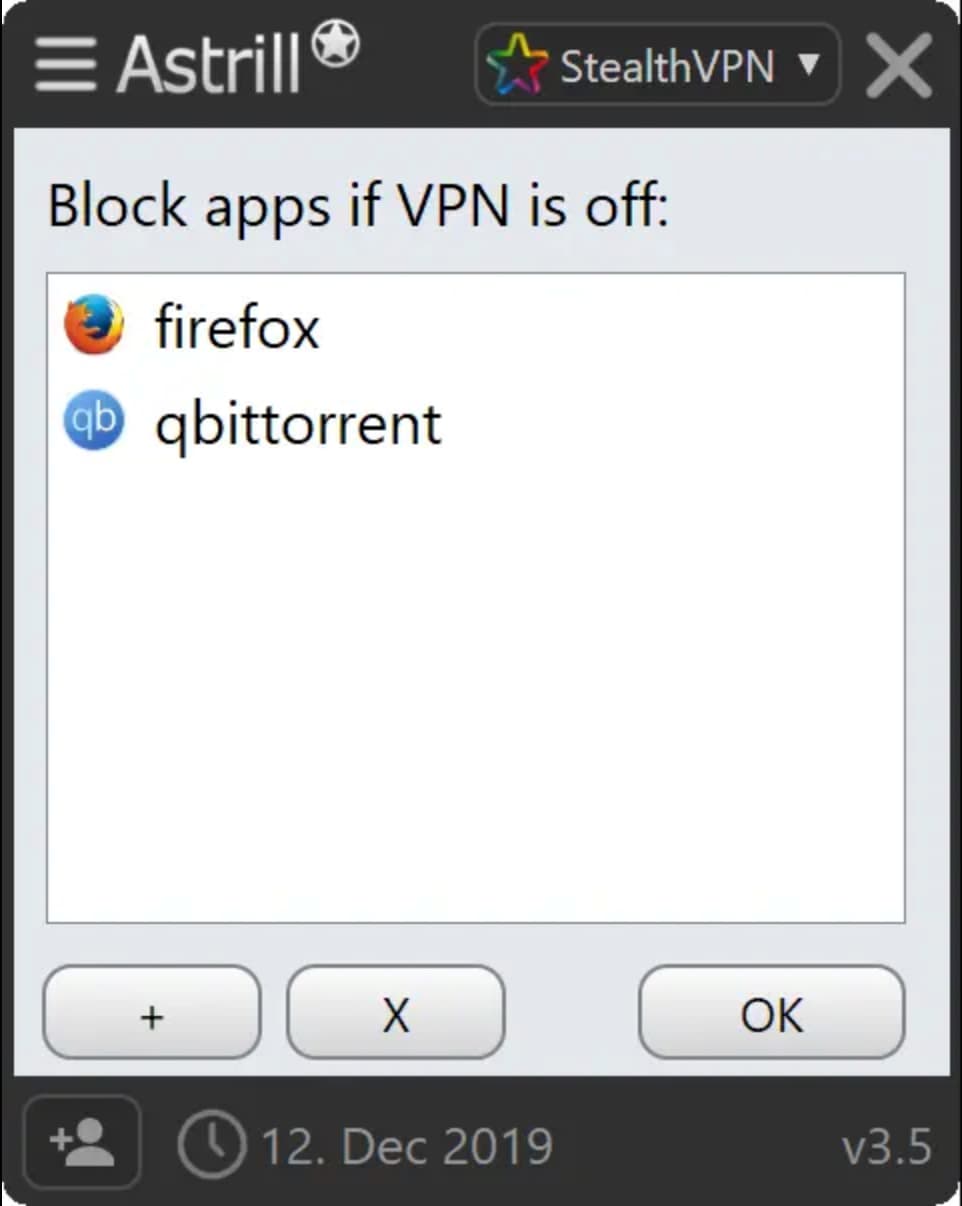
Astrill’s advanced kill switch is called App Guard.
We tested both the standard kill switch and App Guard with our kill switch testing tool, which monitors IP and geolocation during connection drops.
As shown below, the normal kill switch failed to hide our real IP during a server change. This is more of a usability issue than a security flaw because Astrill requires you to manually disconnect before switching servers.
Top-rated VPNs like PIA let you switch servers without interrupting the VPN connection.
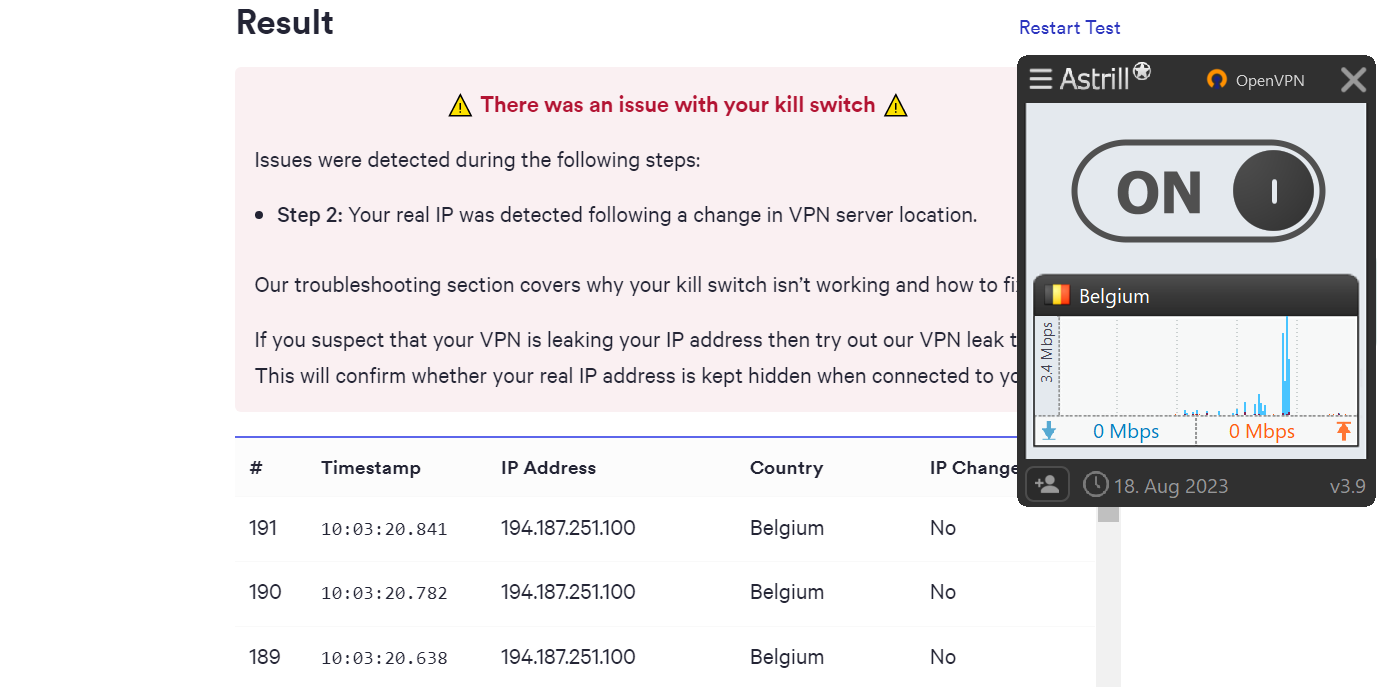
Astrill’s standard kill switch doesn’t activate while changing VPN servers.
During a sudden VPN disconnection, the kill switch did prevent our IP from leaking, which is the key test.
App Guard hid our IP during both server changes and disconnections. We recommend enabling App Guard at all times to maintain anonymity.
Astrill doesn’t offer a kill switch on its mobile apps. This is a significant drawback for mobile users, and we’d like to see it added in a future update.
IP, DNS & WebRTC Leak Tests
We tested Astrill for IP, DNS, and WebRTC leaks while connected to a US server. We found no leaks.
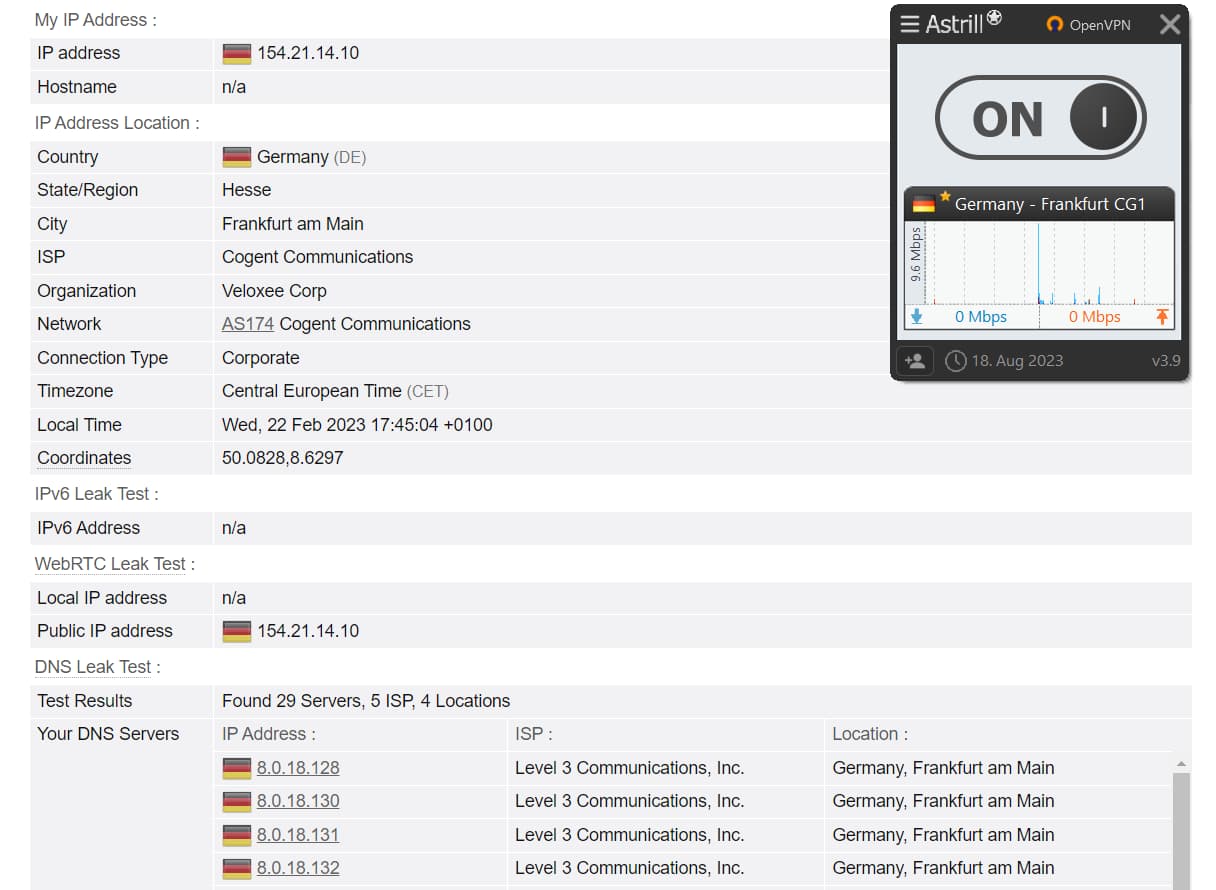
Astrill VPN didn’t leak our IP address, WebRTC, or DNS.
Our tests confirm that Astrill doesn’t expose personal data. It’s a safe, secure, and reliable VPN that hides your IP address effectively.
Server Locations
Ranked #14 out of 45 VPNs for Server Locations
Astrill has a diverse, all-physical server network with strong global coverage, especially across Asia. While 107 servers isn’t the largest network, we haven’t encountered congestion issues.
| Continent | Astrill Countries with Servers |
|---|---|
| Europe | 34 |
| Asia | 13 |
| North America | 3 |
| South America | 2 |
| Africa | 2 |
| Oceania | 2 |
Astrill has physical servers in 107 cities across 56 countries.
Its modest server count is offset by excellent geographic coverage, with servers on every inhabited continent.
Astrill’s international footprint makes it easier to find a nearby server wherever you are.
Unlike many leading VPNs, it also invests in Asia. There are more Asian countries available than in North America, South America, Oceania, and Africa combined (though there are 26 cities in the US alone).
If you need a US IP address, you can connect to 26 cities across 24 states.
2025 UPDATE: Astrill has not removed its physical servers in India despite a law requiring VPNs to log and store user data in-country. This poses a privacy risk, and we advise against using Astrill in India.
Multiple Server Types
| Server Type | Availability |
|---|---|
| China-Optimized | Standard Astrill subscription |
| Dedicated IP/Private IP | Requires an extra fee |
| Multi-Hop | Astrill VIP subscription |
| P2P Optimized (marked by a star) | Standard Astrill subscription |
| SuperCharged | Standard Astrill subscription |
We’d prefer these options to be streamlined into a single plan—especially given Astrill’s high price. The variety can be confusing for new or casual users.
An All-Physical Server Network
While services like ExpressVPN and CyberGhost offer many more servers overall, Astrill emphasizes that all its servers are physical (“bare metal”), avoiding virtualization-related security risks.
The trade-off is scale: Astrill has 107 servers, compared to ExpressVPN’s combined physical and virtual network of 13,360 servers.
User Experience
Ranked #11 out of 45 VPNs for User Experience
Astrill VPN isn’t visually appealing, but it strikes a good balance between feature-rich desktop apps and lightweight mobile apps. Its desktop apps are consistent across devices, with little to no variation between the Windows and macOS versions. Beginners may be put off, but advanced users will appreciate the options and customization.
Installation & Setup
Astrill VPN is straightforward to install. Choose a subscription plan, create an account, and download the app for your platform.
The installation is quick and smooth, typically taking no more than five minutes.
Using Astrill on a TV is more complicated. Although Astrill VPN can’t be installed directly on a Fire TV Stick, you can sideload it using an .apk file.
Once installed, the Fire TV Stick app includes a working kill switch and supports standard VPN protocols like OpenVPN and WireGuard.
Interface & Ease of Use
Astrill uses separate designs for its desktop and mobile apps, with the mobile versions opting for a more minimal and beginner-friendly interface. Despite an “app redesign contest” in 2019, Astrill hasn’t updated its GUI across any of its apps for several years.
Going forward, we’d like to see a redesigned desktop app that aligns more closely with Astrill’s sleek mobile GUI.
Desktop & Laptop (Windows & Mac)
Astrill’s desktop apps are intuitive and simple to use—once you understand the features on offer.
The learning curve is steep, but once you grasp its proprietary features and become familiar with the layout, the user experience becomes much easier.
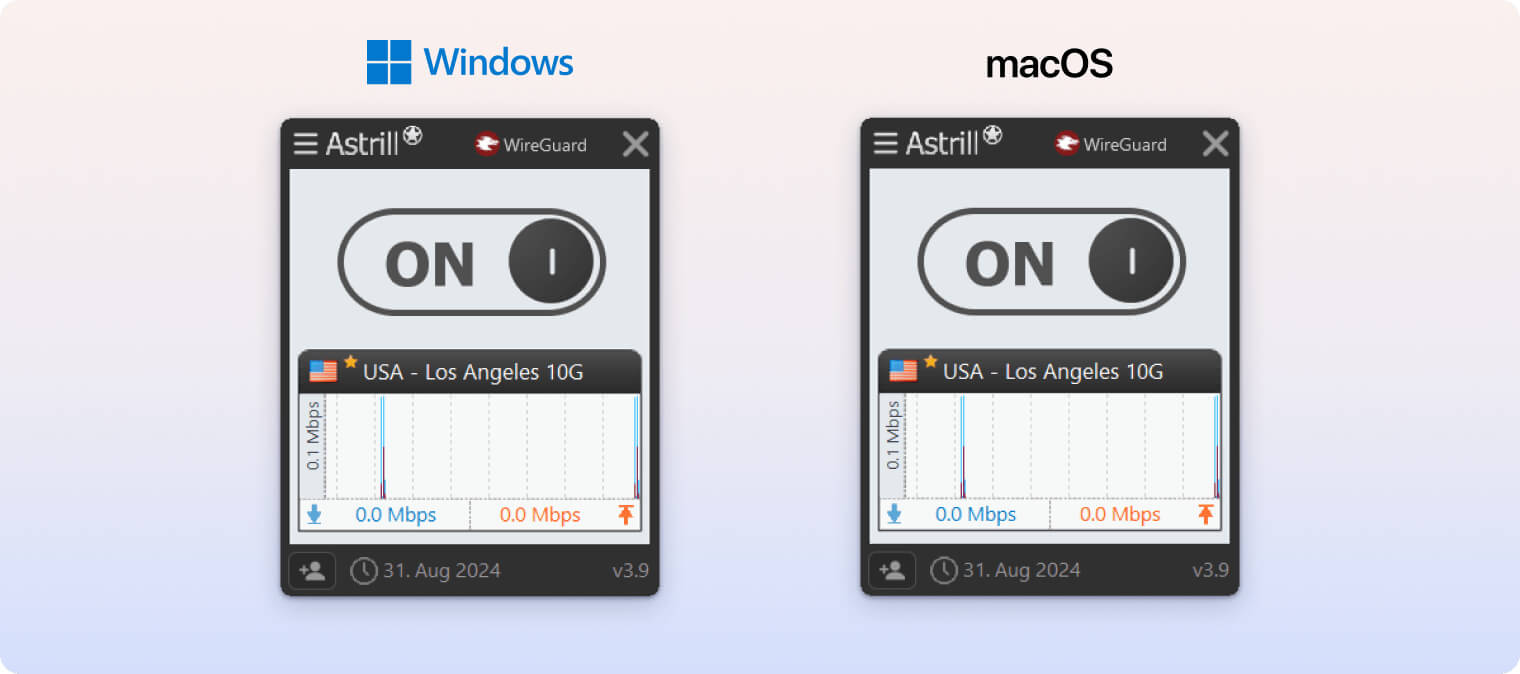
In the desktop apps, the available settings change based on the protocol you’re using.
With four protocols to choose from, there are many variables to learn.
Astrill has tried to simplify things with shortcuts, a hotkey to toggle Astrill on and off, and an option to restore default settings.
On both Windows and macOS, you can switch protocols easily via a drop-down menu in the top right, select servers from an accessible list, and open the hamburger menu in the top left to access advanced settings.
Finding the right server is easy, too. Servers marked with a yellow star support P2P and port forwarding; you can favorite servers, sort them alphabetically, and find P2P servers by typing an asterisk (*) in the search bar.
The only difference between the Windows and macOS clients is that Windows includes additional leak protections and App Guard. That makes Astrill on Windows slightly more advanced, but it’s impressive that the desktop apps are otherwise almost identical.
Mobile (iPhone & Android)
Astrill on mobile is very simple and easy to use—essentially a “click and protect” service that differs from the Windows and macOS versions.
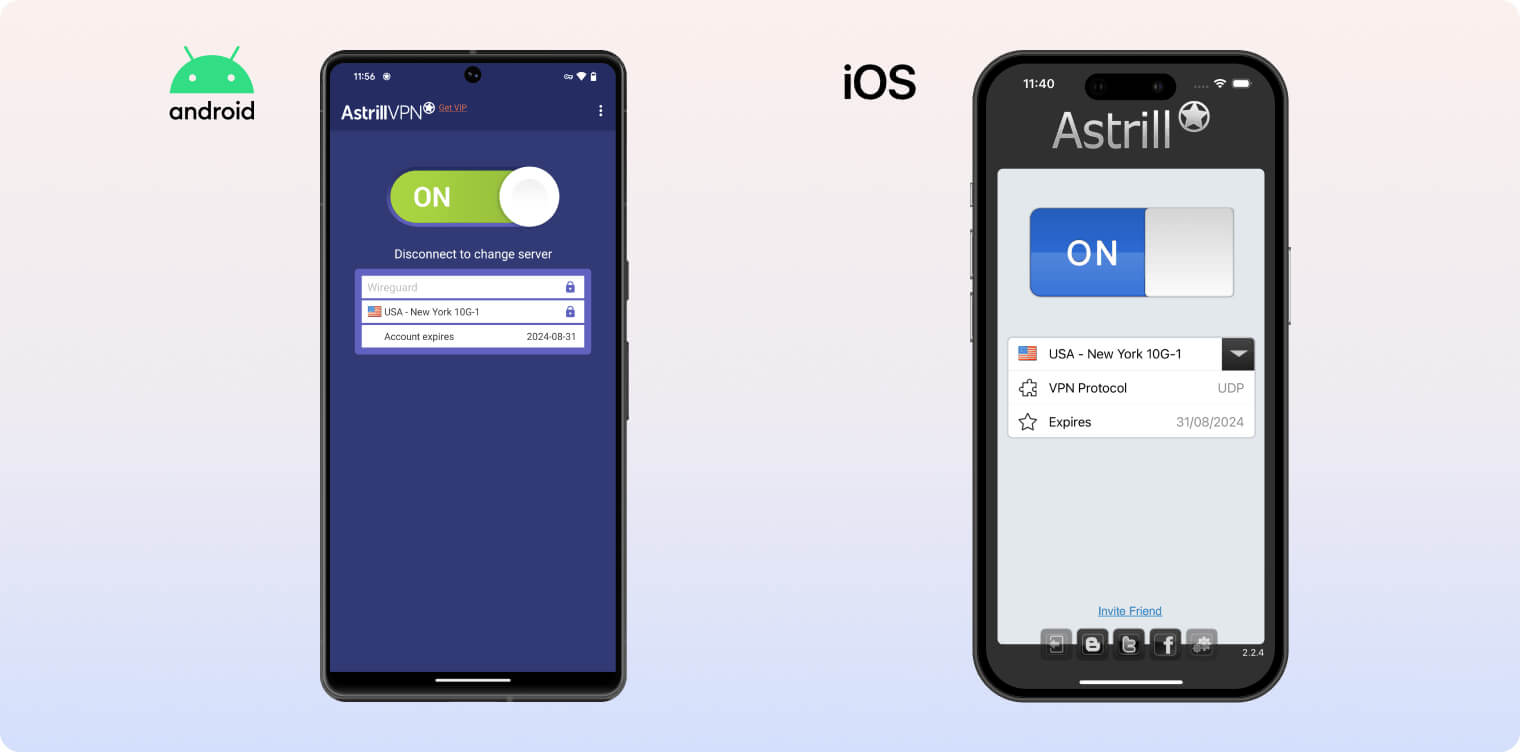
The Android app’s settings menu is significantly stripped back. Options include changing the language, using the application filter, showing logs, and enabling battery optimization.
The server list lacks a search function and appears to be ordered arbitrarily. US and UK servers are at the top, while African locations like South Africa and Egypt are at the bottom and require scrolling.
This makes it frustrating to find specific locations, so we’d like Astrill to add a search function in the future.
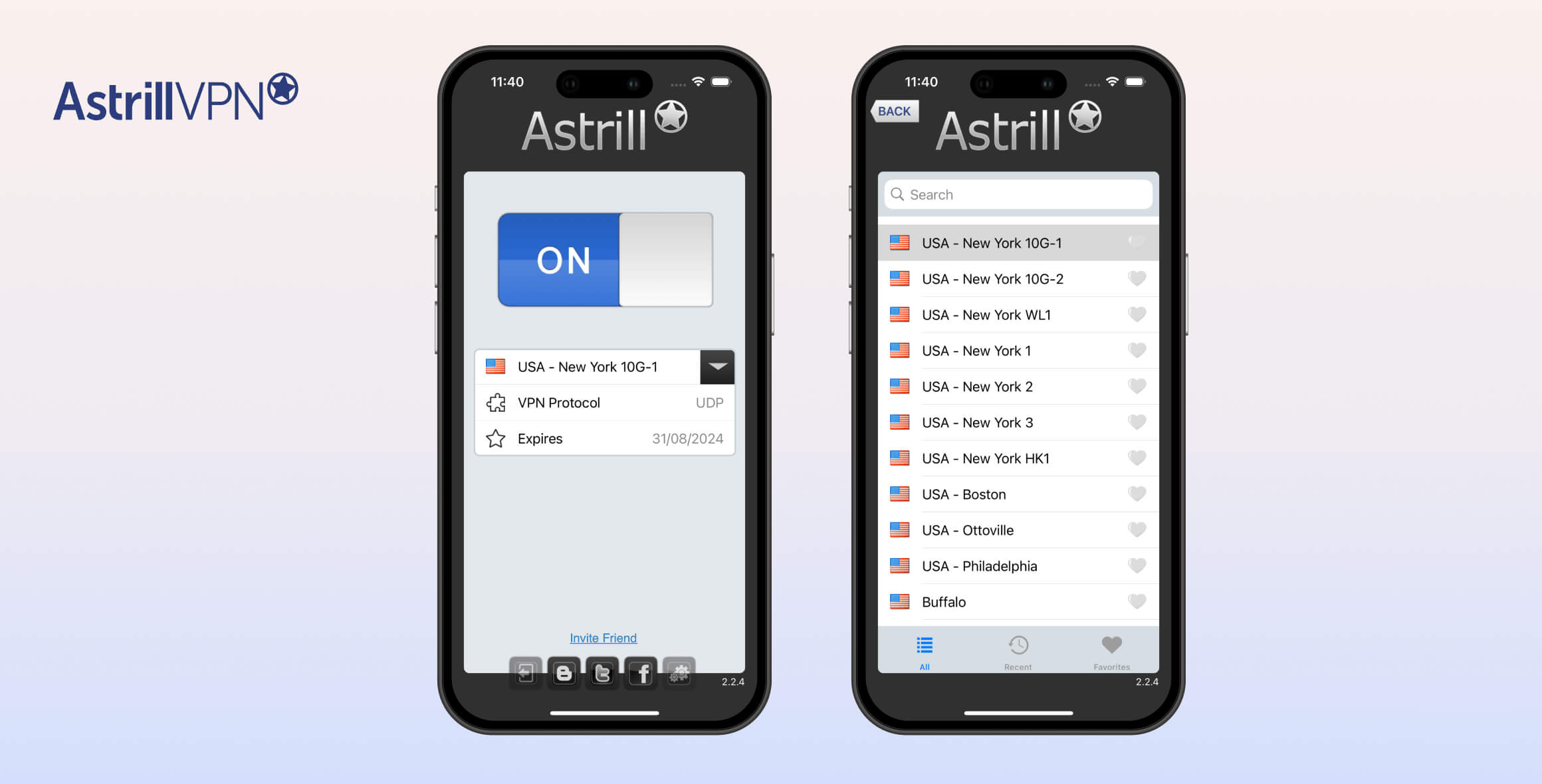
Astrill’s iOS client is even more minimal than its Android app. It mainly includes a large on/off toggle, a server location drop-down, and a TCP/UDP switch.
Its server list does include search and favorites, but there are no optimized servers for streaming or torrenting. Supercharged and China-optimized servers are present, but the app is far more basic than the desktop versions.
Day-to-Day Experience
Once you’re familiar with the interface and features, using Astrill on desktop is intuitive and efficient. It supports advanced customization, but you must adjust to its protocol-specific settings.
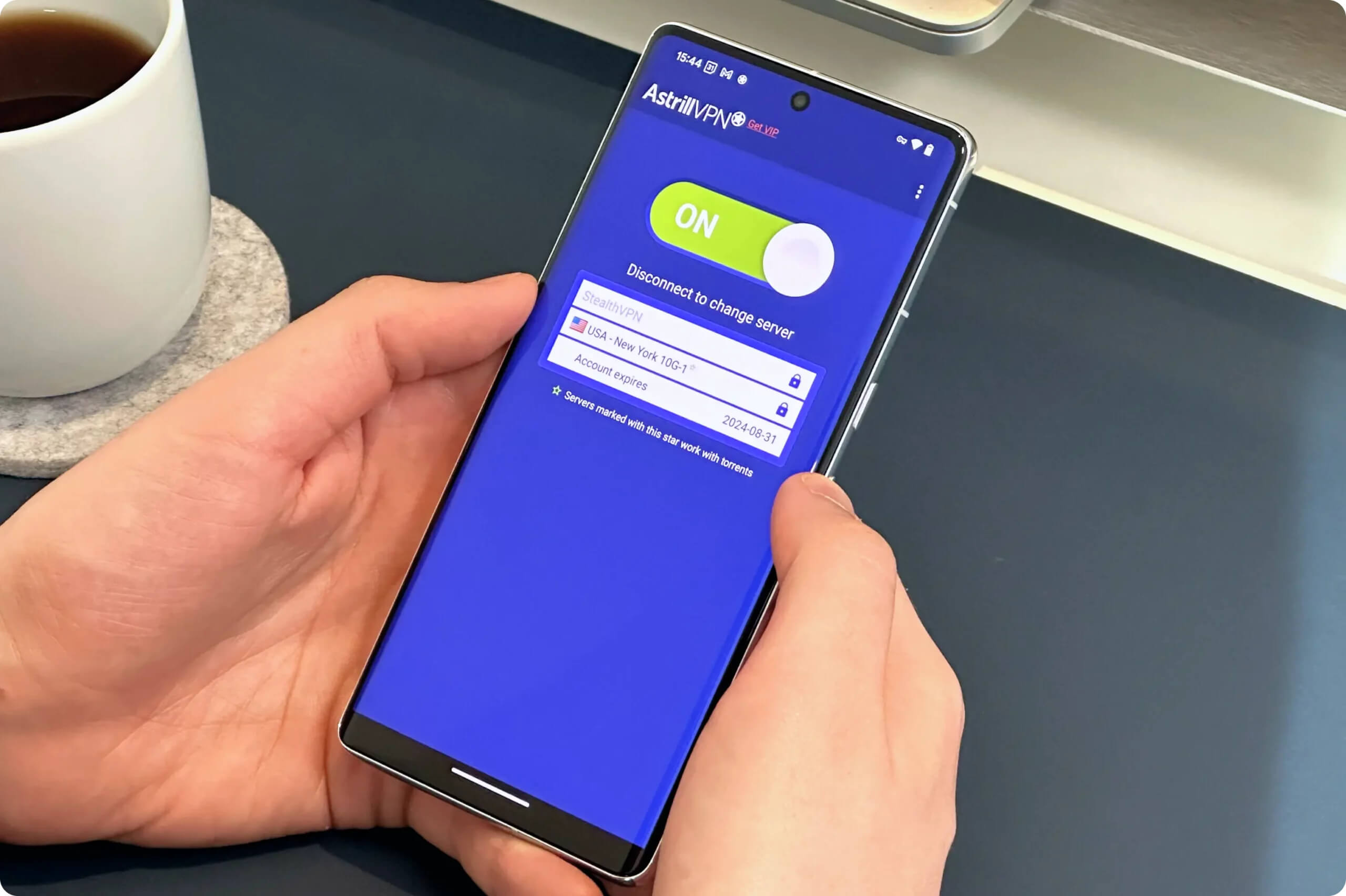
Astrill has a number of P2P servers across its apps.
The platform provides strong usability with features like shortcuts, easy protocol switching, and advanced settings accessible from the hamburger menu.
On mobile, Astrill delivers a simple, functional VPN experience. It’s suitable for quick on/off protection, but it lacks the depth and flexibility of the desktop app.
The missing search function in Android’s server list is a drawback, and the iOS app’s minimal feature set leaves room for improvement.
Torrenting
Ranked #3 out of 45 VPNs for Torrenting
Astrill includes port forwarding, fast average speeds, and a kill switch. Every server in Astrill’s global network is P2P-optimized and lets you torrent without limitation. It’s a great VPN for torrenting, with the security features you need for safe P2P downloads.
| Torrenting Attribute | Astrill |
|---|---|
| Permits P2P Traffic | Yes |
| Average Download Bitrate | 10.0MiB/s (0% loss) |
| Countries with P2P Servers | 56 |
| Port Forwarding | Yes |
| Kill Switch | Yes |
| Logging Policy | Identifiable Data |
Astrill VPN is excellent for torrenting, combining fast speeds with P2P-optimized servers, customizable port forwarding, an effective kill switch, and strong security.
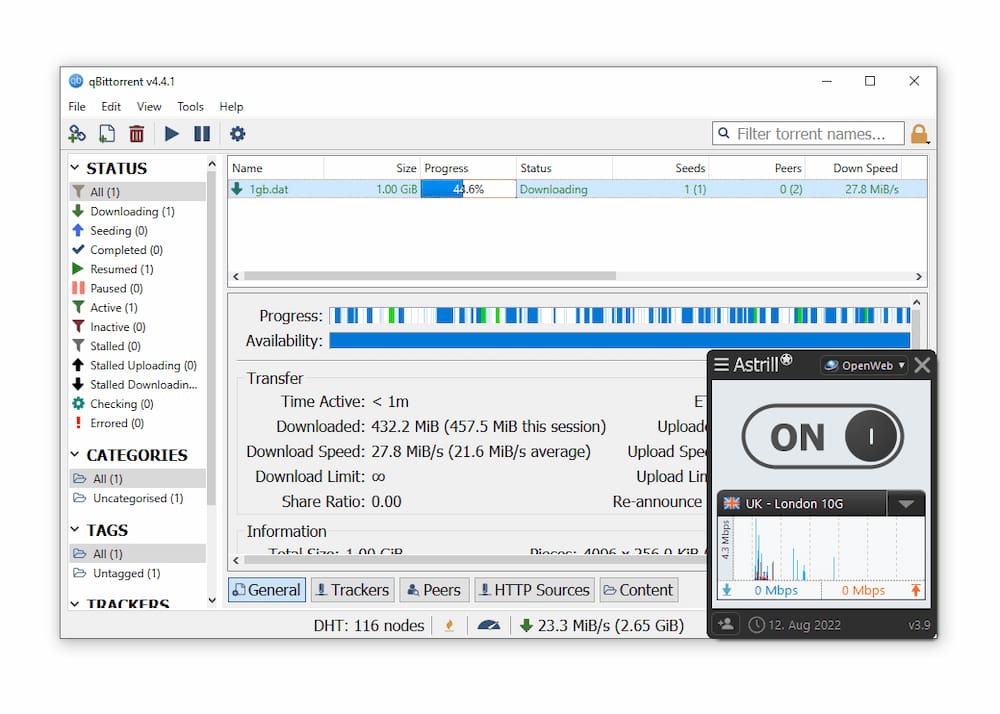
We tested Astrill’s torrenting capabilities on qBittorrent
Thanks to AES-256 encryption, seeders, copyright enforcers, trackers, and ISPs can’t see your identity or activity.
Astrill’s DNS leak protection and reliable kill switch also prevent IP leaks and accidental exposure.
However, we don’t recommend torrenting with the OpenWeb protocol. Use Astrill’s P2P-supported protocols: OpenVPN and WireGuard.
Fast P2P Speeds & Port Forwarding Support
Our testing shows Astrill is one of the fastest VPNs for torrenting, with an average bitrate of 10.0 MiB/s. This is faster than industry-leading services like ExpressVPN and Surfshark.
Astrill’s speeds are helped by both automatic and manual port forwarding. You can enable this in the settings, but it only works with servers marked with a star (these are secure servers optimized for torrenting).
There’s also a port forward test tool in the Help menu, which lets you check specific TCP ports. This feature is rare even among top VPNs like NordVPN and IPVanish.
Astrill works well with clients like BitTorrent, LimeWire, and uTorrent. You can configure UDP port forwarding in these clients and enable UDP traffic over the secure tunnel.
Device Compatibility
Astrill offers apps for all major platforms and devices, plus some less common ones like Linux. There are no browser extensions, but you can install it on select routers for whole-home protection. Astrill also provides clear installation guides for every supported device and platform.
| Windows | Yes |
|---|---|
| Mac | Yes |
| iOS | Yes |
| Android | Yes |
| Linux | Yes |
| Amazon Fire TV | No |
| Android TV | No |
| Apple TV | No |
| Router | Manual Setup Only |
| Chrome | No |
Simultaneous Connections: 5
Astrill works similarly across platforms, but not every feature is available on each app. Here’s a summary of the differences between Astrill VPN apps:
| Platform | Kill switch | App Guard | StealthVPN | WireGuard | Split tunneling | Search Function |
|---|---|---|---|---|---|---|
| Windows | ✓ | ✓ | ✓ | ✓ | ✓ | ✓ |
| macOS | ✓ | ✗ | ✓ | ✓ | ✓ | ✓ |
| iOS | ✗ | ✗ | ✗ | ✗ | ✗ | ✓ |
| Android | ✗ | ✗ | ✓ | ✓ | ✓ | ✗ |
Limited Simultaneous Connections
Astrill lets you connect up to five devices at once under one account, which is standard for most VPNs. If you need more, consider providers like Surfshark or IPVanish, which offer unlimited simultaneous connections.
Games Consoles & Streaming Devices
You can install Astrill VPN on a router to protect every device in your home. Currently, Astrill supports DD-WRT, Tomato, and ASUS routers.
We’re disappointed there’s no dedicated Fire TV Stick app. This isn’t surprising, though, given Astrill’s limited focus on streaming. To use Astrill on Fire TV Stick, you must manually install an .apk file.
If that’s your goal, we recommend using a top-rated VPN for Fire TV instead.
There are no browser extensions, but Astrill’s OpenWeb protocol can encrypt your browser traffic.
Additional Features
Astrill includes a robust set of extras. The standouts are the StealthVPN and OpenWeb protocols, built to bypass censorship in countries like China, the UAE, Turkey, and Russia. In China, it has had a 100% success rate over the past year unblocking sites like YouTube and Instagram. It also offers dedicated IPs, an ad blocker, and split tunneling.
| Additional Feature | Astrill |
|---|---|
| Split Tunneling | Yes |
| VPN Obfuscation | Yes |
| Multi-Hop Servers | Yes (additional fee) |
| Dedicated IP | Yes (additional fee) |
| Ad Blocker | Yes |
| Tor Over VPN Servers | Yes |
| DNS Server Customization | Yes |
Advanced Features Vary by Subscription
Astrill has more advanced features than most VPNs, but availability depends on your plan.
You’ll need Astrill VIP to unlock the full set of advanced tools, which costs an extra $10.00 per month.
Here’s how Astrill and Astrill VIP differ:
| Feature | Description | Astrill | Astrill VIP |
|---|---|---|---|
| Onion Over VPN | Opening any .onion website in your regular browser automatically routers your traffic to the Tor network via the VPN tunnel. | Enabled on all servers by default | Enabled on all servers by default |
| DNS Server Customization | Allows you to choose between the default Astrill DNS servers, Google DNS, CloudFlare DNS, and more. | Available (Desktop only) | Available (Desktop only) |
| Multi-Hop Servers | Routes your traffic through two VPN servers instead of one, for increased anonymity. | No | Yes |
| VIP Servers | VPN servers optimized for fast speed and reduced latency, aimed at gamers and users in Asia. Capped by a monthly data limit. | No | Yes |
You can also add a dedicated VPN IP for $5.00 per month. This unique IP is used only by you, which enables secure remote access and full control over your IP address.
Unlike many VPNs, Astrill automatically forwards ports to your dedicated IP, so VOIP and P2P apps work without extra setup.
Astrill VPN Reliably Works in China
Astrill is the best VPN for China and other highly censored countries in 2025.
Its proprietary StealthVPN protocol and Smart Mode are designed to bypass website blocks, state controls, and internet shutdowns.
We verified Astrill’s performance in China by testing it on our server in Shanghai.
We connected remotely, installed Astrill, and used the VPN from within China, just like any local user would.
In our tests, Astrill unblocked Netflix and Instagram in China.
From the start, it has been reliable and consistent, which is why it remains our top recommendation for China.
Our findings match greatfire.org’s data, which shows Astrill as one of the most stable VPNs in China.
Astrill doesn’t allow OpenVPN connections in China, but its proprietary protocols make up for it.
Here’s how Astrill’s reliability in China compares to other leading VPNs:
| VPN Service | % Reliability (12 Months) |
|---|---|
| Astrill VPN | 100% |
| ExpressVPN | 64% |
| Windscribe | 85% |
| Surfshark | 35% |
If a VPN works in China, it usually works in other highly censored countries, too. That means Astrill also performs in places like Russia, Saudi Arabia, Iran, Turkey, and the UAE.

We used Astrill VPN to unblock YouTube in China.
Astrill’s Stealth VPN & Smart Mode
Astrill excels against censorship thanks to its proprietary protocols.
These are designed to evade deep packet inspection (DPI) and firewall blocks—the main tools used by China’s Great Firewall.
StealthVPN is not available on iPhone or iPad due to Apple’s restrictions. For that reason, we don’t recommend Astrill for use in China on iOS. Instead, consider ExpressVPN for iPhone or iPad.
Astrill also offers Smart Mode, a split tunneling feature available only with the OpenWeb protocol and only in China.
Smart Mode uses regional Chinese IP addresses to avoid censorship while secretly tunneling and unblocking international sites.
It’s ideal for apps like WhatsApp and services like YouTube.
Expert advice: Smart Mode is best for users in China who want to access local sites while connected to a VPN. StealthVPN is better for connecting to the global internet and accessing international content.
What Is the Best Astrill Server for China?
Astrill offers SuperCharged (China-optimized) servers designed for maximum speed and lower latency in China.
Nearby servers in Hong Kong, Japan, and South Korea also provide strong performance, letting you bypass censorship while maintaining fast speeds. These are the best Astrill VPN server options for China.
Summary: Astrill is an excellent VPN for China. Its proprietary protocols and extensive server network unblock popular sites and protect your privacy, making it a strong choice for residents, travelers, and users in Hong Kong and Taiwan.
Knowledgeable 24/7 Live Chat Support
Astrill’s customer support is knowledgeable, fast, and helpful. Its online resources are detailed and extensive, and live chat is available 24/7. For VPN support, it’s hard to beat.
Astrill VPN has a great customer support system. In our experience, the fastest way to get help is via 24/7 live chat.
During testing, we asked multiple technical questions and received responses in an average of 48 seconds.
This was impressive given the complexity of our queries. The agents were well-informed and concise.
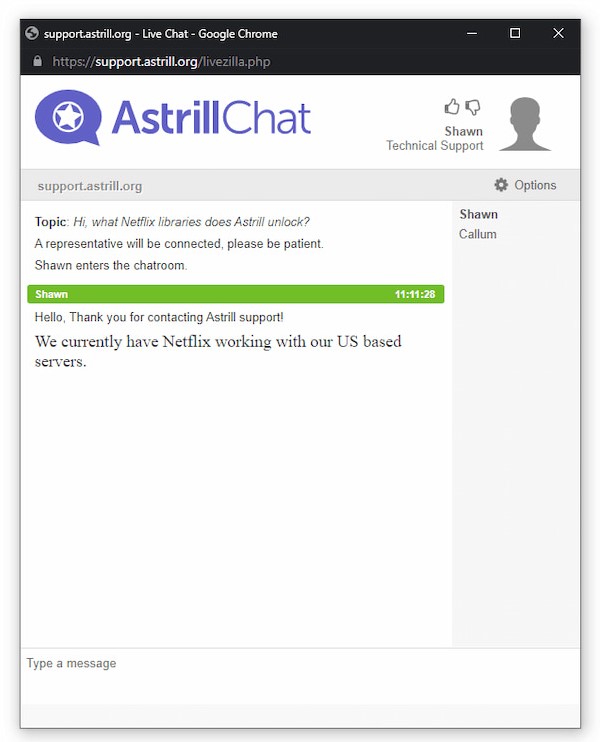
Astrill’s live chat support.
We also found the video tutorials and the Astrill Wiki very helpful.
The wiki covers manual router setup, port forwarding, and Astrill’s protocols.
Going forward, we’d like Astrill to add a chatbot for instant answers to basic questions, which would reduce wait times.
Overall, Astrill’s customer support is excellent and on par with the best VPNs.
Astrill Key Data
| Attribute | Astrill | Typical VPN |
|---|---|---|
| Owner | Veloxee Corp | Independent |
| Launch Date | 2009 | 2015 |
| Local Download Speed | 93Mbps (7% loss) | 89Mbps (11% loss) |
| International Download Speed | 75Mbps (25% loss) | 80Mbps (20% loss) |
| Countries with Servers | 56 | 40 |
| Privacy Policy | Identifiable Data | Identifiable Data |
| Simultaneous Connections | 5 | 10 |
| Netflix Libraries | 1 | 3 |
| Torrenting | Yes | Yes |
| Works In China? | Yes | No |
| Cheapest Price | 12.50/mo over 24 months | $3.87/mo over 24 months |
| Customer Support | 24/7 Live Chat | |
| Apps & Extensions |
          |
|
Price
Price Plans
| 1 month | $30.00 |
|---|---|
| 12 months | $180.00 ($15.00/mo) |
| 2 years | $300.00 ($12.50/mo) |
Free Trial
| Money-Back Guarantee | No |
|---|---|
| Free Trial | No |
| 100% Free Plan | No |