
Windscribe: Free and Pro Plans Impress, with a Few Trade-Offs
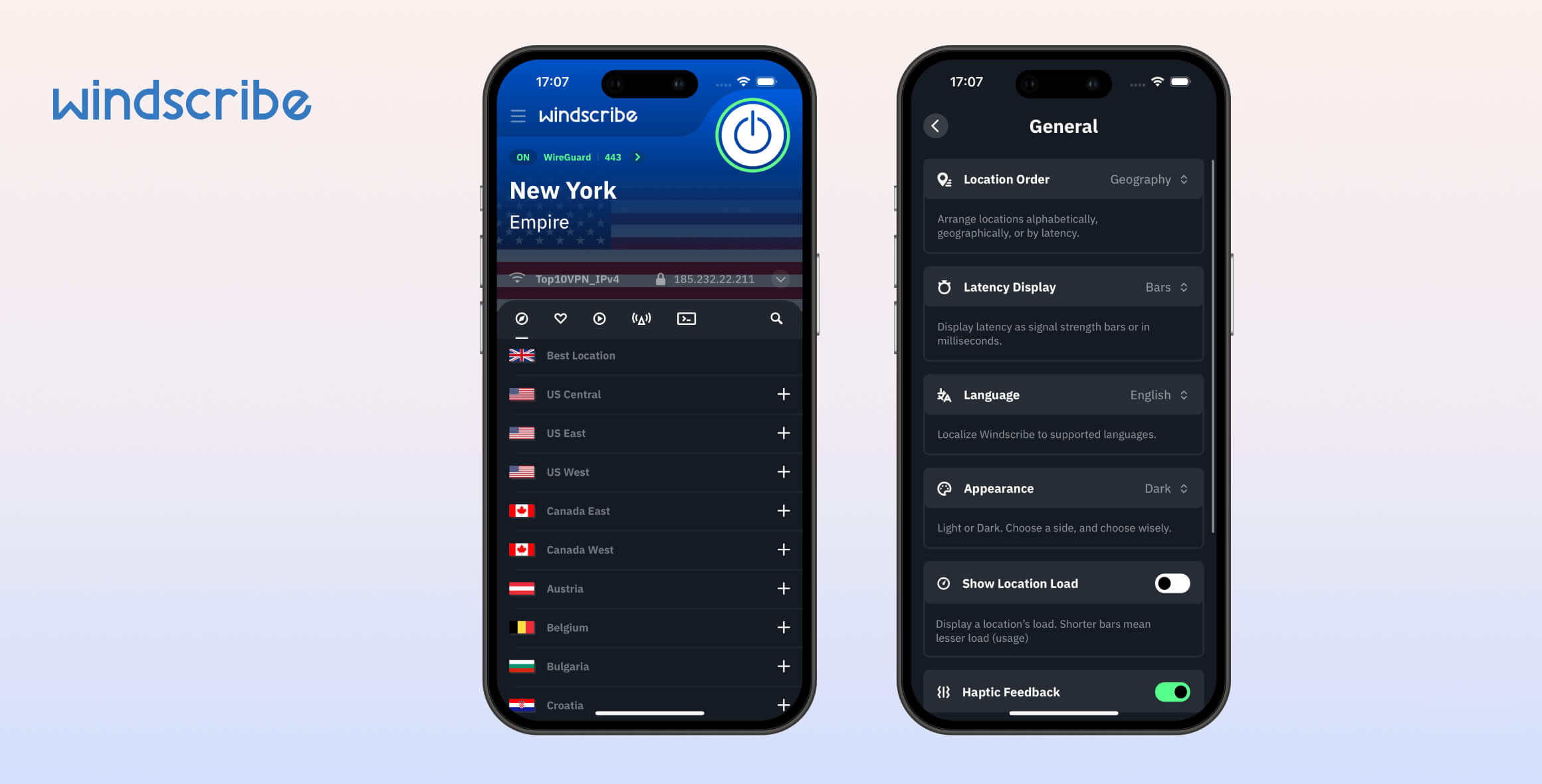
Windscribe Free is one of the best no-cost VPN options, offering strong privacy and security alongside the ability to unblock UK Netflix, HBO Max, and BBC iPlayer. However, it’s held back by a 10GB monthly data cap. The paid version, Windscribe Pro, excels at streaming — it unblocks more Netflix libraries than any other VPN — but its dated app design and limited country coverage keep it from the top spot.
- Pros
- 100% free with no payment details required
- Servers in 10 countries
- Works with 5 Netflix libraries, HBO Max, Hulu & more
- Unlimited simultaneous connections
- Allows torrenting traffic
- No heavy upsell to the paid plan
- Cons
- Doesn’t work with US Netflix
- Limited to 10GB data per month
- Can’t be installed on routers
- Slower speeds than other top free VPNs
- Pros
- Logging policy safeguards users' privacy
- Unblocks 32 Netflix libraries
- P2P and torrenting allowed on all servers
- Works in China and other censored regions
- Unlimited simultaneous connections
- Fast speeds on nearby servers
- Cons
- Servers in fewer countries than alternatives
- Often fails to load video content in HD or 4K
- Expensive
- Based in Canada (Five Eyes nation)
- Smart DNS not included with a VPN subscription
- No human live chat support
Unlike many other top-rated VPNs, Windscribe is fully independent and not owned by a larger cybersecurity company.
Windscribe offers both free and paid plans. While Windscribe Pro is better overall, the free plan remains one of the best free VPNs available.
If your main goal is to bypass geo-blocks on all major streaming services and access the most Netflix libraries, Windscribe Pro is an excellent choice.
That said, its shortcomings elsewhere make it a good — not great — all-around VPN. Customer support is weak, torrenting speeds are slow, and server coverage is limited.
With a few improvements, Windscribe Pro could be the best VPN on the market. As it stands, it falls slightly short.
By contrast, Windscribe Free is among the best free VPNs we’ve tested, and we highly recommend it. Its main downsides are the low monthly data cap and slower speeds, which are expected from a truly free VPN.
Alternatives to Windscribe
- Proton VPN: Unlike Windscribe, Proton VPN’s free tier has no data cap, so you can stay connected continuously. It doesn’t support torrenting or streaming on the free plan, but it’s a better choice if you only want to improve privacy and security.
- Surfshark: A budget-friendly alternative at $1.99 per month, compared to Windscribe’s $5.75. It also avoids Windscribe’s streaming buffering issues, though it unlocks slightly fewer geo-blocked services.
Privacy
Windscribe logs your bandwidth usage and your most recent connection timestamp, but this data can’t personally identify you. Although the company is based in a Five Eyes country, Windscribe has never complied with requests for user data. You can trust it with your sensitive online activity.
| Originating IP Address | No |
|---|---|
| Browsing Activity | No |
| Individual Connection Timestamps | No |
| Date of Last Connection | Yes |
| VPN Server IP | No |
| Device Information | No |
| Individual Bandwidth Usage | Yes |
| Account Information | Yes |
You can read Windscribe’s full privacy policy on its website.
Windscribe does collect some minimal data for maintenance. This isn’t ideal, as other true no-log VPNs, like Private Internet Access, operate without retaining anything. We’d prefer Windscribe to do the same.
Importantly, none of the data it stores can identify you or your activity. This has been supported by multiple real-world cases.
Windscribe maintains a page listing 100+ law enforcement requests it has received since 2018. In every case, it did not share any user data because it has no access to it.
For extra privacy, you can sign up with cryptocurrency without providing a name or address. Its diskless server network also prevents data from being extracted from a server.
Here’s how Windscribe’s logging policy compares to other VPNs:
| VPN Service | Privacy & Logging Rating | Logging Policy | Jurisdiction | Independently Verified |
|---|---|---|---|---|
| Windscribe | 8.9 | No Identifiable Data | Canada | ✓ |
| ExpressVPN | 9.2 | No Identifiable Data | BVI | ✓ |
| NordVPN | 8.8 | No Identifiable Data | Panama | ✓ |
| Proton VPN | 9.5 | No Logs | Switzerland | ✓ |
Streaming
Windscribe Pro is excellent for unblocking streaming platforms. It works with Netflix, Hulu, BBC iPlayer, Prime Video, and most other services. Uniquely, many of these also work on Windscribe Free, except for US Netflix.
| Streaming Service | Works with Windscribe (Free) | Works with Windscribe |
|---|---|---|
| BBC iPlayer (UK) | Yes | Yes |
| DAZN (Canada) | Yes | Yes |
| Disney+ (UK) | Yes | Yes |
| Hulu (US) | Yes | Yes |
| ITVX (UK) | Yes | Yes |
| HBO Max (US) | Yes | Yes |
| Netflix (US) | No | Yes |
| Netflix (UK) | Yes | Yes |
| Prime Video (US) | Yes | Yes |
| Sky Go (UK) | Yes | Yes |
Unblocks 32 Netflix Regions
Windscribe Pro works with more Netflix libraries than any other VPN we’ve tested. In our latest tests, it unblocked 32 regions, including Netflix US, UK, and Japan.
This is the best result we’ve seen, letting us access roughly three times more regions than top competitors like ExpressVPN and Proton VPN.
However, videos sometimes took over 10 seconds to load and didn’t stream in HD. This is likely because Windscribe has fewer servers in some countries, including just one in India. Adding more servers in more locations would help.

We unblocked 32 Netflix libraries using Windscribe.
Free Version Doesn’t Stream US Netflix
Until recently, Windscribe Free was our top-rated free VPN for Netflix. But since May 2022, the free plan no longer works with American Netflix.
It still works well for other regions. In our latest tests, it unblocked five libraries, including the UK, France, and Germany. Its free Canada servers also accessed Netflix Canada.
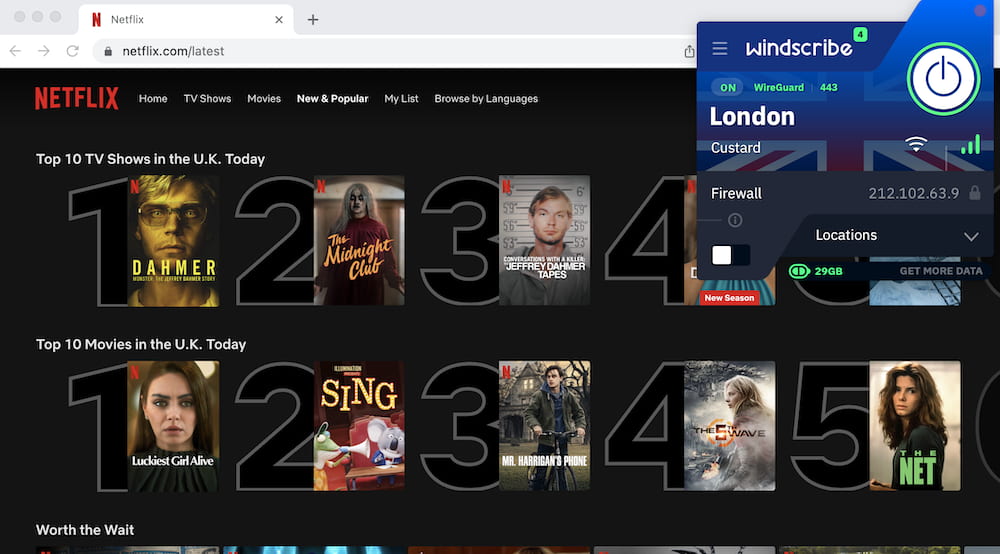
Windscribe Free works with UK Netflix.
Both Versions Work with All US Streaming Platforms
Windscribe is one of the best VPNs for accessing US streaming services from abroad. Both the Pro and Free versions consistently unlocked popular platforms like Hulu and HBO Max in our tests.
Unlike with international Netflix libraries, we didn’t experience buffering on US services, thanks to 45 server locations in the US.
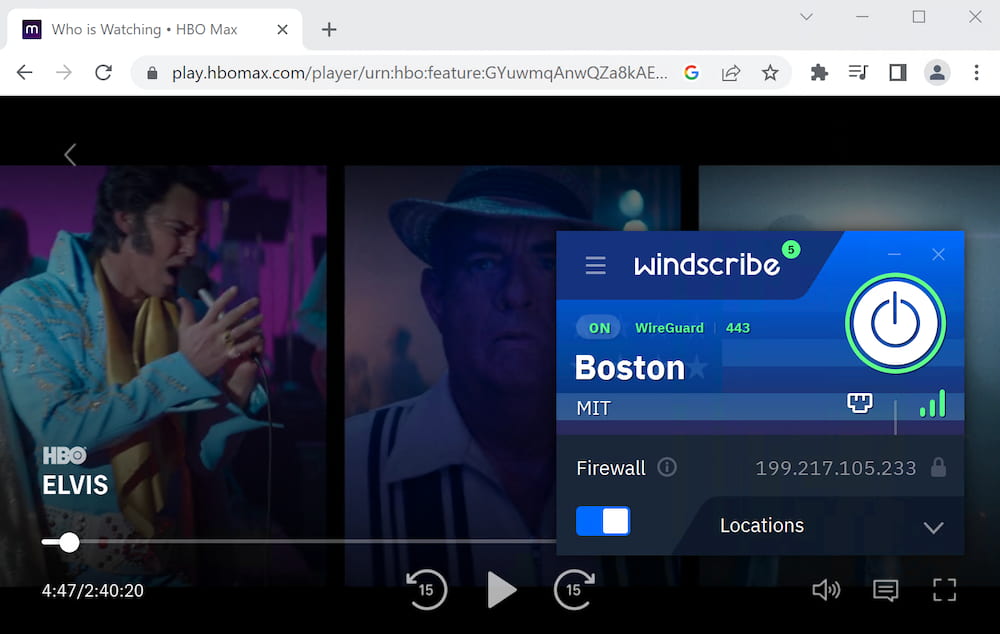
Windscribe bypasses HBO Max’s geo-blocks.
Windscribe’s UK Servers Stream BBC iPlayer
When connected to any of its five UK locations, we could stream BBC iPlayer without issue. The London – Custard server delivered the best quality due to its 10Gbps bandwidth.
Windscribe Free is the only free VPN that reliably works with BBC iPlayer in our testing. Other free VPNs, like PrivadoVPN and Hotspot Shield, are inconsistent or don’t work at all.
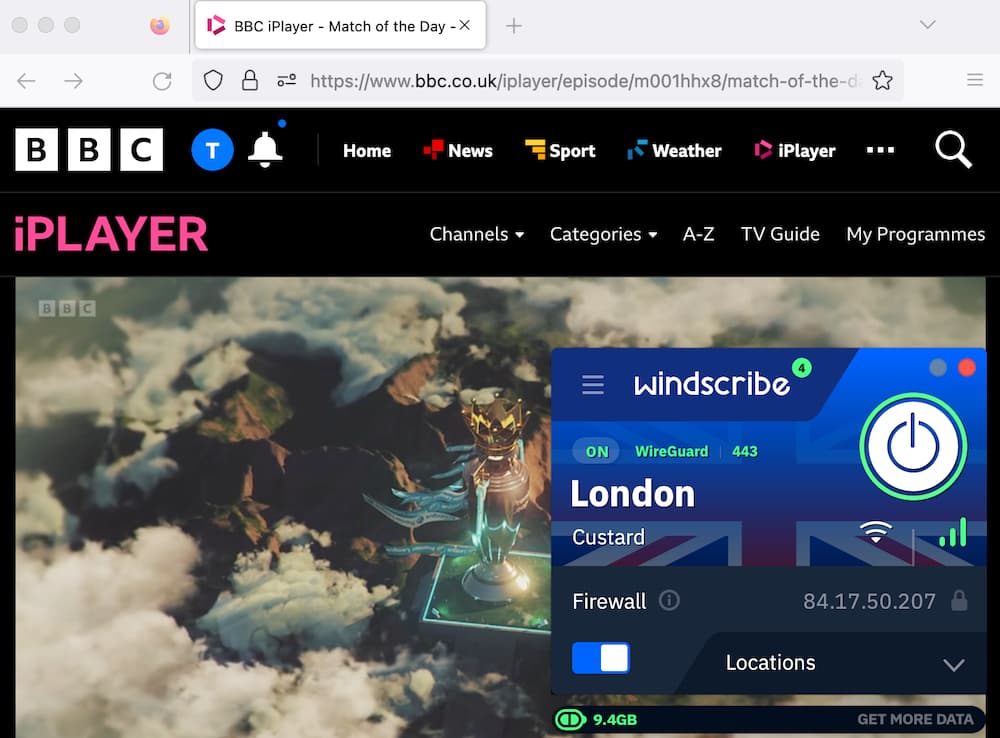
The free version of Windscribe can stream BBC iPlayer.
We also found that Windscribe’s free and paid UK servers worked with other UK services like Sky Go, ITVX, and All 4. It’s also the best free VPN we’ve used for getting a French IP address.
Speed
Windscribe Pro’s download speeds are fast on nearby servers, but less impressive over long distances. Both free and paid versions are fast enough for HD streaming and gaming, though faster options exist.
We measured Windscribe’s performance by testing servers worldwide.
Here are Windscribe Pro’s speed test results:
| No VPN (New York) | US (New York) | Canada (Toronto) | US (Los Angeles) | UK (London) | Germany (Berlin) | Brazil (São Paulo) | Japan (Tokyo) | South Africa (Johannesburg) | Australia (Sydney) | |
|---|---|---|---|---|---|---|---|---|---|---|
| Server Location |  |
|
 |
|
 |
 |
 |
 |
 |
 |
| Download Speed | 100Mbps | 97Mbps | 96Mbps | 89Mbps | 84Mbps | 87Mbps | 86Mbps | 85Mbps | 80Mbps | 84Mbps |
| Upload Speed | 100Mbps | 91Mbps | 75Mbps | 92Mbps | 47Mbps | 83Mbps | 88Mbps | 94Mbps | 73Mbps | 91Mbps |
| Ping | 1ms | 6ms | 20ms | 97ms | 75ms | 98ms | 222ms | 144ms | 499ms | 200ms |
| Distance | 0mi | 5mi | 300mi | 2,500mi | 3,500mi | 4,000mi | 4,800mi | 6,700mi | 8,000mi | 9,900mi |
Connecting to a same-city server reduced download speed from 100Mbps to 97Mbps — a 3% drop, among the best results we’ve seen. Speeds were consistent across repeated tests, and we experienced no connection drops.
International speeds were slower than local ones. While Windscribe ranks among the fastest for nearby connections, it falls to mid-pack for long-distance performance.
We recorded a 20% download speed loss to South Africa and 16% to Australia.
To put this in context, you can compare Windscribe’s international speeds to other top VPNs in the chart below.
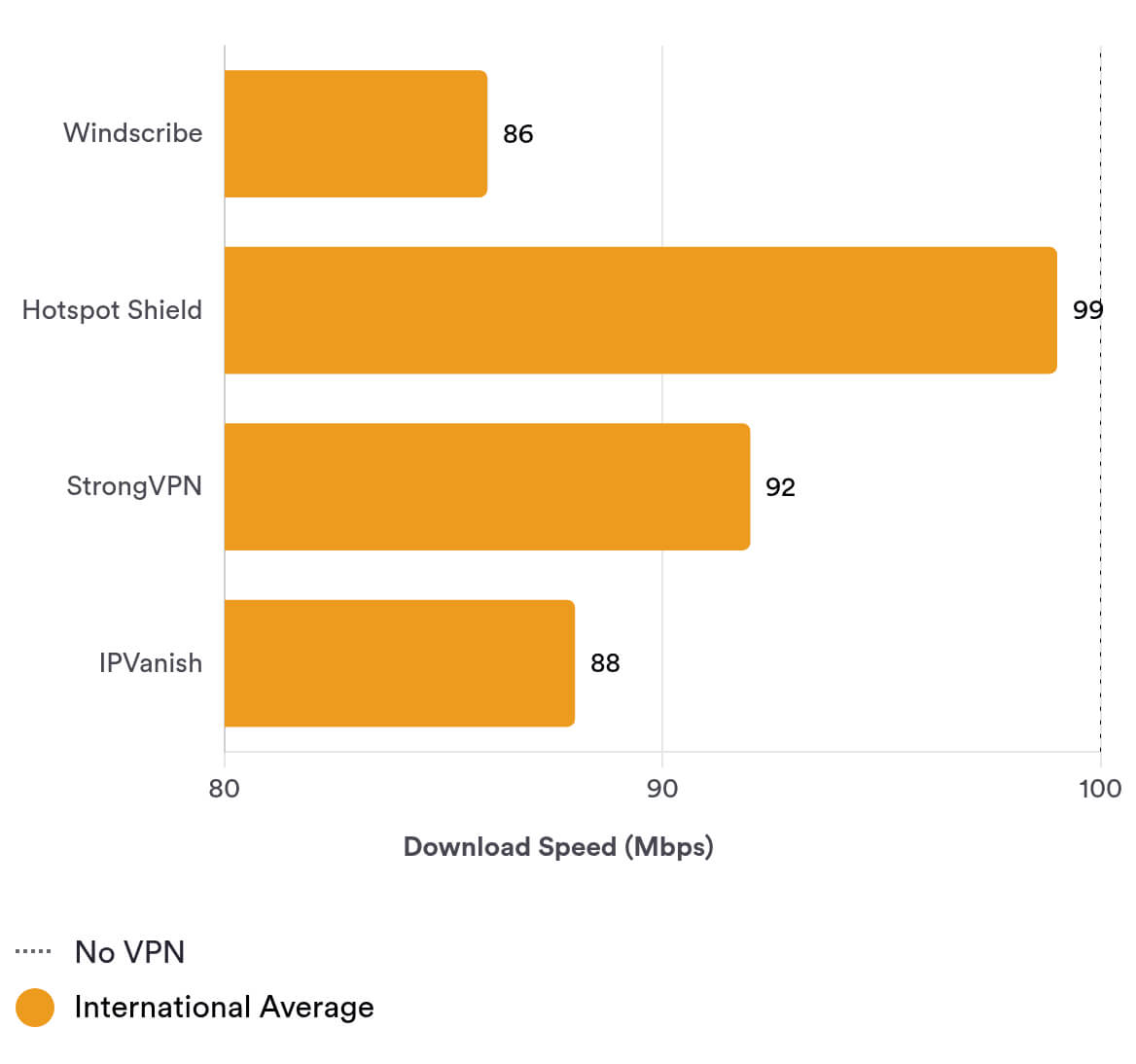
These speeds have improved thanks to the addition of the WireGuard protocol. Previously, using OpenVPN, Australia and Japan were up to four times slower. Continued app optimizations could yield further gains.
EXPERT ADVICE: Windscribe’s fastest servers are labeled with a 10Gbps badge. Connect to these for the best performance.
Low Ping for Gaming
On nearby servers, we recorded a 6ms ping. We played fast-paced games like Overwatch 2 without noticeable lag, putting Windscribe among the best gaming VPNs, which typically achieve pings of 10ms or less locally.
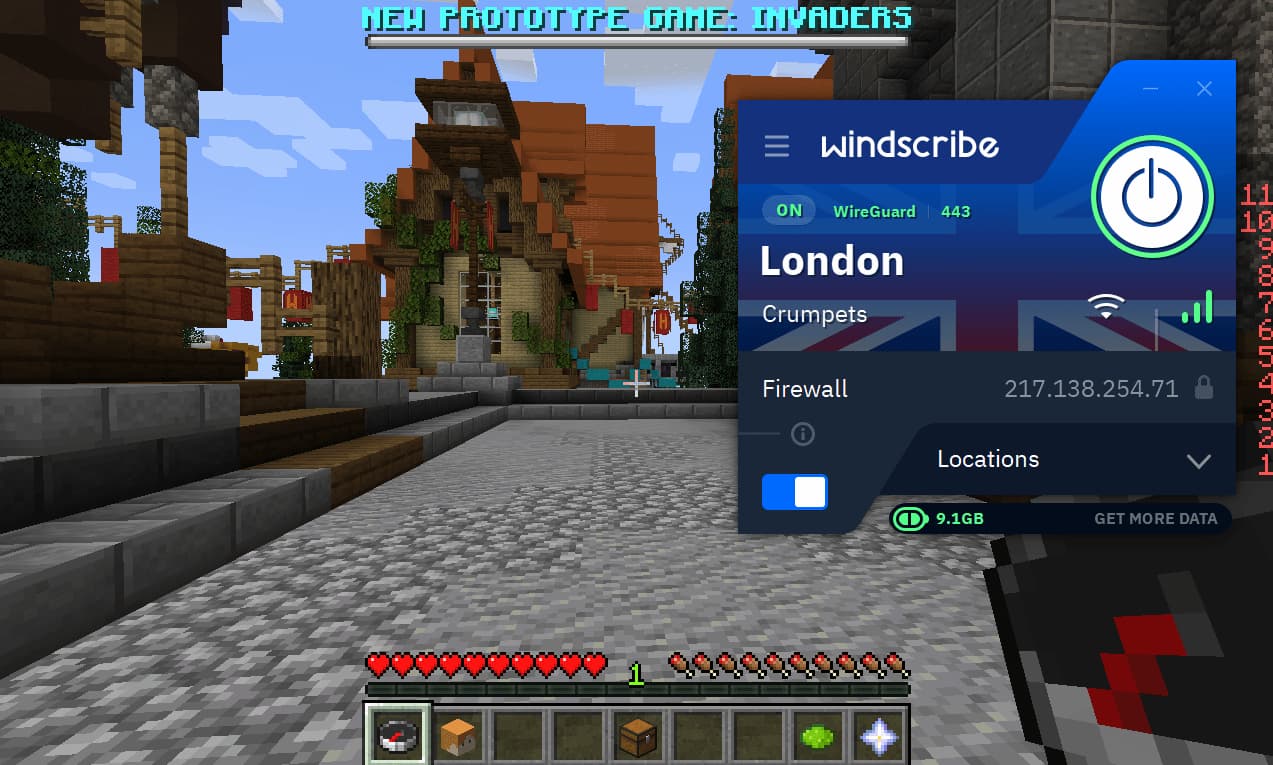
Windscribe’s ping is low enough for lag-free gaming.
Long-distance latency was poor, at 152ms to the US (from abroad) and 450ms to Japan. It’s not ideal for accessing easier lobbies from faraway regions.
Windscribe Free Speed Test Results
Here are our results using the free plan:
| No VPN (New York) | US (New York) | Canada (Toronto) | UK (London) | Germany (Berlin) | |
|---|---|---|---|---|---|
| Server Location | |
|
|
|
|
| Download Speed | 100Mbps | 91Mbps | 94Mbps | 87Mbps | 80Mbps |
| Upload Speed | 100Mbps | 92Mbps | 94Mbps | 94Mbps | 77Mbps |
| Ping | 1ms | 5ms | 19ms | 75ms | 98ms |
| Distance | 0mi | 5mi | 300mi | 3,500mi | 4,000mi |
These speeds are impressive for a free VPN, but slower than top free performers like Hotspot Shield and Proton VPN. Both are over 8% faster locally, and Hotspot Shield is about 12% faster internationally on average.
Security
Windscribe is a secure VPN that uses industry-standard AES-256/ChaCha20 encryption and trusted protocols like WireGuard. Its desktop apps are open source, allowing public scrutiny. While it experienced a minor security incident in the past, it responded well by commissioning an audit and increasing transparency.
| Independent Audit | Yes |
|---|---|
| VPN Kill Switch | Yes |
| Leak Protection | Yes |
Unencrypted Ukrainian Servers
We recently downgraded Windscribe’s Security rating due to a past incident.
In June 2021, two Windscribe servers were seized by the Ukrainian government. These servers were not encrypted because Ukraine was not categorized as a “high sensitivity region.”
However, despite claims on some websites, there’s no evidence user traffic was monitored.
For monitoring to be possible, a user would have had to connect to Ukraine via a manual configuration file, use OpenVPN, and rely on a legacy DNS resolver — a highly unlikely combination.
Uses Secure Tunneling Protocols & Encryption
Both the free and paid versions use industry-standard protocols and encryption.
The app now defaults to WireGuard, a trusted open-source protocol. Previously, it defaulted to IKEv2, a closed-source option we only recommend when security isn’t the priority.
Windscribe encrypts traffic with AES-256, which is considered unbreakable for protecting sensitive data.
Using Wireshark, we verified that Windscribe securely encrypts traffic, obfuscating all incoming and outgoing packets.
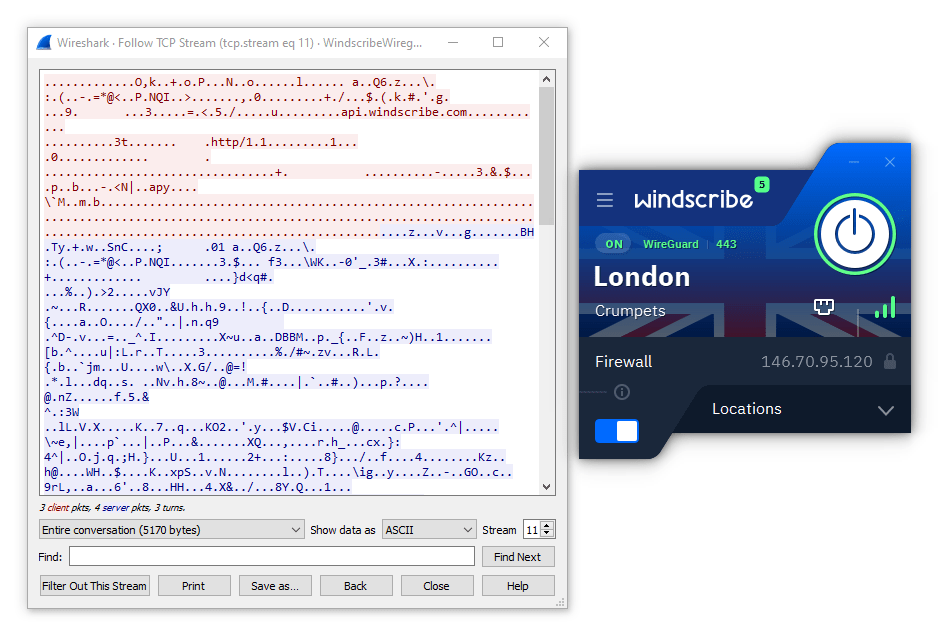
Windscribe securely encrypts network traffic.
Both plans use SHA512 for authentication during the handshake, which is stronger than the SHA-256 used by many competitors.
Windscribe also implements Perfect Forward Secrecy (PFS), so keys aren’t reused between sessions. Even if a private key were compromised, it would be useless after you disconnect.
In the Ukrainian server incident, PFS prevented access to historic traffic.
Windscribe’s Unique Firewall Setting
Windscribe’s “Firewall” option in its Windows and macOS apps stood out in testing. It works like a kill switch, but more robustly.
The Firewall blocks all connections outside the VPN tunnel. A typical kill switch must detect a drop first, which can allow tiny data leaks.
Our kill switch tests confirmed the Firewall worked as described, blocking traffic and preventing IP leaks during interruptions.
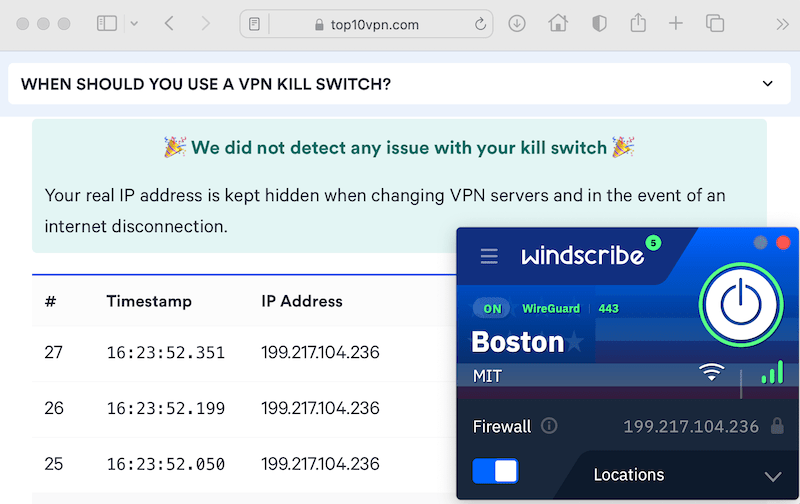
Windscribe’s kill switch didn’t leak our IP address.
Wide Range of Extra Technical Features
Windscribe includes more advanced features than most VPNs.
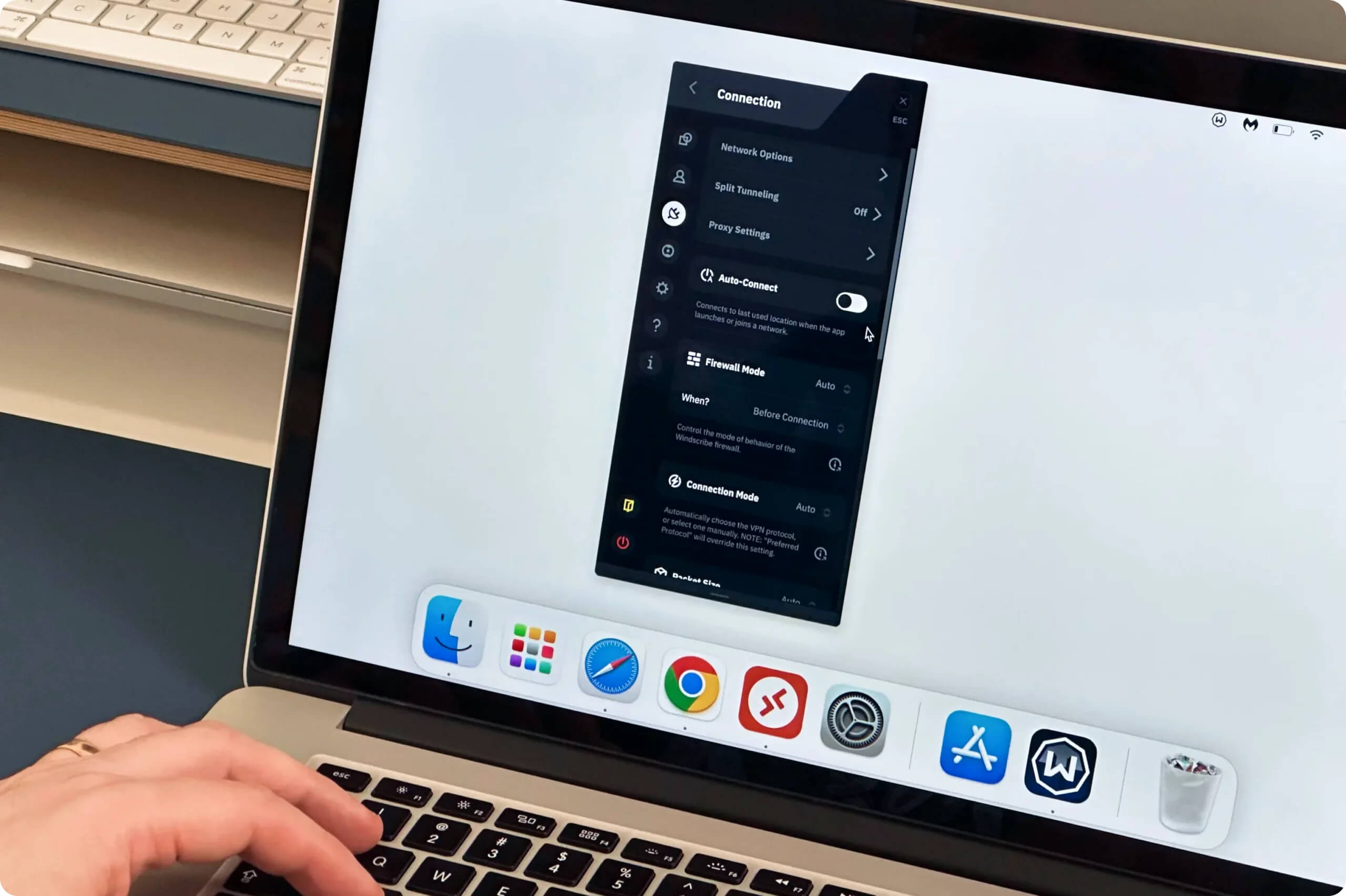
Highlights and our test results:
- Diskless servers prevent data extraction. We’d like an independent audit to confirm all servers are diskless, as ExpressVPN has done.
- GPS spoofing helps bypass apps that check device GPS. It worked for out-of-market NFL games and NBA blackout bypasses, but is limited to Android and browser extensions.
- Multi-hop adds an extra encryption layer. It’s easy to use but significantly slowed our connection and didn’t work on mobile.
- Open-source desktop apps improve transparency. We’d like Windscribe to open source its other apps, including mobile, soon.
The only notable omissions are an antivirus tool and native IPv6 support. These are minor and don’t heavily impact the score.
Server Locations
Windscribe Pro covers fewer locations than many top VPNs. You can connect to 120+ locations across 69 countries. Competitors like Surfshark and PIA offer IPs in up to 31 more countries.
| Continent | Windscribe (Free) Countries with Servers |
Windscribe Countries with Servers |
|---|---|---|
| Europe | 7 | 37 |
| Asia | 2 | 16 |
| North America | 2 | 6 |
| South America | 0 | 4 |
| Africa | 0 | 3 |
| Oceania | 0 | 2 |
Most Windscribe Pro servers are in Europe. Instead of novelty locations like “Troll Antarctica,” we’d prefer to see more popular regions added, such as Egypt and the UAE.
Windscribe’s free plan offers IPs in more countries than most free VPNs, with free servers in 10 countries. Rivals like Hide.me and ZoogVPN cover 7 and 3, respectively.
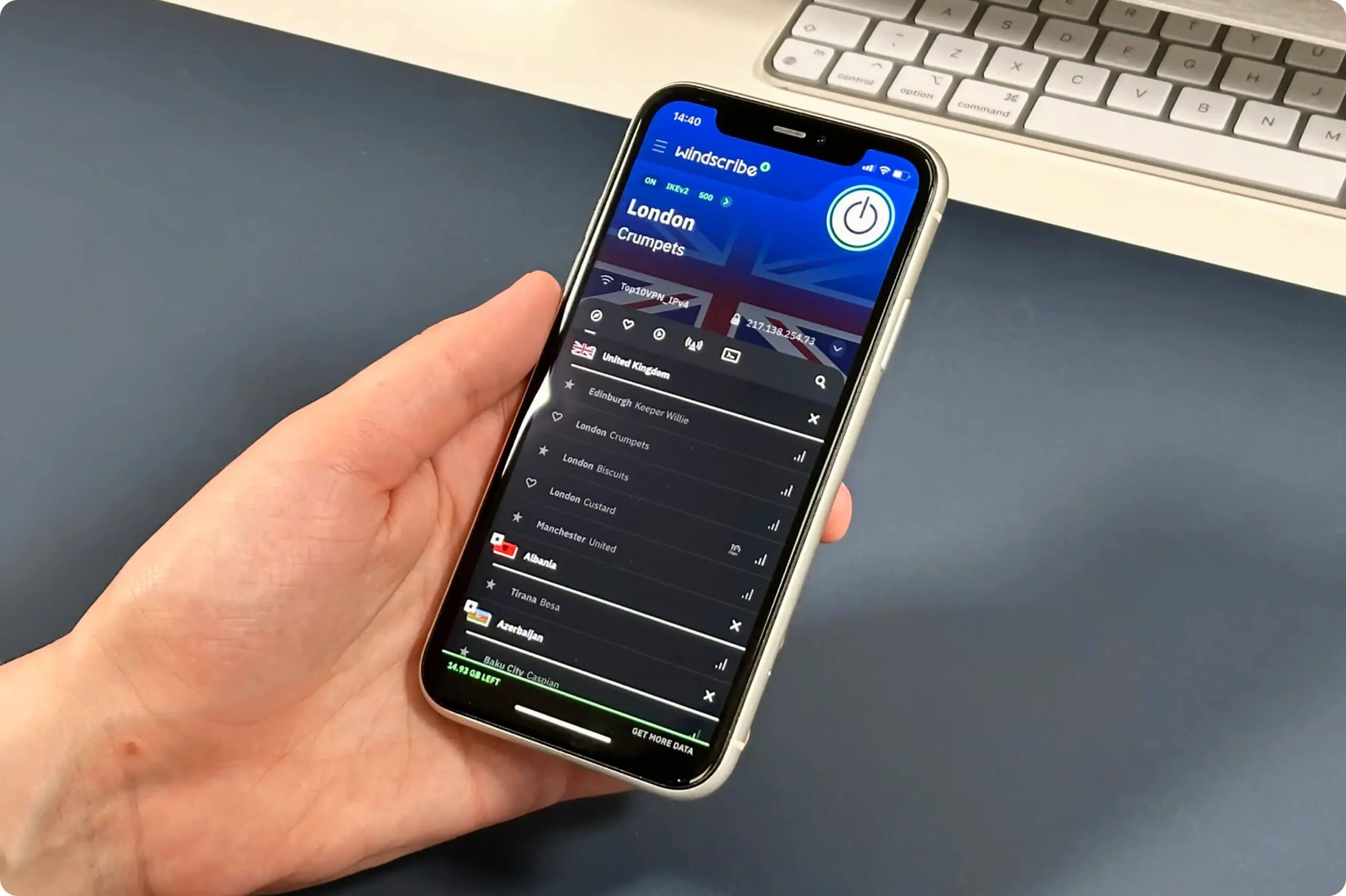
Windscribe has two free UK servers.
Many of these, like the UK, are typically paywalled elsewhere. We’re also pleased to see free servers in Hong Kong, giving users in China a nearby option.
Disappointingly, Windscribe would not disclose the total number of servers or how many are rented, which could imply reliance on third-party infrastructure.
The website provides an excellent real-time server status and capacity page. It’s great for finding quick servers or troubleshooting slow speeds. We’d like to see this built into the app.
User Experience
We’ve used Windscribe since its 2016 launch. Its apps are consistently easy to use and customizable. The UI update (March 2022) addressed earlier criticisms, making it more visually informative. However, the small app window and a few interface quirks keep it from daily-driver status.
Installation & Setup
Getting started was simple: we created an account, clicked Download Windscribe, and were up and running in under 10 minutes.
Interface & Ease of Use
Windscribe’s apps share a consistent design across platforms, making it easy to switch between desktop, mobile, and TV.
Desktop & Laptop (Windows & Mac)
The Windows and Mac apps look and feel identical, simplifying cross-platform use. They’re straightforward, and the country search bar helps navigate the many server options.
However, the app window is smaller than competitors like ExpressVPN or NordVPN. Some testers struggled with the small buttons and text, especially on lower-resolution displays.
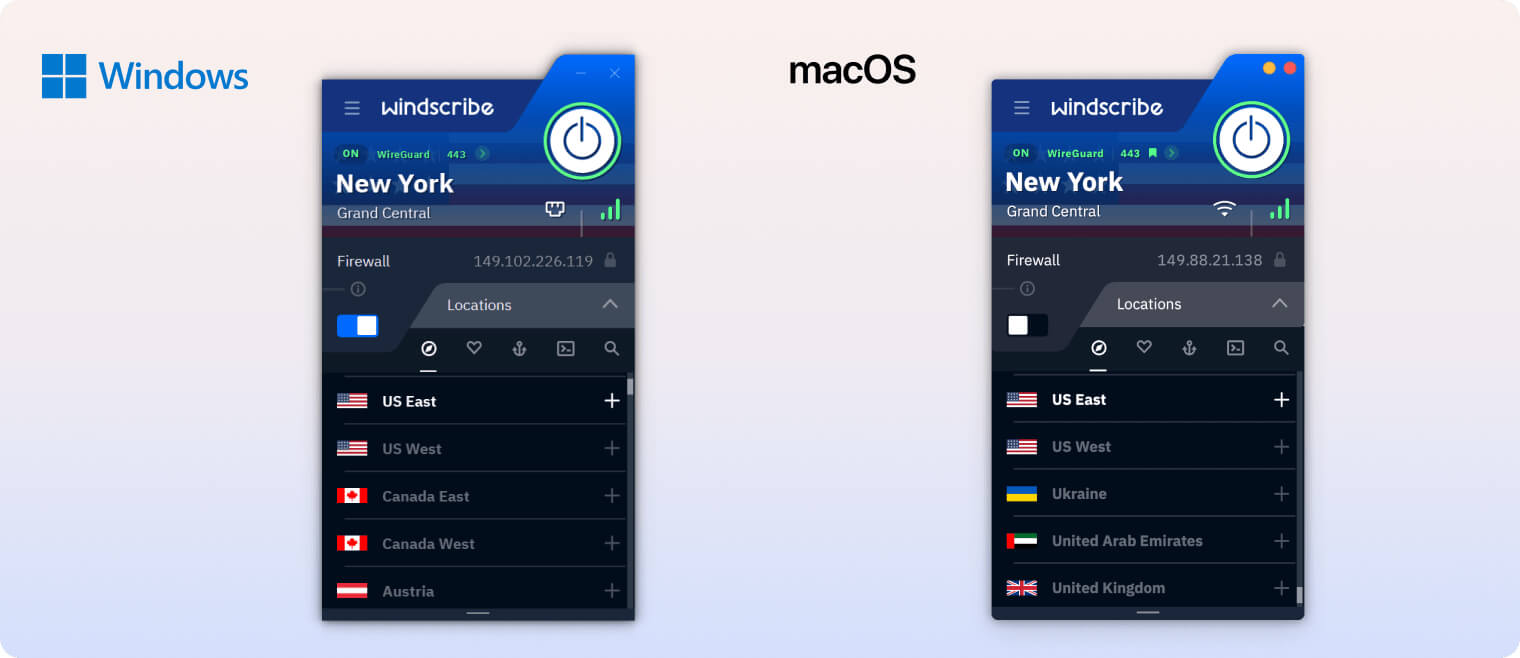
The desktop apps offer useful customization, including latency display options and the ability to toggle between window and tray/menu bar modes. We preferred windowed mode but appreciated the choice.
Mobile (iPhone & Android)
The iOS and Android apps are as easy to use as the desktop clients. The layout is consistent, with a prominent connect button and a server list below. The user-friendly design makes Windscribe one of the best free VPNs for iPhone and Android.
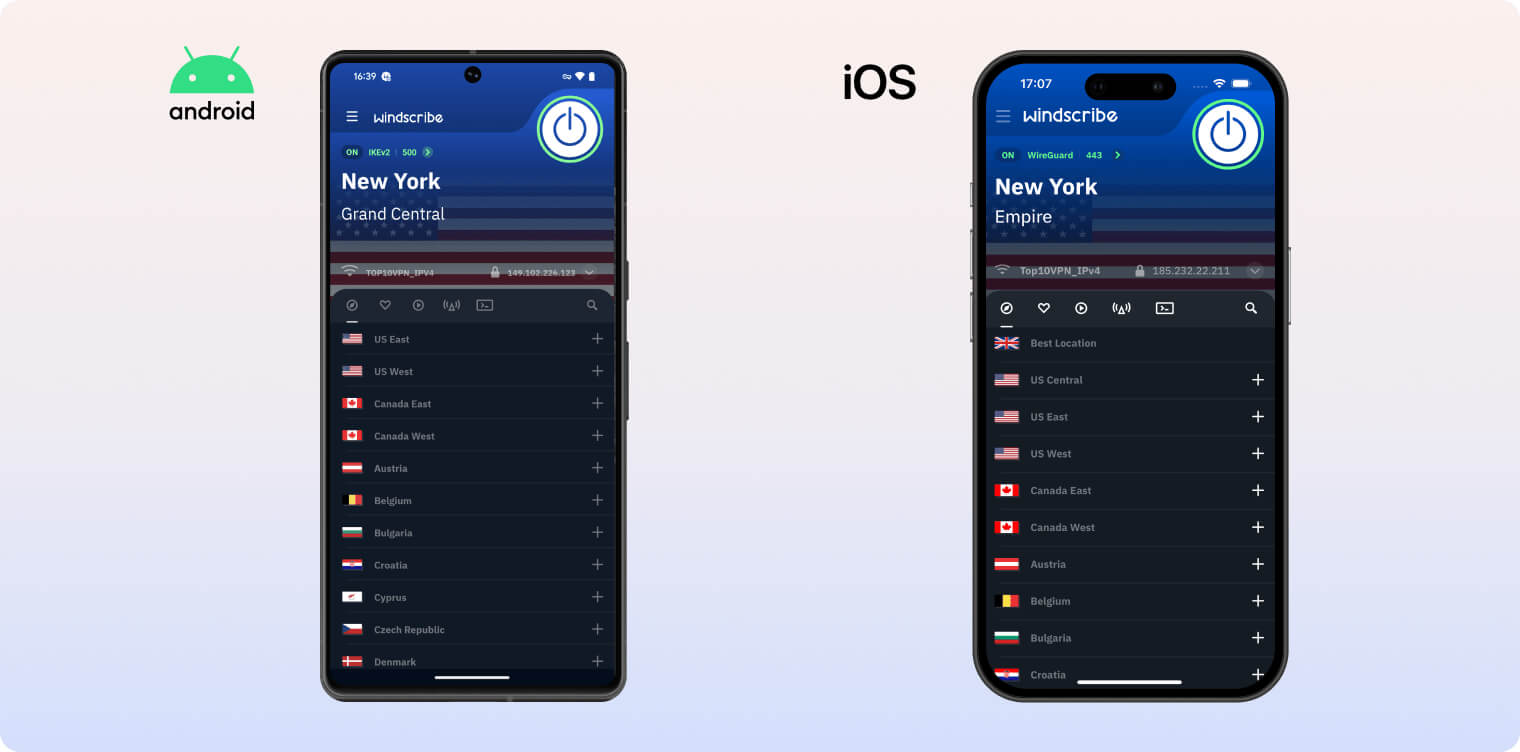
The network whitelisting feature lets you choose networks where Windscribe won’t auto-activate, such as your home Wi-Fi — especially handy when switching between cellular and Wi-Fi.
A mobile-only dark/light mode toggle is available, but it doesn’t follow system settings, requiring manual changes. The default haptic feedback while scrolling and tapping felt distracting, though it can be disabled in settings.
Streaming Devices (Fire TV, Apple TV & Android TV)
Windscribe’s TV apps need work. Oversized text and UI elements feel awkward on big screens, and the lack of a search bar makes scrolling through servers with a remote tedious.
Frankly, we hate this design and would appreciate it if they reconsidered this aesthetic direction.
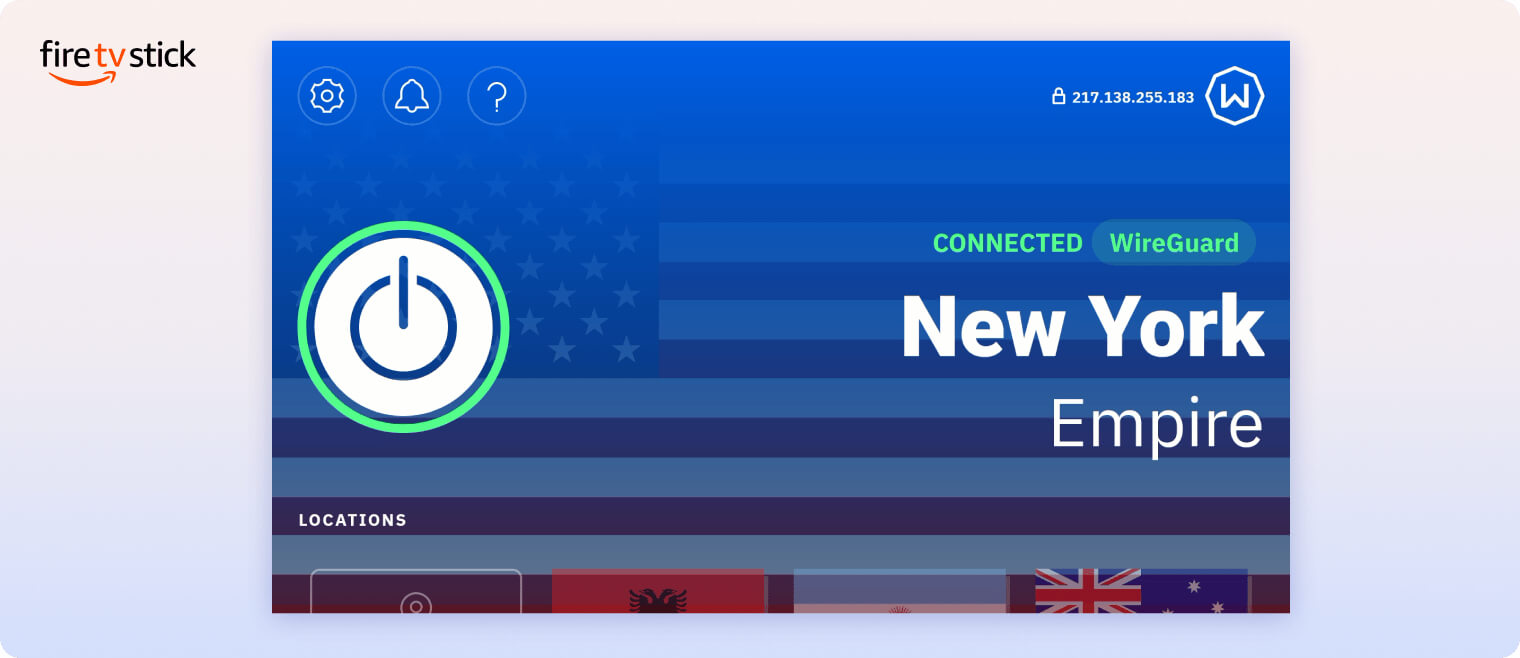
Additionally, the lack of a search bar is particularly frustrating. Manually scrolling through server lists using a remote control is cumbersome and time-consuming, making the app less user-friendly than its competitors.
Day-to-Day Experience
Given the price and strong performance, we wish Windscribe were more enjoyable to use daily.
The app’s attempts at humor — such as references to “Rebecca Black’s Friday” or “Unhinged Updates from Jordan Peterson” — feel out of place for a paid product.
On the free plan, the data cap requires frequent micromanagement, hurting day-to-day convenience.
Even with Pro, the app feels more like a networking utility than something you enjoy using.
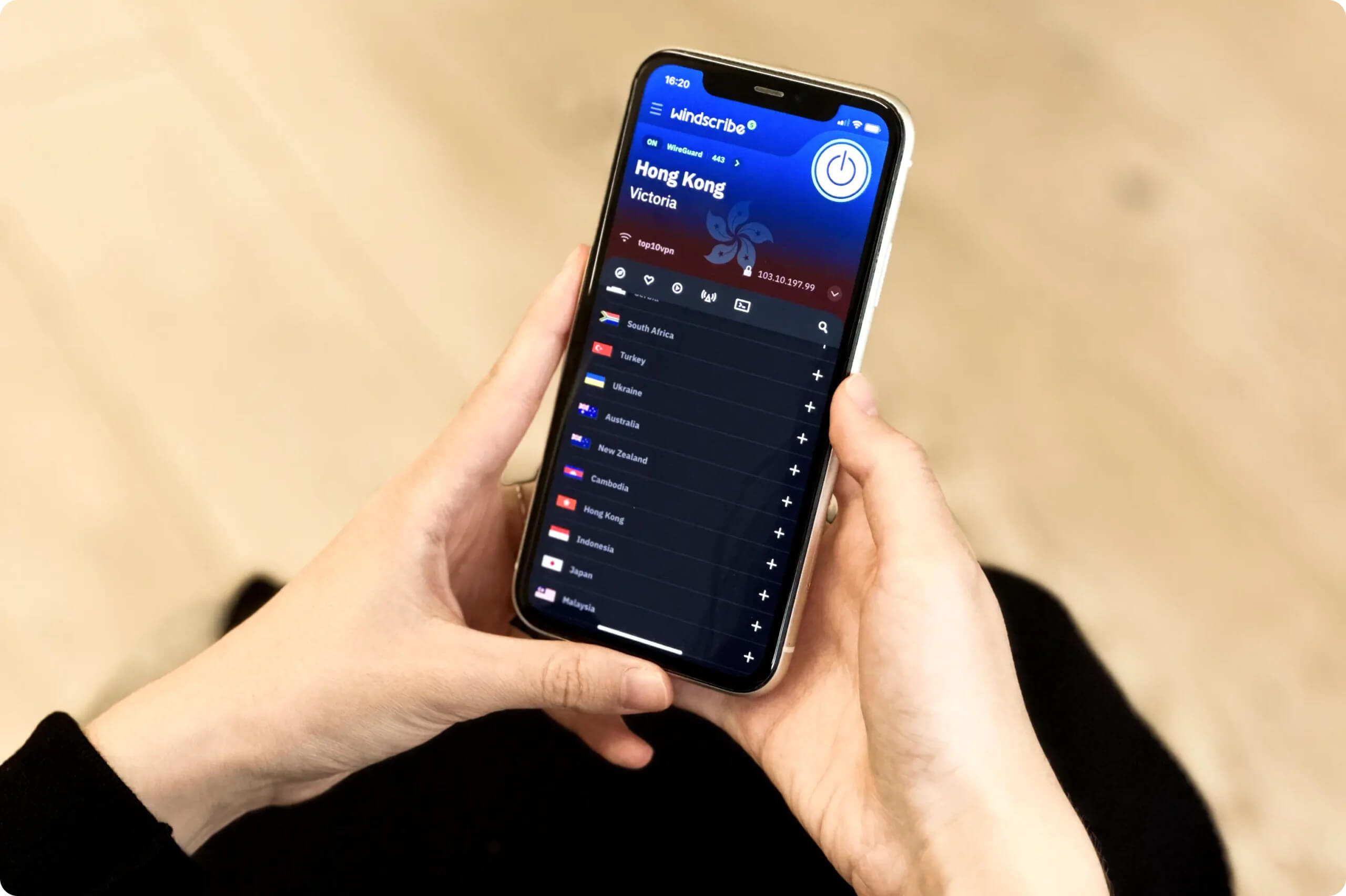
Using Windscribe’s clunky apps every day ended up feeling like a chore.
On streaming devices and iOS in particular, the apps feel clunky, and some design choices are puzzling.
In short, unless you need a specific Windscribe feature, you may find the experience frustrating.
Torrenting
Both the free and paid versions are safe for torrenting. The apps include a kill switch to prevent IP leaks, and Windscribe has never forwarded DMCA notices to users. While the Pro plan supports port forwarding, its download bitrate is slower than top competitors.
| Torrenting Attribute | Windscribe (Free) | Windscribe |
|---|---|---|
| Permits P2P Traffic | Yes | Yes |
| Average Download Bitrate | 6.3MiB/s (37% loss) | 7.2MiB/s (28% loss) |
| Countries with P2P Servers | 10 | 69 |
| Port Forwarding | No | Yes |
| Kill Switch | Yes | Yes |
| Logging Policy | No Identifiable Data | No Identifiable Data |
You can trust Windscribe to hide torrenting activity from your ISP. It doesn’t collect identifiable logs and encrypts traffic with AES-256. Third parties can’t see the files you’re downloading.
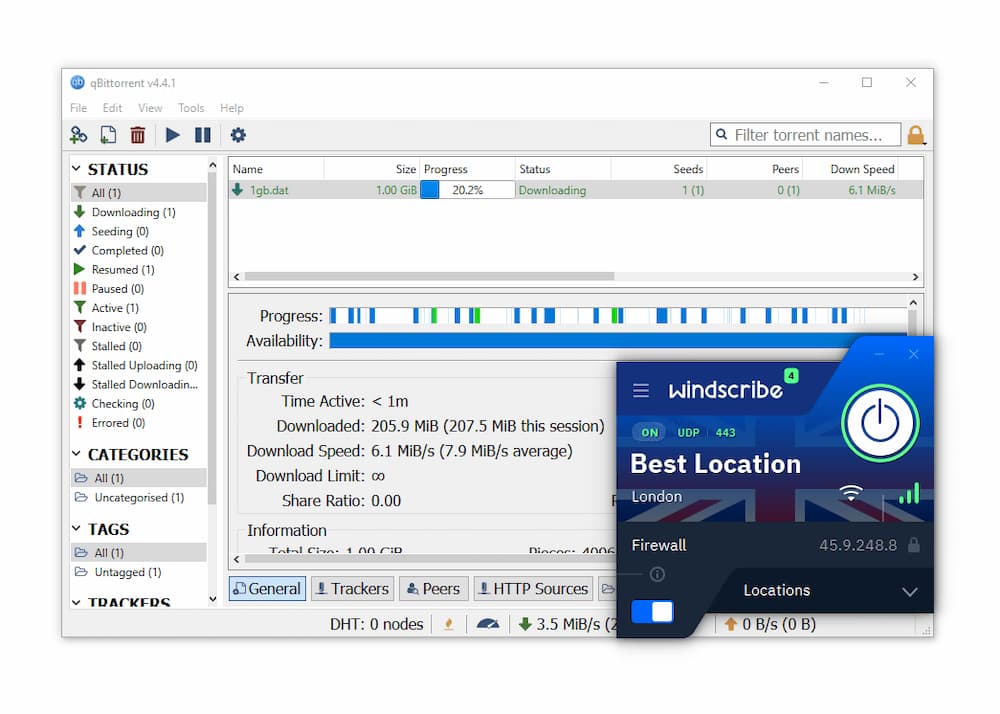
Both versions of Windscribe work well for torrenting.
Windscribe has also improved P2P support by allowing torrenting on all server locations. Previously, P2P was restricted in some countries, including India and Lithuania, but these limits are gone.
Slower Torrenting Speeds, Even with Port Forwarding
Although Windscribe Pro supports port forwarding, torrenting speeds lag behind the fastest VPNs.
Port forwarding setup is also clunky. You must configure it on the website, which took over 10 minutes. With Proton VPN, it’s a simple in-app toggle.
Here’s how long it took to download a 20GB file using different services:
| VPN Service | Download Bitrate | Time to Download 20GB Torrent File |
|---|---|---|
| No VPN | 10MiB/s | 32 minutes |
| Windscribe Pro | 7.2MiB/s | 44 minutes |
| Private Internet Access | 9.6MiB/s | 33 minutes |
| Windscribe Free | 6.3MiB/s | 50 minutes |
| PrivadoVPN Free | 5.7MiB/s | 56 minutes |
Windscribe isn’t the fastest for torrenting, but it’s close enough for most users. When possible, use a 10Gbps server in your country for the best speeds.
Device Compatibility
Windscribe supports a wide range of devices, including iOS, Android, Windows, and Mac. While its Smart DNS isn’t included with the VPN subscription, you can install the VPN on a router to cover smart devices and game consoles. Windscribe also allows unlimited simultaneous connections — a rare perk.
| Windows | Yes |
|---|---|
| Mac | Yes |
| iOS | Yes |
| Android | Yes |
| Linux | Yes |
| Amazon Fire TV | Yes |
| Android TV | Yes |
| Apple TV | Yes |
| Router | Yes |
| Chrome | Yes |
Simultaneous Connections: Unlimited
The apps are similarly easy to use across platforms, but features vary. Here are the key differences:
| Platform | Firewall | Auto Connect | Network Whitelist | Split Tunneling | Always On | Packet Size |
|---|---|---|---|---|---|---|
| Windows | ✓ | ✓ | ✗ | ✓ | ✓ | ✗ |
| macOS | ✓ | ✓ | ✗ | ✗ | ✓ | ✗ |
| iOS | ✓ | ✓ | ✗ | ✗ | ✗ | ✗ |
| Android | ✗ | ✓ | ✓ | ✓ | ✓ | ✓ |
Windscribe offers a separate DNS service called Control D. It’s discounted for subscribers but requires a separate plan. Including it for free would improve device coverage.
Alternatively, on Windows you can use the Secure Hotspot feature to create a virtual router and share your VPN connection with other devices.
Additional Features
Windscribe provides many extras beyond a standard VPN. It’s one of the most reliable VPNs for bypassing censorship in countries like China, offers GPS spoofing, and includes a highly effective ad and tracker blocker on the paid plan.
| Additional Feature | Windscribe (Free) | Windscribe |
|---|---|---|
| Split Tunneling | Yes | Yes |
| VPN Obfuscation | Yes | Yes |
| Multi-Hop Servers | Yes (requires browser extension) | Yes (requires browser extension) |
| Dedicated IP | No | Yes (additional fee) |
| Ad Blocker | Yes | Yes |
| GPS Spoofer | Yes | Yes |
Stealth VPN Feature Works in China & Russia
Many VPNs for China, including Windscribe, counter web censorship by employing obfuscation technologies that make it harder for censors to identify VPN traffic.
Its “Stealth protocol” routes OpenVPN through an additional TLS tunnel using the open-source Stunnel algorithm, masking VPN usage. In short, this conceals the fact you are using a VPN.
We verified this using a test server in Shanghai. Windscribe bypassed China’s firewall 85% of the time over the past year. Many top VPNs, including NordVPN, worked 0% of the time over the same period.
Windscribe’s free plan also worked in China by connecting to Hong Kong > Victoria.
Static & Residential IP Addresses
With Windscribe, you can get a static IP address from 13 locations. A static IP assigns you the same address every time you connect, which can help reduce the chance of websites blacklisting your IP.
Windscribe is also one of the few VPNs that offer residential IP addresses. While this costs an extra $96.00 per year, the US residential IP we purchased has consistently worked for streaming over years of testing.
Effectively Blocks Many Ads & Trackers
“ROBERT” is Windscribe’s DNS-level ad and malware blocker integrated into the VPN apps.
In our tests, ROBERT performed exceptionally well. It blocked 80% of ads and 100% of analytics trackers, and it bypassed ads on many popular sites, including YouTube and Google.
The only VPNs that blocked more ads were IVPN and TunnelBear, but overall they are less capable than Windscribe.
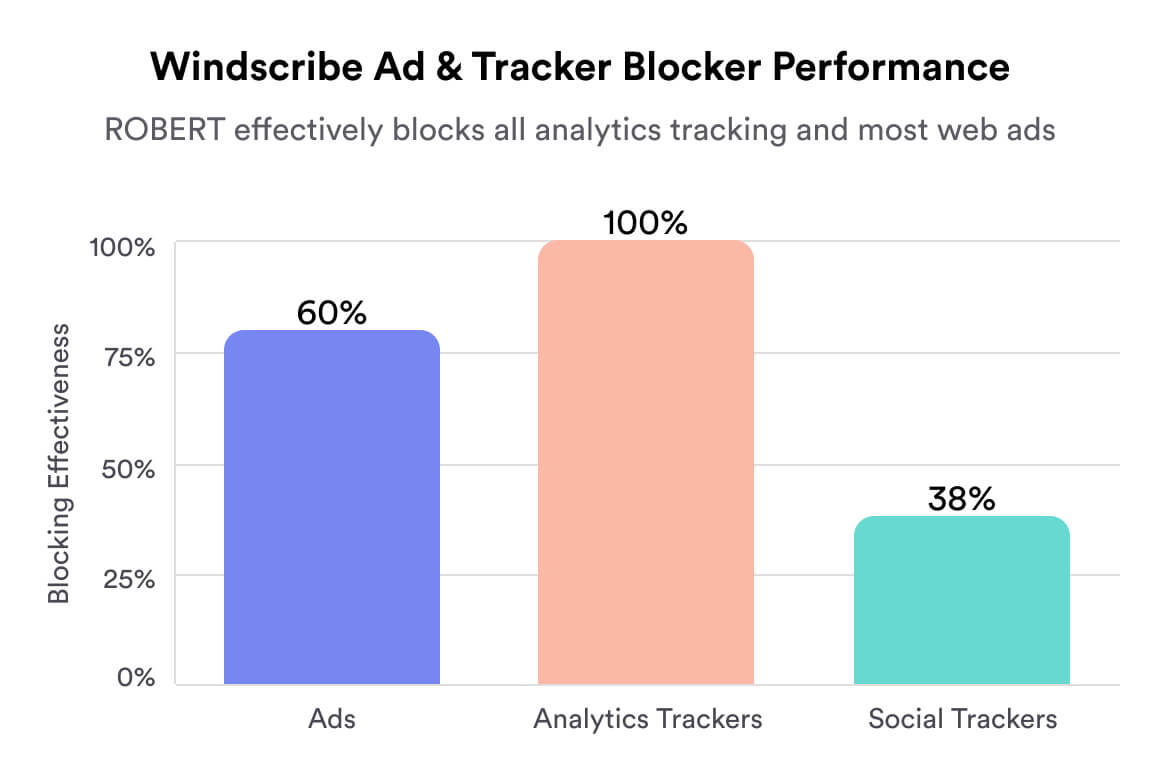
Although strong, we’d like to see Windscribe include its ad and malware blocker in the free app. Right now, you need a separate browser extension, which is less user-friendly and doesn’t work on mobile devices.
Windscribe Key Data
| Attribute | Windscribe | Typical Free VPN |
|---|---|---|
| Owner | Windscribe Limited (Independent) | Independent |
| Launch Date | 2016 | 2015 |
| Safe to Use | Yes | No |
| Data Cap | 10GB per month | 10GB per month |
| Payment Details Required | No | No |
| Account Required | Yes | Yes |
| Contains Ads | No | Yes |
| Local Download Speed | 91Mbps (9% loss) | 61Mbps (39% loss) |
| International Download Speed | 87Mbps (13% loss) | 55Mbps (45% loss) |
| Countries with Servers | 10 | 4 |
| Privacy Policy | No Identifiable Data | Identifiable Data |
| Simultaneous Connections | Unlimited | 1 |
| Manually Select Server Location | Yes | Yes |
| Netflix Libraries | 5 | 0 |
| Torrenting | Yes | No |
| Works In China? | Yes | No |
| Customer Support | Email & Online Resources Only | Online Resources |
| Apps & Extensions |
          |
|
Windscribe Key Data
| Attribute | Windscribe | Typical VPN |
|---|---|---|
| Local Download Speed | 97Mbps (3% loss) | 89Mbps (11% loss) |
| International Download Speed | 86Mbps (14% loss) | 80Mbps (20% loss) |
| Countries with Servers | 69 | 40 |
| Privacy Policy | No Identifiable Data | Identifiable Data |
| Simultaneous Connections | Unlimited | 10 |
| Netflix Libraries | 32 | 3 |
| Torrenting | Yes | Yes |
| Works In China? | Yes | No |
| Cheapest Price | 5.75/mo over 12 months | $3.87/mo over 24 months |
| Customer Support | Email & Online Resources Only | |
| Apps & Extensions |
|
|
Price
Price Plans
| 1 month | $9.00 |
|---|---|
| 12 months | $69.00 ($5.75/mo) |
Free Trial
| Money-Back Guarantee | 3 days |
|---|---|
| Free Trial | No |
| 100% Free Plan | Yes |
| Data Cap | 10GB per month |