
PrivateVPN: Cheap, Secure & Powerful VPN for Streaming and Torrenting
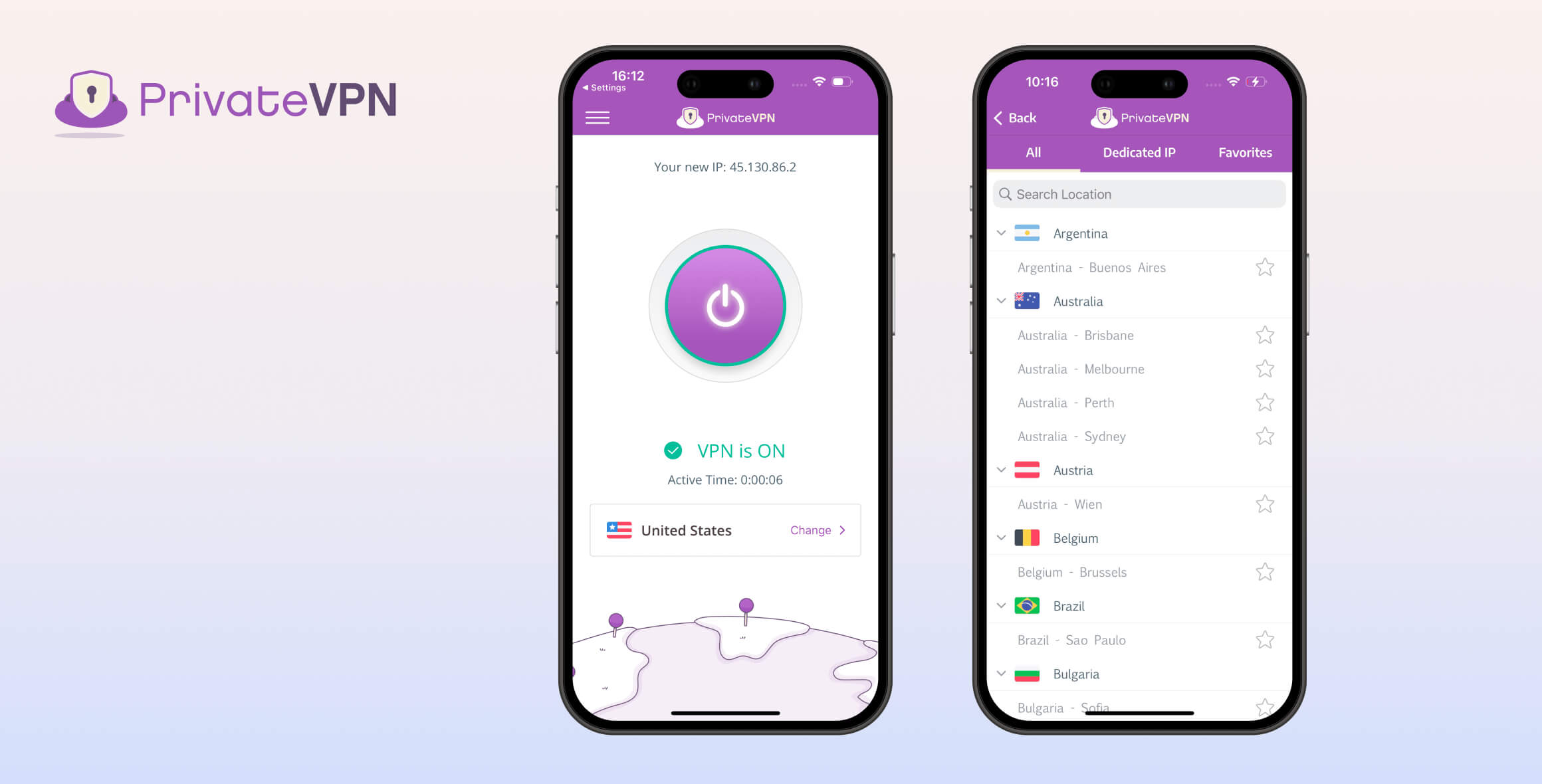
Overall, PrivateVPN is an excellent VPN, scoring 8.2/10 in our tests, especially given its low price ($2.00/month over 36 months). It’s a strong choice for accessing geo-blocked video content, unblocking 10 Netflix regions and services like Hulu and BBC iPlayer. Its apps are also extremely user-friendly and ideal for beginners. However, we did experience server congestion, so long-distance speeds may not always be fast enough for smooth HD streaming.
- Pros
- Works with Netflix, Prime Video & more
- No-logs privacy policy
- Very cheap subscriptions
- Firestick app unblocks streaming services
- Servers in 62 countries
- Dedicated IP servers are excellent for streaming & privacy
- Cons
- Slow long-distance connection speeds
- No WireGuard protocol
- No browser extensions
- No Smart DNS feature
- Lacks multi-hop, diskless servers & other technical features
- Leaks IPv6 addresses on Linux
Launched in 2009, PrivateVPN has been around longer than many of its competitors. In that time, the service has avoided major controversies and has proven to be a safe and trustworthy option.
Miss Group, a Swedish internet services company, acquired PrivateVPN in 2022. Despite early concerns about the impact of this acquisition, PrivateVPN’s strong performance has remained consistent.
For its low price, PrivateVPN offers impressive value. It includes intuitive apps for beginners, strong security and encryption, and an excellent dedicated IP feature.
PrivateVPN is particularly well suited to streamers who want a quick and simple way to bypass geo-blocks. The VPN accesses US Netflix, Hulu, HBO Max, and BBC iPlayer. However, we wish PrivateVPN offered a Smart DNS feature, as you currently can’t use it to stream on devices like Apple TV or game consoles.
That said, our speed tests with PrivateVPN showed inconsistent performance. Its relatively small server network and lack of visible server-load information mean servers are often overcrowded, so you may occasionally experience buffering and lag while using the VPN.
Overall, we strongly recommend PrivateVPN if you can’t afford one of the very best VPN services. Its basic but reliable performance will satisfy most users, particularly for simple tasks like securing public WiFi connections.
However, if you want a more fully featured VPN with the fastest speeds, Smart DNS, browser extensions, and a larger choice of server locations, you’ll need to consider other options.
Privacy
Ranked #3 out of 45 VPNs for Privacy
PrivateVPN is a verified no-logs VPN service that has never supplied user data to any third party. A minor downside is its base in Sweden, which is part of the 14 Eyes intelligence-sharing alliance, but this is largely offset by its strict logging policy.
| Originating IP Address | No |
|---|---|
| Browsing Activity | No |
| Individual Connection Timestamps | No |
| Date of Last Connection | No |
| VPN Server IP | No |
| Device Information | No |
| Individual Bandwidth Usage | No |
| Account Information | Yes |
You can read PrivateVPN’s full privacy policy on its website.
PrivateVPN is based in Sweden, which is generally not considered ideal for user privacy. However, its no-logs policy means it cannot provide meaningful information about its users, even if ordered to do so by Swedish authorities.
The only information PrivateVPN stores is your email address, which is used solely for account login. PrivateVPN confirmed to us that this is not linked to any of your activity. This level of privacy is usually reserved for more expensive services.
One drawback is that PrivateVPN does not use diskless (RAM-only) VPN servers. These servers do not contain physical storage, which essentially removes the possibility of logging data. We’d like PrivateVPN to add RAM-only servers in the near future.
Logging Policy Is Verified Through Real-World Tests
PrivateVPN is one of the few VPN services whose no-logs policy has been verified by real-world cases. The company has been unable to hand over user data to law enforcement on several occasions.
Although these cases are not public, we have reviewed documents showing that, due to its no-logs policy, PrivateVPN has always been unable to comply with requests for user data.
We do not condone any illegal activity conducted using a VPN, but these real-world cases serve as strong, practical proof of a VPN’s logging practices.
Failed to Disclose Data Gathering on Free Trial Users
Our research found that PrivateVPN previously logged the IP addresses of users signing up for its free trial. PrivateVPN told us these IPs were securely stored in a “dummy database” and were “linked to no other data.”
Although the logging was done internally and only to prevent trial abuse, the main issue is that PrivateVPN did not disclose this practice anywhere.
To its credit, after we raised this with PrivateVPN, it quickly changed its behavior. The VPN no longer tracks the IP addresses of new free trial users.
Streaming
Ranked #4 out of 45 VPNs for Streaming
PrivateVPN is one of the best VPNs for streaming. Its dedicated IP servers unblocked nearly every streaming service we tested, including 10 different Netflix regions. It lacks a Smart DNS feature, which is disappointing, but it does offer a fully featured app for Amazon Fire TV.
| Streaming Service | Works with PrivateVPN |
|---|---|
| BBC iPlayer (UK) | Yes |
| DAZN (Canada) | Yes |
| Disney+ (UK) | No |
| Hulu (US) | Yes |
| ITVX (UK) | Yes |
| HBO Max (US) | Yes |
| Netflix (US) | Yes |
| Netflix (UK) | Yes |
| Prime Video (US) | Yes |
| Sky Go (UK) | Yes |
PrivateVPN recently removed its dedicated streaming servers from the app. When we contacted support, a PrivateVPN representative told us this was because “all servers now work for streaming.”
However, we found this claim to be inaccurate. In some cases, PrivateVPN failed to unblock certain services using a standard server from the main server list.
When that happened, we had to switch to one of the dedicated IP servers. The IP address you get on these servers is exclusive to you, making it harder for streaming platforms to detect and block you. These servers worked for streaming every time in our tests, but they are not available in every country.
A major downside to using PrivateVPN for streaming is its limited compatibility with TV and media devices. Although it has apps for Fire TV and Android TV, it does not support Smart DNS for Apple TV or game consoles. There is also no router app, so you can’t easily use it on Roku or Chromecast devices.
Streams US Netflix & Many Other Regions
When we tested all of PrivateVPN’s servers with Netflix, 22% of them worked with the service.
In total, the VPN unblocked 10 Netflix libraries. Out of the 61 VPNs we tested, only Windscribe could access more Netflix regions than PrivateVPN.

At least one PrivateVPN server could stream US Netflix in our tests.
Here are all the Netflix libraries PrivateVPN can access:
- Australia
- Brazil
- Canada
- India
- Ireland
- Netherlands
- Poland
- Spain
- UK
- US
Streaming performance varied significantly between regions. Connecting through Japan and Ireland, we experienced constant buffering and only SD video quality. In other regions, including the US and Canada, video quality was much better.
To access US Netflix, you must connect to the New York location from the dedicated IP server list. None of the US servers from the main server list worked with US Netflix in our tests.
Unblocks US Streaming Platforms
PrivateVPN also works with every major US streaming service we tested. We bypassed geo-blocks on HBO Max, Hulu, YouTube TV, and Prime Video.
Unlike Netflix, all of PrivateVPN’s US servers worked with these platforms. Videos loaded almost instantly and played in HD.
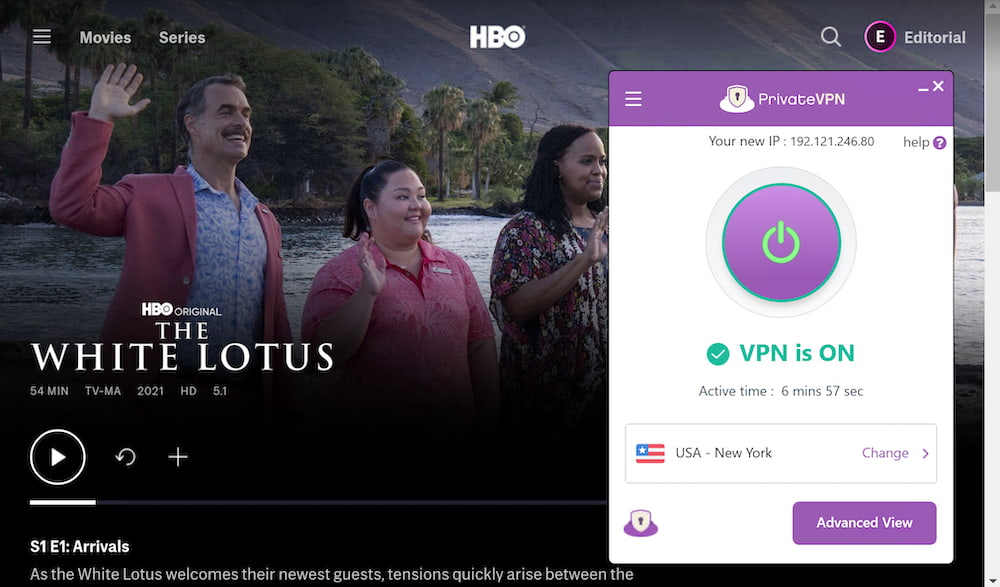
PrivateVPN streamed HBO Max on all of its US servers.
Works Well with BBC iPlayer
Despite offering only two UK server locations, PrivateVPN has consistently worked with BBC iPlayer throughout years of testing. Both live and on-demand content loaded quickly and streamed in the highest available resolution.
Even many other top VPNs for BBC iPlayer, including ExpressVPN and HMA, sometimes fail to unblock it. PrivateVPN’s performance here is excellent, especially given its low subscription cost.
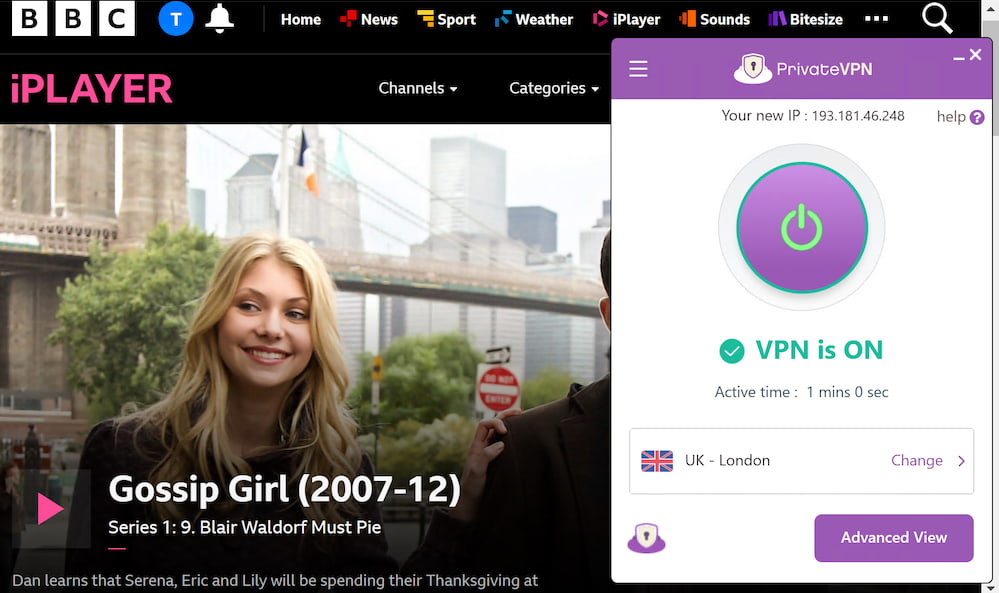
Both of PrivateVPN’s UK servers work with BBC iPlayer.
We also used PrivateVPN’s UK servers to stream Sky Go, ITVX, and Now.
Hides Kodi Activity from Your ISP
PrivateVPN’s strong streaming performance makes it a very good choice for Kodi and Stremio users.
Using its Fire TV app, we streamed content from services like Crackle and Pluto TV. Our connection remained stable, and all activity was hidden from our ISP.
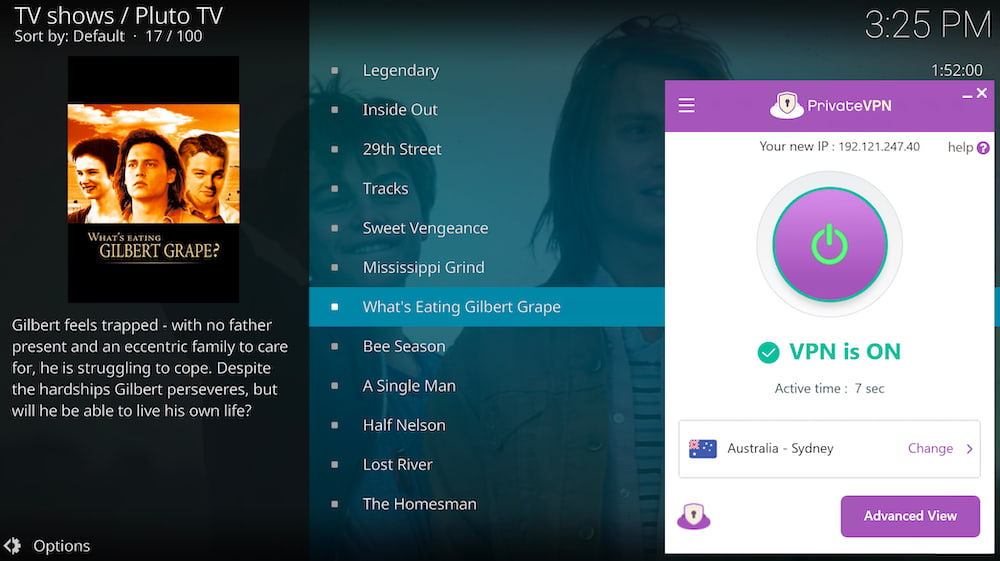
PrivateVPN works well with all Kodi add-ons.
Speed
Ranked #18 out of 45 VPNs for Speed
On nearby servers, our tests show that PrivateVPN is fast. Our download speeds dropped by only 4%, meaning the VPN is more than fast enough for streaming, gaming, and most other online tasks. However, PrivateVPN’s long-distance speeds are less impressive, and congested servers can frequently cause slowdowns.
| No VPN (New York) | US (New York) | Canada (Toronto) | US (Los Angeles) | UK (London) | Germany (Berlin) | Brazil (São Paulo) | Japan (Tokyo) | South Africa (Johannesburg) | Australia (Sydney) | |
|---|---|---|---|---|---|---|---|---|---|---|
| Server Location |  |
|
 |
|
 |
 |
 |
 |
 |
 |
| Download Speed | 100Mbps | 96Mbps | 92Mbps | 85Mbps | 90Mbps | 90Mbps | 82Mbps | 84Mbps | 61Mbps | 76Mbps |
| Upload Speed | 100Mbps | 88Mbps | 77Mbps | 80Mbps | 93Mbps | 92Mbps | 86Mbps | 93Mbps | 83Mbps | 66Mbps |
| Ping | 1ms | 6ms | 15ms | 89ms | 78ms | 84ms | 113ms | 143ms | 240ms | 212ms |
| Distance | 0mi | 5mi | 300mi | 2,500mi | 3,500mi | 4,000mi | 4,800mi | 6,700mi | 8,000mi | 9,900mi |
To keep our speed tests fair and unbiased, we measured our internet speeds before and after connecting to PrivateVPN servers worldwide. We ran multiple tests over several days and then averaged the results from each location.
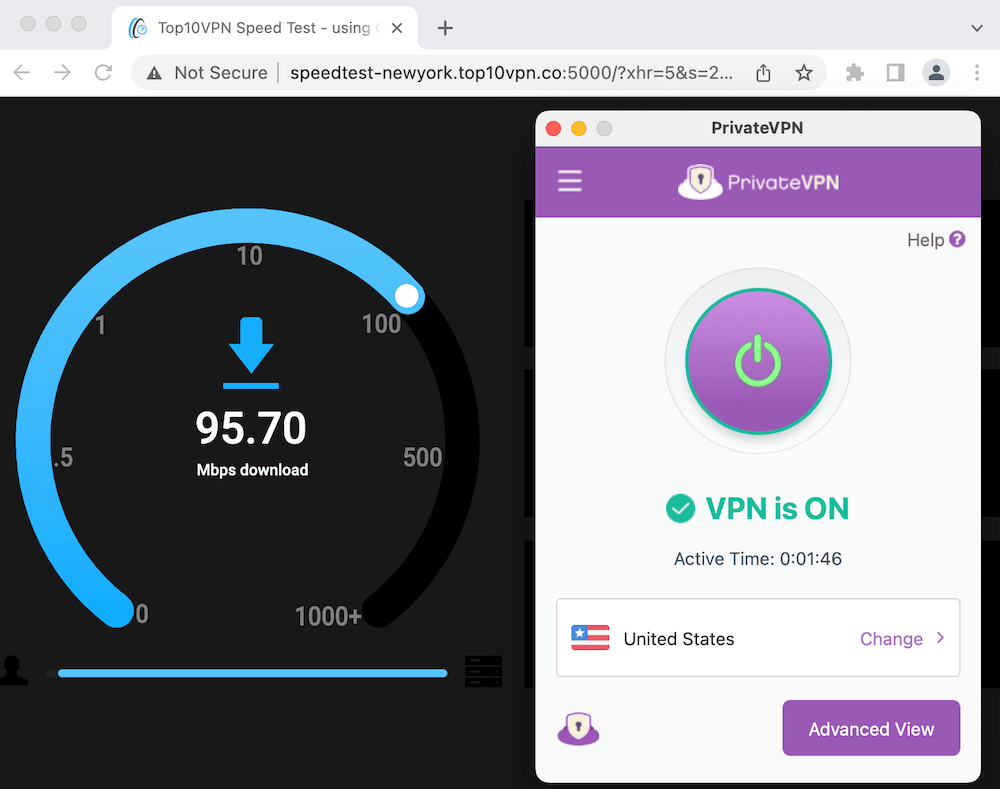
PrivateVPN is fast on nearby servers.
As you can see, PrivateVPN’s short-distance speeds are very strong. We recorded 96Mbps download speeds, which is comparable to other top VPNs that cost significantly more.
However, the speed drops were much larger than expected on some distant servers. Our download speed fell by 39% when connecting to South Africa and by 24% when connecting to Australia.
To reduce server congestion, leading VPNs deploy 10Gbps servers in more locations and maintain much larger networks than PrivateVPN. We’d like PrivateVPN to expand its network and upgrade bandwidth capacity in a future update.
Security
Ranked #25 out of 45 VPNs for Security
PrivateVPN secures your web traffic using OpenVPN and AES-256 encryption. Its kill switch prevents IP address leaks on macOS, Windows, and Android, but the iOS app does not have a kill switch when using OpenVPN.
| Independent Audit | No |
|---|---|
| VPN Kill Switch | Yes |
| Leak Protection | Yes |
No Option to Connect Using WireGuard
PrivateVPN is the only VPN on our recommended list that doesn’t support WireGuard or a proprietary next-generation protocol. WireGuard is a safe, open-source protocol that typically delivers much faster speeds than older options.
Instead, PrivateVPN relies on OpenVPN, which is secure but slower and older. Most premium VPNs no longer use OpenVPN as their default protocol, so we’d like PrivateVPN to at least offer WireGuard as an alternative.
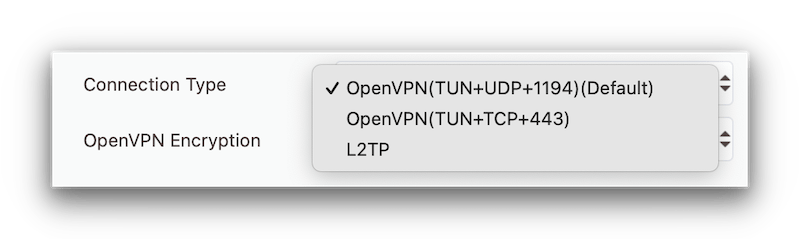
OpenVPN is the only secure protocol that PrivateVPN offers.
Strong Encryption Secures Web Traffic
You can trust PrivateVPN to encrypt your data and keep your online activity private.
The VPN’s website claims that it uses industry-leading encryption standards, including the AES-256 cipher and a 2048-bit RSA handshake. To verify these claims, we analyzed VPN connection logs and found the encryption and security to be robust.
PrivateVPN implements its encryption as follows:
- OpenVPN connections are established with an RSA-2048 handshake.
- Perfect Forward Secrecy is provided via an ECDH key exchange.
- Authentication uses an SHA-384 hash.
- Traffic is encrypted using the AES-256 cipher.
Together, these technologies ensure your data is secure, private, and difficult to intercept.
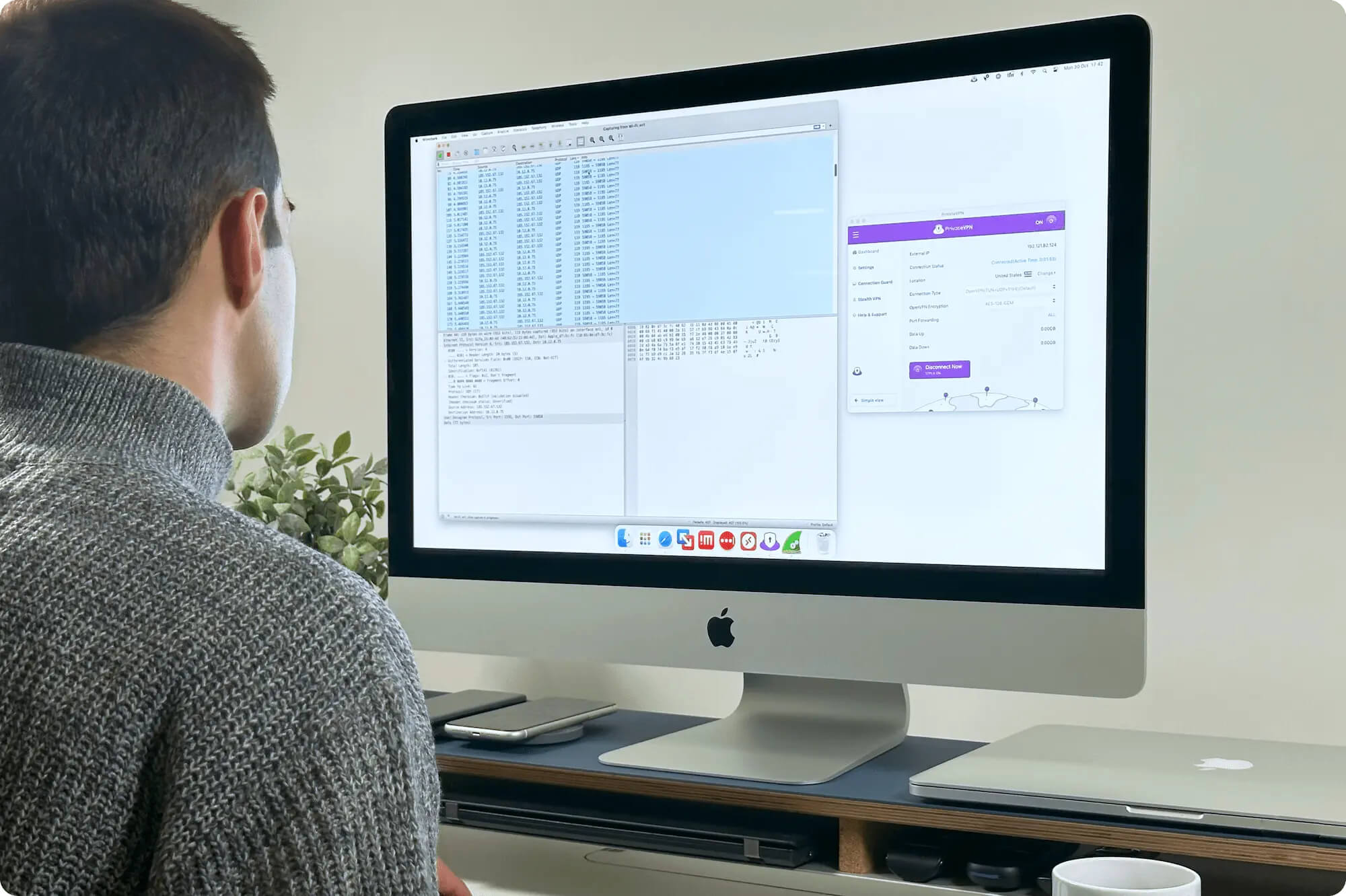
PrivateVPN securely encrypts all network traffic.
Kill Switch Prevents IP Leaks
PrivateVPN provides a kill switch on Windows and macOS. It’s not enabled by default, so you should switch it on from the “Connection Guard” tab in the settings menu.
To test the kill switch, we used our in-house testing tool, which checks for IP leaks when we forcibly disconnect the VPN.
When the connection dropped, PrivateVPN’s kill switch worked perfectly and our real IP address remained hidden.
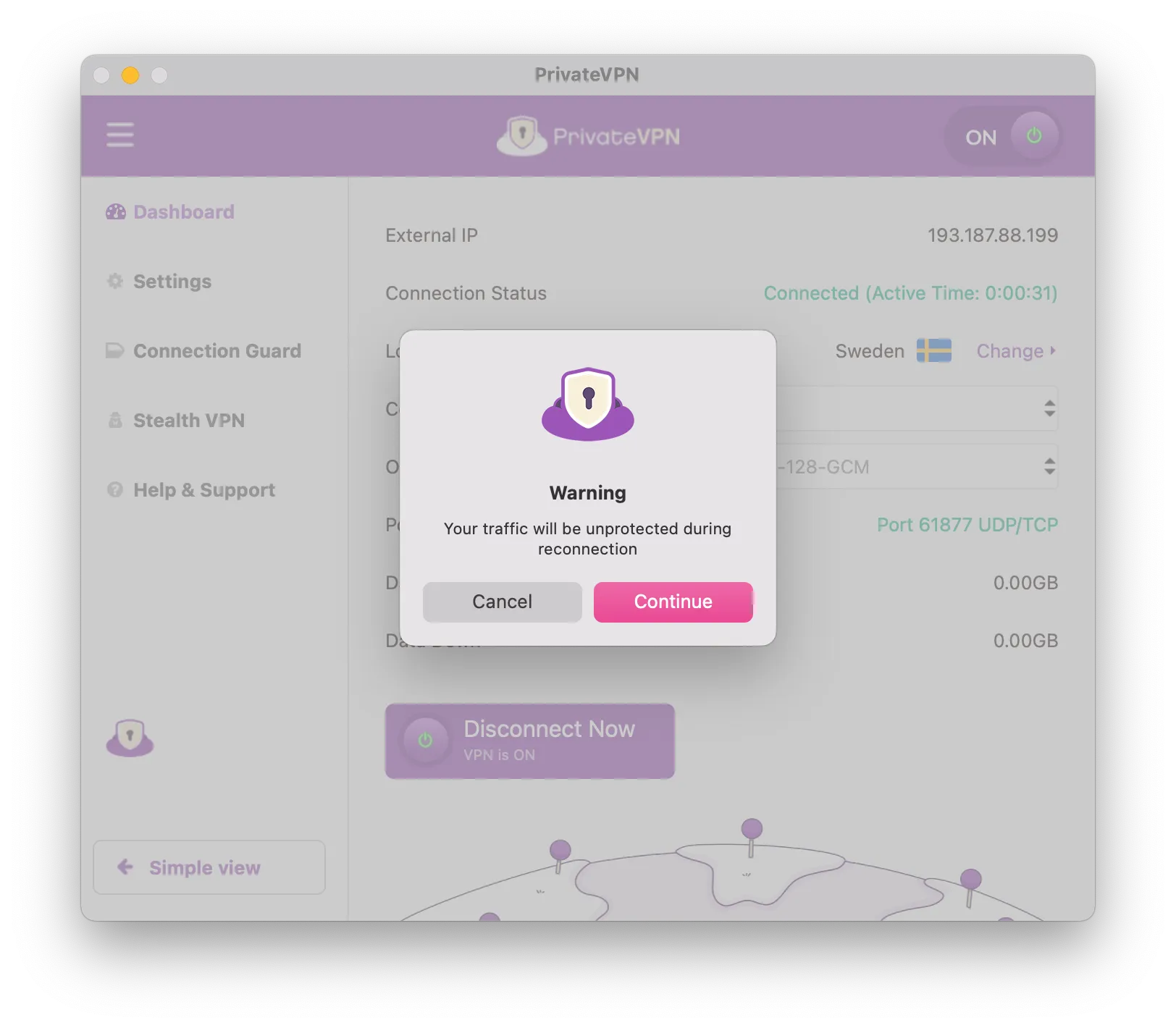
PrivateVPN warns users their traffic will be unprotected when switching servers.
However, we found that PrivateVPN’s app can leak your IP address while changing servers. The app displays a warning before this happens, giving you the option to cancel and disconnect first, but it’s disappointing that this hasn’t been properly addressed.
Leaks IPv6 Addresses on Linux
Our research shows that PrivateVPN leaks IPv6 addresses on Linux. While the standard apps provide IPv6 leak protection, this protection is missing from the Linux setup.
This is a serious privacy concern and should be fixed as soon as possible. Until then, you will need to manually disable IPv6 in your Linux system settings.
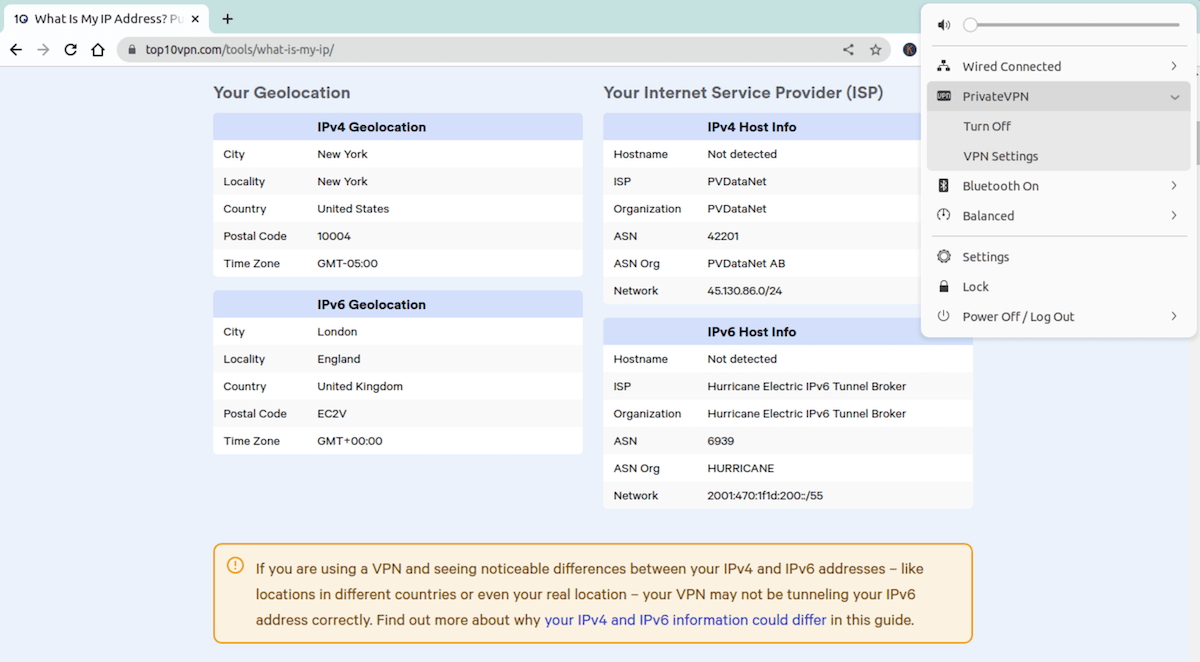
Running on Ubuntu, PrivateVPN leaked our IPv6 address.
Server Locations
Ranked #5 out of 45 VPNs for Server Locations
PrivateVPN lets you obtain an IP address from 62 countries, which is more than most other VPNs in its price range. However, the total network size is just 200 servers, which is too small for a popular VPN service.
| Continent | Countries with Servers |
|---|---|
| Europe | 34 |
| Asia | 14 |
| North America | 5 |
| South America | 5 |
| Africa | 2 |
| Oceania | 2 |
Servers are available in popular countries like the US, UK, Australia, Japan, Germany, and Canada. Many of these locations also offer city-level servers, so you can connect to the closest option within a country.
We particularly appreciate that PrivateVPN operates servers in six South American countries, as many VPNs only provide a single location in Brazil.
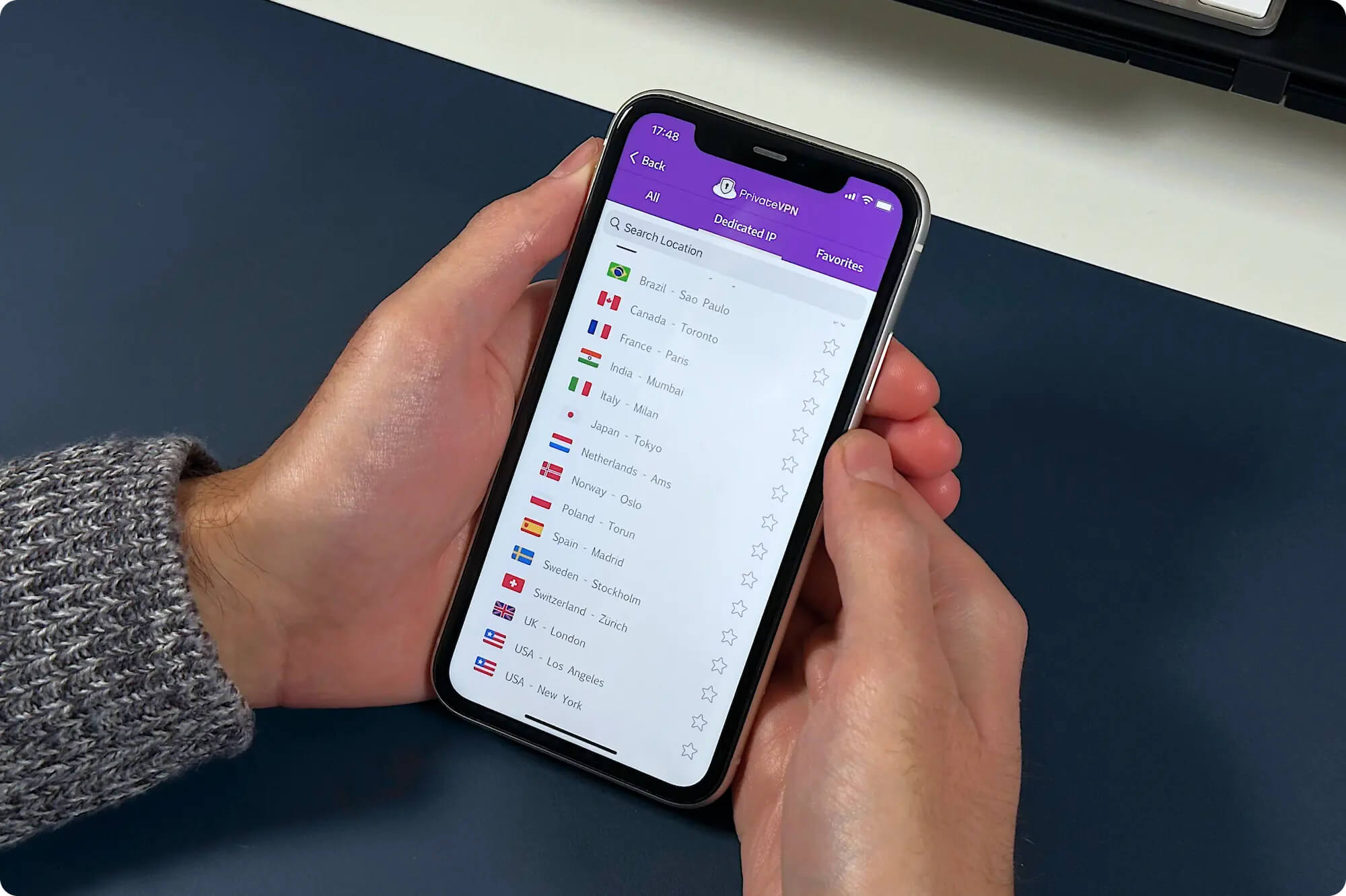
That said, there are still some high-demand regions we’d like to see added. At the moment, PrivateVPN doesn’t offer IP addresses from places like India and Egypt. Many competing VPNs, including Surfshark and ExpressVPN, have servers in these countries.
Some Servers Are Virtually Located
PrivateVPN is able to cover more countries than many competitors by using virtual server locations. About 13% of its server locations are virtual, meaning the servers are physically hosted in a different country than the IP address they provide.
For example, we discovered that PrivateVPN’s Japan server is actually located in a data center in Canada.
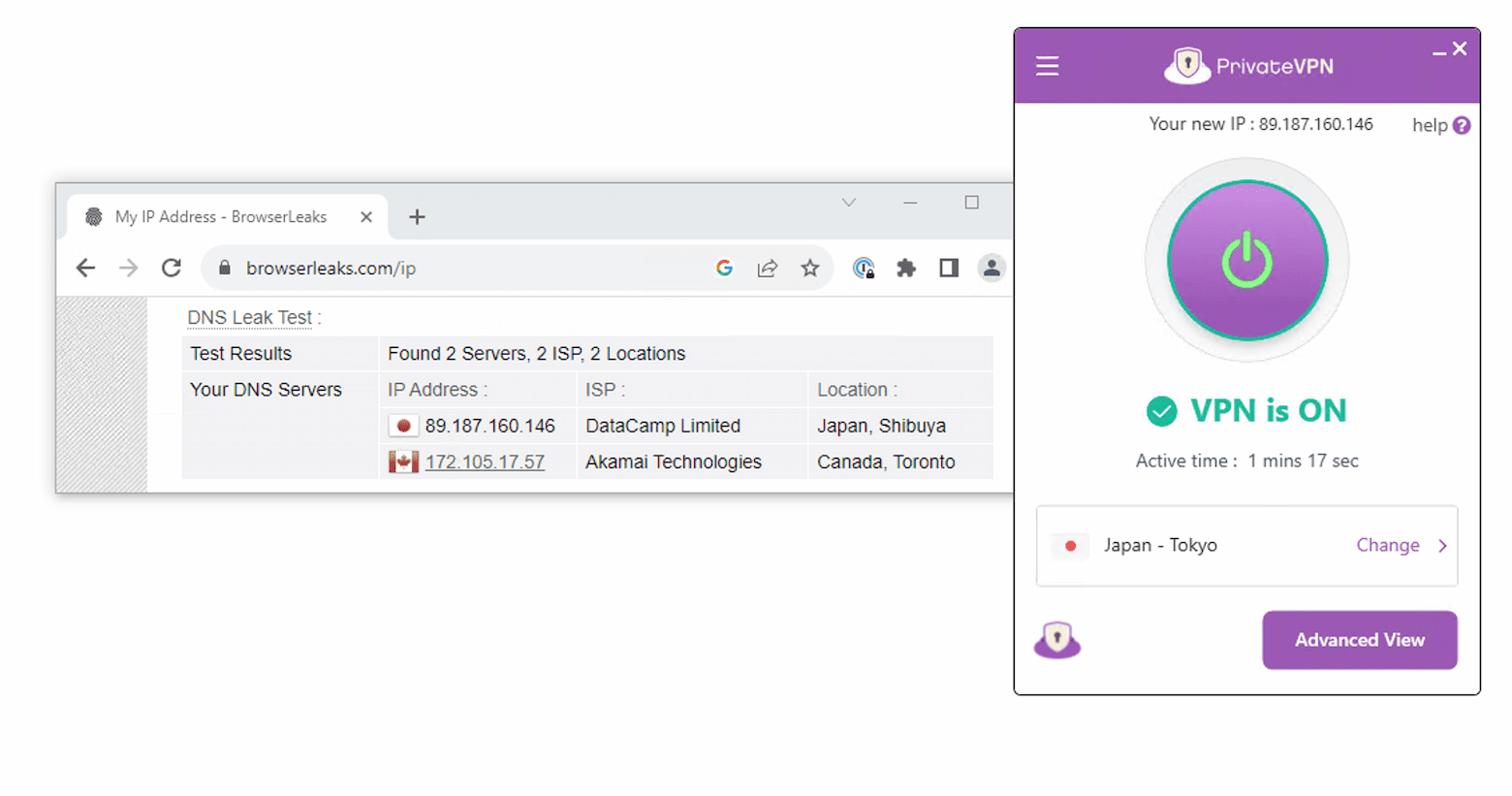
PrivateVPN’s Japan server is located in Canada.
Connecting to a virtual server can hurt performance if you think you’re using a nearby server but are actually connecting to one halfway around the world.
Because of this, we’d prefer the PrivateVPN app to clearly label which locations are virtual and which are physically based in that country. Other VPNs, including CyberGhost, are much more transparent about virtual locations.
User Experience
Ranked #4 out of 45 VPNs for User Experience
PrivateVPN’s apps are easy to use and well designed. The interface is consistent across platforms, so you’ll have a similar experience on all your devices. However, it could be simpler to change protocols and other VPN settings.
Installation & Setup
To install PrivateVPN, visit its website and click “Get PrivateVPN.” Choose your subscription length, create a username and password, and pay with your preferred method. When we signed up to test the apps, the entire process took less than five minutes.
We appreciate the wide range of payment options, including Apple Pay, Google Pay, Visa, MasterCard, PayPal, and even Bitcoin and Ethereum.
Interface & Ease of Use
PrivateVPN’s interface is customizable. You can choose between a “simple view” and an “advanced view.” The advanced view lets you change settings like the VPN protocol, encryption level, and other options from the side menu.
We used the advanced view more regularly, but if you configure your settings once, the simple view is perfect for quick, one-click connections.
Desktop & Laptop (Windows & Mac)
On its desktop apps, PrivateVPN offers a choice between “simple view” and “advanced view.”
From the advanced view, you can manually configure many settings. You can adjust the encryption level and enable advanced features, making this view ideal if you want to fine-tune the service.
The simple view is better suited to VPN beginners who just want to connect quickly and change server locations. However, we wish some basic options, like switching the VPN protocol, were available in this view as well.
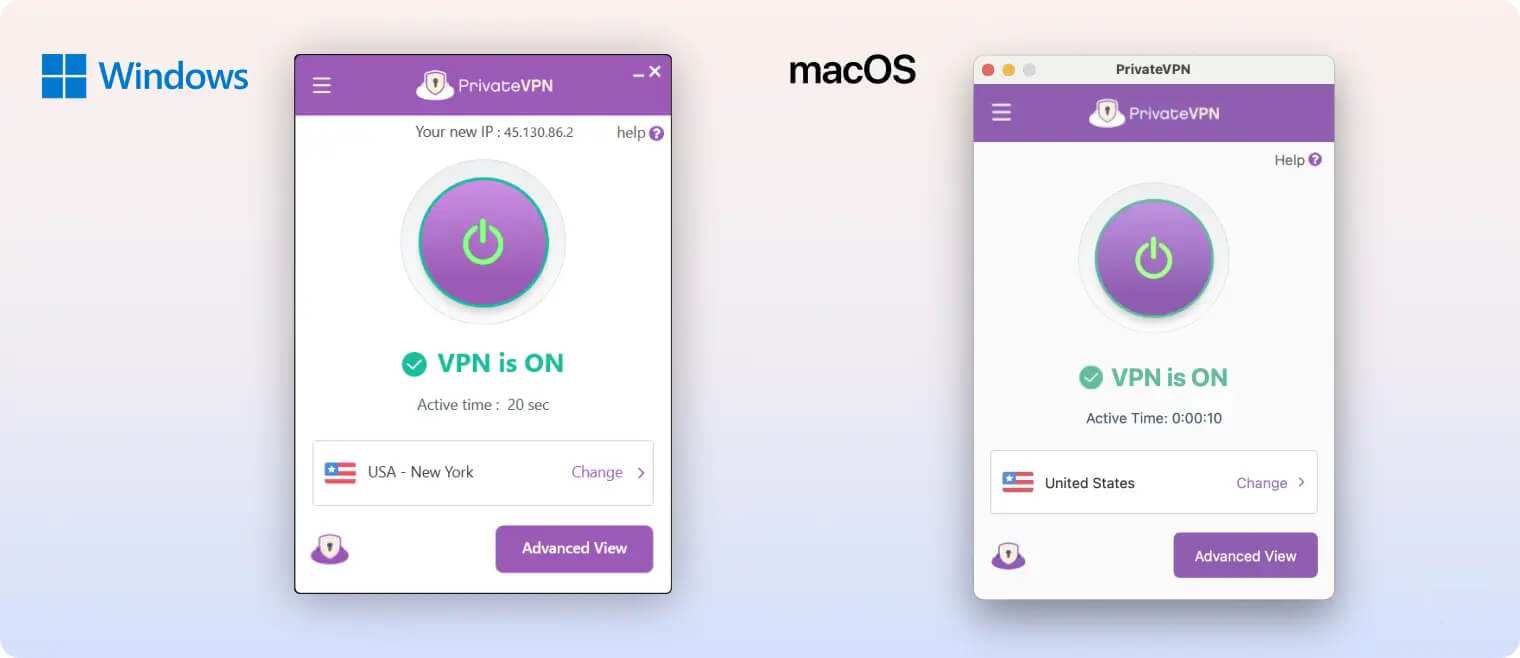
PrivateVPN’s apps for Windows and macOS.
Unlike most VPN apps, PrivateVPN cannot automatically select the fastest server based on your location. Instead, you must pick a server manually.
This is easier on Windows, where the app displays color-coded ping values. You can simply connect to the server with the lowest ping for the best speeds. On macOS, the server list shows no ping or distance information.
The server list window is also unnecessarily large on both platforms. The same information could be shown in a much smaller window, and we’d like the option to resize it.
We also don’t like that the server list opens in a separate window and blocks the main app screen. It took us a while to realize you must close this window to return to the main interface. Almost all other VPNs let you switch servers directly from the home screen.
Another drawback is that PrivateVPN cannot be controlled from the macOS menu bar or Windows taskbar. Many VPNs let you quickly change servers or connect from these areas, but PrivateVPN does not.
Mobile (iPhone & Android)
PrivateVPN’s iOS and Android apps are basic but very easy to use. On the home screen, you can connect or disconnect using a large on/off button.
Unfortunately, PrivateVPN has not added any meaningful mobile-only enhancements. There is no dark mode, no integration with the iOS Shortcuts app, and no widgets for either iOS or Android.
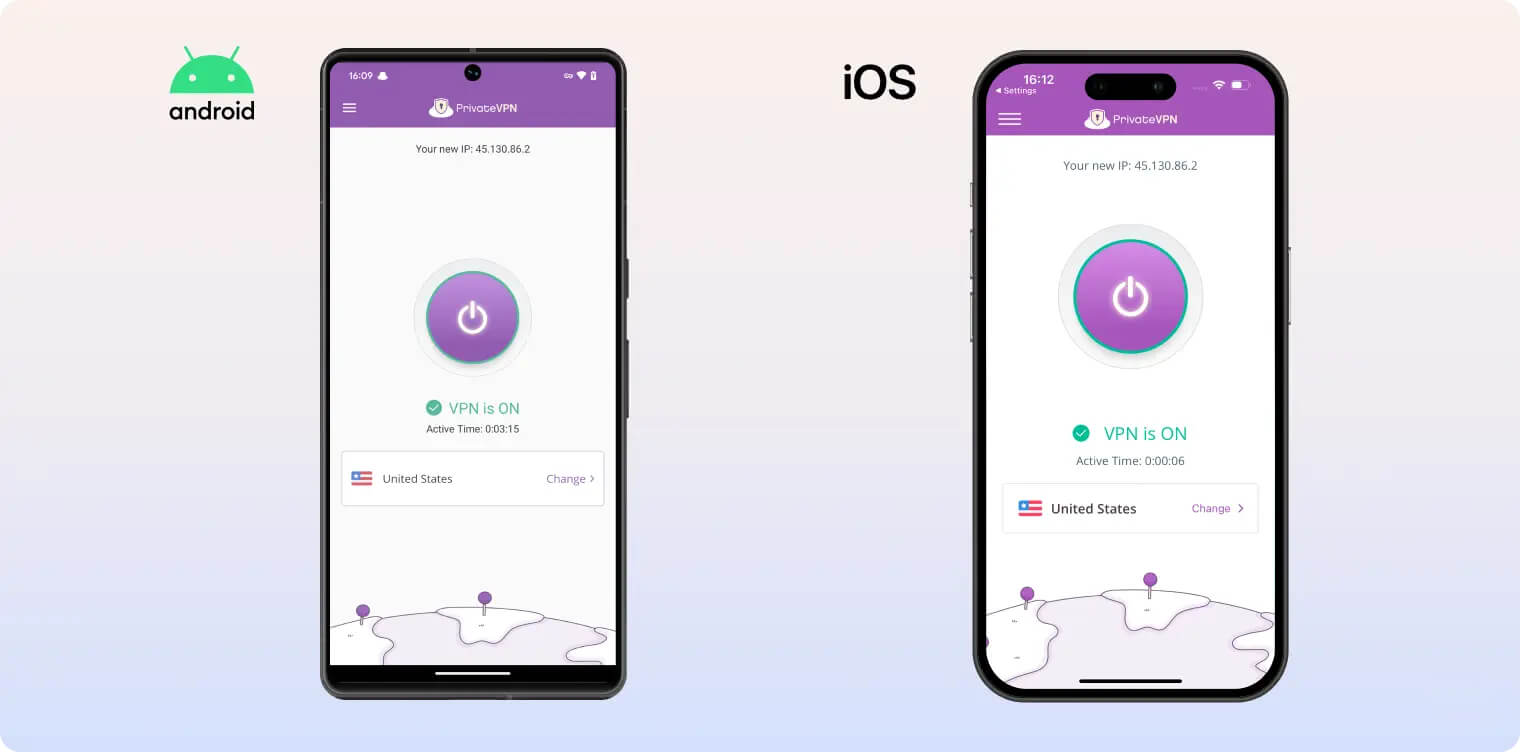
PrivateVPN’s apps for Android and iOS.
As on desktop, the main difference between the two mobile apps is that the Android app shows server ping values, while the iOS app does not.
Unlike the desktop versions, the mobile apps don’t offer simple or advanced views. To change settings, tap “VPN Settings.” We recommend enabling the kill switch here as soon as you install the app, since it’s not turned on by default.
Overall, PrivateVPN’s mobile apps are among the most basic we’ve seen from a leading VPN. The service will continue to lag behind competitors unless it dedicates more development effort to platform-specific improvements.
Linux App
While you can use PrivateVPN on Linux, the process is difficult and not user-friendly. There is no native CLI or GUI app.
To connect on Linux, you must use OpenVPN configuration files and certificates.
This is a long and technical process, made worse by PrivateVPN’s outdated 12-step setup guide. Running Ubuntu 22.04, we found many of the instructions referred to menus and options that have been renamed or removed. You also have to repeat the process for each server you want to use.
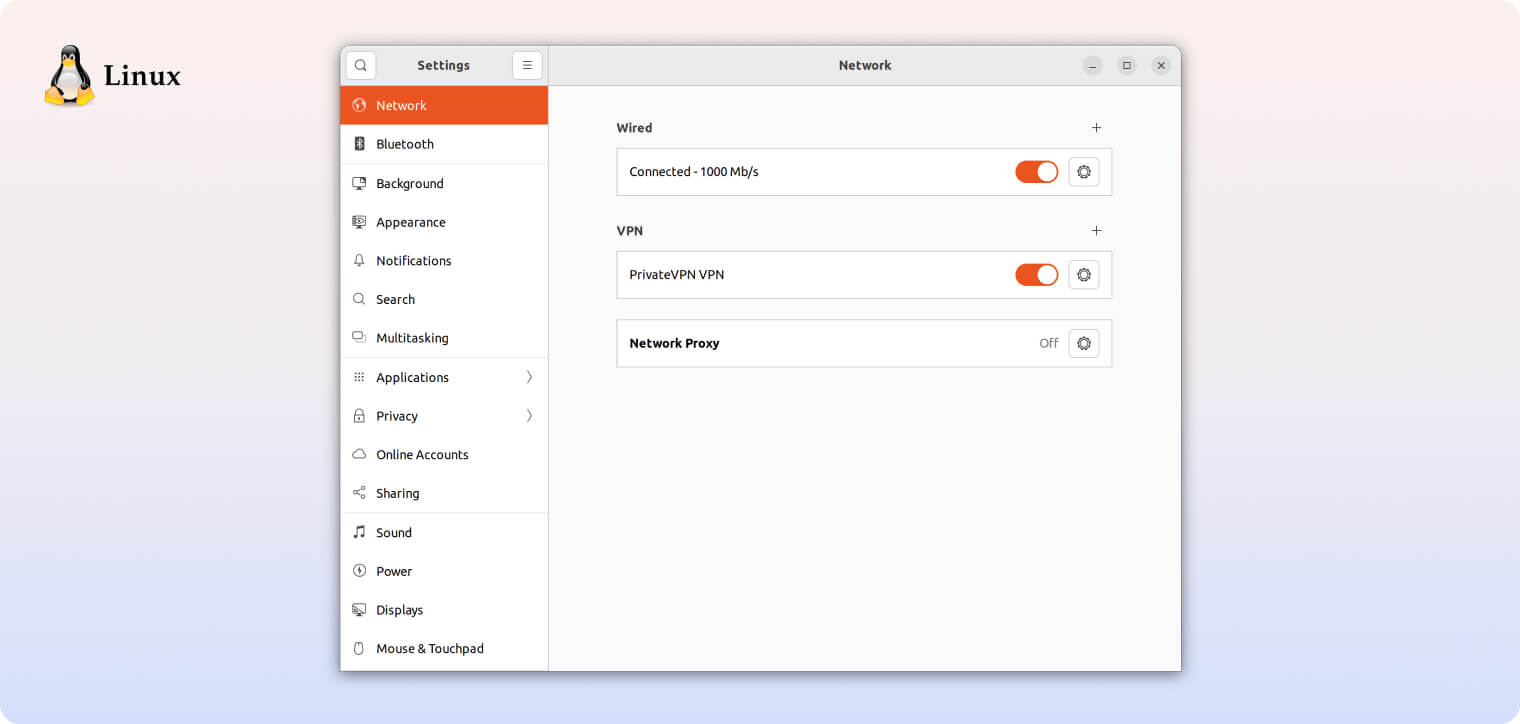
PrivateVPN’s app for Linux.
We also confirmed that the Linux configuration leaks your IPv6 address, as discussed elsewhere in this review.
We would much prefer PrivateVPN to develop full Linux support. Even a simple CLI app, like ExpressVPN’s, would be easier to use. Similarly priced VPNs such as Surfshark offer full-featured Linux apps that work almost identically to their Windows and Mac versions.
Amazon Firestick & Fire TV
PrivateVPN offers a basic, easy-to-use app for Amazon Fire TV Stick. With it, we were able to quickly connect to a server and unblock streaming apps on our TV.
Changing server locations was straightforward, though we’d prefer a search function instead of scrolling through the entire list.
One downside is that the app has not been fully optimized for Fire TV. It’s essentially a scaled-up Android app designed for touch screens, so it can be unclear which button or setting you’re currently selecting. The only indication is a faint green border around the active element.
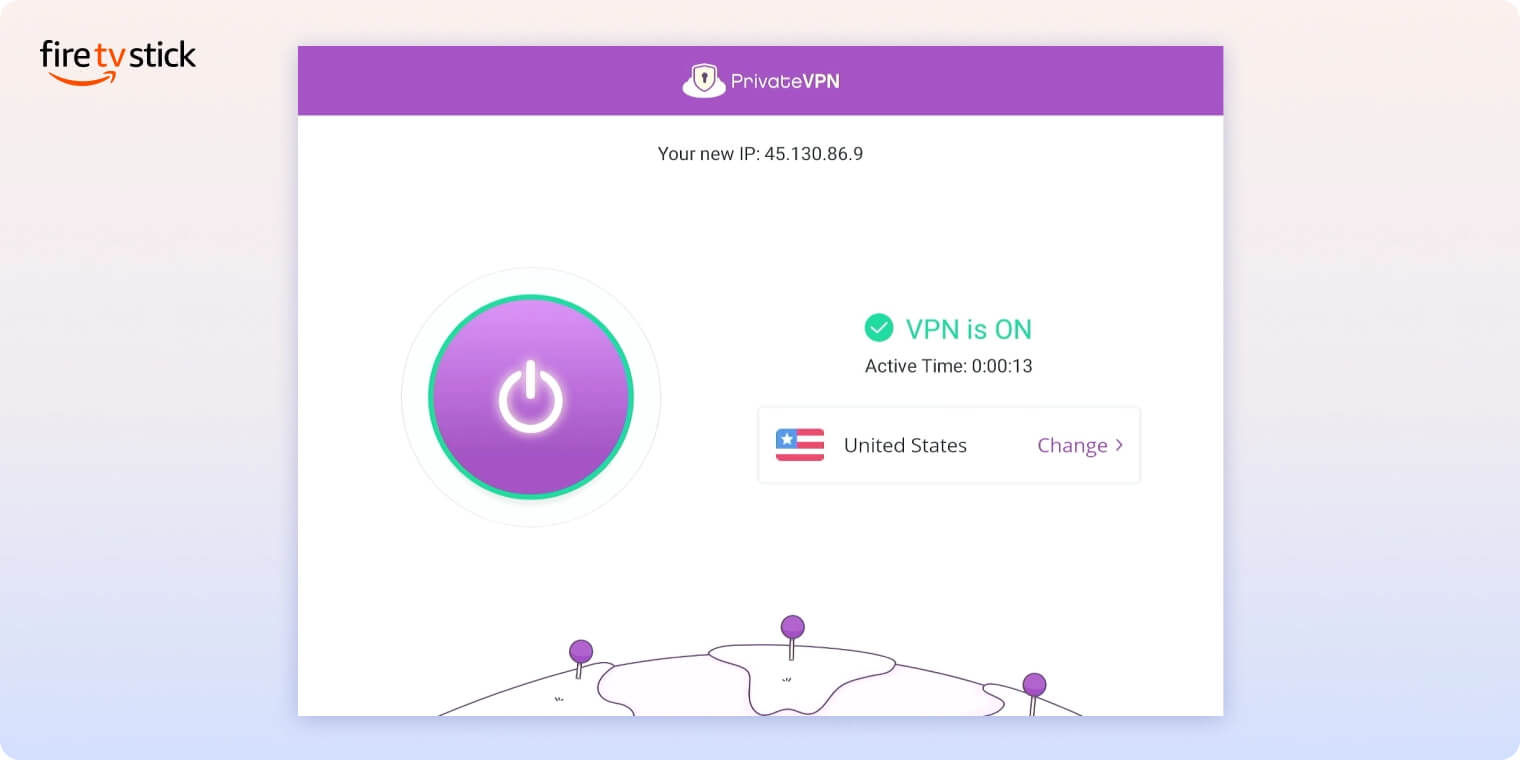
PrivateVPN’s app for Amazon Fire TV.
To improve usability, we’d like PrivateVPN to create a dedicated Fire TV app. Other VPNs, such as Proton VPN and ExpressVPN, offer custom Firestick apps designed for large screens, which are much easier to navigate.
Day-to-Day Experience
After using PrivateVPN on our laptop, phone, and TV for several weeks, we’re confident it’s a solid everyday VPN.
Its minimalist apps and muted color scheme make it pleasant to use, while the advanced view offers enough control for more technical users.
It also includes useful specialist features, such as Stealth VPN and dedicated IP servers, at no extra cost.
These features are valuable when you need them, but day to day we did miss several tools that competitors offer, like split tunneling, multi-hop connections, and an ad or tracker blocker.
The main issues we encountered were related to IPv6 connections. PrivateVPN struggled in these cases and often failed to connect reliably.
Aside from that, our experience with PrivateVPN was largely smooth and trouble free.
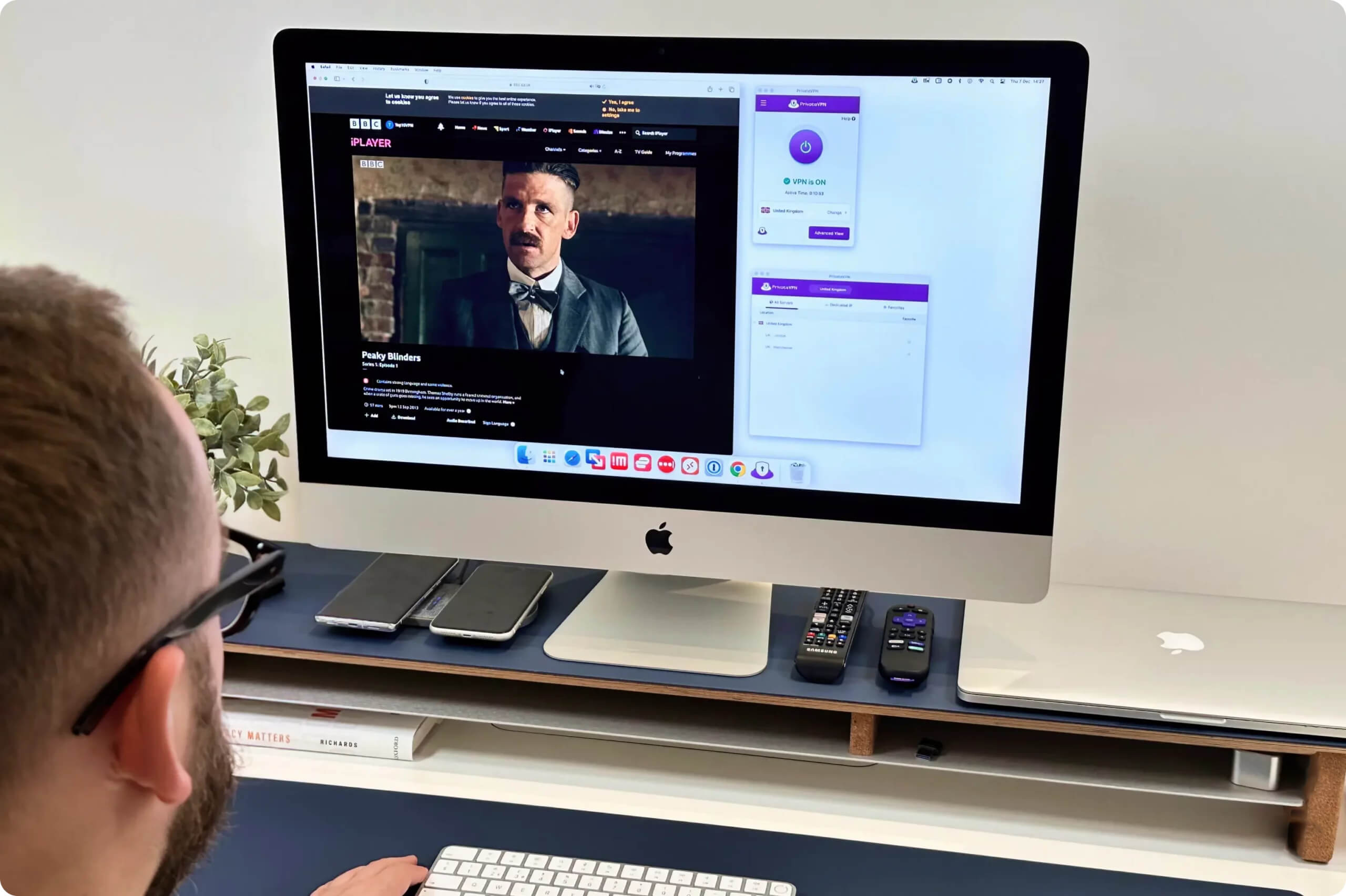
PrivateVPN is a high-quality VPN service that delivers great performance in daily tasks.
Torrenting
Ranked #4 out of 45 VPNs for Torrenting
PrivateVPN allows P2P traffic and port forwarding on all of its servers, making it a great choice for private torrenting. The VPN’s use of AES-256 encryption, private DNS servers, and no logging to ensure your torrenting activity will not be traced back to you.
| Torrenting Attribute | PrivateVPN |
|---|---|
| Permits P2P Traffic | Yes |
| Average Download Bitrate | 9.6MiB/s (4% loss) |
| Countries with P2P Servers | 62 |
| Port Forwarding | Yes |
| Kill Switch | Yes |
| Logging Policy | No Logs |
We tested PrivateVPN with several torrent clients and were able to download files without interruptions. You shouldn’t have any trouble downloading large files like movies, music, or software.
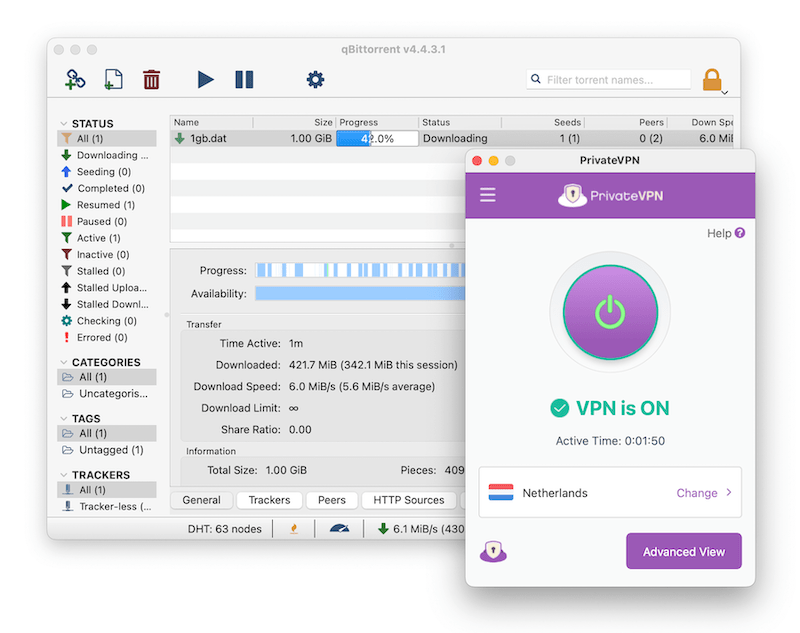
PrivateVPN performed well in our torrenting tests.
Although P2P is allowed on all servers, we recommend using locations from the “Dedicated IP” server list.
These servers are owned and fully controlled by PrivateVPN, unlike the rest of its network, which is largely rented from third-party data centers. This provides an extra layer of control and security, which is especially important for torrenting.
On top of that, all ports are automatically open on these servers, so you don’t need to configure port forwarding manually. This helps PrivateVPN achieve faster torrenting speeds than many competitors.
Here’s how PrivateVPN compares to other top torrenting VPNs when downloading a 20GB torrent file:
| VPN Service | Download Bitrate | Time To Download 20GB Torrent File |
|---|---|---|
| No VPN | 10MiB/s | 32 minutes |
| PrivateVPN | 9.6MiB/s | 33 minutes |
| Surfshark | 8.7MiB/s | 36 minutes |
| CyberGhost | 3.9MiB/s | 1 hour 21 minutes |
Device Compatibility
PrivateVPN has native apps for all major platforms and devices, including Windows, macOS, iOS, and Android. However, it doesn’t offer any browser extensions or a Smart DNS tool.
| Windows | Yes |
|---|---|
| Mac | Yes |
| iOS | Yes |
| Android | Yes |
| Linux | Yes |
| Amazon Fire TV | Yes |
| Android TV | Yes |
| Apple TV | No |
| Router | Manual Setup Only |
| Chrome | No |
Simultaneous Connections: 10
Unlike many other VPNs, PrivateVPN does not sell any routers with the VPN pre-installed. You will need to set it up on your router manually.
As PrivateVPN is a VPN designed for streaming, we were very disappointed to find that it does not offer a Smart DNS feature. This means you’ll have to install it on a router to unblock streaming sites on devices like a PS5 or Apple TV.
10 Simultaneous Connections
Using PrivateVPN, you can connect up to 10 devices to a VPN server at the same time. This is slightly above average and should be more than enough unless you’re sharing an account with multiple family members or friends.
Additional Features
PrivateVPN doesn’t offer many additional features. The VPN is missing multi-hop, split tunneling, and a tracker blocker. However, its dedicated IPs and Stealth VPN protocol performed well in our tests. We also appreciate PrivateVPN’s 24/7 live chat customer support.
| Additional Feature | PrivateVPN |
|---|---|
| Split Tunneling | No |
| VPN Obfuscation | Yes |
| Multi-Hop Servers | No |
| Dedicated IP | Yes |
| Ad Blocker | No |
Dedicated IP Servers
All of PrivateVPN’s apps include a separate tab that lets you connect to “Dedicated IP” servers. Unlike with most other VPNs, this feature doesn’t cost extra and is included with every subscription.
When you connect to one of these servers, your IP address is not shared with any other user. Because the IP address is exclusive to you, these servers are excellent for bypassing streaming geo-blocks. These IP addresses are still dynamic, so you will get a different IP each time you reconnect.
PrivateVPN owns all of these servers, with none rented from third parties. This makes them better for privacy and security, as it removes any additional intermediaries that could have access to your data.
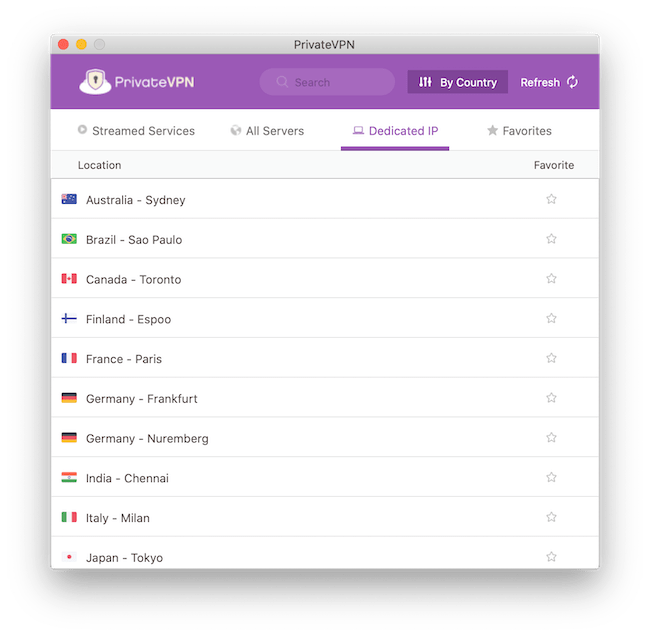
PrivateVPN’s dedicated IP servers are more secure than its other servers.
PrivateVPN’s dedicated IP servers are one of the VPN’s main strengths, allowing tighter security and more reliable streaming. However, the VPN does not promote these servers anywhere, nor does it provide guides to explain how to use them. We’d like to see PrivateVPN highlight this feature more in the future.
PrivateVPN Works in China
PrivateVPN is one of the most reliable VPNs to use in China. We found that it works around 82% of the time. Other top-rated VPNs, like NordVPN and Surfshark, have a China uptime of just 0% and 35%, respectively.
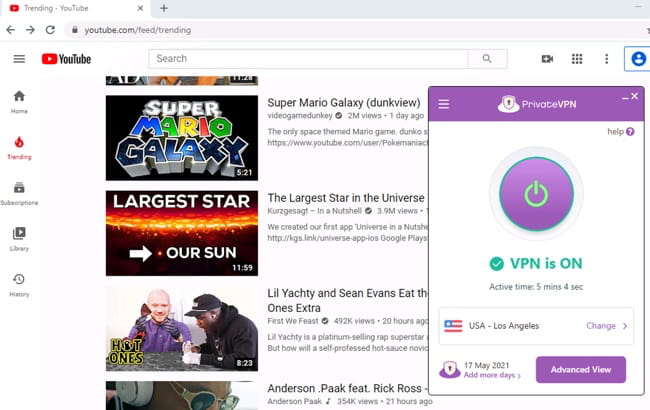
PrivateVPN works reliably in China.
Additional Features We’d Like to See
PrivateVPN lacks many technical features we expect from a paid VPN service. Here are some features that PrivateVPN should add in a future update:
- Split tunneling to exclude some apps, like smart home controls, from the VPN tunnel.
- Multi-hop servers for extra anonymity and protection against traffic correlation attacks.
- Tracker blocker to prevent cross-site tracking and improve web privacy.
Other leading VPNs, like NordVPN and Surfshark, already include all the features listed above. To match them, PrivateVPN needs to add these features to its apps as soon as possible.
PrivateVPN Key Data
| Attribute | PrivateVPN | Typical VPN |
|---|---|---|
| Owner | Miss Group | Independent |
| Launch Date | 2009 | 2015 |
| Local Download Speed | 96Mbps (4% loss) | 89Mbps (11% loss) |
| International Download Speed | 82Mbps (18% loss) | 80Mbps (20% loss) |
| Countries with Servers | 62 | 40 |
| Privacy Policy | No Logs | Identifiable Data |
| Simultaneous Connections | 10 | 10 |
| Netflix Libraries | 10 | 3 |
| Torrenting | Yes | Yes |
| Works In China? | Yes | No |
| Cheapest Price | 2.00/mo over 36 months | $3.87/mo over 24 months |
| Customer Support | Live Chat | |
| Apps & Extensions |
          |
|
Price
Price Plans
| 1 month | $9.90 |
|---|---|
| 3 months | $18.00 ($6.00/mo) |
| 3 years | $72.00 ($2.00/mo) |
Free Trial
| Money-Back Guarantee | 30 days |
|---|---|
| Free Trial | No |
| 100% Free Plan | No |