
IPVanish VPN: The Underrated Speed Powerhouse Redefining Top-Tier Privacy and Streaming
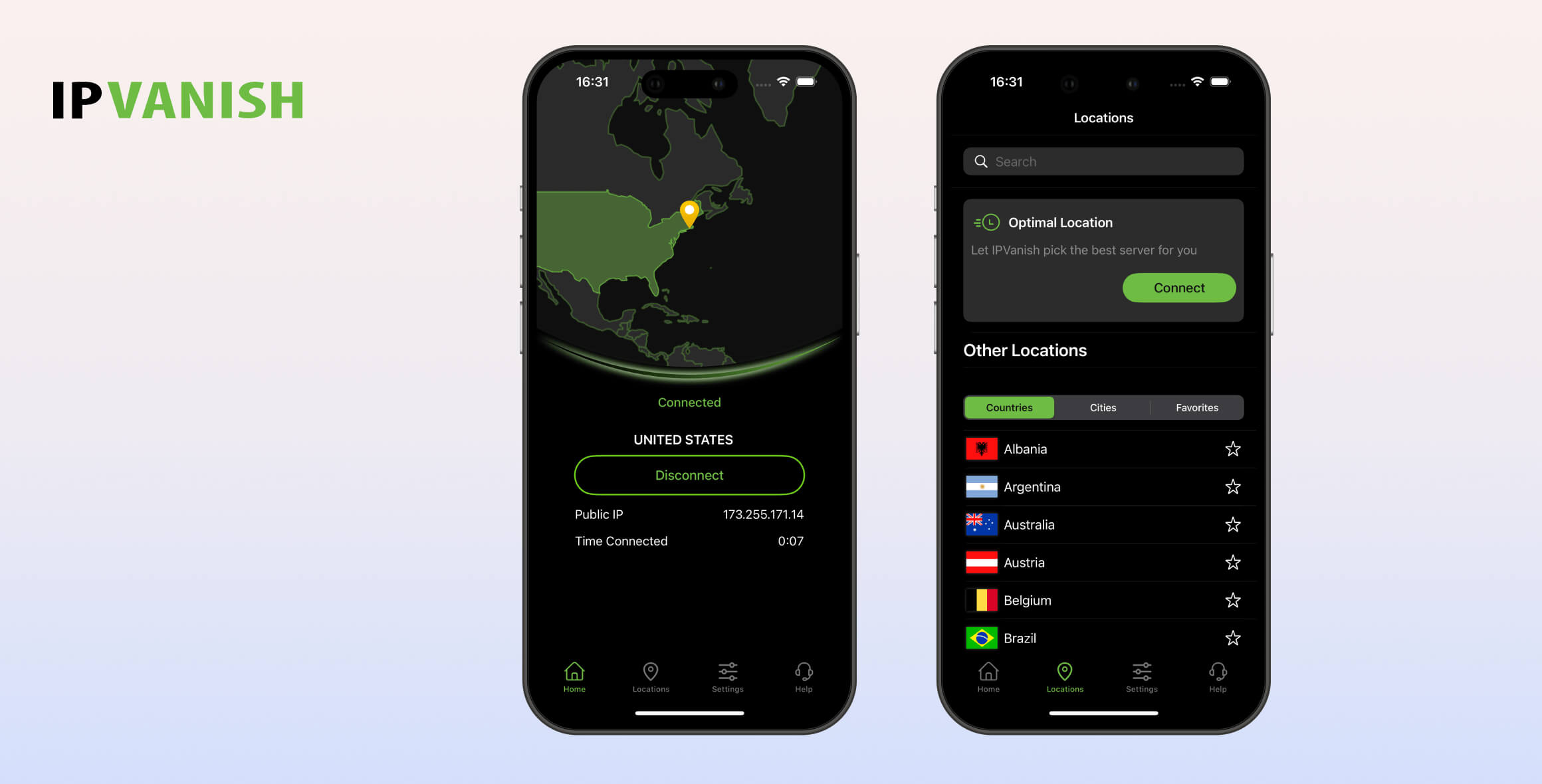
Let’s be absolutely clear: IPVanish deserves to rank among the very best VPNs. It continues to improve year after year with faster download speeds, an ever-growing server network, and a stronger commitment to privacy. While we have few criticisms, its limited device compatibility is disappointing, and its apps could use some fine-tuning for a smoother user experience.
- Pros
- No-logs VPN
- Unblocks Netflix, BBC iPlayer & more
- VPN servers in 112 countries
- Fast connection speeds
- Highest-rated VPN for Fire TV Stick & Kodi
- Owns its entire server network
- Cons
- No VPN browser extensions
- No Smart DNS proxy
- Struggles with foreign-language streaming services
- Desktop apps not as compact as we'd like
We’re consistently surprised by how low IPVanish ranks on other VPN review sites. We suspect many reviewers overlook the ongoing upgrades the service has made recently, which in our view firmly establish it as a top-tier VPN.
One of the biggest changes that has gone under the radar is its huge improvement in unblocking geo-restricted content. Previously, it barely featured in the conversation, but now it’s a reliable option for services like Netflix and BBC iPlayer.
However, the most significant upgrade is its connection speeds. Only Hotspot Shield delivers faster performance, putting IPVanish ahead of big-name rivals like ExpressVPN and Surfshark in terms of download speed.
Although not a new development, it’s also worth reiterating that IPVanish remains our undisputed best VPN for Fire TV Stick. We loved using its app and were very impressed by its top-tier performance on a platform that is often underserved.
Despite this, IPVanish’s overall device compatibility is still underwhelming compared to its competitors. It’s the only VPN in our top 10 that does not offer a browser extension, and the lack of a Smart DNS proxy means you can’t easily use it on game consoles or many Smart TVs.
On a minor note, we found the waveform chart on the desktop app a bit too distracting, even though it can be hidden. A simpler, more minimalist design would greatly improve both the look and usability of the app.
Privacy
Ranked #9 out of 45 VPNs for Privacy
While we have no reason to doubt IPVanish’s no-logs claims, we would still like to see its privacy policy verified in a court case or confirmed through a server seizure. That said, multiple independent audits and a quarterly transparency report show that this is a very privacy-focused VPN service.
| Originating IP Address | No |
|---|---|
| Browsing Activity | No |
| Individual Connection Timestamps | No |
| Date of Last Connection | No |
| VPN Server IP | No |
| Device Information | No |
| Individual Bandwidth Usage | No |
| Account Information | Yes |
You can read IPVanish’s full privacy policy on its website.
Here’s the key point: IPVanish doesn’t log any information related to your online activity.
It does collect your email address and payment information, which is standard practice, but IPVanish automatically deletes both 45 days after you close your account.
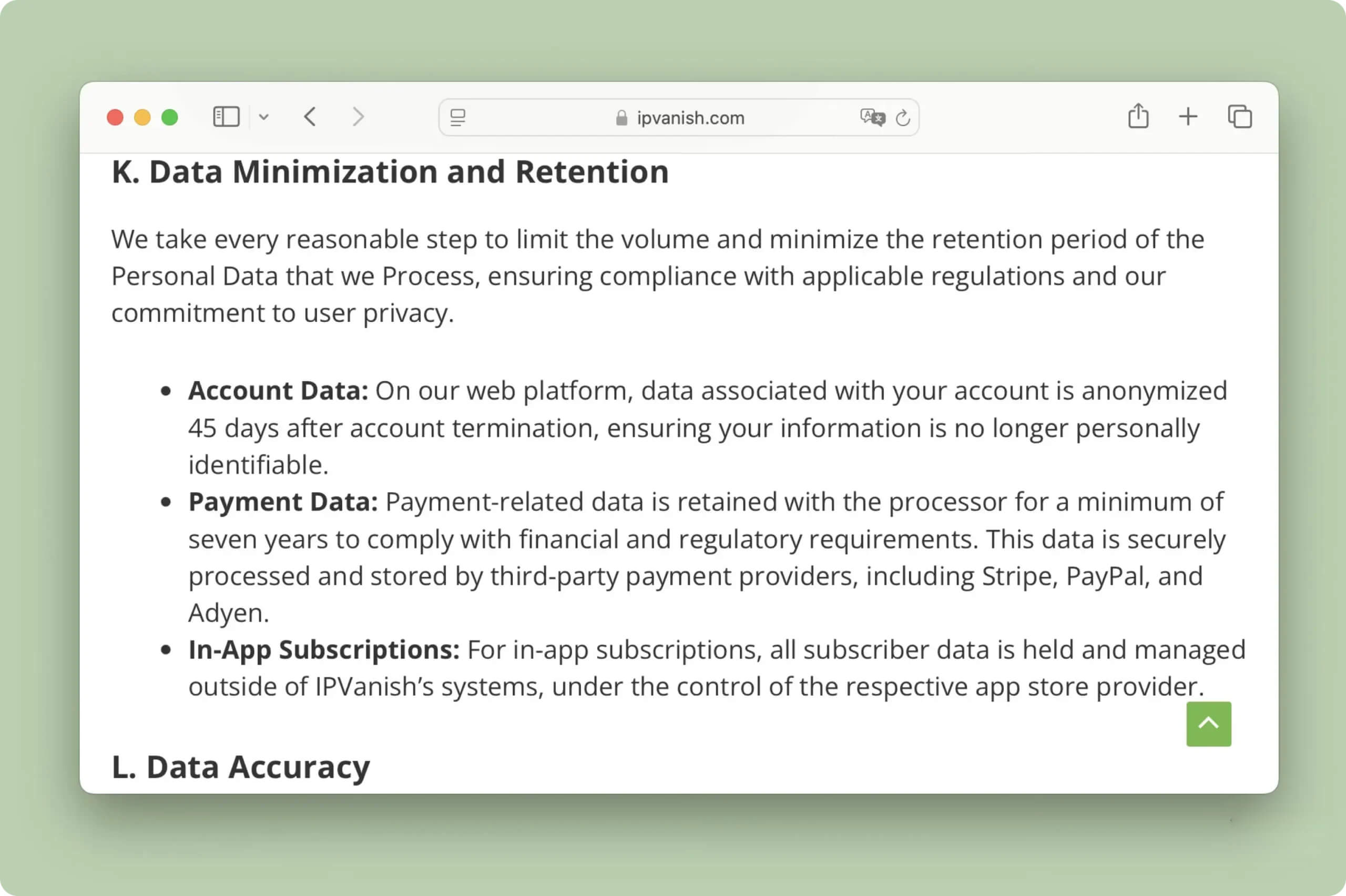
IPVanish goes further than most VPNs to minimize data collected.
Although these claims are supported by an independent audit of its logging policy and regular transparency reports, this is still not as definitive as proof from a court case.
The only known instance of legal scrutiny dates back almost a decade, when IPVanish—under very different ownership—handed over user logs to the FBI to assist in a criminal investigation. Because this was so long ago and involved a previous owner, it does not significantly impact our trust in the current service.
More recently, IPVanish has begun rolling out RAM-only servers. These servers periodically wipe all data, making it impossible to store activity logs long term. This setup is currently available in 18 locations, and IPVanish has pledged to run a fully RAM-only network by 2027.
We would also like IPVanish to support anonymous payment options (such as cryptocurrency). This would be good privacy practice and would remove any remaining risk from collecting payment information. Even without this, however, the VPN’s recent record gives us no reason to doubt its current privacy policy.
Streaming
Ranked #2 out of 45 VPNs for Streaming
After years of inconsistent performance, IPVanish now unblocks the vast majority of geo-restricted streaming services. We enjoyed streaming in 4K across multiple devices, including Fire TV, Android TV, and Apple TV. Despite its major improvements, it still isn’t the strongest choice for foreign-language platforms, and we’d like to see a Smart DNS proxy added.
| Streaming Service | Works with IPVanish |
|---|---|
| BBC iPlayer (UK) | Yes |
| DAZN (Canada) | Yes |
| Disney+ (UK) | Yes |
| Hulu (US) | Yes |
| ITVX (UK) | Yes |
| HBO Max (US) | Yes |
| Netflix (US) | Yes |
| Netflix (UK) | Yes |
| Prime Video (US) | Yes |
| Sky Go (UK) | Yes |
You can use IPVanish to stream a wide range of geo-restricted content. In our tests, it successfully unblocked 16 different Netflix libraries, including the US, UK, and Japan.
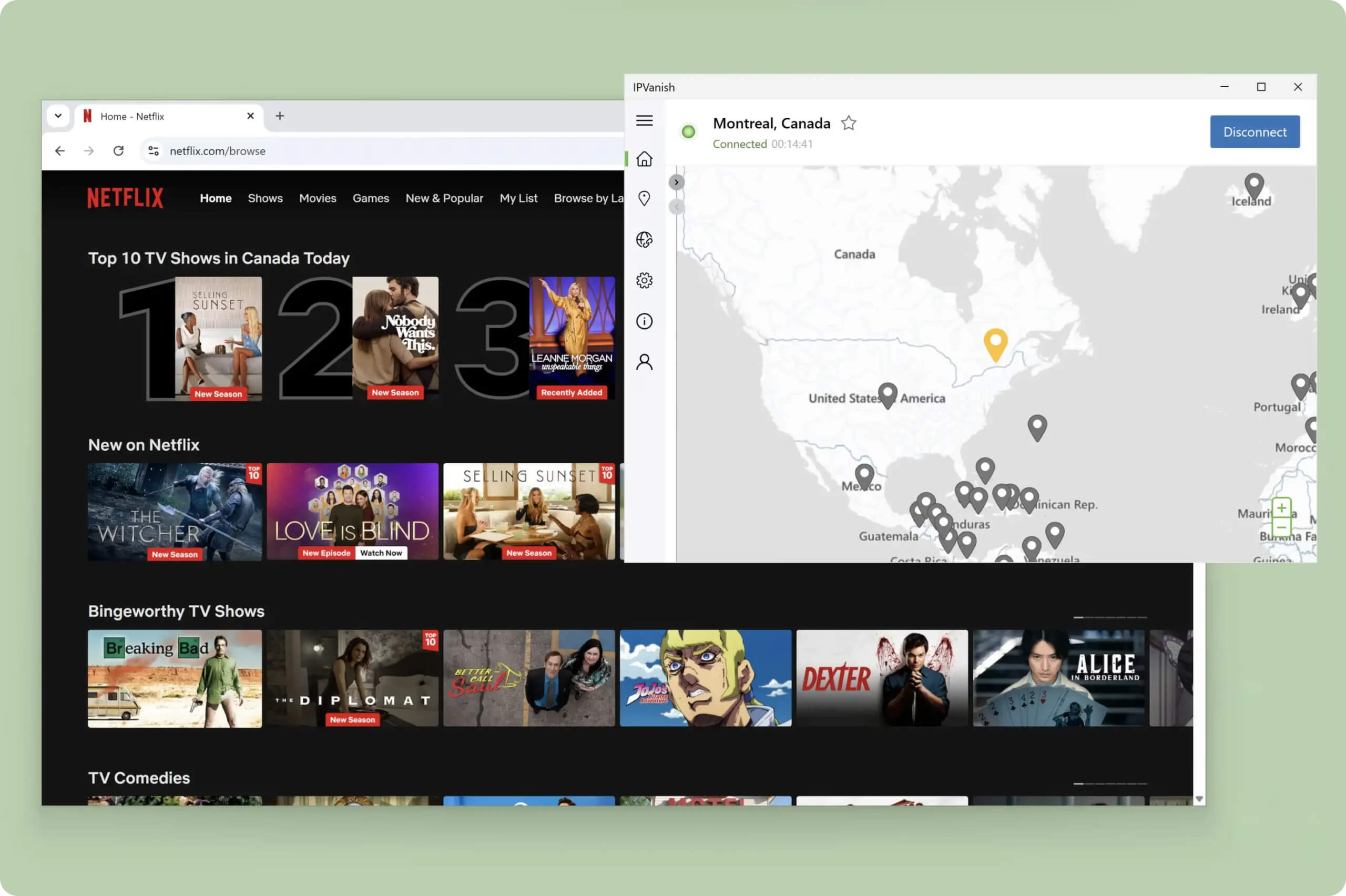
The VPN unblocked popular Netflix libraries, like Canada, with ease.
Its consistency really stood out in the UK, where it unblocked BBC iPlayer, ITVX, and All 4 with a 100% success rate.
We had similar success in the US. All 22 US server locations worked with every streaming service we tested, including stricter platforms like Hulu and Peacock.
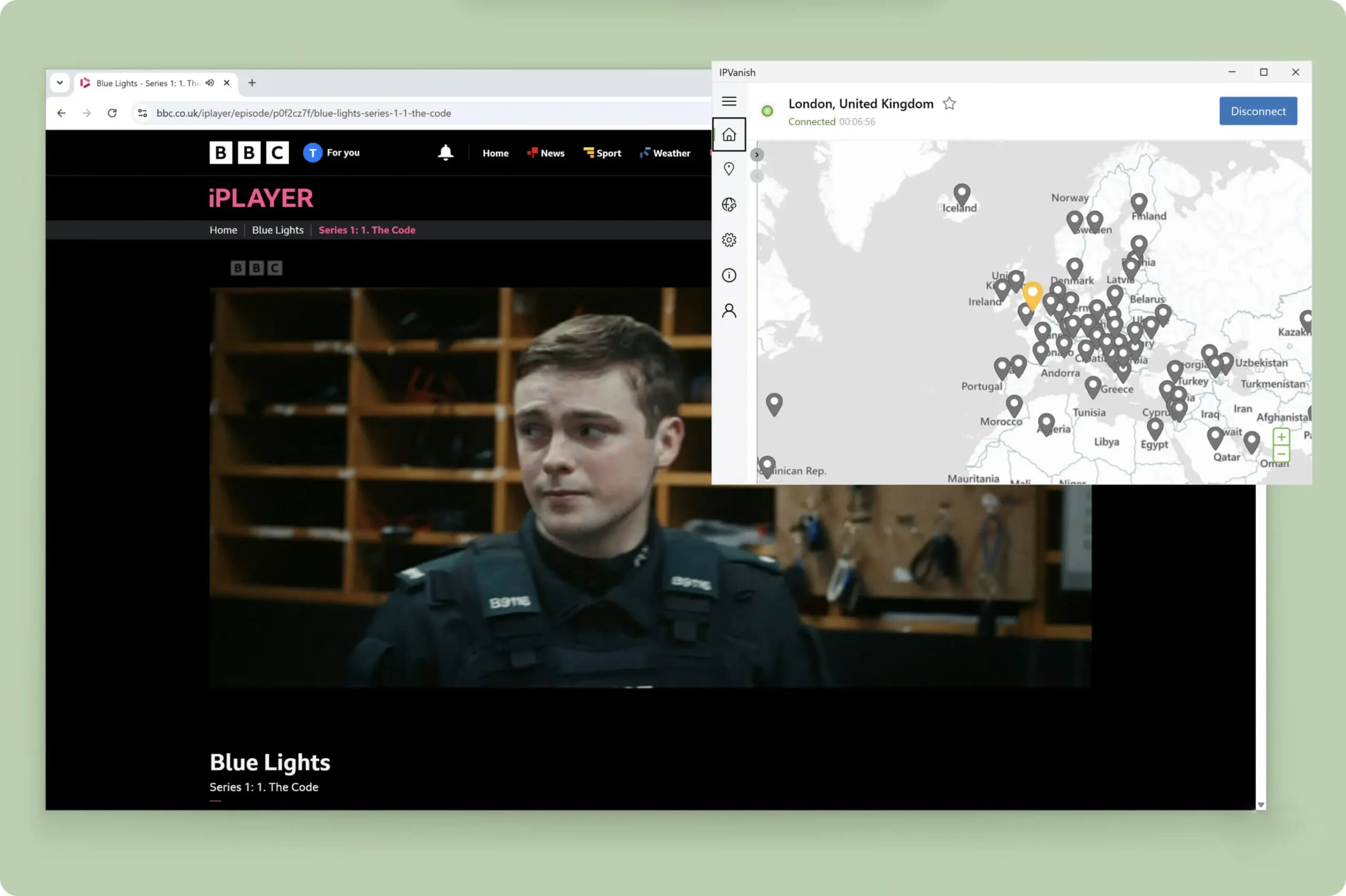
Using IPVanish, we streamed live and on-demand content on BBC iPlayer.
The VPN also remains our top choice for streaming on Kodi and IPTV, largely due to its excellent Fire TV app.
There were some drawbacks, though. IPVanish struggled with a few foreign-language platforms, such as Movistar+, Wawwe, Videoland, and TV4.
Our overall user experience was also a bit inconsistent. At times, we were blocked from accessing streaming services because the VPN defaulted to OpenVPN. To resolve this, you need to change the protocol in the settings from “Automatic” to “WireGuard.”
Speed
Ranked #2 out of 45 VPNs for Speed
Second only to Hotspot Shield, IPVanish is one of the fastest VPNs available, thanks to the WireGuard protocol. Its consistency is outstanding, with an average download speed loss of just 10% across all locations. You can use it for video calls, online gaming, and streaming from almost anywhere in the world without any noticeable performance issues.
| No VPN (New York) | US (New York) | Canada (Toronto) | US (Los Angeles) | UK (London) | Germany (Berlin) | Brazil (São Paulo) | Japan (Tokyo) | South Africa (Johannesburg) | Australia (Sydney) | |
|---|---|---|---|---|---|---|---|---|---|---|
| Server Location |  |
|
 |
|
 |
 |
 |
 |
 |
 |
| Download Speed | 100Mbps | 96Mbps | 96Mbps | 92Mbps | 91Mbps | 82Mbps | 94Mbps | 86Mbps | 83Mbps | 86Mbps |
| Upload Speed | 100Mbps | 94Mbps | 95Mbps | 94Mbps | 94Mbps | 93Mbps | 92Mbps | 97Mbps | 92Mbps | 93Mbps |
| Ping | 1ms | 7ms | 15ms | 71ms | 72ms | 84ms | 113ms | 143ms | 386ms | 213ms |
| Distance | 0mi | 5mi | 300mi | 2,500mi | 3,500mi | 4,000mi | 4,800mi | 6,700mi | 8,000mi | 9,900mi |
We have no complaints here: IPVanish is the fastest VPN in our top 10.
It isn’t just fast; it’s also stable and reliable. We never experienced sudden drops in download speed or sharp increases in ping.
One important caveat is that these results are only achievable with WireGuard. Our connection was much slower using OpenVPN, especially when connecting to faraway locations like Japan or Australia.
You can use the chart below to compare IPVanish’s international speeds to other leading VPNs:
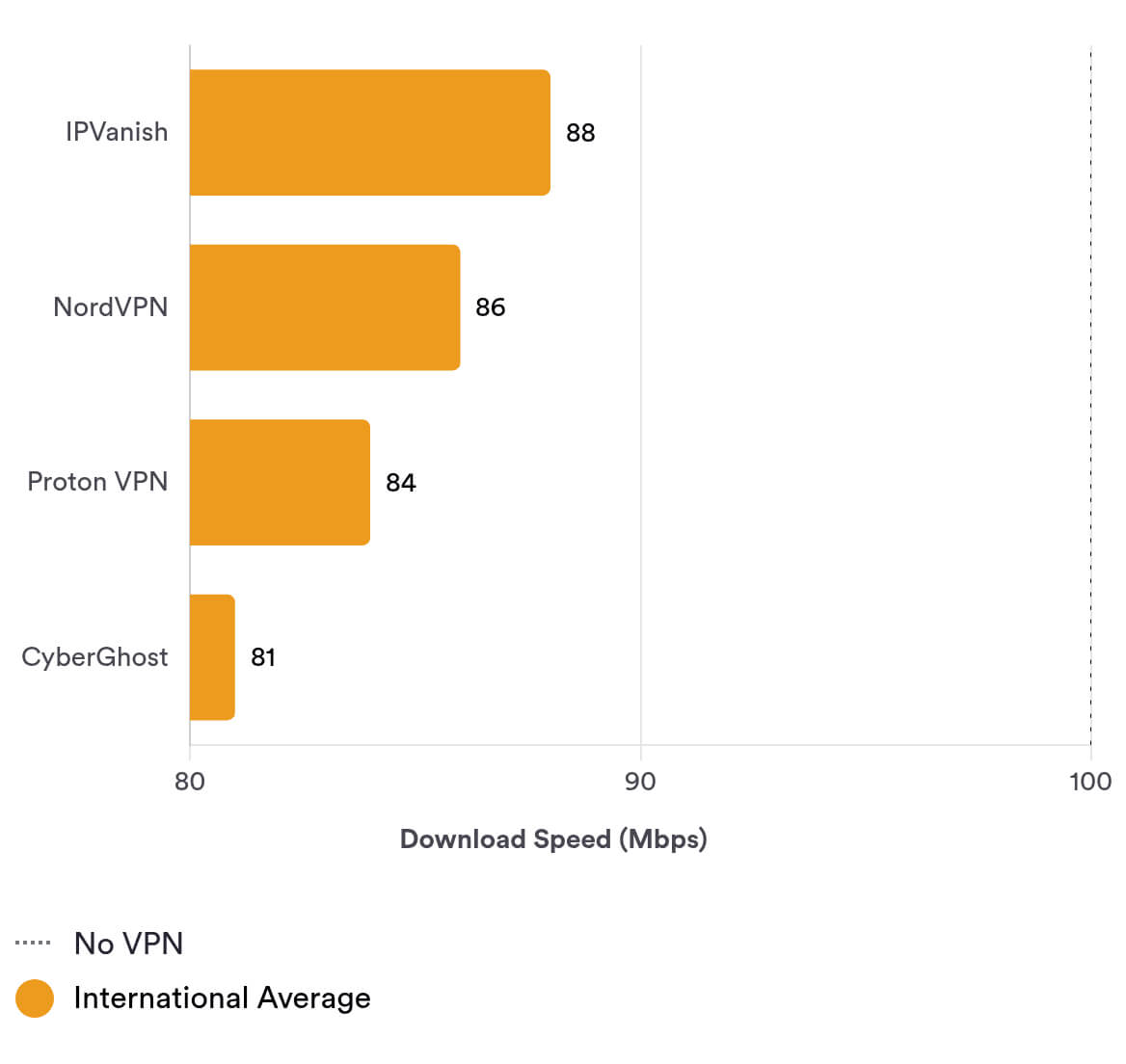
As the data shows, IPVanish is one of the most consistent VPNs across its server network. It is more than fast enough for almost any online activity.
Low Ping for Online Gaming
While connected to a nearby IPVanish server, we consistently measured a ping of 7ms. This is an excellent result and allows you to play fast-paced online games without noticeable lag.
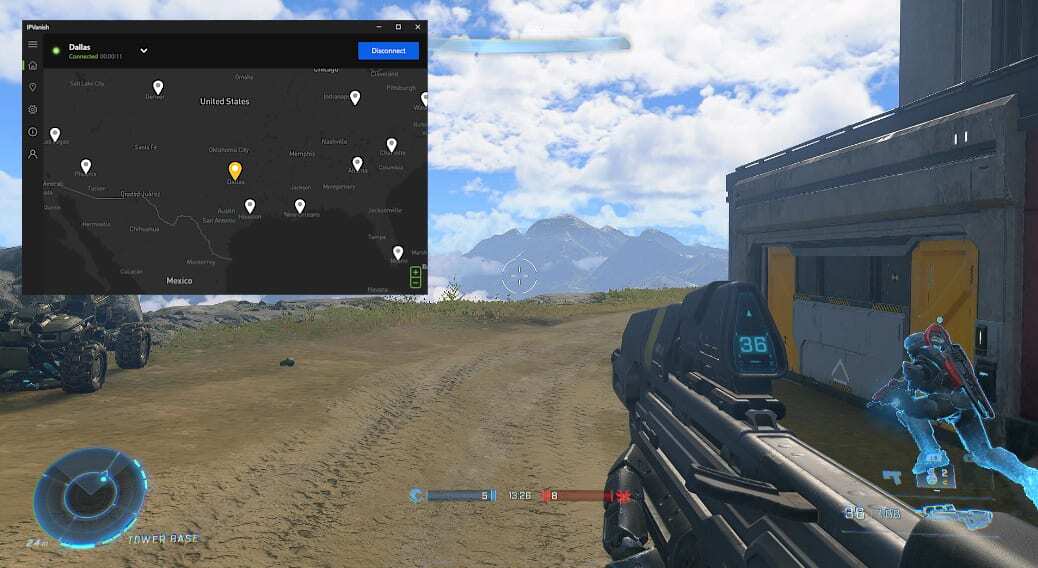
We didn’t experience any lag while connecting to a nearby US server.
On long-distance connections, ping times did increase and we noticed occasional short periods of lag. Even then, we were still able to play online games with minimal disruption and no sudden disconnects.
Security
Ranked #7 out of 45 VPNs for Security
IPVanish covers all the security basics very well: it uses strong encryption, modern open-source VPN protocols, and protects against DNS leaks. It also offers useful extras like IPv6 leak blocking and full control over its server network. However, we’d like to see it go further by auditing its apps, adding post-quantum protection, and making its software open source.
| Independent Audit | No |
|---|---|
| VPN Kill Switch | Yes |
| Leak Protection | Yes |
Depending on your chosen protocol, you can use either AES-256 or ChaCha20 encryption. We tested both using Wireshark, a packet inspection tool, and confirmed that IPVanish successfully encrypted all of our network traffic.
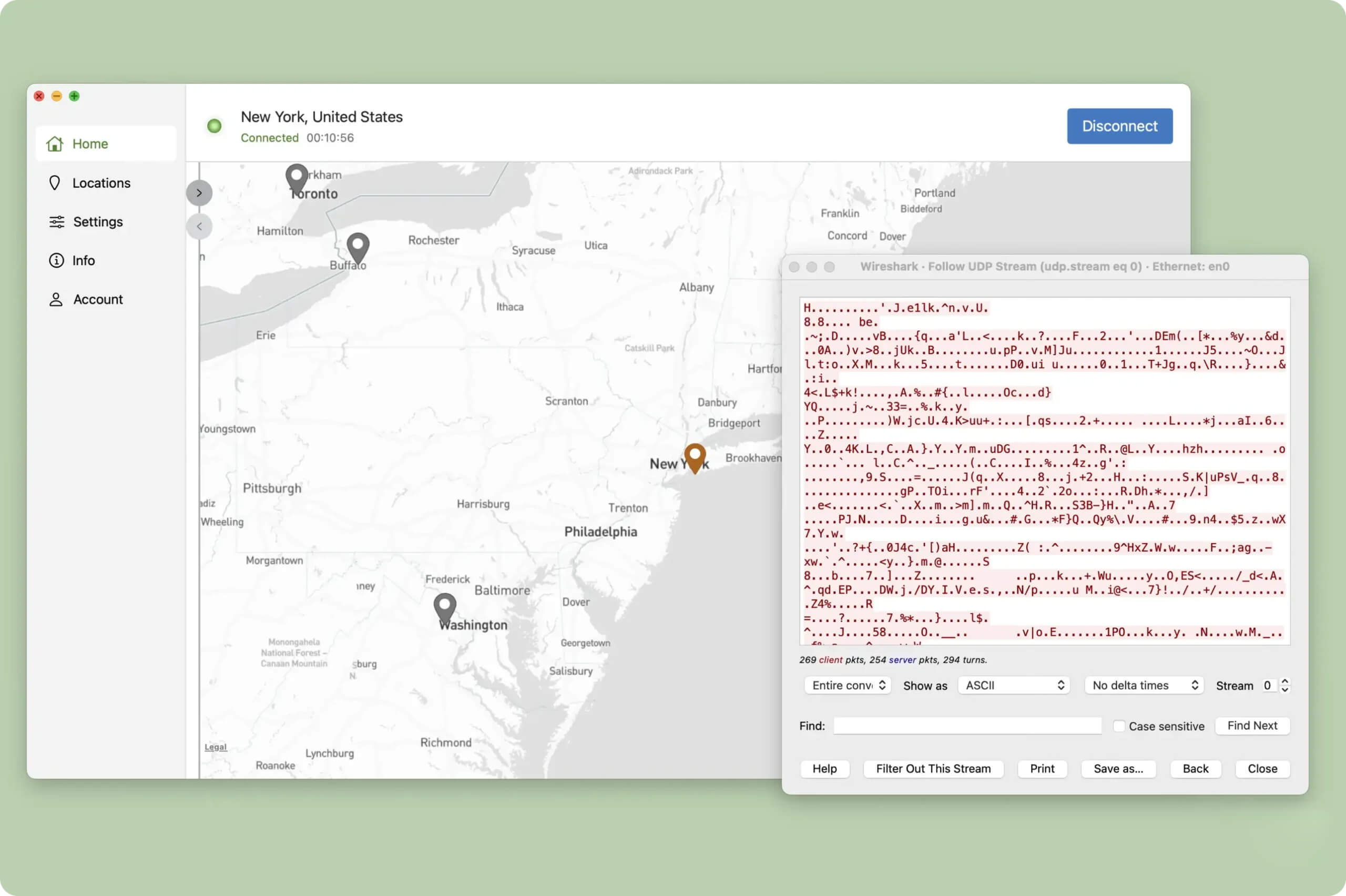
The VPN’s encryption completely concealed our network traffic.
We also tested IPVanish’s apps for IP and DNS leaks using our in-house tool. In most cases, everything worked as expected. However, on macOS, the kill switch failed to prevent our real IP address from leaking while changing VPN servers.
We first reported this issue over a year ago, so we’re disappointed that it still affects IPVanish’s Mac apps. While it’s still safe to use on macOS, we recommend pausing your online activity entirely before switching servers.

We tested IPVanish with our leak detection tool.
Beyond the apps themselves, IPVanish’s security infrastructure is excellent. The company owns and operates its entire server network, including its DNS servers, which greatly reduces the risk of third-party interference or data exposure.
Very few VPNs match this setup, and it reassures us that our personal data is handled securely.
Server Locations
Ranked #3 out of 45 VPNs for Server Locations
IPVanish operates servers in 112 countries, more than most other VPN providers. Every major region is well covered, with no obvious gaps in its global network. It offers city-level server choices in eight countries, which is better than many rivals, though still less extensive than a few of the biggest brands.
| Continent | Countries with Servers |
|---|---|
| Europe | 44 |
| Asia | 31 |
| North America | 17 |
| South America | 10 |
| Africa | 7 |
| Oceania | 3 |
Compared to its 53 server locations in 2023, IPVanish has nearly doubled its network in just two years. This means you can now get an IP address from almost anywhere in the world.
To put this into perspective, IPVanish has servers in 43 more countries than Windscribe and 68 more than Mullvad.
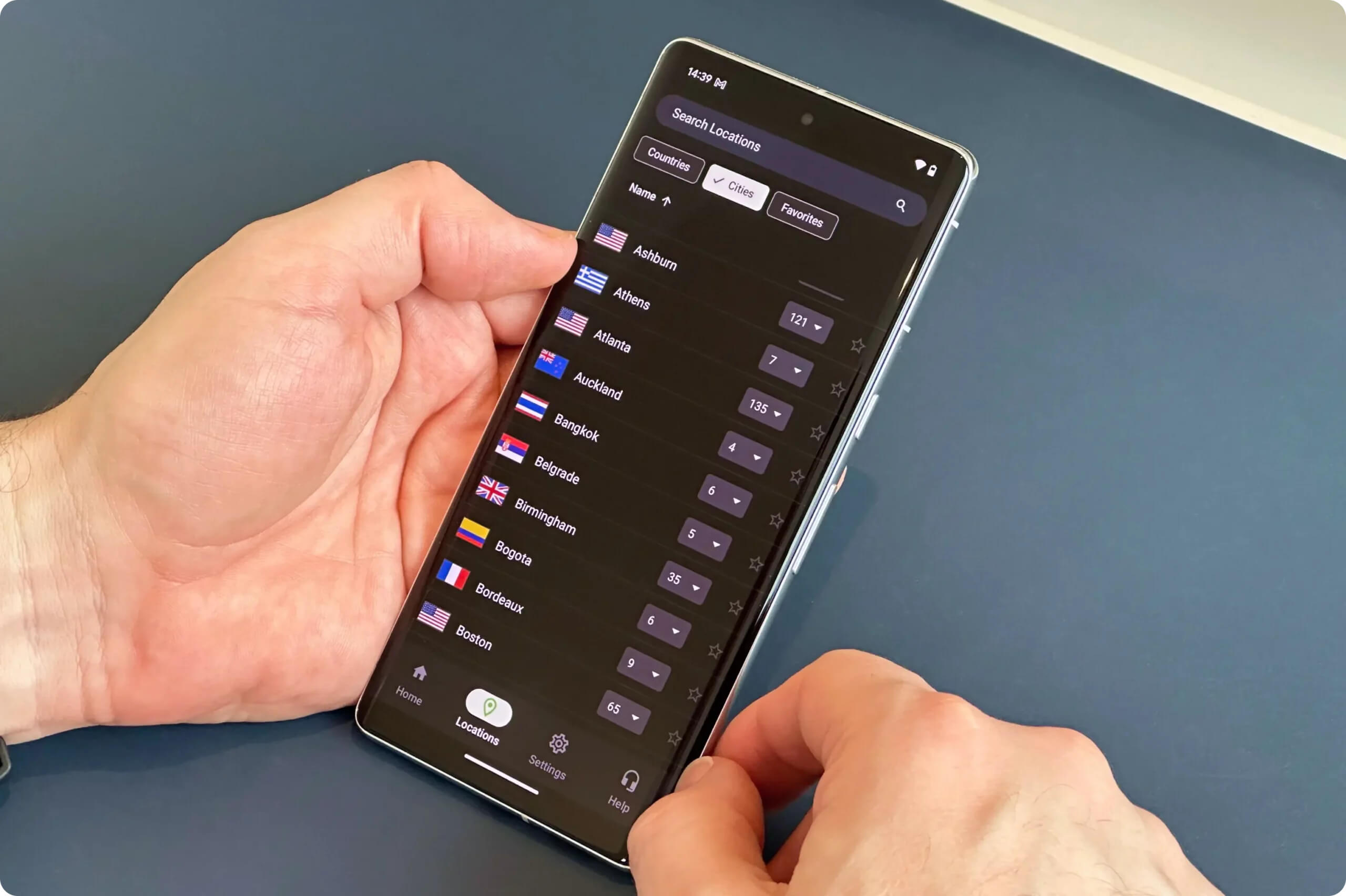
The service offers city-level servers in eight countries, including the US and the UK. This is useful for accessing region-specific content, such as local sports blackouts, or for connecting to servers closer to your actual location for higher speeds.
In the US, IPVanish provides servers in 17 states. This is good, but still far behind services like ExpressVPN or Private Internet Access, which cover all 50 states.
User Experience
Ranked #6 out of 45 VPNs for User Experience
All of IPVanish’s apps are easy to use and offer a range of useful customization options. However, we would like some of the unnecessary elements on the home screens to be removed.
After several redesigns, IPVanish’s user experience is better than ever, but we still have a few criticisms of its overall look and feel.
Here’s how its apps differ across major platforms:
Desktop & Laptop (Windows & Mac)
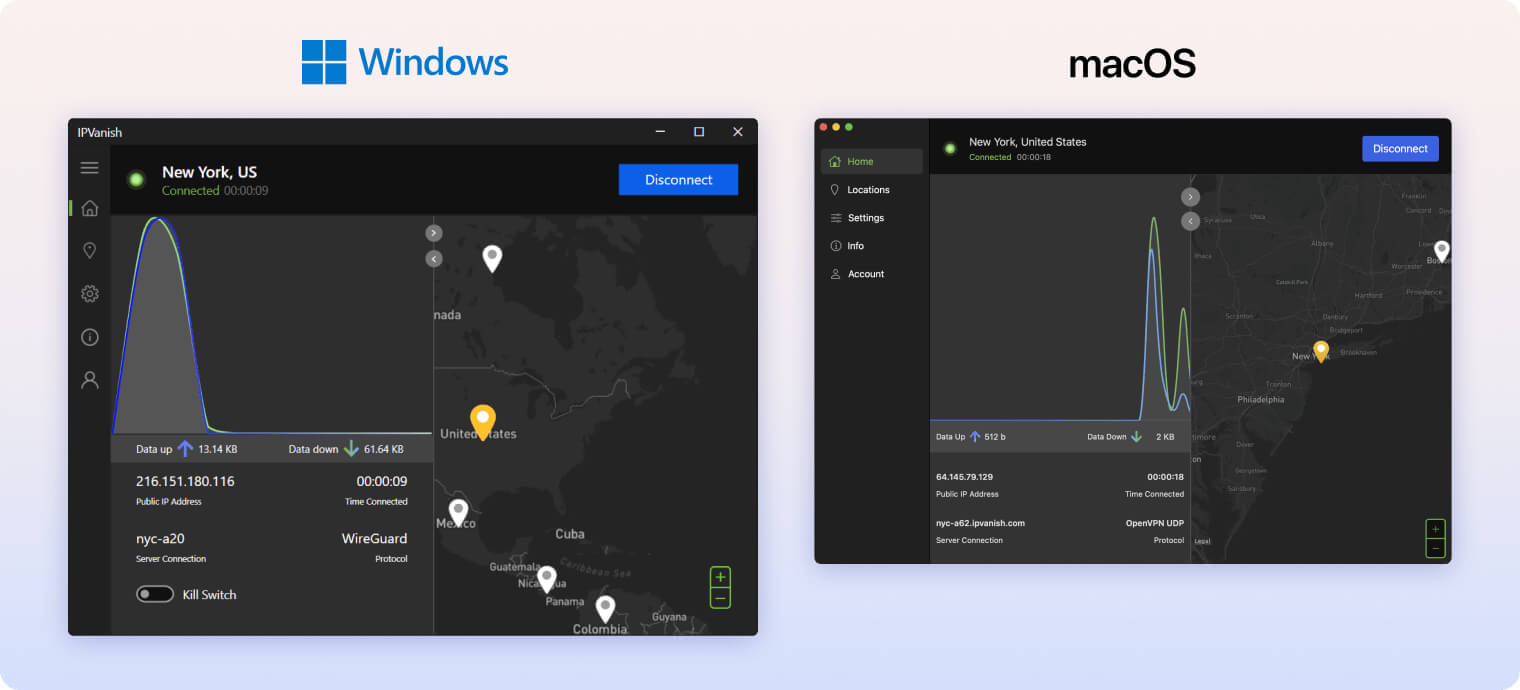
Using IPVanish on desktop is very straightforward: click the connect button in the top-right corner to get started. Our main complaint is how long it takes to establish a connection, especially given how fast the VPN is once you’re online.
After connecting, a status panel appears showing several metrics and a waveform chart of your bandwidth usage. This interface is much less cluttered than IPVanish’s older design, but we still find the waveform chart unnecessarily distracting. Fortunately, you can click the arrow in the top-right of the panel to hide it.
The other half of the home screen features a large interactive map, similar to many other desktop VPN apps. We prefer the more compact layouts used by VPNs like ExpressVPN, PIA, and Windscribe, which look cleaner than the wide interfaces used by NordVPN and IPVanish.
Ultimately, this is a matter of personal preference, but a slimmer interface presents only the most important information and helps create a simpler, less cluttered user experience.
Mobile (iPhone & Android)

We were very impressed with IPVanish’s mobile apps. We especially liked how well they integrate with their respective operating systems. For example, IPVanish’s Android kill switch works directly within the app, whereas most VPNs require you to enable it in the system settings.
We also thought the black, white, and green color scheme worked very well on a mobile screen. The text labels were clear and easy to read, even in low-light environments.
The search function and the ability to favorite servers were excellent quality-of-life additions, saving us from endlessly scrolling through long server lists.
Streaming Devices (Fire TV, Apple TV & Android TV)
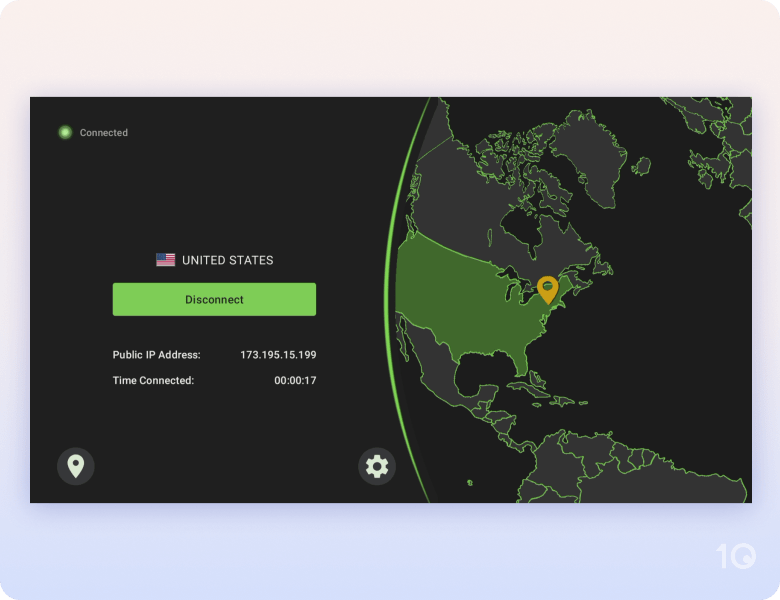
IPVanish’s streaming device apps are among the best we’ve tested, particularly on Fire TV.
Each app has been designed with the streaming platform in mind. For example, the solid black background on Android TV is ideal for OLED screens.
We also found it very easy to connect to a server, as the VPN automatically selects the closest location by default.
Choosing a specific country or city is a bit less intuitive. Servers are listed alphabetically rather than grouped by continent or popularity. If you’re looking for a particular country like the US and haven’t favorited it, you’ll need to scroll toward the end of the list every time.
On Fire TV, the kill switch is handled by a separate companion app. Having to install two apps is slightly inconvenient, but there is a good reason for it. Fire TV devices have limited memory, so background apps like VPNs are often closed to maintain performance.
Because the kill switch app is very lightweight, it is less likely to be shut down, allowing it to constantly monitor the VPN connection and prevent IP leaks.
You can now also enable the kill switch directly within the main IPVanish Fire TV app, so you no longer need to open both apps every time.
Torrenting
Ranked #1 out of 45 VPNs for Torrenting
We’ve used IPVanish for torrenting for many years, and it has always performed reliably. Its no-logs policy and extremely fast file-sharing speeds make it an outstanding VPN for P2P traffic. The only major omission is the lack of a port forwarding feature.
| Torrenting Attribute | IPVanish |
|---|---|
| Permits P2P Traffic | Yes |
| Average Download Bitrate | 9.9MiB/s (1% loss) |
| Countries with P2P Servers | 112 |
| Port Forwarding | No |
| Kill Switch | Yes |
| Logging Policy | No Logs |
IPVanish is the joint second-fastest VPN for torrenting we’ve tested, with a slowdown of less than 1%. In practice, there was virtually no difference between downloading with and without the VPN.
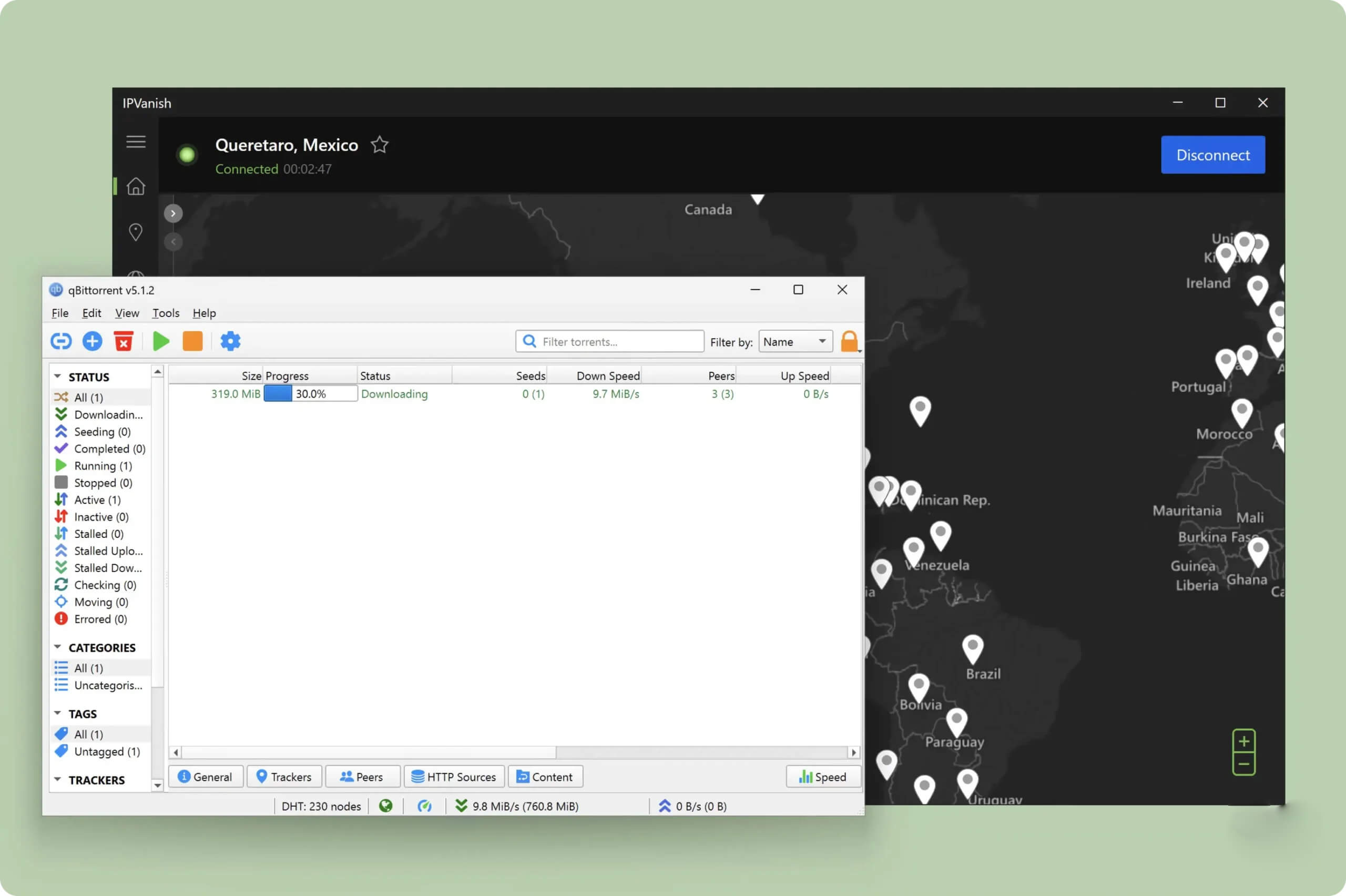
IPVanish is among the fastest P2P VPNs available.
In addition to its speed, IPVanish allows P2P traffic on all of its servers, which makes setup very simple. Just connect to any location and you’re ready to start torrenting.
You can also route your torrent traffic through IPVanish’s SOCKS5 proxy. A proxy can offer faster speeds but does not encrypt your traffic. Given how fast IPVanish already is, we don’t recommend sacrificing encryption for this small potential gain.
The main P2P feature missing from IPVanish is port forwarding. It’s not essential, but adding it would help close the gap with the very best torrenting VPNs.
From an anonymity standpoint, we have no complaints. According to its transparency reports, IPVanish has never passed a DMCA notice on to a user.
Device Compatibility
IPVanish offers custom apps for all major platforms and does not limit the number of devices you can connect at once. However, it lacks browser extensions, which is a major drawback, and it also doesn’t offer a router app or Smart DNS proxy.
| Windows | Yes |
|---|---|
| Mac | Yes |
| iOS | Yes |
| Android | Yes |
| Linux | Yes |
| Amazon Fire TV | Yes |
| Android TV | Yes |
| Apple TV | Yes |
| Router | Yes |
| Chrome | No |
Simultaneous Connections: Unlimited
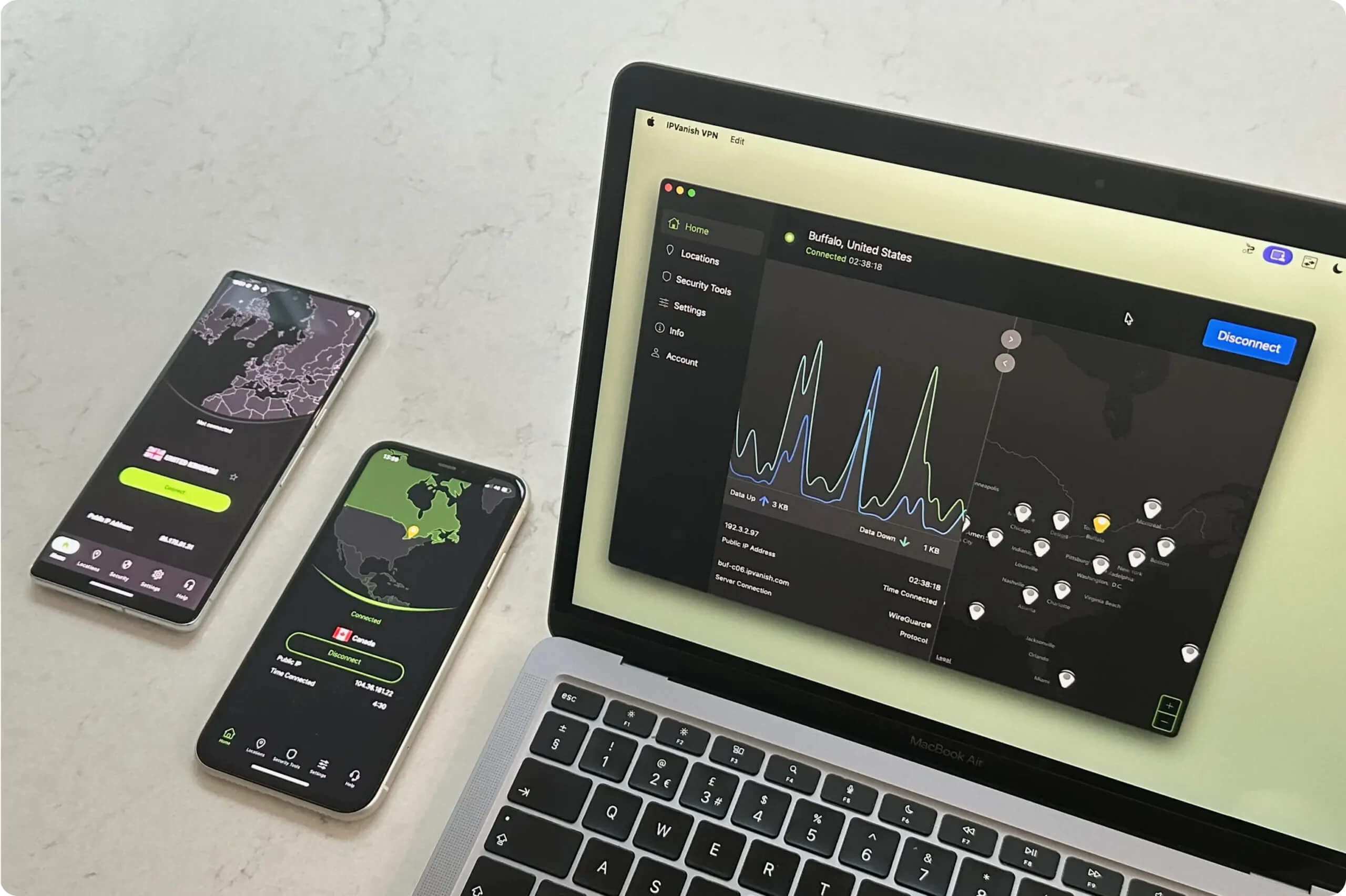
You can use IPVanish on multiple devices at once.
Without a router app or Smart DNS proxy, though, it’s very difficult to use IPVanish on devices that don’t support VPN software, such as many Smart TVs and game consoles.
You are left with two options: manually install the VPN on your router, or purchase a router that comes pre-flashed with an IPVanish configuration. The first option is unnecessarily complicated for most users, while the second can be quite expensive.
IPVanish’s Secure Browser feature provides an unusual alternative to standard browser extensions: a sandboxed virtual browser streamed via a live video feed. While this design is very private, it lacks the speed and lightness you typically expect from a VPN browser add-on.
It’s also limited to the higher-priced subscription plan and capped at 30 hours of use per month. During testing, we noticed lag and occasional graininess in the video stream. Having to activate it every time you open a new tab also becomes tiring quickly, especially compared to a normal VPN extension that runs continuously once enabled.
Additional Features
Although IPVanish offers slightly fewer extra tools than many competitors, its multi-hop feature is excellent. Unlike most providers, it also ensures consistent feature support across platforms, so you can use its ad blocker, Scramble protocol, and split tunneling on all of its apps.
| Additional Feature | IPVanish |
|---|---|
| Split Tunneling | Yes |
| VPN Obfuscation | Yes |
| Multi-Hop Servers | Yes |
| Dedicated IP | No |
| Ad Blocker | Yes |
Highly-Customizable Multi-Hop Feature
Multi-hop routes your connection through two VPN servers instead of one, making your activity harder to trace.
We particularly liked that IPVanish lets you choose both the entry and exit locations for your multi-hop connection. This is different from Surfshark or NordVPN, which only offer pre-configured server pairs that are often geographically close to each other.
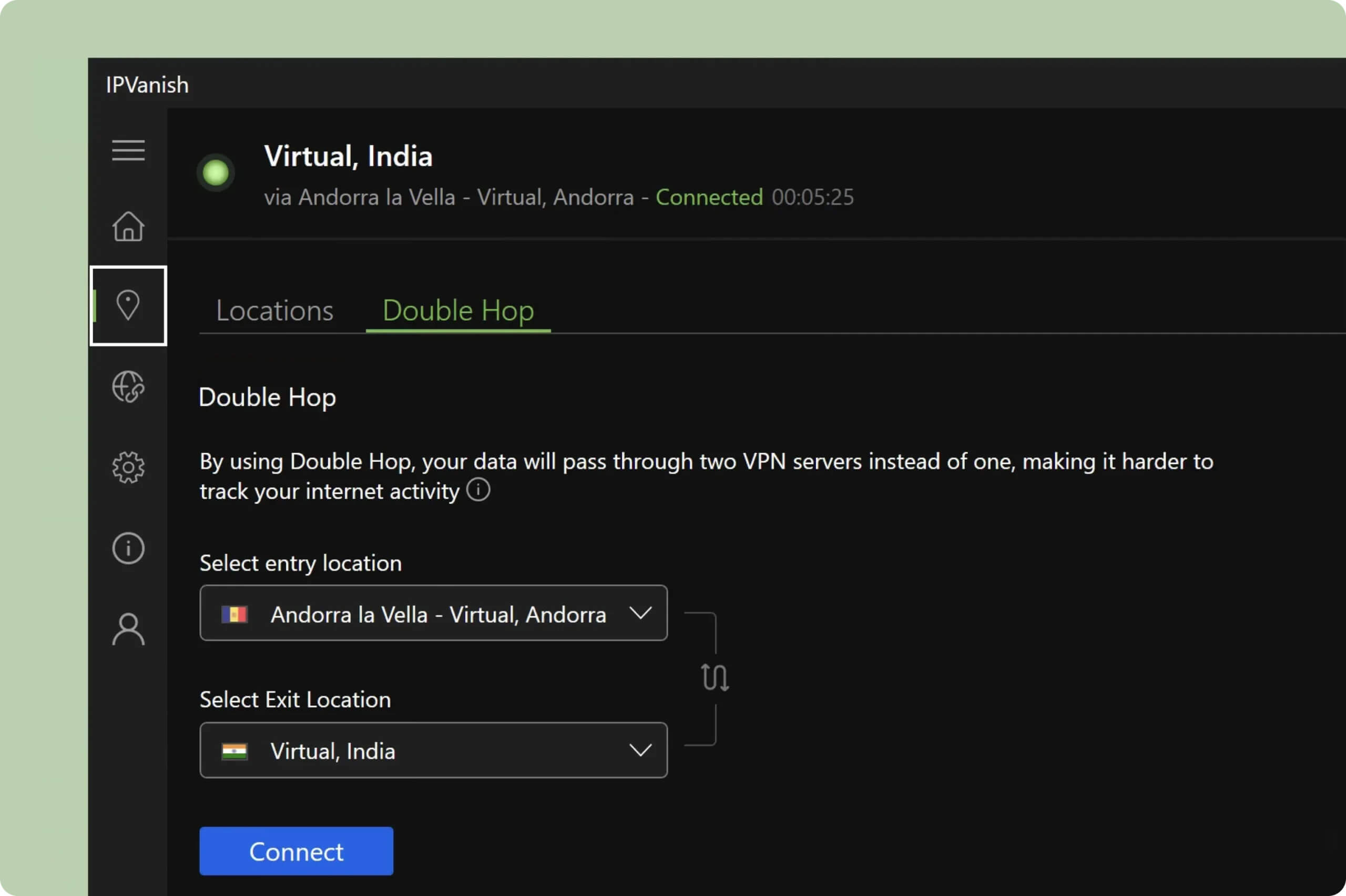
You can combine any of IPVanish’s 112 server locations.
For instance, we were able to route our connection from Andorra to India. This level of flexibility is rare and helps IPVanish stand out.
Threat Protection Works on All Apps
Threat Protection blocks ads, trackers, and malicious websites while you’re connected to IPVanish. In our tests, it removed most banner and video ads across a range of sites.
Its best quality is its broad compatibility: Threat Protection is available on every IPVanish app. Many rival VPNs only provide ad blocking on Windows and Mac.
Scramble Protocol Performs Adequately
IPVanish offers a special protocol called Scramble to bypass internet censorship. It disguises your VPN traffic as normal web traffic to get around firewalls and deep packet inspection.
Scramble works in several countries where internet access is restricted, but in our experience, it did not function reliably in heavily censored regions like China.
Unlike many VPN providers, IPVanish makes this anti-censorship tool available on most of its apps, including platforms that are often neglected such as Fire TV, iOS, and Android.
24/7 Customer Support
IPVanish provides customer support via live chat seven days a week. Uniquely, it also offers phone support from Monday to Friday (9am–5pm CT).
Overall, we found the support agents helpful and responsive. They answered our questions clearly and resolved any issues we had with the service.
IPVanish Key Data
| Attribute | IPVanish | Typical VPN |
|---|---|---|
| Owner | Ziff Davis | Independent |
| Launch Date | 2012 | 2015 |
| Local Download Speed | 96Mbps (4% loss) | 89Mbps (11% loss) |
| International Download Speed | 88Mbps (12% loss) | 80Mbps (20% loss) |
| Countries with Servers | 112 | 40 |
| Privacy Policy | No Logs | Identifiable Data |
| Simultaneous Connections | Unlimited | 10 |
| Netflix Libraries | 16 | 3 |
| Torrenting | Yes | Yes |
| Works In China? | No | No |
| Cheapest Price | 2.19/mo over 24 months | $3.87/mo over 24 months |
| Customer Support | 24/7 Live Chat | |
| Apps & Extensions |
          |
|
Price
Price Plans
| 1 month | $12.99 |
|---|---|
| 12 months | $33.48 ($2.79/mo) |
| 24 months | $52.56 ($2.19/mo) |
Free Trial
| Money-Back Guarantee | 30 days |
|---|---|
| Free Trial | 7 days (mobile only) |
| 100% Free Plan | No |