
Norton Secure VPN: Affordable Speeds, Serious Privacy Concerns
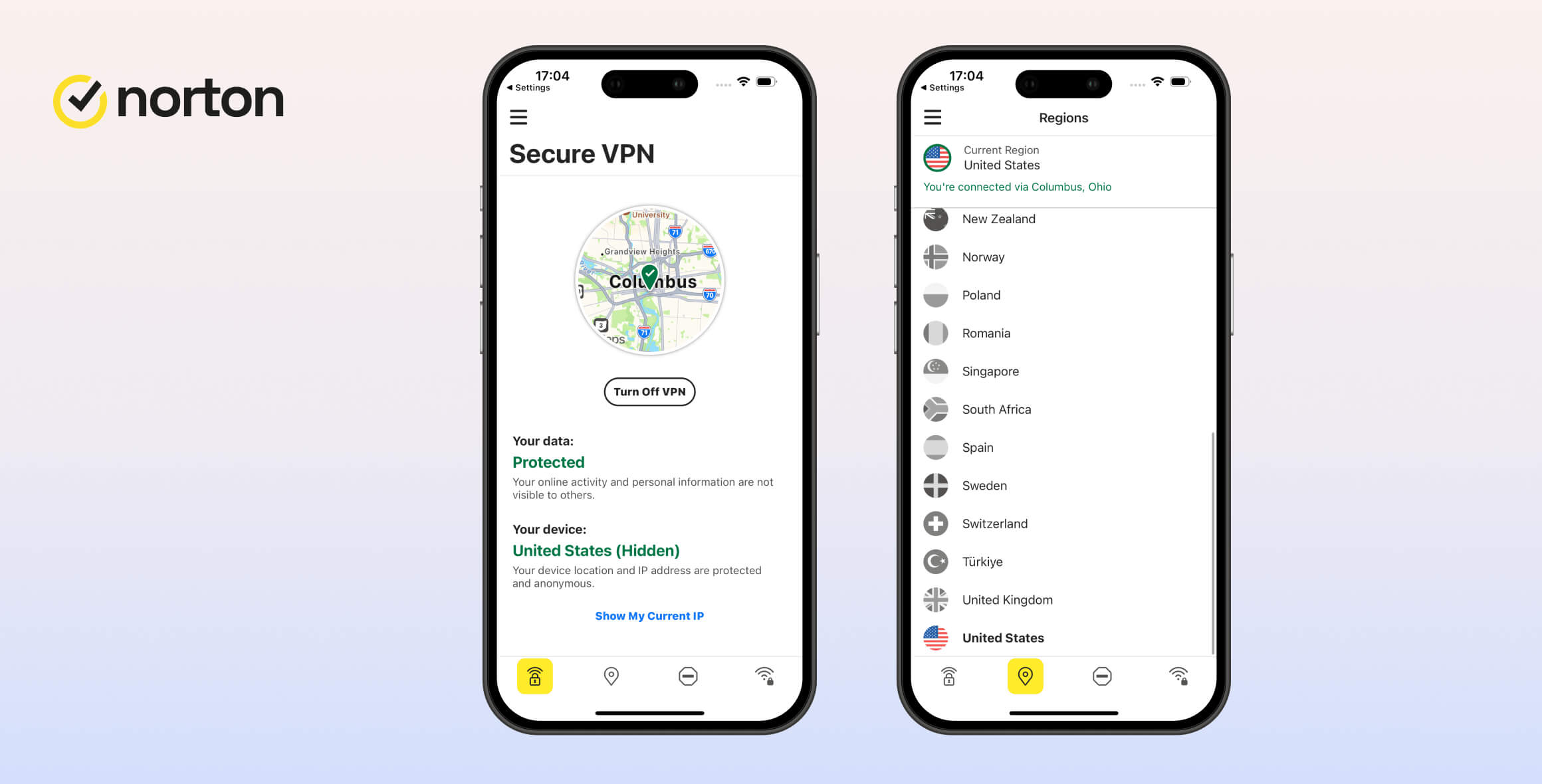
Norton Secure VPN is not recommended for privacy or security. While it has fixed earlier security issues, it offers very few features, has limited device support, and its logging policy remains among the worst on the market. It’s fast enough and very cheap, but overall it isn’t a strong product.
- Pros
- Works with US Netflix, HBO Max & more
- Fast download speeds on nearby servers
- Simple and easy-to-use apps
- 60-day money-back guarantee
- Works in China
- Cons
- Logs IP addresses
- Won't prevent your ISP from seeing your web activity
- Unhelpful customer support
- No Firestick app and can't be installed on routers
- Not many servers in Asia, Africa & South America
- No browser extensions
Norton Secure VPN is included with every Norton 360 subscription, the company’s all-in-one security suite. You can use the VPN within that software or via a standalone app. The VPN works the same in both, with only minor visual differences.
We tested Norton Secure VPN extensively on every available device. Our experts measured speeds across its server network, tried unblocking streaming services like Netflix in different countries, and used tools to assess the security and anonymity of its encryption.
Read on for our results and how Norton Secure VPN compares to top competitors like ExpressVPN and CyberGhost.
EXPERT ADVICE: Our highest-rated VPN, ExpressVPN, is faster and more secure than Norton VPN. It doesn’t log your IP address and unblocks more websites and apps worldwide. Try ExpressVPN risk-free for 30 days.
Here’s a quick video showing what Norton VPN looks like and how it feels to use:
Privacy
Ranked #37 out of 45 VPNs for Privacy
Norton Secure VPN logs personally identifiable information, including your IP address and device type. Norton is based in the US, so it must comply with Five Eyes surveillance and data collection laws. You cannot trust Norton Secure VPN to keep your data private.
| Originating IP Address | Yes |
|---|---|
| Browsing Activity | No |
| Individual Connection Timestamps | No |
| Date of Last Connection | No |
| VPN Server IP | No |
| Device Information | Yes |
| Individual Bandwidth Usage | Yes |
| Account Information | Yes |
You can read Norton VPN’s full privacy policy on its website.
Norton Secure VPN claims it does not keep logs — our research shows this is not true.
Most importantly, it logs your originating IP address. Your IP address is unique to your network and is one of the worst things for a VPN to store.
After contacting Norton, we were told the VPN logs this to “gather your actual location to change it to a different place.”
This is false and disappointing. A VPN doesn’t need your originating IP address to connect you to a server. If location data is required, it can be processed on-device and not stored elsewhere. Mullvad, for example, doesn’t even link subscriber email addresses to accounts.
One positive is that Norton Secure VPN doesn’t keep connection timestamps or record the websites you visit. This makes it harder to link your activity to your stored IP address.
Based in the US
Norton Secure VPN is based in the United States, which is one of the worst jurisdictions for user privacy. The US has intrusive surveillance laws and is a member of the Five Eyes intelligence-sharing alliance.
The US also has troubling data retention laws, including the Stored Communications Act (SCA). In short, Norton must hand over all information it stores about a user if requested by the US government.
A US base can be acceptable if the privacy policy is minimal enough — Private Internet Access is a good example. Otherwise, choose a VPN based in a more privacy-friendly jurisdiction.
Streaming
Ranked #17 out of 45 VPNs for Streaming
Norton Secure VPN worked with most of the streaming services we tested. It unblocks geo-restricted content on US platforms like Netflix and Hulu, as well as UK services like BBC iPlayer. However, it doesn’t work with other international Netflix regions or less popular streaming sites.
| Streaming Service | Works with Norton Secure VPN |
|---|---|
| BBC iPlayer (UK) | Yes |
| DAZN (Canada) | No |
| Disney+ (UK) | No |
| Hulu (US) | Yes |
| ITVX (UK) | No |
| HBO Max (US) | Yes |
| Netflix (US) | Yes |
| Netflix (UK) | No |
| Prime Video (US) | Yes |
| Sky Go (UK) | No |
Sometimes Streams US Netflix
We were able to unblock American Netflix using Norton’s US server, but it was less reliable than the best Netflix VPNs.
In our tests, Norton Secure VPN worked with US Netflix 60% of the time. Annoyingly, the VPN doesn’t offer city-level locations, so you can’t switch servers if one fails. Instead, you must wait for Norton to restore access.
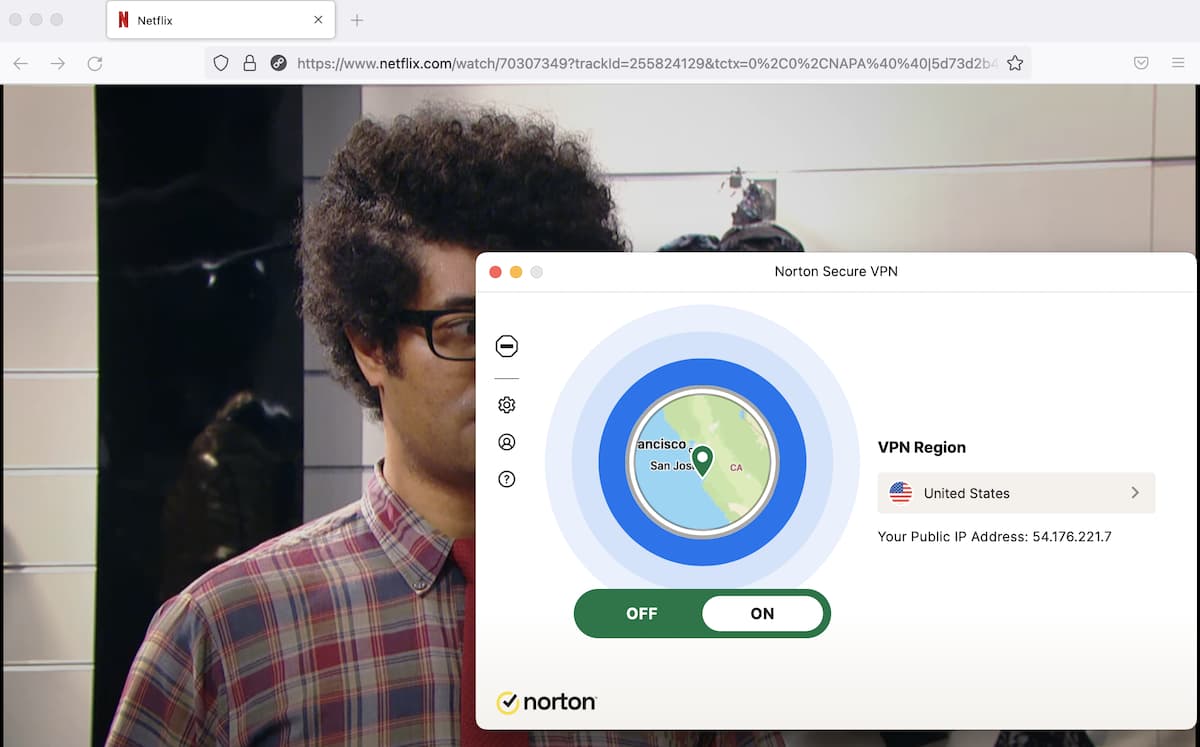
Streaming US Netflix with Norton VPN.
The VPN doesn’t work with any other Netflix region besides the US. We tested over 25 libraries, including the UK, Japan, and Australia. Norton VPN failed to stream from any of these regions.
Reliably Accesses US Content Platforms
Norton Secure VPN is more reliable with other US-based services. We could unblock Hulu, Prime Video, and HBO Max from overseas.
Unlike with Netflix, we were always able to access these platforms. Norton Secure VPN’s US server speeds are also fast, so you can expect high-quality video streams.
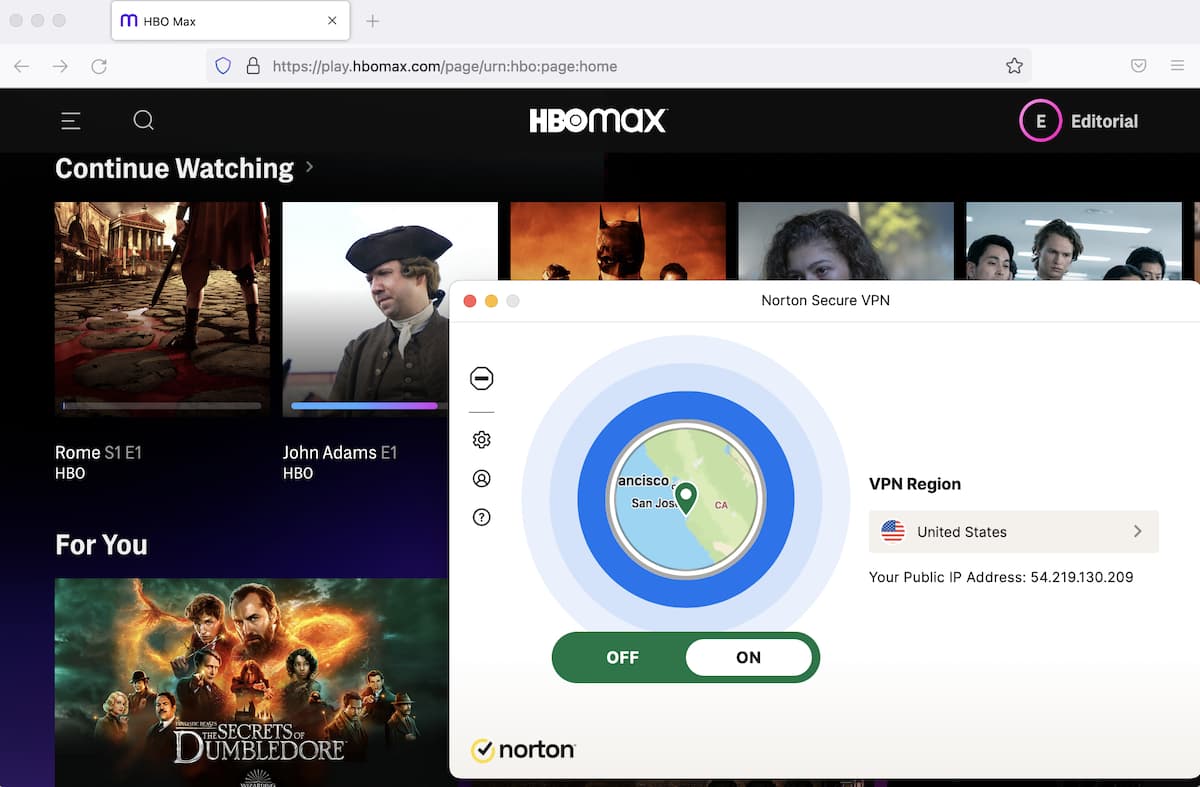
Norton VPN always worked with HBO Max and other US content platforms.
Works Well with UK Streaming Services
We also tested UK streaming. The VPN worked with BBC iPlayer, All 4, and ITV Hub.
However, Norton doesn’t offer city-level servers in the UK either. You won’t be able to get a new IP address if it stops working.
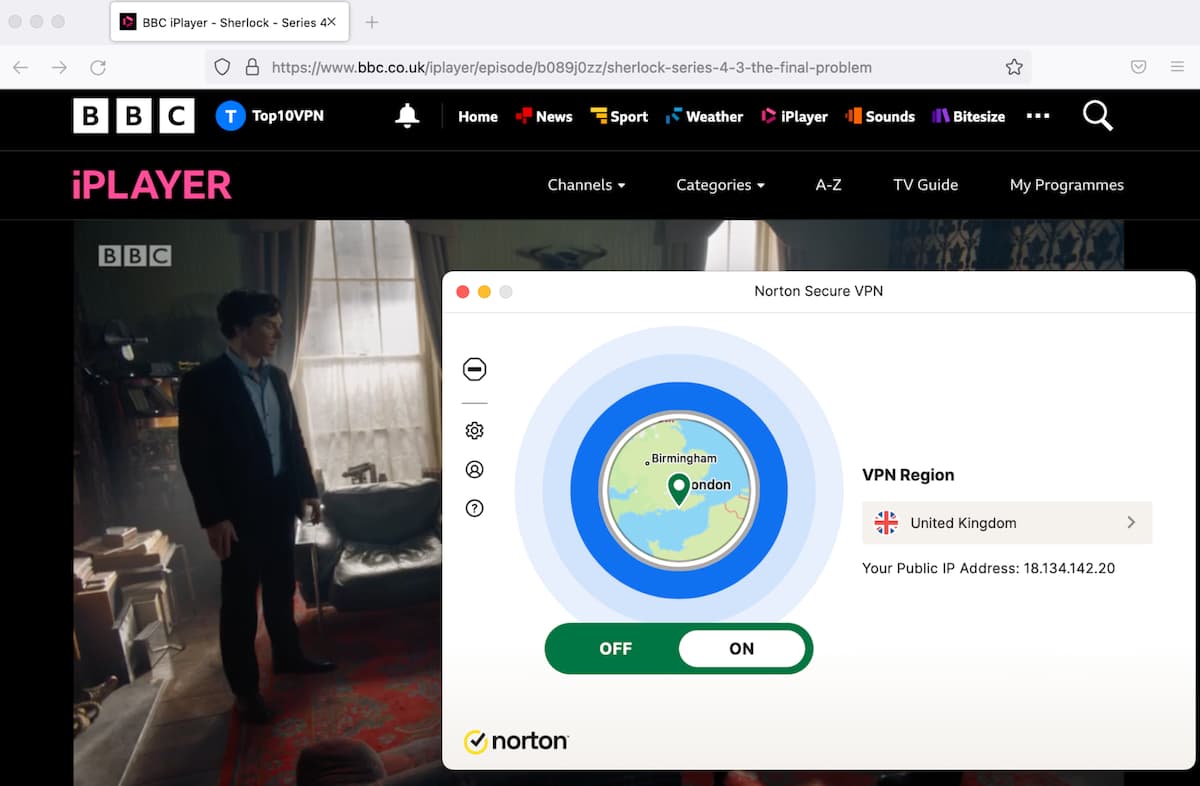
The VPN works reliably with UK-based streaming sites.
All videos loaded quickly and streamed in the highest resolution. We watched Sherlock in HD without buffering.
We were pleasantly surprised — based on Norton Secure VPN’s poor performance in other areas, we had low expectations. Still, we rated it lower than the best streaming VPNs due to limited Netflix libraries and its inability to unblock Disney+.
Speed
Ranked #30 out of 45 VPNs for Speed
Norton Secure VPN is fast. It’s especially quick on long-distance connections, even outperforming big names like NordVPN and ExpressVPN in some cases. It’s weaker on short-distance links — an average 90Mbps download on our 100Mbps connection is still fast, but many VPNs are faster.
We connected to Norton Secure VPN servers on six continents using a 100Mbps connection, similar to a typical home baseline.
Here are Norton Secure VPN’s speed test results around the world:
| No VPN (New York) | US (New York) | Canada (Toronto) | UK (London) | Germany (Berlin) | Brazil (São Paulo) | Japan (Tokyo) | South Africa (Johannesburg) | Australia (Sydney) | |
|---|---|---|---|---|---|---|---|---|---|
| Server Location |  |
|
 |
 |
 |
 |
 |
 |
 |
| Download Speed | 100Mbps | 90Mbps | 96Mbps | 91Mbps | 90Mbps | 96Mbps | 81Mbps | 82Mbps | 82Mbps |
| Upload Speed | 100Mbps | 77Mbps | 95Mbps | 96Mbps | 96Mbps | 89Mbps | 96Mbps | 75Mbps | 95Mbps |
| Ping | 1ms | 69ms | 22ms | 77ms | 101ms | 118ms | 145ms | 545ms | 214ms |
| Distance | 0mi | 5mi | 300mi | 3,500mi | 4,000mi | 4,800mi | 6,700mi | 8,000mi | 9,900mi |
Each VPN we review goes through our scientific testing process. We used Norton Secure VPN’s WireGuard protocol and report the results exactly as we found them.
Even at its slowest on nearby servers, Norton Secure VPN is pretty fast. Our New York tests showed only a 10% slowdown. That doesn’t rival the absolute fastest VPNs, but it’s solid for a lesser-known service.
Speeds dropped on some overseas connections. Results varied widely by location, with no clear reason why.
On a long-distance connection to Brazil, we even recorded faster speeds than on our closest server.
This inconsistency makes Norton Secure VPN hard to recommend if you want dependable speeds, although it’s generally fast across locations.
A Solid Choice for Lag-Free Gaming
Norton Secure VPN is also good for gaming. On a nearby server, we recorded 69ms ping, which is low enough for multiplayer games like CS:GO.
It was even fast enough for cloud gaming, like Xbox Cloud Gaming. Fortnite ran as if installed locally. We found a match in 20 seconds and didn’t notice input lag.
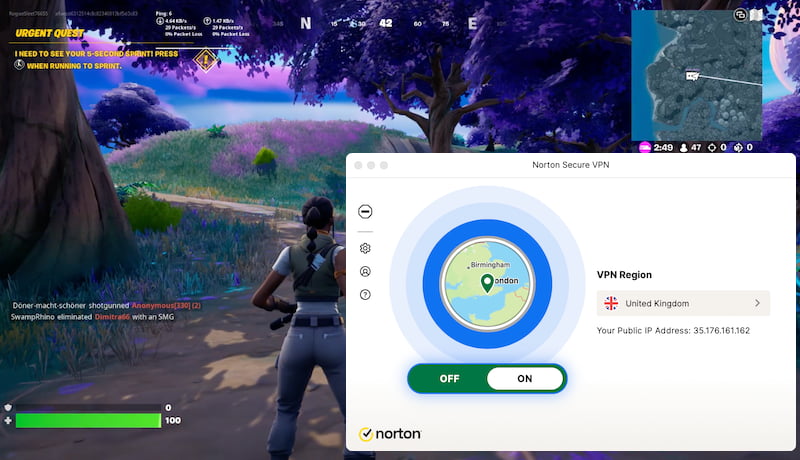
Norton VPN’s ping is fast enough for online gaming.
However, we don’t recommend using it to access lobbies in other countries. On a server in East Asia, ping rose to 145ms. Response times were too slow, and we were removed from some lobbies.
Security
Ranked #24 out of 45 VPNs for Security
Norton VPN is safe to use from an encryption and security standpoint. It has made major technical improvements in recent years. It fixed past DNS and IP leak issues and now includes a working kill switch. That said, you can’t choose your protocol or enable extra security features, which is why it scores 7.0.
| Independent Audit | No |
|---|---|
| VPN Kill Switch | Yes |
| Leak Protection | Yes |
No DNS or IP Leaks Anymore
In our latest testing, Norton Secure VPN no longer leaked data.
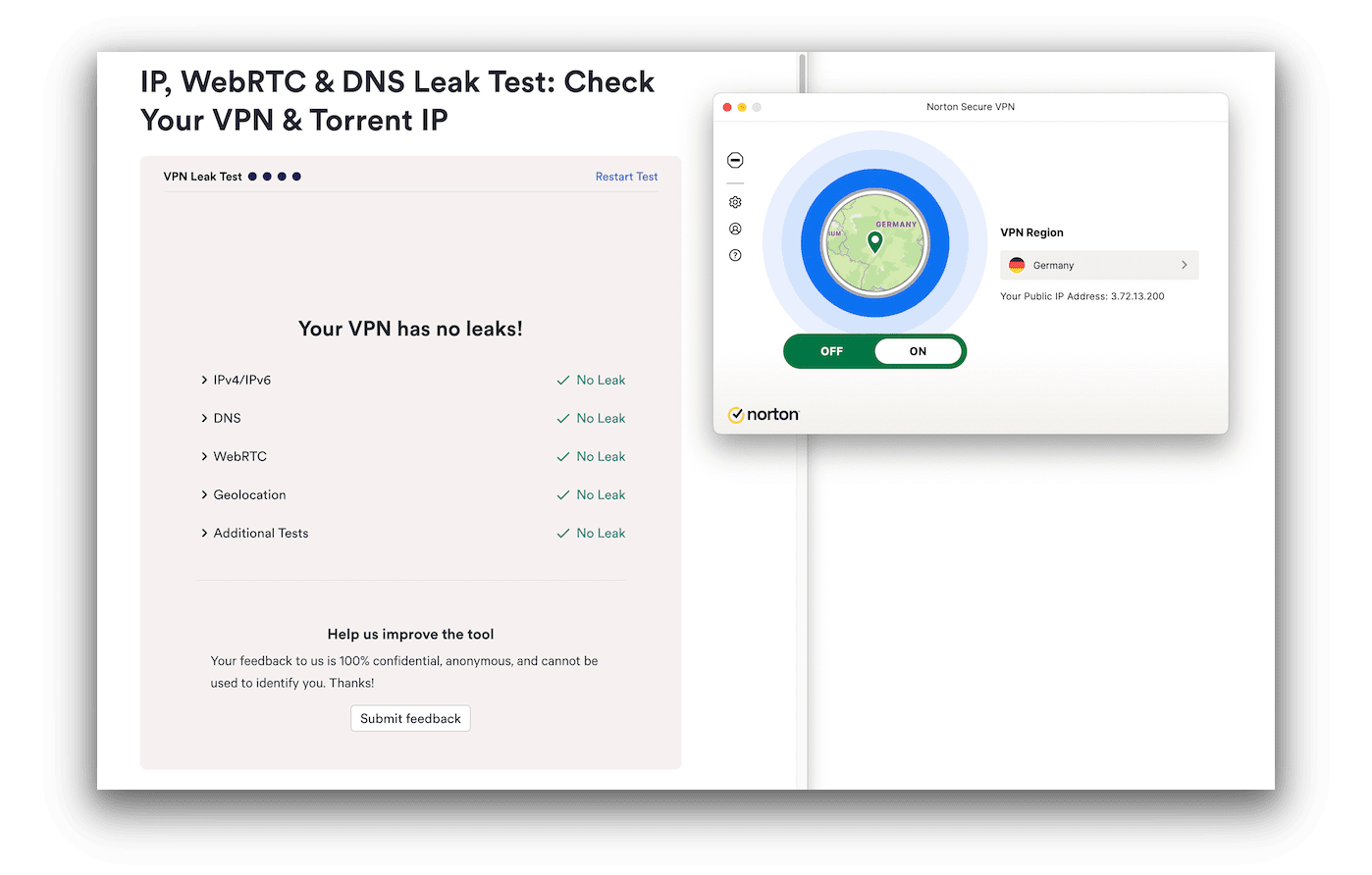
Better VPNs than Norton often struggle with IPv6 – this is a very pleasing result.
Using our VPN leak test tool, we confirmed it properly secured our IP addresses (IPv4 and IPv6), DNS, and geolocation.
New Kill Switch Works as Intended
Until recently, Norton Secure VPN didn’t have a kill switch — the most important security feature for any VPN.
It now has a kill switch included in every application on all platforms. We put it to the test, and the results can be seen below:
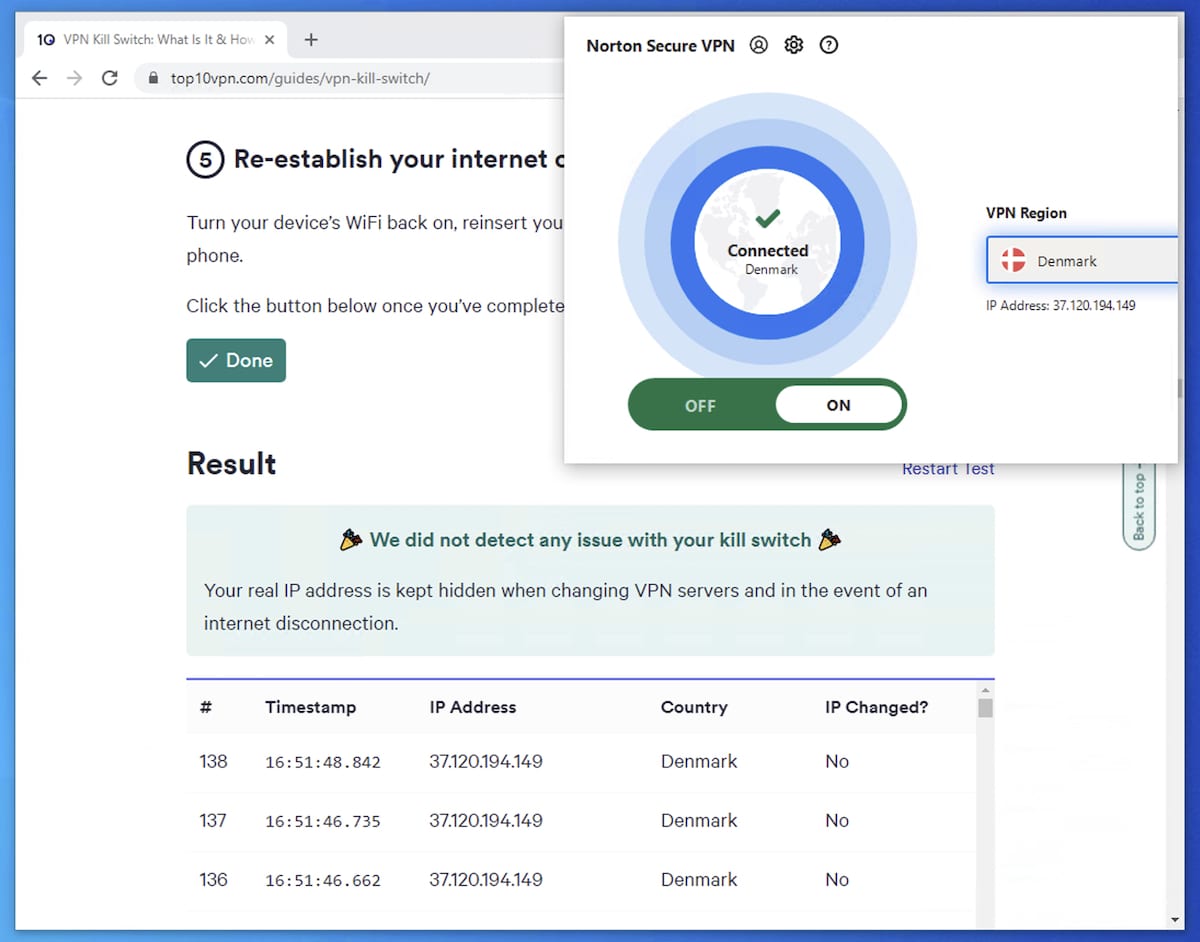
A non-functioning kill switch can expose your IP address as if you weren’t using a VPN at all.
Our kill switch testing tool confirmed that Norton Secure VPN did not leak our true IP address when changing servers or when disconnecting and reconnecting our PC from the internet.
Properly Encrypts Traffic with a Variety of Protocols
Norton Secure VPN doesn’t let you choose a protocol on any device. By default, desktop uses WireGuard and mobile uses IKEv2.
While this is an improvement and technically acceptable, the apps should provide more transparency and protocol options on all platforms. WireGuard, in particular, should be available on mobile to match desktop. Most top VPNs offer this, plus extras like first-party DNS and obfuscation.
Even without a choice, our tests confirm Norton Secure VPN encrypts traffic correctly on every device. Using Wireshark, we verified that traffic was safely encrypted.
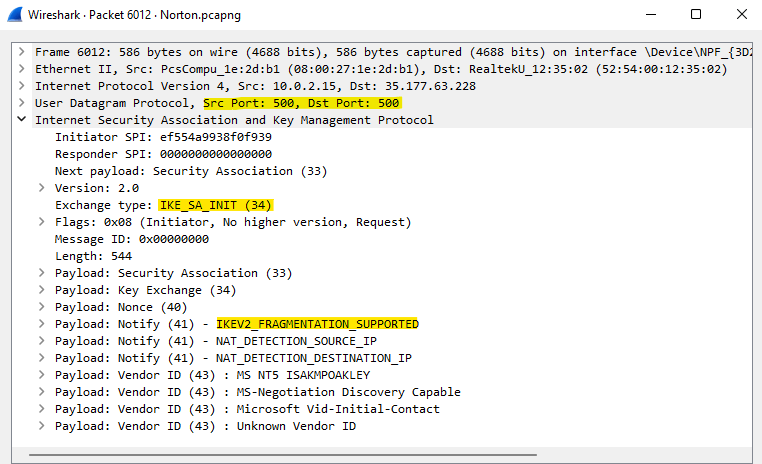
Inspecting our Norton VPN traffic using Wireshark.
Server Locations
Ranked #31 out of 45 VPNs for Server Locations
Norton Secure VPN has servers in 29 countries, which is far fewer than we’d like. There is also no server choice within countries, so you can’t get an IP address from a specific city. While there’s at least one server on every continent, too many are concentrated in Europe.
| Continent | Countries with Servers |
|---|---|
| Europe | 19 |
| Asia | 3 |
| North America | 3 |
| Oceania | 2 |
| South America | 1 |
| Africa | 1 |
Two-thirds of Norton’s servers are in Europe. We prefer server networks that are more geographically spread out so more users can access nearby connections.
There’s only one country each in South America and Africa, and three in Asia. Some major regions are missing, such as India, South Korea, and Indonesia. If you’re in or near these regions, expect slower speeds and higher latency.
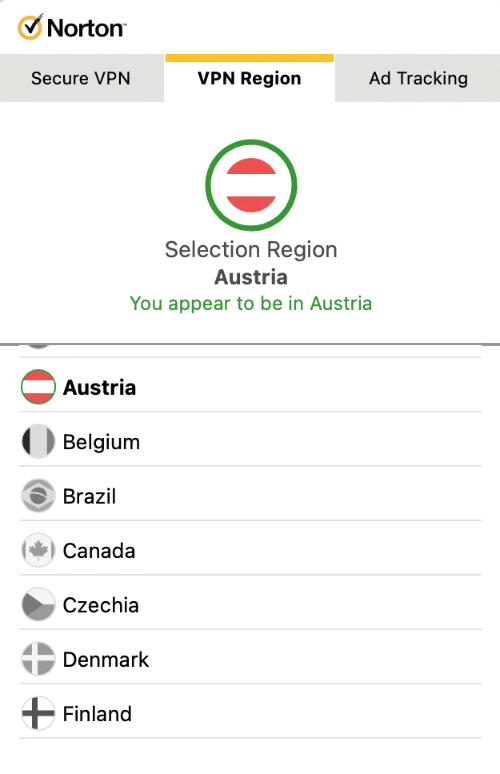
Norton VPN doesn’t provide any information about server load or latency.
We’re also disappointed there are no city-level locations. You can’t bypass US sports blackouts by connecting to a specific city or state.
Norton wouldn’t tell us whether these servers are physically located in their stated regions, or whether they are owned or rented.
If your country isn’t covered by Norton Secure VPN, consider paying a little more for a VPN with broader coverage to get the best speeds.
Proton VPN has 15,370 servers in 126 countries, and 100% are physically based where they claim.
User Experience
Ranked #9 out of 45 VPNs for User Experience
Norton Secure VPN is easy to use on all platforms. The apps are basic and familiar, making them intuitive for any experience level. However, we’d like more customization for advanced users.
Norton’s VPN is easy to use, but we found some interface differences across devices, which can be confusing.
Here’s our experience by platform:
Desktop & Laptop (Windows & Mac)
Norton Secure VPN’s Windows app has more features than any other platform. It includes a kill switch, split tunneling, and a tracker blocker.
If you use Norton 360, there’s no learning curve. The VPN can be enabled and configured like the suite’s other features, such as device scanning.
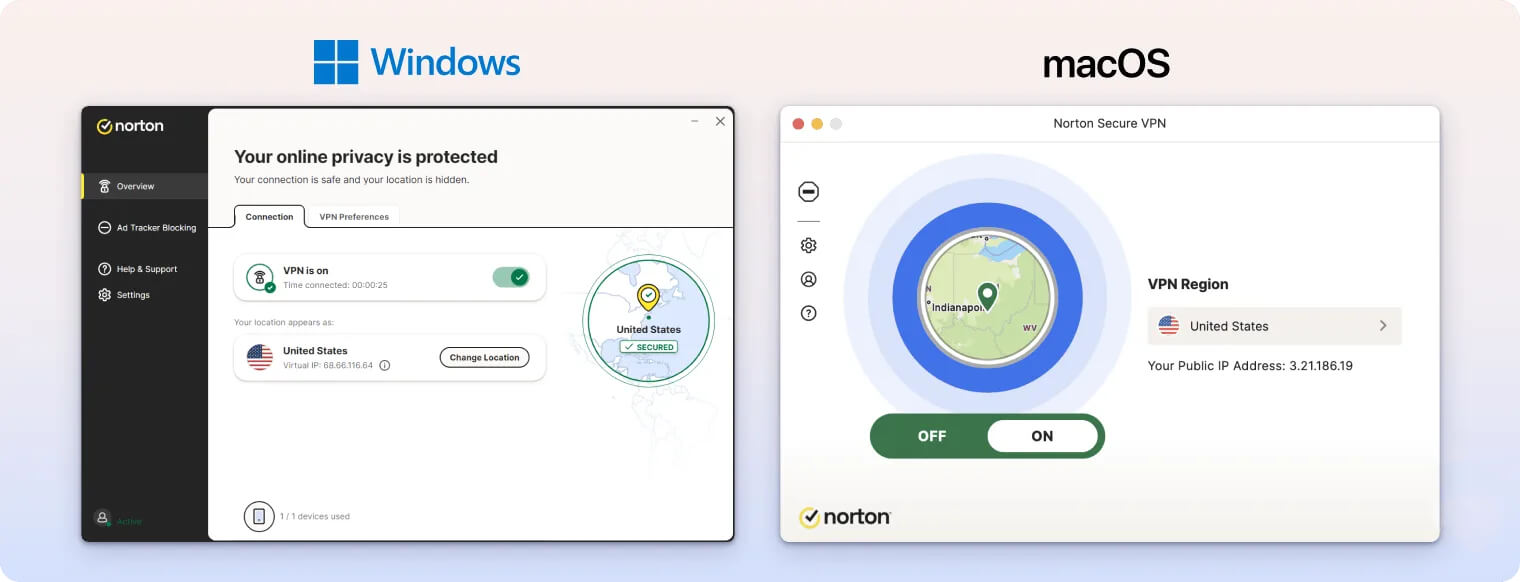
The VPN section of the Windows app differs slightly from the Mac version. You can still connect using the simple Turn On button, but Windows uses a basic pop-up window for server changes and settings.
By contrast, the Mac app behaves more like a traditional VPN client. Overall, the Windows app is the best version, with all features and extra security.
Norton’s macOS app doesn’t include most security features, though it recently added a kill switch (enabled automatically — there’s no visible toggle in the app).
It lacks split tunneling, but it looks slightly nicer than the Windows version.
Mobile (iPhone & Android)
On mobile, you must use the standalone Norton Secure VPN app; Norton 360 doesn’t include the VPN directly.
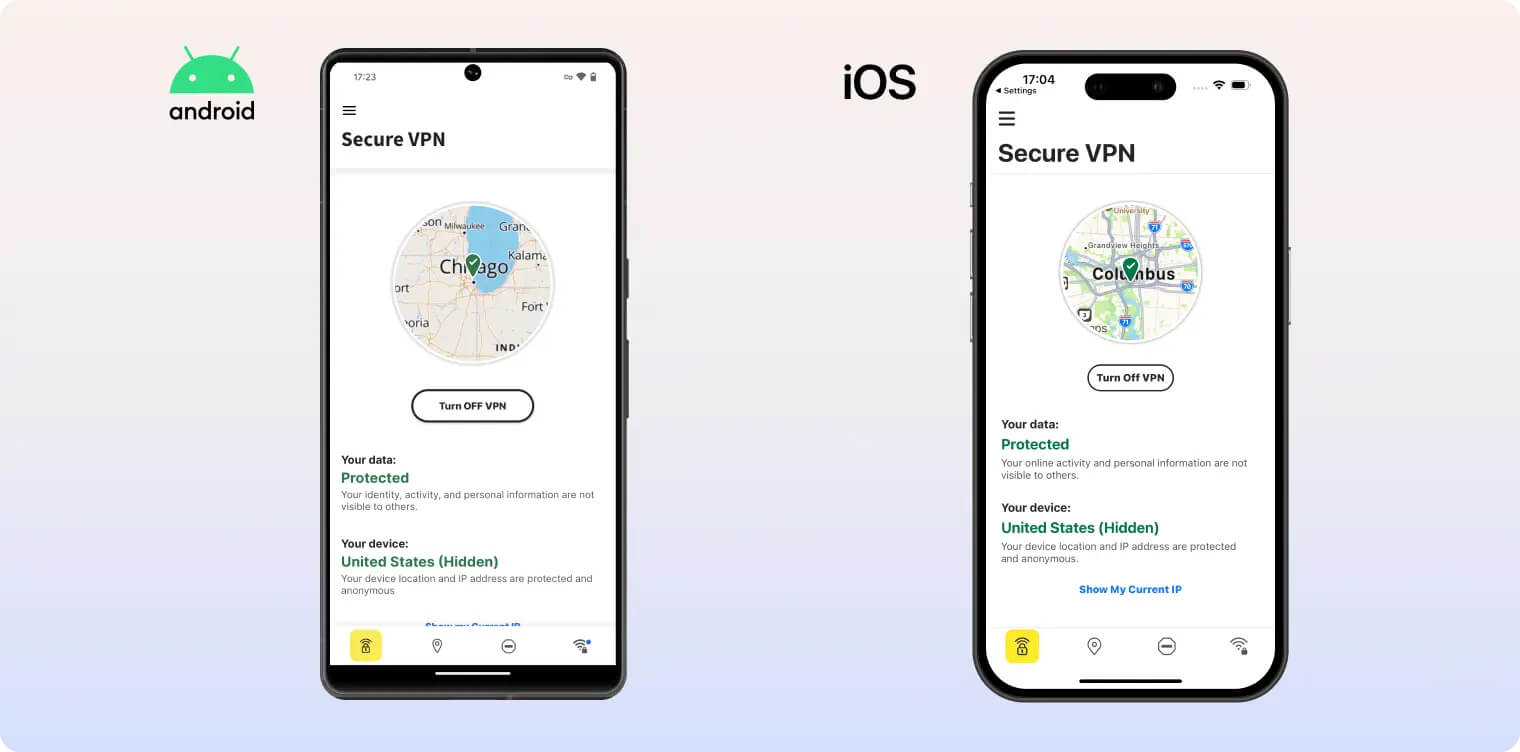
Norton’s iOS client is very simple. The app looks quickly designed, with little attention to interface details — for instance, the background stays white even if your iPhone uses dark mode.
We also didn’t like having to switch tabs for common tasks like changing servers. Most VPN apps let you connect, switch servers, and change basic settings from the home screen. Norton should do the same.
For beginners, it’s easy: tap Turn On VPN on the home screen to connect to the nearest server.
Norton VPN’s Android app is the most fully featured mobile app. Unlike iOS, it includes split tunneling, and both mobile apps now have a kill switch.
Because P2P is supported on Android, you can connect to its dedicated torrenting server. As on Windows, this just routes you to the Netherlands. P2P speeds matched our Windows results.
Aside from these differences, the Android app looks and works like the iOS version. The color theme can’t be changed, and the design is very basic.
Torrenting
Ranked #32 out of 45 VPNs for Torrenting
We don’t recommend Norton Secure VPN for torrenting. Although it has fast P2P speeds and a kill switch, it has major drawbacks. The VPN logs your IP address and is based in a Five Eyes country. P2P traffic is also blocked on all servers except the Netherlands, which may slow downloads depending on your location.
| Torrenting Attribute | Norton Secure VPN |
|---|---|
| Permits P2P Traffic | Yes |
| Average Download Bitrate | 9.2MiB/s (8% loss) |
| Countries with P2P Servers | 1 |
| Port Forwarding | No |
| Kill Switch | Yes |
| Logging Policy | Excessive Logs |
Some VPN review sites claim Norton Secure VPN doesn’t support torrenting. We found it does, but only on the Netherlands server.
If you try torrenting on any other location, the app will block the download and show an error. To connect to the Netherlands, select the Torrent-Optimized Region at the top of the server list.
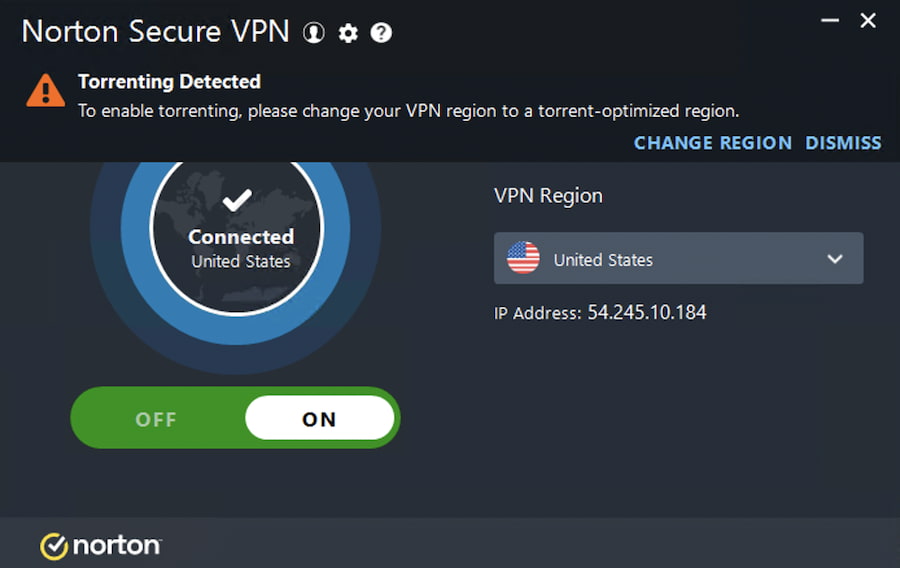
Norton Secure VPN blocks torrenting outside of the Netherlands.
There’s no good reason to restrict P2P to the Netherlands. Although downloading copyrighted material was once legal there, that ended in 2014.
We’d like Norton to expand P2P servers to at least include a North American option.
P2P Speeds Depend On Your Location
Norton Secure VPN performed very well in our P2P tests. On our 10MiB/s test line, we recorded 9.2MiB/s. Our torrents downloaded nearly as fast as without the VPN.
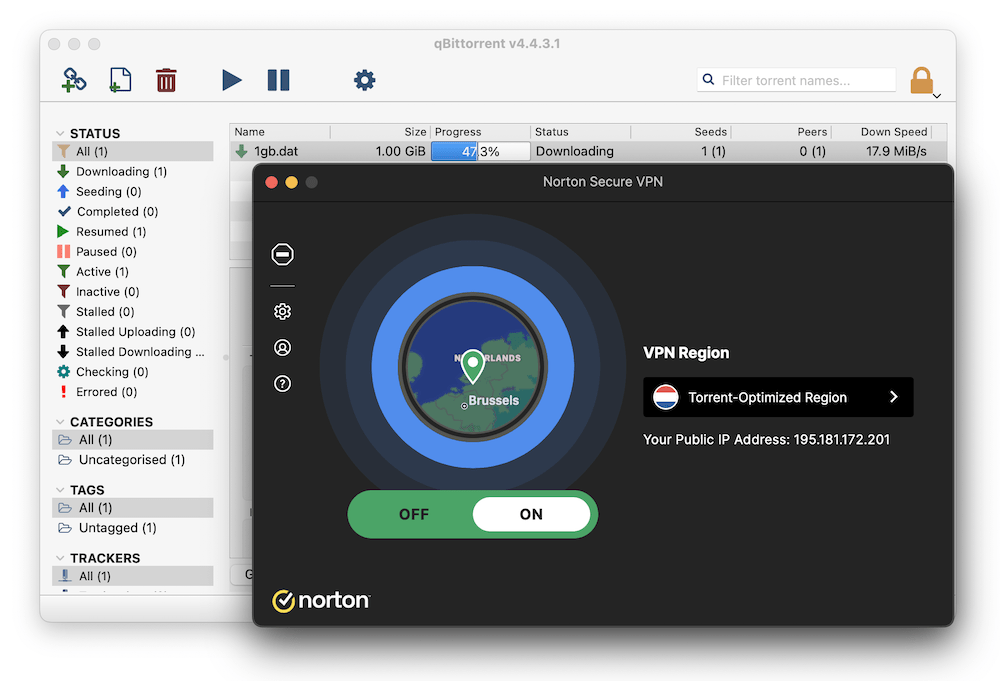
Norton VPN downloaded our torrent files quickly.
Here’s how quickly we downloaded a 20GB torrent with and without the VPN:
| VPN Server | ||
|---|---|---|
| No VPN | ||
| Norton P2P Server |
The closer you are to the Netherlands server, the better your speeds. If you’re far away, expect slower performance.
If you’re outside the US, TorGuard is a good alternative with fast P2P speeds and port forwarding.
Device Compatibility
Norton Secure VPN is only available on Windows, macOS, iOS, and Android. The iOS and macOS apps miss key features like split tunneling. There are no apps for other platforms, including Fire TV or Linux, and it can’t be installed on a router.
| Windows | Yes |
|---|---|
| Mac | Yes |
| iOS | Yes |
| Android | Yes |
| Linux | No |
| Amazon Fire TV | No |
| Android TV | No |
| Apple TV | No |
| Router | No |
| Chrome | No |
Simultaneous Connections: 5
Here are a few differences between Norton’s VPN apps:
| Device | Norton 360 App | Kill Switch | Split Tunneling | Tracker Blocker | WireGuard |
|---|---|---|---|---|---|
| Windows | ✓ | ✓ | ✓ | ✓ | ✓ |
| macOS | ✓ | ✓ | ✗ | ✓ | ✓ |
| iOS | ✗ | ✓ | ✗ | ✓ | ✗ |
| Android | ✓ | ✓ | ✓ | ✓ | ✗ |
We’re glad Norton is moving toward feature parity, but with so few apps, there’s little reason for such differences at this point.
Depending on your plan, Norton allows installation on one, five, or ten devices at once. A device counts toward the limit even if it isn’t connected, which can be frustrating.
Norton uses this approach across its products, not just the VPN. It’s confusing compared to most VPNs, and we wish Norton would simplify its device plans.
Not Available on Many Platforms
There’s no way to use the VPN on other devices, including Fire TV and Linux. There’s no manual router setup either.
Norton doesn’t offer Smart DNS, so you can’t stream geo-blocked content on devices that don’t support VPNs, like many Smart TVs.
Norton Secure VPN also lacks browser extensions for Chrome or Firefox.
Given Norton’s resources, it should follow superior competitors like NordVPN and at least add apps for streaming devices and Linux. Since Norton has ignored Linux for its flagship antivirus, we’re not optimistic.
It’s also unfortunate there’s no way to use Norton Secure VPN with Smart TVs or streaming devices, especially since streaming is one of its few strengths.
Additional Features
Norton VPN offers a modest set of features, including split tunneling, an ad and tracker blocker, and 24/7 chat support. It lacks multi-hop, dedicated IPs, and obfuscation. Despite this, we regularly bypassed the Great Firewall of China.
| Additional Feature | Norton Secure VPN |
|---|---|
| Split Tunneling | Yes |
| VPN Obfuscation | No |
| Multi-Hop Servers | No |
| Dedicated IP | No |
| Ad Blocker | Yes |
Works in China Without Obfuscation
Norton support told us “Norton Secure VPN will not work in China.” Despite that, we bypassed the Great Firewall on every server we tested from our Shanghai location.
We connected within 10 seconds each time, which is faster than some other VPNs.
There are also nearby servers, like Hong Kong, for faster speeds and lower latency.
The downside is the lack of obfuscation or anti-censorship tools. We’d like Norton to add options like Shadowsocks or Obfsproxy.
Split Tunneling for Android & Windows Only
Norton VPN includes split tunneling on Android and Windows. This lets you exclude specific apps from the VPN tunnel, such as banking or weather apps.
One of the Worst VPN Ad Blockers
All Norton VPN apps include an ad and tracker blocker designed to prevent websites from monitoring your activity.
We tested Norton Secure VPN’s Ad Tracker Blocking and found it blocks only 48% of ads and trackers.
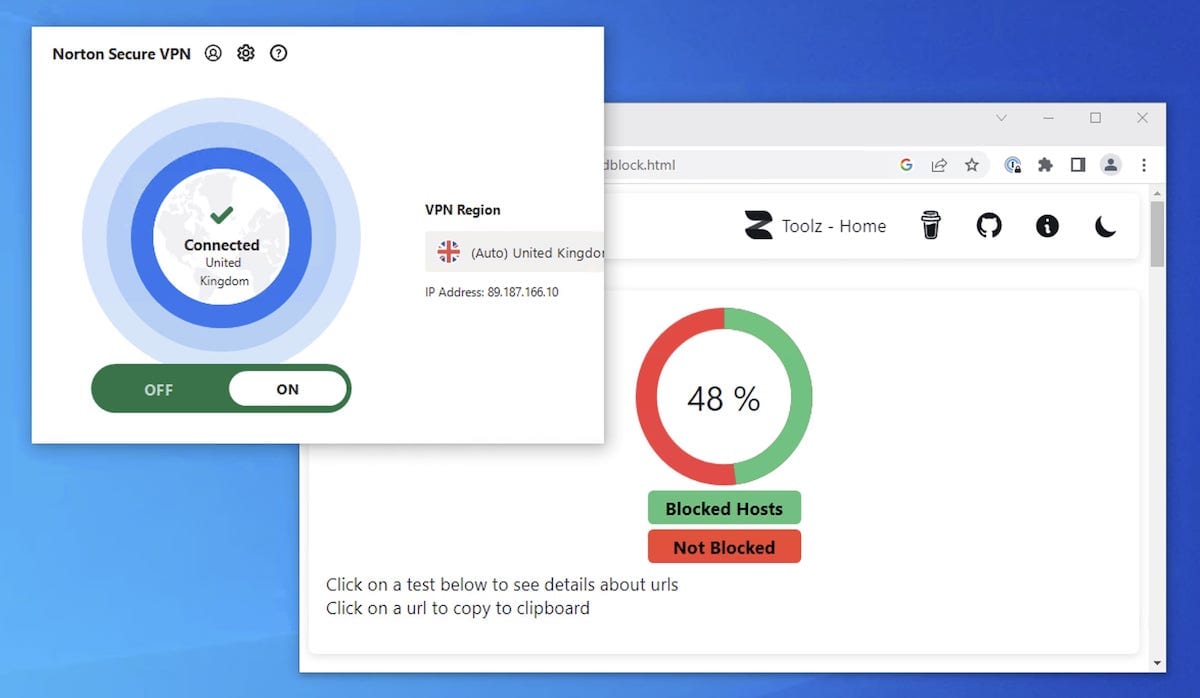
The very best VPN ad blockers score over 90% on this test.
While better than nothing, this is one of the least effective VPN ad blockers by far.
Norton Secure VPN Key Data
| Attribute | Norton Secure VPN | Typical VPN |
|---|---|---|
| Owner | Norton | Independent |
| Launch Date | 2019 | 2015 |
| Local Download Speed | 90Mbps (10% loss) | 89Mbps (11% loss) |
| International Download Speed | 88Mbps (12% loss) | 80Mbps (20% loss) |
| Countries with Servers | 29 | 40 |
| Privacy Policy | Excessive Logs | Identifiable Data |
| Simultaneous Connections | 5 | 10 |
| Netflix Libraries | 1 | 3 |
| Torrenting | Yes | Yes |
| Works In China? | Yes | No |
| Cheapest Price | 3.33/mo over 12 months | $3.87/mo over 24 months |
| Customer Support | Live Chat | |
| Apps & Extensions |
          |
|
Price
Price Plans
| 12 months | $39.96 ($3.33/mo) |
|---|
Free Trial
| Money-Back Guarantee | 60 days |
|---|---|
| Free Trial | 7 days (mobile only) |
| 100% Free Plan | No |