
Hotspot Shield: Blazing Speeds, Big Network—But Privacy Concerns
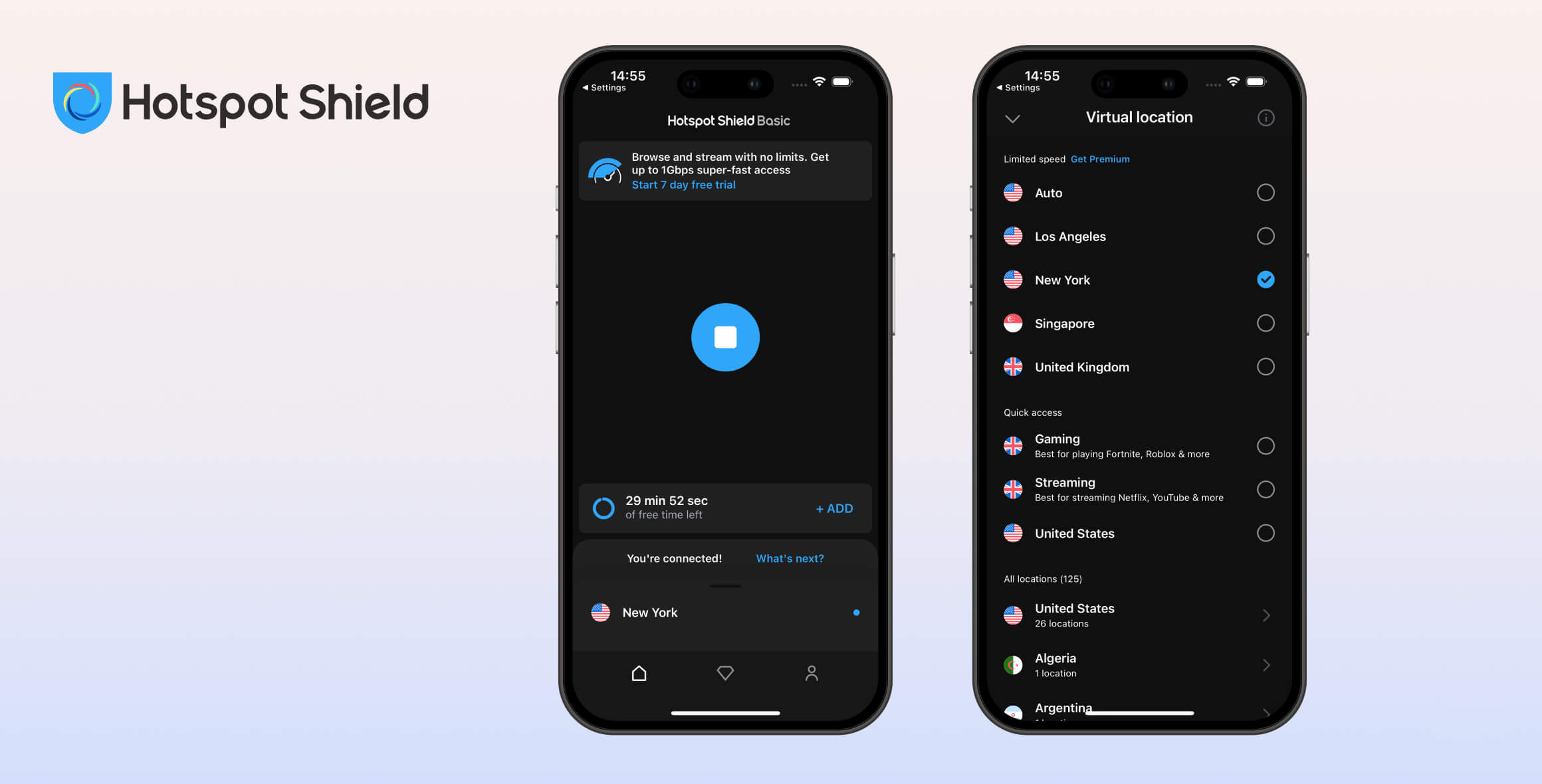
Hotspot Shield stands out for its remarkably fast speeds and large server network. Its free and premium versions both offer an easy-to-use interface and strong security, but most features are reserved for premium users. In our testing, we also found concerns about the VPN’s logging practices and unblocking performance. Overall, Hotspot Shield earned a rating of 6.5/10.
- Pros
- No data cap
- Fast speeds without throttling
- P2P file sharing allowed
- No account required
- Secure encryption
- Cons
- Only 3 server locations
- Logs sensitive user data
- Unable to access any streaming sites
- Pros
- Fastest VPN on the market
- Access to Max, US Netflix & Hulu
- Servers in 80 countries
- User-friendly, simple apps
- Good option for gamers
- Cons
- Logs too much data
- Based in the US
- No transparency reports
- Not reliable in China
- Refund is not guaranteed
Hotspot Shield has been around since 2008 and is one of the most popular VPNs on the market, offering both premium and free versions.
It’s owned by Aura, a reputable company, but you should know this before buying: we have concerns about how trustworthy Hotspot Shield is and whether you can rely on it to protect your privacy.
In this review of Hotspot Shield, we test the free and paid versions to see whether it’s a VPN you can trust, how well it unblocks geo-restricted streaming sites, and if it’s safe to use.
Privacy
Hotspot Shield cannot be trusted to protect your online privacy. It logs your bandwidth usage, connection timestamps, browsing activity, account information, and even your original IP address. The most sensitive data is aggregated and stored only for the duration of your VPN session, but this is still far too invasive, especially as Hotspot Shield is based in the US—a founding member of the Five Eyes alliance.
| Originating IP Address | Yes |
|---|---|
| Browsing Activity | Yes |
| Individual Connection Timestamps | Yes |
| Date of Last Connection | No |
| VPN Server IP | No |
| Device Information | Yes |
| Individual Bandwidth Usage | Yes |
| Account Information | Yes |
You can read Hotspot Shield’s full privacy policy on its website.
As you can see, Hotspot Shield keeps logs—many of which are sensitive and identifiable, including your real IP address.
Hotspot Shield justifies logging your IP address by saying it’s stored only for the duration of your VPN session. But it’s not necessary to store this information at any time. VPNs like Private Internet Access and Mullvad prove this.
Hotspot Shield also logs your bandwidth usage, connection timestamps, VPN server location, and originating location—and it keeps these logs indefinitely.
Your browsing data is recorded in aggregated form, which means it cannot be linked to your specific account.
Hotspot Shield Free is even less private, as using it means sharing your personally identifiable data with third-party advertisers.
Owned by Aura, Based in the US
Hotspot Shield is now owned by a company called Aura. This is a US-based company, where intrusive privacy laws apply. US authorities can compel Aura to retain and share its users’ information.
The US is also a founding member of the Five Eyes alliance—countries that work together to collect, share, and analyze mass surveillance data. None of this is good for privacy. Ideally, Hotspot Shield would be based in a country with no data retention laws, like the British Virgin Islands or Switzerland.
No Longer Releases Transparency Reports
Hotspot Shield used to release transparency reports detailing the law enforcement requests it receives and how it responds. This built trust and supported its logging claims. However, Hotspot Shield has not released a transparency report since 2019.
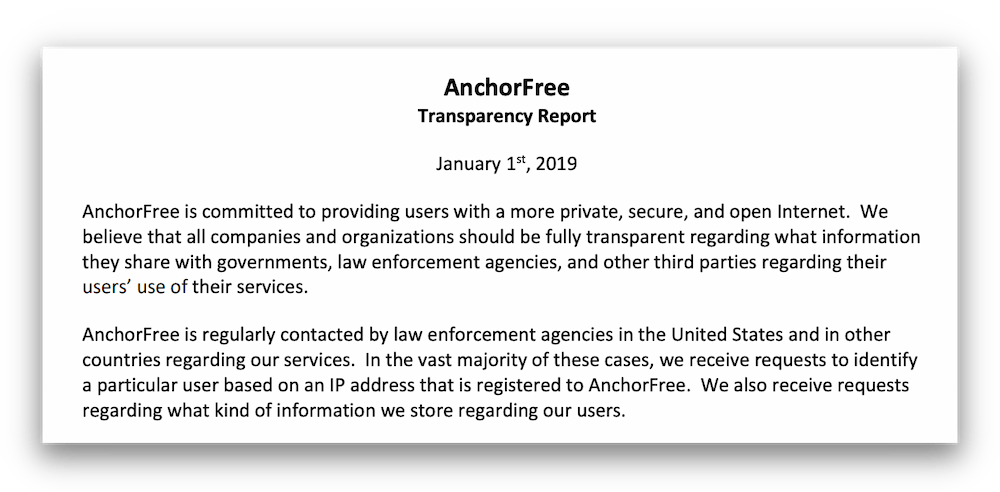
HSS last published a transparency report in 2019, under different ownership.
With no transparency reports and no independent audit, there is no evidence to support Hotspot Shield’s privacy protection claims, and therefore it cannot be fully trusted.
Hotspot Shield’s Controversial History
There have been a number of controversies surrounding Hotspot Shield:
- In 2016, a CSIRO report highlighted questionable practices by Hotspot Shield. The Android app was “injecting JavaScript codes for advertising and tracking purposes,” meaning Hotspot Shield used tracking codes to collect information about users and sell data to advertisers.
- In 2017, the Center for Democracy and Technology (CDT) accused Hotspot Shield’s free version of “unfair and deceptive practices.” Essentially, Hotspot Shield overstated the privacy and security benefits of its VPN, even arguing that collecting your IP address is not personal information.
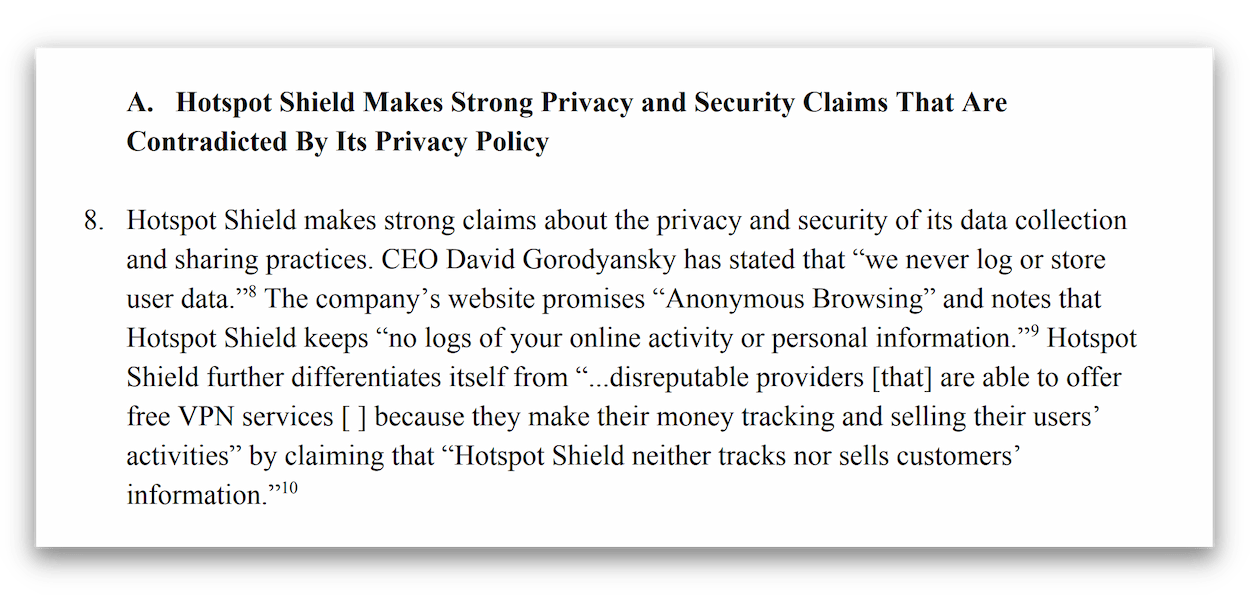
An excerpt from the complaint made against Hotspot Shield by the CDT.
- In 2018, an independent researcher found and reported a bug with Hotspot Shield that leaked users’ personal data, including location and Wi-Fi name. Hotspot Shield eventually acknowledged the accuracy of this report.
It’s hard to trust a company with such a checkered history. However, Hotspot Shield has since come under new ownership and its privacy policy has been revamped. It now clearly shows users what data the VPN does and does not collect, and how the free app is used for advertising.
Overall, based on Hotspot Shield’s current logging policy, its US jurisdiction, its refusal to provide transparency reports or audits, and a history of selling user data, we have to say that Hotspot Shield cannot be 100% trusted to protect your privacy.
Streaming
Hotspot Shield Premium unblocks most major geo-restricted streaming services, including US Netflix, Hulu, HBO Max, Disney+, and Amazon Prime Video—but you may need to try a few servers before finding one that works. British TV is also accessible via its UK servers. However, Hotspot Shield Free doesn’t unblock any streaming services at all.
| Streaming Service | Works with Hotspot Shield Basic (Free) | Works with Hotspot Shield |
|---|---|---|
| BBC iPlayer (UK) | No | Yes |
| DAZN (Canada) | No | No |
| Disney+ (UK) | No | No |
| Hulu (US) | No | Yes |
| ITVX (UK) | No | Yes |
| HBO Max (US) | No | Yes |
| Netflix (US) | No | Yes |
| Netflix (UK) | No | Yes |
| Prime Video (US) | No | Yes |
| Sky Go (UK) | No | Yes |
Unblocks Most Global Streaming Sites
Our streaming tests show that Hotspot Shield Premium works to access most geo-blocked streaming sites, including six Netflix libraries (including the US), HBO Max, Hulu, and Amazon Prime Video.
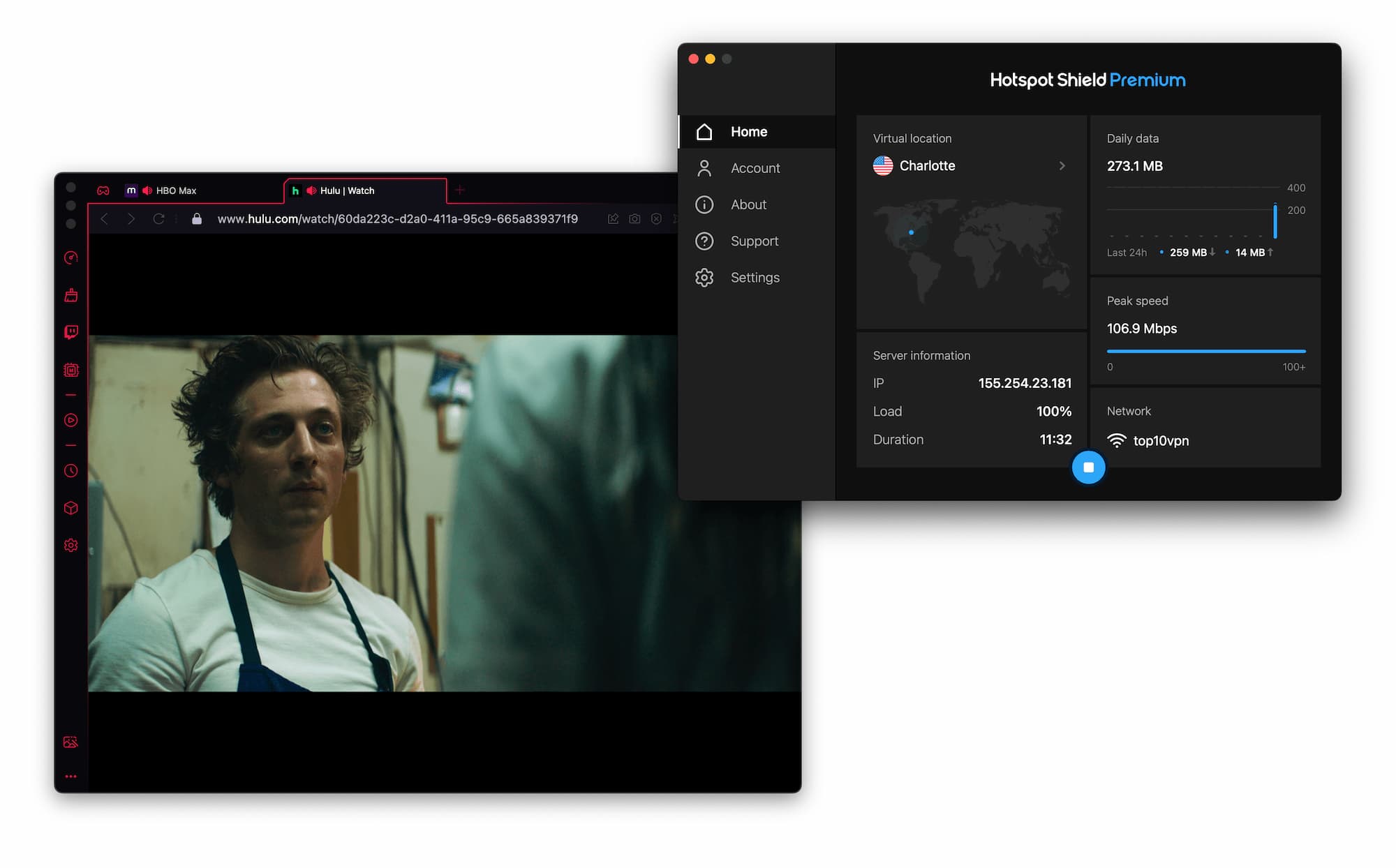
You can watch Hulu and other US streaming sites using HSS Premium.
It’s also useful for watching British TV on sites like BBC iPlayer, ITVX, and Channel 4. However, Hotspot Shield does not work with Hotstar. This is disappointing, as the best VPNs for streaming unblock every platform.
Hotspot Shield Free Does Not Unblock Streaming Sites
Hotspot Shield Free performs very poorly as a streaming VPN. We tested it with every major streaming site and it failed to unblock all of them. For a free streaming VPN, we recommend Windscribe Free instead.
Speed
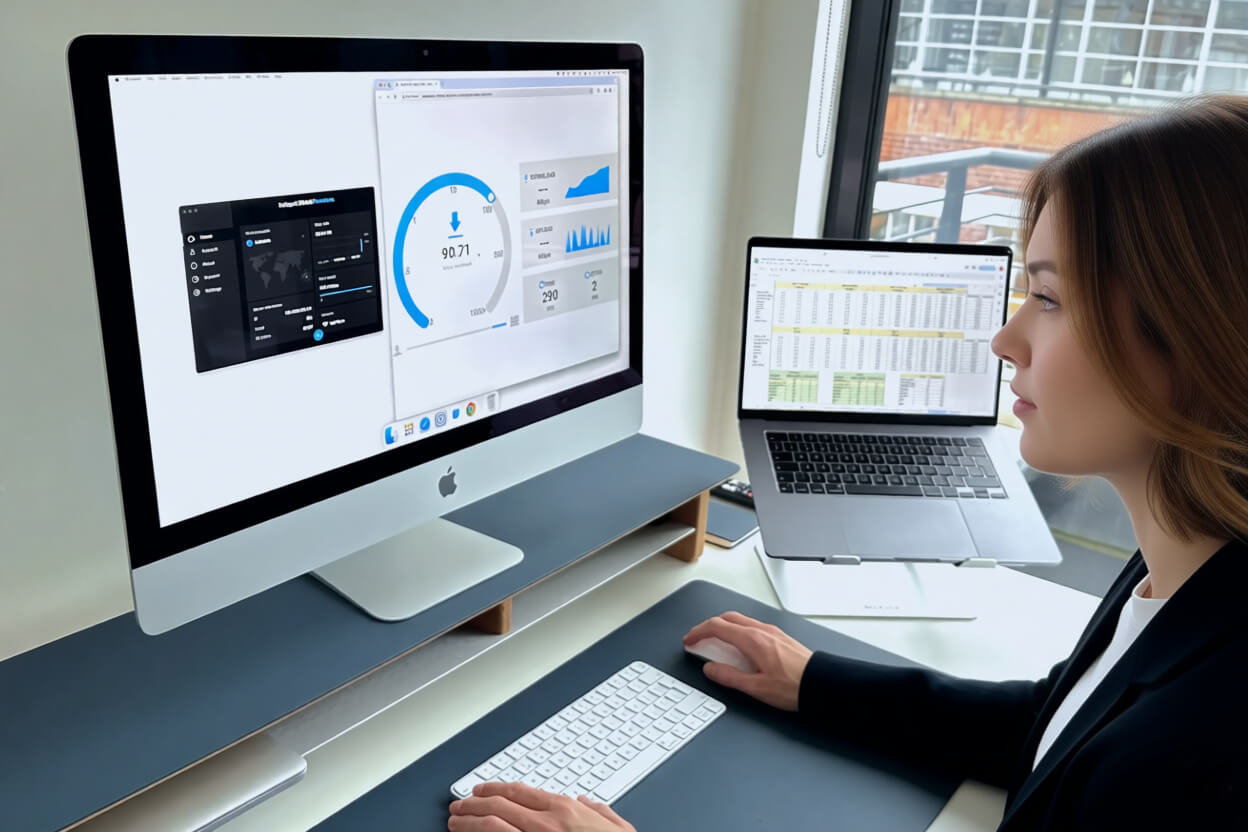
Hotspot Shield is the gold standard when it comes to VPN speed. It’s the fastest VPN we’ve tested, with almost no difference between a Hotspot Shield connection and your normal internet. This holds true wherever in the world you connect. UHD (4K) streams without buffering, ping is very low, and files can be shared quickly. Hotspot Shield Free is also very fast but is limited to four server locations.
We assessed the impact that Hotspot Shield has on our normal 100Mbps internet speed by connecting to servers across six continents. Here are the full results:
| No VPN (New York) | US (New York) | Canada (Toronto) | US (Los Angeles) | UK (London) | Germany (Berlin) | Brazil (São Paulo) | Japan (Tokyo) | South Africa (Johannesburg) | Australia (Sydney) | |
|---|---|---|---|---|---|---|---|---|---|---|
| Server Location |  |
|
 |
|
 |
 |
 |
 |
 |
 |
| Download Speed | 100Mbps | 99Mbps | 100Mbps | 100Mbps | 99Mbps | 99Mbps | 98Mbps | 99Mbps | 99Mbps | 99Mbps |
| Upload Speed | 100Mbps | 90Mbps | 91Mbps | 61Mbps | 56Mbps | 47Mbps | 37Mbps | 30Mbps | 18Mbps | 30Mbps |
| Ping | 1ms | 4ms | 22ms | 67ms | 80ms | 90ms | 112ms | 145ms | 600ms | 217ms |
| Distance | 0mi | 5mi | 300mi | 2,500mi | 3,500mi | 4,000mi | 4,800mi | 6,700mi | 8,000mi | 9,900mi |
As you can see, there is almost no difference between your normal internet connection and a Hotspot Shield connection, regardless of which server we used. This is very impressive.
Hotspot Shield’s download speeds were exceptionally fast in our tests.
When connecting to a UK server, we experienced only a 1% speed loss. For long-distance connections, it doesn’t get better than that. Our biggest speed loss came from connecting to Brazil, where we saw a 63% drop from our normal internet.
To put these results in context, use the bar chart below to compare Hotspot Shield’s speeds to other fast VPNs, including ExpressVPN, NordVPN, and Hide.me:
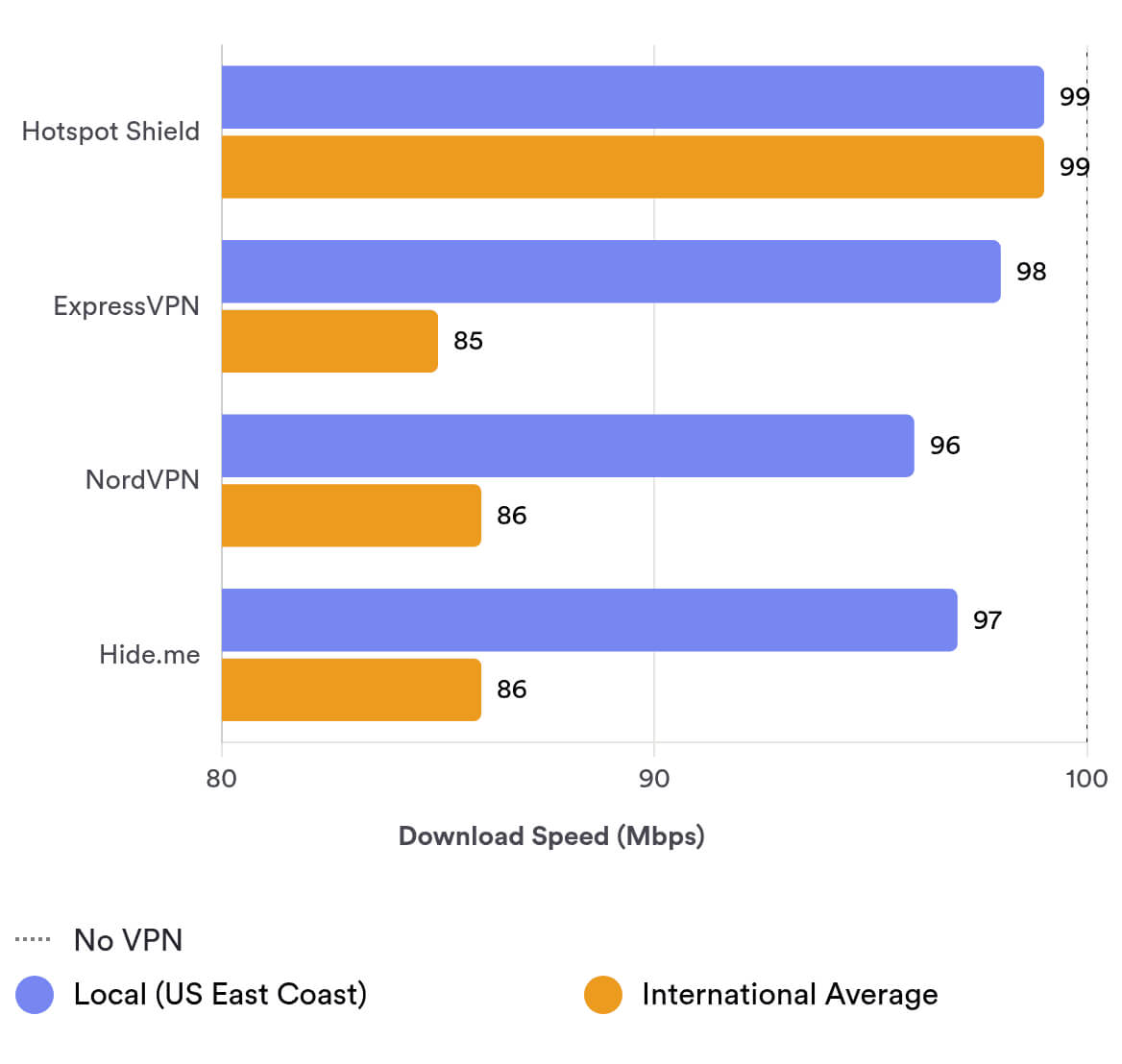
Hotspot Shield achieves these speeds through its exclusive connection protocol, Hydra VPN. This protocol is designed to reduce latency issues common with other protocols, like OpenVPN.
Hotspot Shield Free Is Also Fast
Hotspot Shield Free is almost as fast as the Premium version, but it’s limited to four servers.
For example, Hotspot Shield Free’s local New York connection matched the Premium version, and connecting to a long-distance server in the UK produced the same result — we saw speeds of 97Mbps.
Hotspot Shield Free and Premium only differed significantly in our tests when connecting to the US West Coast, where we measured 72Mbps on Free versus 100Mbps on Premium.
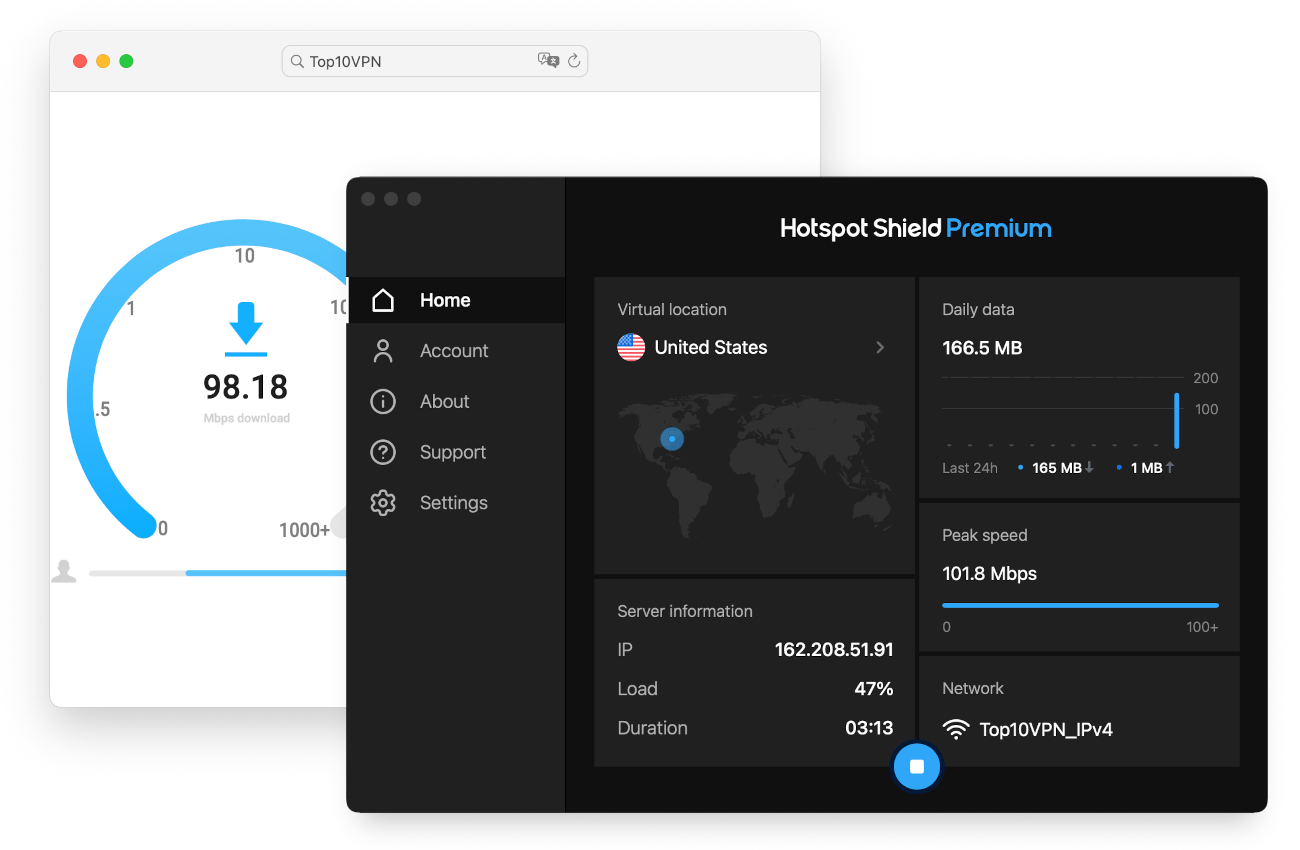
We tested both versions of Hotspot Shield on our own unbiased speed test tool.
Hotspot Shield’s Low Latency Is Good for Gamers
Hotspot Shield’s top speeds and low ping make it a good VPN for gaming, too. This is especially true on its mobile apps, which include gaming-optimized servers.
Connecting to a local server, we saw a ping time of 6ms. This allowed us to play online games over a VPN without any lag.
Security
Despite its privacy shortcomings, Hotspot Shield is safe to use from a security standpoint. It includes an industry-standard security suite with the AES-256 encryption cipher and the leading WireGuard protocol. However, there is no kill switch on macOS, and the browser extensions leak identifying data.
| Independent Audit | No |
|---|---|
| VPN Kill Switch | Yes |
| Leak Protection | No |
WireGuard, IKEv2 & Hydra Protocols Available
Hotspot Shield includes the common WireGuard and IKEv2 protocols, as well as its proprietary protocol called Hydra (formerly Catapult Hydra).
Hydra was developed by Hotspot Shield to deliver very fast speeds, and our tests show that it works. In terms of security, Hydra is safe: it is based on TLS 1.2 and uses 128-bit AES encryption, 2048-bit RSA certificates for server authentication, and perfect forward secrecy.
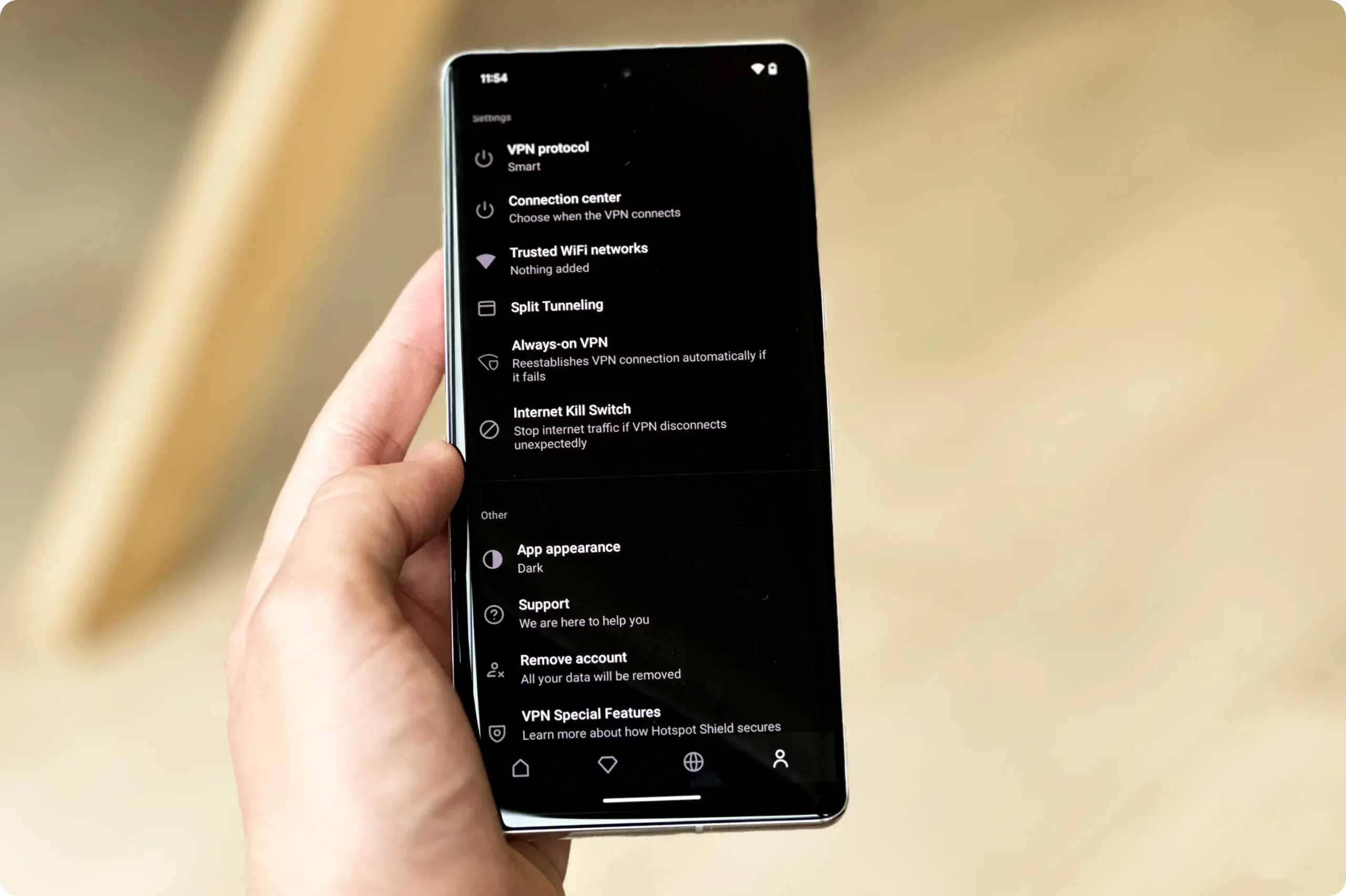
Hotspot Shield comes with a number of different protocols ands security settings.
However, the problem with closed-source proprietary technology like Hydra is that independent experts can’t fully examine it. Hotspot Shield says the code is assessed by experts from cybersecurity firms like Bitdefender and McAfee. If you trust this, you can use Hydra without concern. If not, it’s better to use WireGuard.
We typically recommend WireGuard or OpenVPN because they are secure and open-source. But Hotspot Shield does not include OpenVPN in its list of protocols, preferring to promote its Hydra protocol.
Hotspot Shield Passed Our Encryption Test
We tested whether Hotspot Shield actually encrypts your traffic by analyzing it with the packet-sniffing tool Wireshark. If Hotspot Shield did not encrypt our data, Wireshark would show the websites we visited.
As you can see in the image below, our test found that all incoming and outgoing network packets were encrypted, and none of the websites we visited were decipherable.
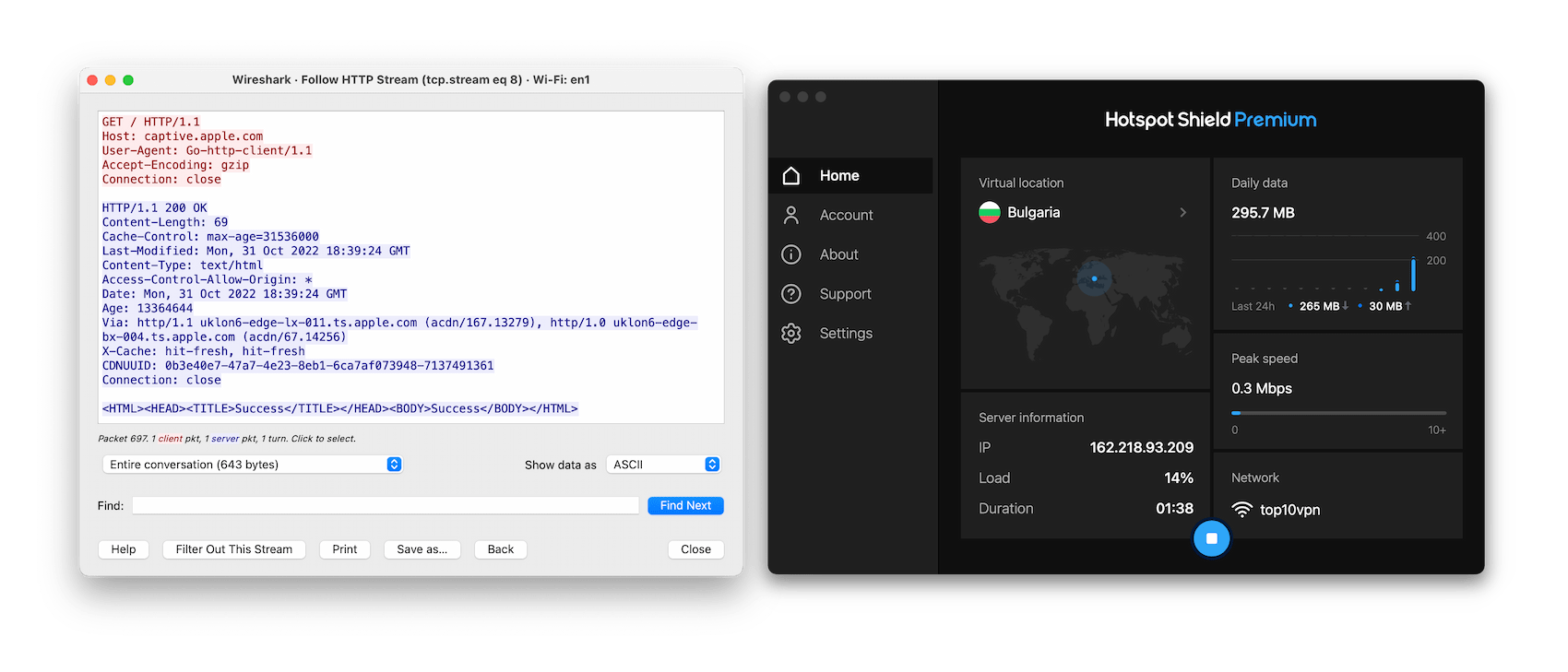
Hotspot Shield successfully encrypts all of your network traffic.
No IP, DNS, or WebRTC Leaks
We tested the Hotspot Shield apps using our in-house tool to check for data leaks. The results were safe: no IP, DNS, or WebRTC leaks were recorded, and our real IP address remained hidden throughout.
However, Hotspot Shield does not support IPv6 traffic, so you risk exposing personal data on IPv6 connections. Other VPNs like Hide.me offer a dual-stack solution to this issue, and others like Surfshark simply block IPv6 traffic to prevent leaks.
Browser Extensions Failed Our Leak Test
While the Hotspot Shield apps were leak-free, the same isn’t true for its Chrome browser extension. Our tests showed that the Chrome extension leaks DNS requests — even with the WebRTC leak blocker enabled.
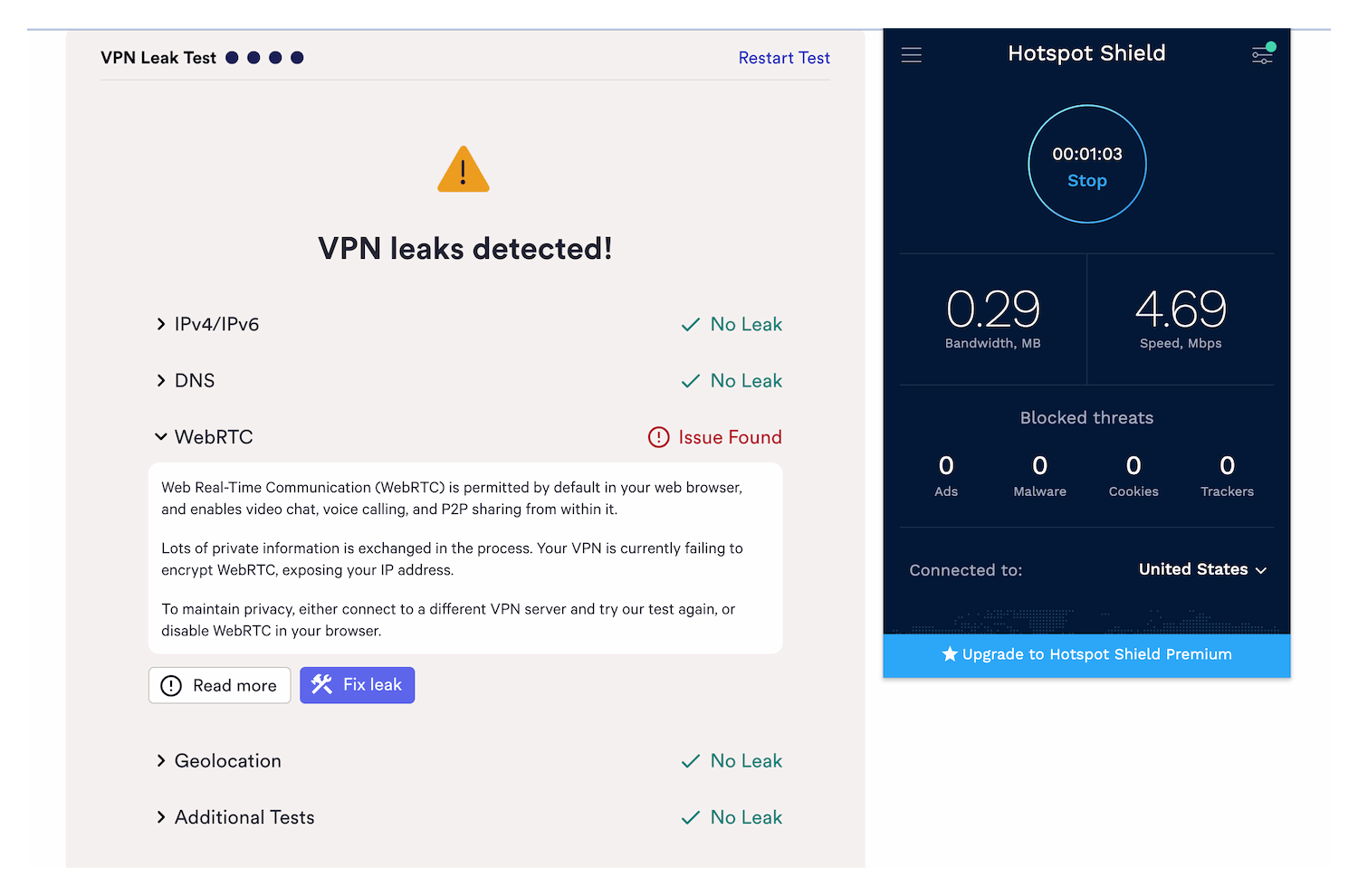
Hotspot Shield’s browser extension leaks WebRTC.
This means your ISP can still see the websites you visit when connected via the Chrome extension. We recommend avoiding Hotspot Shield’s browser extension.
No Kill Switch on macOS
Hotspot Shield does not have a kill switch for macOS — not even an automatic one running in the background. We tested it with our kill switch test tool and found that our real IP address was exposed whenever we changed servers or triggered an unexpected internet disconnection.
Thankfully, the kill switch works properly on other apps. However, it’s not enabled by default, so you should turn it on.
Server Locations
Hotspot Shield offers many server choices, with 1,800 virtual servers in 80 countries. The network is less Western-centric than most other VPN services, with South America, the Middle East, and Asia relatively well represented. Still, other VPNs like ExpressVPN offer more IP addresses in more countries. Hotspot Shield Free, on the other hand, is restricted to only four countries.
| Continent | Hotspot Shield Basic (Free) Countries with Servers |
Hotspot Shield Countries with Servers |
|---|---|---|
| Europe | 1 | 40 |
| Asia | 1 | 21 |
| North America | 1 | 6 |
| South America | 0 | 9 |
| Africa | 0 | 3 |
| Oceania | 0 | 2 |
Like all VPNs, most of Hotspot Shield’s servers are in North America and Europe. However, there are more options in Asia, the Middle East, and Africa than usual. It’s refreshing to see servers in countries like Algeria, Bhutan, Pakistan, Nepal, and Peru.
There are city-level options in seven countries, including Australia, Canada, France, Italy, Spain, the UK, and the US.
It’s a shame that Hotspot Shield’s city servers are all in Western countries, but it’s still a solid number of city options — especially in the US, where there are 25 available cities.
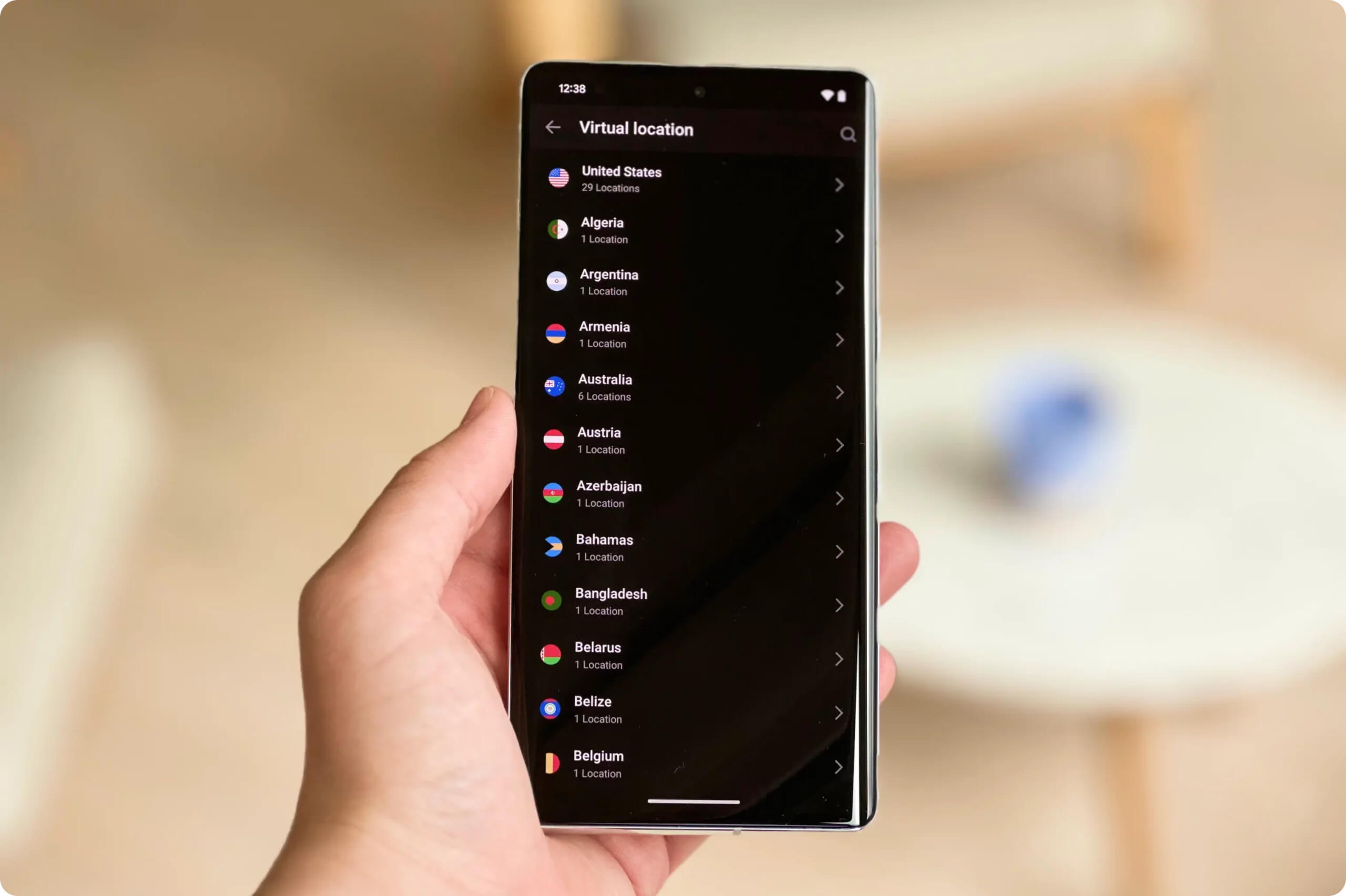
Hotspot Shield has a large and diverse server network.
Hotspot Shield does not disclose how many individual IP addresses it maintains, but it can offer IPs in various parts of the globe because it uses virtual servers. This means it doesn’t have physical hardware in the country but can still unblock geo-restricted content.
Hotspot Shield shares its server network with Betternet, TouchVPN, and VPN360. This is unusual, as it means the network is used by many more users, potentially leading to congestion. Furthermore, as a paying Hotspot Shield subscriber, it seems unfair that free VPNs have access to the same network.
Hotspot Shield Free Limited to Four Countries
Hotspot Shield Free’s server network is much smaller than the Premium version. It has servers on the US East Coast (New York), US West Coast (Los Angeles), the UK, and Singapore.
This is very limited, well below the 10 free countries available from Windscribe Free.
User Experience
Hotspot Shield’s applications are a pleasure to use thanks to their simple interface and sleek design. Nothing is complicated, and the apps are mostly consistent with each other in features and design. However, we encountered far too many CAPTCHAs while testing the VPN, and the macOS app lacks the customization and shortcut options available on Windows.
Hotspot Shield’s apps are simple, well designed, and mostly consistent across devices.
Here’s an overview of our experience using Hotspot Shield on different devices and operating systems:
Desktop & Laptop (Windows & macOS)
Hotspot Shield is more customizable on Windows than on macOS, with options for auto-connect, minimize to tray, and start on launch.
There are also useful keyboard shortcuts on Windows, such as for VPN connection and disconnection (Ctrl + Shift + C). This is a rare feature that makes the user experience more efficient.
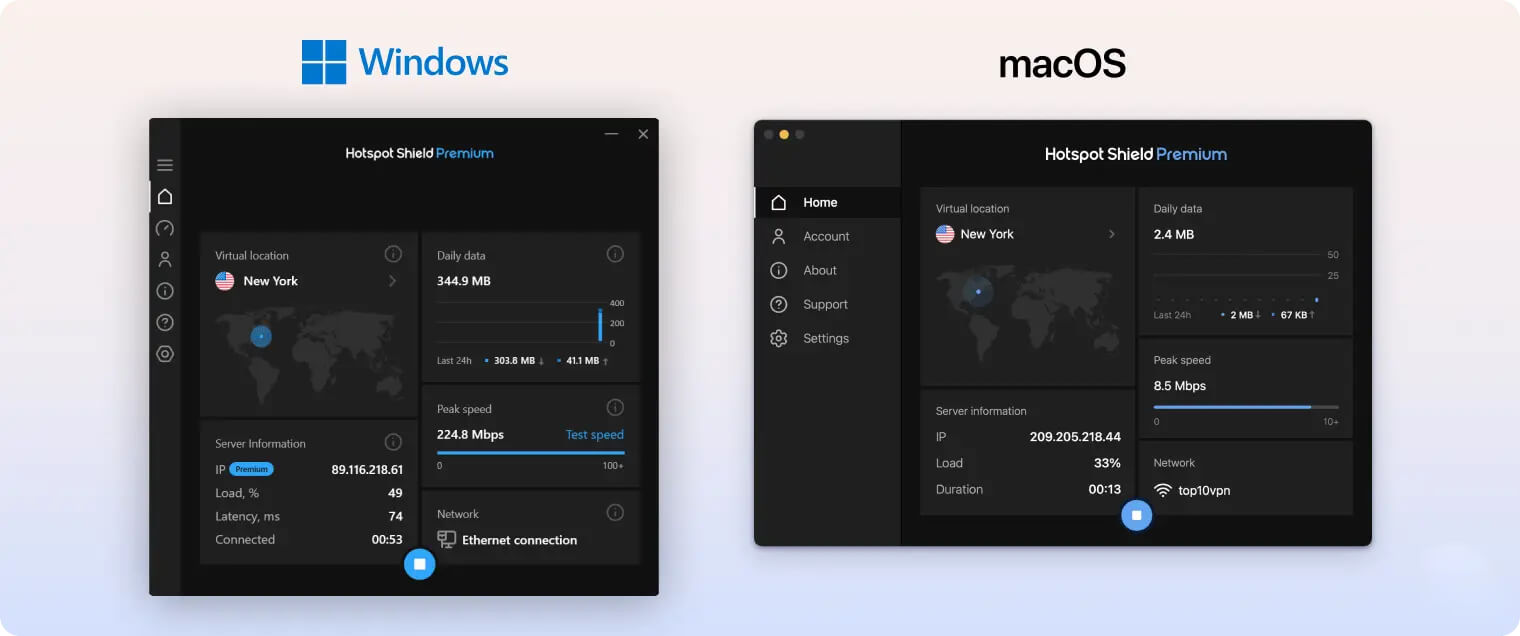
The macOS app has none of these features and is much more minimal. It consists of a main connect button, a list of servers, and a settings menu that includes protocol choices and split tunneling. Beyond split tunneling, there are no customization options, and you cannot resize the window.
This might appeal to users who want a simple click-and-protect experience, but seasoned users wanting full control may prefer the Windows version or a different VPN altogether.
Neither app is complicated, and both include useful split tunneling (on the Hydra protocol only).
Mobile (iPhone & Android)
Hotspot Shield’s mobile apps are even simpler than its desktop clients, with a large connect button, a server list, and an almost identical settings menu.
The biggest difference between the desktop and mobile apps is the inclusion of streaming and gaming servers on mobile.
The iOS and Android apps are nearly identical. They are equally smooth and easy to use.
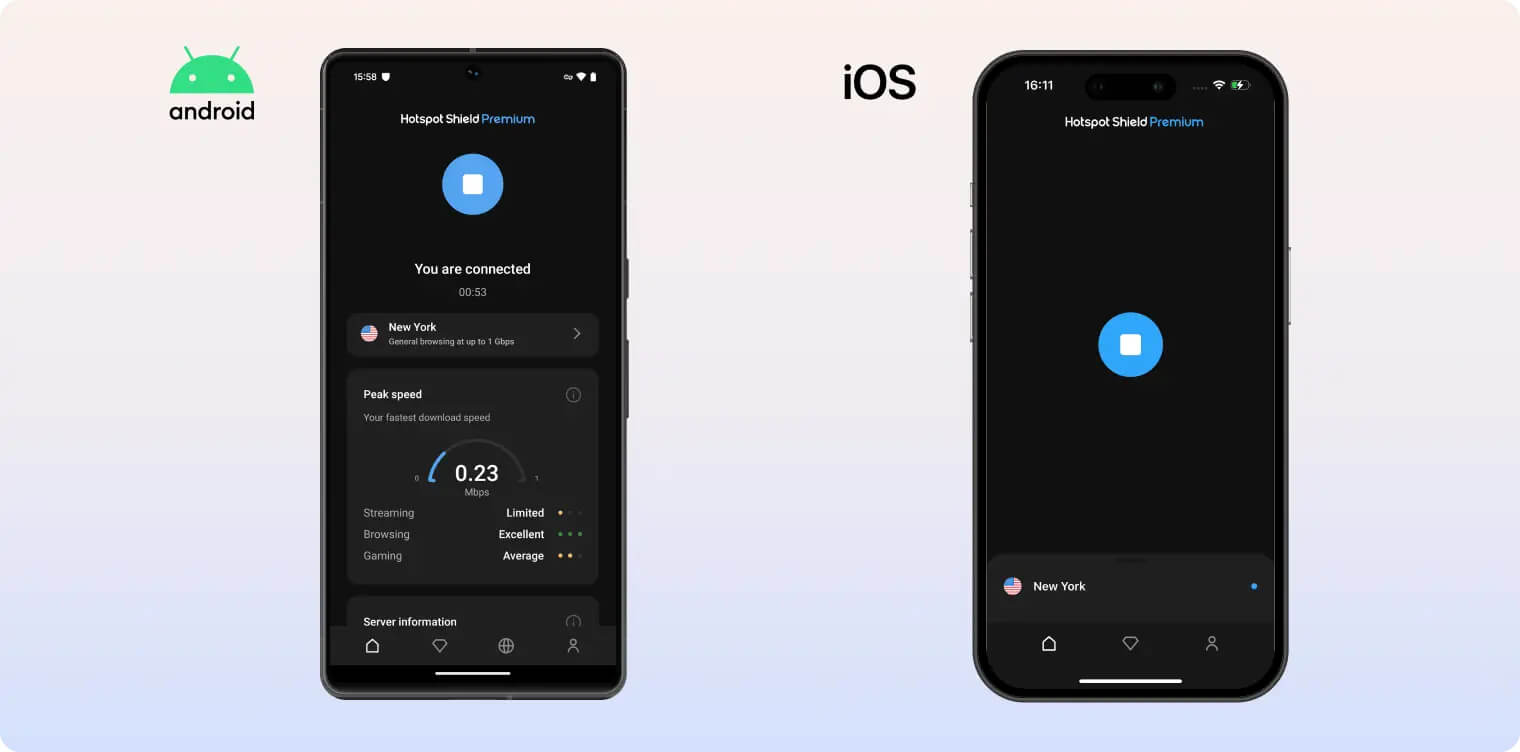
The only difference is the addition of Always-On VPN on iOS, a technical feature that ensures you don’t use apps or visit websites without Hotspot Shield’s protection.
Lots of CAPTCHAs
We ran into many CAPTCHAs when browsing the web with Hotspot Shield. CAPTCHAs occur when a VPN doesn’t refresh its IP addresses and their overuse gets flagged as suspicious. Frequently proving your humanity gets tiresome quickly, and we found it frustrating.
Hotspot Shield should update its IP address pool. The option to get a dedicated IP address would also help, but this isn’t available in any of Hotspot Shield’s subscription plans.
Torrenting
While P2P traffic is permitted on all of Hotspot Shield’s servers, we are concerned about the VPN’s intrusive logging policy and the absence of a kill switch on macOS. Its average download bitrate is much slower than other VPNs, and there’s no port forwarding option.
| Torrenting Attribute | Hotspot Shield Basic (Free) | Hotspot Shield |
|---|---|---|
| Permits P2P Traffic | No | Yes |
| Average Download Bitrate | 5.3MiB/s (47% loss) | 4.3MiB/s (57% loss) |
| Countries with P2P Servers | 3 | 80 |
| Port Forwarding | No | No |
| Kill Switch | Yes | Yes |
| Logging Policy | Excessive Logs | Excessive Logs |
Hotspot Shield openly endorses torrenting on its service, but we don’t recommend it due to the VPN’s slow average download bitrate, its intrusive logging policy, and the lack of a macOS kill switch. Torrenting with Hotspot Shield is not without risk.
When testing Hotspot Shield with torrent clients like qBittorrent and uTorrent, we recorded an average download bitrate of 4.3MiB/s. This is a low result that can lead to slow file sharing, especially compared to top-rated torrenting VPNs.
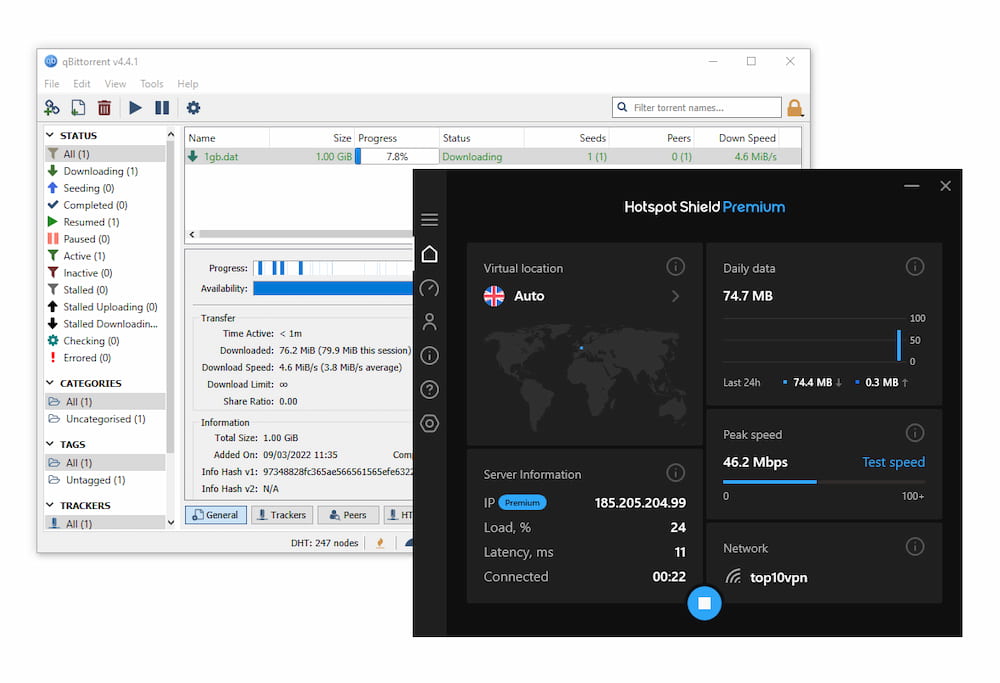
Hotspot Shield Premium allows you to torrent while using the VPN.
From a privacy standpoint, we’re concerned by Hotspot Shield’s intrusive logging policy that collects a lot of user data. We have no idea how many DMCA requests Hotspot Shield receives and responds to, since it has stopped publishing transparency reports.
Furthermore, there is no kill switch on macOS, so your real IP may get exposed accidentally. Finally, Hotspot Shield does not offer port forwarding — another reason to avoid it if you’re an advanced torrenter.
Device Compatibility
Hotspot Shield Premium is available as a VPN app on most major devices and platforms, including macOS, Windows, iOS, and Android. It also has apps for Android TV, Fire TV Stick, and Linux. There is a five-device limit to each Hotspot Shield subscription, which is less than leading VPNs like Surfshark and PIA. Unfortunately, there is no Smart DNS and the free version is limited to one-device only.
| Windows | Yes |
|---|---|
| Mac | Yes |
| iOS | Yes |
| Android | Yes |
| Linux | Yes |
| Amazon Fire TV | Yes |
| Android TV | Yes |
| Apple TV | No |
| Router | No |
| Chrome | Yes |
Simultaneous Connections: 5
You can install and use Hotspot Shield on up to five devices at the same time. This matches the industry norm, but competitors like Surfshark, PIA, and IPVanish offer unlimited connections.
However, Hotspot Shield does not include a Smart DNS option to make streaming on devices like smart TVs and game consoles easier. For this, consider ExpressVPN’s MediaStreamer.
Browser Extensions
These extensions are easy to add to your browser. They spoof your location and can block ads, cookies, malware, and trackers.
However, unlike the full VPN app, browser extensions only protect traffic within the browser where they are installed, not your entire device.
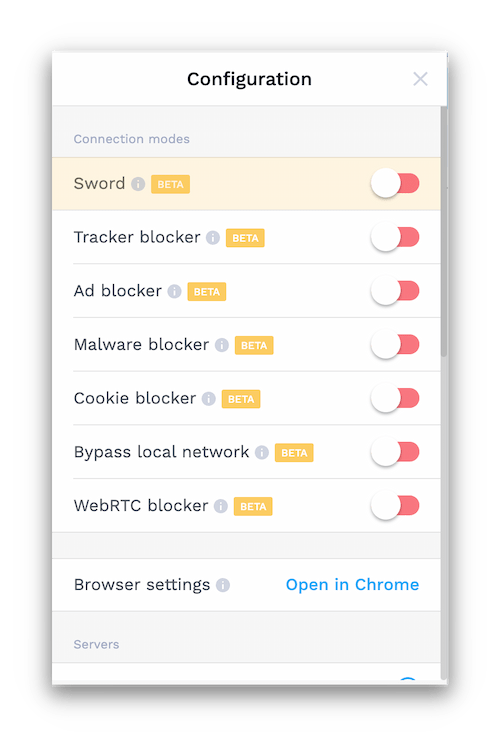
Hotspot Shield’s browser extensions have a number of features but leak data.
A unique feature called “Sword” feeds fake web activity to trackers. There’s also Auto-Protect and a Bypass list, which let you choose which websites are automatically encrypted. You can find this in the extension’s main settings under “Browser Settings,” which opens in a new tab.
Even so, we recommend avoiding these extensions because our security tests showed they leak data.
Strangely, Hotspot Shield no longer offers a Firefox extension, despite having one previously that tested well.
Technically, you can install the Chrome extension on Opera via the Chrome Web Store, but in our testing it did not work properly.
Additional Features
Hotspot Shield offers very few extra features beyond split tunneling and live chat support. We’d like to see an ad and tracker blocker, multi-hop servers for added security, and a more reliable anti-censorship mode. These omissions put HSS behind its competitors.
| Additional Feature | Hotspot Shield Basic (Free) | Hotspot Shield |
|---|---|---|
| Split Tunneling | No | Yes |
| VPN Obfuscation | Yes | Yes |
| Multi-Hop Servers | No | No |
| Dedicated IP | No | No |
| Ad Blocker | No | No |
Not Reliable Against Censorship
Unlike many VPN websites, we actually test VPNs against some of the toughest censorship in the world: China’s Great Firewall.
Using our server in Shanghai, Hotspot Shield only allowed access to the open internet 14% of the time over the past year.
This is surprising, as Hotspot Shield claims its proprietary Hydra protocol includes obfuscation designed to make VPN traffic look like regular web traffic and bypass blocks.
Hotspot Shield may work in countries with less aggressive censorship, such as Russia and Iran. Still, our data shows there are more dependable options.
Astrill VPN, for example, has a 100% success rate for bypassing Chinese censorship and remains the best VPN for China.
On the other hand, if you need a Chinese IP address to access China-only services, Hotspot Shield is one of the few providers offering a virtual China server location.
Live Chat Support Is Reserved for Paying Customers
Hotspot Shield provides 24/7 live chat with knowledgeable and timely responses. This is the best way to get help, but you must be a paying subscriber to access it.
This makes getting simple answers slower if you’re not subscribed, as you’re required to log in.
Hide.me and Surfshark offer helpful live chat without requiring proof of subscription. At a minimum, Hotspot Shield could provide a chatbot for quick, interactive support.
You should be able to find answers to basic questions in Hotspot Shield’s knowledge base and FAQs, which are fairly comprehensive and easy to navigate.
Beyond that, Hotspot Shield’s support is minimal. There are no video guides or online community resources. It lags behind the accessible, expert support offered by VPNs like Hide.me and ExpressVPN.
Features We’d Like to See
We’d like Hotspot Shield to strengthen its security and privacy offering. Here are features that would help:
- Dedicated IP addresses to reduce CAPTCHAs.
- Multi-hop (Double VPN) servers for extra protection.
Hotspot Shield Basic Key Data
| Attribute | Hotspot Shield Basic | Typical Free VPN |
|---|---|---|
| Owner | Aura | Independent |
| Launch Date | 2008 | 2015 |
| Safe to Use | Yes | No |
| Data Cap | Unlimited | 10GB per month |
| Payment Details Required | No | No |
| Account Required | No | Yes |
| Contains Ads | No | Yes |
| Local Download Speed | 98Mbps (2% loss) | 61Mbps (39% loss) |
| International Download Speed | 97Mbps (3% loss) | 55Mbps (45% loss) |
| Countries with Servers | 3 | 4 |
| Privacy Policy | Excessive Logs | Identifiable Data |
| Simultaneous Connections | 1 | 1 |
| Manually Select Server Location | Yes | Yes |
| Netflix Libraries | 0 | 0 |
| Torrenting | No | No |
| Works In China? | No | No |
| Customer Support | Online Resources Only | Online Resources |
| Apps & Extensions |
          |
|
Hotspot Shield Key Data
| Attribute | Hotspot Shield | Typical VPN |
|---|---|---|
| Local Download Speed | 99Mbps (1% loss) | 89Mbps (11% loss) |
| International Download Speed | 99Mbps (1% loss) | 80Mbps (20% loss) |
| Countries with Servers | 80 | 40 |
| Privacy Policy | Excessive Logs | Identifiable Data |
| Simultaneous Connections | 5 | 10 |
| Netflix Libraries | 6 | 3 |
| Torrenting | Yes | Yes |
| Works In China? | Sometimes | No |
| Cheapest Price | 2.99/mo over 36 months | $3.87/mo over 24 months |
| Customer Support | 24/7 Live Chat | |
| Apps & Extensions |
|
|
Price
Price Plans
| 1 month | $12.99 |
|---|---|
| 12 months | $95.88 ($7.99/mo) |
| 3 years | $107.64 ($2.99/mo) |
Free Trial
| Money-Back Guarantee | 45 days |
|---|---|
| Free Trial | 7 days |
| 100% Free Plan | Yes |
| Data Cap | Unlimited |