
VyprVPN: Fast, Secure Servers but Weak Privacy and Streaming at a High Price
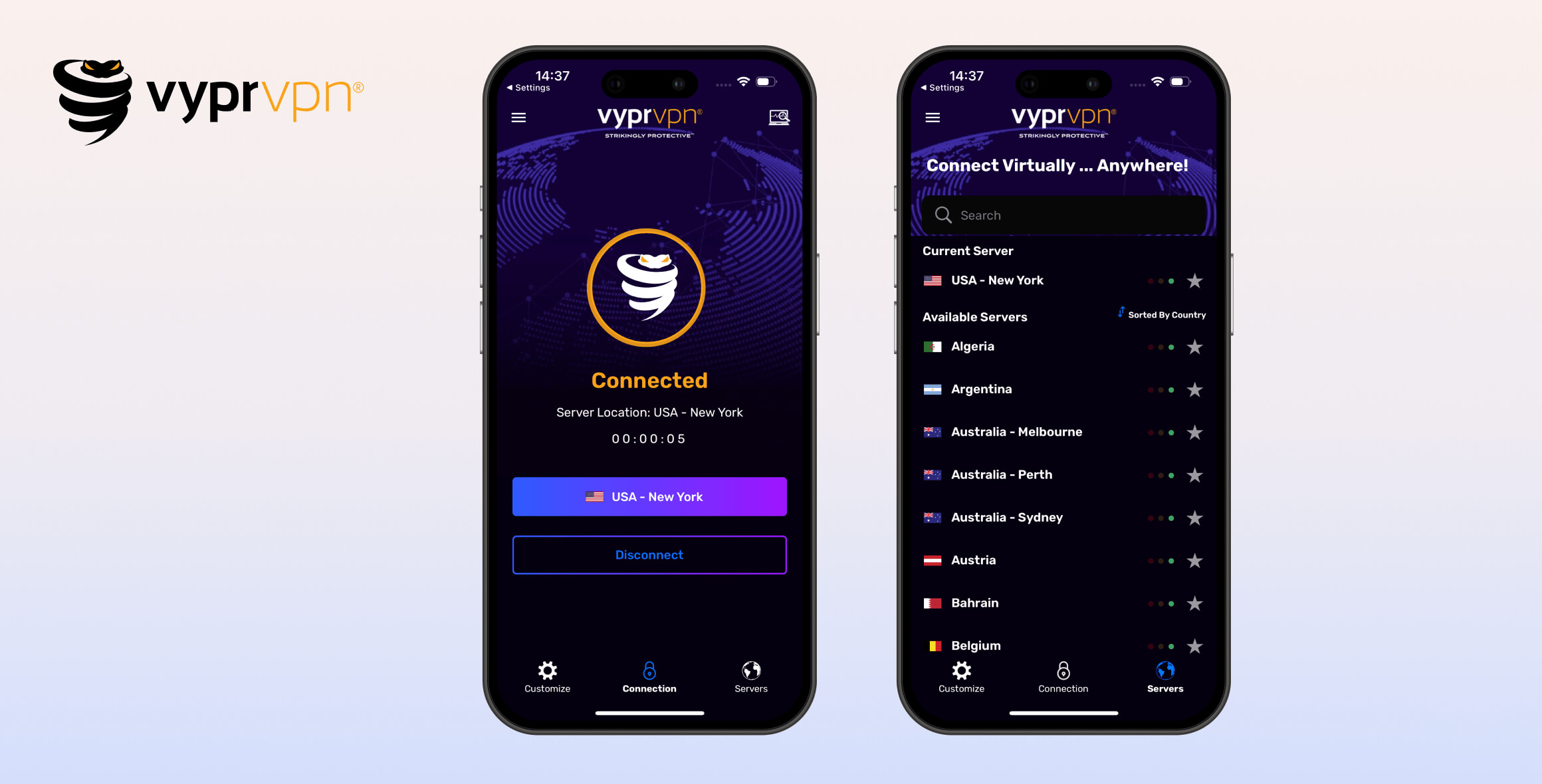
VyprVPN is an unremarkable VPN with a rating of 6.2/10. It secures your data without leaks, is fast, and has a notable network of self-owned servers. However, it falls short in several key areas, including a subpar privacy policy and an inability to unblock streaming services. Overall, VyprVPN’s high price is hard to justify.
- Pros
- No DNS or IP address leaks
- Unblocks BBC iPlayer & Max
- Torrenting & P2P allowed on all servers
- Chameleon protocol bypasses some web censors
- Self-owned VPN server network in 64 countries
- Cons
- Privacy-unfriendly US jurisdiction
- Lacking a clear privacy policy
- Does not unblock US Netflix, UK Netflix, or Hulu
- No kill switch on iOS
- No Smart DNS solution or browser extensions
- Recent issues working in China
Launched in 2009, VyprVPN is a long-standing service previously owned by Golden Frog. Its new owner, Certida, has proven untrustworthy by quietly removing its no-logs policy and moving the service to a US jurisdiction that is unfriendly to privacy.
Our in-house leak tests confirmed the VPN doesn’t leak IP or DNS data. VyprVPN also owns all of its 700+ servers, which helps reduce the risk of data leaks.
However, VyprVPN underperformed in our streaming tests, especially given its high price. It can’t unblock websites in China and lacks a crucial kill switch on iOS.
We’re also disappointed that VyprVPN recently discontinued its native router app. This was previously a major selling point, as it was the cheaper of only two VPNs to offer a router app.
Privacy
Ranked #26 out of 45 VPNs for Privacy
VyprVPN used to be a trustworthy no-logs VPN, but that changed when Certida acquired it in 2023. It now has a generic privacy policy, operates under a concerning US jurisdiction, and we can no longer recommend it for privacy.
| Originating IP Address | Undisclosed |
|---|---|
| Browsing Activity | Undisclosed |
| Individual Connection Timestamps | Undisclosed |
| Date of Last Connection | Undisclosed |
| VPN Server IP | Undisclosed |
| Device Information | Undisclosed |
| Individual Bandwidth Usage | Undisclosed |
| Account Information | Yes |
VyprVPN removed its VPN privacy policy in 2023. However, you can still read its website privacy policy.
A few years ago, VyprVPN’s logging policy far exceeded what we considered reasonable. It used to collect your real IP address, assigned IP address, timestamps, and bandwidth usage for 30 days.
It then adopted a strict no-logs policy under Golden Frog’s leadership. However, this no longer appears to apply, as the VPN is now owned by Certida, a Texas-based company.
The new owners moved operations to the privacy-unfriendly US, removed the VPN privacy policy, and replaced it with a generic, auto-generated privacy policy for the website — not for the VPN service.
We contacted VyprVPN for clarification and were disappointed to learn it has no plans to release a new privacy policy, logging audit, or transparency report anytime soon.
You should never trust a VPN that uses an auto-generated privacy policy. You should also never trust a VPN that doesn’t clearly list what it logs and how long it keeps it.
We asked VyprVPN why there isn’t a privacy policy for the VPN service. A Certida representative replied:
There’s no specific policy for no-log as it clearly means nothing is logged. I guess we could write a longer statement but we don’t see the value.
In reality, many no-logs VPNs still collect some data, such as usernames, passwords, or aggregated bandwidth statistics to manage server load. The lack of transparency here is extremely concerning and almost unheard of from a trusted VPN.
VyprVPN does have some privacy practices we appreciate. Its VPN servers are all self-hosted and operated internally, meaning they aren’t rented from third parties. This reduces the risk of outside interference with the company’s logging practices.
EXPERT ADVICE: If you’re using VyprVPN on Android, deny location and Wi-Fi permissions to ensure no extra data is collected. These permissions power VyprVPN’s Public Wi-Fi feature and aren’t essential for the app to run.
2018 Logging Policy Audit
VyprVPN was one of the first VPNs to commission an independent logging policy audit in 2018 and promptly addressed the issues identified.
However, seven years have passed since that audit. Unlike other VPNs that perform annual logging audits, VyprVPN’s next audit is long overdue.
Given the major changes in ownership and jurisdiction since then, it’s possible VyprVPN has altered its logging practices.
Without a new audit, there’s no way to confirm whether VyprVPN is still a no-logs VPN.
Streaming
Ranked #19 out of 45 VPNs for Streaming
VyprVPN isn’t a good VPN for streaming. It can unblock BBC iPlayer, Max, and Amazon Prime Video, but it fails to unblock Hulu and ITVX. The biggest disappointment is that it doesn’t unblock US or UK Netflix.
| Streaming Service | Works with VyprVPN |
|---|---|
| BBC iPlayer (UK) | Yes |
| DAZN (Canada) | Yes |
| Disney+ (UK) | No |
| Hulu (US) | No |
| ITVX (UK) | No |
| HBO Max (US) | Yes |
| Netflix (US) | No |
| Netflix (UK) | No |
| Prime Video (US) | Yes |
| Sky Go (UK) | No |
VyprVPN’s streaming capabilities have improved over the years. It can now unblock several major services that it could not access two years ago.
However, it still doesn’t match top-tier VPNs like ExpressVPN and NordVPN for streaming.
Tested: VyprVPN Doesn’t Work with US Netflix
VyprVPN only unblocks two Netflix libraries: Canada and Germany. This is extremely poor compared to rivals like ExpressVPN and NordVPN, which both unblock at least 15 libraries — including US and UK content.
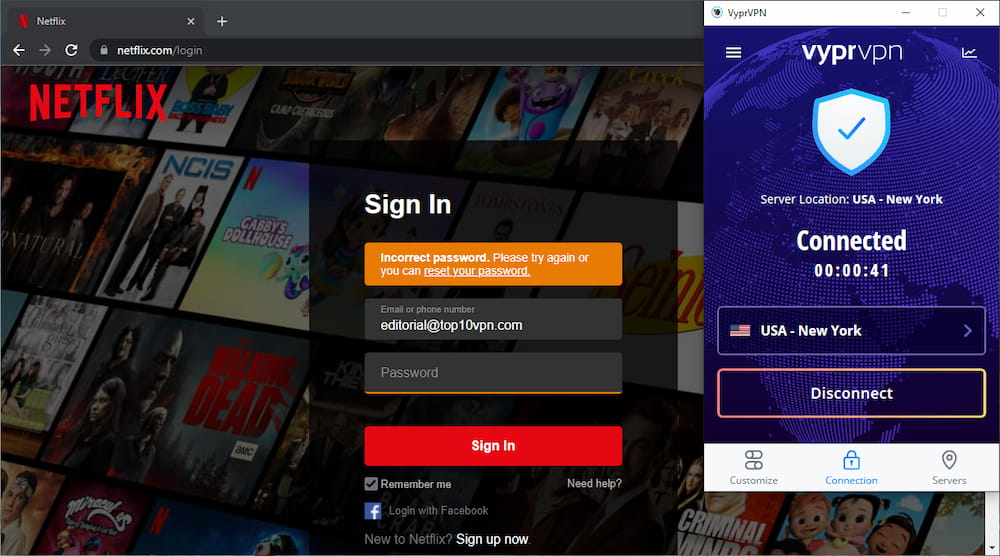
Netflix detected VyprVPN and refused us access to the platform.
There are better VPNs for Netflix. In our tests, some services, like Windscribe, could unblock 32 Netflix regions.
VyprVPN Unblocks BBC iPlayer
Historically, we struggled to stream BBC iPlayer with VyprVPN. The newest apps now work reliably.
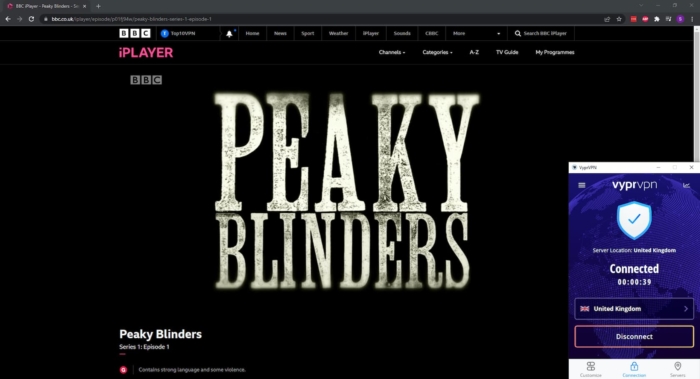
VyprVPN gets around BBC iPlayer blocks.
All UK servers worked, which is notable given many mid-tier VPNs struggle with BBC’s player.
We also streamed Channel 4 content using UK servers, but ITVX remained inaccessible.
VyprVPN Doesn’t Stream Hulu
Our latest tests confirm VyprVPN still can’t stream Hulu.
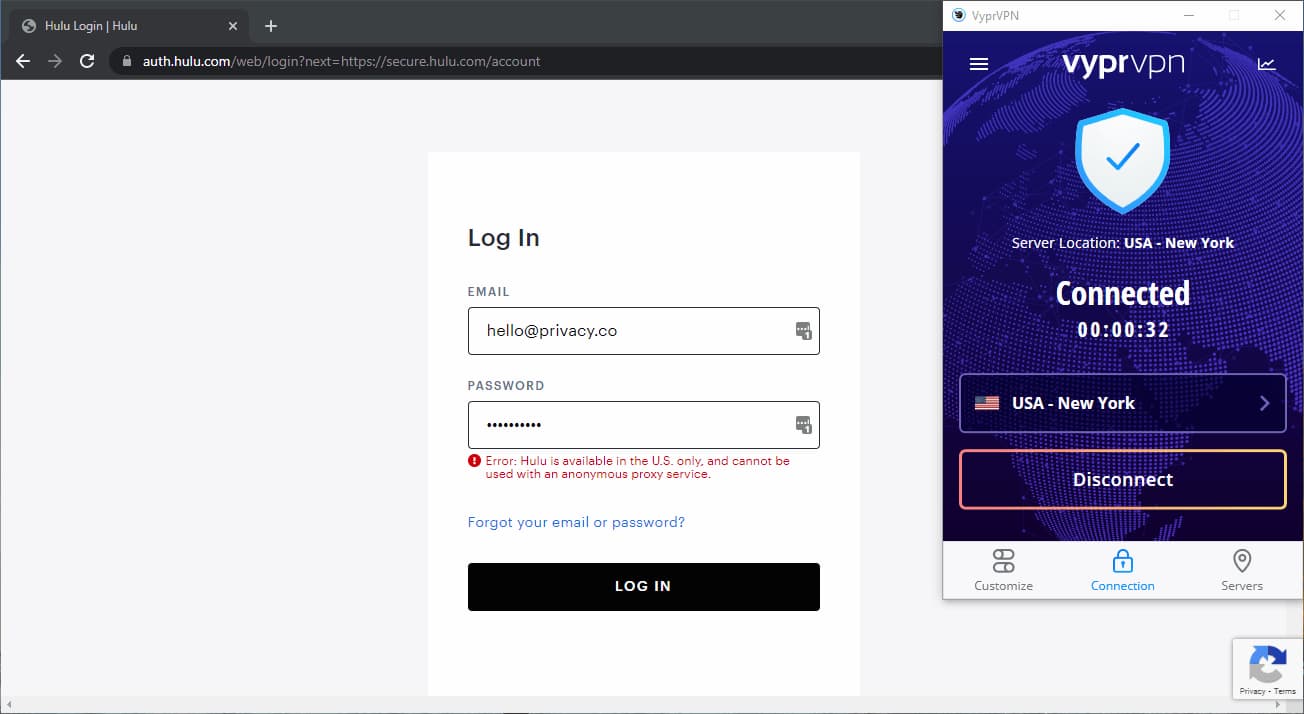
Hulu detected VyprVPN and blocked us from logging in.
That said, we’re glad to see some progress, as we can now stream Max and US Disney+ with VyprVPN.
Speed
Ranked #6 out of 45 VPNs for Speed
VyprVPN is among the fastest VPNs based on our recent tests. On a 100 Mbps baseline connection, we recorded speeds up to 97 Mbps on local connections to the West Coast and Canada. However, its international speeds lag behind services like Hotspot Shield and IPVanish.
In our speed tests, we connected to VyprVPN servers across five continents. We usually test six, but VyprVPN doesn’t have a server in South Africa.
We use a 100 Mbps internet connection to mirror a typical home baseline.
Here’s a table showing VyprVPN’s speed test results:
| No VPN (New York) | US (New York) | Canada (Toronto) | US (Los Angeles) | UK (London) | Germany (Berlin) | Brazil (São Paulo) | Japan (Tokyo) | Australia (Sydney) | |
|---|---|---|---|---|---|---|---|---|---|
| Server Location |  |
|
 |
|
 |
 |
 |
 |
 |
| Download Speed | 100Mbps | 97Mbps | 99Mbps | 91Mbps | 91Mbps | 86Mbps | 88Mbps | 80Mbps | 76Mbps |
| Upload Speed | 100Mbps | 95Mbps | 96Mbps | 94Mbps | 95Mbps | 92Mbps | 83Mbps | 82Mbps | 79Mbps |
| Ping | 1ms | 7ms | 17ms | 147ms | 76ms | 86ms | 145ms | 222ms | 219ms |
| Distance | 0mi | 5mi | 300mi | 2,500mi | 3,500mi | 4,000mi | 4,800mi | 6,700mi | 9,900mi |
VyprVPN delivers consistently fast speeds, with minimal loss of just 3%. As long as your internet connection is stable, you shouldn’t experience speed issues.
While global speeds used to be a weakness for VyprVPN, that’s no longer the case. Across intercontinental connections, we recorded speeds above 76Mbps.
We saw the biggest drop when connecting to Australia, which is expected due to the distance to the server.
To put its performance in context, you can see how VyprVPN’s local speeds compare to other top-tier VPNs in the table below:
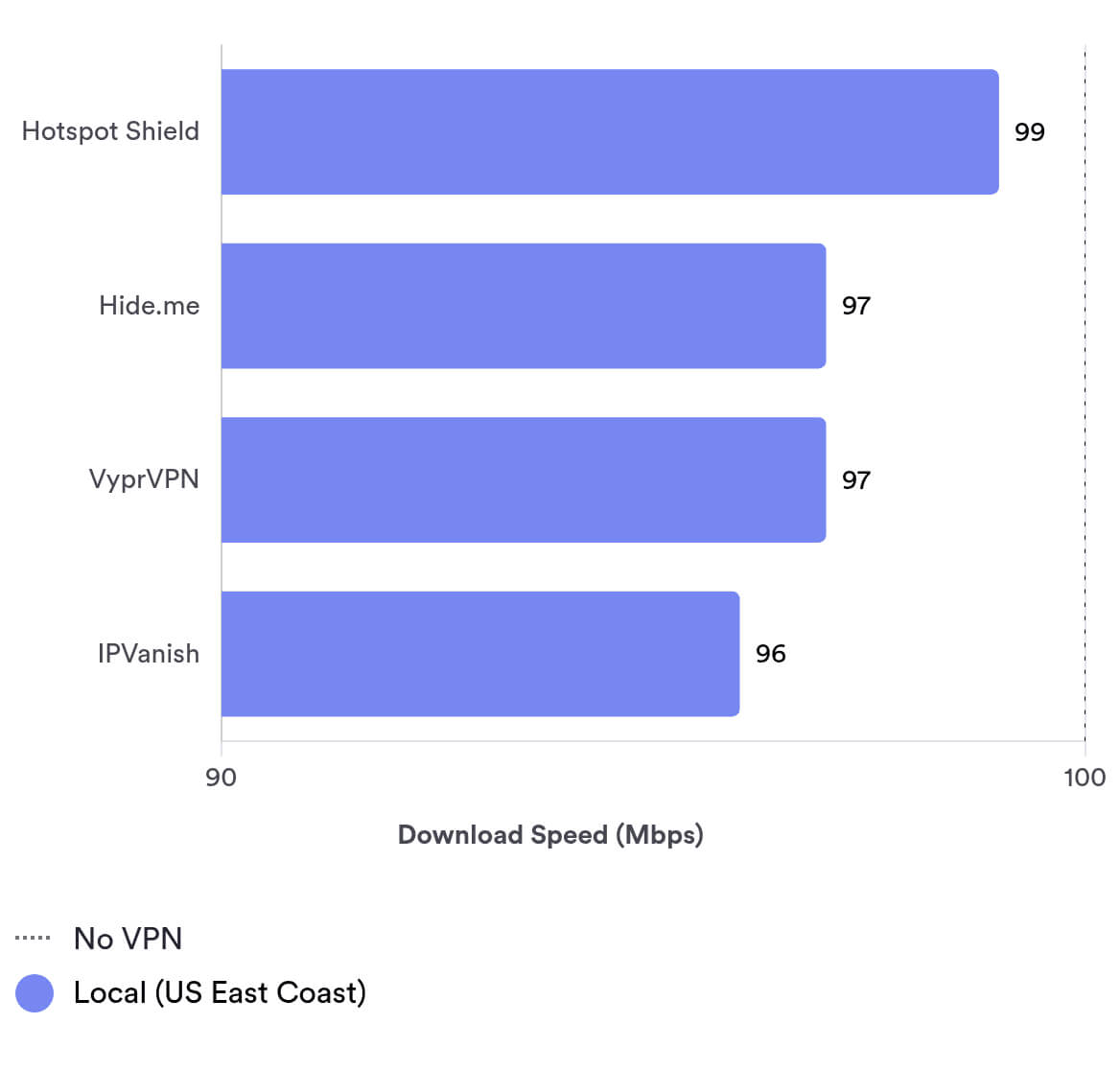
As shown in the chart above, VyprVPN holds up very well against the fastest VPNs on US connections. It’s one of the fastest services on the market and is reliable for streaming, torrenting, and everyday browsing.
However, if fast long-distance speeds are your priority, there are quicker options available.
Low Ping for Gaming (But Only On Nearby Servers)
Local ping times of 7ms are solid for gaming, but not quite enough for a top-tier gaming VPN.
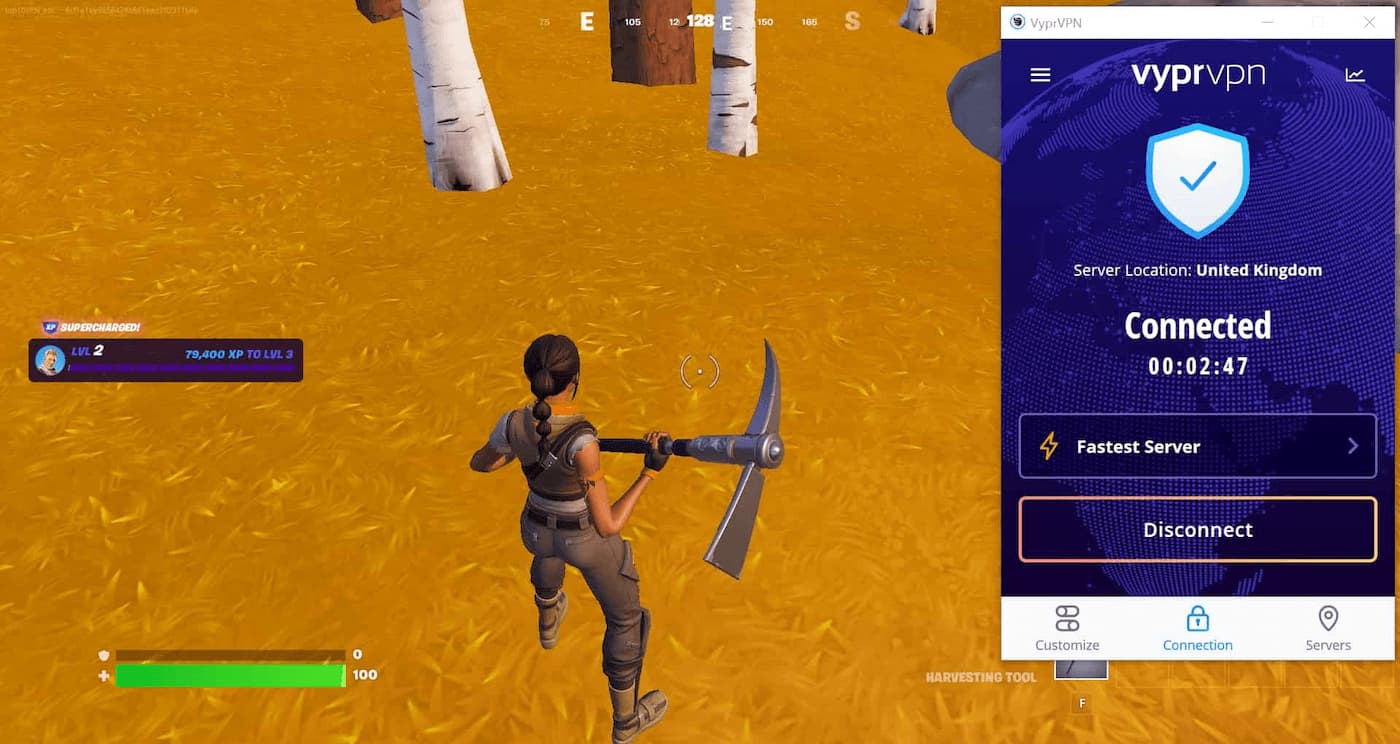
We were able to play Fortnite lag-free with VyprVPN, but we had to use a local server.
We don’t recommend VyprVPN for long-distance gaming. We recorded an average ping of 128ms on international connections and 76ms when connecting to the UK.
Security
Ranked #5 out of 45 VPNs for Security
VyprVPN meets our expectations for an upper mid-range VPN. It encrypts connections using industry-standard AES-256 and ChaCha20 ciphers, operates first-party VPN servers, and has a working kill switch (though it’s missing on iOS). It also supports trusted protocols, including OpenVPN and WireGuard.
| Independent Audit | No |
|---|---|
| VPN Kill Switch | Yes |
| Leak Protection | Yes |
VyprVPN automatically uses the WireGuard protocol on every platform, which is fast, secure, and open-source. Previously, it enabled IKEv2 on mobile and OpenVPN on desktop by default.
VyprVPN also includes a NAT firewall to block unsolicited inbound traffic while connected.
Not all VyprVPN apps include the same advanced security features. For example, the iOS app lacks a kill switch, and the Windows client has a Public WiFi Protection option that isn’t available on Mac.
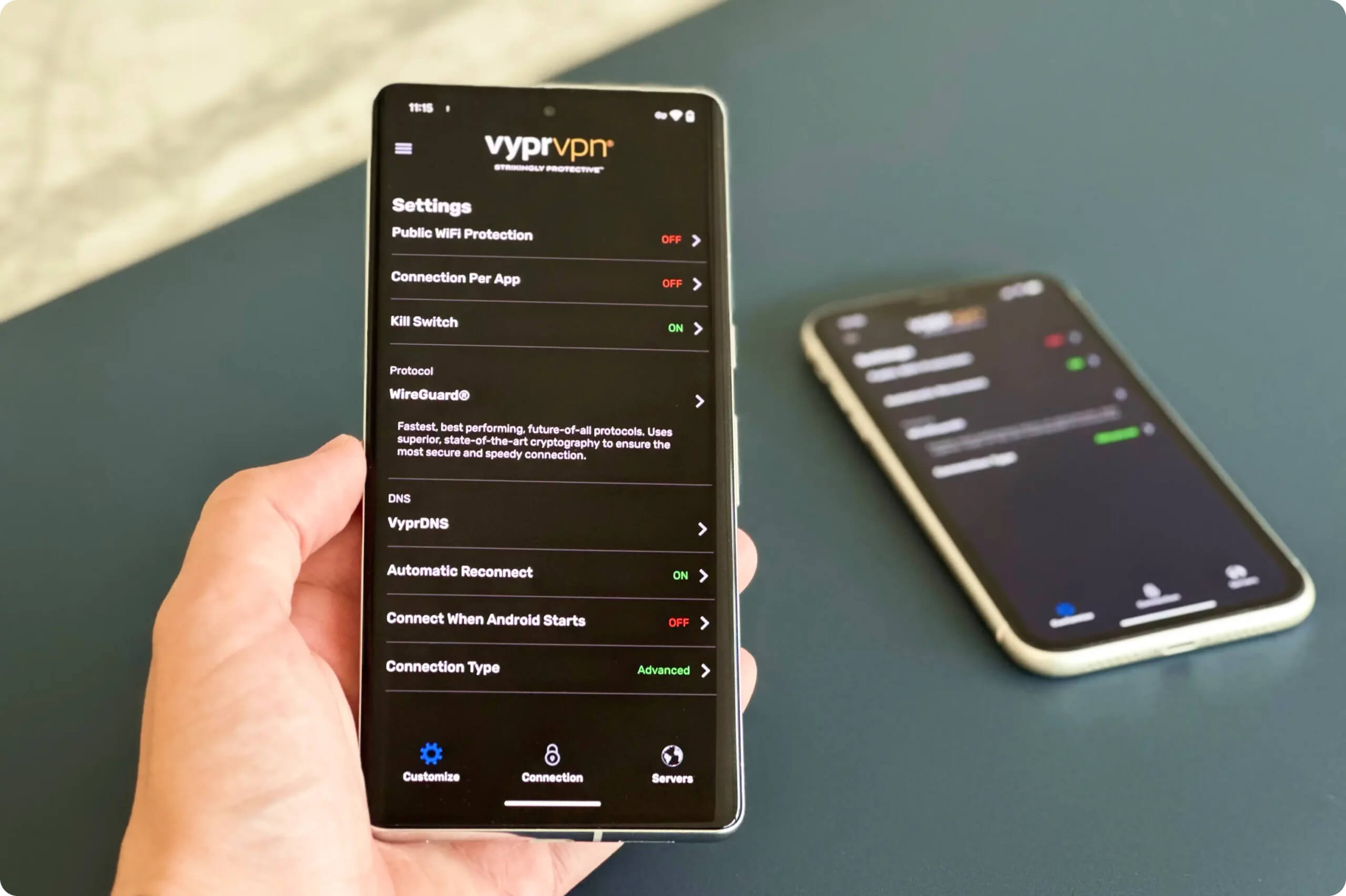
VyprVPN’s security settings as they appear on its Android app.
The macOS app also offers split tunneling and a malware blocker, which aren’t available on Windows.
VyprVPN Owns its Entire VPN Server Network
VyprVPN owns and operates all its VPN servers. Minimizing third-party involvement is a major selling point, as it’s rare for a mid-tier VPN to run a fully self-hosted server network.
This is better than most providers but still not as strong as ExpressVPN and IPVanish, which use first-party DNS servers.
VyprVPN markets itself as eliminating third parties, but it still uses third-party DNS servers as an endpoint, like many other VPNs.
Even so, this design is a strong step toward privacy by design, reducing the risks associated with rented servers.
NOTE: VyprDNS encrypts your DNS requests before passing them to third-party DNS servers and websites. It’s enabled by default on Windows, macOS, Android, and iOS.
Trustworthy Kill Switch Stops IP Address Leaks
VyprVPN offers a kill switch on Windows, macOS, Android, Android TV, and Amazon Fire TV — but not on iOS. In our tests, the kill switch prevented our real IP address from leaking.
It worked when our connection dropped and when we switched servers from France to Greece. During these windows when your real IP could be exposed, VyprVPN successfully blocked internet traffic.
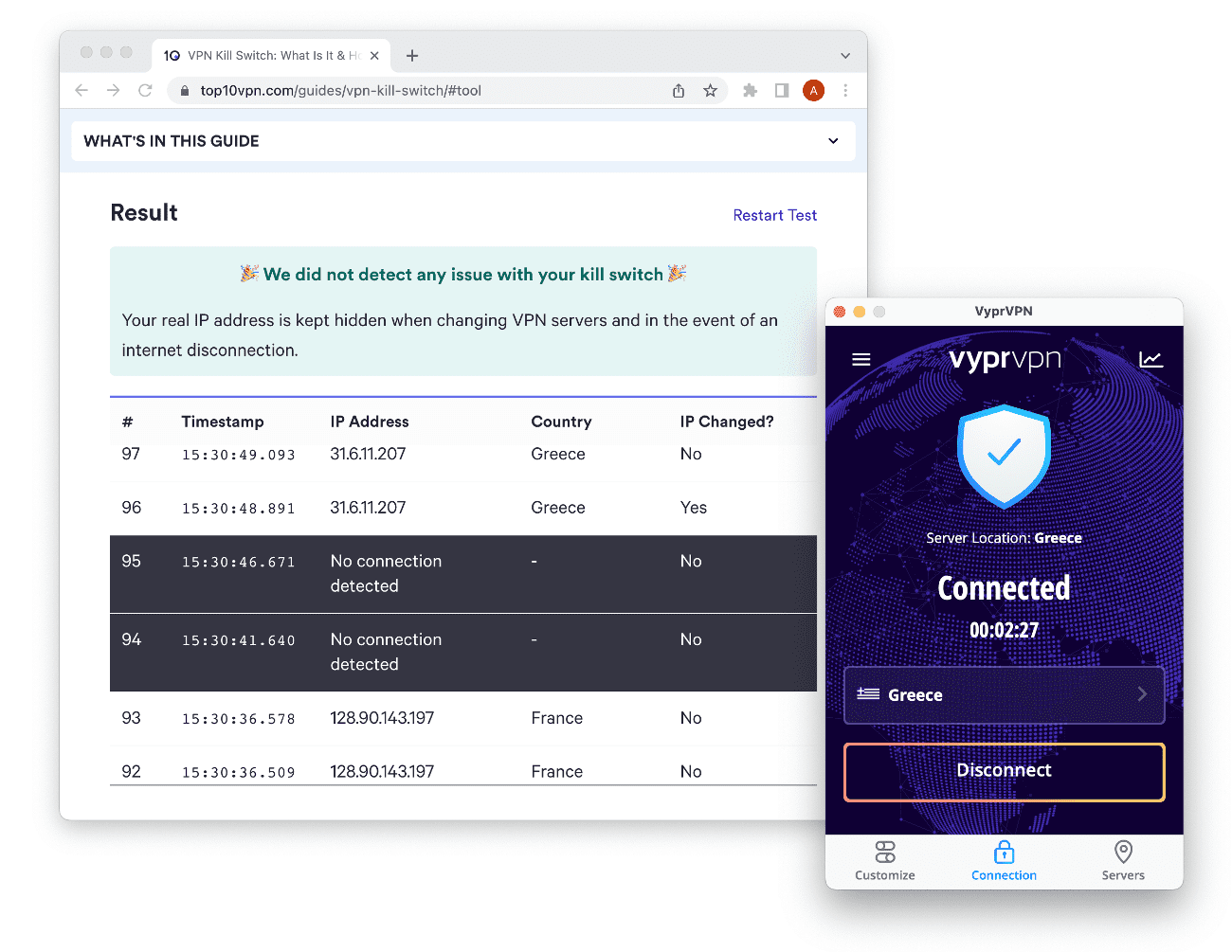
VyprVPN passed our kill switch test on macOS.
Remember to manually disable the kill switch if you want to use the internet without the VPN connected.
VyprVPN Passed Our IP Address, DNS, & WebRTC Leak Tests
Our IP and DNS leak tests showed VyprVPN is leak-proof. When connected to a VyprVPN server, our IP address appeared as German, and our real location was never revealed.
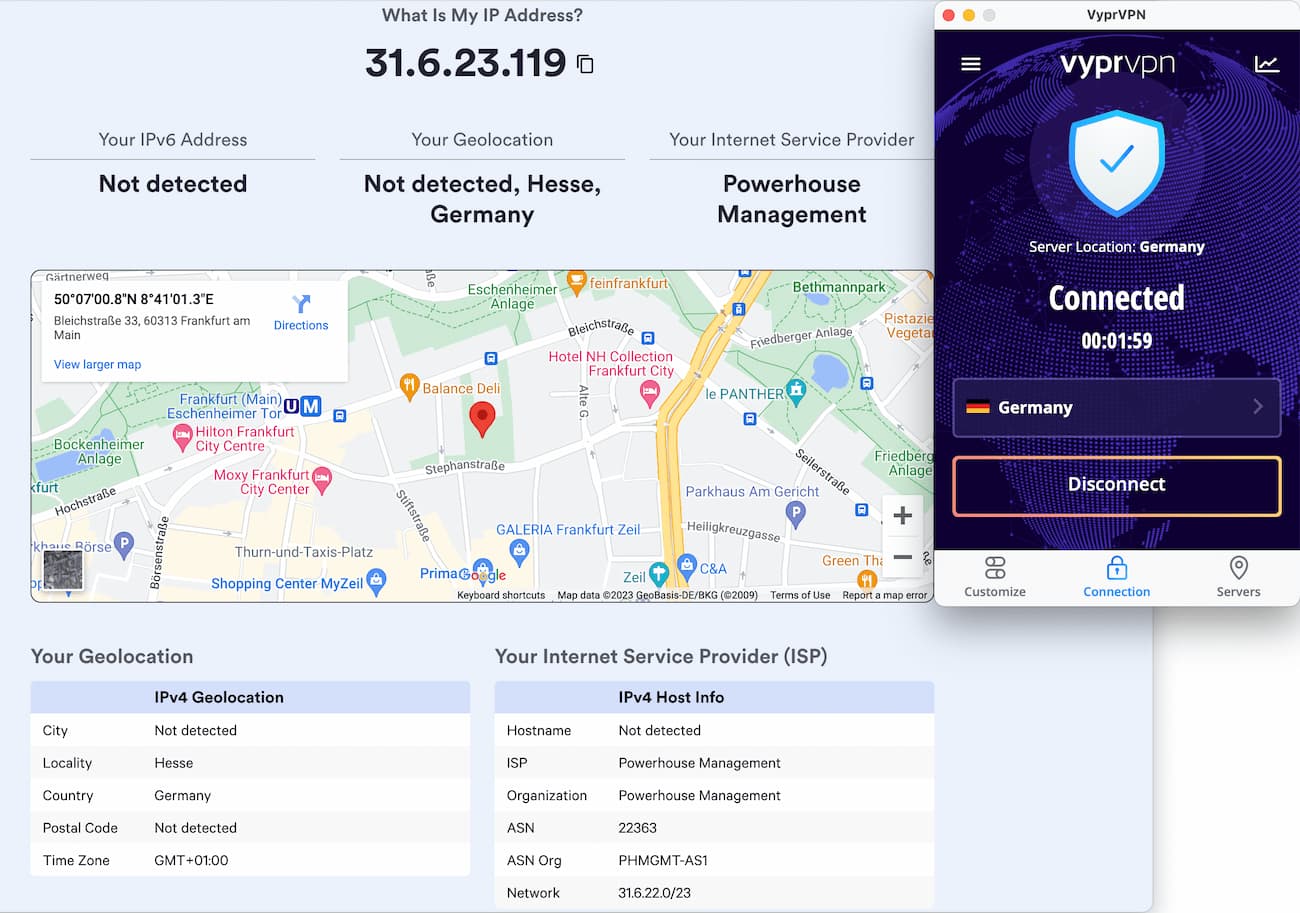
On macOS, VyprVPN successfully masked our IP address.
VyprDNS uses a DNS relay system to prevent your DNS queries from being linked to VyprVPN and to keep websites from detecting VPN usage.
When we checked VyprDNS servers, the final DNS server in the relay appeared as an Amazon DNS server.
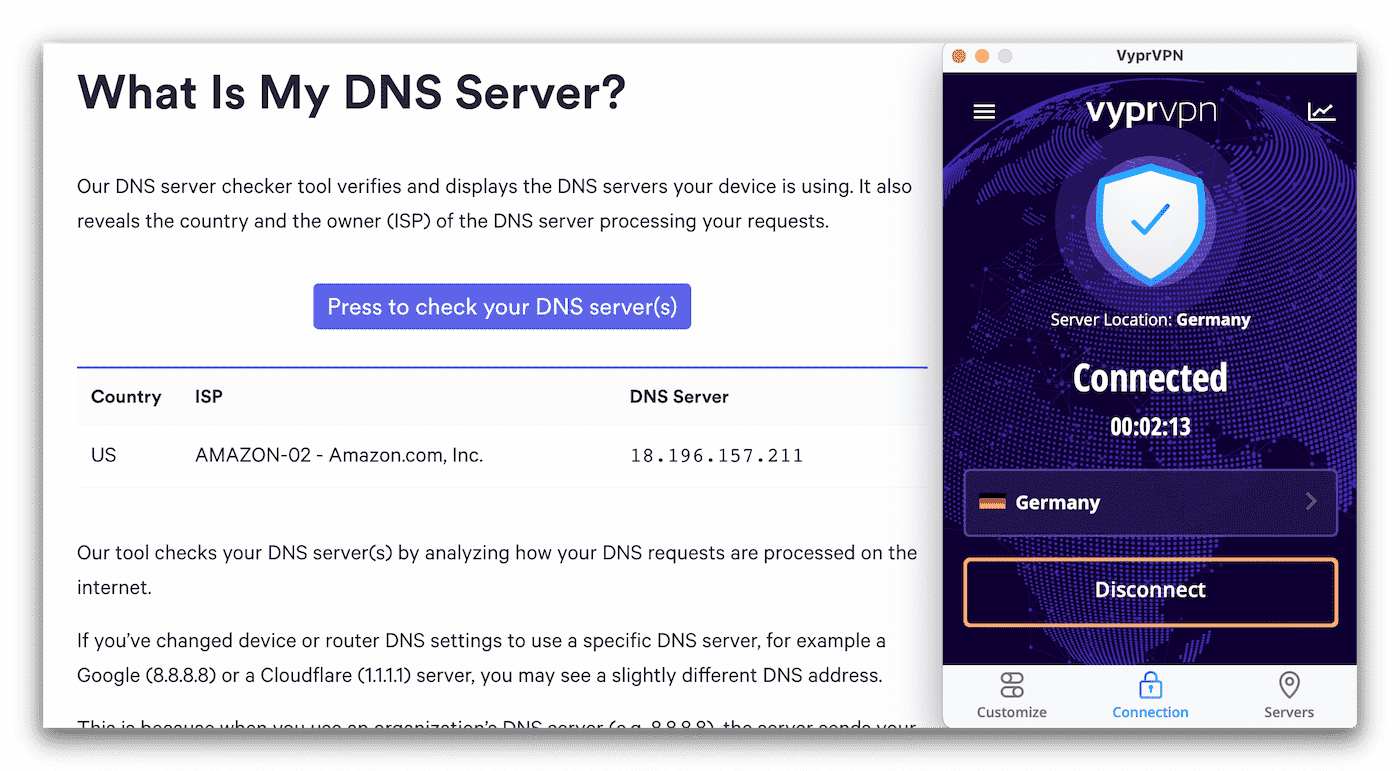
A partial leak test, showing Amazon DNS servers instead of VyprVPN’s.
As shown above, the DNS servers don’t display as VyprVPN or its owners, Golden Frog and Certida.
VyprVPN clarified via email that before DNS traffic reaches any public DNS servers, it’s routed through a DNS proxy that fully anonymizes your queries.
This isn’t full end-to-end elimination of third parties, since VyprVPN appears to lease DNS servers, but it’s as close as possible without revealing VPN usage to websites.
Secure AES-256 encryption
We used Wireshark, a packet-sniffing tool, to inspect traffic encrypted by our VyprVPN connection.
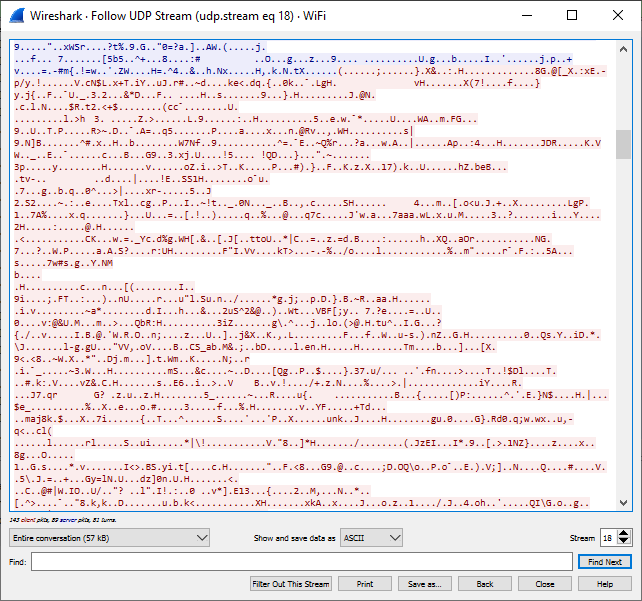
A Wireshark scan while connected to VyprVPN showed all traffic was encrypted.
Our tests confirmed VyprVPN encrypted web traffic effectively. The unreadable data in the screenshot is what a would-be attacker would see while you’re connected to VyprVPN.
Technical Features We’d Like to See
Compared to some rivals, VyprVPN lacks a few key technical features. Here are improvements we’d like to see:
- A VPN kill switch on iOS to protect personal data if the VPN disconnects unexpectedly.
- Open-source apps to improve transparency and allow scrutiny of VyprVPN’s software security.
Server Locations
Ranked #17 out of 45 VPNs for Server Locations
VyprVPN’s network of 700+ servers consists entirely of self-owned, bare-metal hardware. The 300,000 IP addresses on offer are also the most we’ve seen from any provider. These are available in 64 countries. We do wish there were more servers in South America and Africa.
| Continent | VyprVPN Countries with Servers |
|---|---|
| Europe | 30 |
| Asia | 19 |
| South America | 4 |
| North America | 3 |
| Africa | 3 |
| Oceania | 2 |
The choice of 700+ servers in 73 cities and 64 countries is average, especially compared to ExpressVPN’s 13,360 servers and NordVPN’s 8,100.
It’s not remarkable, but it should be enough for most VPN users in Europe, Asia, and the Americas.
Server coverage in Africa is limited to Algeria and Egypt. This is disappointing, but it’s a common shortcoming across the VPN industry.
VyprVPN offers few city-level server locations
We’re also disappointed by the lack of city-level servers. VyprVPN only offers city-specific choices in two countries: the United States and Australia.
VyprVPN’s US servers are located in:
- Austin
- Chicago
- Los Angeles
- Miami
- New York
- San Francisco
- Seattle
- Washington D.C.
Servers in Australia are in Melbourne, Perth, and Sydney, which is great for Australian users.
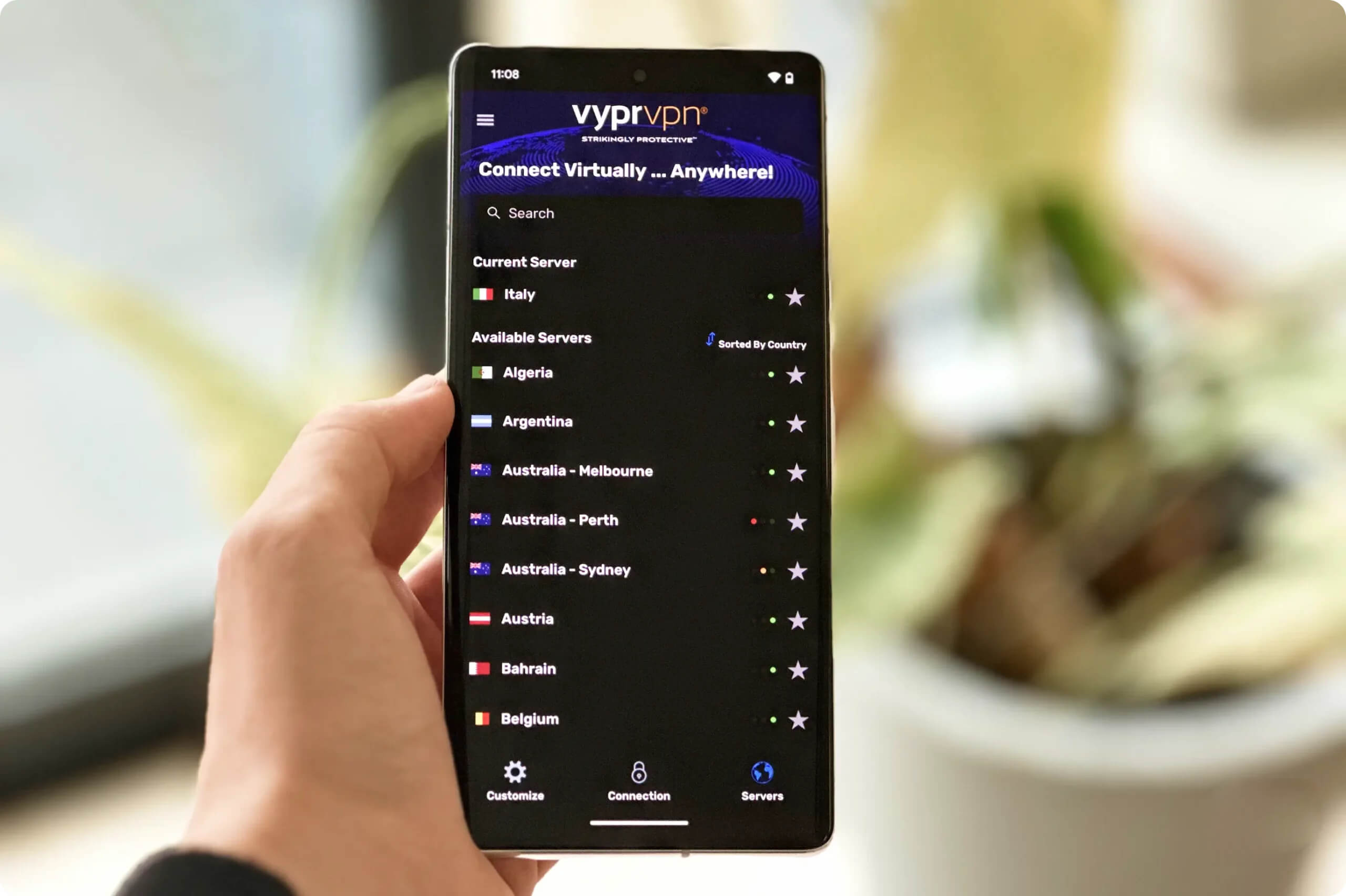
A majority of VyprVPN’s servers are not city-specific.
Unusually, there’s no city-level choice in Canada. If that matters to you, see our list of the best Canada VPNs.
User Experience
Ranked #17 out of 45 VPNs for User Experience
VyprVPN’s apps are consistent across major platforms, clearly laid out, and intuitive, so switching between them is easy. However, VyprVPN is frustrating to use on Linux.
Clarity seems to be a priority in all VyprVPN apps. The simple, uncluttered desktop apps are very easy to set up and use.
Choosing a server location is straightforward, and VyprVPN groups all advanced options in one place, explained in plain language.
On all major platforms, you can search for servers, sort by distance, and see each server’s ping (ms).
In this section, we describe our experience using VyprVPN on every major platform and how the apps differ.
Desktop & Laptop (Windows & Mac)
VyprVPN’s desktop apps are user-friendly and look almost identical — though split tunneling is only available on macOS. You can change settings and switch servers from the bottom bar.
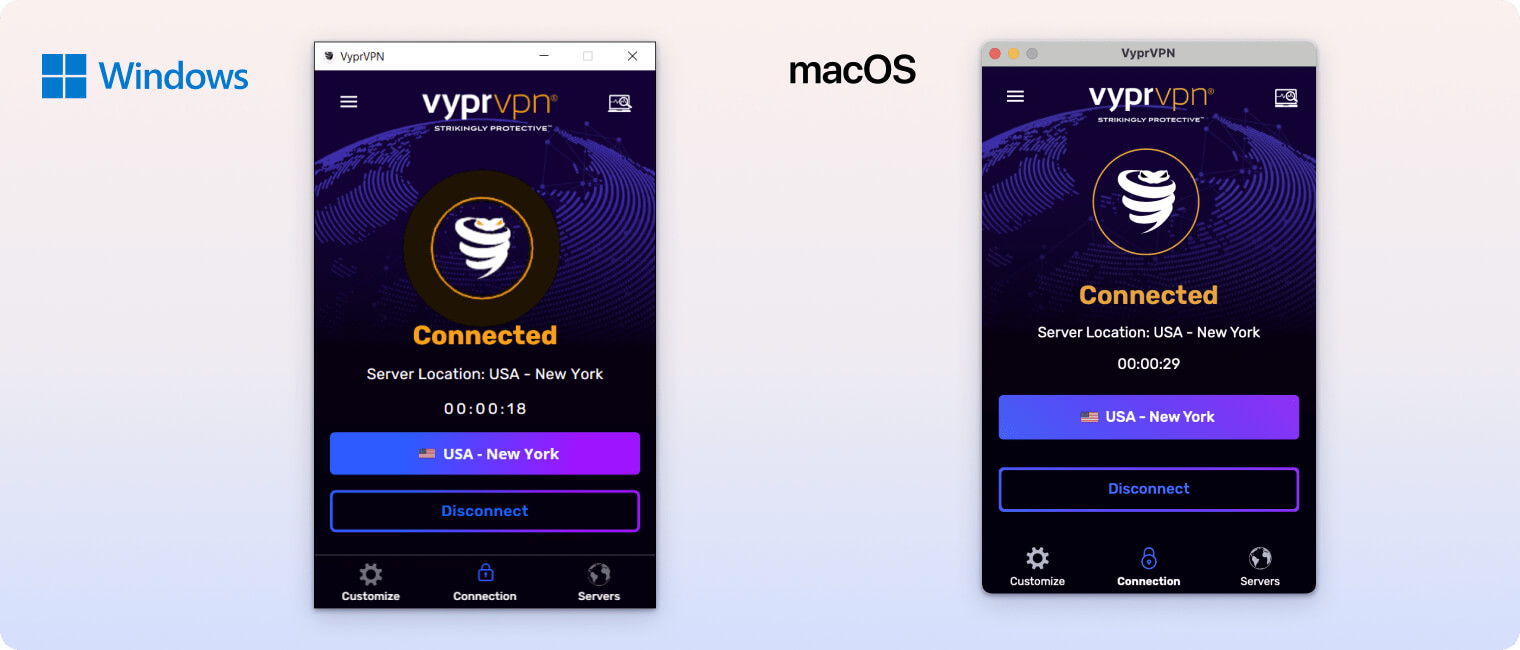
On both platforms, VyprVPN uses WireGuard by default, one of the safest protocols. You can also use OpenVPN, IKEv2, and VyprVPN’s obfuscation protocol, Chameleon.
The Customize tab includes useful features, from toggles like Public Wi-Fi protection and a kill switch to more advanced controls for DNS, VPN protocol, and TAP adapter settings.
In Startup Options, you can set the app to launch or connect automatically when you turn on your device. On Windows, you can customize notifications, which is a nice touch.
However, some Windows 10 and 11 users report unusually high CPU usage when running VyprVPN, which can affect battery life and performance over time.
Mobile (iPhone & Android)
VyprVPN’s iOS and Android apps are as intuitive and easy to use as the desktop versions. The home screens share the same layout, with a navigation bar at the bottom. We’re also glad both iOS and Android use VyprDNS by default.
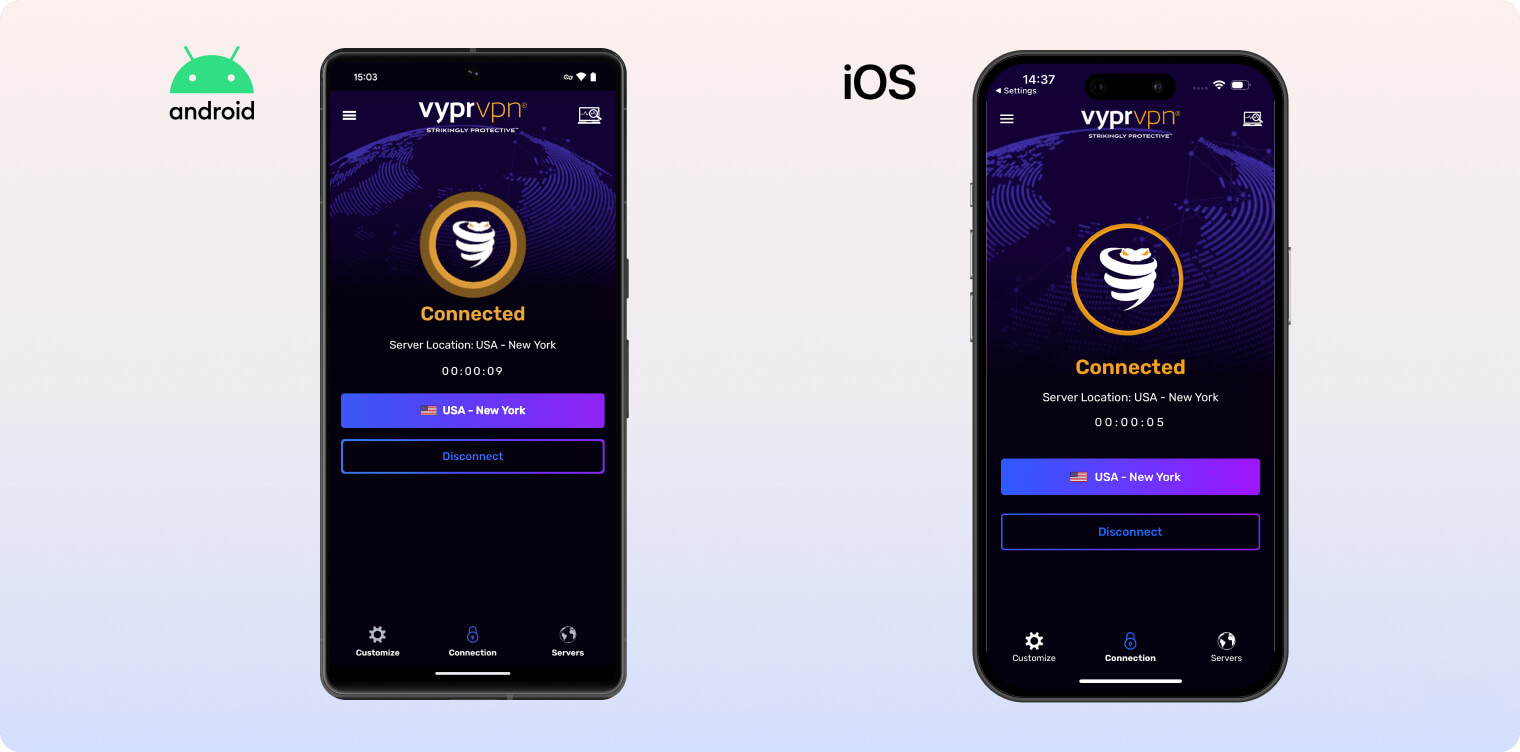
The Android app includes many of the same features as the desktop versions. The iOS app is more limited, lacking split tunneling and a kill switch.
The only features missing from Android are TAP adapter controls and a malicious site blocker. VyprVPN also offers an APK you can sideload directly.
We’re pleased to see WireGuard is the default protocol on mobile, with the option to use Chameleon.
Linux CLI
We’re disappointed that VyprVPN doesn’t offer a graphical user interface (GUI) for Linux. Instead, it provides a command-line interface (CLI).
This makes using VyprVPN on Linux more complicated and time-consuming. By contrast, Private Internet Access and ProtonVPN offer full Linux apps that are straightforward to use.
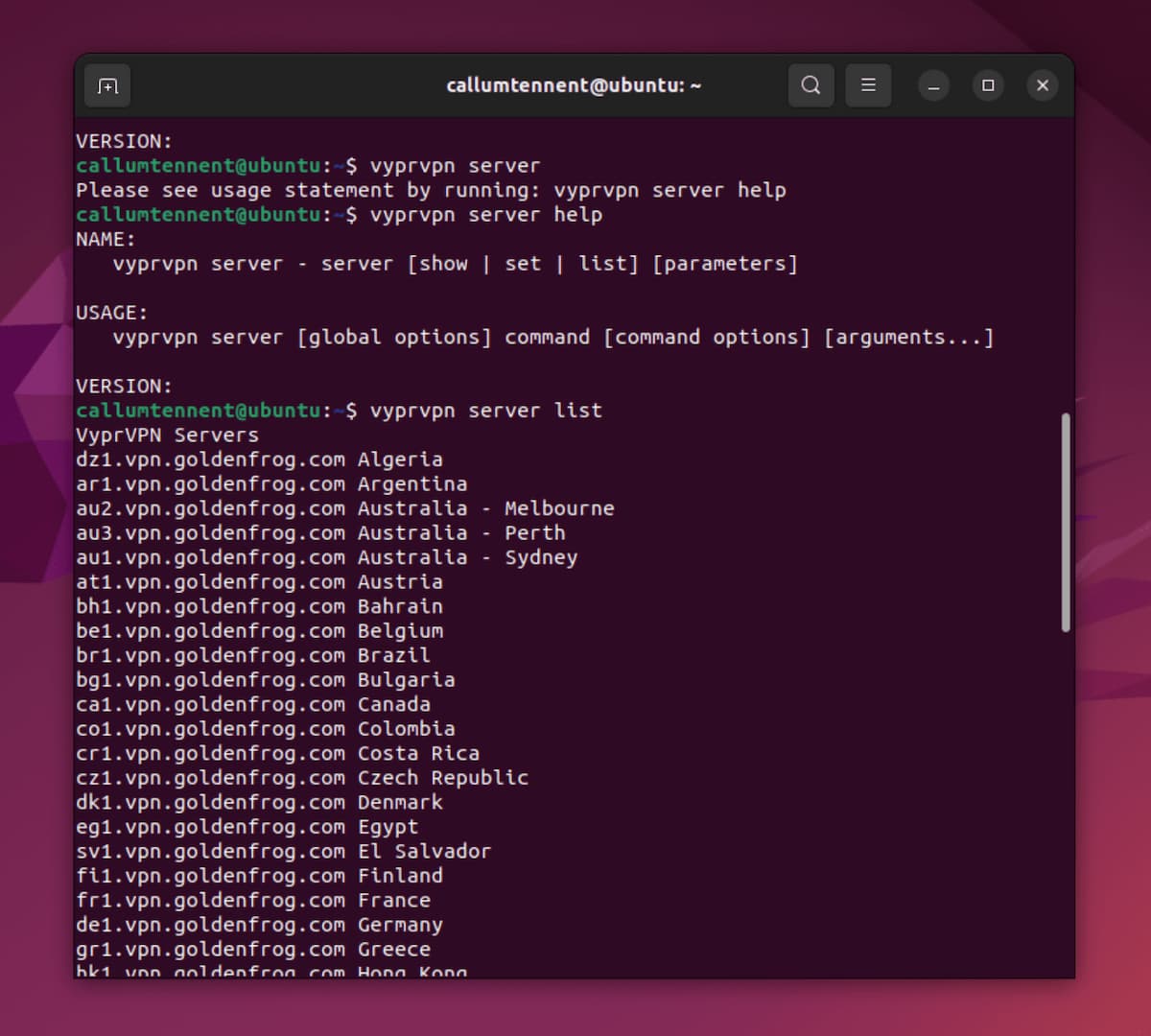
VyprVPN’s CLI is much less accessible than a full GUI.
Another drawback is that VyprVPN on Linux doesn’t support WireGuard, though you can use OpenVPN. You can also install VyprVPN on Linux using an OpenVPN setup.
Fire TV & Android TV Apps
VyprVPN’s apps for streaming devices have a different interface than its other apps, which makes sense for remote-based navigation.
However, installing the Fire TV app was frustrating and time-consuming. Since the app was removed from the Amazon store, we had to sideload an older version.
VyprVPN’s customer support told us via email that the app is under review again by Amazon. Until it’s approved, this workaround is not ideal.
It isn’t user-friendly, and there are better options if you often use a VPN on Fire TV.
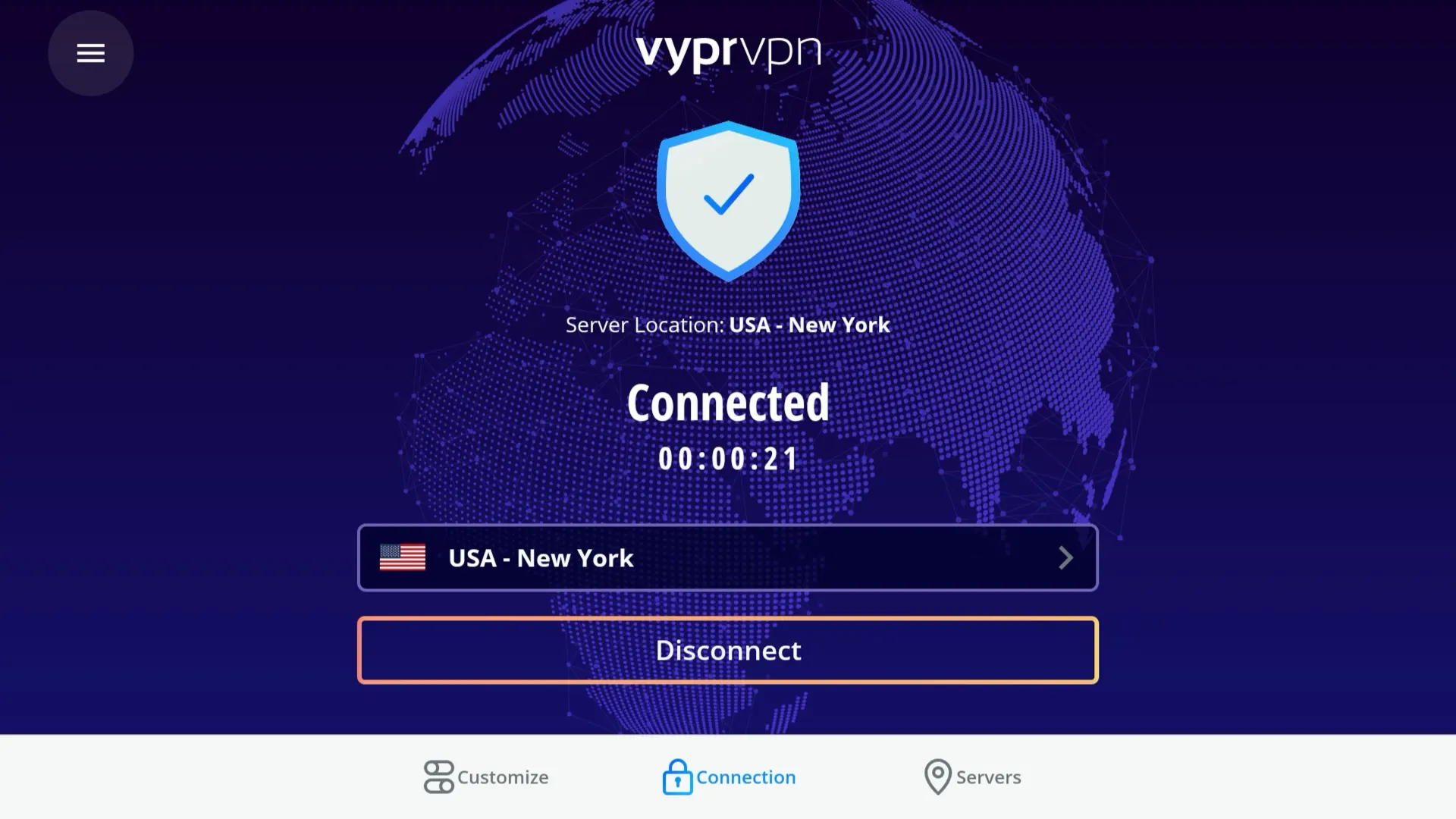
We followed VyprVPN’s instructions for sideloading its Fire Stick app.
The Android TV and Fire TV apps lack some features. They include Wi-Fi protection for unsafe networks and a kill switch—both valuable—but not much else.
This isn’t unusual; VPN apps for streaming devices tend to be limited.
Uniquely among VyprVPN’s apps, the smart TV app lets you choose between AES-128 and AES-256 encryption (other apps only offer AES-256).
VyprVPN claims AES-128 can be faster, but we don’t recommend it as it’s less secure than AES-256, the industry standard.
Torrenting
Ranked #20 out of 45 VPNs for Torrenting
VyprVPN allows torrenting and P2P on all servers, but it’s slower than most competitors, with download speeds peaking at 5.6 MiB/s. It includes an essential kill switch (except on iOS) but doesn’t support port forwarding. We’re also concerned about its unclear privacy policy.
| Torrenting Attribute | VyprVPN |
|---|---|
| Permits P2P Traffic | Yes |
| Average Download Bitrate | 5.6MiB/s (44% loss) |
| Countries with P2P Servers | 64 |
| Port Forwarding | No |
| Kill Switch | Yes |
| Logging Policy | Unknown |
VyprVPN’s kill switch and first-party servers help protect your real IP address while torrenting on Windows and macOS.
That said, torrenting speeds are not the fastest, and there’s no port forwarding. This is surprising given how fast VyprVPN is for regular web traffic.
If you’re a heavy torrenter, you may prefer a VPN better suited to P2P, such as Private Internet Access.
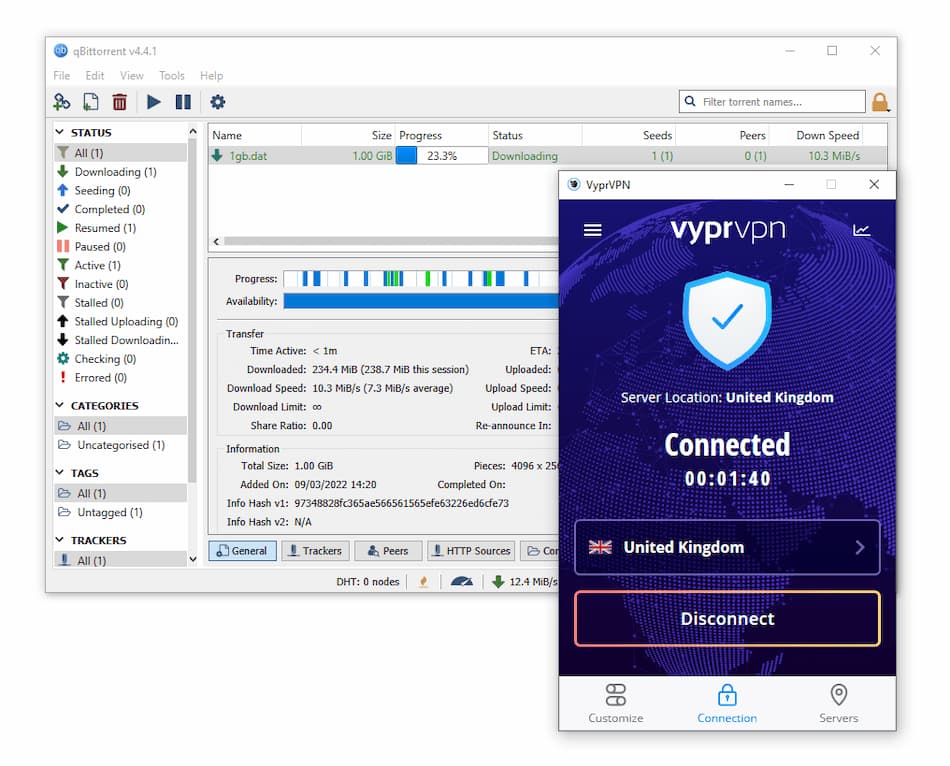
We tested VyprVPN on qBittorrent.
We also found an isolated report of someone receiving a DMCA notice while using VyprVPN in 2022. In that case, the user appears not to have configured VyprVPN and qBittorrent properly.
This shows it’s possible to receive a DMCA notice while connected to VyprVPN if the app isn’t configured correctly. We’re also hesitant to recommend the VPN for P2P when its privacy policy isn’t clear and transparent.
If you torrent frequently, check out better VPNs for torrenting.
Device Compatibility
VyprVPN offers apps for Mac, iOS, Windows, and Android. It used to be one of the few VPNs with a native router app, but that was discontinued in 2023. It doesn’t have browser extensions for Chrome, Firefox, or Opera. We’re also disappointed it lacks Smart DNS, though we like its full-featured Fire TV and Android TV apps.
| Windows | Yes |
|---|---|
| Mac | Yes |
| iOS | Yes |
| Android | Yes |
| Linux | Yes |
| Amazon Fire TV | Yes |
| Android TV | Yes |
| Apple TV | No |
| Router | Manual Setup Only |
| Chrome | No |
Simultaneous Connections: 30
You can use VyprVPN on the most common mobile and desktop devices. The service has dedicated VPN apps for Windows, macOS, iOS, and Android.
However, some features aren’t available on certain platforms. Here’s a table showing the key differences between VyprVPN’s apps:
| Platform | Protocols | Unsafe Wifi Protection | Split Tunneling | Kill Switch | VyprDNS | Automatic Reconnect | Connect on Start-up | TAP Adapter | Block Malicous Sites |
|---|---|---|---|---|---|---|---|---|---|
| Windows | OpenVPN AES-256, IKEv2 AES-256, Chameleon AES-256 | ✓ | ✗ | ✓ | ✓ | ✓ | ✓ | ✓ | ✗ |
| macOS | IKEv2 AES-256, Chameleon AES-256, OpenVPN AES-256 | ✓ | ✓ | ✓ | ✓ | ✓ | ✓ | ✗ | ✓ |
| Android | OpenVPN AES-256, Chameleon AES-256 | ✓ | ✓ | ✓ | ✓ | ✓ | ✓ | ✗ | ✓ |
| iOS | IKEv2 AES-256, OpenVPN AES-256, Chameleon AES-256 | ✓ | ✗ | ✗ | ✓ | ✓ | ✗ | ✗ | ✗ |
| Android TV & Amazon Fire TV | OpenVPN AES-256, OpenVPN AES-162, Chameleon AES-256 | ✓ | ✗ | ✓ | ✓ | ✓ | ✗ | ✗ | ✓ |
You can have up to 30 simultaneous connections with VyprVPN, which is better than most top-rated VPNs, including ExpressVPN, NordVPN, and Private Internet Access.
Games Consoles & Streaming Devices
VyprVPN has a Fire TV Stick app, but it was recently removed from the Amazon store. To install it now, you have to sideload a previous version of the app, which is unnecessarily complicated.
It also has an Android TV app—great for the Xiaomi Mi Box, Sony Smart TVs, Nvidia Shield, and Razer Forge TV. However, this isn’t unique. Other high-quality VPNs like ExpressVPN and Surfshark also offer Android TV apps.
You can also sideload VyprVPN’s APK file onto Android devices that aren’t compatible with VPN apps.
If you want to use VyprVPN with devices that don’t support native VPN apps, like PlayStation or Xbox, we recommend using a VPN that offers a Smart DNS tool.
VyprVPN used to offer a native Tomato router app. However, it was discontinued in 2023. Considering VyprVPN was one of only two VPNs to provide a native router app, this was a disappointing move.
We suspect this may be related to VyprVPN’s ownership change from Golden Frog to Certida.
Browser Extensions
VyprVPN used to offer a browser extension, but it was removed from the Google Chrome Web Store in February 2023 and there are no plans to bring it back. When we contacted customer support, they recommended using the desktop apps instead.
Additional Features
VyprVPN’s extra features are somewhat underwhelming. It offers 24/7 live chat support, split tunneling, and a trusted network feature for public Wi-Fi, but that’s about it. It’s missing many useful tools, such as an ad, tracker, or malware blocker, multi-hop servers, GPS spoofing, and dedicated IPs. Its obfuscation protocol, Chameleon, is also unreliable in China.
| Additional Feature | VyprVPN |
|---|---|
| Split Tunneling | Yes |
| VPN Obfuscation | Yes |
| Multi-Hop Servers | No |
| Dedicated IP | No |
| Ad Blocker | No |
Chameleon Obfuscation Protocol
VyprVPN uses its proprietary Chameleon protocol to bypass censorship in countries such as Russia and Turkey. It doesn’t reliably unblock websites in China, but it may work in other regions. The protocol is available on Android, iOS, Windows, and macOS.
VyprVPN used to work in China, but it has recently been very inconsistent. In our China VPN tests, it had only a 3% success rate over the past year.
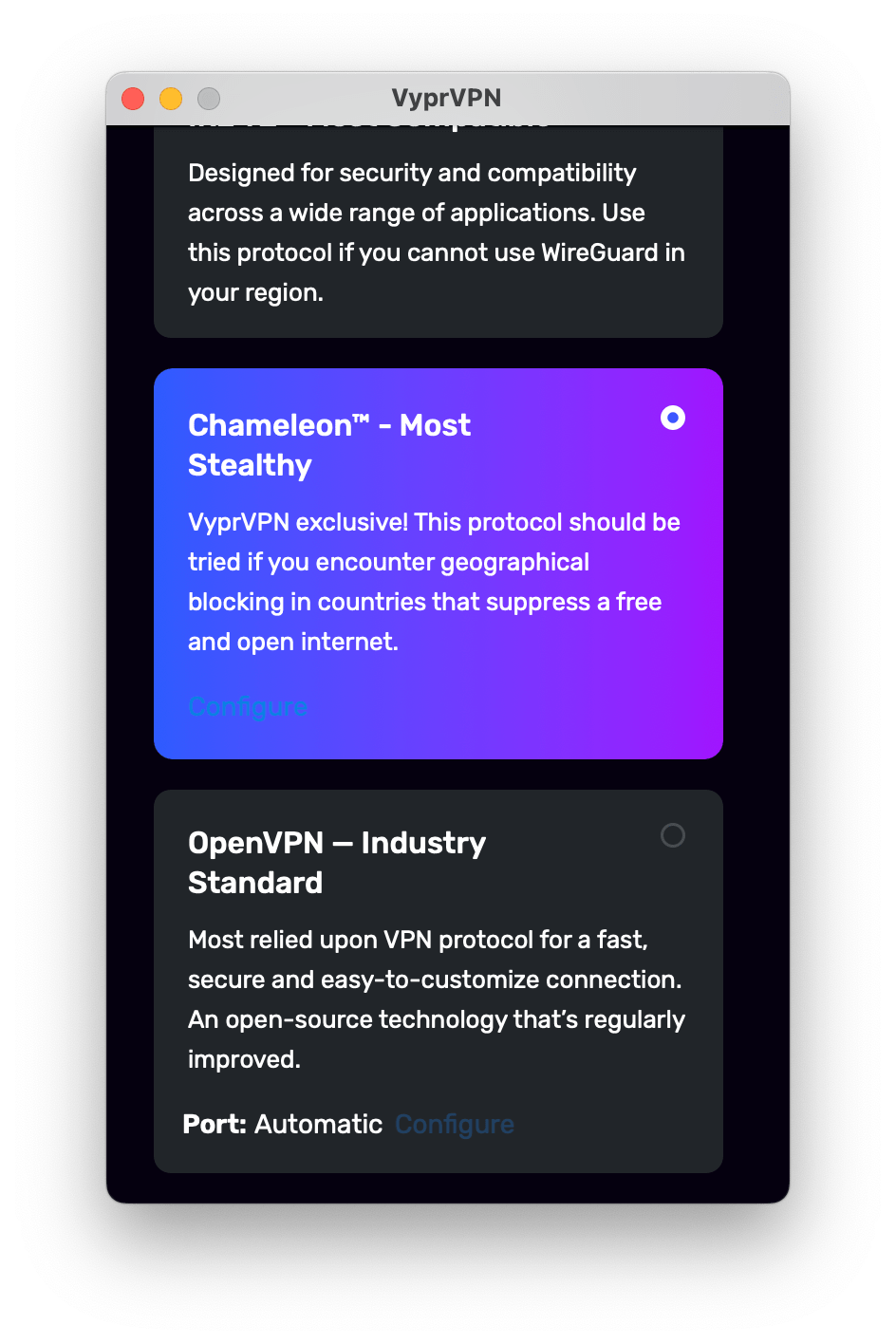
You can find VyprVPN’s obfuscation protocol in Customize > Protocol.
This VPN protocol is designed to bypass aggressive censorship and VPN blocking in countries like Turkey, China, and the UAE. It’s currently available with every VPN server.
VyprVPN’s Chameleon protocol works by scrambling the metadata of each OpenVPN packet, preventing detection through Deep Packet Inspection (DPI).
This helps it avoid detection by governments, ISPs, and other network administrators such as your employer, school, or university.
Under the obfuscation layer, it uses standard OpenVPN with AES-256 encryption. This means you can try to overcome censorship without sacrificing security.
The latest version, Chameleon 2.0, adds compatibility and improvements for Windows, Android, macOS, and iOS devices.
EXPERT ADVICE: We don’t recommend relying on VyprVPN’s Chameleon protocol if you are traveling to or living in China. Astrill VPN and Windscribe are much more reliable for bypassing censorship.
Great Customer Support
VyprVPN has strong online resources with detailed guides and 24/7 live chat support. It also offers better international help than many other VPN services. That said, we’d like to see support agents provide more knowledgeable, less scripted responses.
Getting in touch via 24/7 live chat is the easiest way to get help from VyprVPN. You can reach a human immediately, and we’ve never seen a queue longer than two people.
However, response quality can be hit-or-miss. We’ve received some frustratingly scripted and unclear answers to our questions.
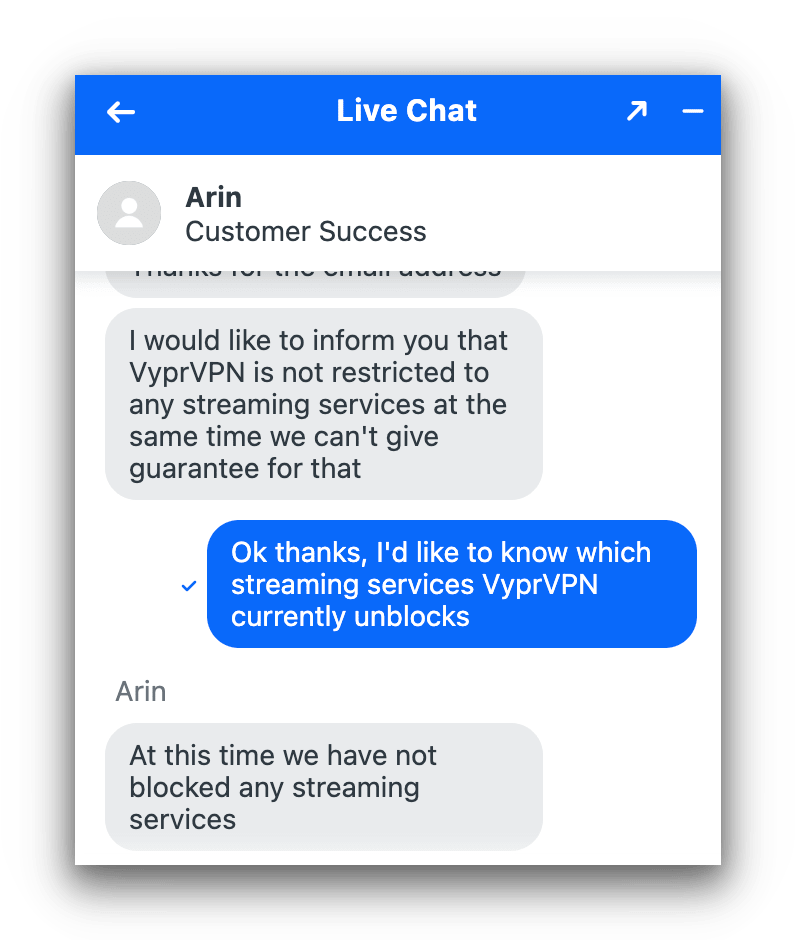
VyprVPN’s live chat is sometimes helpful, other times confusing.
Compared to other top VPNs, VyprVPN’s online resources are very good. Its help center is organized and easy to navigate, with setup guides, FAQs, and account management tips.
We’re also glad to see VyprVPN offers online support resources in multiple languages.
- Chinese
- Dutch
- English
- French
- German
- Portuguese
- Spanish
- Turkish
VyprVPN Key Data
| Attribute | VyprVPN | Typical VPN |
|---|---|---|
| Owner | Certida | Independent |
| Launch Date | 2009 | 2015 |
| Local Download Speed | 97Mbps (3% loss) | 89Mbps (11% loss) |
| International Download Speed | 87Mbps (13% loss) | 80Mbps (20% loss) |
| Countries with Servers | 64 | 40 |
| Privacy Policy | Unknown | Identifiable Data |
| Simultaneous Connections | 30 | 10 |
| Netflix Libraries | 2 | 3 |
| Torrenting | Yes | Yes |
| Works In China? | No | No |
| Cheapest Price | 5.00/mo over 12 months | $3.87/mo over 24 months |
| Customer Support | 24/7 Live Chat | |
| Apps & Extensions |
          |
|
Price
Price Plans
| 1 month | $10.00 |
|---|---|
| 12 months | $60.00 ($5.00/mo) |
Free Trial
| Money-Back Guarantee | 30 days |
|---|---|
| Free Trial | 3 days (mobile only) |
| 100% Free Plan | No |