If you’ve ever wondered why your Netflix stream is smooth but your big file download feels like it’s crawling, you’ve already bumped into the difference between TCP and UDP — you just didn’t know their names yet. TCP and UDP are the two main transport protocols that sit under almost everything you do online: browsing, gaming, streaming, video calls, VPNs — the whole lot.
Let’s walk through them in plain English, with a bit of real‑world flavor, and figure out when each one actually matters to you.
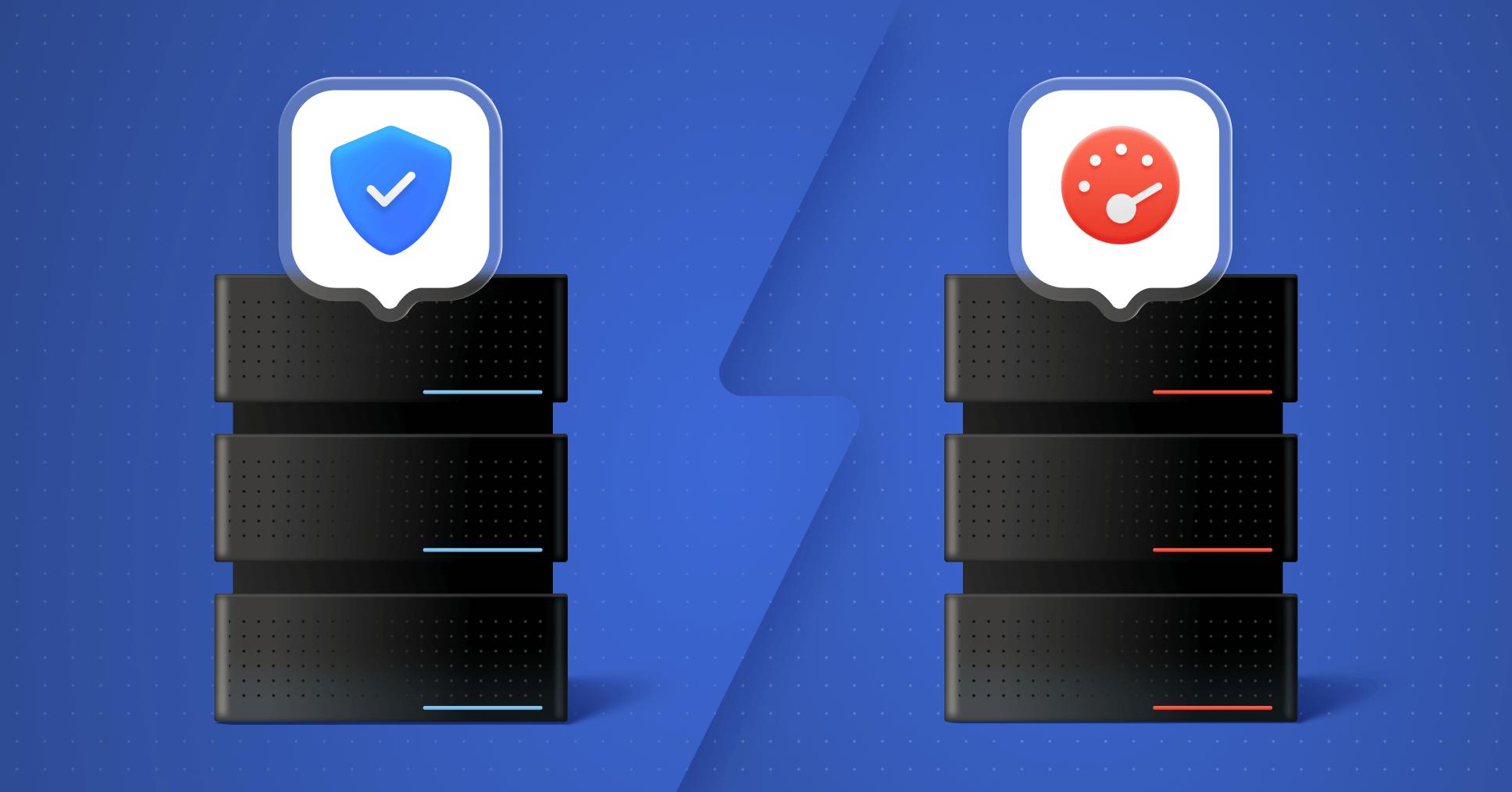
First, what on earth are TCP and UDP?
Think of the internet as one giant postal system. IP is the part that knows where to send things (the address), and TCP/UDP are the rules for how to send them. Both TCP (Transmission Control Protocol) and UDP (User Datagram Protocol) sit on top of IP and chop your data into little chunks called packets, then get those packets across the network.
They have the same basic job — move data from A to B — but very different personalities:
- TCP is the careful, detail‑obsessed courier: slow-ish, checks everything, never loses a box if it can help it.
- UDP is the “just throw it over the wall and hope it lands” type: fast, doesn’t overthink it, doesn’t look back.
That core personality difference — careful vs carefree — explains almost everything else.
How TCP works: the polite, reliable perfectionist
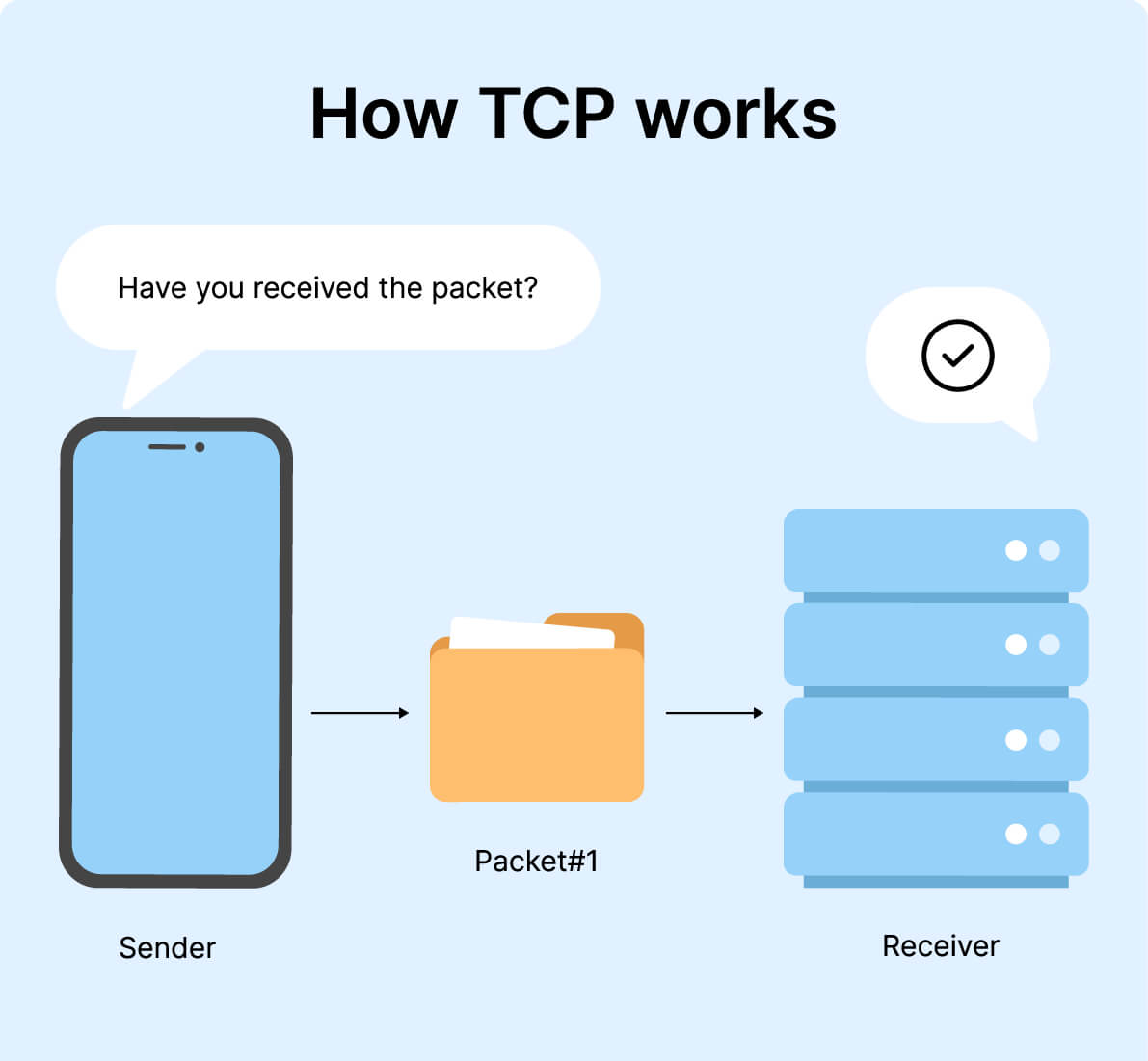
TCP is what we call a connection‑oriented protocol. Before any useful data moves, TCP insists on setting up a proper connection between your device and the server using a three‑way handshake.
In human terms, it goes like this:
- You say: “Hey, can we talk starting from message number X?” (SYN)
- The server replies: “Got it. Let’s start from your X; here’s my starting number Y.” (SYN‑ACK)
- You confirm: “Cool, I see your Y — let’s go.” (ACK)
Once this little dance is done, the connection is officially “on,” and data starts flowing. Every chunk of data is numbered, checked, and acknowledged on the way. If something goes missing or shows up corrupted, TCP notices and resends it.
A few key habits TCP has:
- Sequencing: It keeps track of packet order so your data gets reassembled exactly how it was sent — no shuffled lines of a web page or broken files.
- Error checking and acknowledgments: Every packet is checked with mechanisms like checksums, and the receiver must say, “Yup, I got it.” If no acknowledgment arrives, TCP resends.
- Retransmission and flow control: Lost packets are resent, and TCP adjusts its sending speed to avoid overwhelming the network or the receiver.
All of this makes TCP reliable: it virtually guarantees that your data arrives, in order, and intact — or it will keep trying. The trade‑off? All that handshaking, tracking, and double‑checking costs time and bandwidth, so TCP is usually slower than UDP, especially over dodgy or long‑distance links.
This is why TCP is the go‑to protocol for things that simply cannot afford to be wrong, like:
- Web browsing and HTTPS traffic
- File downloads and uploads
- Email and messaging
- Remote admin and many business apps
How UDP works: the fast, no‑nonsense sprinter
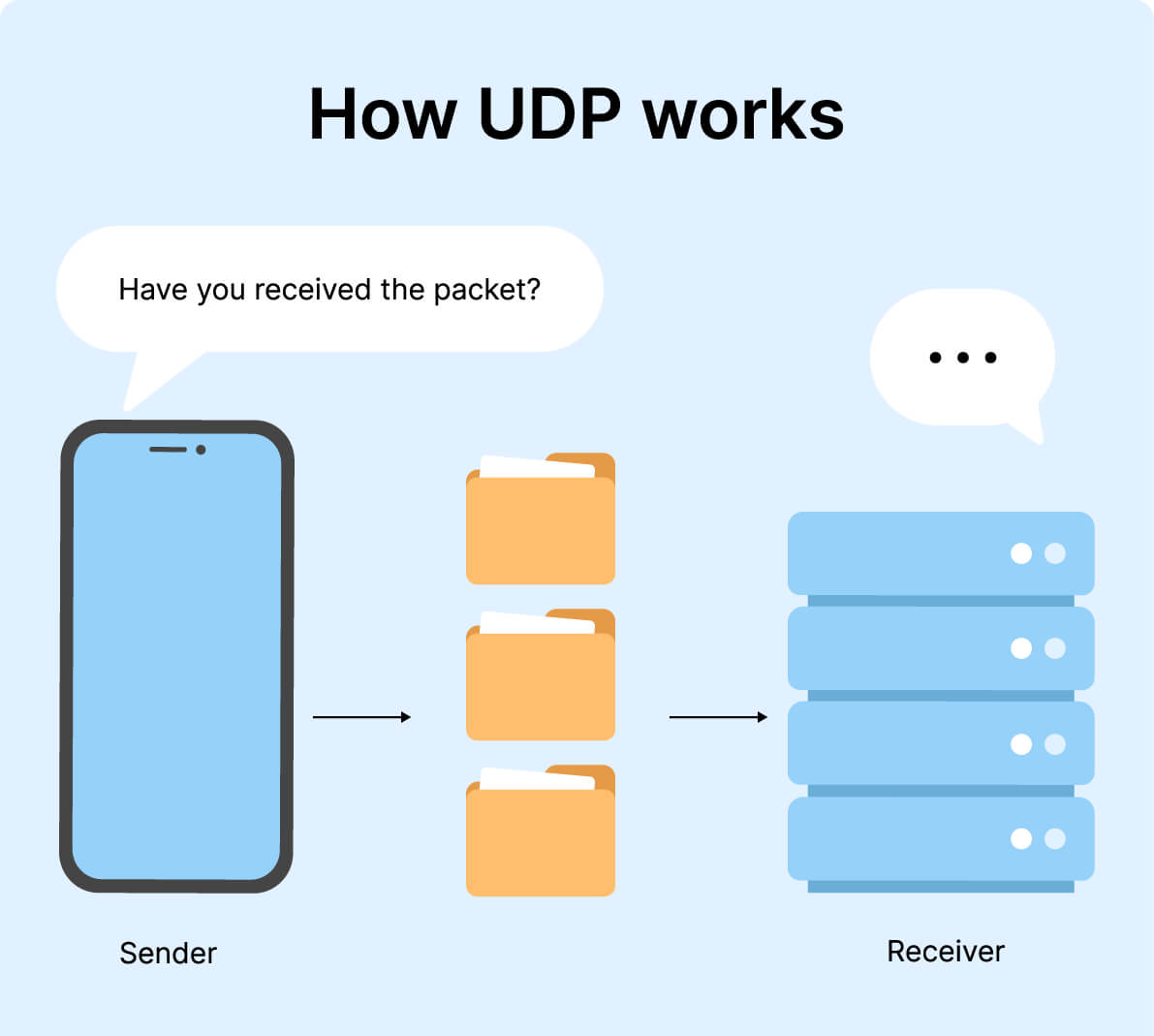
UDP, on the other hand, is connectionless. There’s no handshake, no “Are you ready?” — you just fire packets at the destination and hope they’re received. This is why UDP is often called a “fire‑and‑forget” protocol: it sends, and then moves on with its life.
Here’s what that means in practice:
- No connection setup: No three‑way handshake. Less overhead, less delay. Apps can start sending immediately.
- No guaranteed delivery: If packets are lost, corrupted, or arrive out of order, UDP doesn’t fix it. There are basic checksums, but if something’s wrong, packets can just get dropped.
- No retransmission: If a packet disappears, it’s simply gone. UDP doesn’t resend it. If an app cares enough, the app has to build its own reliability on top.
Sounds terrible, right? Not really — this “don’t babysit the data” attitude is exactly what you want for certain types of traffic.
For live or real‑time uses, old data is basically trash. No one wants a voice packet from 3 seconds ago showing up late on a call. It’s better to drop it and play the newer ones. The same is true for online games and live streams: you want “now,” not “perfectly corrected history.”
UDP really shines when:
- You’re gaming online and need low latency more than pixel‑perfect reliability
- You’re watching a live stream or sports event
- You’re on a video call or VoIP call
- You’re using systems like DNS that send tiny, frequent lookups
On top of that, UDP supports broadcast and multicast — sending the same data to many recipients in one shot — which is a big deal for certain network services and streaming/distribution scenarios. TCP simply doesn’t do that.
TCP vs UDP: reliability, speed, and overhead in plain language
| Factor | TCP | UDP |
|---|---|---|
| Type of service | Connection-oriented; a connection must be established before data transfer and properly closed afterward. | Connectionless/datagram-oriented; no setup or teardown phase, efficient for broadcast and multicast. |
| Reliability & delivery guarantee | Reliable; guarantees delivery of data to the destination or retransmits if needed. | Unreliable; delivery is not guaranteed, and lost packets are simply dropped. |
| Error checking & acknowledgments | Extensive error-checking with acknowledgments and flow control. | Basic error-checking via checksums; no acknowledgments, no flow control. |
| Ordering / sequencing | Supports sequencing; packets are reassembled in the correct order before delivery to the application. | No built-in sequencing; if order matters, the application must handle it. |
| Retransmission of lost packets | Can retransmit lost or damaged packets to ensure complete data delivery. | No retransmission; once a packet is lost, it’s gone. |
| Speed & latency | Slower due to handshakes, acknowledgments, and congestion/flow control, but delivers complete data. | Faster, simpler, and lower latency because it skips connection setup and reliability mechanisms. |
| Header size & overhead | Variable header length of about 20−60 bytes; higher overhead. | Fixed 8-byte header; very low overhead. |
| Broadcast / multicast support | No support for broadcast or multicast; one-to-one communication only. | Supports broadcast and multicast; ideal for sending the same data to many clients. |
| Stream type | Byte stream; presents data as a continuous stream of bytes. | Message (datagram) stream; preserves message boundaries. |
| Typical use cases | Web browsing (HTTP/HTTPS), email, file transfers, remote admin, text messaging — any scenario where accuracy matters more than raw speed. | Online gaming, live audio/video streaming, VoIP, DNS, multicasting — scenarios where low latency matters more than perfect reliability. |
| VPN preference (in practice) | Better for reliability over unstable or restricted networks, and when you want VPN traffic to blend in with HTTPS on port 443. | Default for many VPNs because it offers better speed and lower latency, ideal for streaming and gaming through a VPN tunnel. |
Let’s line up the main differences in more conversational terms. Under the hood, all three sources say essentially the same thing: TCP is about reliability; UDP is about speed.
Reliability and ordering
- TCP: Think of it as a tracked, signed‑for delivery. Everything is numbered; everything must arrive; the sender keeps re‑sending until the receiver confirms. Out‑of‑order packets are reassembled into the correct order. You either get the full thing or you wait.
- UDP: More like tossing postcards. Some may arrive, some may not. They may arrive out of order. UDP doesn’t rearrange, resend, or complain about it.
Speed and overhead
- TCP: Has a bigger, variable‑length header (roughly 20–60 bytes), plus all the extra control logic — handshakes, acknowledgments, flow control. That adds overhead and slows things down, especially at the start of a transfer.
- UDP: Uses a tiny, fixed 8‑byte header and almost no extra ceremony. That’s less to send, less to parse, and less waiting around — ideal for fast, low‑latency traffic.
Delivery guarantees
- TCP: “Your data will get there, or I’ll keep trying.” Delivery is guaranteed (as long as the connection doesn’t completely die), and errors are checked thoroughly.
- UDP: “I sent it. Whether you got it… not my problem.” Some packets may be lost, some may be dropped on congestion, and that’s just part of the deal.
Broadcasting and streaming
- TCP: Strictly one‑to‑one. No broadcasting, no multicasting.
- UDP: Can send to many devices at once (broadcast/multicast). This is great for things like live streams, conferences, or network discovery tools.
You can think of it this way: if your main fear is “What if my data is wrong or incomplete?”, you lean on TCP. If your main fear is “What if my connection lags and everything feels choppy?”, you lean on UDP.
Real‑world examples: what uses what, and why
You don’t usually choose TCP or UDP manually — your apps and services do that for you. But it’s useful to know which side of the fence your favorite activities sit on.
Things that love TCP
Anything that needs correctness more than speed will gravitate toward TCP:
- Web browsing (HTTP/HTTPS): Your browser expects the page HTML, CSS, JS, and images to arrive fully and in order. You’d notice missing pieces instantly.
- Email and messaging: Losing or scrambling parts of a message is unacceptable. TCP makes sure the content is correct before your client shows it.
- File transfers (FTP, SFTP, cloud sync, software updates): A corrupt file is worse than a slow download. TCP’s retransmissions and checks make sure you get exactly what was sent.
- Admin tools and secure shells (like SSH): Commands must arrive accurately, in order; any corruption could be dangerous.
Things that love UDP
When timing beats perfection, UDP is the natural choice:
- Online gaming: You care about real‑time state (where players are now), not a perfectly accurate replay of the past. A few missing packets are better than lag spikes.
- Live video and audio streaming: It’s better to skip a frame than to pause the whole video to fix it. UDP keeps the stream moving (often combined with higher‑level logic for quality).
- VoIP and video calls: Old audio is useless; you’d rather have an occasional glitch than half‑second delays.
- DNS: Tiny requests, frequent lookups — it’s faster and simpler to just send/receive without all the TCP ceremony.
TCP, UDP, and VPNs: why your VPN often “feels” different
The third set of materials zooms in on VPNs, and this is where knowing TCP vs UDP actually changes your settings. Many VPN protocols (like OpenVPN and WireGuard) can run over TCP or UDP.
Why VPNs usually default to UDP
Most VPN apps default to UDP for one simple reason: it’s faster and has lower latency. When you’re tunneling all your traffic through a VPN, that extra speed matters for streaming and gaming.
- OpenVPN commonly uses UDP on port 1194 by default because it performs better; TCP is also supported, often on port 443.
- WireGuard is designed around UDP, but some providers (like Proton VPN) have added support for running it over TCP for tougher censorship environments.
So if you’re streaming Netflix, playing games, or doing video calls over a VPN, UDP is usually the better choice: less overhead, lower ping, smoother experience.
When you might want TCP with a VPN
TCP over VPN makes sense in a few situations:
- Unstable or restricted networks: If UDP packets keep getting dropped or blocked — say on a campus Wi‑Fi or in a heavily censored country — switching your VPN to TCP (often over port 443) can make it look more like normal HTTPS traffic, which is harder to block without breaking the web.
- Reliability over speed: When you’re sending files, handling sensitive data, or just browsing and don’t care about shaving milliseconds off your ping, TCP gives you stronger guarantees that packets will be delivered or retransmitted.
Some VPN clients even have smart protocol selection that will first try UDP, and if that fails due to blocks or instability, automatically fall back to TCP — no manual fiddling required.
So which is “better”: TCP or UDP?
That “which is better?” question pops up a lot, but it’s honestly the wrong way to look at it. Each protocol is good at something very different.
A quick rule of thumb you can keep in your head:
- If your data must be complete and correct — think files, emails, banking, web pages — TCP is your friend.
- If your data must be fast and fresh, and it’s okay to lose a bit — think gaming, calls, live video — UDP is your friend.
In other words:
- TCP: “Do it right, even if it’s slower.”
- UDP: “Do it now, even if it’s not perfect.”
They’re not rivals so much as tools in the same toolbox. Your apps quietly pick whichever protocol matches the job.
Putting it all together
Here’s the practical takeaway:
- You don’t usually need to choose TCP vs UDP manually; apps and services already do that based on whether they care more about reliability or latency.
- The main place you’ll actually see this choice is in VPN settings, where you can try UDP first (for speed) and fall back to TCP (for reliability or censorship circumvention) if needed.
- Understanding the trade‑off — slow‑but‑sure TCP vs fast‑but‑fragile UDP — helps explain a lot of everyday experiences: stuttering streams, laggy games, or why downloads don’t just “skip the broken bits.”
Once you see internet traffic as this constant tug‑of‑war between “perfect” and “right now,” TCP and UDP stop being scary acronyms and start feeling like exactly what they are: two very different, very useful ways of moving your data around the world.