
AVG Secure VPN: Fast Speeds, But Weak Privacy, Limited Streaming, and Few Features
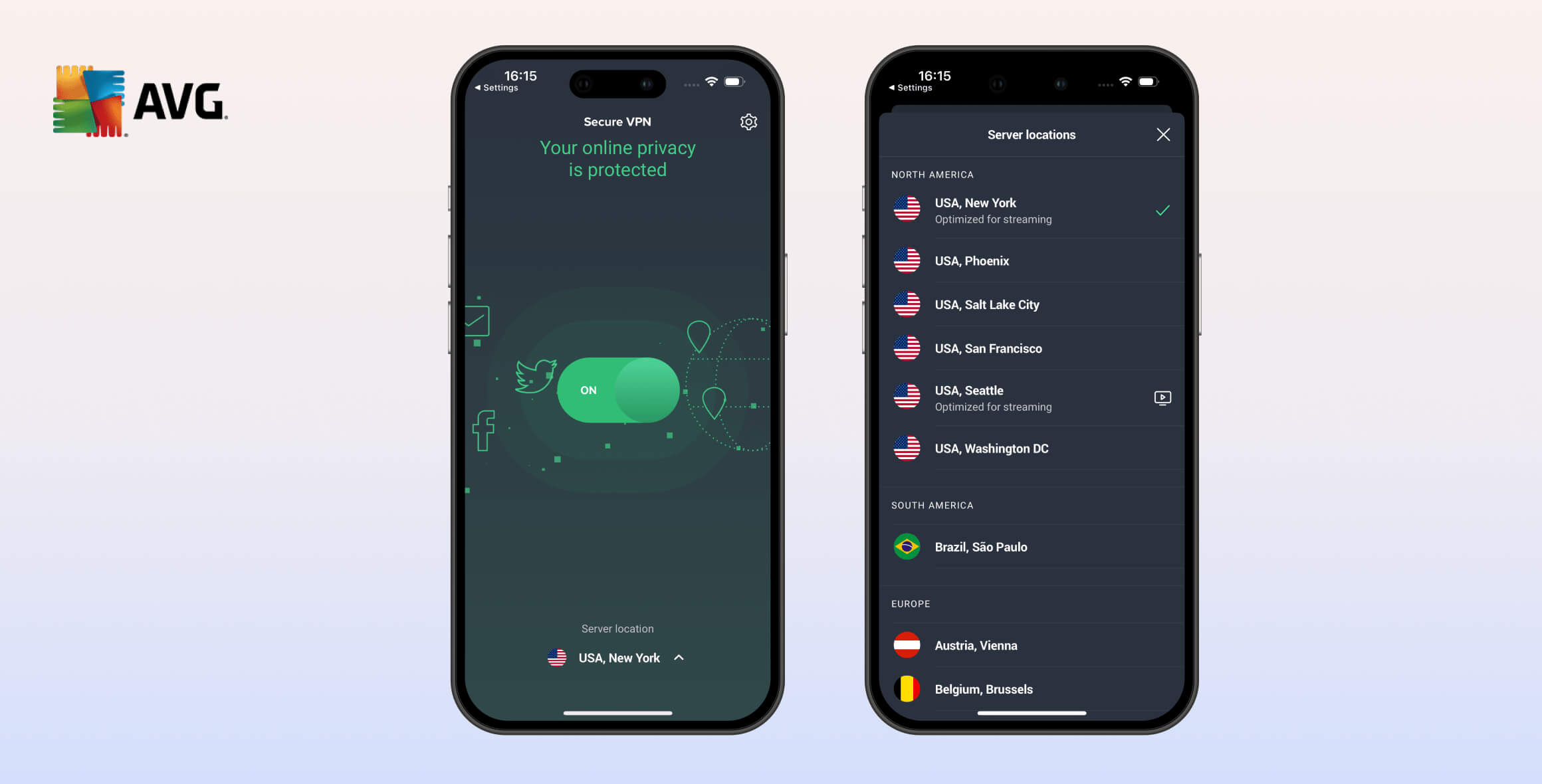
Overall, we don’t recommend AVG Secure VPN and rate it only 5.3/10. It logs and shares connection data, has a small server network, and fails to unblock most streaming services. It’s also expensive and lacks advanced features like split tunneling. Despite its reasonably fast speeds, we don’t think AVG Secure VPN is worth using unless you already use AVG’s antivirus software.
- Pros
- Fast VPN connection speeds
- Unblocks US Netflix & BBC iPlayer
- Successfully encrypts your connection
- Simple apps that are easy to use
- 16 US server locations
- Cons
- Logs sensitive data & shares it
- Small server network
- Unaudited security protocol
- No anti-censorship capabilities
- No short-term subscriptions
- Poor customer support
AVG Technologies has been a big name in online security since the 1990s. It released its VPN service, AVG Secure VPN, in 2019.
We’ve been regularly testing AVG Secure VPN since its release. Unfortunately, despite some positives, it has consistently been a disappointing VPN.
As you’ll see in this review, AVG Secure VPN does very little to protect your privacy due to its invasive logging policy.
While it does have reasonably fast speeds and a generous simultaneous connection limit, it struggles to unblock streaming services and lacks many features we expect from top VPNs, especially on macOS and iOS.
Ultimately, unless you’re an existing AVG antivirus customer, you shouldn’t use AVG Secure VPN. There are far better VPNs with stronger streaming performance, safer logging policies, responsive customer support, and larger server networks.
Privacy
Ranked #31 out of 45 VPNs for Privacy
AVG VPN’s logging policy has improved in recent years, but it still has a long way to go. It achieved a privacy rating of 3.0/10 in our tests. Though it no longer logs your IP address, it does collect information about when you connect to a VPN server and how much data you use. Furthermore, there has been no independent audit, and its transparency reports reveal frequent sharing of user data.
| Originating IP Address | No |
|---|---|
| Browsing Activity | No |
| Individual Connection Timestamps | Yes |
| Date of Last Connection | No |
| VPN Server IP | No |
| Device Information | No |
| Individual Bandwidth Usage | Yes |
| Account Information | Yes |
You can read AVG VPN’s full privacy policy on its website.
Although this data is only stored for 35 days, we cannot recommend a VPN that logs individual bandwidth usage or connection timestamps for any amount of time.
To improve its privacy rating, AVG would need to stop storing this data and invest in a diskless server network. It should also commission an independent audit to verify its privacy claims.
Subject to EU Data Retention Laws
AVG is based in Czechia, a country subject to EU data retention laws and intelligence-sharing agreements.
In other words, Czech authorities can demand user data that AVG would be legally obligated to hand over. We’ve already established that AVG logs identifiable data, so this is a serious concern.
AVG openly admits to sharing user data via the transparency reports released by its parent company, Avast.
In 2023, Avast received 51 government requests for information and handed over the data of five users. In 2017, it shared information for over 30% of requests.
Can AVG VPN Be Trusted?
We examined AVG’s corporate structure and history to assess its trustworthiness. Simply put: we advise caution when using AVG Secure VPN.
In July 2016, Avast — an even larger cybersecurity company — bought AVG. We also reviewed Avast SecureLine, its flagship VPN, which we rated 5.3/10 due to intrusive logging practices.
In December 2020, NortonLifeLock Inc. bought Avast, taking control of AVG in the process. In our review of Norton Secure VPN, we gave it an even lower rating of 4.6/10, partly because it logs your IP address.
NortonLifeLock (and therefore Avast and AVG) is part of the US multinational conglomerate Gen Digital, which also owns the VPN HMA (HideMyAss). This VPN also logs user data.
We’re concerned that all of Gen Digital’s VPN products, including AVG Secure VPN, have a history of logging user data.
Streaming
Ranked #22 out of 45 VPNs for Streaming
We found that AVG Secure VPN unblocks US Netflix and BBC iPlayer via its listed streaming servers, but no other streaming sites. While this lets you access some international content, the best VPNs also work with Hulu, Max, Prime Video, and other major platforms.
| Streaming Service | Works with AVG Secure VPN |
|---|---|
| BBC iPlayer (UK) | Yes |
| DAZN (Canada) | No |
| Disney+ (UK) | No |
| Hulu (US) | No |
| ITVX (UK) | No |
| HBO Max (US) | No |
| Netflix (US) | Yes |
| Netflix (UK) | No |
| Prime Video (US) | No |
| Sky Go (UK) | No |
We found that the US server “Gotham City” unblocks US Netflix, and the UK server “Wonderland” unblocks BBC iPlayer.
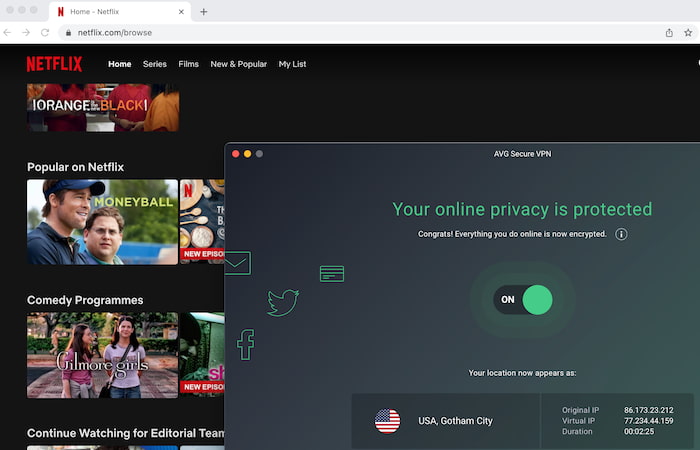
AVG Secure VPN unblocks US Netflix.
However, AVG Secure VPN did not work with other major US services like Hulu, Max, or US Prime Video. Similarly, it’s not a good choice for accessing local streaming services in these countries:
- Australia (SBS On Demand)
- Canada (CBC Gem)
- France (France.tv)
- Italy (RaiPlay)
- Korea (Kakao TV)
- Singapore (MeWatch)
We know this because we’ve tested 61 VPNs with up to 120 international streaming services, and AVG performed worse than most of them.
Below is a snippet of the streaming data we maintain:
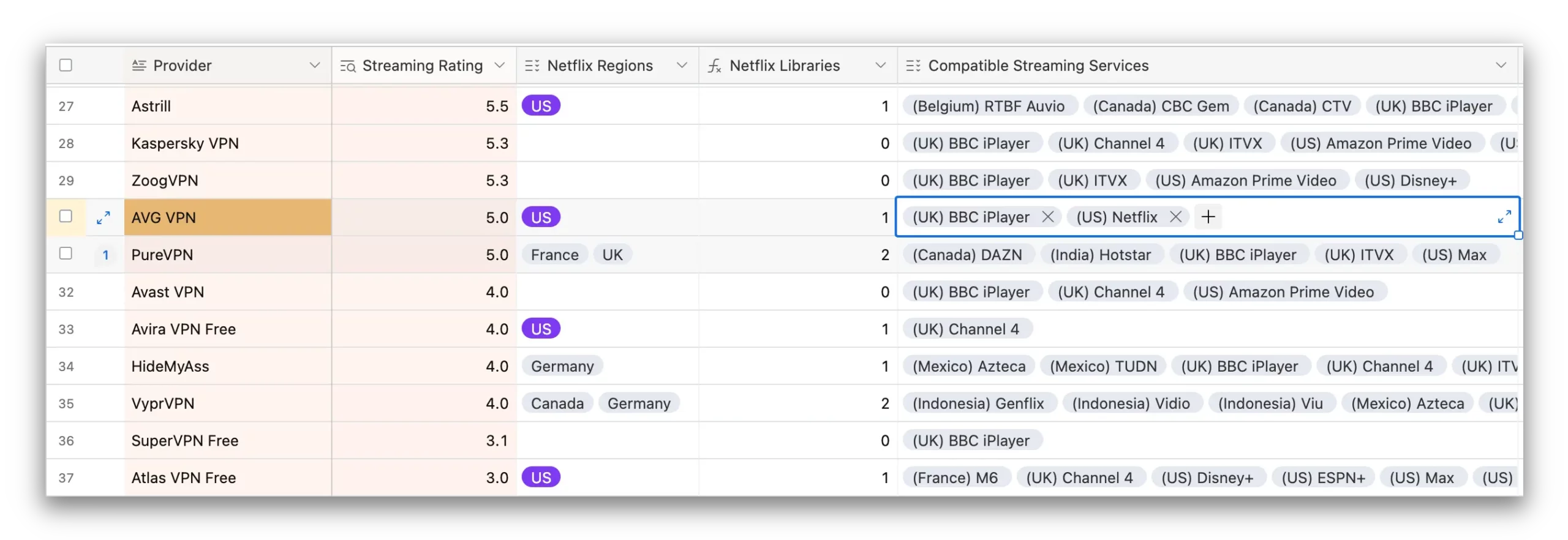
An insight into the streaming data that we maintain on every major VPN.
Speed
Ranked #12 out of 45 VPNs for Speed
AVG Secure VPN’s main strength is its connection speed. Using its default protocol, Mimic, our local download speeds averaged 94Mbps, only 6% slower than our base speed without a VPN. This gives it a speed rating of 9.3/10.
Here are the full results of our AVG Secure VPN speed tests:
| No VPN (New York) | US (New York) | Canada (Toronto) | US (Los Angeles) | UK (London) | Germany (Berlin) | Brazil (São Paulo) | Japan (Tokyo) | South Africa (Johannesburg) | Australia (Sydney) | |
|---|---|---|---|---|---|---|---|---|---|---|
| Server Location |  |
|
 |
|
 |
 |
 |
 |
 |
 |
| Download Speed | 100Mbps | 94Mbps | 100Mbps | 90Mbps | 92Mbps | 94Mbps | 89Mbps | 86Mbps | 95Mbps | 80Mbps |
| Upload Speed | 100Mbps | 96Mbps | 96Mbps | 96Mbps | 96Mbps | 93Mbps | 82Mbps | 96Mbps | 92Mbps | 33Mbps |
| Ping | 1ms | 7ms | 15ms | 86ms | 75ms | 83ms | 114ms | 144ms | 232ms | 258ms |
| Distance | 0mi | 5mi | 300mi | 2,500mi | 3,500mi | 4,000mi | 4,800mi | 6,700mi | 8,000mi | 9,900mi |
AVG Secure VPN delivers fast speeds wherever you connect. We calculated its global average speed to be 91Mbps, which is more than enough for any online activity.
Ping times are also consistently low. Connecting to Los Angeles from the East Coast, we recorded a latency of only 86ms.
Despite its strong speed performance, AVG cannot compete with the fastest VPNs. Hotspot Shield is the fastest in our tests, reaching 99Mbps on local connections.
Security
Ranked #12 out of 45 VPNs for Security
AVG Secure VPN includes the basic technical features we expect from a modern VPN. It uses AES-256 encryption and does not leak identifying data. However, its protocols vary by app, the kill switch isn’t available on macOS or iOS, WireGuard is only available on Windows and Android, and there are no advanced features like double VPN.
| Independent Audit | No |
|---|---|
| VPN Kill Switch | Yes |
| Leak Protection | Yes |
Does AVG’s Mimic Protocol Encrypt Your Data?
AVG Secure VPN’s default protocol is called Mimic, a proprietary technology developed by its parent company, Avast.
We’ve confirmed Mimic’s fast speeds, but we are uncertain about its security credentials. Avast is not transparent about how Mimic works, and there has been no independent audit. In contrast, ExpressVPN also uses a proprietary protocol, but it is open-source, so anyone can examine it.
We ran AVG Secure VPN through packet inspection to verify encryption. It successfully concealed our internet activity.
We recommend sticking to WireGuard or OpenVPN and avoiding L2TP if possible, which is older and less secure.
Unfortunately, WireGuard is only available on Windows and Android. This makes the macOS and iOS apps significantly less secure, and we advise against using them.
We’d like to see AVG follow the rest of the industry and add WireGuard across all platforms. Protocol options should also be made consistent across apps.
Server Locations
Ranked #28 out of 45 VPNs for Server Locations
AVG Secure VPN’s server list is small and lacks diversity compared to leading VPNs, with only 36 countries available. City-level options are limited to Europe and North America, and other regions are poorly covered.
| Continent | Countries with Servers |
|---|---|
| Europe | 23 |
| Asia | 7 |
| North America | 3 |
| Oceania | 2 |
| South America | 1 |
| Africa | 1 |
As you can see, AVG Secure VPN’s network is heavily focused on Europe, with servers in 23 countries — 62% of its locations.
Asia is relatively well served with seven locations. However, overall, AVG Secure VPN’s network is small compared to top providers that offer up to 100 countries, such as Surfshark and Private Internet Access.
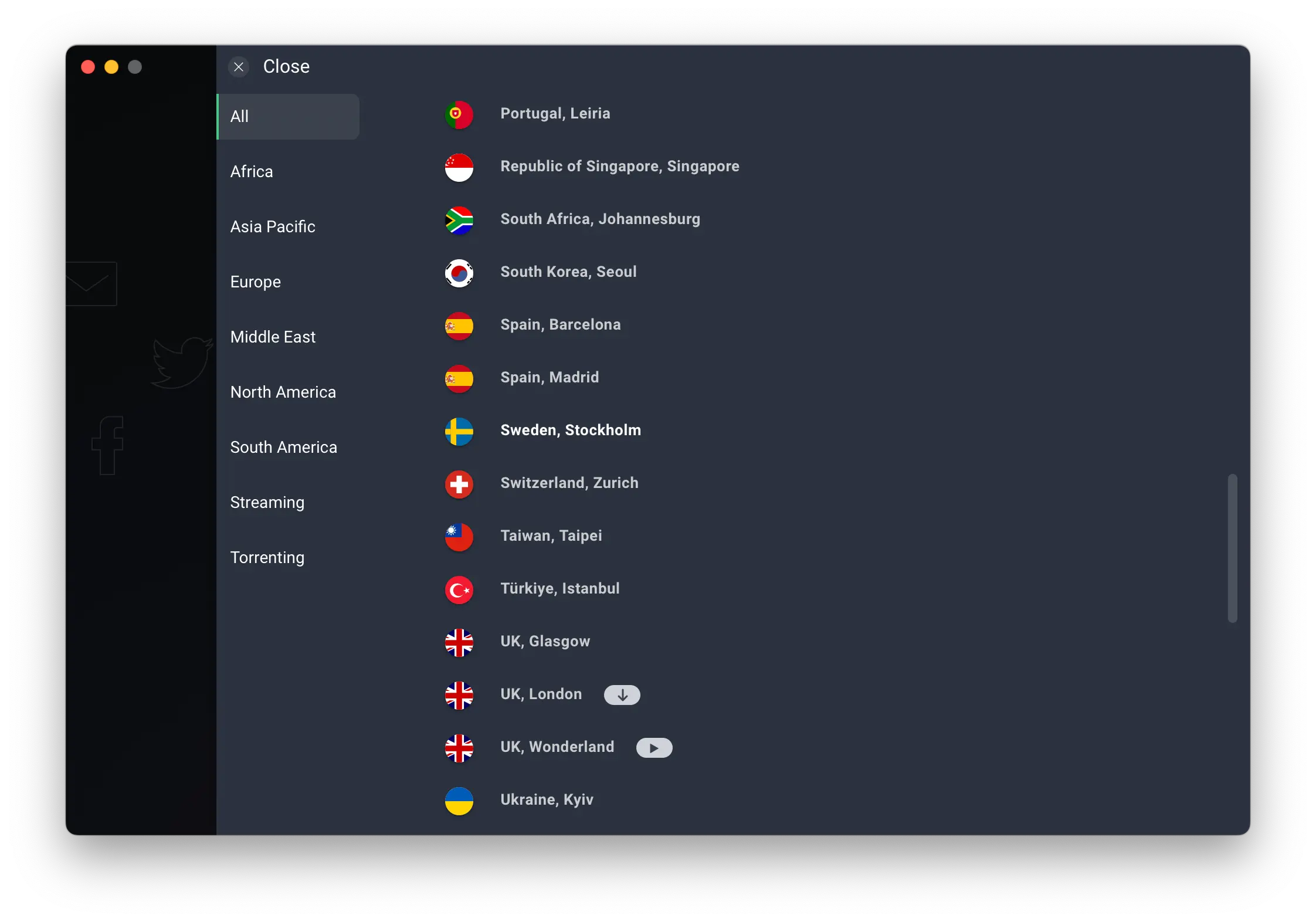
AVG’s server list is Euro-centric and small compared to leading VPNs.
Less-developed regions are poorly served, including South America and Africa, which each have only one server location for the entire continent.
City-level servers are available only in Australia, Canada, Germany, Spain, the UK, and the US. The US has the most city options, with servers in 16 cities, which is helpful if you’re based in the US.
Unfortunately, AVG does not disclose how many individual servers it operates, or whether they are owned or rented from third-party providers.
User Experience
Ranked #27 out of 45 VPNs for User Experience
AVG Secure VPN’s apps are simple to understand and use. However, what it gains in simplicity it loses in additional features and customization options, with a very basic settings menu. We also found the website difficult to navigate and have had experienced technical issues and bugs installing and using the service.
AVG’s VPN apps are easy to download and install. They’re laid out in a user-friendly and colorful way, and they’re not unpleasant to look at.
However, there aren’t enough customization options, and the Windows and Android versions are far more advanced than the macOS and iOS apps. We also encountered bugs when installing and using the apps.
Here’s a more detailed look at AVG on different platforms:
Desktop & Laptop (macOS & Windows)
AVG’s Windows app is much more advanced and customizable than macOS. It includes WireGuard in its protocol selection, which is the best protocol. There’s a Startup option so the VPN turns on with your computer, plus the ability to enable prompts to turn on the VPN when you connect to the internet.
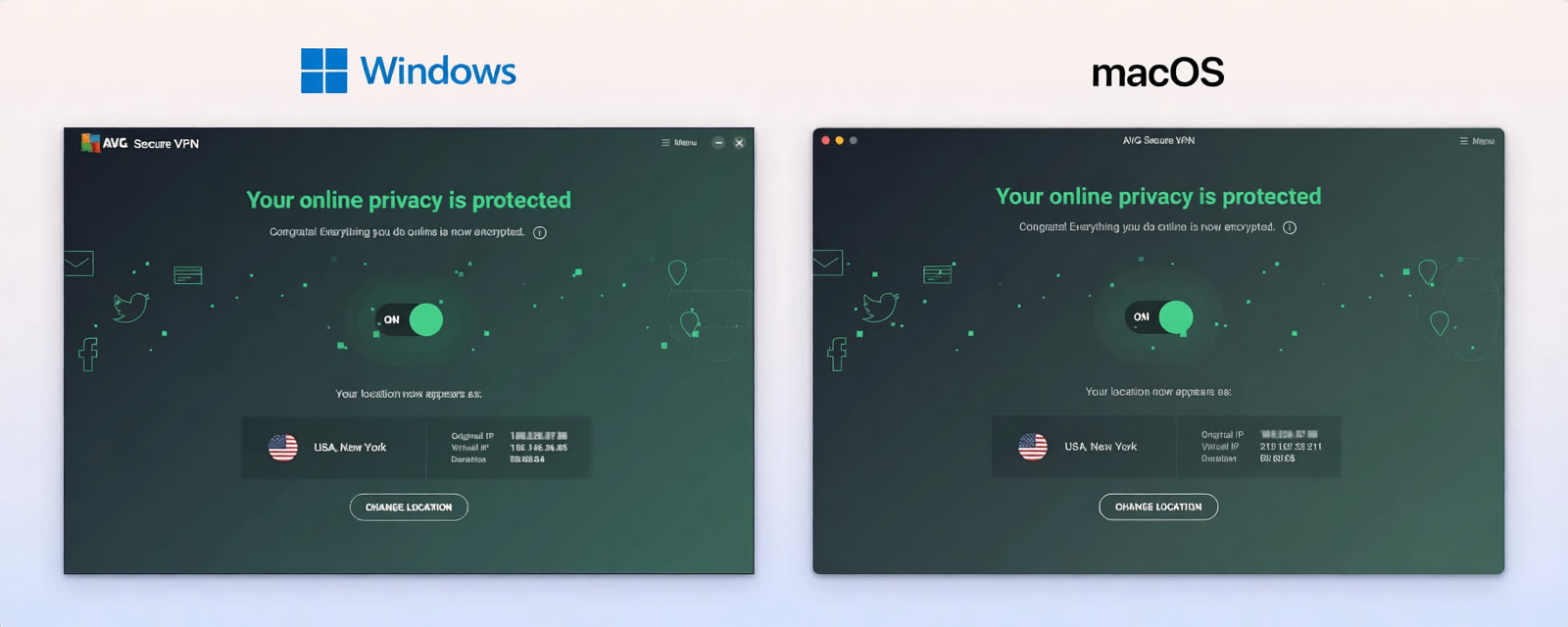
On both desktop apps, AVG lists servers specifically designated for streaming and torrenting. We’d prefer if all servers worked for these purposes, but theoretically, optimized servers can help avoid trial and error.
However, as our tests show, these servers don’t work for most streaming sites beyond US Netflix and BBC iPlayer.
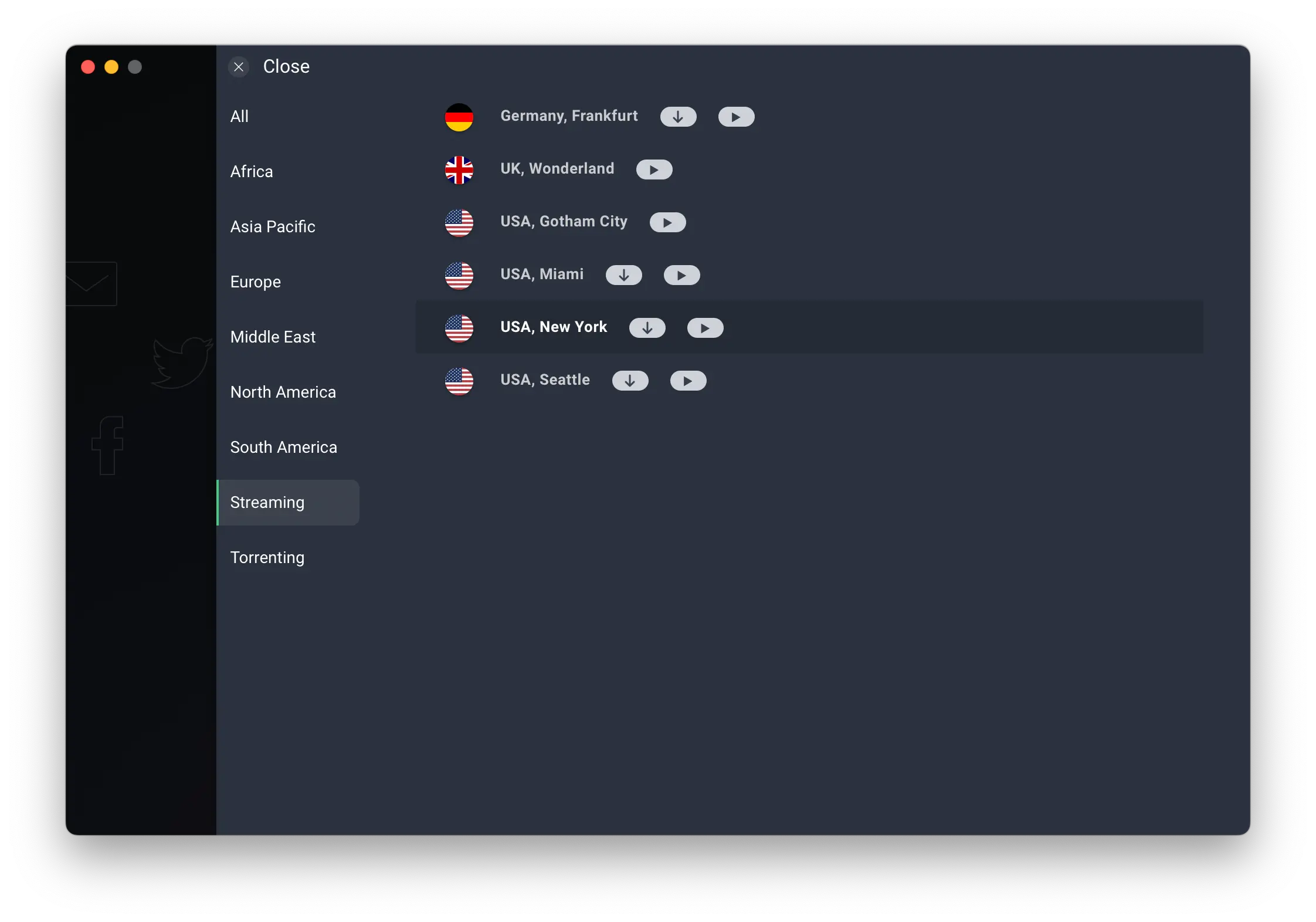
Most of AVG’s streaming servers don’t actually work.
We also encountered random app crashes and bugs throughout testing. We couldn’t install the AVG VPN free trial on macOS, and after using the app for a while we saw issues such as the one below:
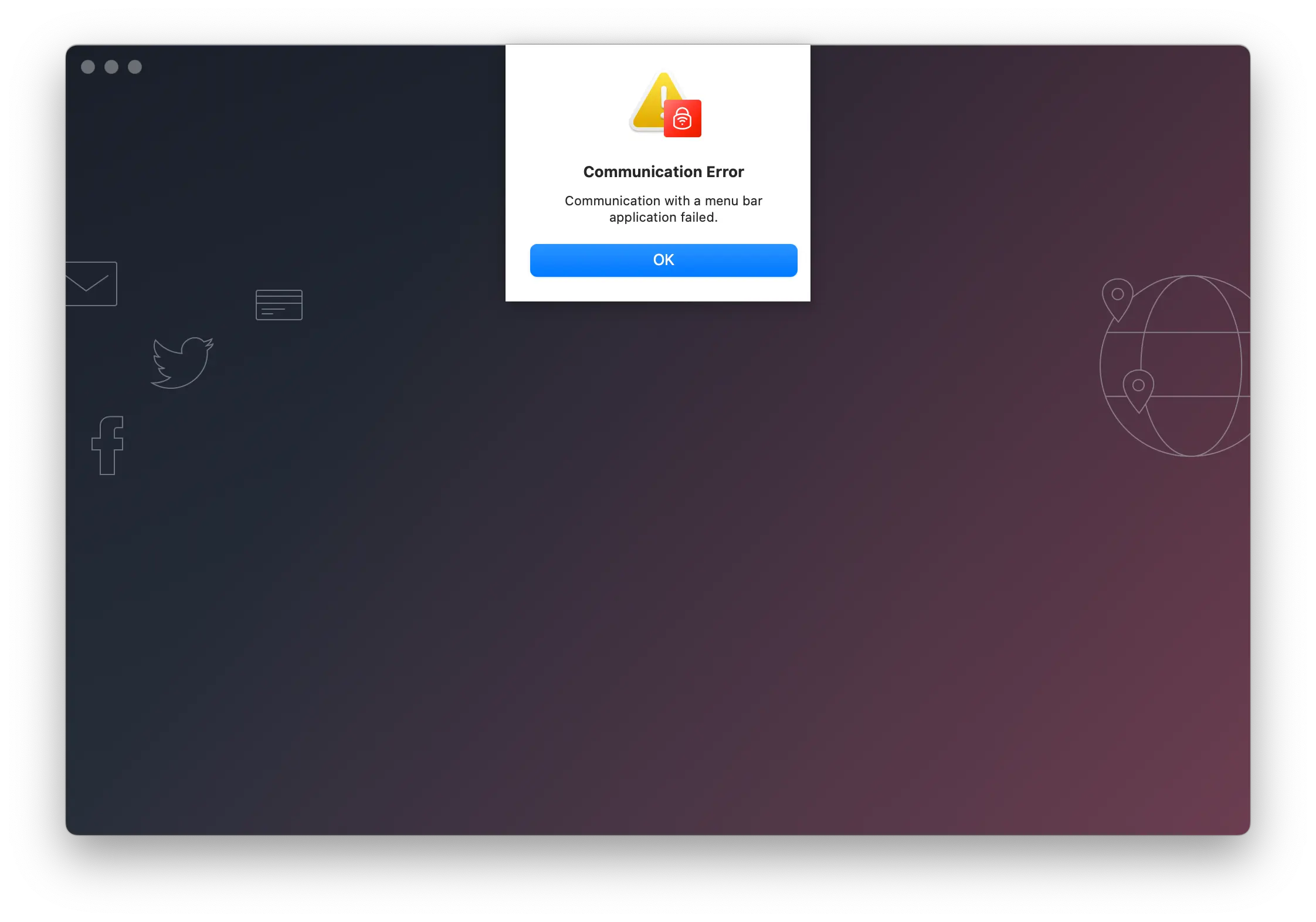
We encountered an occassional ‘Connection Error’ when using AVG VPN.
On the positive side, AVG includes 20 language options on Windows that translate the app instantly, making it more accessible.
Mobile (iOS & Android)
AVG’s iOS and Android apps look identical, but there are important differences.
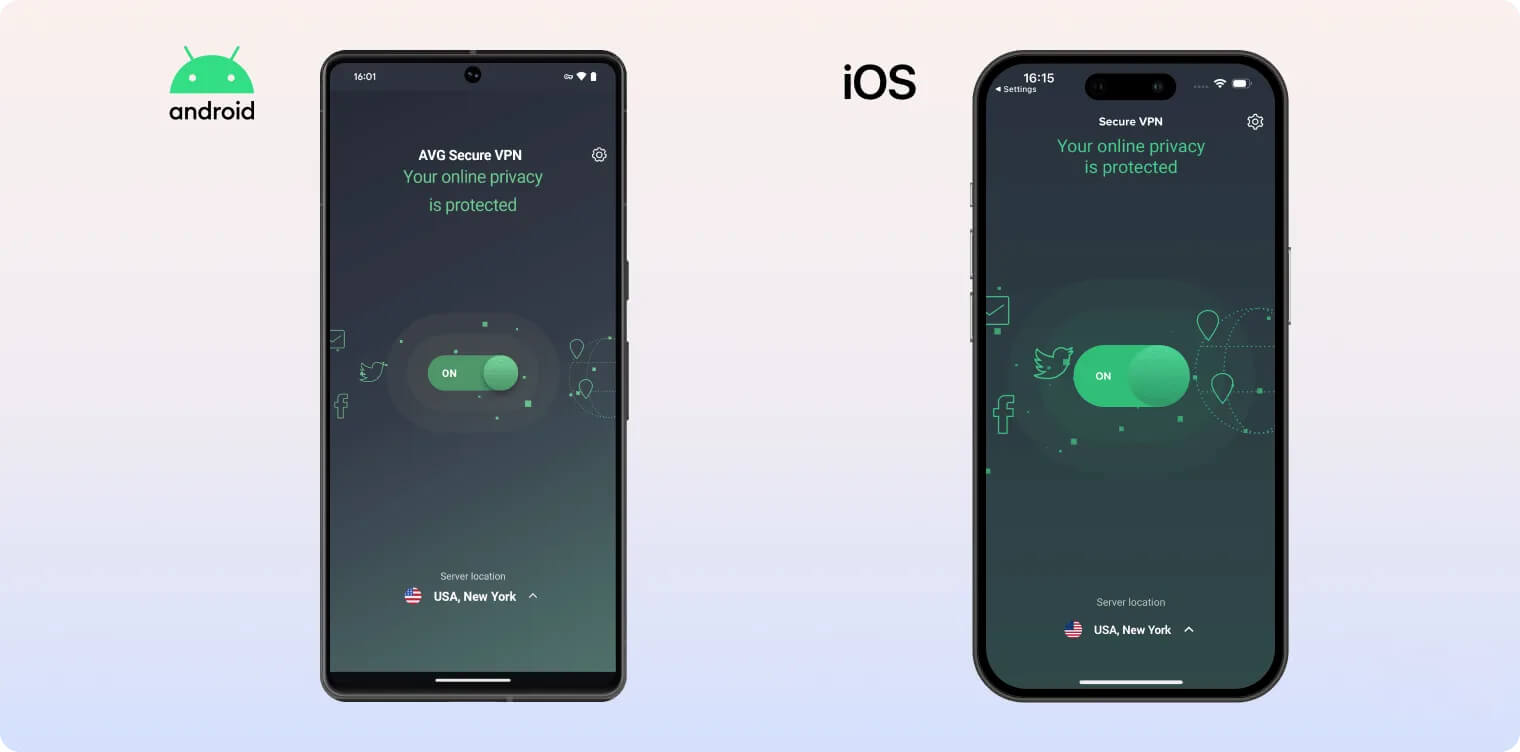
Android has three main screens: a home screen with the main connect button, a server list, and a settings menu. Helpfully, each setting includes a short explainer.
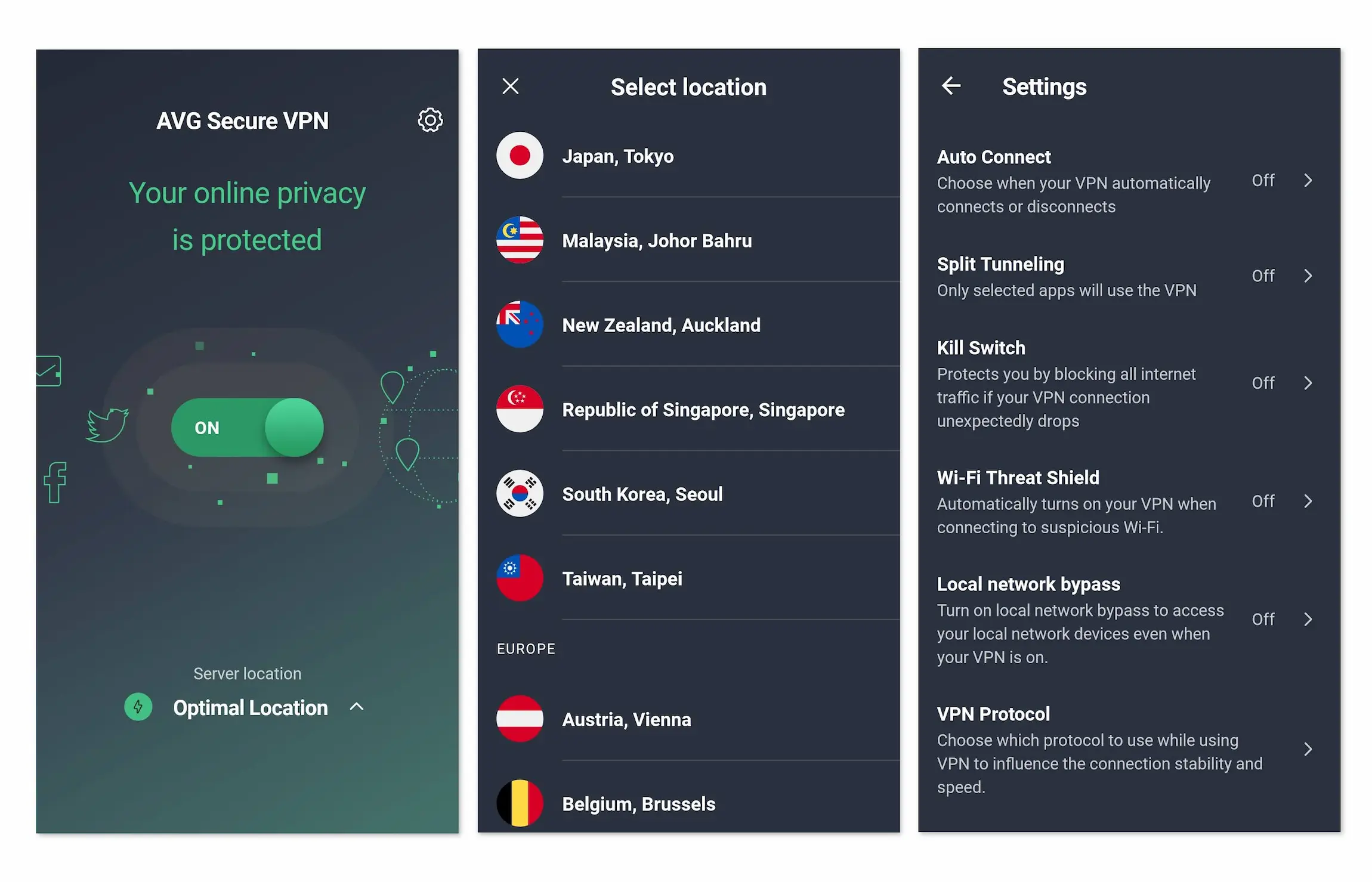
AVG Secure VPN on Android consists of three windows.
Android is the most customizable AVG VPN app. It is the only app with split tunneling, it has the WireGuard protocol, and there’s a manual kill switch. It’s also the only app with Wi-Fi Threat Shield, which turns on your VPN when connecting to “suspicious” public Wi-Fi networks.
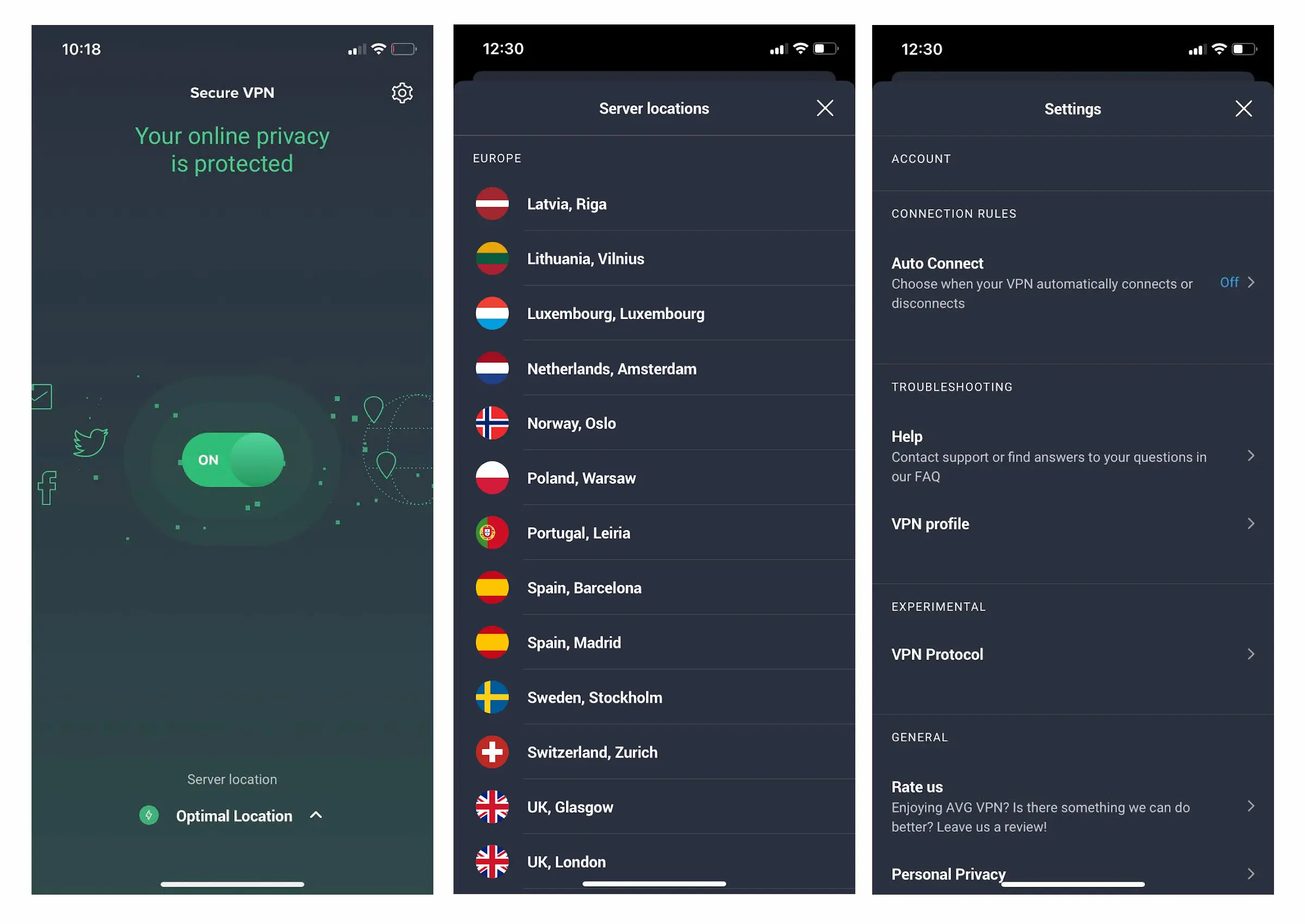
AVG Secure VPN on iOS has fewer settings options than Android.
In contrast, on iOS the only things you can customize are the protocol and an Auto Connect toggle. There is no WireGuard option, and we noticed the listed torrenting servers are not present. It’s much more limited and doesn’t offer much.
Torrenting
Ranked #24 out of 45 VPNs for Torrenting
AVG Secure VPN allows torrenting on its P2P-optimized servers. Its average bitrate also allows for fast downloads. However, it scores only 5.7 in our torrenting assessment because its logging policy doesn’t protect your anonymity, it has a history of sharing user information with authorities, and it lacks port forwarding.
| Torrenting Attribute | AVG Secure VPN |
|---|---|
| Permits P2P Traffic | Yes |
| Average Download Bitrate | 8.8MiB/s (12% loss) |
| Countries with P2P Servers | 5 |
| Port Forwarding | No |
| Kill Switch | Yes |
| Logging Policy | Identifiable Data |
AVG is a poor choice for torrenting due to its invasive privacy policy, which doesn’t guarantee anonymity. It has also handed over user data following legal requests.
Because of these privacy issues, we cannot recommend using AVG VPN for torrenting, even with its fast average bitrate of 8.8MiB/s and P2P-optimized servers, which are available in these five countries:
- France
- Germany
- Netherlands
- UK
- US
While AVG VPN has a kill switch to protect against accidental exposure of your IP address, other data that can identify you is already logged.
Device Compatibility
AVG Secure VPN is available only on mainstream platforms: Windows, macOS, Android, and iOS. There are no manual workarounds, so you cannot use AVG VPN on Fire TV, Android TV, game consoles, or routers. On the plus side, it allows up to 10 simultaneous connections.
| Windows | Yes |
|---|---|
| Mac | Yes |
| iOS | Yes |
| Android | Yes |
| Linux | No |
| Amazon Fire TV | No |
| Android TV | No |
| Apple TV | No |
| Router | No |
| Chrome | No |
Simultaneous Connections: 10
AVG VPN has no manual installation workarounds, so you won’t be able to use it on any device not listed above. This is highly restrictive compared to most top VPNs.
We’d like to see AVG develop more apps, making it compatible with Fire TV Stick, Android TV, and Apple TV.
It should also offer a router app so gamers can use it on Xbox and PlayStation.
Although AVG VPN is similar across apps, there are important differences. Use the table below to compare features on each platform:
No Browser Extensions
Adding to its limited compatibility, AVG Secure VPN does not offer any browser extensions.
This is disappointing, as you can’t quickly change VPN locations within your browser and must switch windows each time.
Additional Features
AVG Secure VPN offers almost no extra features, aside from 24/7 live chat support. It lacks tools that enhance your online experience, such as multi-hop servers for added security, ad and tracker blockers, and split tunneling — features commonly found in other VPNs. Additionally, it has never developed effective obfuscation to bypass censorship.
| Additional Feature | AVG Secure VPN |
|---|---|
| Split Tunneling | No |
| VPN Obfuscation | No |
| Multi-Hop Servers | No |
| Dedicated IP | No |
| Ad Blocker | No |
While AVG Secure VPN covers the basics of VPN security, its feature set falls short of industry leaders and offers almost no customization.
VPNs like ExpressVPN, NordVPN, and Surfshark include working ad blockers, multi-hop servers, open-source apps, and even GPS spoofing.
In contrast, AVG lacks split tunneling and offers very few options to manually configure your VPN experience.
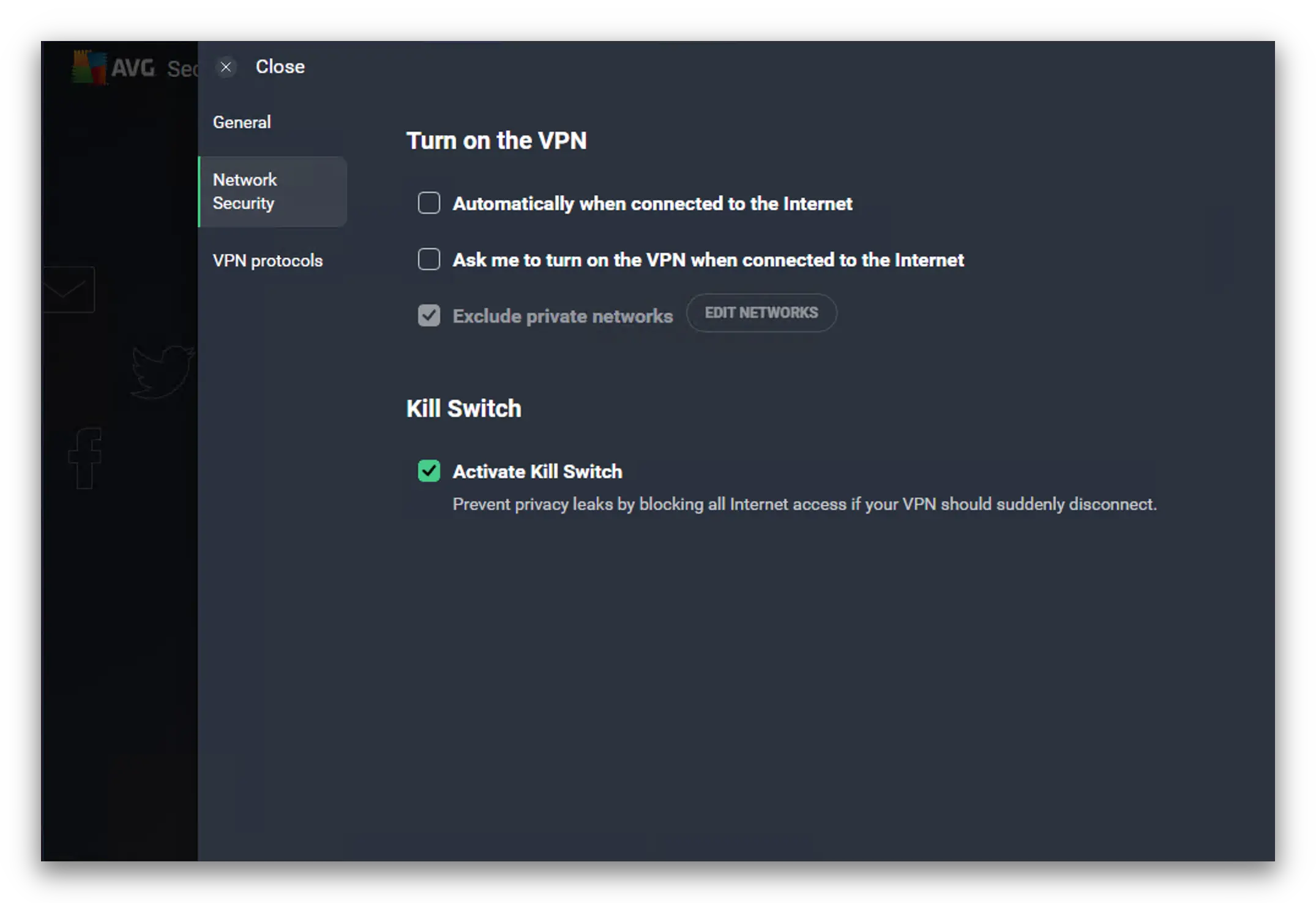
AVG VPN’s sparse security settings as they appear on the Windows app.
Does Not Bypass Internet Censorship
If you live in a restrictive country, AVG Secure VPN is not a good solution for getting around web blocks.
We tested it on our Shanghai server in China to see if it could bypass tough internet restrictions. It was repeatedly detected and blocked.
AVG is open about this limitation. We recommend Astrill VPN instead, which, according to our testing in China, has a 100% success rate against the Great Firewall.
Poor Live Chat and Slow Email Responses
AVG Secure VPN offers basic customer support, including an FAQ page and an online form for technical support requests.
When we used the form, we were shown a selection of articles to read, none of which applied to our inquiry.
It then encouraged us to visit the AVG Support Community if we couldn’t find an answer. Responses to user questions often arrive the same day, but they tend to be impersonal and vague.
We often find that when VPNs are absorbed into larger corporate structures, they lose the human touch in customer support. It becomes harder to reach a person, especially as VPN help can be hard to find among AVG’s many other products.
Unfortunately, that’s the case with AVG Secure VPN. Its live chat option is hidden behind a hard-to-find URL, and it can take a while to connect with an agent.
When we asked AVG’s live chat about its Mimic protocol, the agent replied: “What do you mean by Mimic?” It became clear the support team wasn’t familiar with the product. They also seemed unwilling to help unless we were active subscribers.
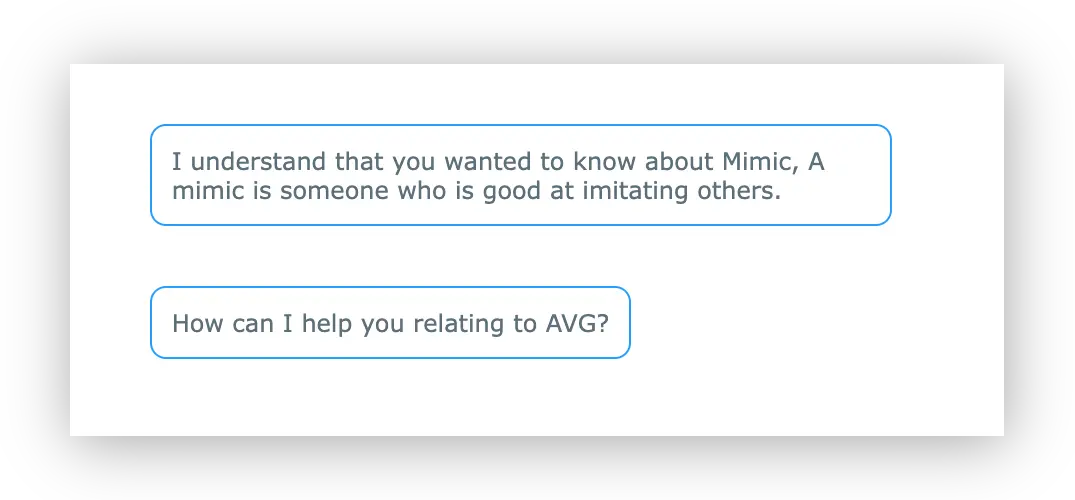
AVG customer support wasn’t very helpful explaining its Mimic protocol.
AVG Secure VPN Key Data
| Attribute | AVG Secure VPN | Typical VPN |
|---|---|---|
| Owner | Avast RSO | Independent |
| Launch Date | 2019 | 2015 |
| Local Download Speed | 94Mbps (6% loss) | 89Mbps (11% loss) |
| International Download Speed | 91Mbps (9% loss) | 80Mbps (20% loss) |
| Countries with Servers | 36 | 40 |
| Privacy Policy | Identifiable Data | Identifiable Data |
| Simultaneous Connections | 10 | 10 |
| Netflix Libraries | 1 | 3 |
| Torrenting | Yes | Yes |
| Works In China? | No | No |
| Cheapest Price | 4.39/mo over 24 months | $3.87/mo over 24 months |
| Customer Support | Email & Online Resources Only | |
| Apps & Extensions |
          |
|
Price
Price Plans
| 12 months | $53.88 ($4.49/mo) |
|---|---|
| 2 years | $105.36 ($4.39/mo) |
| 3 years | $158.04 ($4.39/mo) |
Free Trial
| Money-Back Guarantee | 30 days |
|---|---|
| Free Trial | 60 days |
| 100% Free Plan | No |