
Avira Phantom VPN: Major Privacy Concerns and Why You Should Skip It
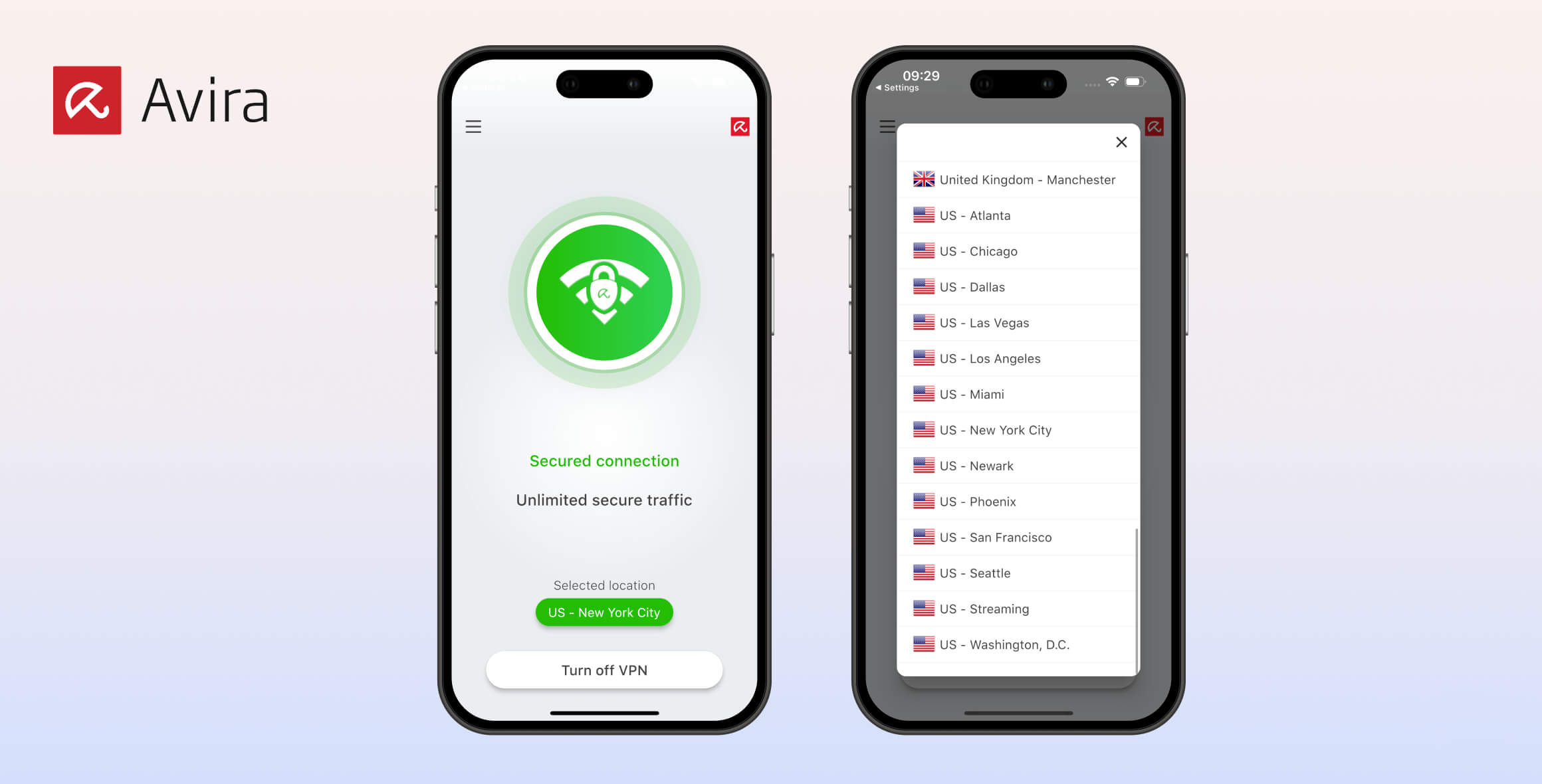
Avira Phantom VPN is available as both a paid and free service, but both versions log and store your IP address. For this reason, we cannot recommend Avira Phantom as a safe or private VPN. Neither the Pro nor the free version unblocks any streaming services, and both are unpleasant to use. We recommend avoiding Avira Phantom VPN entirely and rate it 4.2/10.
- Pros
- Doesn't require payment information
- Fast local speeds
- Simple and good looking apps
- Unlimited simultaneous connections
- Cons
- Logs IP address & other personal data
- Only 500MB of data per month
- No kill switch
- Often fails to connect to a server
- Doesn't work with streaming sites
- No server choice on desktop
- Pros
- Choice of OpenVPN or WireGuard
- No device limit
- Firsty-party DNS servers & DNS leak protection
- Quick torrenting downloads
- Cons
- Invasive privacy policy
- No access to streaming sites
- Kill switch on Windows only
- Limited country choice
- Expensive
Available since 2016, Avira Phantom VPN comes from the established cybersecurity firm Avira, best known for its antivirus software.
For this review of Avira Phantom VPN Pro and Avira Phantom VPN Free, we put both versions through our VPN testing process to see how safe they are, what data they log, and whether they can unblock Netflix and other streaming sites.
Privacy
Avira Phantom VPN logs your IP address along with other intrusive information. It’s also based in Germany, which is not a privacy-friendly jurisdiction, and it’s part of a large corporation with no strong track record in VPN services. Avoid Avira Phantom VPN if you want to protect your online privacy.
| Originating IP Address | Yes |
|---|---|
| Browsing Activity | No |
| Individual Connection Timestamps | No |
| Date of Last Connection | No |
| VPN Server IP | No |
| Device Information | Yes |
| Individual Bandwidth Usage | Yes |
| Account Information | No |
You can read Avira’s full privacy policy on its website.
As shown above, despite claims to the contrary, Avira Phantom VPN logs your IP address, which limits its privacy rating to 0.1/10. It also logs device information and individual bandwidth usage.
A VPN should never log your IP address because it removes your anonymity and defeats the purpose of using a VPN.
Despite what some VPNs say, this level of data collection isn’t necessary to run a VPN service. For example, Private Internet Access scores 9.7/10 in our privacy assessment because it logs almost nothing and has proven this in court.
We suggest you don’t use Avira Phantom VPN if you want to protect your privacy.
Where Is Avira Phantom VPN Based?
Avira is a security software company founded in 2006, with roots going back to H+BEDV Datentechnik GmbH in 1986. The company is chiefly known for its antivirus software.
Avira’s headquarters are in Tettnang, Germany. It also has offices in China, the Netherlands, Romania, and the US.
Germany is not an ideal location for a VPN provider because:
- It falls under EU data retention laws
- It is part of the 14 Eyes intelligence-sharing alliance
Combined with Avira’s intrusive logging policy and its stated willingness to comply with authorities’ data requests, this is a concern.
Avira Belongs to a Larger Corporate Structure
In December 2020, US-based NortonLifeLock Inc. bought Avira. This did not change Avira’s data-logging policy. In fact, NortonLifeLock’s VPN, Norton Secure VPN, also logs IP addresses.
NortonLifeLock is part of the Fortune 500 company Gen Digital. Gen Digital also owns AVG (AVG Secure VPN), Avast (Avast SecureLine VPN), and Privax Ltd. (HMA). All of these VPNs score average in our assessments, mainly because they log unnecessary data.
Streaming
Avira Phantom VPN markets itself as a streaming VPN and includes a “streaming” server, but our tests show that both the Pro and free versions fail to unblock any major streaming service, including all international Netflix libraries. The only exception was Channel 4 in the UK on the Pro version. This poor performance explains Avira Phantom VPN’s 0.0 streaming score.
| Streaming Service | Works with Avira Phantom (Free) | Works with Avira Phantom |
|---|---|---|
| BBC iPlayer (UK) | No | No |
| DAZN (Canada) | No | No |
| Disney+ (UK) | No | No |
| Hulu (US) | No | No |
| ITVX (UK) | No | No |
| HBO Max (US) | No | No |
| Netflix (US) | No | No |
| Netflix (UK) | No | No |
| Prime Video (US) | No | No |
| Sky Go (UK) | No | No |
As you can see, neither version of Avira Phantom VPN can access major streaming sites.
This is a very poor result. The best VPNs for streaming unblock all of the above and more.
Speed
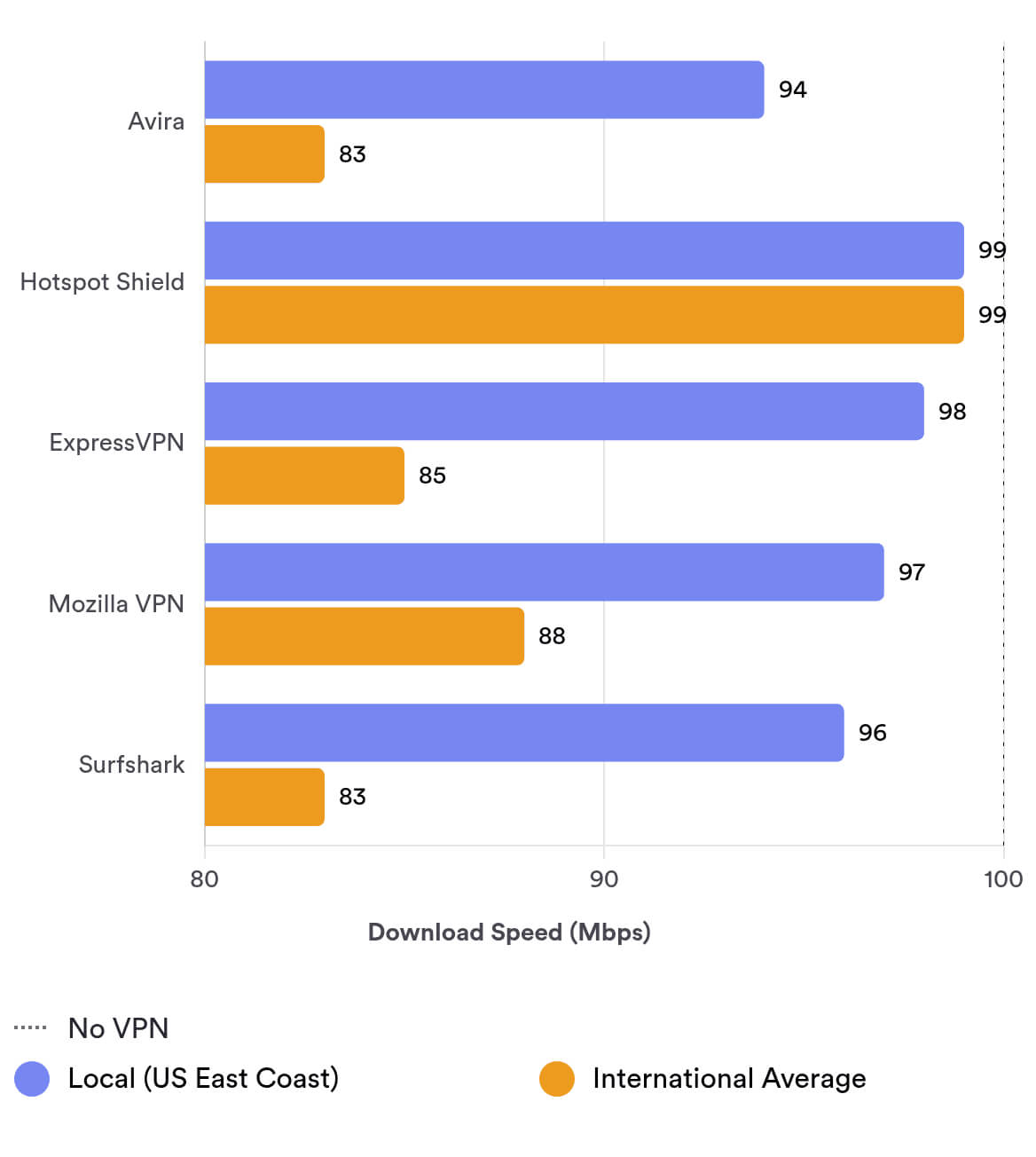
Avira Phantom VPN Pro is fast. It delivered an average download speed of 94 Mbps on nearby servers. The free version is much slower, averaging 54 Mbps locally—a 46% drop compared to our normal connection.
We tested Avira Phantom VPN’s speeds on our 100 Mbps baseline connection. Here are Avira Phantom VPN Pro’s full results:
| No VPN (New York) | US (New York) | Canada (Toronto) | US (Los Angeles) | UK (London) | Germany (Berlin) | Brazil (São Paulo) | Japan (Tokyo) | Australia (Sydney) | |
|---|---|---|---|---|---|---|---|---|---|
| Server Location |  |
|
 |
|
 |
 |
 |
 |
 |
| Download Speed | 100Mbps | 94Mbps | 100Mbps | 96Mbps | 96Mbps | 93Mbps | 80Mbps | 75Mbps | 51Mbps |
| Upload Speed | 100Mbps | 96Mbps | 94Mbps | 51Mbps | 58Mbps | 70Mbps | 30Mbps | 29Mbps | 14Mbps |
| Ping | 1ms | 6ms | 23ms | 150ms | 76ms | 101ms | 113ms | 147ms | 224ms |
| Distance | 0mi | 5mi | 300mi | 2,500mi | 3,500mi | 4,000mi | 4,800mi | 6,700mi | 9,900mi |
We saw minimal local download speed loss with Avira VPN Pro—only 6% compared to no VPN.
Latency was also strong: 6 ms when connected to the New York server.
Speeds drop with distance, but remain solid. For example, connecting from the US to London still produced 96 Mbps despite a 3,500-mile distance.
Even so, Avira’s long-distance speeds can’t match the very fastest VPNs. We lost 49% of our normal speed to Australia, while ExpressVPN lost only 17% at the same distance.
You can use the bar chart below to compare Avira Phantom VPN’s average local and international speeds with some of the best-performing VPNs:
Avira Phantom VPN Free Is Slower
As expected, the free version is much slower than the paid service.
A 46% local speed loss on a New York server is worse than we expect from a quality VPN, free or paid. Ping was also higher at 19 ms.
Security
Avira Phantom VPN gets the basics right with AES-256 encryption and OpenVPN as the default protocol. However, the kill switch is only available in the paid Windows app. This leaves free users and those on other platforms at risk of IP leaks if the VPN connection drops.
| Independent Audit | No |
|---|---|
| VPN Kill Switch | Yes |
| Leak Protection | Yes |
Safe Encryption & Security Protocols
Avira Phantom VPN’s logging policy isn’t good, but its encryption is solid. Both versions use the AES-256 cipher, which is industry standard.
We used a packet-sniffing tool to confirm that Avira Phantom encrypts all traffic. All incoming and outgoing data was encrypted and indecipherable.
OpenVPN is the default protocol across all apps, which is a good choice. The Android app also offers WireGuard, which is even faster and more modern.
We’d like to see a kill switch added to all platforms. Currently, it’s available only to paid users on Windows, which is a major security gap for Apple and Android users.
First-Party DNS Servers & No Leaks
Avira Phantom VPN uses its own DNS servers, meaning Avira processes your DNS requests rather than third-party hosts. This is a strong privacy and security practice.
Our in-house leak tests found no IP, DNS, or WebRTC leaks when connected to Avira’s servers:
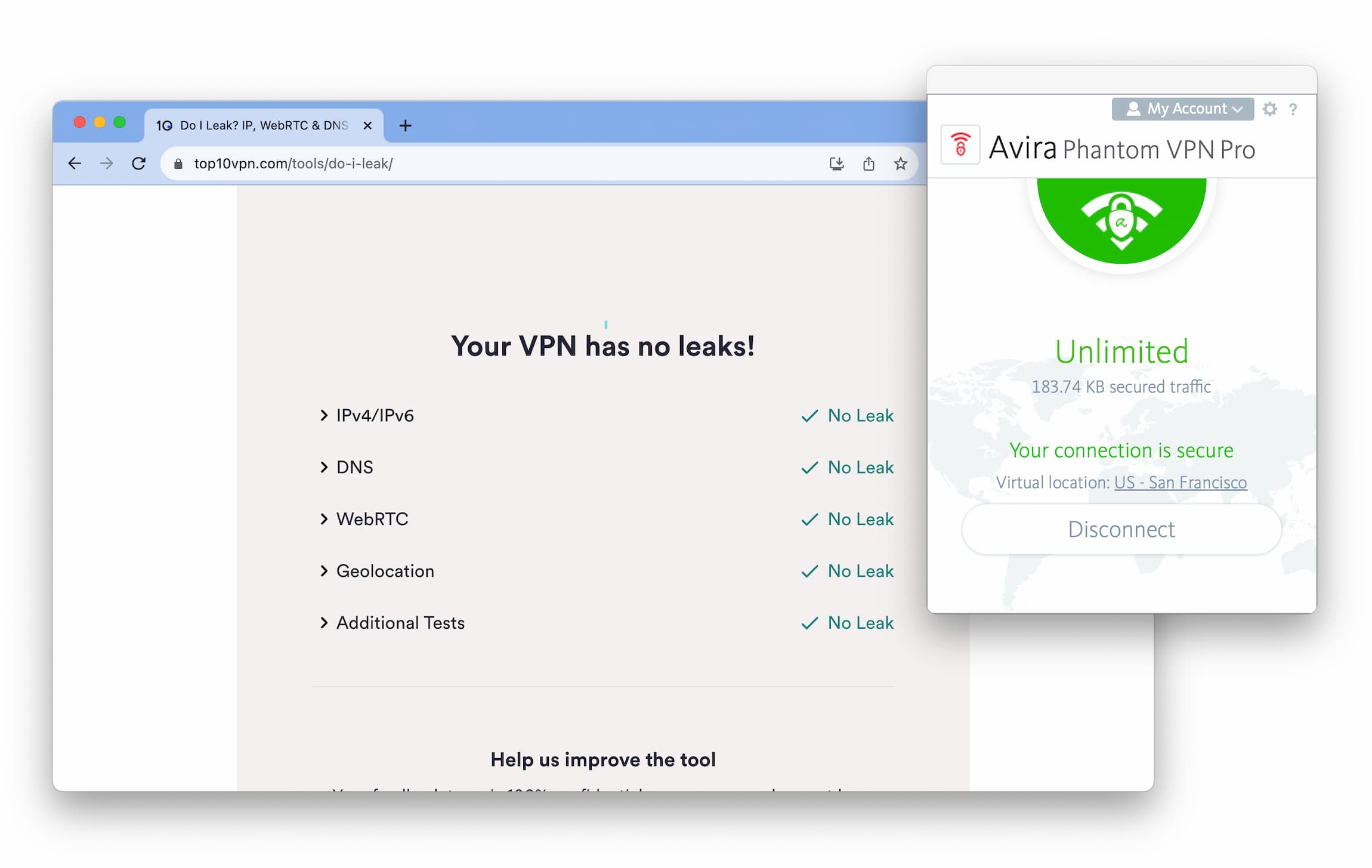
We found no IP, DNS, or WebRTC leaks when testing Avira Phantom VPN.
Server Locations
Avira Phantom VPN’s server network is small, covering only 35 countries. Top VPNs offer up to 100 countries. The free version has the same countries on mobile, but on desktop free users are limited to a single server—the nearest location. This is needlessly restrictive and inconsistent.
| Continent | Avira Phantom (Free) Countries with Servers |
Avira Phantom Countries with Servers |
|---|---|---|
| Europe | 25 | 25 |
| Asia | 3 | 3 |
| North America | 3 | 3 |
| Africa | 3 | 3 |
| South America | 2 | 2 |
| Oceania | 2 | 2 |
Avira Phantom VPN has servers in 35 countries, which is mid-sized at best. For context, Surfshark offers about 100 countries.
The network heavily favors Europe and the US: over 70% of locations are in Europe. We’d like to see more global coverage.
City-level selection is only available in Australia (Perth & Sydney), the UK (London & Manchester), and the US (12 cities).
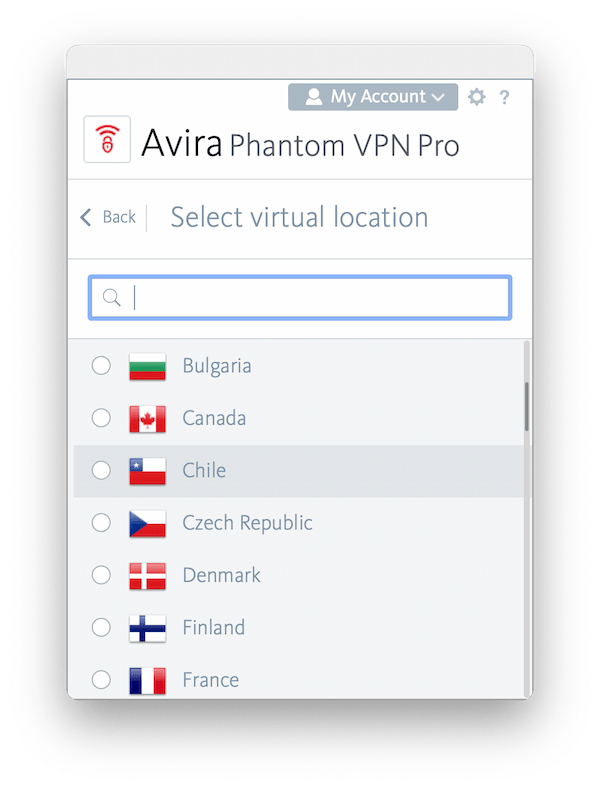
Avira Phantom VPN has 35 countries on its network.
Disappointingly, Avira Phantom would not disclose how many individual servers it operates.
We’d also like to see options for different server types, such as static IP addresses and residential IP addresses.
Free Version Restricted to Single Server on Desktop
On desktop, Avira Phantom Free limits you to the nearest server only. For example, if you’re in the US, you can only connect to a US server.
On mobile, the free version includes the same countries as the paid version. For a free VPN, that’s generous—more than many top free VPNs. We hope Avira standardizes this across platforms.
User Experience
Avira Phantom VPN is simple to use, with attractive, consistent apps. However, installation and testing were frustrating due to a poorly designed website and recurring technical errors and bugs in the app. At times, the VPN simply wouldn’t connect.
Avira Phantom VPN is stripped back and simple to navigate. That’s partly because there are almost no customization options. Still, we appreciate the consistent layout across desktop and mobile.
Regardless of platform, Avira Phantom has a home screen with a connect button, a server list, and a minimal settings menu.
All apps offer light and dark modes and the option to launch at system start. Beyond that, there’s little to customize. Selecting support or account details takes you to Avira’s poorly designed website.
We also disliked the website experience. It’s overly complicated, and finding monthly pricing was difficult, making longer plans feel pushed.
Here’s a summary of our experience across platforms:
Desktop & Laptop (Windows & macOS)
Our biggest issue on desktop was frequent bugs. Sometimes the VPN simply failed to connect.
Avira Phantom VPN just doesn’t work sometimes.
Worse, even when it did connect (usually on the Pro version), disconnecting occasionally broke our internet completely. We had to connect to another VPN to restore it.
Some app behaviors are also unintuitive. Typing “United States” in the server search shows no results; you must type “US.” But this logic doesn’t apply to the UK; typing “UK” shows nothing—you must type “United Kingdom.” These small issues show a lack of polish.
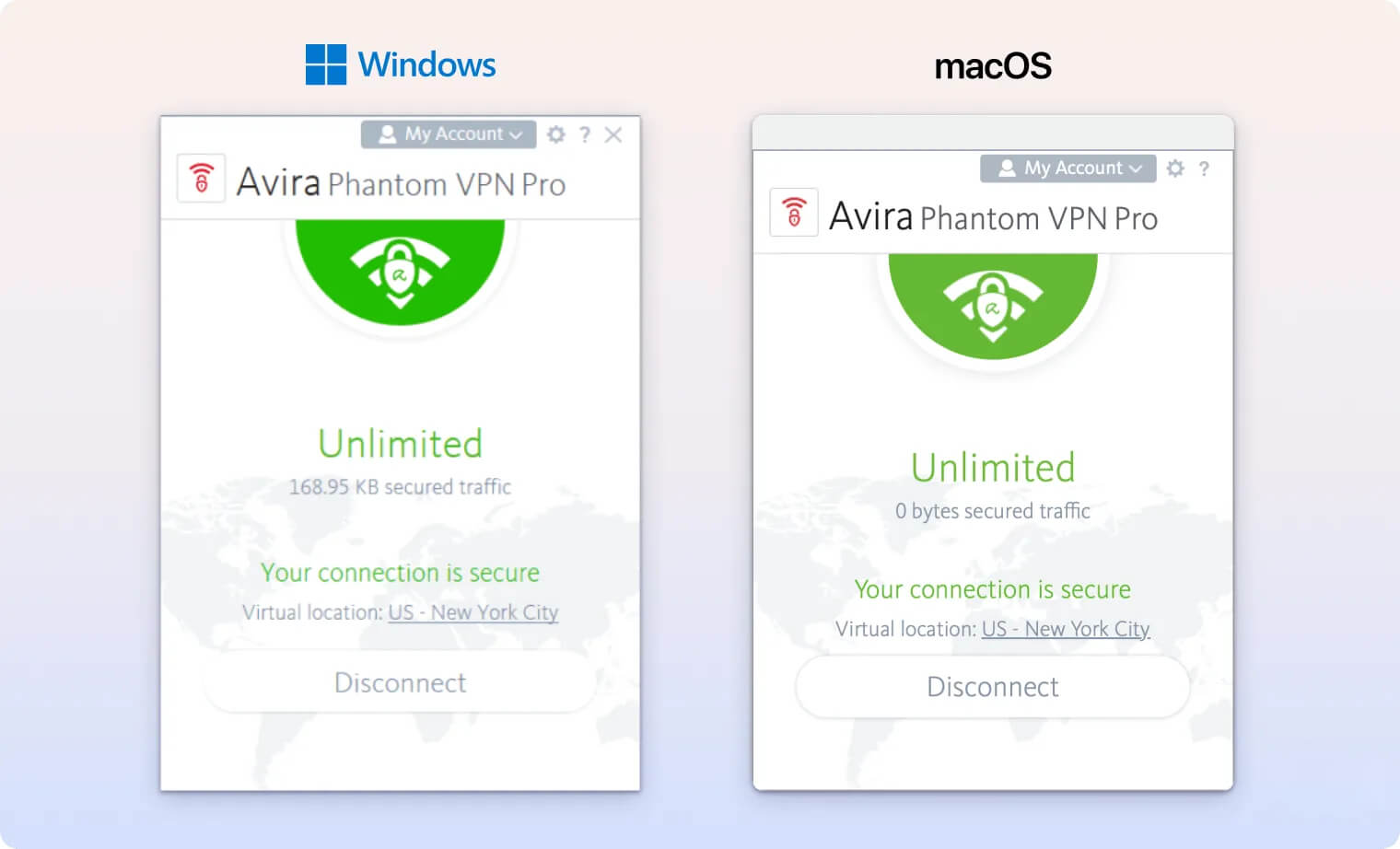
We do like that the macOS app can be undocked and moved—something many macOS VPN apps don’t allow.
Overall, the desktop apps need significant improvement.
Mobile (Android & iOS)
Like the desktop apps, the mobile apps have three screens: the connect screen, settings, and the server list. The simplicity is clean, but arguably too minimal.
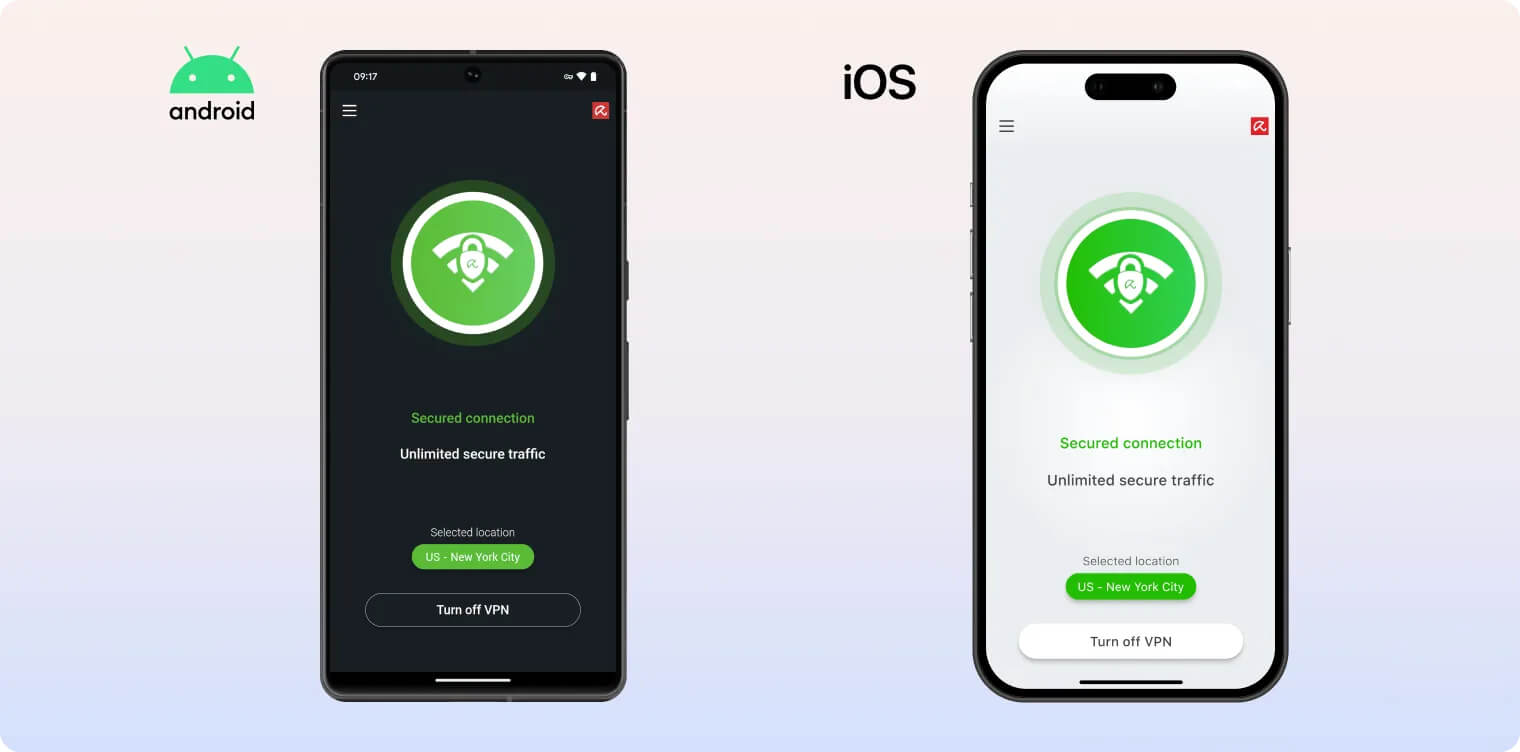
On Android, Avira Phantom Free includes a toggle to Enable WireGuard, plus options to send diagnostic data and auto-connect. These are not available on iOS.
Upselling to Pro is relatively subtle compared to other free VPNs, which makes for a mostly unobtrusive free experience. We also had fewer connection issues on mobile.
Torrenting
Both the free and Pro versions allow torrenting on all servers and delivered very fast average bitrates. Avira VPN also includes a Windows kill switch to prevent accidental IP leaks. However, we don’t recommend it for torrenting because it logs user data and the kill switch is not available on all platforms. There’s also no port forwarding.
| Torrenting Attribute | Avira Phantom (Free) | Avira Phantom |
|---|---|---|
| Permits P2P Traffic | Yes | Yes |
| Average Download Bitrate | 9.5MiB/s (5% loss) | 9.8MiB/s (2% loss) |
| Countries with P2P Servers | 35 | 35 |
| Port Forwarding | No | No |
| Kill Switch | Yes | Yes |
| Logging Policy | Excessive Logs | Excessive Logs |
We tested both versions by connecting to a nearby server and downloading a 1 GB test file on qBittorrent. We repeated the test three times and averaged the results.
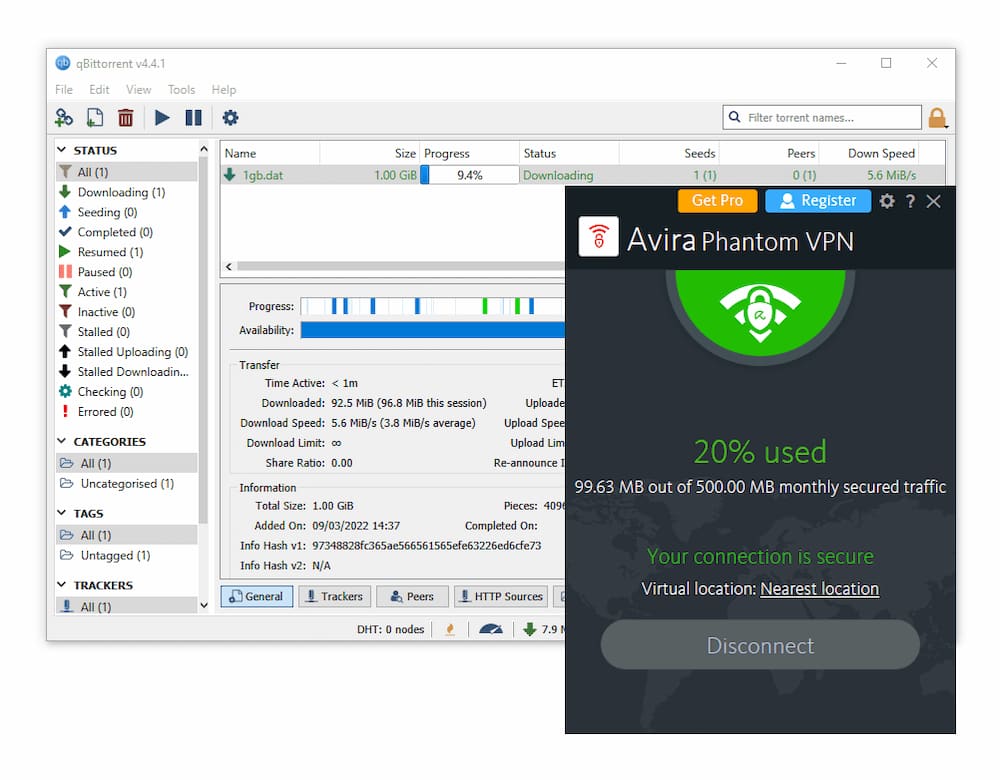
We tested Avira Phantom VPN Pro & Free on the torrent client, qBittorrent.
We were impressed by Avira Phantom VPN’s average torrent bitrate. At 9.8 MiB/s, it’s among the fastest out of 61 VPNs we tested.
Despite the speed, we advise against torrenting on macOS or Android with Avira due to the lack of a kill switch on those platforms. A kill switch is critical to prevent accidental IP exposure during file sharing.
Avira Phantom VPN’s intrusive logging and willingness to share data is another risk. P2P users could face issues if they inadvertently download copyrighted material.
Avira Phantom Free also achieves a fast bitrate, but it shares the same anonymity issues. The kill switch isn’t available on the free version, and the 500 MB monthly data cap may not even cover a single download, depending on file size.
For a safer free VPN for torrenting, we recommend Windscribe Free.
Device Compatibility
Avira Phantom VPN is available on the most common platforms: Android, iOS, Windows, and macOS. There’s no Fire TV Stick or Android TV app, no router support, and no Smart DNS. However, Avira Phantom VPN Pro & Free have no device limit, and there’s a free browser extension.
| Windows | Yes |
|---|---|
| Mac | Yes |
| iOS | Yes |
| Android | Yes |
| Linux | No |
| Amazon Fire TV | No |
| Android TV | No |
| Apple TV | No |
| Router | No |
| Chrome | Yes |
Simultaneous Connections: Unlimited
This level of compatibility is the bare minimum we expect from a paid VPN.
Unfortunately, Avira Phantom isn’t available on other platforms. There’s no Fire TV Stick or Android TV app, and it can’t be used on Linux.
You also can’t install the VPN on a router, so you can’t protect Apple TV or game consoles. There’s no Smart DNS to spoof your region either.
The good news is that Avira Phantom has no device limit. You can install and use either version on as many devices as you like.
Browser Extensions
There is no Firefox add-on yet.
The Chrome extension is quick to install and can change your IP address instantly. Like the free app, it limits you to the nearest server only.
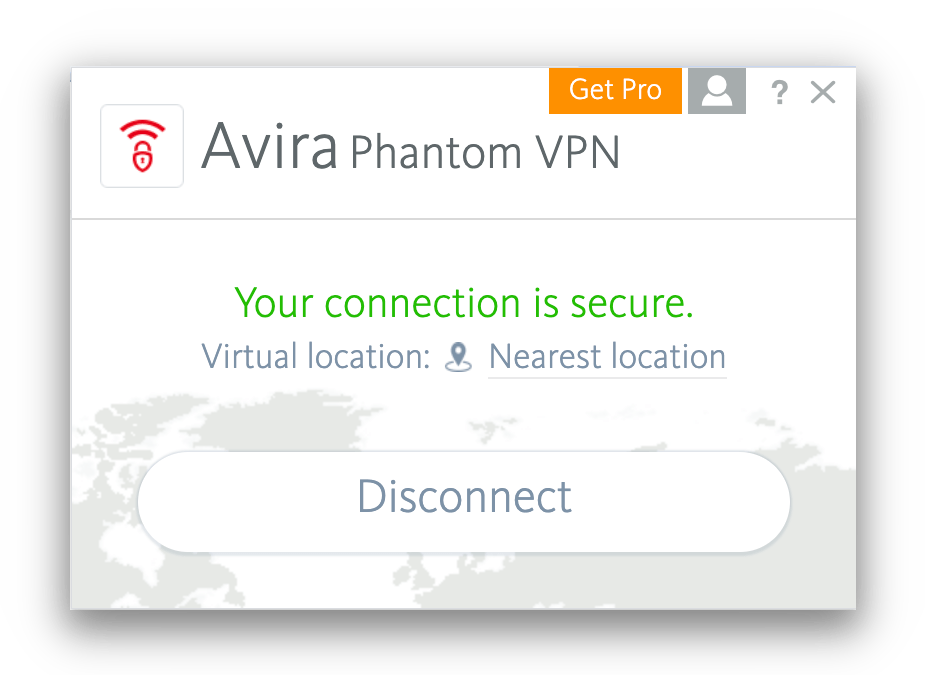
Avira Phantom VPN has a free browser extension for Chrome but not Firefox.
It’s not just a proxy, unlike many VPN extensions. It’s a true VPN that encrypts your data with AES-256.
Additional Features
Avira Phantom VPN doesn’t offer additional features. There’s no live chat support, obfuscation is ineffective, and it lacks advanced tools like split tunneling, dedicated IPs, multi-hop servers, GPS spoofing, or an ad blocker—features leading VPNs often include at no extra cost.
| Additional Feature | Avira Phantom (Free) | Avira Phantom |
|---|---|---|
| Split Tunneling | No | No |
| VPN Obfuscation | No | No |
| Multi-Hop Servers | No | No |
| Dedicated IP | No | No |
| Ad Blocker | No | No |
No Advanced Features or Customization
Avira Phantom’s lack of customization is a problem. You can’t control much of the security suite, including protocol selection.
We’d like to see manual protocol selection across all apps. Currently, only Android and iOS allow it.
VPNs like Hide.me and Astrill VPN offer far more flexibility for advanced users.
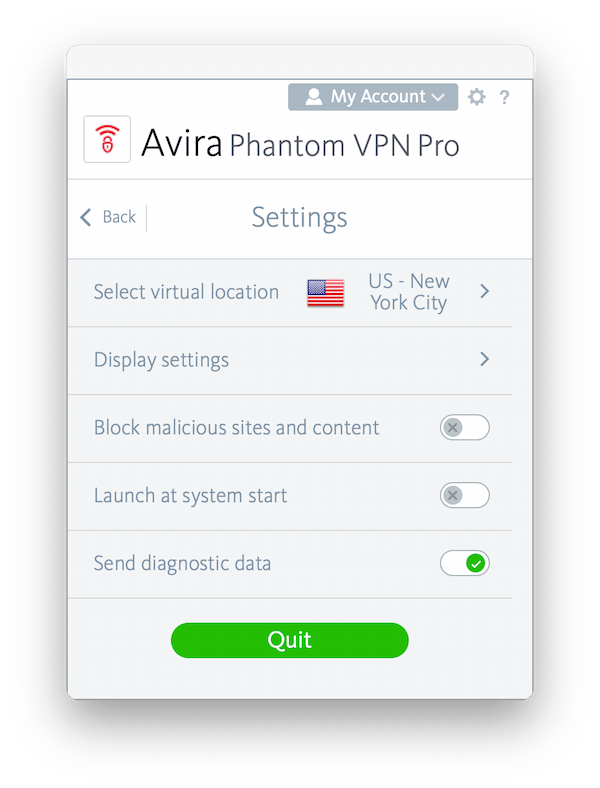
Avira Phantom VPN Pro’s security settings menu – it has barely any technical features.
Avira’s only extra feature is a malicious site blocker, which might help some users. We didn’t find it useful, as it’s redundant if you stick to reputable sites.
Advanced VPNs offer features like Double VPN, IP rotation, open-source apps, and GPS spoofing. An effective VPN ad blocker would also be welcome.
Avira Phantom Key Data
| Attribute | Avira Phantom | Typical Free VPN |
|---|---|---|
| Owner | Avira | Independent |
| Launch Date | 2016 | 2015 |
| Safe to Use | No | No |
| Data Cap | 500MB per month | 10GB per month |
| Payment Details Required | No | No |
| Account Required | Yes | Yes |
| Contains Ads | No | Yes |
| Local Download Speed | 54Mbps (46% loss) | 61Mbps (39% loss) |
| International Download Speed | 70Mbps (30% loss) | 55Mbps (45% loss) |
| Countries with Servers | 35 | 4 |
| Privacy Policy | Excessive Logs | Identifiable Data |
| Simultaneous Connections | Unlimited | 1 |
| Manually Select Server Location | No | Yes |
| Netflix Libraries | 0 | 0 |
| Torrenting | Yes | No |
| Works In China? | No | No |
| Customer Support | Online Resources | Online Resources |
| Apps & Extensions |
          |
|
Avira Phantom Key Data
| Attribute | Avira Phantom | Typical VPN |
|---|---|---|
| Local Download Speed | 94Mbps (6% loss) | 89Mbps (11% loss) |
| International Download Speed | 83Mbps (17% loss) | 80Mbps (20% loss) |
| Countries with Servers | 35 | 40 |
| Privacy Policy | Excessive Logs | Identifiable Data |
| Simultaneous Connections | Unlimited | 10 |
| Netflix Libraries | 0 | 3 |
| Torrenting | Yes | Yes |
| Works In China? | No | No |
| Cheapest Price | 6.50/mo over 12 months | $3.87/mo over 24 months |
| Customer Support | ||
| Apps & Extensions |
|
|
Price
Price Plans
| 1 month | $10.00 |
|---|---|
| 12 months | $78.00 ($6.50/mo) |
Free Trial
| Money-Back Guarantee | 60 days |
|---|---|
| Free Trial | No |
| 100% Free Plan | Yes |
| Data Cap | 500MB per month |