
McAfee Safe Connect: Not the VPN You Should Choose
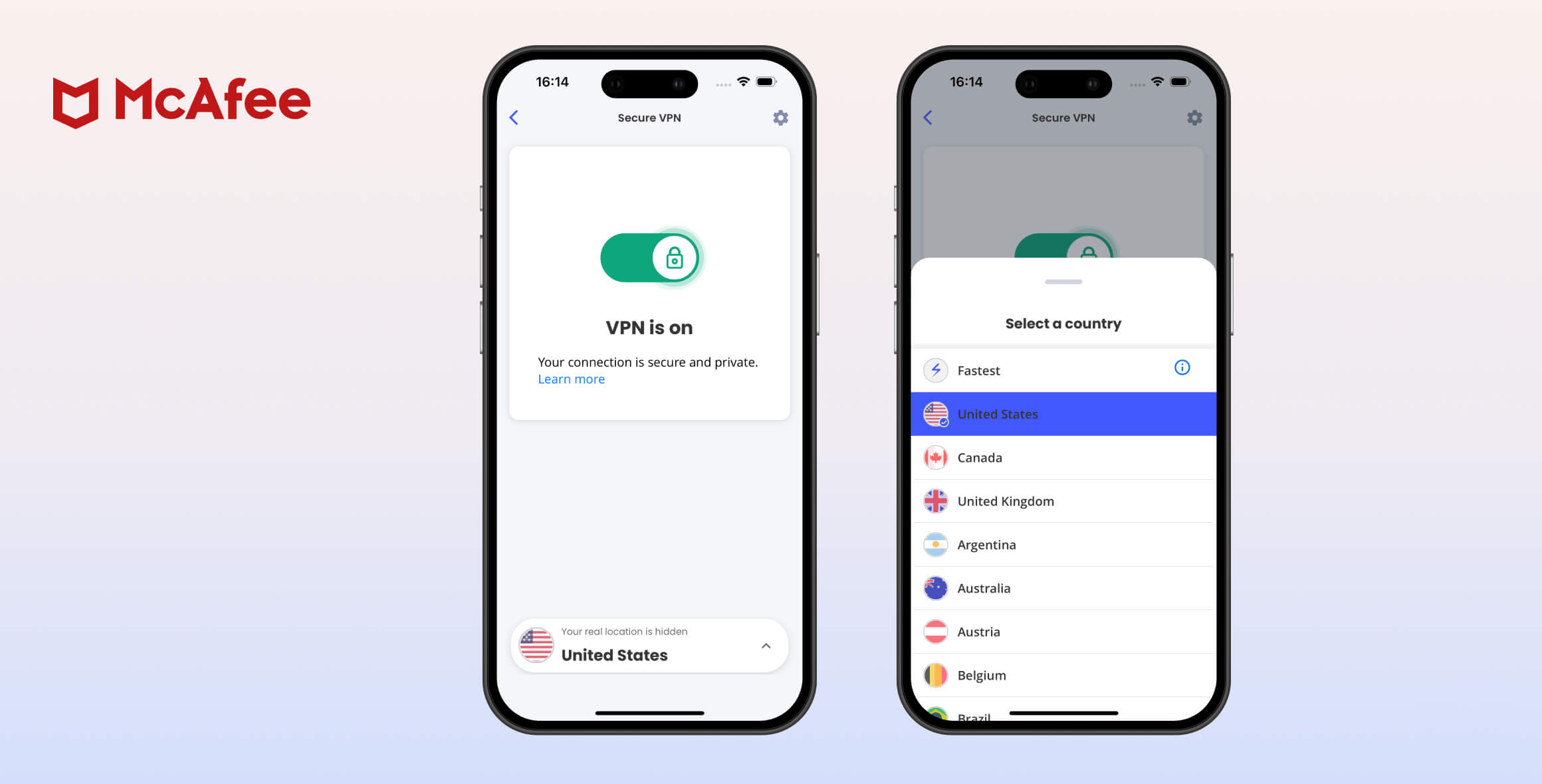
McAfee Safe Connect is a US-based VPN service with apps for Windows, iOS, and Android. It’s surprisingly fast, but it suffers from weak security, an invasive logging policy, and poor customer support. It also fails to unblock streaming services like Netflix. Ultimately, this VPN doesn’t meet the basics and should be avoided.
- Pros
- Very fast speeds
- Appealing and intuitive custom VPN apps
- Can be affordably bundled with other McAfee products
- Cons
- One of the most intrusive logging policies
- Based in the privacy-hostile US
- No VPN kill switch
- Doesn't work with any streaming services
- Untrained and frustrating customer support
McAfee has not yet translated its antivirus success to the VPN market.
In this full McAfee Safe Connect review, we explain where this VPN fell short. We cover what it’s good for, how fast it is, whether it unblocks streaming services, and how much it costs — among other things.
By the end of our McAfee VPN review, you’ll understand its privacy and security practices, as well as its streaming and torrenting capabilities.
Ultimately, you’ll see that McAfee VPN is a weak product in need of significant improvements. We recommend choosing a secure top VPN instead.
EXPERT ADVICE: For a faster and more secure VPN experience, try Surfshark.
As we detail in our Surfshark review, it’s our favorite cheap VPN. It streams US Netflix and comes with a 30-day no-questions-asked refund guarantee.
Privacy
Ranked #43 out of 45 VPNs for Privacy
McAfee’s logging policy is one of the worst we’ve seen. The VPN logs personally identifiable information, including your IP address and the websites you visit. When you use McAfee Safe Connect, you’re not protecting your privacy — you’re handing it over to McAfee.
| Originating IP Address | Yes |
|---|---|
| Browsing Activity | Yes |
| Individual Connection Timestamps | Undisclosed |
| Date of Last Connection | Undisclosed |
| VPN Server IP | Undisclosed |
| Device Information | Yes |
| Individual Bandwidth Usage | Undisclosed |
| Account Information | Yes |
You can read McAfee VPN’s full privacy policy on its website.
Here is the information as it appears in the McAfee privacy policy:
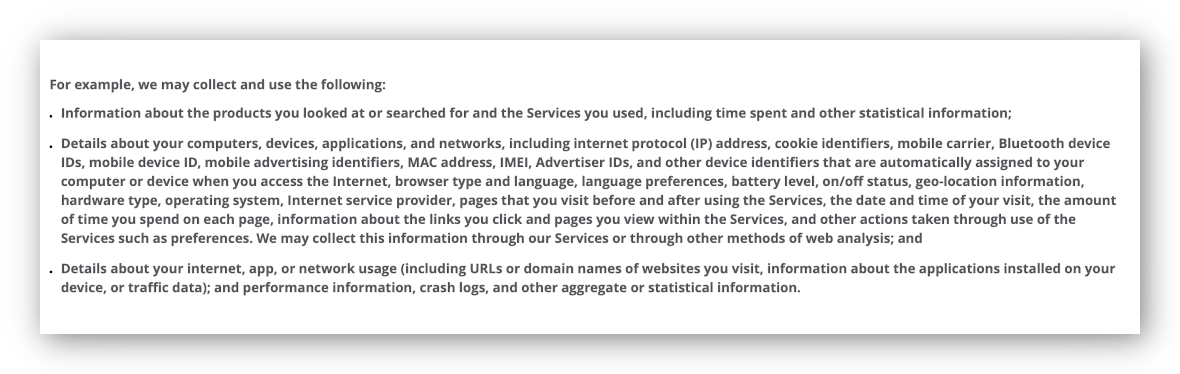
Excerpt from McAfee Safe Connect Privacy Policy.
McAfee retains this information indefinitely, deleting it only when an account is removed. Even then, the data is kept for an additional 30 days.
McAfee also shares this information with other McAfee-owned companies, third-party advertisers, and “service providers who perform services for us.”
Strangely, McAfee Safe Connect shares its privacy policy with the broader McAfee cybersecurity suite, and the policy does not mention Safe Connect by name.
After we contacted McAfee, a representative confirmed that Safe Connect is governed by the same rules and standards as all other McAfee products.
McAfee claims this information is required “to help protect” users and “to run [McAfee’s] business.”
This is not true. Many VPN services protect their users and run their businesses without engaging in such intrusive data collection.
US Ownership is problematic
McAfee Safe Connect is owned by McAfee LLC, the cybersecurity company. McAfee LLC also owns TunnelBear VPN (see our review), which it acquired in 2018.
Like its parent company, McAfee Safe Connect is based in the US, in Silicon Valley. As such, its jurisdiction is about as bad as it gets for a VPN. The US is a poor location to base a VPN service.
The US is part of the Five Eyes intelligence alliance, which shares surveillance data with the UK, Canada, Australia, and New Zealand.
McAfee is also subject to intrusive US laws, such as the PRISM surveillance program, which allows the government to access online communications from US-based technology companies.
More concerning is the Stored Communications Act (SCA). This law allows the US government to seize a VPN user’s information if it has been retained.
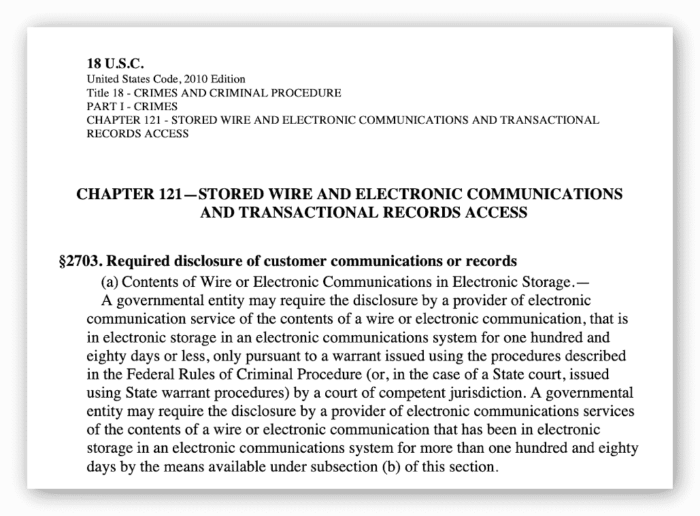
Excerpt from The Stored Communications Act 2010.
This is particularly troubling with Safe Connect, as McAfee logs almost everything.
Moreover, McAfee’s privacy policy explicitly states that it will provide information to any legal, governmental, or judicial authority upon request.
In summary, McAfee Safe Connect is bad for user privacy. To see the benefits of a trusted no-logs VPN, read our review of Private Internet Access.
Streaming
Ranked #43 out of 45 VPNs for Streaming
McAfee Safe Connect is a poor VPN for streaming. It couldn’t access any of the platforms we tested, including Netflix, BBC iPlayer, Disney+, and Hulu.
| Streaming Service | Works with McAfee Safe Connect |
|---|---|
| BBC iPlayer (UK) | No |
| DAZN (Canada) | No |
| Disney+ (UK) | No |
| Hulu (US) | No |
| ITVX (UK) | No |
| HBO Max (US) | No |
| Netflix (US) | No |
| Netflix (UK) | No |
| Prime Video (US) | No |
| Sky Go (UK) | No |
McAfee acknowledges its weak streaming ability, stating “streaming services might not work correctly over the secure VPN connection.”
More worrying, McAfee’s customer service agents were often surprised when we asked about Safe Connect’s streaming capabilities. They even questioned why we expected a VPN to unblock geo-restricted content.
As the company sees it — and as our tests confirm — McAfee Safe Connect is simply not designed for streaming.
In short, there are far better VPNs for streaming than McAfee Safe Connect.
Speed
Ranked #5 out of 45 VPNs for Speed
Speed is the one area where McAfee Safe Connect excels. In our tests, it reached 98Mbps on nearby servers. International performance was less impressive, but download speeds never fell below 75Mbps.
McAfee Safe Connect delivers fast speeds because it uses Hydra, Hotspot Shield’s proprietary protocol. We cover more about Hydra in our Hotspot Shield review.
Hotspot Shield also licenses Hydra to other VPNs. To learn more, read our Kaspersky Secure Connection review and Bitdefender VPN review.
Here are our full McAfee VPN speed test results:
| No VPN (New York) | US (New York) | Canada (Toronto) | UK (London) | Germany (Berlin) | Brazil (São Paulo) | Japan (Tokyo) | South Africa (Johannesburg) | Australia (Sydney) | |
|---|---|---|---|---|---|---|---|---|---|
| Server Location |  |
|
 |
 |
 |
 |
 |
 |
 |
| Download Speed | 100Mbps | 98Mbps | 95Mbps | 92Mbps | 90Mbps | 97Mbps | 89Mbps | 75Mbps | 83Mbps |
| Upload Speed | 100Mbps | 93Mbps | 91Mbps | 96Mbps | 94Mbps | 92Mbps | 69Mbps | 93Mbps | 93Mbps |
| Ping | 1ms | 6ms | 15ms | 76ms | 87ms | 114ms | 144ms | 243ms | 208ms |
| Distance | 0mi | 5mi | 300mi | 3,500mi | 4,000mi | 4,800mi | 6,700mi | 8,000mi | 9,900mi |
McAfee VPN’s speeds are impressive and comparable to some top services.
Security
Ranked #35 out of 45 VPNs for Security
McAfee Safe Connect offers only basic security. It didn’t leak our IP or DNS, and it uses AES-256 encryption. However, none of its apps include a kill switch.
| Independent Audit | No |
|---|---|
| VPN Kill Switch | No |
| Leak Protection | Yes |
McAfee Safe Connect runs on the relatively opaque Catapult Hydra protocol, which raises concerns about transparency and security.
Our concerns about Catapult Hydra are twofold. First, McAfee does not disclose its chosen protocol anywhere. When we asked, multiple support agents said this was “information that cannot be disclosed to customers.”
Most other VPN providers clearly state their protocol choices, including those that use Catapult Hydra, such as Hotspot Shield and Kaspersky Secure Connection.
McAfee’s secrecy is suspicious, and there’s reason to be cautious.
In 2018, independent researcher Paulos Yibelo discovered a major Catapult Hydra flaw that exposed user data, including a user’s country and Wi-Fi network name, to third parties.
Combined with other publicly available data, this could be used to identify a user’s location and identity.
A fix was issued quickly, but the incident highlights a broader problem: Catapult Hydra still lacks transparency.
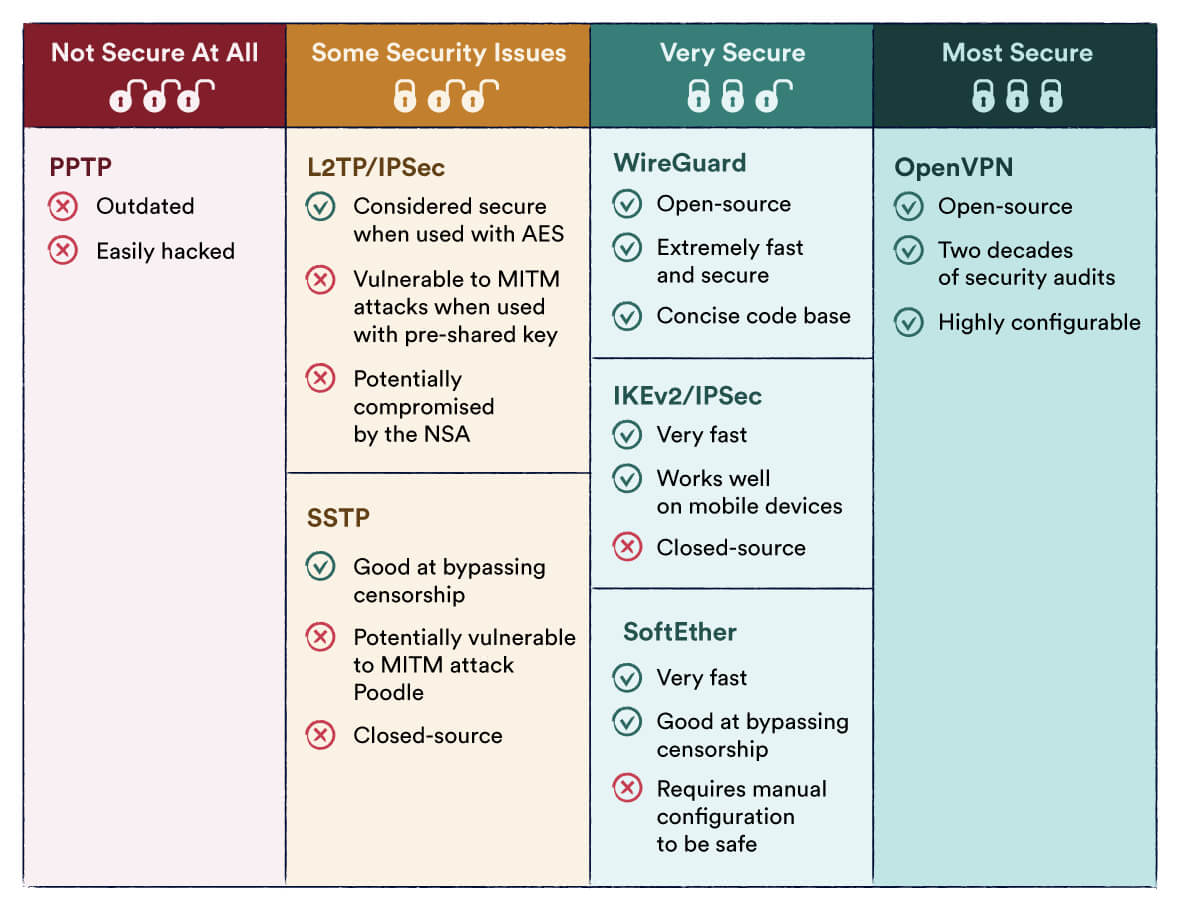
By contrast, our preferred protocol, OpenVPN, has existed since 2001 and has been thoroughly vetted by the open-source community.
Our biggest concern is that McAfee Safe Connect lacks a kill switch on all platforms.
A kill switch blocks traffic if the VPN disconnects. Without it, your IP address could be exposed during a dropout, compromising your privacy.
There are no advanced features like split tunneling or manual port selection, either.
On the plus side, McAfee Safe Connect uses the AES-256 cipher — the industry standard — and it passed our IP and DNS leak tests. The image below shows a US IP address with no leaks while connected to an East Coast server.
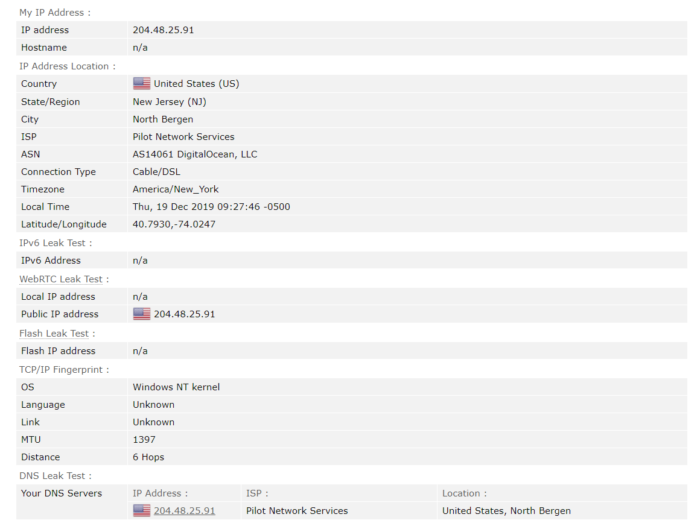
Screenshot from Browserleaks.com showing a US IP address, with no IP or DNS leaks.
Despite AES-256 and leak protection, these positives do not make up for Safe Connect’s broader security shortcomings.
Simply put, we don’t trust McAfee Safe Connect to keep your activity anonymous, and neither should you.
Server Locations
Ranked #35 out of 45 VPNs for Server Locations
McAfee Safe Connect has one of the smallest server lists we’ve seen, with only 24 countries. It also doesn’t offer city-level selection, which is standard among better VPNs.
| Continent | Countries with Servers |
|---|---|
| Europe | 15 |
| North America | 4 |
| Asia | 3 |
| South America | 1 |
| Oceania | 1 |
| Africa | 0 |
While the network is small, it includes the most popular locations.
Coverage is concentrated in Western Europe and North America, including the US, Canada, the UK, France, Spain, and Germany.
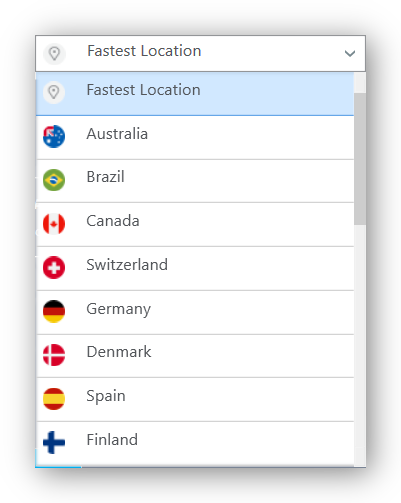
Asia and Oceania are underserved, with just four locations total: Australia, Hong Kong, Japan, and Singapore.
If you live in these regions, we recommend choosing a VPN with stronger local coverage, such as a provider tailored for Australia or your country.
Coverage is poor elsewhere, with Brazil the only option in South America and no servers in Africa.
McAfee refused to say how many individual servers and IP addresses it has, or whether the servers are physical or virtual.
We were repeatedly told that server information is “information that cannot be disclosed to customers.”
No reason was given, which is frustrating given how common it is for VPNs to publish server and IP counts.
If your country isn’t covered, or if you travel frequently and need broader coverage, read our HideMyAss (HMA VPN) review. HMA has servers in over 190 countries.
User Experience
Ranked #20 out of 45 VPNs for User Experience
McAfee’s apps are user-friendly and accessible for beginners. However, they’re basic and lack advanced settings. Still, McAfee Safe Connect is simple for those who just want to “connect and forget.”
Downloading the McAfee Safe Connect app on mobile is easy — search for it in your device’s app store.
For Windows, go to the direct Windows download link and your download should start automatically.
From there, installation is as simple as following the on-screen steps.
Once installed, the McAfee Safe Connect app is clean and pleasant to use, despite being plain.
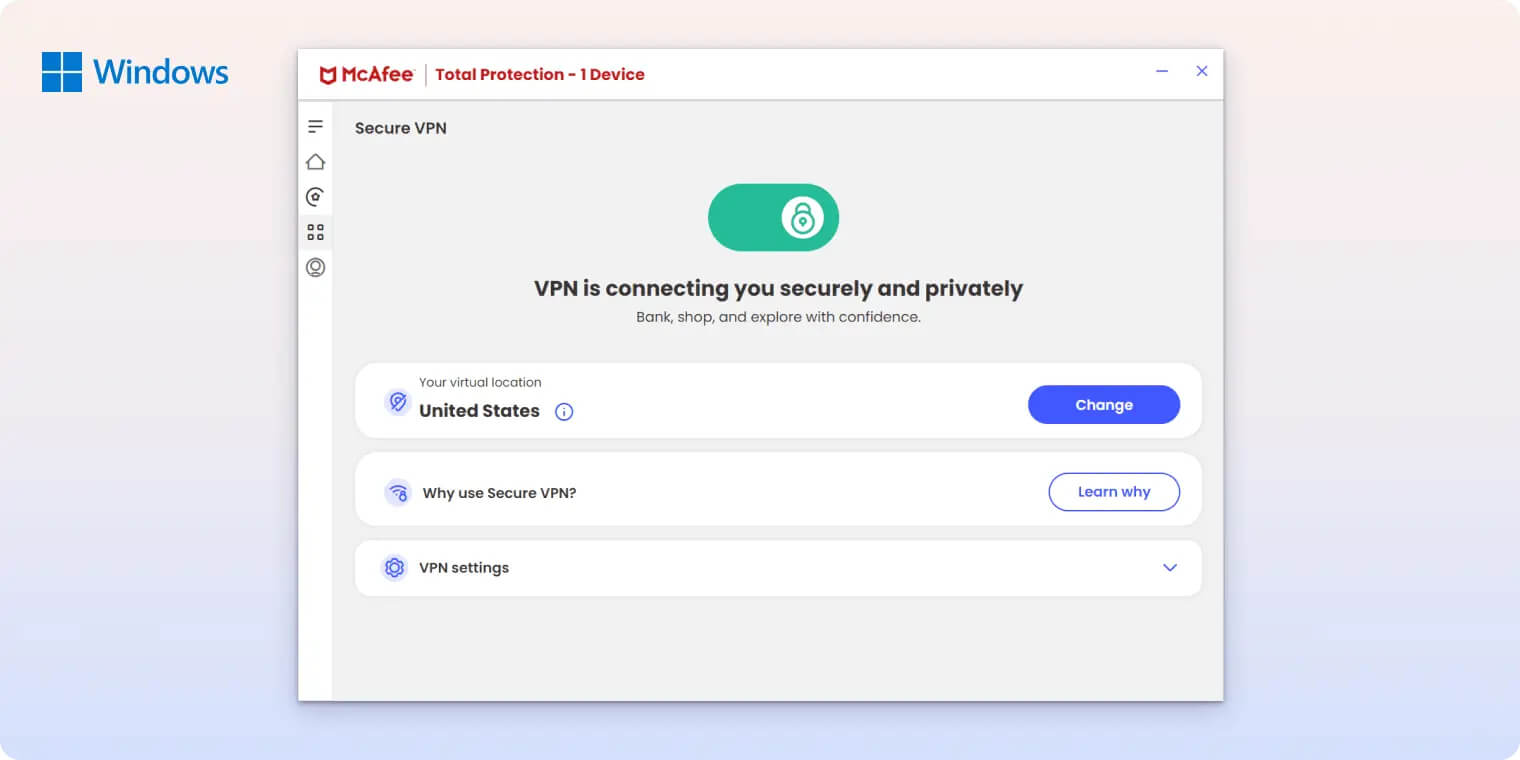
We particularly liked the tutorial screen, which clearly explains and highlights key features.
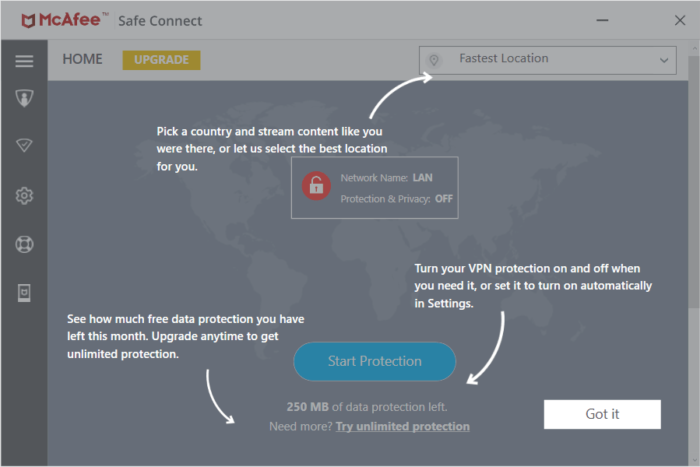
The main screen is minimal, with a connect button and server list. It shows helpful information at a glance, such as connection time, data transferred, and your Wi-Fi/network status.
Settings are in the sidebar, but the options are too limited for our taste.
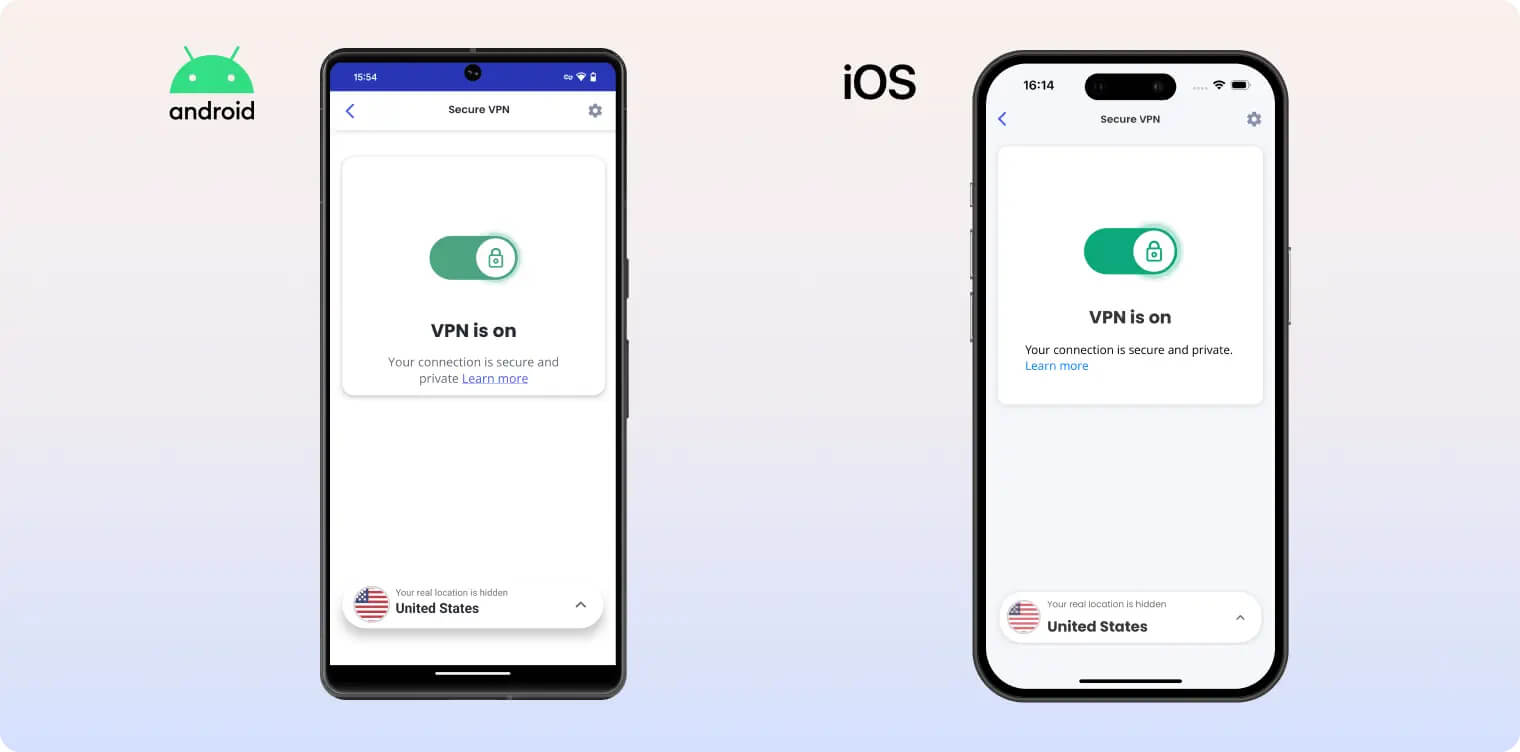
You can choose your language and whether the app runs on startup, and that’s about it. Power users will miss deeper configuration.
If you want more control and advanced features, consider a more configurable VPN like AirVPN (see our expert review).
Torrenting
Ranked #35 out of 45 VPNs for Torrenting
We do not recommend McAfee Safe Connect for torrenting or P2P. The VPN has an invasive logging policy and no kill switch. As a result, it can’t be trusted to hide your torrent activity from third parties.
| Torrenting Attribute | McAfee Safe Connect |
|---|---|
| Permits P2P Traffic | Yes |
| Average Download Bitrate | 8.1MiB/s (19% loss) |
| Countries with P2P Servers | 24 |
| Port Forwarding | No |
| Kill Switch | No |
| Logging Policy | Excessive Logs |
Without a kill switch, you risk exposing your real IP address if the VPN connection drops. Combined with McAfee’s extensive logging, your activity could be easily linked back to you.
This is unfortunate, as torrenting is allowed on all Safe Connect servers and its strong upload speeds support fast P2P transfers.
However, torrenters should choose a true no-logs VPN with a kill switch.
To see which VPNs we recommend for P2P, check our guide to the best VPNs for torrenting.
These services combine strict privacy policies with fast speeds and no torrenting restrictions.
Device Compatibility
Safe Connect supports only Windows, iOS, and Android. There’s no macOS app, which is surprising, and no Fire TV or Linux apps. Compared to other paid VPNs, McAfee Safe Connect supports very few platforms and devices.
| Windows | Yes |
|---|---|
| Mac | No |
| iOS | Yes |
| Android | Yes |
| Linux | No |
| Amazon Fire TV | No |
| Android TV | No |
| Apple TV | No |
| Router | No |
| Chrome | No |
Simultaneous Connections: 5
There is no Smart DNS tool, and you can’t install Safe Connect on a home router. That means no workarounds for devices that don’t support VPN apps, like game consoles.
There are no browser extensions, either.
For a paid VPN, this level of platform and device support is poor.
McAfee Safe Connect allows up to five simultaneous connections, with a major caveat: you can register only five devices on your account.
Most paid VPNs let you install the app on unlimited devices. With McAfee VPN, you’ll need to be selective about which devices you register.
Additional Features
We were disappointed that McAfee Safe Connect doesn’t offer any extra features beyond live chat support. It can’t help with censorship or ad blocking, and it lacks split tunneling and advanced security tools like multi-hop. There’s a lot of room for improvement.
| Additional Feature | McAfee Safe Connect |
|---|---|
| Split Tunneling | No |
| VPN Obfuscation | No |
| Multi-Hop Servers | No |
| Dedicated IP | No |
| Ad Blocker | No |
Live Support Is Not Very Helpful
McAfee Safe Connect shares its support with the broader McAfee product line, and it’s clear the agents aren’t trained on the VPN.
Agents could not answer basic questions, such as whether Safe Connect can bypass geo-restrictions or how many servers it has.
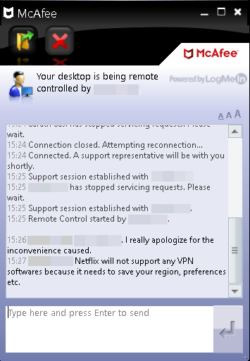
Safe Connect also inherits some unhelpful practices from McAfee. For example, you must provide your full name, email address, and phone number before starting a live chat.
For a product meant to protect your personal information, requiring data that can identify you is counterproductive.
Support agents are also quick to request remote control of your device. We were asked to allow remote access after a simple question about US Netflix access.
All of this is off-putting and unnecessary. For privacy-focused users, handing over a phone number and allowing remote access for basic issues is too much to ask.
McAfee Safe Connect Key Data
| Attribute | McAfee Safe Connect | Typical VPN |
|---|---|---|
| Owner | McAfee | Independent |
| Launch Date | 2012 | 2015 |
| Local Download Speed | 98Mbps (2% loss) | 89Mbps (11% loss) |
| International Download Speed | 89Mbps (11% loss) | 80Mbps (20% loss) |
| Countries with Servers | 24 | 40 |
| Privacy Policy | Excessive Logs | Identifiable Data |
| Simultaneous Connections | 5 | 10 |
| Netflix Libraries | 0 | 3 |
| Torrenting | Yes | Yes |
| Works In China? | No | No |
| Cheapest Price | 1.66/mo over 12 months | $3.87/mo over 24 months |
| Customer Support | 24/7 Live Chat | |
| Apps & Extensions |
          |
|
Price
Price Plans
| 1 month | $7.99 |
|---|---|
| 12 months | $19.92 ($1.66/mo) |
Free Trial
| Money-Back Guarantee | 30 days |
|---|---|
| Free Trial | 7 days |
| 100% Free Plan | No |