
Hola Free VPN: Unsafe, Unencrypted, and Not Truly a VPN
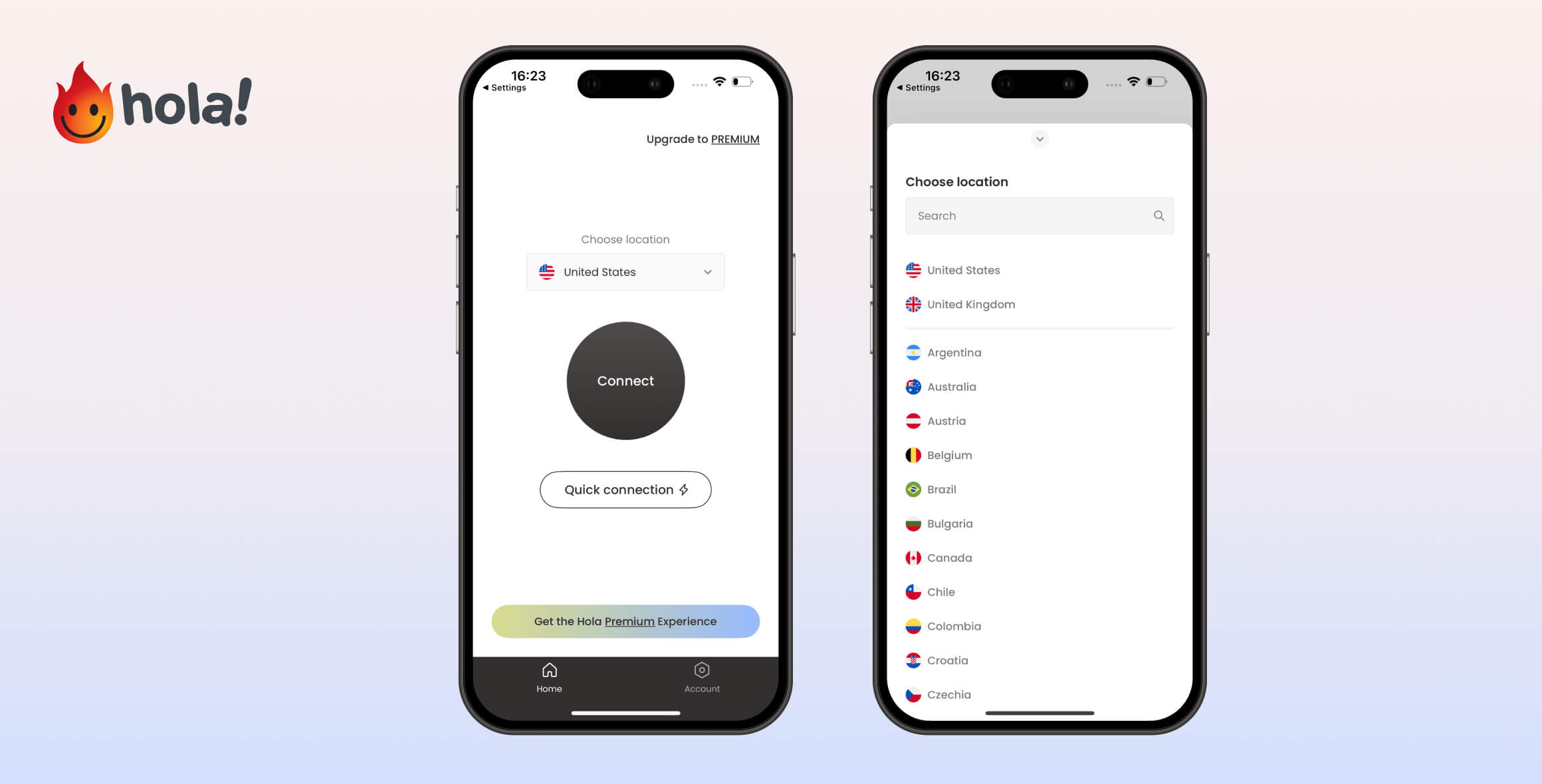
Hola is one of the worst free VPNs we’ve reviewed. It logs your online activity, shares your information, and doesn’t encrypt your connection. It’s categorically unsafe, and we do not recommend downloading or using it if you value your privacy, personal information, or online security.
- Pros
- Easy to set up and use
- Unblocks some websites
- Cons
- No kill switch or encryption on mobile
- Sells free user bandwidth to premium users
- Monitors and logs your online activity
- Android app removed due to malware
- Doesn't work on macOS
- Blocks all torrenting clients
Launched in 2012, Hola VPN is a popular freemium app that provides a VPN-like service for quickly bypassing website blocks.
Hola VPN isn’t safe or secure. It’s a peer-to-peer network that shares your idle bandwidth with other users, allowing unauthorized activity on your network and compromising your privacy and security.
In this updated Hola VPN review, we put all of its software through our testing process. We’ll explain in detail the privacy and security risks you take by using this unsafe service.
EXPERT ADVICE: If you’re considering a VPN, avoid Hola VPN and use a fast, secure, and private provider instead. Our top recommendation is ExpressVPN, which doesn’t log your internet activity, unblocks 18 Netflix regions, and fully encrypts your data. You can try it risk-free for 30 days.
Privacy
Ranked #42 out of 45 VPNs for Privacy
Hola VPN logs your browsing activity and originating IP address, along with dozens of other data types. It openly shares user information with third parties and has been caught stealing user bandwidth in the past. Using this service presents a serious risk to your privacy.
| Originating IP Address | Yes |
|---|---|
| Browsing Activity | Yes |
| Individual Connection Timestamps | Yes |
| Date of Last Connection | Yes |
| VPN Server IP | Yes |
| Device Information | Yes |
| Individual Bandwidth Usage | Yes |
| Account Information | Yes |
You can read Hola VPN’s full privacy policy on its website.
Hola VPN collects more data than most VPNs we’ve reviewed. This includes your IP address and browsing activity, which can be used to identify you.
If you subscribe to Hola VPN through a social media account, Hola gains access to even more personal information: your home address, birth date, profile picture, and any publicly available data on your profile.
Hola VPN’s logging policy is one of the worst we’ve seen. Your personal data is at risk every time you use it.
Hola VPN Uses Your Personal Bandwidth & IP Address
Despite its name, Hola VPN is actually a peer-to-peer proxy service that uses peer-to-peer caching for fast access to blocked content.
To bypass geo-blocked websites, Hola VPN routes your traffic through other users’ IP addresses in regions where content isn’t blocked.
Each user functions as a “peer” or “node,” similar in concept to the Tor network.
At the same time, your own IP address can be used by other Hola users for whatever they wish—including accessing unlawful content—which would be tied to your online identity.
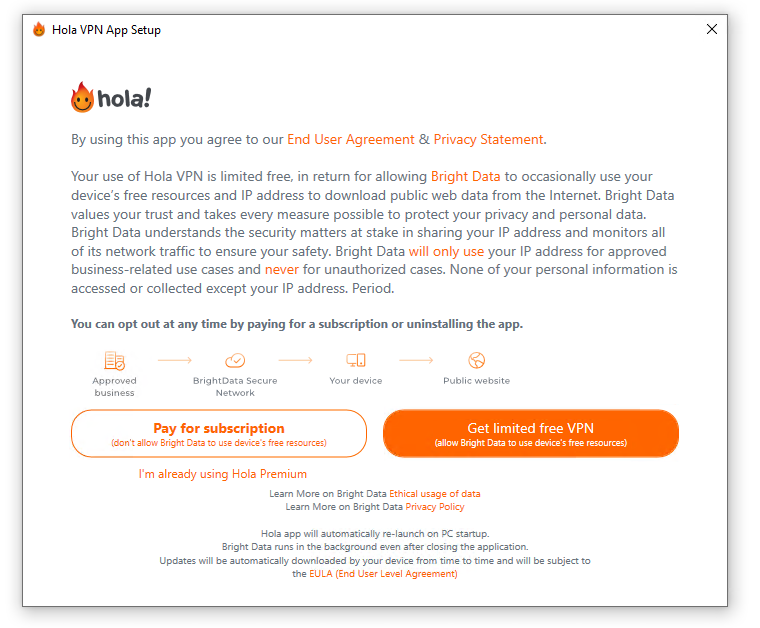
Hola VPN openly admits to using your IP address and bandwidth.
Free users also share their “idle resources” (Wi-Fi and cellular data) with the network to save Hola money.
This allows Hola VPN to sell your bandwidth to others.
Troubling Ownership & Privacy-Unfriendly Jurisdiction
Hola VPN was founded by Ofer Vilenski and Derry Shribman under the company Hola Networks Limited.
Hola Networks provides a free consumer “VPN,” a premium tier, and a corporate service called Luminati.
Luminati uses free users’ bandwidth, charging per gigabyte without reimbursing them. This practice has been widely criticized by cybersecurity professionals.
Hola VPN is based in Israel, which isn’t an official member of the Five Eyes (or Nine/14 Eyes) alliances, but collaborates with them.
Combined with Hola’s intrusive logging, it’s highly likely Hola will hand over user data upon request.
Its privacy policy confirms this, stating it will “comply with law, regulation, subpoena or court order,” and will hand over personal information if it has “good reason to believe that it is necessary.”
Streaming
Ranked #18 out of 45 VPNs for Streaming
To our surprise, Hola VPN Free unblocked US Netflix, BBC iPlayer, and more in recent tests. However, videos often loaded slowly, buffered frequently, and were capped at poor quality. It’s not worth using Hola for streaming when there are far better free options.
| Streaming Service | Works with Hola Free VPN (Free) |
|---|---|
| BBC iPlayer (UK) | Yes |
| DAZN (Canada) | No |
| Disney+ (UK) | No |
| Hulu (US) | Yes |
| ITVX (UK) | No |
| HBO Max (US) | No |
| Netflix (US) | Yes |
| Netflix (UK) | No |
| Prime Video (US) | Yes |
| Sky Go (UK) | No |
In our latest tests, Hola unlocked several services including US Netflix, Hulu, Disney+, and Amazon Prime Video.
Normally this would be excellent for a free VPN, but due to Hola’s unsafe peer-to-peer network, past malware issues, and intrusive logging, we can’t recommend it for streaming.
The risk to your privacy and security isn’t worth it just to watch geo-restricted content.
Also, because Hola is peer-to-peer, we can’t guarantee it will work consistently or at all.
It’s worth noting that in previous rounds of testing, Hola failed to unblock any streaming platform.
It’s easier and safer to use a premium VPN for streaming. We recommend ExpressVPN for uninterrupted 4K streaming, its Smart DNS tool, and access to every major streaming service.
If you want a free option, try Windscribe Free. It reliably unblocks five international Netflix libraries, HBO Max, and BBC iPlayer.
Unblocks US Netflix, but Poor Video Quality
During testing, Hola VPN accessed US Netflix. However, video quality was poor and stayed that way.
We also experienced constant buffering during a 25-minute video.
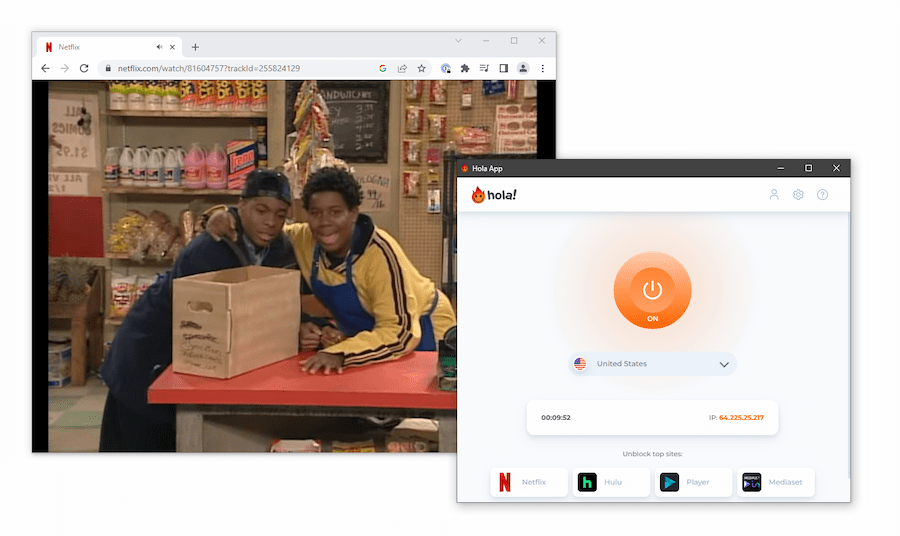
Hola VPN worked with US Netflix, but the video quality was poor.
Slow Load Times Unblocking Hulu
We also accessed Hulu with Hola, but load times were extensive. The main Hulu page loaded incomplete, with missing images and floating text.
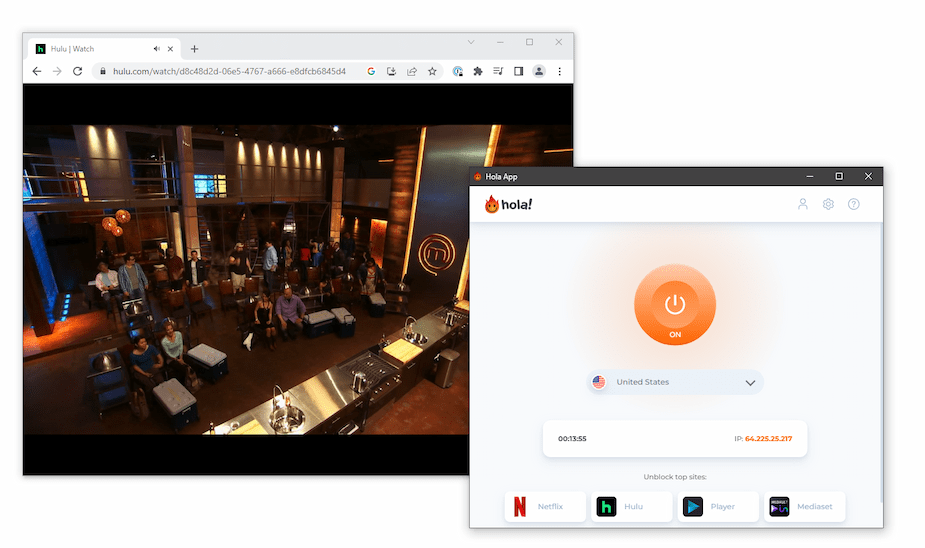
It took several minutes for our Hulu video to load while connected to a US Hola server.
If Hulu is a priority, we recommend ExpressVPN. Its 57 US city locations, fast speeds, and secure encryption make it the best VPN for bypassing Hulu blocks.
Struggles to Unblock HBO Max
With Hola VPN, we couldn’t get past the HBO Max login page.
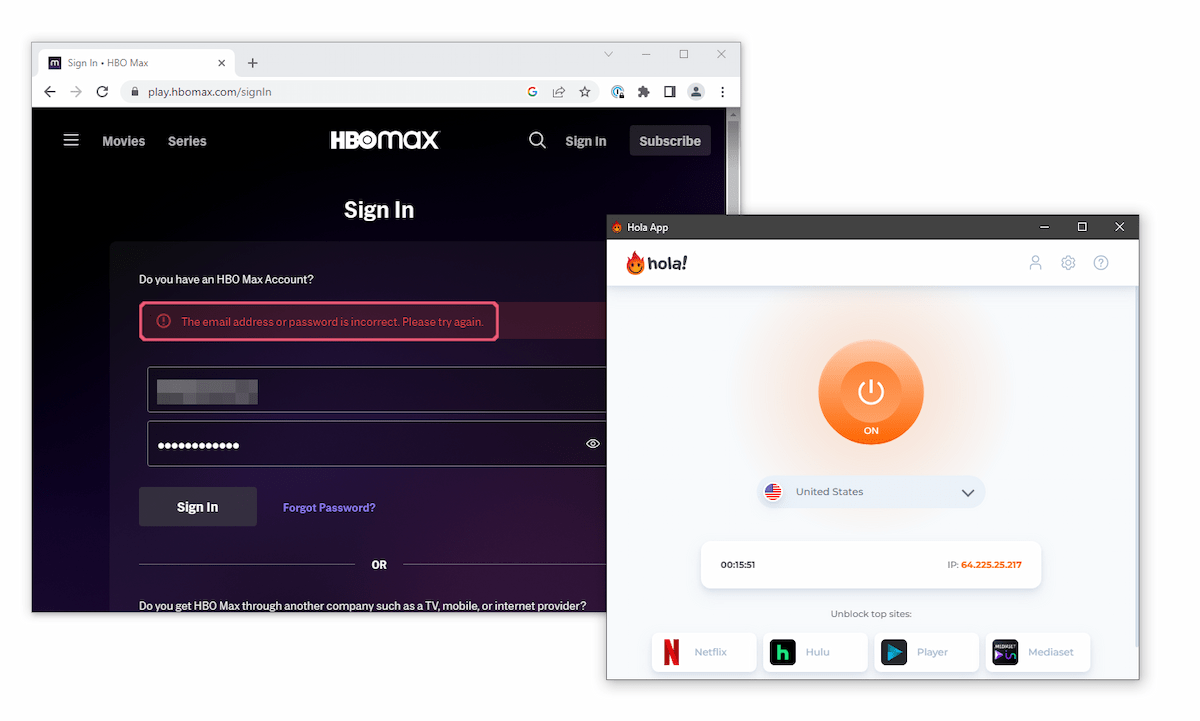
All of Hola VPN’s US servers failed to unblock HBO Max.
We suspect Hola assigned us a peer in a region where HBO Max is blocked, preventing access.
This highlights a core issue with Hola for streaming: beyond privacy and security risks, you can’t rely on the assigned IP to match your chosen location.
Speed
Ranked #28 out of 45 VPNs for Speed
In our tests, Hola delivered surprisingly fast speeds on local connections. However, this is because it operates as an insecure proxy, not a full VPN. International speeds were slower due to the varying availability and quality of peers.
To evaluate Hola’s speed, we tested connections between our location and other Hola users around the world.
See the breakdown of our results below:
| No VPN (New York) | US (New York) | Canada (Toronto) | US (Los Angeles) | UK (London) | Germany (Berlin) | Brazil (São Paulo) | Japan (Tokyo) | Australia (Sydney) | |
|---|---|---|---|---|---|---|---|---|---|
| Server Location |  |
|
 |
|
 |
 |
 |
 |
 |
| Download Speed | 100Mbps | 94Mbps | 94Mbps | 81Mbps | 90Mbps | 88Mbps | 8Mbps | 81Mbps | 81Mbps |
| Upload Speed | 100Mbps | 90Mbps | 91Mbps | 10Mbps | 74Mbps | 62Mbps | 18Mbps | 46Mbps | 31Mbps |
| Ping | 1ms | 6ms | 14ms | 116ms | 75ms | 90ms | 114ms | 143ms | 208ms |
| Distance | 0mi | 5mi | 300mi | 2,500mi | 3,500mi | 4,000mi | 4,800mi | 6,700mi | 9,900mi |
We saw average downloads drop from 100Mbps to 94Mbps when connecting to a peer in our region.
That’s a 6% speed loss—very fast for a free service.
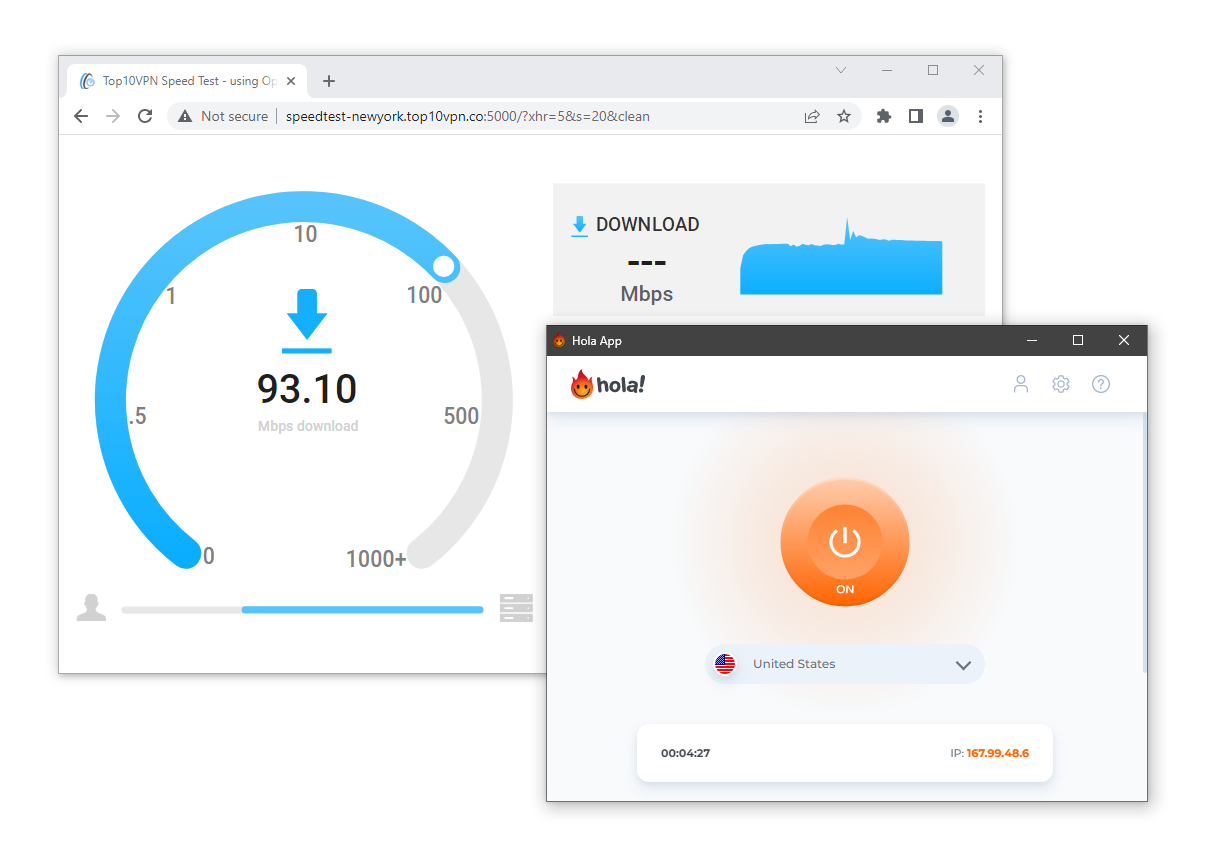
Hola VPN’s fast speeds are partly due to its outdated and insecure protocols.
Because Hola uses a peer-to-peer network with limited encryption, it can be faster than some secure VPNs—but at much greater risk.
Your speeds also depend on the peer you’re routed through. If their connection is slow, yours will be too.
Inconsistent over Longer-Distances
On distant connections, Hola’s downloads drop modestly. We saw an average loss of 12% to Germany and 19% to Japan.
These are decent results for a free tool but compare poorly to paid services.
Upload speeds fell sharply on international links: an average loss of 90% to the US West Coast and 69% to Australia.
The gap between download and upload performance shows the inconsistencies of a peer-to-peer network.
Expect fluctuating speeds when connecting to peers outside your region.
For the best performance, see our list of the fastest VPNs.
Security
Ranked #44 out of 45 VPNs for Security
Hola VPN lacks basic VPN security. Its protocols are outdated, it doesn’t use encryption or a kill switch on mobile, and traffic is routed through other users’ devices instead of secure servers. Hola VPN isn’t safe and should be avoided.
| Independent Audit | No |
|---|---|
| VPN Kill Switch | Yes |
| Leak Protection | No |
Unsafe Peer-to-Peer Network
Hola Free VPN routes your traffic through other users’ devices to spoof your IP address and bypass website blocks.
In turn, others can use your IP address as they please. This is dangerous because your IP could be used for criminal activity tied to your identity and home.
Security researchers behind the site Adios, Hola! state that Hola is “harmful to the internet as a whole, and to its users in particular,” labeling it a “poorly secured botnet” with “serious consequences.”
They discovered several vulnerabilities in Hola’s architecture, including one that reportedly let anyone execute programs on your computer.
According to the site, Hola fixed some issues, but others remain.
In 2015, 8chan founder Fredrick Brennan said his site was DDoS attacked via the Hola network—later confirmed by Hola co-founder Vilenski.
Hola is also vulnerable to IP leaks and has facilitated data scraping, according to Trend Micro.
Hola VPN Lacks Basic Security Features
Hola’s mobile apps use the outdated and insecure PPTP protocol and provide no encryption. Your traffic is left unencrypted inside an easily compromised tunnel.
Put simply, it’s not safe to use Hola on mobile.
On Windows, Hola defaults to IKEv2/IPSec, but its website says it may switch to PPTP to bypass specific geo-blocks.
We also found a drop-down menu for encryption ciphers, with AES-256 listed as the default.
We verified this with Wireshark, a packet-sniffing tool. Our data packets showed incoherent symbols inside the IKEv2/IPSec tunnel, keeping our browsing private.
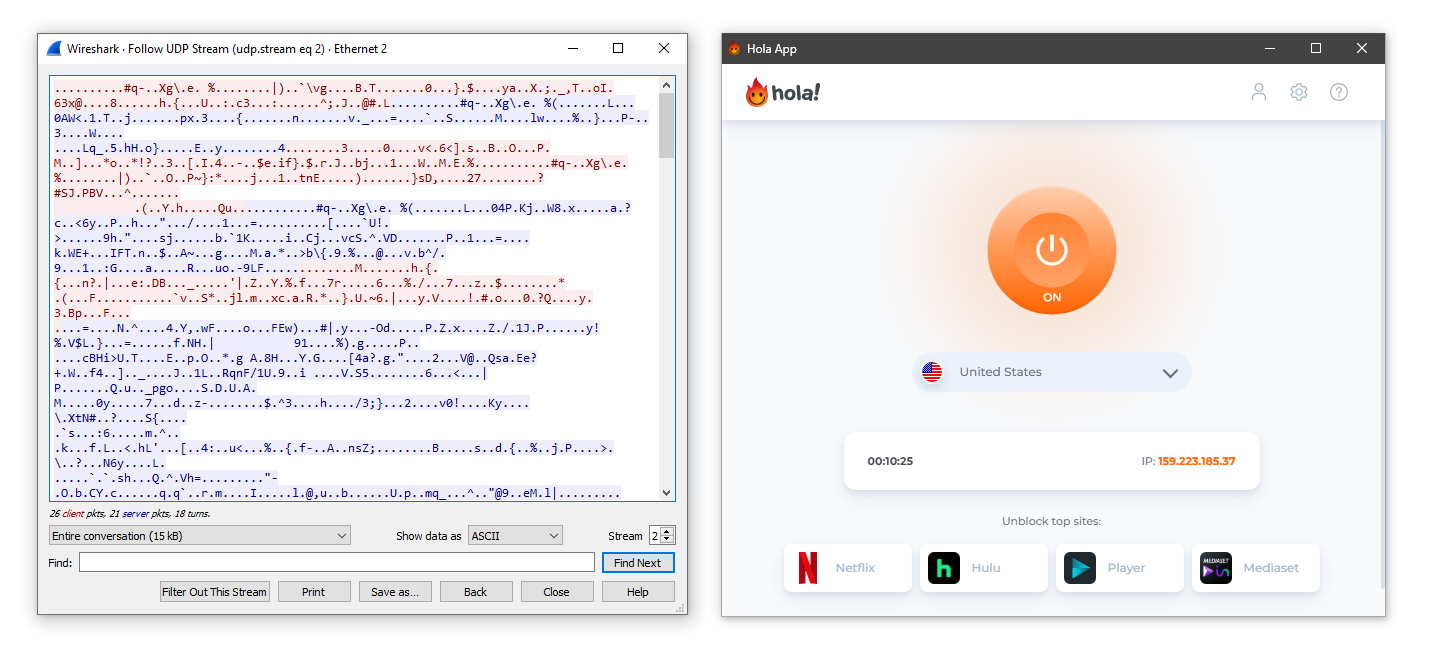
Hola VPN only encrypts traffic on its PC app.
While better than mobile, IKEv2/IPSec is closed-source and has known vulnerabilities.
We’d like Hola to add secure, open-source protocols such as OpenVPN or WireGuard to improve trust and protect personal data.
We couldn’t test the macOS app because it blocked our internet access. We also couldn’t find encryption or protocol options in its settings, suggesting they’re not implemented.
Faulty Kill Switch With Limited Availability
Only Hola’s Windows app includes a kill switch. Users on mobile and macOS are left exposed if the VPN disconnects.
We tested the Windows kill switch with our in-house tool and found it leaked our real IP address during reconnection:
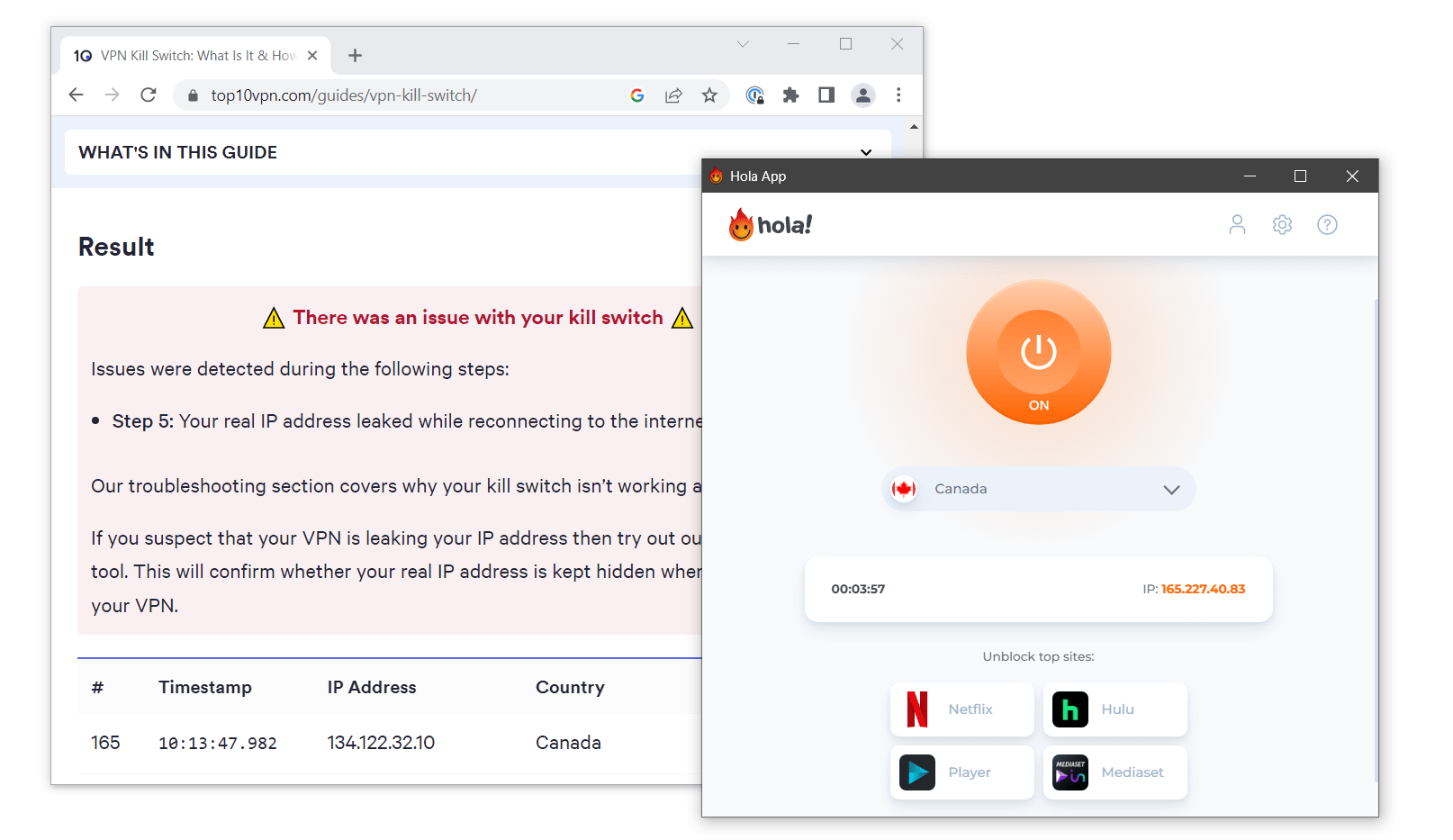
We experienced an IP leak while reconnecting to the internet.
Technical Features We’d Like to See Added
Hola fails to include basic features we expect from any VPN. Here are the most important ones it’s missing:
- A real VPN server network to securely route traffic without relying on users’ IP addresses.
- AES-256 encryption on all apps to protect data and hide browsing.
- Modern protocols like WireGuard and OpenVPN for secure, fast, open-source tunneling.
- A reliable VPN kill switch to prevent data leaks if the connection drops.
- IPv4 and IPv6 leak protection to keep your real IP private.
Server Locations
Ranked #27 out of 45 VPNs for Server Locations
Hola displays 41 locations in its free apps, but the real number varies depending on available peers. Connecting to a location without an available peer leaks your IP address and puts your privacy at risk. We’d like Hola to implement a real VPN server network.
| Continent | Countries with Servers |
|---|---|
| Europe | 24 |
| Asia | 8 |
| South America | 4 |
| North America | 3 |
| Oceania | 2 |
| Africa | 0 |
Hola Free doesn’t have a conventional server network. It uses a peer-to-peer system to reroute your traffic, so there’s no fixed list of reliable locations.
Every time you connect, you’re assigned another real user’s IP address.
Despite this, Hola won’t tell you when a location is unavailable due to a lack of peers.
As a result, our real IP address frequently leaked when we “connected” to non-existent servers. The app kept showing we were connected to a country even though our IP hadn’t changed.
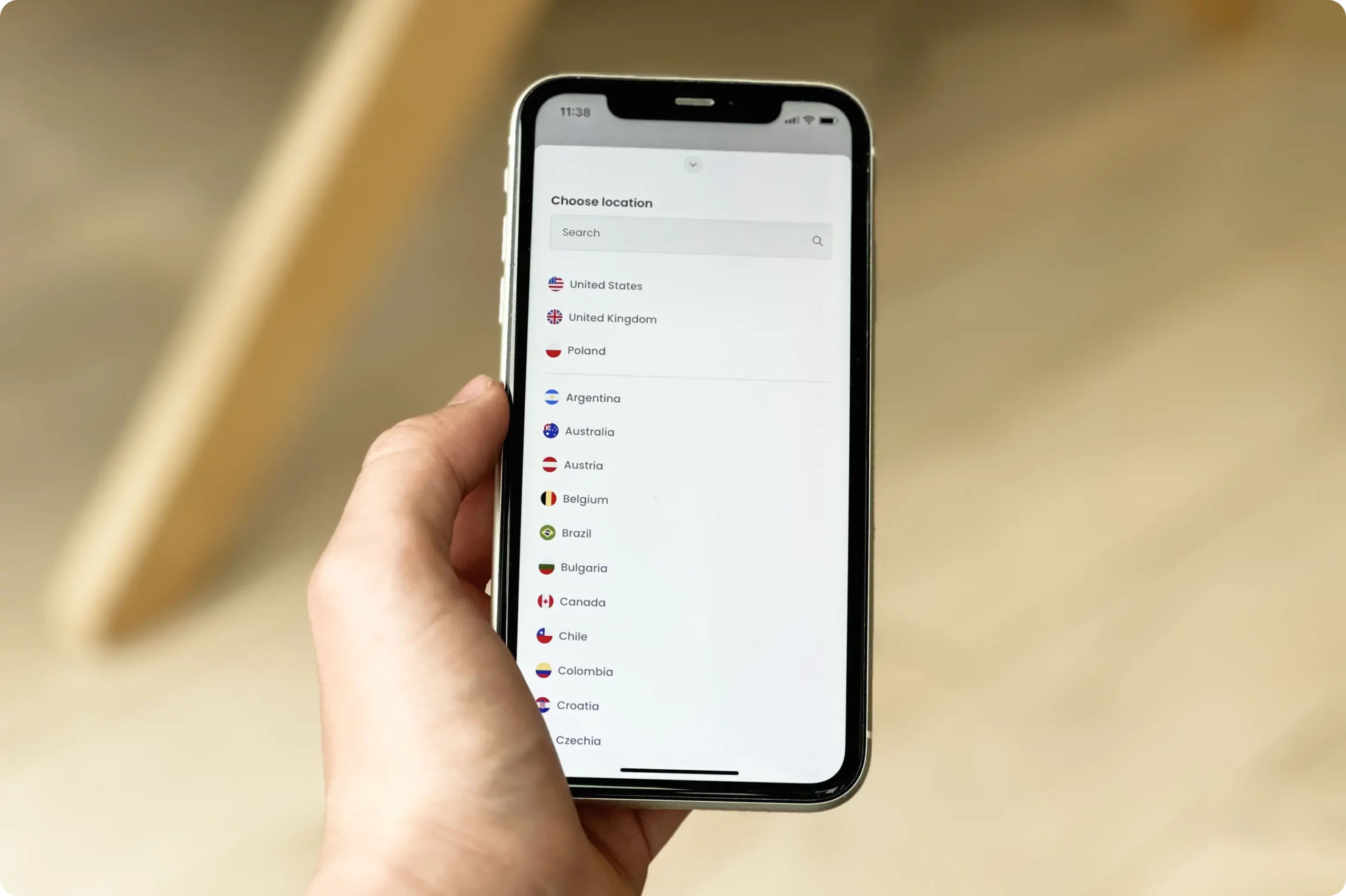
Hola VPN displays a server list in its app but it’s made up of other peers.
We’d like Hola to offer a real server network on its free plan or, at minimum, block connections when no peers are available in a location.
User Experience
Ranked #24 out of 45 VPNs for User Experience
Hola uses the same minimalist layout across its apps and browser extensions. The lack of settings, configurations, or advanced features makes the apps easy to use—but at the cost of safety and security. Installation and setup vary by platform and can be confusing on desktop.
Getting started on iOS is simple—the process took less than two minutes in our testing. Download the app, accept the prompts, and you’re done.
On Windows and macOS, the process is more complicated. Clicking download installs both an app and a browser extension. This was confusing because it wasn’t clear which to use.
You’ll also have to verify your email address during registration, which is unusual for a free VPN.
Below is a closer look at our experience with the apps:
Desktop & Laptop (Windows & Mac)
Hola’s desktop apps are similar to its browser extension and almost identical visually. Both use a plain white background with a large central power button. They’re easy to use, and switching platforms feels seamless.
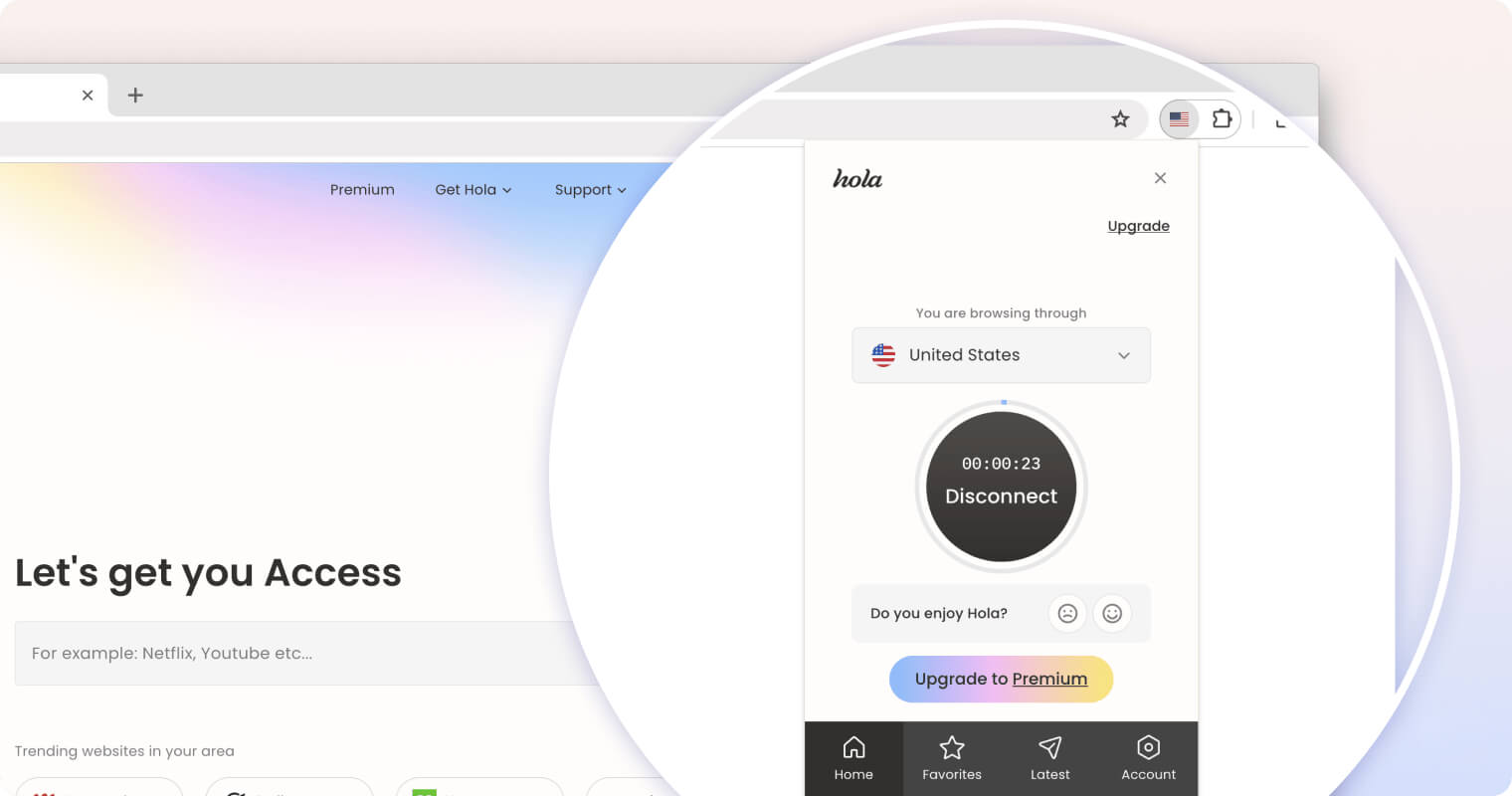
We liked being able to resize both desktop apps, which helped on smaller screens.
The main difference is that Windows includes a few extra settings, while macOS is limited to a server list and connect button.
On Windows, you can select different encryption ciphers from a drop-down and designate apps for the kill switch. Enabling “manual server selection” shows the load of individual nodes—useful for avoiding congested peers and maximizing speed.
The macOS experience is worse. You must accept a “VPN settings change” prompt every time you connect to a new server, which is irritating.
Hola’s macOS app frequently failed to load web pages without explanation, preventing a full test.
Mobile (iOS)
Hola’s iOS app is identical to the macOS app in both function and design.
The app is sleek and well-designed. Its white background suits the iPhone better than desktop, where it felt stretched.
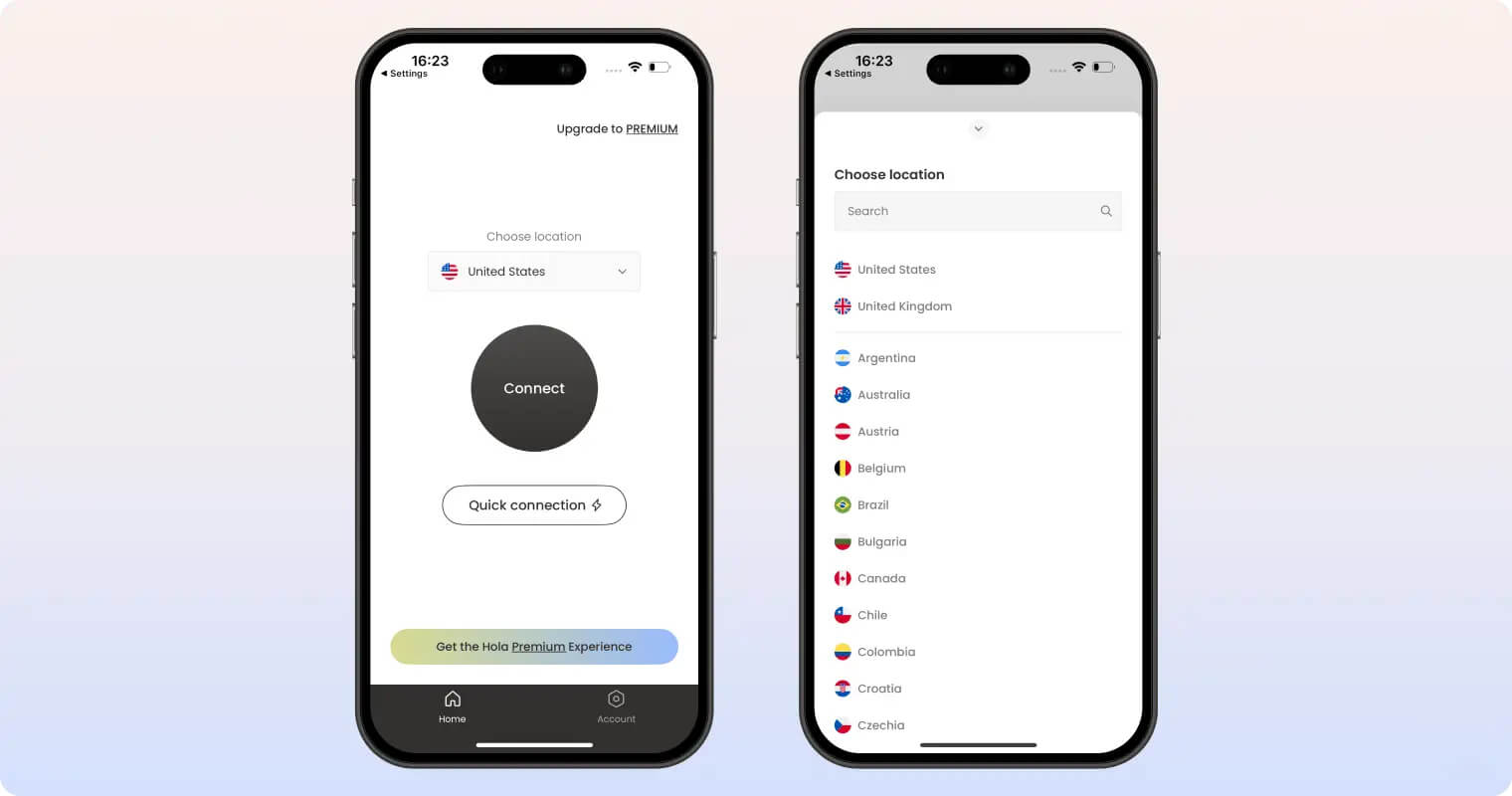
As with macOS, there are no settings or advanced features—no kill switch, encryption, or protocol options.
Hola limits you to one hour of free usage before asking you to upgrade or wait one minute. This was frustrating and repeatedly disrupted testing.
We’re also concerned that users unaware of the time limit could have their VPN connection end unexpectedly, risking their privacy.
We’d like Hola to follow IPVanish’s iOS design and add mobile-focused features. For example, IPVanish supports Siri Shortcuts to quickly start and stop the VPN.
Apple TV
Hola’s Apple TV app uses the same stripped-back design as its desktop and iOS apps, with a central connect button on a white background.
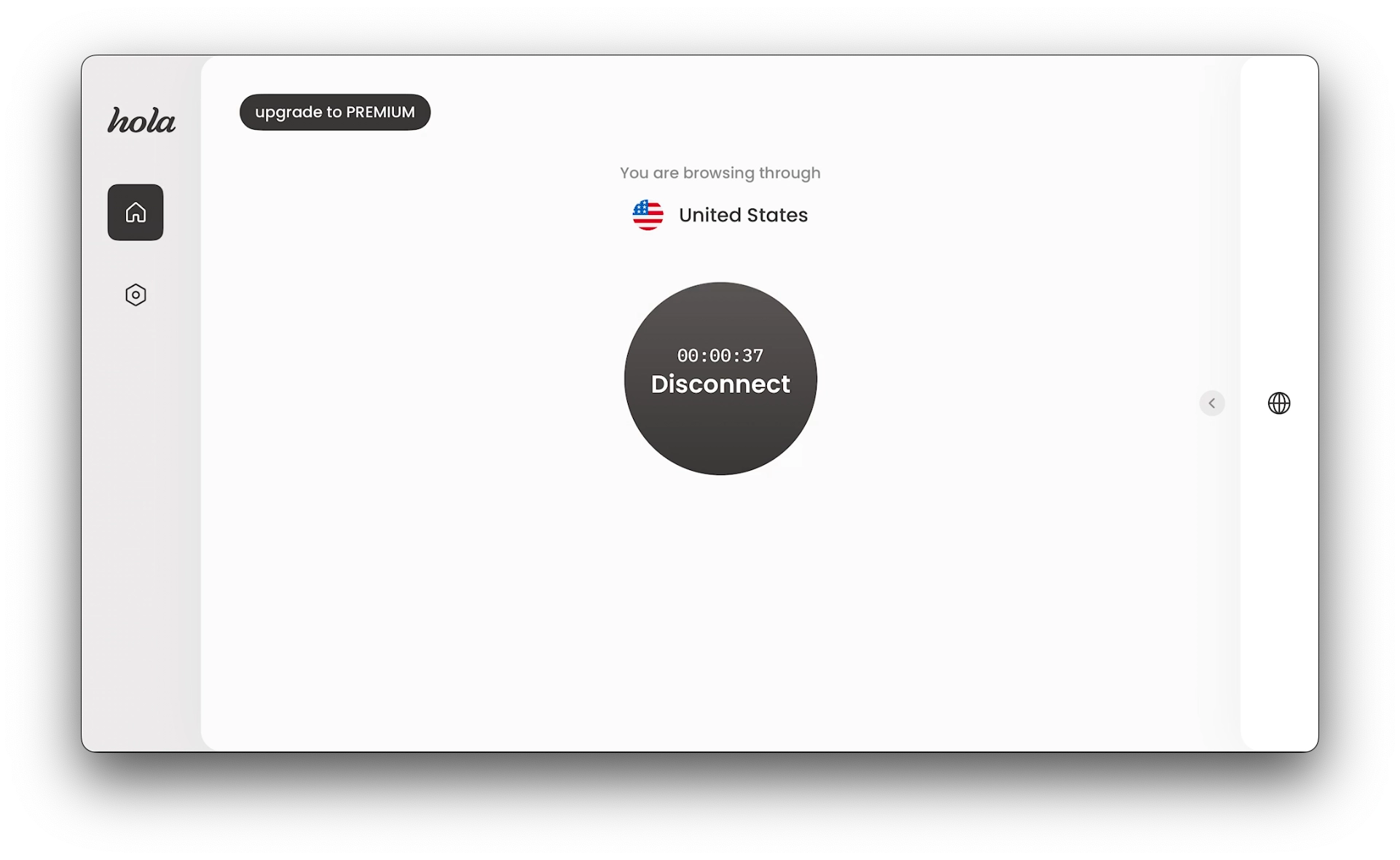
While the UI is clean, the Apple TV app is frustrating.
Each time you connect to a server, a pop-up asks if the VPN is working, and you can’t disable it. Selecting Yes removes the message, but moving the cursor often brings up the server list by accident.
There’s also a permanent “upgrade to premium” button in the top-left corner that’s easy to hit by mistake as it sits between the home and connect buttons.
Torrenting
Ranked #43 out of 45 VPNs for Torrenting
Hola VPN blocks all BitTorrent traffic. Even if it didn’t, Hola lacks the security features needed to safely anonymize torrenting.
| Torrenting Attribute | Hola Free VPN (Free) |
|---|---|
| Permits P2P Traffic | No |
| Average Download Bitrate | N/A |
| Countries with P2P Servers | 0 |
| Port Forwarding | No |
| Kill Switch | Yes |
| Logging Policy | Excessive Logs |
Hola’s FAQ states:
“The use of torrent apps on our network is not allowed, and we are blocking torrents traffic.”
As a result, Hola is incompatible with popular torrent clients like qBittorrent and uTorrent.
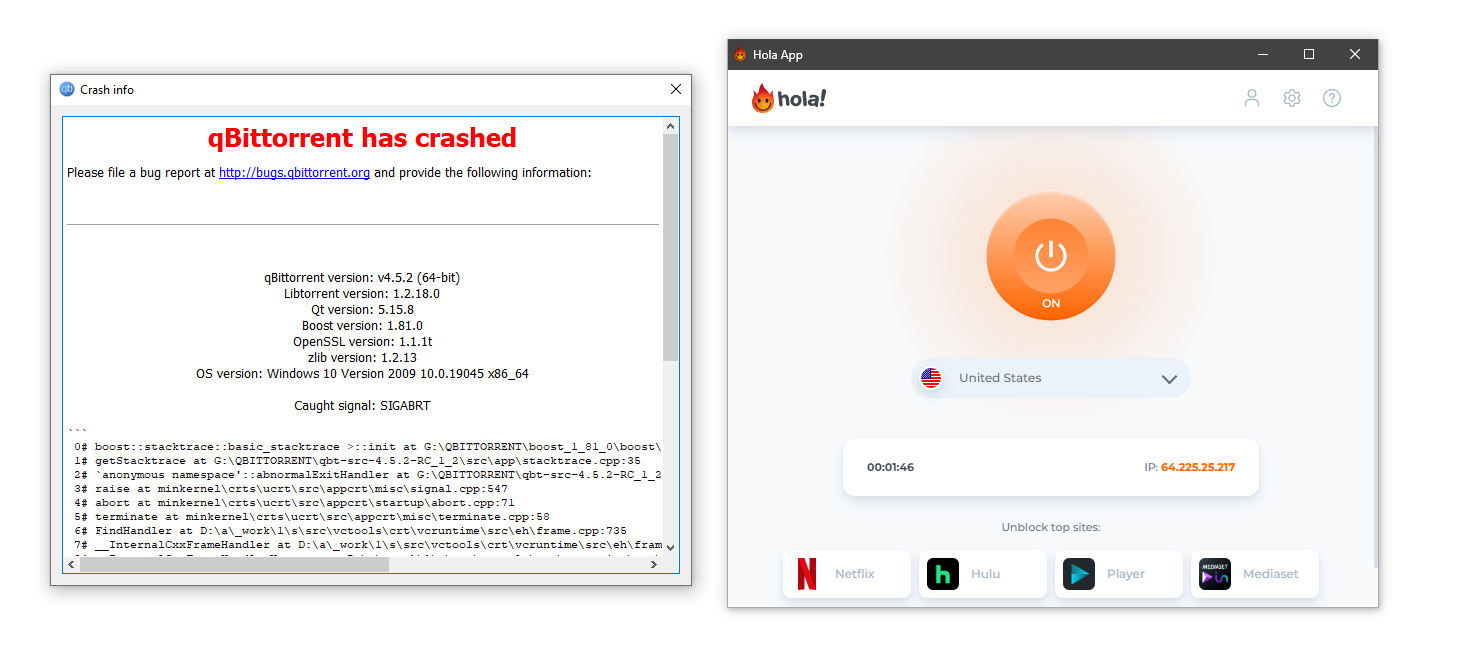
Hola VPN crashed our qBittorrent client immediately.
Even if Hola allowed torrenting, we’d advise against it.
Hola lacks basic privacy and security features—essential for P2P. That includes encryption, modern protocols, and a reliable kill switch.
With Hola, your real IP would be visible to everyone while torrenting, including your ISP and law enforcement.
Moreover, Hola logs and stores your web activity. Any copyrighted content you download, even accidentally, could be traced back to you.
If torrenting is important, consider Private Internet Access. It uses secure WireGuard and ChaCha20 to keep your IP and activity hidden.
Device Compatibility
Hola VPN has apps for Windows, macOS, and iOS. Its Android app was removed from Google Play due to safety concerns. There are also extensions for Edge, Chrome, and Opera—though we don’t recommend installing them.
| Windows | Yes |
|---|---|
| Mac | Yes |
| iOS | Yes |
| Android | No |
| Linux | No |
| Amazon Fire TV | Yes |
| Android TV | No |
| Apple TV | Yes |
| Router | No |
| Chrome | Yes |
Simultaneous Connections: Unlimited
Hola’s Android app was removed from the Google Play Store after claims it contained malware.
Hola has since released custom apps for Samsung and Huawei devices, but many Android users are left without support.
This is rare among VPNs and shows Hola’s poor device compatibility. Even free VPNs typically offer both iOS and Android apps.
Browser Extensions
Google removed Hola’s Chrome extension from the Chrome Web Store in September 2021 due to malware concerns.
Although it has been reinstated, we advise against installing Hola on Chrome.
Hola’s extensions work at the browser level, so they won’t change the IP of traffic from apps outside your browser, and they don’t use encryption.
According to Hola, its browser extensions “operate as a standard VPN service.” This means they aren’t part of the peer-to-peer network, so at least your IP isn’t used by strangers.
Additional Features
Hola VPN doesn’t include any additional features, aside from basic customer support options. Its FAQs are poorly written, and email replies varied in quality.
| Additional Feature | Hola Free VPN (Free) |
|---|---|
| Split Tunneling | No |
| VPN Obfuscation | No |
| Multi-Hop Servers | No |
| Dedicated IP | No |
| Ad Blocker | No |
Unhelpful FAQs & Email Support
Hola’s support consists of an email ticket system and a help center with FAQs, troubleshooting guides, and setup instructions.
We found the written support inconsistent: setup guides were useful, but general FAQs read more like disclaimers for Hola’s questionable practices.
Many guides contain typos and awkward phrasing, making them hard to read.
The support hub is also not easy to find on the website.
Email support was initially unhelpful, with most questions redirected to the help center. Continued follow-ups eventually produced useful answers.
This is a big improvement over past experiences, when many of our queries went unanswered.
To improve further, Hola should introduce live chat support for faster, more detailed help.
Top VPNs like NordVPN and CyberGhost offer 24/7 live chat for immediate assistance.
Hola Free VPN Key Data
| Attribute | Hola Free VPN | Typical Free VPN |
|---|---|---|
| Owner | Hola Networks Limited | Independent |
| Launch Date | 2012 | 2015 |
| Safe to Use | No | No |
| Data Cap | Unlimited | 10GB per month |
| Payment Details Required | No | No |
| Account Required | Yes | Yes |
| Contains Ads | No | Yes |
| Local Download Speed | 94Mbps (6% loss) | 61Mbps (39% loss) |
| International Download Speed | 88Mbps (12% loss) | 55Mbps (45% loss) |
| Countries with Servers | 41 | 4 |
| Privacy Policy | Excessive Logs | Identifiable Data |
| Simultaneous Connections | Unlimited | 1 |
| Manually Select Server Location | Yes | Yes |
| Netflix Libraries | 1 | 0 |
| Torrenting | No | No |
| Works In China? | No | No |
| Customer Support | Online Resources & Email Support | Online Resources |
| Apps & Extensions |
          |
|
Price
Price Plans
| Safe to Use | No |
|---|---|
| Data Cap | Unlimited |
| Payment Details Required | No |
| Manually Select Server Location | Yes |
| Account Required | Yes |
| Contains Ads | No |