
Snap VPN: Among the Worst VPNs We’ve Tested
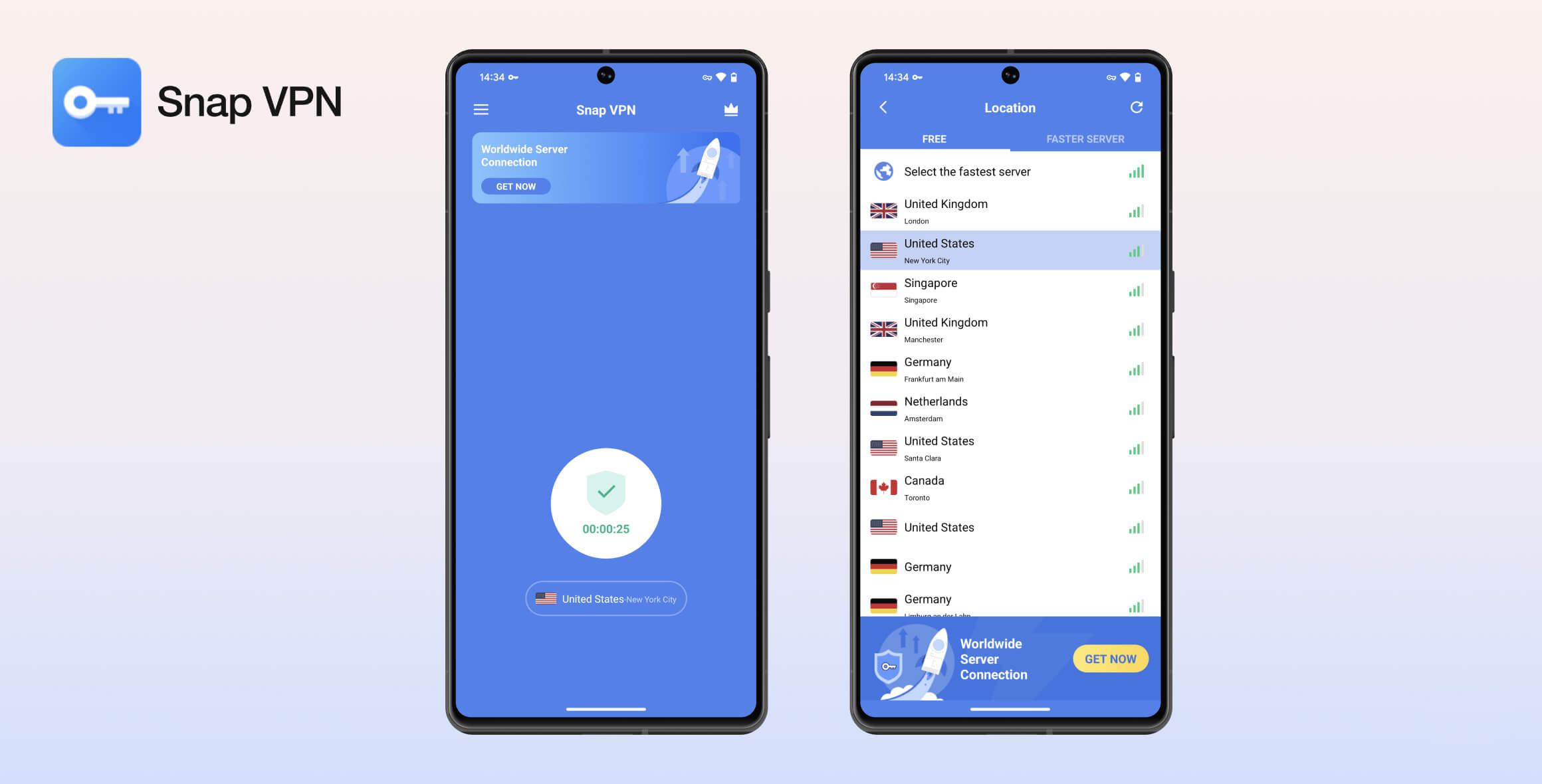
Snap VPN is untrustworthy, slow, and missing important safety features. It is one of the worst VPNs we’ve tested, even compared to other free Android VPNs. It doesn’t work for streaming or torrenting, has vague ownership, and should not be trusted to protect your online anonymity.
- Pros
- Unlimited data
- Simple application
- No IP or DNS leaks
- Cons
- Untrustworthy ownership
- No VPN kill switch
- Throttled speeds
- Obnoxious ads
- Small server selection
- Torrenting is blocked
Snap VPN is a free, Android-only VPN with more than 50 million downloads from the Google Play Store. Despite its popularity, it performed badly across all parts of our testing and poses a real risk to your privacy and security.
EXPERT ADVICE: The free Android VPN marketplace is full of deceptive and unsafe apps, but there are still some excellent and legitimate options.
We’ve compiled our top recommendations in our list of the best free (and premium) VPNs for Android.
Privacy
Ranked #34 out of 45 VPNs for Privacy
Snap VPN has recently improved and clarified its logging policy, but it’s still not a private or trustworthy VPN. It logs your ISP, bandwidth usage, and server location. Ties to China, an opaque company history, and no proper web presence also make it difficult to trust. Even if its privacy policy is accurate, it isn’t worth the risk.
| Originating IP Address | No |
|---|---|
| Browsing Activity | No |
| Individual Connection Timestamps | No |
| Date of Last Connection | Yes |
| VPN Server IP | No |
| Device Information | No |
| Individual Bandwidth Usage | Yes |
| Account Information | No |
You can read Snap VPN’s full privacy policy on its website.
Snap VPN doesn’t log enough data to identify you, but it’s still not a trustworthy service.
Its privacy policy moved to a self-hosted, secure HTTPS website in 2022 — a big improvement on what it was before. However, it’s odd that it isn’t hosted on Autumn Breeze’s own website.
Company Ownership
Snap VPN was previously owned by a company called Lemon Clove PTE Ltd., but that has since changed to Autumn Breeze. It’s unclear if Autumn Breeze is a rebrand or a new company altogether.
However, in multiple places throughout its privacy policy, Snap VPN still references Lemon Clove — this lack of attention to detail further erodes our confidence in the document and is one reason why we don’t trust Snap VPN.
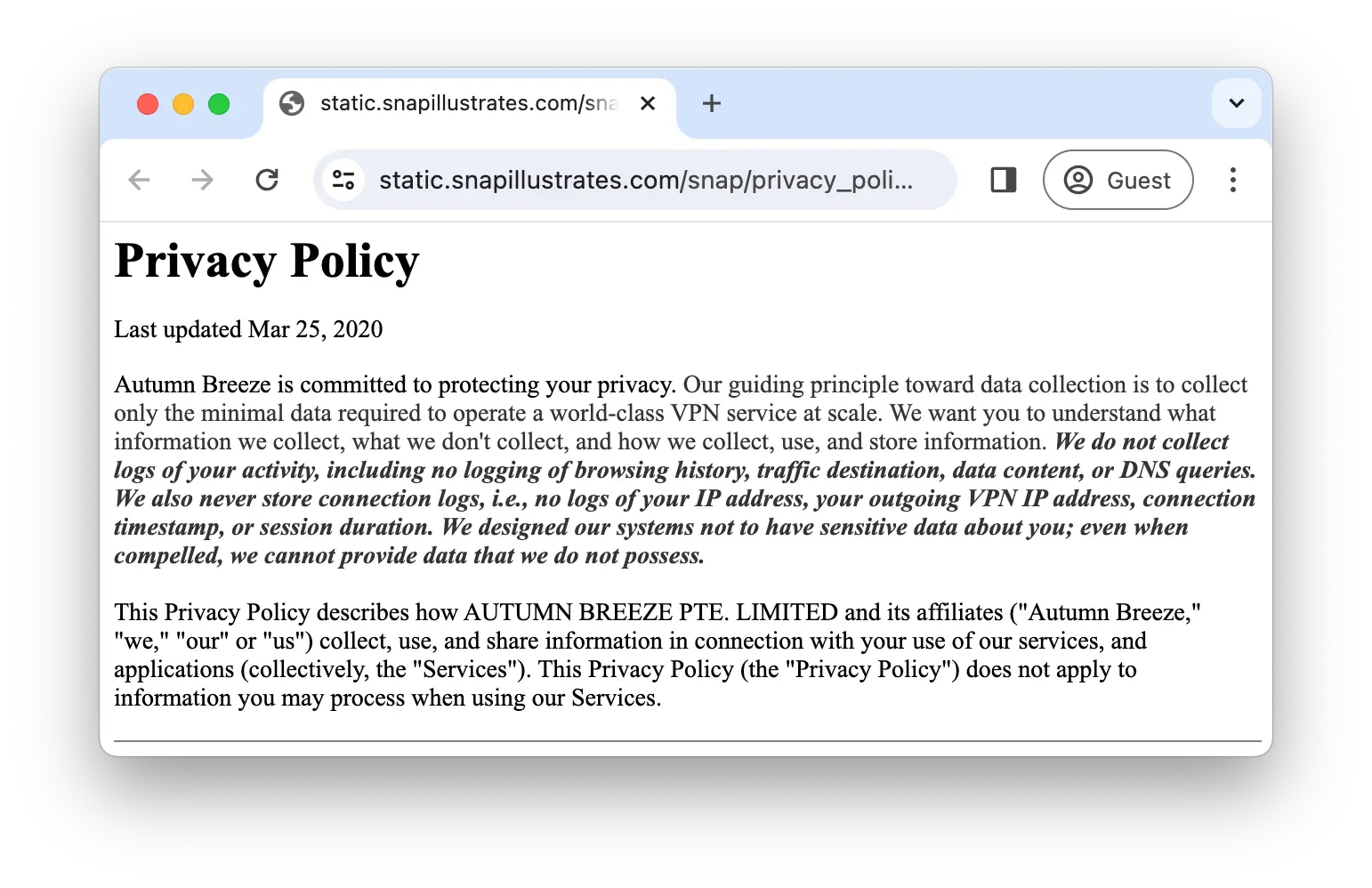
Snap VPN insists that it doesn’t log your real IP address.
The privacy policy states that Snap VPN’s Singapore jurisdiction has “no special data retention laws and no guidance pertaining to e-discovery or disclosure to foreign law enforcement agencies.” This is not true — Singapore is a member of the SIGINT data-sharing alliance, and we’d prefer a VPN not be based there if possible.
Our research into the Chinese ownership of free VPNs also shows that Snap VPN has links to mainland China, a clear drawback for privacy.
Excessive Advertising Permissions
An overabundance of in-app ads is one of our biggest complaints about Snap VPN. These ads interrupt your experience and gain access to your personal data.
Third-party ad services AdMob, Unity Ads, Vungle, and Startapp can place “their own cookies, pixel tags, and similar technologies” on your device via Snap VPN and may use them to “access information about you which they may collect over time and across different online services.”
In-app ads are common with free VPNs and are one reason to consider a low-cost paid VPN instead, but Snap VPN’s permissions are still more invasive than most other free VPNs.
Streaming
Ranked #29 out of 45 VPNs for Streaming
We tested Snap VPN with 10 international streaming services. It could only unblock two: BBC iPlayer and ITVX, both in the UK. It didn’t unblock any Netflix libraries or premium US services like HBO Max or Disney+.
| Streaming Service | Works with Snap VPN (Free) |
|---|---|
| BBC iPlayer (UK) | Yes |
| DAZN (Canada) | No |
| Disney+ (UK) | No |
| Hulu (US) | No |
| ITVX (UK) | Yes |
| HBO Max (US) | No |
| Netflix (US) | No |
| Netflix (UK) | No |
| Prime Video (US) | No |
| Sky Go (UK) | No |
Snap VPN is unable to unblock most streaming services we test. We were blocked from logging into most platforms and, in some cases, couldn’t even load the login screen.
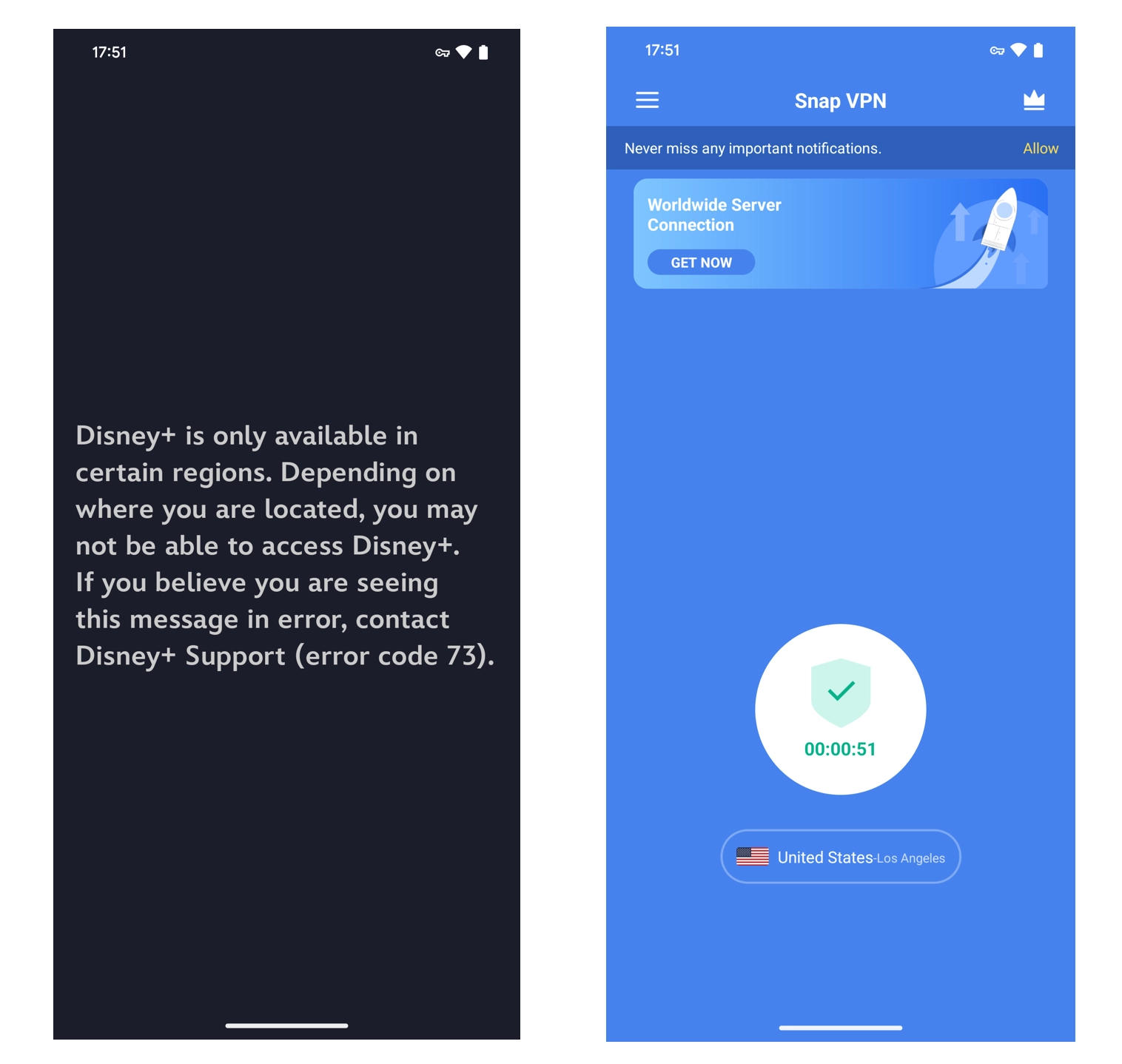
We couldn’t get past the Disney+ login screen with Snap VPN.
While we could unblock BBC iPlayer and ITVX, Snap VPN throttled our speeds. The stream always took at least two minutes to load and buffered constantly.
We found this frustrating and distracting, especially across multiple hours of testing.
To avoid this, use a VPN optimized for streaming that won’t throttle your connection or limit you to UK services.
Speed
Ranked #42 out of 45 VPNs for Speed
Snap VPN is one of the slowest VPNs we’ve tested. It throttles speeds to unacceptable levels. We recorded download speeds below 2Mbps across its server network, which is too slow for browsing, streaming, gaming, or most other online activity.
To calculate Snap VPN’s overall speed rating, we connected to five of its servers worldwide and compiled an average speed for each location.
You can use the table below to see Snap VPN’s complete speed test results:
| No VPN (New York) | US (New York) | Canada (Toronto) | UK (London) | Germany (Berlin) | Singapore | |
|---|---|---|---|---|---|---|
| Server Location |  |
|
 |
 |
 |
 |
| Download Speed | 100Mbps | 3Mbps | 2Mbps | 2Mbps | 2Mbps | 2Mbps |
| Upload Speed | 100Mbps | 51Mbps | 40Mbps | 17Mbps | 31Mbps | 15Mbps |
| Ping | 1ms | 20ms | 150ms | 174ms | 100ms | 100ms |
| Distance | 0mi | 5mi | 300mi | 3,500mi | 4,000mi | 8,300mi |
Snap VPN produced the same download speeds in every location we tested. In each case, it couldn’t exceed a 2Mbps average download speed, regardless of the server location. Coupled with substantially faster upload speeds, we’re confident Snap VPN throttles downloads.
We consider anything greater than a 50% drop in download speeds on a nearby server to be poor — Snap VPN is over 97% slower. That makes it one of the slowest VPNs we’ve ever tested.
There are much better free VPNs that won’t throttle your connection. For example, Proton VPN Free is reputable and almost 50 times faster than Snap VPN.
Security
Ranked #36 out of 45 VPNs for Security
Snap VPN is not safe to use. It fails to properly disclose its VPN protocol, lacks a kill switch, and doesn’t include any advanced security features. Though it passed our leak tests, we strongly recommend using an alternative VPN with proven security.
| Independent Audit | No |
|---|---|
| VPN Kill Switch | No |
| Leak Protection | Yes |
Ambiguous VPN Protocols & Encryption
Snap VPN only lets you connect with a protocol labeled “IPSec.” It’s unclear whether this is the secure IKEv2 protocol or the unsafe and outdated L2TP/IPSec.
Despite previously offering it on the free tier, Snap VPN now paywalls OpenVPN as well as the Android-only protocols SSR and ISSR. It isn’t obvious you can’t use these protocols, as Snap VPN makes no effort to gray them out or mark them as unavailable.
There’s also no information given about Snap VPN’s encryption. We contacted support and were told Snap VPN uses industry-standard AES-128 and AES-256 encryption. This is reassuring, but we’d like to see it advertised on the VPN’s Google Play listing.
Passed Our Leak Tests, but Lacks a Kill Switch
We ran Snap VPN through several tests and found no IP, DNS, or WebRTC leaks.
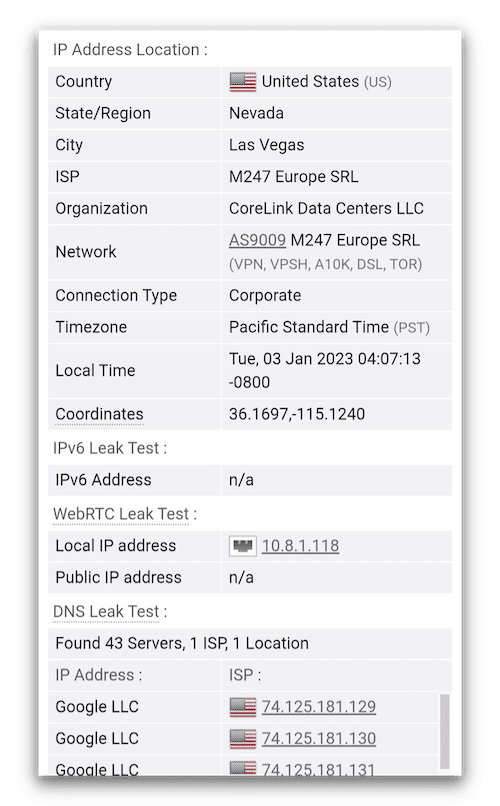
Our testing confirms Snap VPN is working correctly.
As shown above, Snap VPN uses Google DNS, which is considered secure. However, we’d encourage Snap VPN to operate its own private DNS servers, like ExpressVPN and PIA, for greater anonymity and security.
We were unable to test Snap VPN’s kill switch because it doesn’t have one.
If the VPN connection drops, your personal data can be exposed. This omission is inexcusable and makes Snap VPN fundamentally unsafe.
Technical Features We’d Like to See Added
Aside from its recent addition of split tunneling, Snap VPN fails to provide basic technical features we expect all VPN services to have. Below is a summary of the most important ones it’s missing:
- Modern VPN protocols such as WireGuard and OpenVPN to keep your traffic secure. They’re fast, open-source, and have no known vulnerabilities.
- A VPN kill switch to prevent your data from leaking if the VPN connection drops.
- IPv4 and IPv6 leak protection to ensure your real IP address and identity remain private.
Server Locations
Ranked #39 out of 45 VPNs for Server Locations
Snap VPN has six server locations, which is around average for a free Android VPN. It recently replaced its India server with two locations in the UK, meaning it now offers locations in three European countries, plus the US, Canada, and Singapore.
| Continent | Countries with Servers |
|---|---|
| Europe | 3 |
| North America | 2 |
| Asia | 1 |
| South America | 0 |
| Africa | 0 |
| Oceania | 0 |
Snap VPN offers a small selection of VPN locations, which is typical for a free VPN. You can choose from servers in only six countries:
- Canada
- Germany
- Netherlands
- Singapore
- UK
- US
Snap VPN lists individual cities for its UK and Germany servers, but some options in other countries are unlabeled — the only way to discover where they are is by using an IP lookup tool.
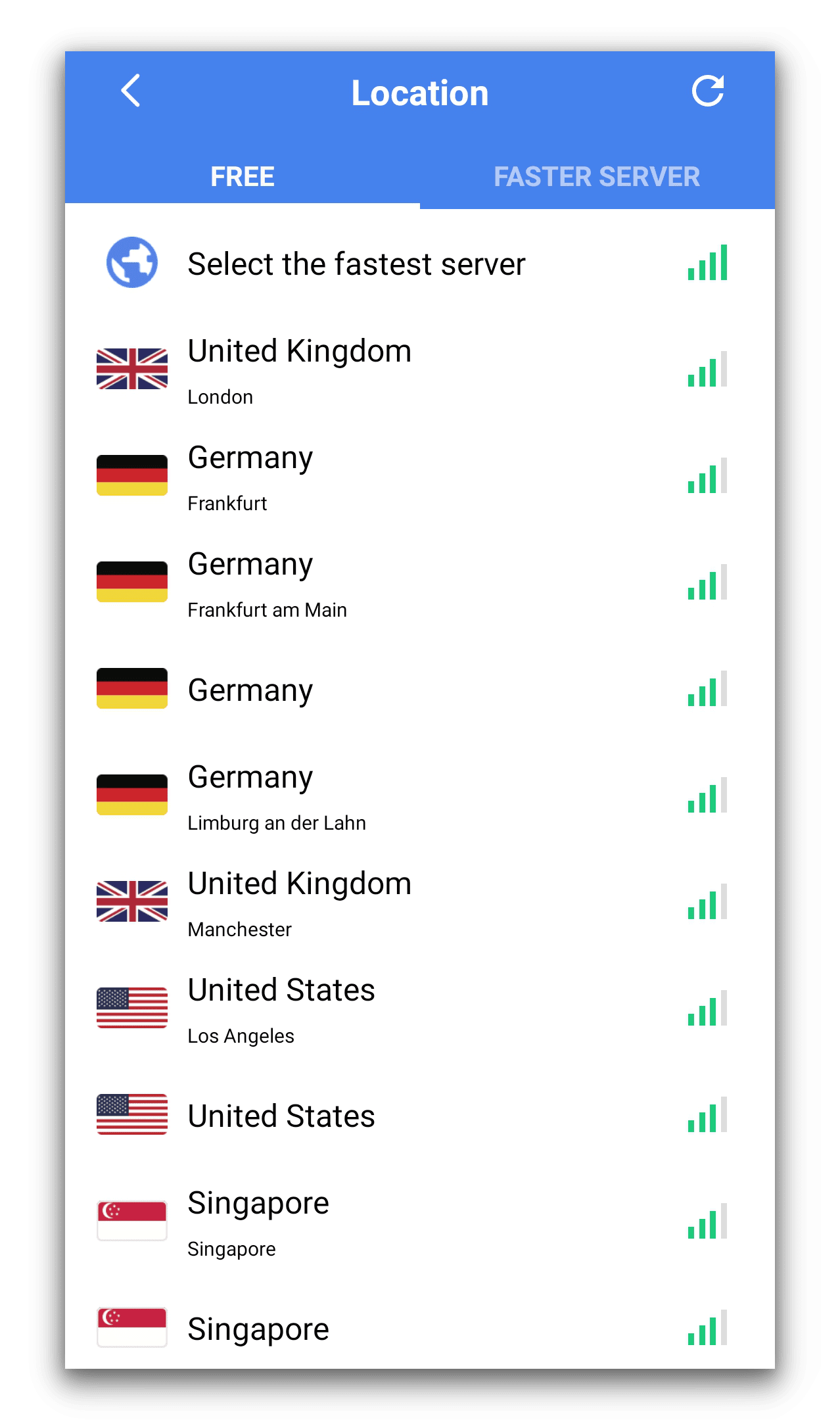
Snap VPN does not show the specific locations of all of its servers, which is frustrating.
There are more locations for paid subscribers, but it still doesn’t come close to top-tier VPNs like ExpressVPN, with servers in 109 countries.
User Experience
Ranked #18 out of 45 VPNs for User Experience
Snap VPN has very few customizable features or settings, which makes it easy to use. However, constant full-screen ads create an awful user experience. It also often fails to connect to a server on the first attempt.
It’s easy to get started with Snap VPN on Android — the process took less than two minutes for us. Download the app from the Play Store, agree to the prompts, and you’re done.
As a free VPN, you’re not required to provide payment details or register an account.
Android
Snap VPN uses a simple design with easy-to-read white text on a blue background. To start using the VPN, select your preferred server location from the list and tap ‘Go’ on the main screen.
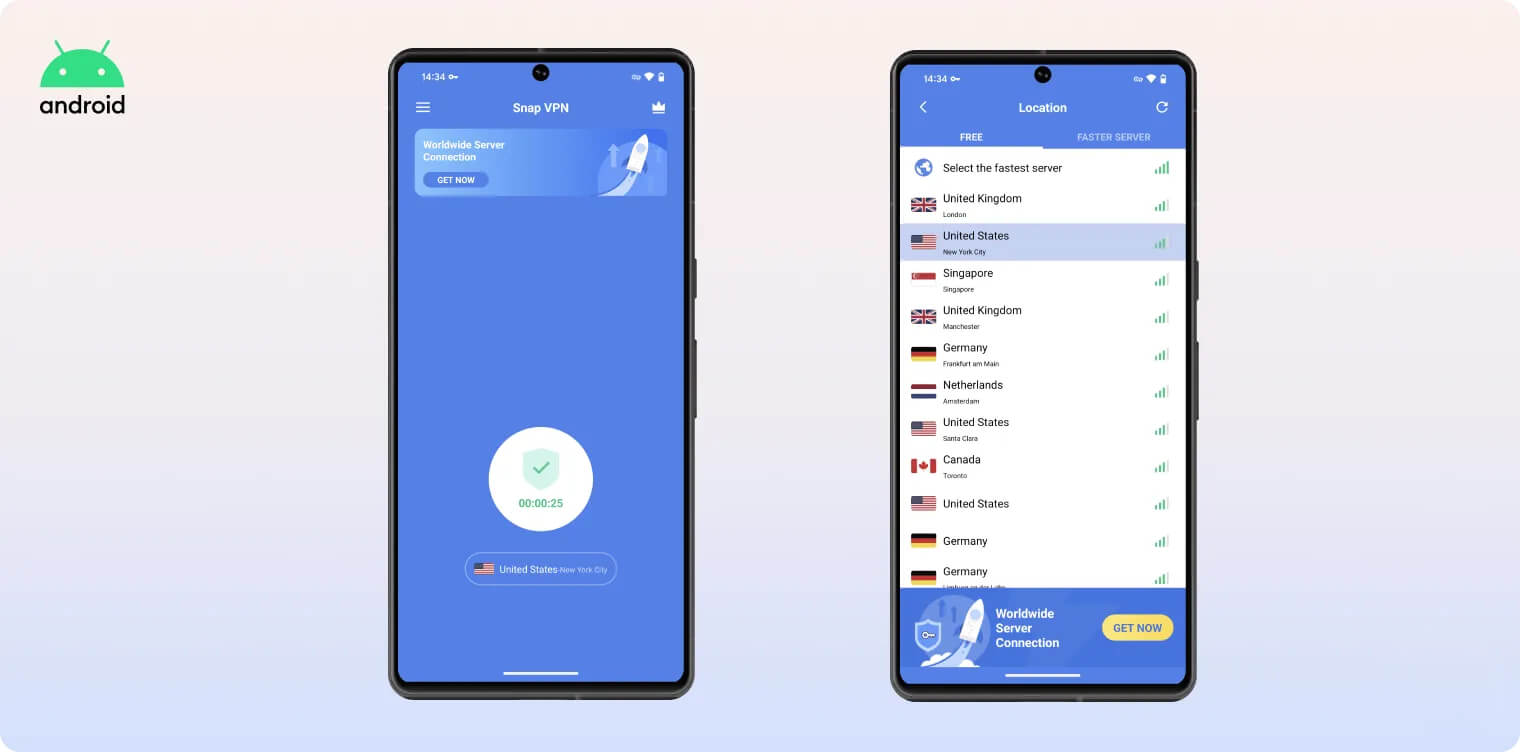
In testing, it sometimes took multiple attempts to connect, with no reason provided. We also found it frustrating to decline the free trial pop-up after every connection attempt.
Although it’s easy to use, we’d like more advanced features and customization options. For a mobile VPN, we’d appreciate a light/dark mode and the ability to add trusted networks.
The worst part of Snap VPN’s user experience is its intrusive ads. They take over the whole screen and can’t be skipped until a timer runs out (usually five to ten seconds).
Torrenting
Ranked #41 out of 45 VPNs for Torrenting
Our tests found that BitTorrent traffic is not permitted on Snap VPN’s servers. Even if P2P file-sharing were allowed, we wouldn’t recommend Snap VPN anyway. It logs too much information and its security is not strong enough to protect sensitive data.
| Torrenting Attribute | Snap VPN (Free) |
|---|---|
| Permits P2P Traffic | No |
| Average Download Bitrate | N/A |
| Countries with P2P Servers | 0 |
| Port Forwarding | No |
| Kill Switch | No |
| Logging Policy | Identifiable Data |
Previously, Snap VPN made it clear on its Play Store listing that P2P downloads were not permitted. Although this warning has been removed, you still cannot use Snap VPN for torrenting.
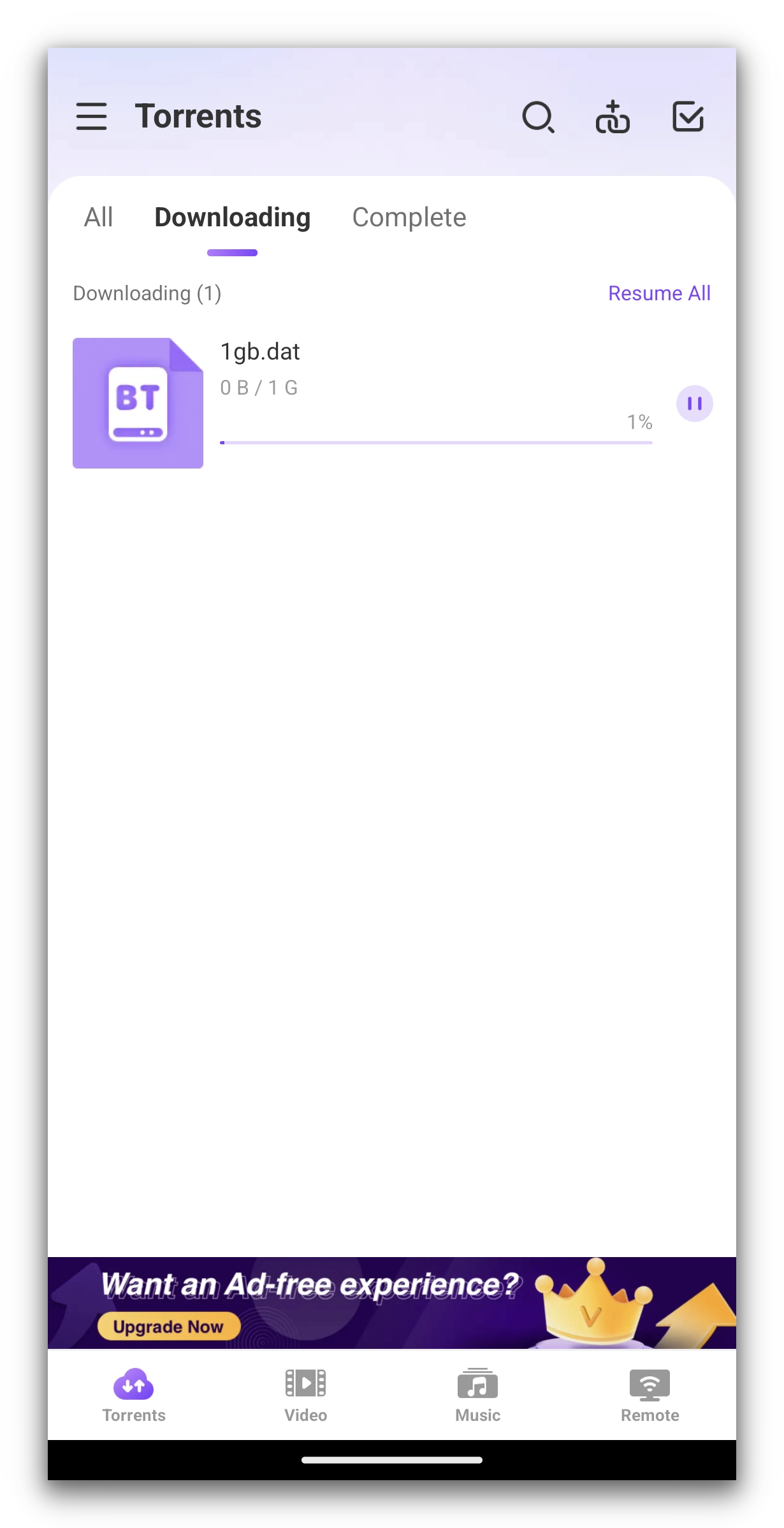
Despite repeated attempts, our torrent test file failed to start downloading.
When we attempted to torrent a test file, it simply sat in our client and failed to download. We tried changing VPN protocols and servers, but our traffic was blocked each time.
This isn’t unusual for free VPNs, as many services ban torrenting to control bandwidth and encourage upgrades to paid plans.
That said, there are free VPNs that support torrenting and allow you to file-share safely.
Device Compatibility
Snap VPN is only available for Android phones and tablets. There is a similar-looking app with the same name in the iOS App Store, but it’s from a different developer.
| Windows | No |
|---|---|
| Mac | No |
| iOS | No |
| Android | Yes |
| Linux | No |
| Amazon Fire TV | No |
| Android TV | No |
| Apple TV | No |
| Router | No |
| Chrome | No |
Simultaneous Connections: Unlimited
Snap VPN’s device compatibility is limited to Android devices. You can’t install Snap VPN on iOS, Windows, Mac, or Linux.
There are also no browser extensions for Chrome or Firefox, no Smart DNS, and no apps for streaming devices such as Fire TV or Apple TV.
Its system requirements are very low and it will work with any Android device running Android 6.0 Marshmallow or later.
If you need a free VPN for other devices, check out our list of the top free VPNs by category.
Additional Features
Snap VPN doesn’t have any additional features beyond split tunneling and a support email. This is the bare minimum and compares poorly to most VPNs we review — including free services.
| Additional Feature | Snap VPN (Free) |
|---|---|
| Split Tunneling | Yes |
| VPN Obfuscation | No |
| Multi-Hop Servers | No |
| Dedicated IP | No |
| Ad Blocker | No |
Functional Split Tunneling Feature
Snap VPN includes split tunneling, which allows you to exclude specific Android apps from the VPN tunnel.
This can be useful for location-based services you don’t want to interfere with, like a weather app.
Customer Support Needs an Overhaul
Snap VPN doesn’t have a website — its only web presence is the website of its developer, Autumn Breeze. All information about the app is on its Google Play Store listing.
There is a customer support email, but replies took up to a week and were often unhelpful and unclear.
Snap VPN even told us it wouldn’t disclose any information about the VPN until we “fairly” evaluate the product.
Our most recent reply also came from the “Master VPN Customer Service Department,” which is especially confusing.
After several exchanges, we did eventually receive answers to our questions. Still, we expect more guidance and professionalism from a VPN service — free or not.
Snap VPN Key Data
| Attribute | Snap VPN | Typical Free VPN |
|---|---|---|
| Owner | Autumn Breeze | Independent |
| Launch Date | 2019 | 2015 |
| Safe to Use | No | No |
| Data Cap | Unlimited | 10GB per month |
| Payment Details Required | No | No |
| Account Required | No | Yes |
| Contains Ads | Yes | Yes |
| Local Download Speed | 3Mbps (97% loss) | 61Mbps (39% loss) |
| International Download Speed | 2Mbps (98% loss) | 55Mbps (45% loss) |
| Countries with Servers | 6 | 4 |
| Privacy Policy | Identifiable Data | Identifiable Data |
| Simultaneous Connections | Unlimited | 1 |
| Manually Select Server Location | Yes | Yes |
| Netflix Libraries | 0 | 0 |
| Torrenting | No | No |
| Works In China? | No | No |
| Customer Support | Email Support Only | Online Resources |
| Apps & Extensions |
          |
|
Price
Price Plans
| Safe to Use | No |
|---|---|
| Data Cap | Unlimited |
| Payment Details Required | No |
| Manually Select Server Location | Yes |
| Account Required | No |
| Contains Ads | Yes |