
FreeVPN.org: One of the Worst VPNs We’ve Tested — Don’t Use It
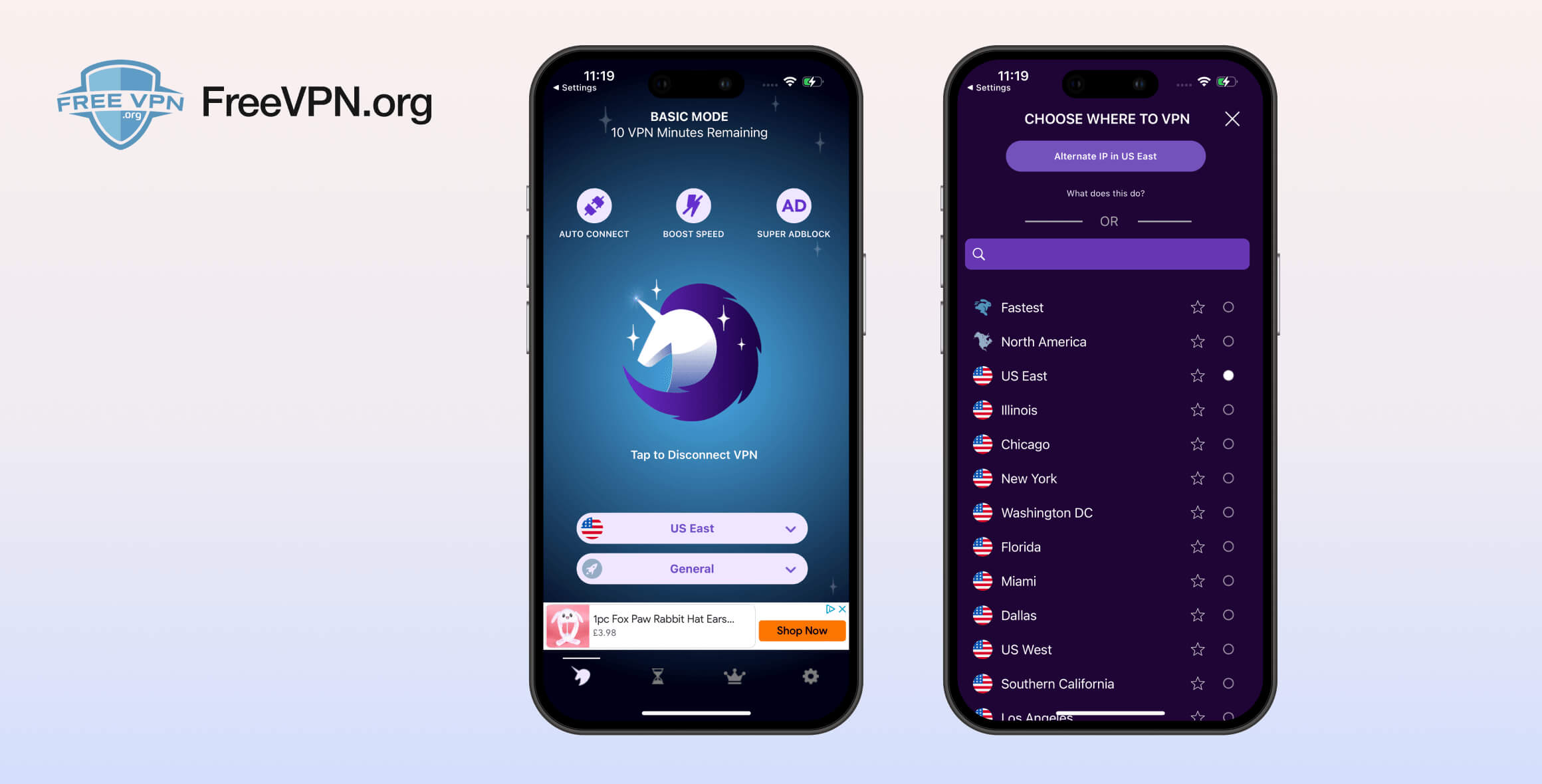
FreeVPN by FreeVPN.org is one of the worst VPNs we’ve tested. It’s unpleasant to use, provides no information on its security or encryption methods, has a vague privacy policy, and has been implicated in a data breach. The company behind the VPN may no longer exist, and we’re unsure how much longer the service itself will operate. It does offer unlimited data, but there are much safer free VPNs available.
- Pros
- Works with BBC iPlayer
- Adverts aren't overbearing
- No hard data cap or speed throttling
- Cons
- Unconvincing privacy policy
- Poor customer service
- No transparency
- Poor performance
- Third party adverts
- Flawed server list
FreeVPN by FreeVPN.org is one of the most popular free VPNs available today. It dominates the app stores on both iOS and Android, with millions of downloads.
However, our testing shows that FreeVPN by FreeVPN.org is a VPN you should not trust. Its flaws are so serious that your privacy could be at risk whenever you use it.
In this review, we cover FreeVPN by FreeVPN.org’s many shortcomings in depth, explain where it fails, and provide clear advice on how to find a better VPN.
FreeVPN by FreeVPN.org is an awful VPN and you should not use it. If you can’t afford a premium VPN subscription, see our list of the best free VPNs instead.
EXPERT ADVICE: FreeVPN.org is slow and unsafe. Instead, consider a secure, unrestricted, and low-cost VPN like Surfshark.
In our Surfshark review, we verified the VPN is fast, safe, and capable of unblocking many streaming services. Try Surfshark for free by using its 100% money-back guarantee.
Privacy
Ranked #24 out of 45 VPNs for Privacy
FreeVPN.org’s website hasn’t been updated since 2021, and its privacy policy hasn’t changed since 2019. It doesn’t mention where the service is based or who owns it. Although it promises not to log any data, there is evidence that user information was exposed in a 2021 data leak. This is not a trustworthy VPN provider.
| Originating IP Address | No |
|---|---|
| Browsing Activity | No |
| Individual Connection Timestamps | No |
| Date of Last Connection | No |
| VPN Server IP | No |
| Device Information | No |
| Individual Bandwidth Usage | No |
| Account Information | No |
You can read Freevpn.org’s full privacy policy on its website.
A good VPN keeps as few user logs as possible and clearly explains how it achieves this in its logging policy. FreeVPN.org claims to log absolutely nothing, but provides no proof or details about how it does so.
The image below isn’t just a summary of its privacy policy — it’s almost the entire thing:
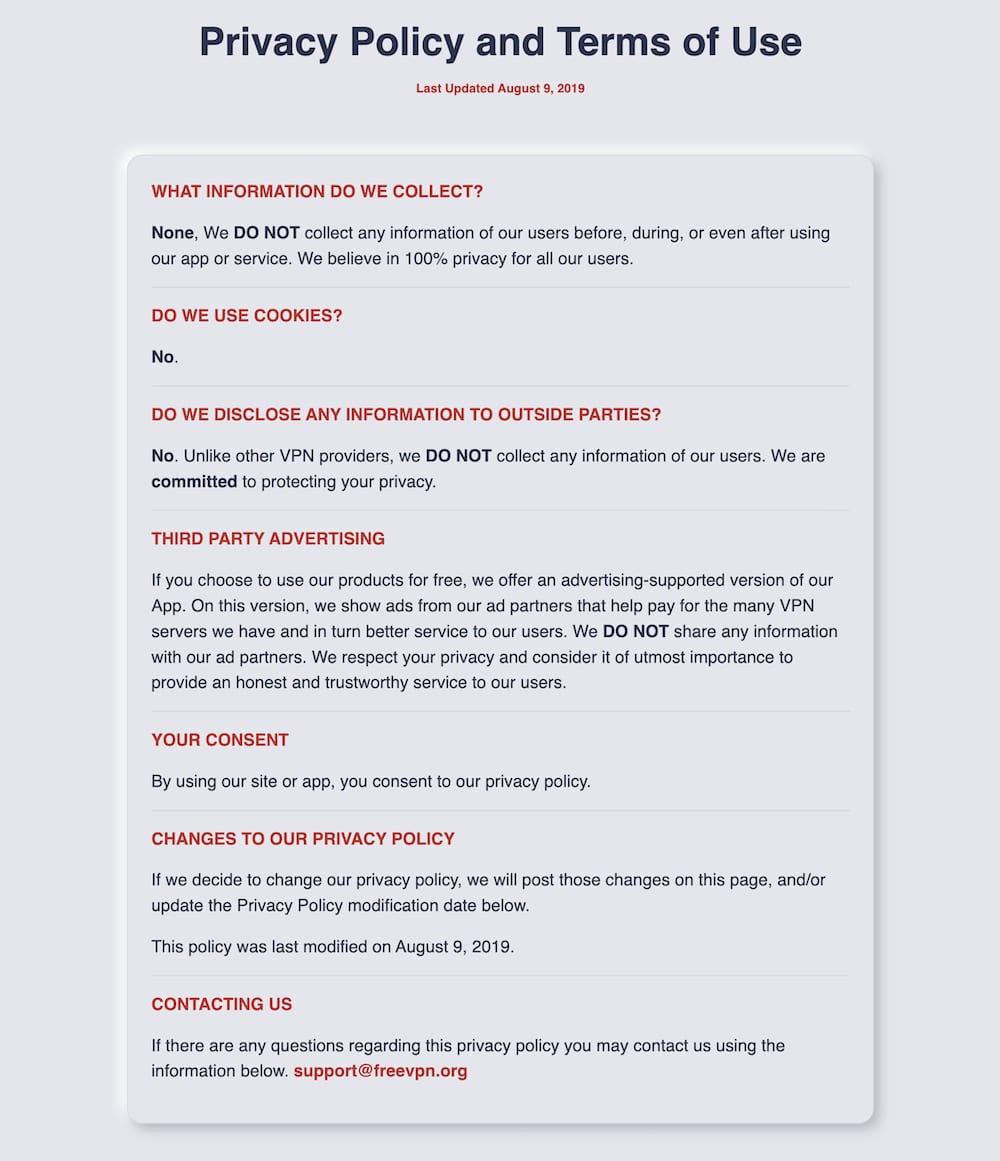
FreeVPN.org’s logging policy hasn’t been updated since August 2019.
There’s no way to verify whether this claim is true. FreeVPN.org has never been audited and reveals no information about the people or company behind the service.
Our past research uncovered some basic information about the team running FreeVPN.org. We know it was, and presumably still is, based in California, US — one of the least privacy-friendly jurisdictions for a VPN.
The company we previously found to be responsible for FreeVPN.org, ActMobile Inc., has largely removed its online presence and is listed as “permanently closed” on Google.
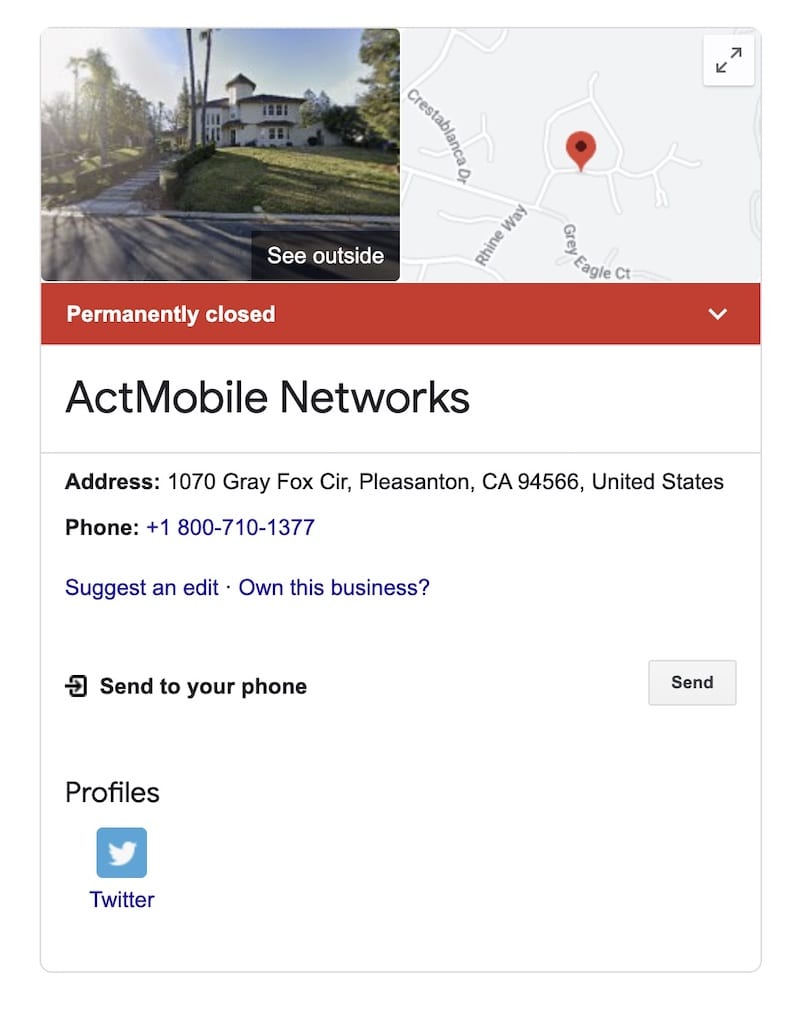
It’s evidence like this that makes us uncertain if FreeVPN.org will be around for much longer.
November 2021 Data Leak
On November 1, 2021, a database containing 300 million records of VPN user data was posted on a hacker forum. The hackers claimed the database belonged to ActMobile, the parent company of FreeVPN.org.
As noted above, FreeVPN.org claims to retain no user data. Yet the leaked database includes users’ full names, IP addresses, and passwords. This appears to confirm our skepticism about the VPN’s vague logging policy.
In response, ActMobile stated the accusation is false, claiming it “[does] not maintain databases.”
Despite the denial, the evidence strongly suggests the leaked database belongs to ActMobile.
This alone is enough for us to strongly recommend avoiding FreeVPN by FreeVPN.org under all circumstances.
Streaming
Ranked #28 out of 45 VPNs for Streaming
FreeVPN by FreeVPN.org makes it clear you cannot use it for streaming unless you upgrade to the premium version. In the server menu, the “streaming” option is grayed out and locked behind a paywall. Despite that, we found its London server worked with BBC iPlayer — but that’s the only service we could access.
| Streaming Service | Works with Free VPN by FreeVPN.org (Free) |
|---|---|
| BBC iPlayer (UK) | Yes |
| DAZN (Canada) | No |
| Disney+ (UK) | No |
| Hulu (US) | No |
| ITVX (UK) | No |
| HBO Max (US) | No |
| Netflix (US) | No |
| Netflix (UK) | No |
| Prime Video (US) | No |
| Sky Go (UK) | No |
Like many free VPNs, FreeVPN.org does not unblock most streaming sites. To its credit, it is upfront that streaming servers require a premium subscription.
We only tested the free product for this review, and we would be surprised if FreeVPN.org’s paid version worked consistently with streaming services.
Even the best premium VPNs sometimes struggle here — even quality services like Astrill and Mullvad failed most of our streaming tests.
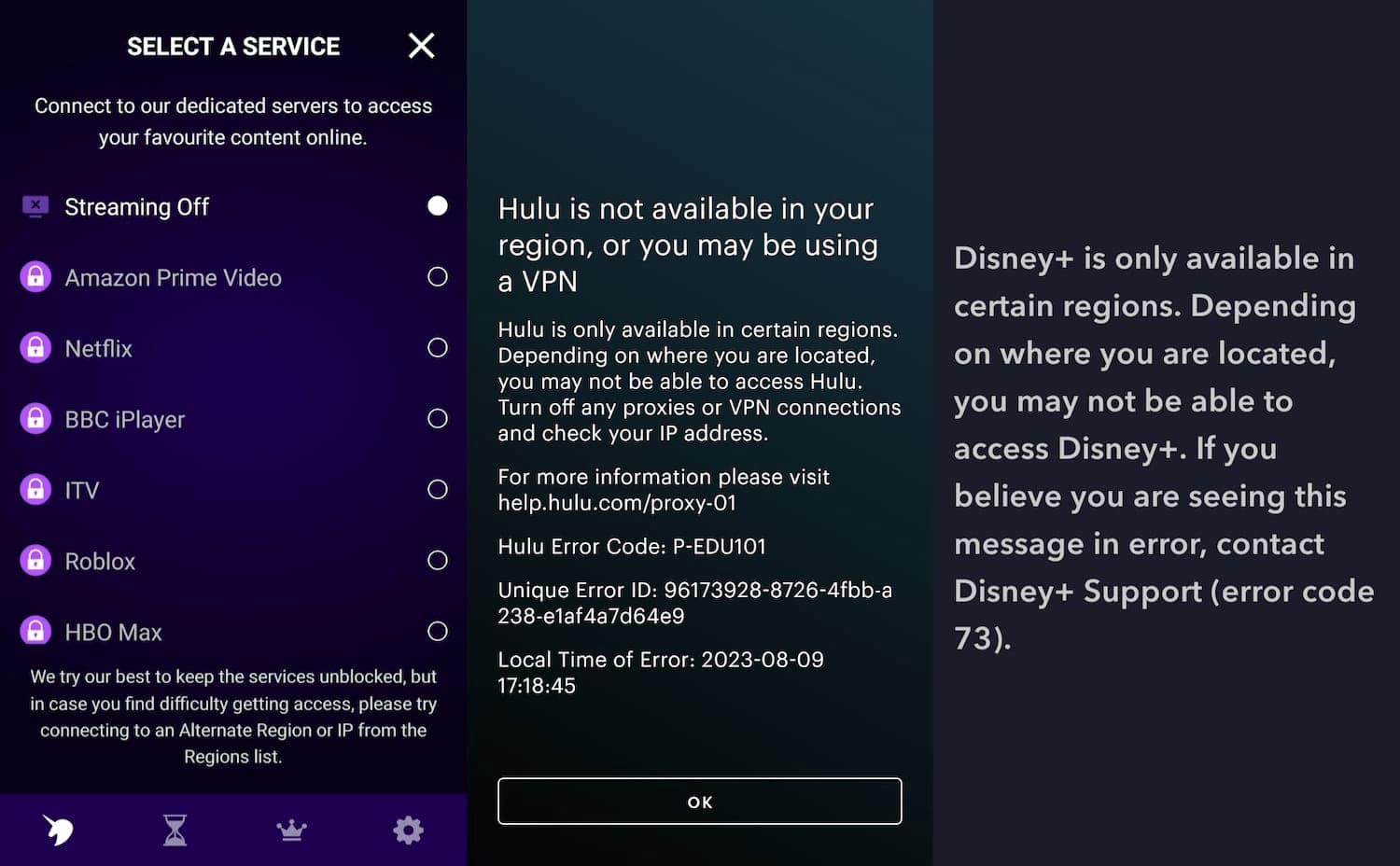
Trying to unblock most streaming services without paying for FreeVPN.org is futile.
However, we were pleasantly surprised that FreeVPN.org worked with BBC iPlayer when connected to its London server.
There aren’t many reliable free VPNs for streaming, but the best by far is PrivadoVPN Free. It’s the only 100% free VPN to unblock US Netflix in our tests.
Speed
Ranked #44 out of 45 VPNs for Speed
FreeVPN.org is one of the slowest VPNs we’ve tested. Our download speeds fell by 66% on a nearby server and by up to 94% when connected to the UK and Japan. No matter where you are or which server you use, FreeVPN.org will drastically slow your internet.
Here’s a table showing Free VPN by FreeVPN.org’s speed test results:
| No VPN (New York) | US (New York) | Canada (Toronto) | US (Los Angeles) | UK (London) | Brazil (São Paulo) | Japan (Tokyo) | Australia (Sydney) | |
|---|---|---|---|---|---|---|---|---|
| Server Location |  |
|
 |
|
 |
 |
 |
 |
| Download Speed | 100Mbps | 34Mbps | 37Mbps | 23Mbps | 6Mbps | 12Mbps | 8Mbps | 8Mbps |
| Upload Speed | 100Mbps | 27Mbps | 16Mbps | 27Mbps | 15Mbps | 5Mbps | 14Mbps | 10Mbps |
| Ping | 1ms | 97ms | 133ms | 178ms | 116ms | 180ms | 250ms | 311ms |
| Distance | 0mi | 5mi | 300mi | 2,500mi | 3,500mi | 4,800mi | 6,700mi | 9,900mi |
FreeVPN.org is consistently slow in all locations we tested, across multiple runs.
FreeVPN.org’s latency is also poor. On a nearby server, we recorded a 97ms ping. Our worst latency was in Japan, at 250ms.
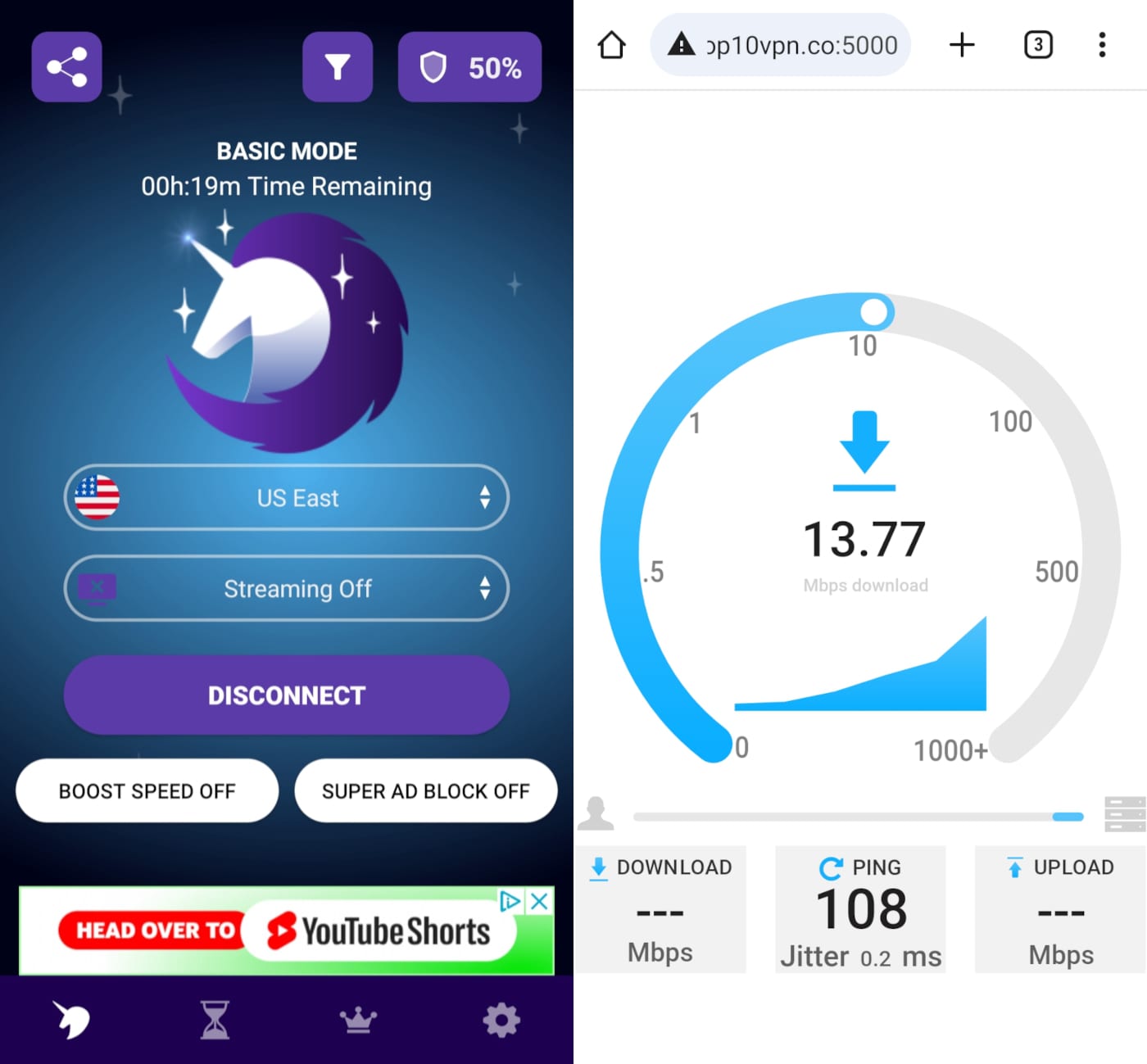
Slow speeds like this are commonplace while using FreeVPN.org.
These numbers make online mobile gaming impractical while the VPN is connected.
Our results don’t indicate intentional throttling — just the typical signs of a low-quality free VPN. It’s not alone: other free VPNs like SkyVPN and VPN 360 are similarly slow.
There are much faster free VPNs than FreeVPN.org that we strongly recommend instead. For instance, in our TunnelBear speed tests, the free plan recorded a speed loss of under 4%.
Security
Ranked #43 out of 45 VPNs for Security
FreeVPN.org uses an outdated version of TLS/SSL encryption for its VPN, which doesn’t meet current industry standards. It also lacks vital security features like a kill switch. This implementation is careless and puts users at risk — you should choose a VPN that takes security more seriously.
| Independent Audit | No |
|---|---|
| VPN Kill Switch | No |
| Leak Protection | Yes |
The FreeVPN.org app offers no advanced security features, not even a kill switch. While free VPNs often lack extras, a kill switch is a basic requirement for any VPN.
The VPN protocol and encryption are, at first glance, a mystery. Neither the website nor the app explains which protocols and ciphers are used.
Since FreeVPN.org doesn’t monitor its email, we couldn’t confirm details directly.
We used Wireshark, a packet analysis tool, to investigate how FreeVPN.org encrypts traffic. We found it uses TLS (Transport Layer Security) 1.2 — only the second most up-to-date version of the SSL-based VPN approach.
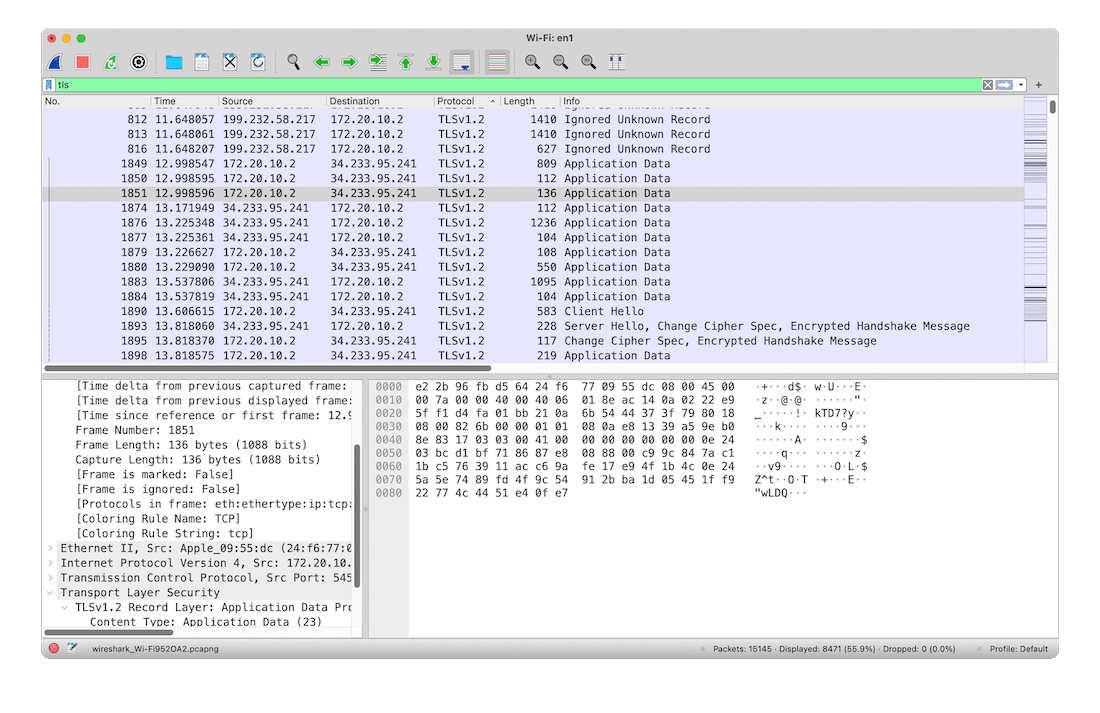
Wireshark proves that, while FreeVPN.org does indeed encrypt traffic, it only uses TLSv1.2.
This is the same protocol Microsoft uses for corporate networking and is generally considered secure.
That said, it isn’t the latest or most secure version. TLS 1.3 offers performance improvements and reduces the risk of successful attacks.
The app also limits VPN usage to set time blocks, which creates a serious security flaw. When your time runs out, the VPN disconnects without warning, exposing your data.
On the plus side, we found no DNS or IP leaks.
Despite that, FreeVPN by FreeVPN.org urgently needs to upgrade its security. Failing to use established, recognized protocols like OpenVPN, IKEv2, or WireGuard in 2025 is unacceptable. It also needs to clearly communicate how it operates to give users peace of mind.
Server Locations
Ranked #37 out of 45 VPNs for Server Locations
At first glance, FreeVPN.org offers over 80 server locations, which would make it one of the largest free VPN networks. In reality, very few connect where they claim: from this large list we found only 8 unique locations — don’t be fooled.
| Continent | Countries with Servers |
|---|---|
| Europe | 3 |
| Asia | 3 |
| North America | 1 |
| South America | 1 |
| Africa | 0 |
| Oceania | 0 |
When you open the server list in Free VPN by FreeVPN.org’s app, it looks fairly diverse.
It isn’t comprehensive, but for a free VPN it appears to offer a decent range with at least one server per continent except Africa.
Ideally, we’d like to see more servers across Asia, South America, and Africa, but poor coverage in these regions isn’t unusual for a free VPN.
However, in our tests, the server options were consistently misleading.
Several entries are named after continents but are duplicates of specific country servers — sometimes even assigning the exact same IP address.
For example, the China and Asia servers connected to the same IP address in Hong Kong.
Even worse, the South America, Japan, and US West options all connected to the same server in Arizona, US.
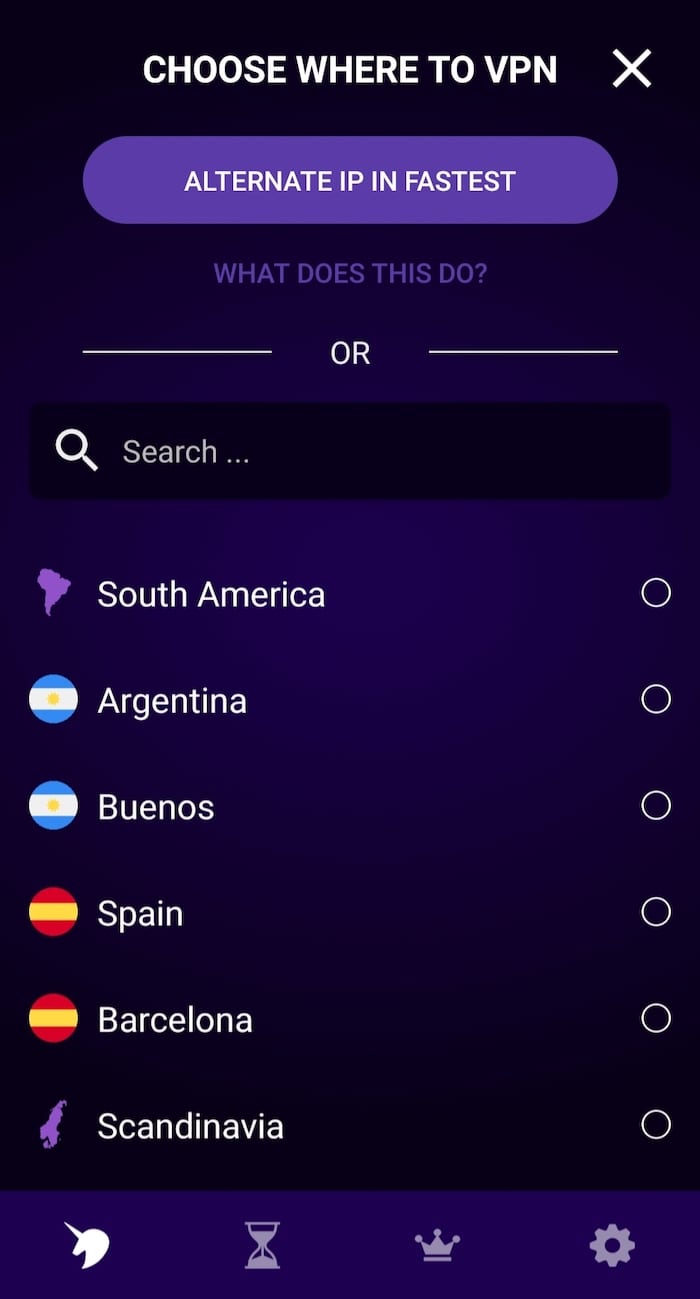
This is just a small sample of the confusing names used for servers by FreeVPN.org
Even by the standards of misleading free VPNs, it’s shocking to have options from three different continents all connecting to the same server.
This contributes to FreeVPN.org’s slow long-distance speeds and will likely bottleneck performance at peak times, even if the server is nearby.
It also suggests FreeVPN.org operates a very small server network overall. We asked for specific numbers but received no response.
After connecting to every server location several times, we conclude that FreeVPN.org doesn’t have 82 locations across 20+ countries as listed, but roughly 11 locations across eight countries.
By comparison, when we tested Proton VPN, we verified it operates 2,000 free servers in 10 countries.
User Experience
Ranked #41 out of 45 VPNs for User Experience
FreeVPN.org is one of the worst VPNs to use that we’ve tested. Everything is confusing and frustrating, with seemingly no care put into the apps. Features frequently break or behave unexpectedly, and the interface looks dated. Whether you’re new to VPNs or experienced, you shouldn’t use it.
FreeVPN by FreeVPN.org is impressive only in how often it surprises and frustrates.
Using it is unpleasant from the moment you open the app. The UI is cluttered and unattractive, buttons are poorly labeled and often don’t work as expected, and connecting to a server can take over five minutes — if it connects at all.
Read on for details of our frustrations with FreeVPN.org on each platform:
Mobile (Android & iOS)
FreeVPN.org is most popular on Android. We understand why: the Google Play Store is a minefield of free VPNs and it’s hard to know which ones to trust.
But don’t be fooled by its 5 million-plus downloads: FreeVPN.org is a miserable, aggravating VPN to use.
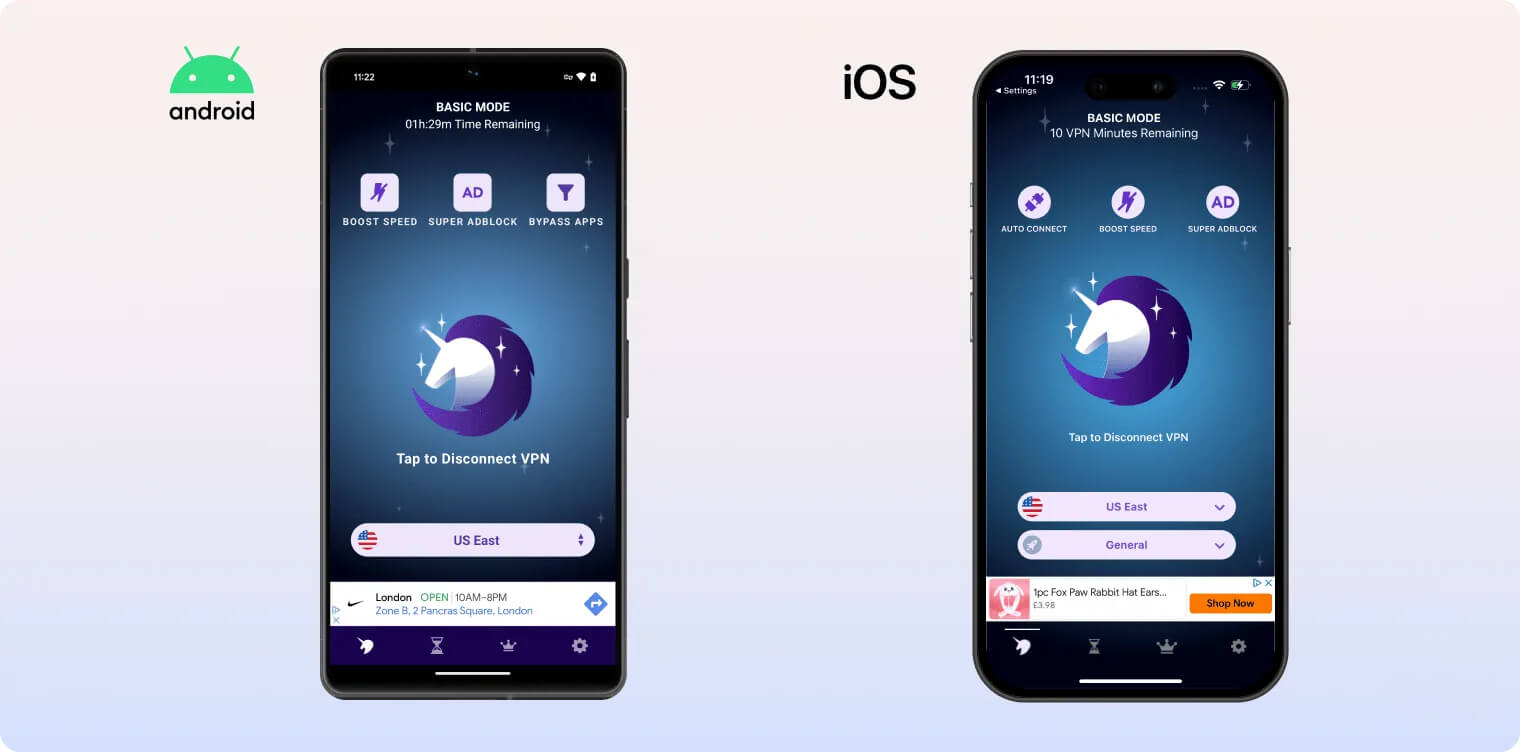
Like many free VPNs, you must watch ads to earn minutes to use the VPN. Four ads give you 30 minutes, eight ads give you 120 minutes, and 12 ads give you a full day.
However, ads often failed to load properly or didn’t register as viewed, forcing us to watch more ads than promised to get the allotted minutes.
Worse still, if you don’t use those minutes before midnight, they appear to reset, so you can’t build a reserve — you have to watch ads every day to keep using FreeVPN.org.
Almost all of this applies to its iOS app too, although in our tests ads were more likely to load correctly on iPhone.
Once you have minutes, connecting to a server is also a hassle. The server list has no clear order, making it hard to find and choose locations.
Selecting a server triggers a pop-up saying you’ve connected, but you haven’t — you still need to tap the Connect button. This could easily confuse first-time users.
The home screen is covered with buttons and links to premium-only features, and the settings menu doesn’t offer any real settings.
FreeVPN.org is nowhere near as user-friendly or fair as reputable free VPNs like Proton VPN or PrivadoVPN. There’s no comparison.
To our surprise, FreeVPN.org recently released a Mac app via Apple’s App Store.
Less surprising is how broken it is.
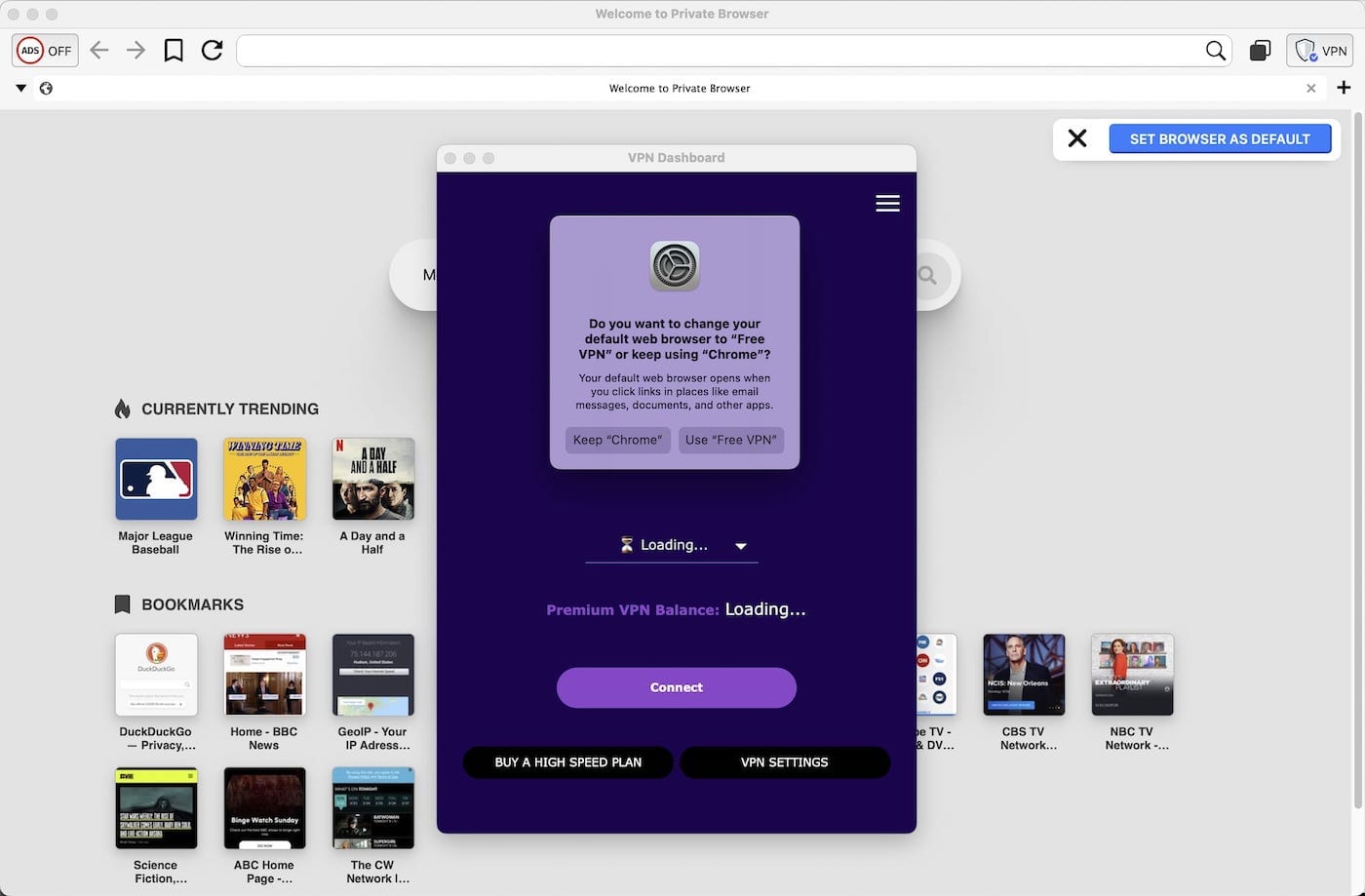
FreeVPN on macOS is neither free nor a VPN app.
Despite the name, there’s no free version on Mac. You can download it, but once opened you must purchase a subscription to use it (and this isn’t clearly disclosed).
Most links to purchase a subscription don’t work. Many returned an error stating “plans not yet available” — a bizarre oversight that further damaged our trust.
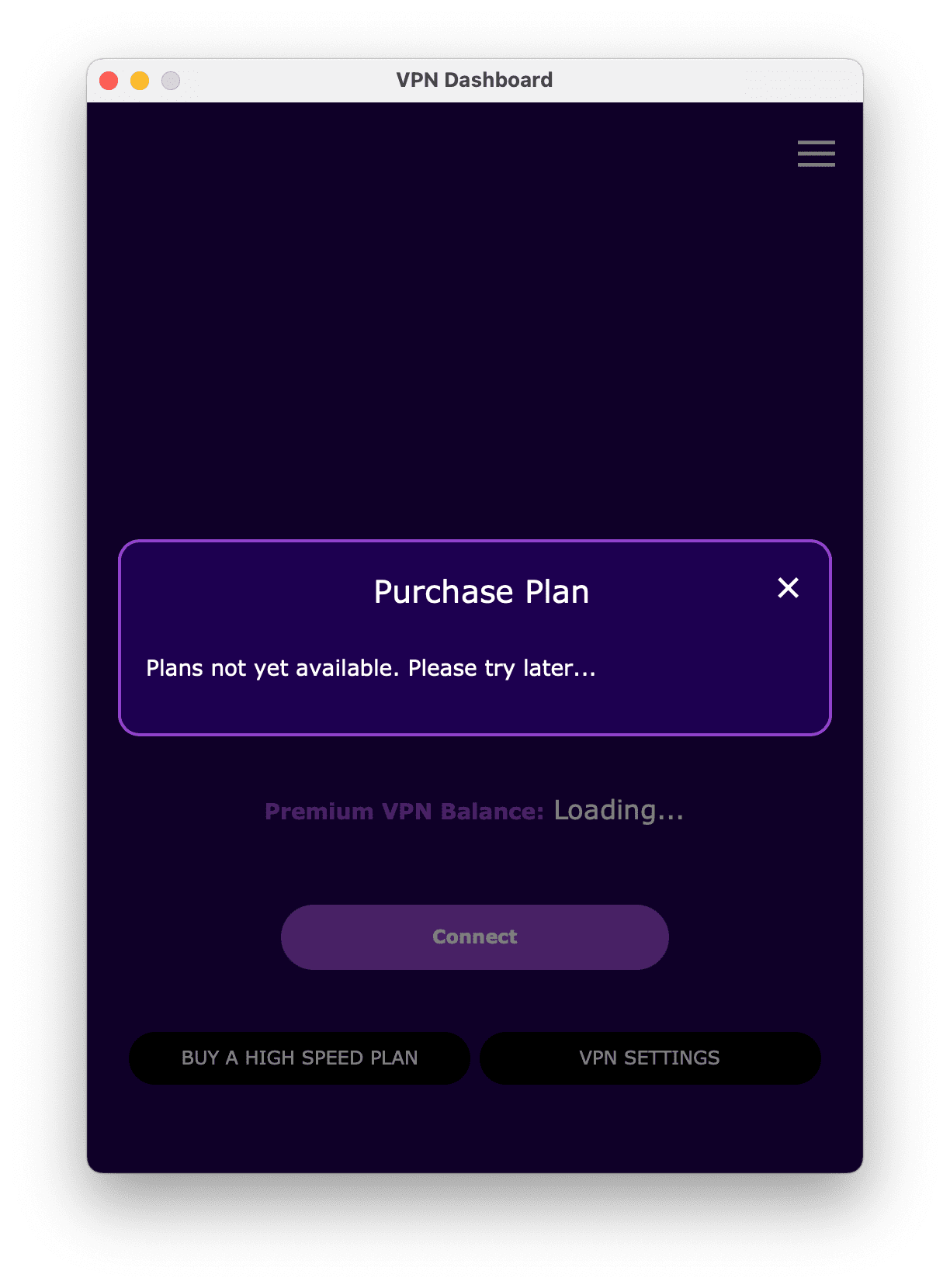
FreeVPN.org even makes giving the company money difficult.
Once we found a working payment link, we were shocked to see FreeVPN.org costs $9.49 per week. That would make the premium version one of the most expensive VPNs we’ve seen — a price we doubt it can justify.
FreeVPN.org for macOS is also bundled with its own browser. The two are completely intertwined, and you cannot use the VPN without using the browser — another unhelpful decision.
Torrenting
Ranked #36 out of 45 VPNs for Torrenting
It’s fairly rare for a free mobile VPN to allow torrenting, so we give FreeVPN.org credit for permitting it. However, its download speeds are so slow and its encryption so weak that we strongly urge you not to use it for torrenting.
| Torrenting Attribute | Free VPN by FreeVPN.org (Free) |
|---|---|
| Permits P2P Traffic | Yes |
| Average Download Bitrate | 1.8MiB/s (82% loss) |
| Countries with P2P Servers | 8 |
| Port Forwarding | No |
| Kill Switch | No |
| Logging Policy | Unknown |
FreeVPN by FreeVPN.org does not disclose its stance on torrenting in its apps or on its website. We reached out to the company for clarification but received no response.
Since torrenting works while the VPN is active, we assume FreeVPN.org allows it.
Despite P2P being permitted, we strongly recommend against using FreeVPN.org for torrenting. In our testing, it averaged a poor download bitrate of 1.8MiB/s — and that’s not the only issue.
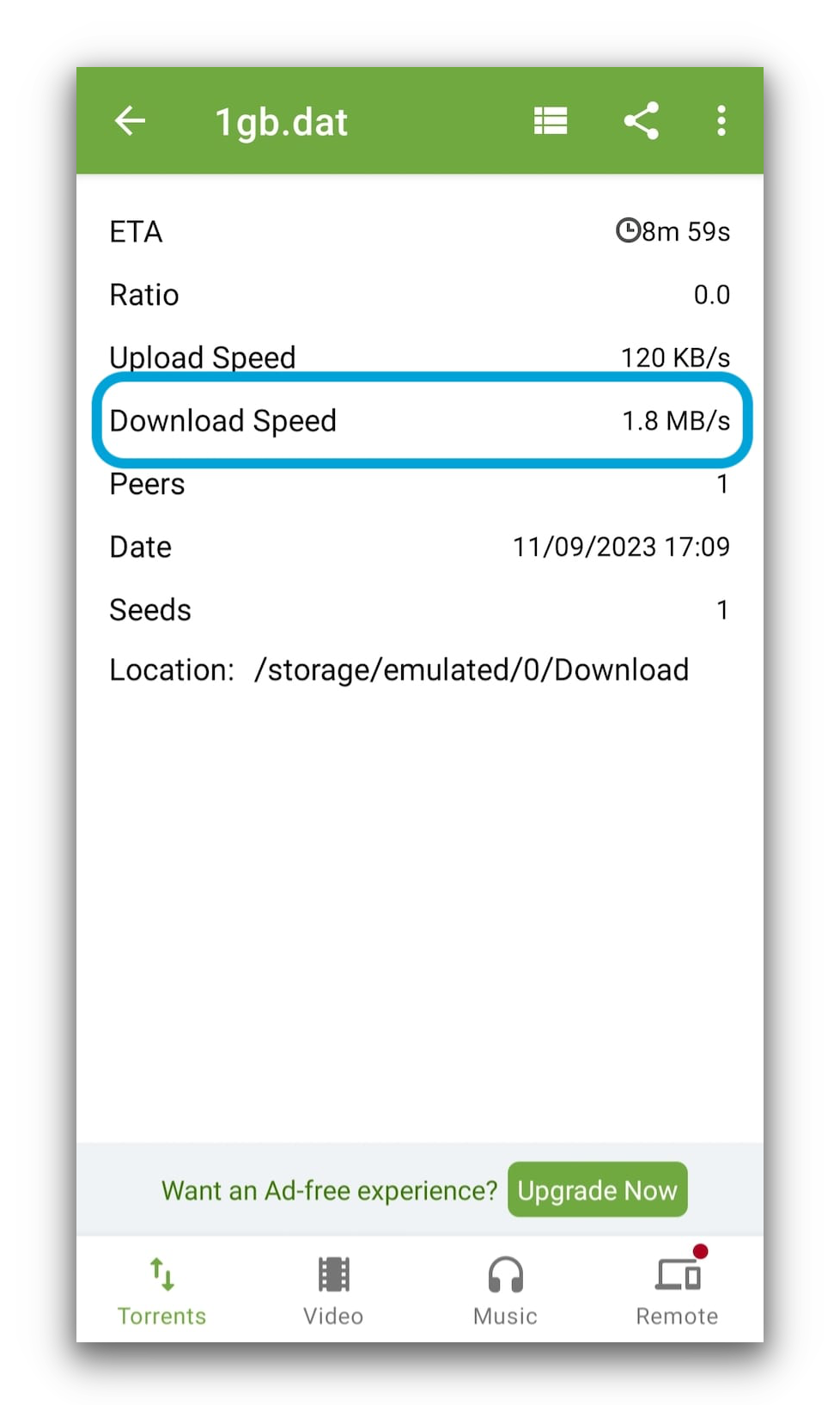
FreeVPN.org may have downloaded very slowly with uTorrent, but we couldn’t even get the torrent to start when using some other clients.
Beyond the slow speeds, FreeVPN.org is simply not trustworthy enough to keep torrent activity private.
It’s a company with poor communication and no public presence, a sparse and unverified logging policy, weak encryption, and a US base.
If you torrent on Android (FreeVPN.org has an iPhone app, but you can’t torrent on iOS), Windscribe Free is a much safer, faster choice.
Device Compatibility
FreeVPN.org is a mobile-first VPN, with apps for both Apple and Google operating systems. It also has a macOS App Store listing, but it barely works and has no free option.
| Windows | No |
|---|---|
| Mac | Yes |
| iOS | Yes |
| Android | Yes |
| Linux | No |
| Amazon Fire TV | No |
| Android TV | No |
| Apple TV | No |
| Router | No |
| Chrome | No |
Simultaneous Connections: Unlimited
Like many free VPNs, FreeVPN by FreeVPN.org is essentially mobile-only.
It’s designed for iOS and Android, where most of its users are.
There’s also a macOS version in the App Store — but you have to pay for it, and even then it may not work reliably.
Almost every VPN we recommend offers not just mobile apps but also full-featured Windows and macOS clients. And unlike FreeVPN.org, they work reliably.
Some VPNs also include features like Smart DNS to spoof your region on Smart TVs and game consoles. FreeVPN by FreeVPN.org offers none of these.
Additional Features
FreeVPN.org lacks additional features, including customer support options, split tunneling, and an ad blocker. This is unacceptable, even for a free service.
| Additional Feature | Free VPN by FreeVPN.org (Free) |
|---|---|
| Split Tunneling | No |
| VPN Obfuscation | No |
| Multi-Hop Servers | No |
| Dedicated IP | No |
| Ad Blocker | No |
Additional Features We’d Like to See
While any extra features would be an improvement, the most important missing ones are:
- Customer support to answer questions, provide troubleshooting, and offer technical help.
- Split tunneling to exclude specific apps from the VPN tunnel.
- Multi-hop servers for better anonymity and protection against attacks.
Free VPN by FreeVPN.org Key Data
| Attribute | Free VPN by FreeVPN.org | Typical Free VPN |
|---|---|---|
| Owner | ActMobile Networks | Independent |
| Launch Date | 2015 | 2015 |
| Safe to Use | No | No |
| Data Cap | Unlimited | 10GB per month |
| Payment Details Required | No | No |
| Account Required | No | Yes |
| Contains Ads | Yes | Yes |
| Local Download Speed | 34Mbps (66% loss) | 61Mbps (39% loss) |
| International Download Speed | 14Mbps (86% loss) | 55Mbps (45% loss) |
| Countries with Servers | 8 | 4 |
| Privacy Policy | Unknown | Identifiable Data |
| Simultaneous Connections | Unlimited | 1 |
| Manually Select Server Location | Yes | Yes |
| Netflix Libraries | 0 | 0 |
| Torrenting | Yes | No |
| Works In China? | No | No |
| Customer Support | Unmonitored Email | Online Resources |
| Apps & Extensions |
          |
|
Price
Price Plans
| Safe to Use | No |
|---|---|
| Data Cap | Unlimited |
| Payment Details Required | No |
| Manually Select Server Location | Yes |
| Account Required | No |
| Contains Ads | Yes |