
Turbo VPN: Unsafe Free VPN with DNS Leaks, Malware, and Intrusive Ads
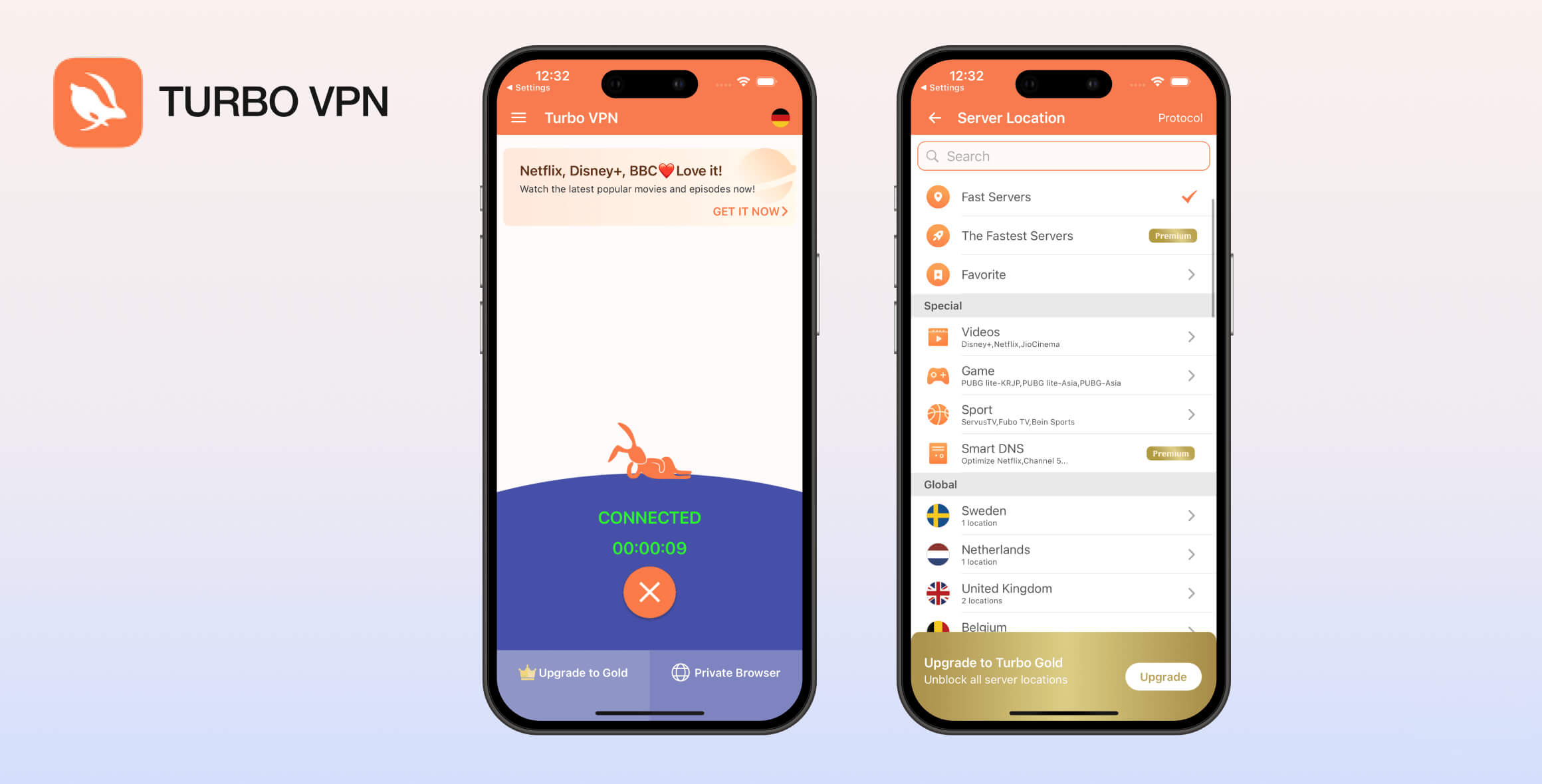
Turbo VPN is an unsafe free VPN. It’s filled with invasive third-party ads and has questionable links to China. We also detected DNS leaks, unsafe permissions, and malware. Using Turbo VPN poses a serious risk to your privacy and security.
- Pros
- Easy setup on all devices
- Helpful customer support
- Cons
- Logs too much data
- Constant in-app ads
- Paywalls its kill switch
- Throttled internet speeds
- Ownership has ties with China
- Doesn't work with most streaming services
Turbo VPN is a popular freemium VPN service incorporated in Singapore. This review focuses on its free VPN and evaluates it across several categories, including privacy, streaming, and ease of use.
We found that Turbo VPN performed poorly in most tests, especially due to malware discovered in its apps and its intrusive logging policy.
EXPERT ADVICE: Turbo VPN isn’t safe to use, so consider trying a premium VPN free for 30 days.
In our Surfshark tests, the VPN delivered fast speeds, protected our privacy, and even unblocked US Netflix. Try Surfshark for free using its 100% refund guarantee.
Privacy
Ranked #35 out of 45 VPNs for Privacy
Turbo VPN logs your connection date, VPN server location, and ISP, which together can be used to identify you. It’s registered in Singapore—a country with intrusive surveillance—and owned by a Chinese national with ties to mainland China.
| Originating IP Address | No |
|---|---|
| Browsing Activity | No |
| Individual Connection Timestamps | Yes |
| Date of Last Connection | No |
| VPN Server IP | No |
| Device Information | No |
| Individual Bandwidth Usage | Yes |
| Account Information | Yes |
You can read Turbo VPN’s full privacy policy on its website.
Turbo VPN logs enough data to identify you. Although Turbo claims it doesn’t store VPN connection timestamps, it must record some data if it knows when a connection is successful.
The date of your connection combined with your VPN server location and ISP could allow a third party to pinpoint your individual connection.
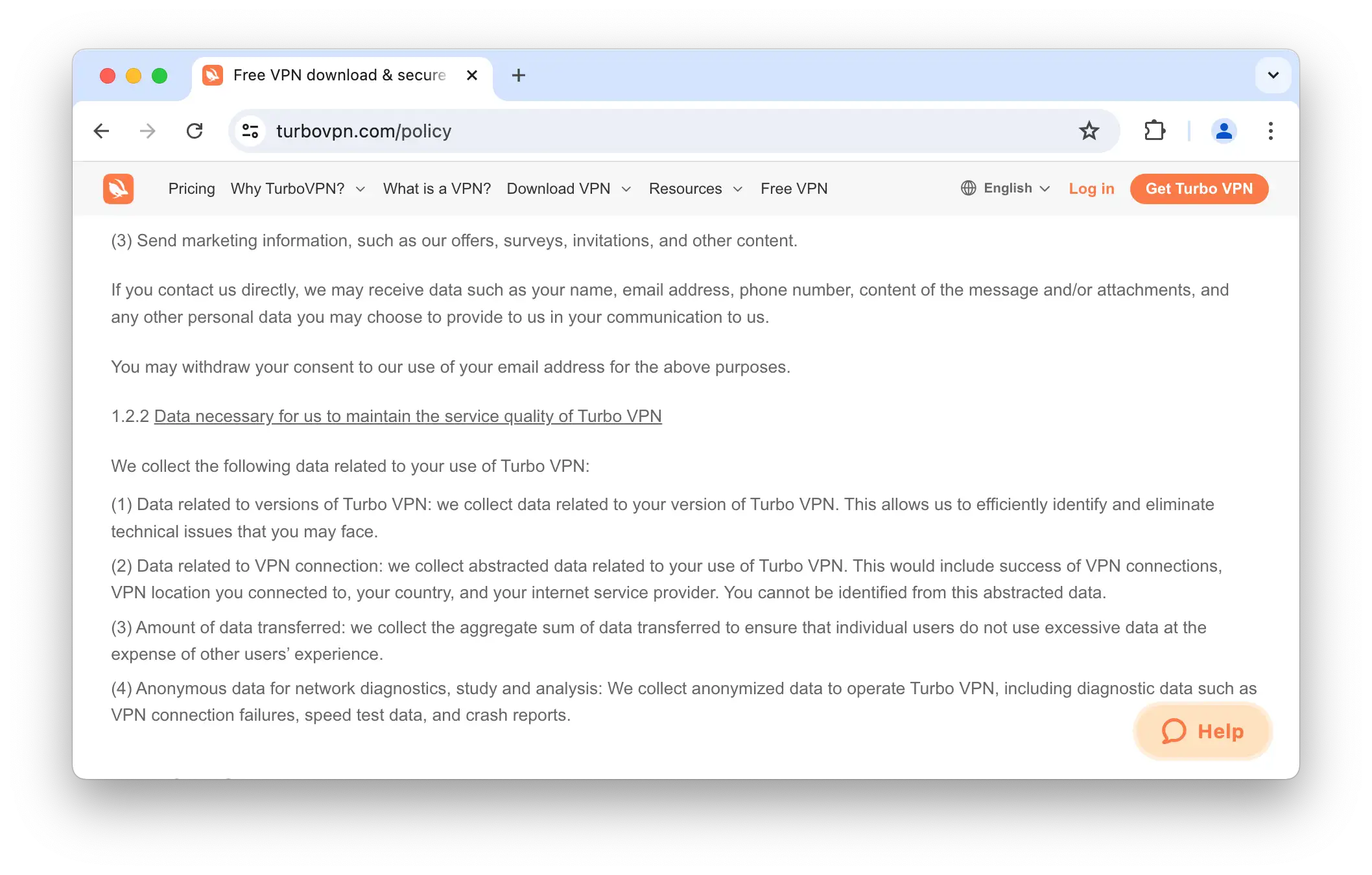
We’re not comfortable with the amount of data Turbo VPN logs.
We’d like to see Turbo VPN significantly reduce what it logs, ideally to nothing. For example, PIA VPN logs no user data and still provides an excellent service.
Troubling Ties to China
Turbo VPN is developed by a company called Innovative Connecting. It has released several other basic, free VPNs, including VPN Proxy Master, Snap Master VPN, Solo VPN Pro, and VPN Proxy Master Lite.
It’s incorporated at 38 Beach Road #29-11 South Beach Tower, Singapore. Singapore is known for extensive surveillance, government oversight, and links to the Five Eyes intelligence-sharing alliance.
Additionally, our independent research shows strong links between Turbo VPN and mainland China.
The director of Innovative Connecting is a Chinese national and entrepreneur named Danian Chen, once described by Forbes as “one of the most influential young leaders in China.” Chen appears only in corporate filings and has no public association with the company.
The fact that Turbo VPN is owned by a Chinese national, and that its privacy policy states it will hand over your personal information to authorities “if ordered by a court of competent jurisdiction,” is highly concerning.
Streaming
Ranked #37 out of 45 VPNs for Streaming
Turbo VPN is a poor choice for streaming, only managing to unblock HBO Max. We were consistently blocked by Netflix, Amazon Prime Video, BBC iPlayer, and others.
| Streaming Service | Works with Turbo VPN (Free) |
|---|---|
| BBC iPlayer (UK) | No |
| DAZN (Canada) | No |
| Disney+ (UK) | No |
| Hulu (US) | No |
| ITVX (UK) | No |
| HBO Max (US) | Yes |
| Netflix (US) | No |
| Netflix (UK) | No |
| Prime Video (US) | No |
| Sky Go (UK) | No |
As shown above, Turbo VPN cannot unblock most geo-restricted streaming services. Either the required server location is missing or the streaming platform immediately detects the VPN.
Unblocks Max on Windows & Android
You can use Turbo VPN to stream Max from outside the US, but only on its Windows and Android apps. This is because the macOS and iOS apps do not offer a US server location.
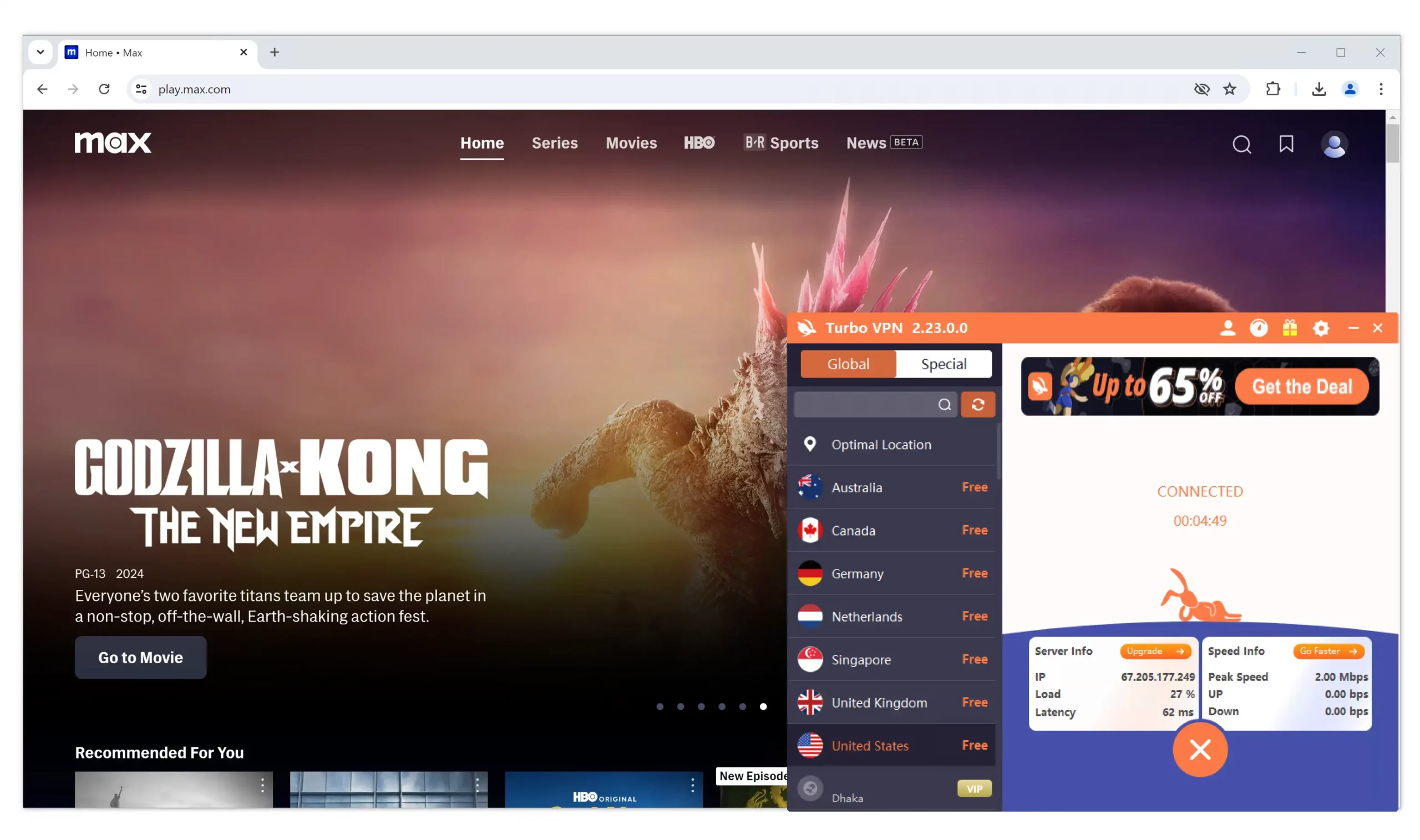
We were able to access Max on Turbo VPN’s US server.
While we could consistently unblock HBO Max on Windows, the video quality was always grainy. The Android app took several attempts to work and video quality was similarly poor.
Speed
Ranked #40 out of 45 VPNs for Speed
Turbo VPN throttled our internet connection, with download speeds dropping by 92% when connected to a nearby server. As a result, Turbo VPN is only fast enough for basic web browsing. Avoid this VPN if you need to torrent, play online games, or stream geo-restricted content.
To calculate Turbo VPN’s speed rating, we measured the connection between our location and Turbo VPN servers around the world.
Here’s a table showing Turbo VPN’s speed test results in full:
| No VPN (New York) | US (New York) | Germany (Berlin) | Singapore | |
|---|---|---|---|---|
| Server Location |  |
|
 |
 |
| Download Speed | 100Mbps | 8Mbps | 8Mbps | 6Mbps |
| Upload Speed | 100Mbps | 64Mbps | 4Mbps | 3Mbps |
| Ping | 1ms | 15ms | 88ms | 304ms |
| Distance | 0mi | 5mi | 4,000mi | 8,300mi |
Throughout testing, Turbo VPN repeatedly throttled our speeds. While connected to Germany, our speeds dropped by 92%.
This is unacceptable and only sufficient for general web browsing.
Turbo VPN claims not to cap bandwidth or data usage, but it does enforce a “fair usage” policy.
Based on our experience, even running a few speed tests seems to exceed what it considers fair. Expect frequent, aggressive server throttling.
Security
Ranked #40 out of 45 VPNs for Security
Turbo VPN is one of the most unsafe and insecure VPNs we’ve tested. It leaks DNS requests, uses inadequate encryption, and its install files contain malware. We strongly recommend choosing a different VPN.
| Independent Audit | No |
|---|---|
| VPN Kill Switch | No |
| Leak Protection | No |
Leaks DNS Requests & Contains Malware
As part of our investigation into free VPNs, we detected unsafe functions, DNS leaks, and malware in Turbo VPN’s apps.
When your DNS requests are exposed, anyone monitoring your connection can see the websites and services you access.
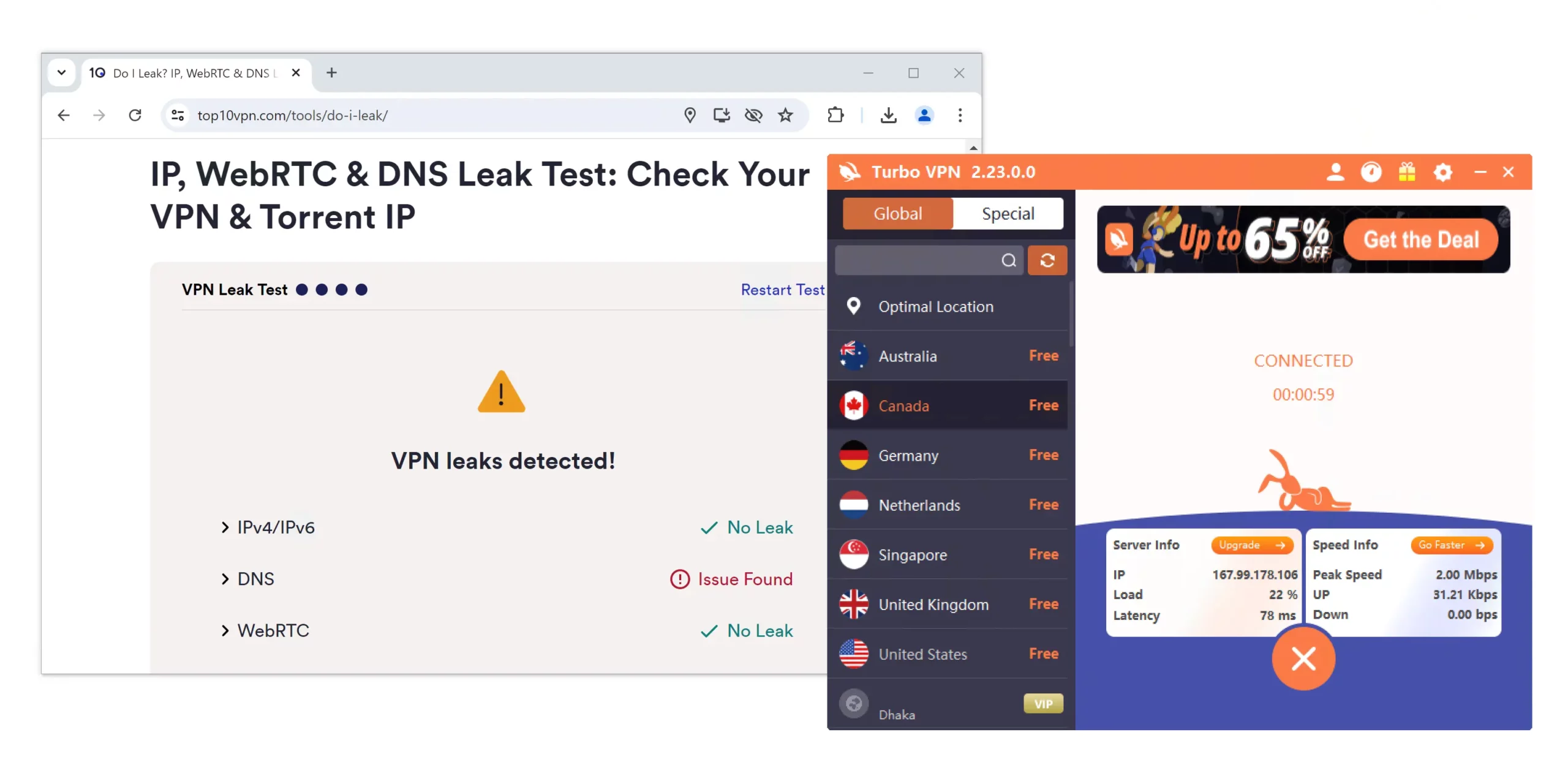
Turbo VPN leaks DNS requests on all of its apps.
The presence of malware is unacceptable and can harm your device’s performance and give third parties access to your personal files.
We would need Turbo VPN to release new apps and have them audited by multiple independent cybersecurity firms before we could even suggest installing them.
Unusual Protocol Selection
Turbo VPN lists multiple protocols within its apps, varying by device.
Some protocols are unfamiliar, like Trojan, and others are rarely offered by mainstream VPNs, like V2Ray and ISSR.
OpenVPN—an open-source, trusted protocol—is available on all platforms, but protocol selection is paywalled. As a result, you may be assigned a less secure protocol without knowing it.
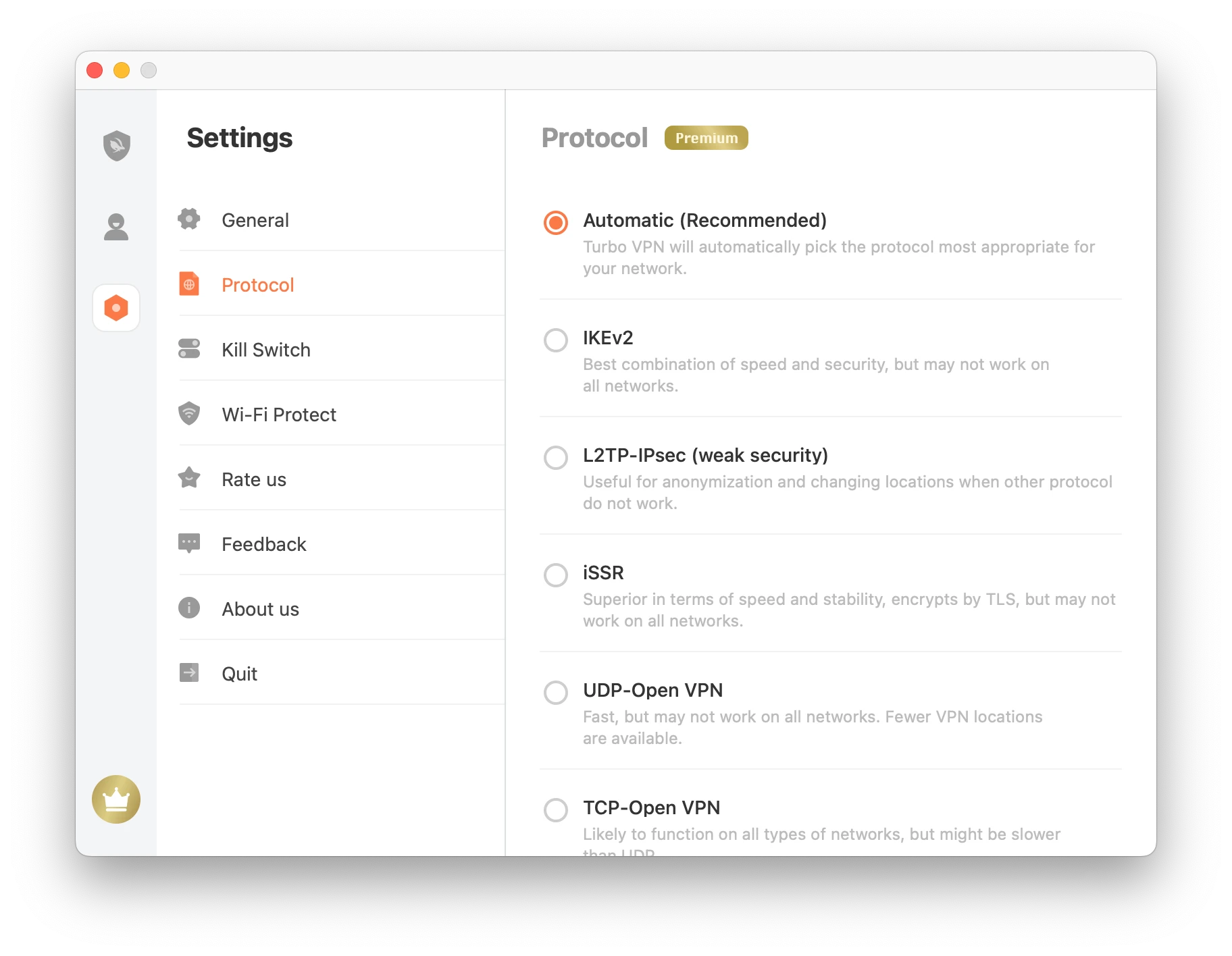
You can’t be certain which protocol you’re using on the free version of Turbo VPN.
We’d like Turbo VPN to make OpenVPN the default across its apps and allow protocol customization on the free plan.
No Kill Switch On Free Tier
Turbo VPN doesn’t include a kill switch on its free plan, leaving your real IP exposed if the VPN disconnects unexpectedly.
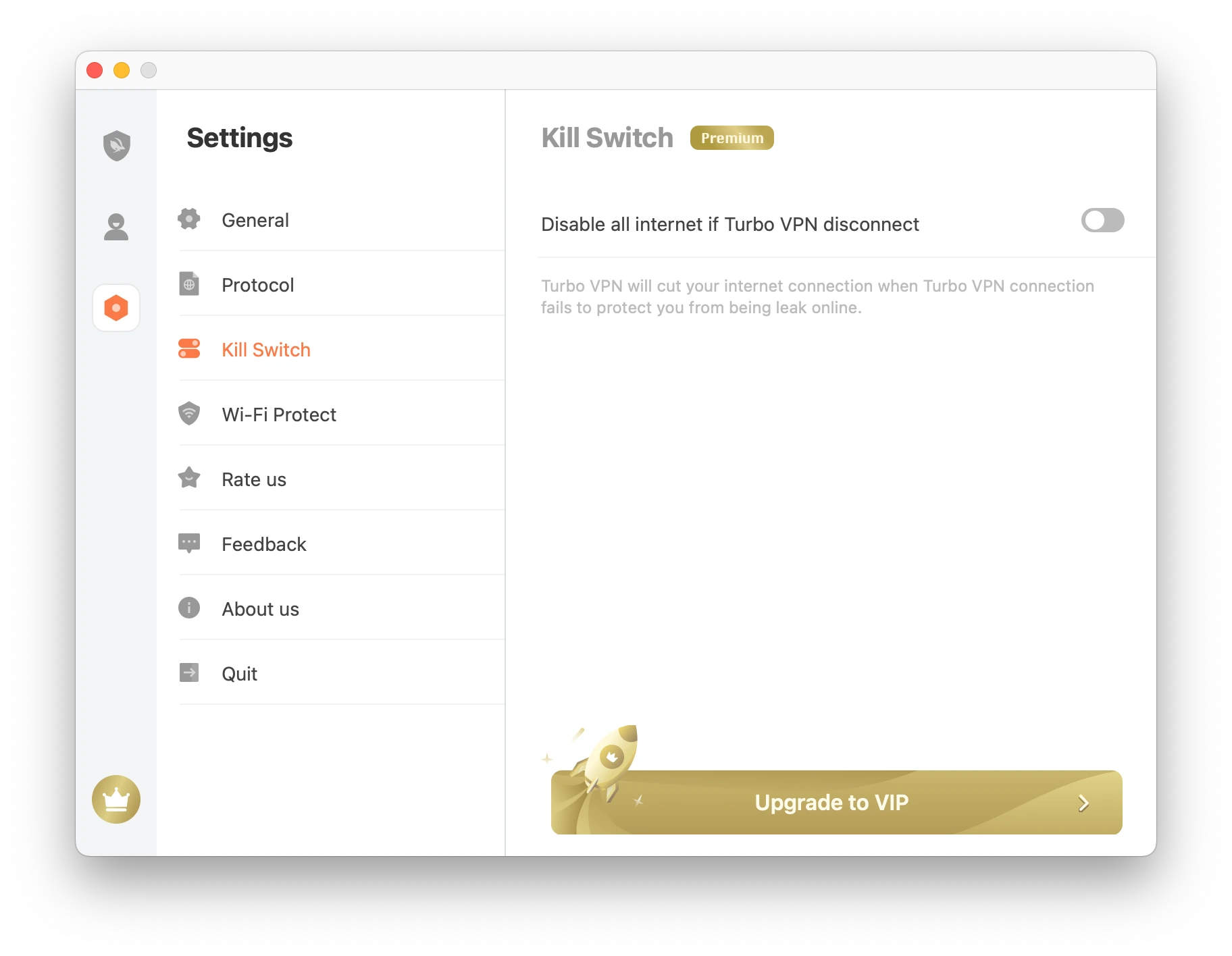
Turbo VPN’s kill switch is exclusive to paid users.
A kill switch is essential for maintaining anonymity, and we expect every VPN to provide one as a minimum. Its absence shows a lack of regard for user privacy.
Technical Features We’d Like to See
Turbo VPN lacks standard VPN features and more advanced options like multi-hop or an ad blocker. Here are the most important features we’d like added:
- VPN kill switch to prevent IP leaks during unexpected drops.
- Open-sourced and audited apps to restore trust and address the malware concerns.
- WireGuard protocol for a fast, secure alternative to Turbo VPN’s current options.
Server Locations
Ranked #41 out of 45 VPNs for Server Locations
Frustratingly, Turbo VPN’s available servers vary by platform. On iOS or macOS, you can only connect to a nearby server. On Windows, you can choose from seven locations, including the US and UK. Android has servers in six countries with city-level options in four of them.
| Continent | Countries with Servers (Windows) |
|---|---|
| Europe | 3 |
| North America | 2 |
| Asia | 1 |
| Oceania | 1 |
| South America | 0 |
| Africa | 0 |
Turbo VPN’s server network changes based on the device you use. We’ve summarized its server coverage by platform below:
| Platform | Server Locations |
|---|---|
| Windows | Australia, Canada, Germany, Netherlands, Singapore, UK, US |
| macOS | Nearby Server |
| Android | Canada, Germany, Netherlands, Singapore, UK, US |
| iOS | Nearby Server |
As shown above, iOS and macOS only assign a pre-selected nearby server. In our tests, this was always a Canadian IP address, though it may differ based on your location.
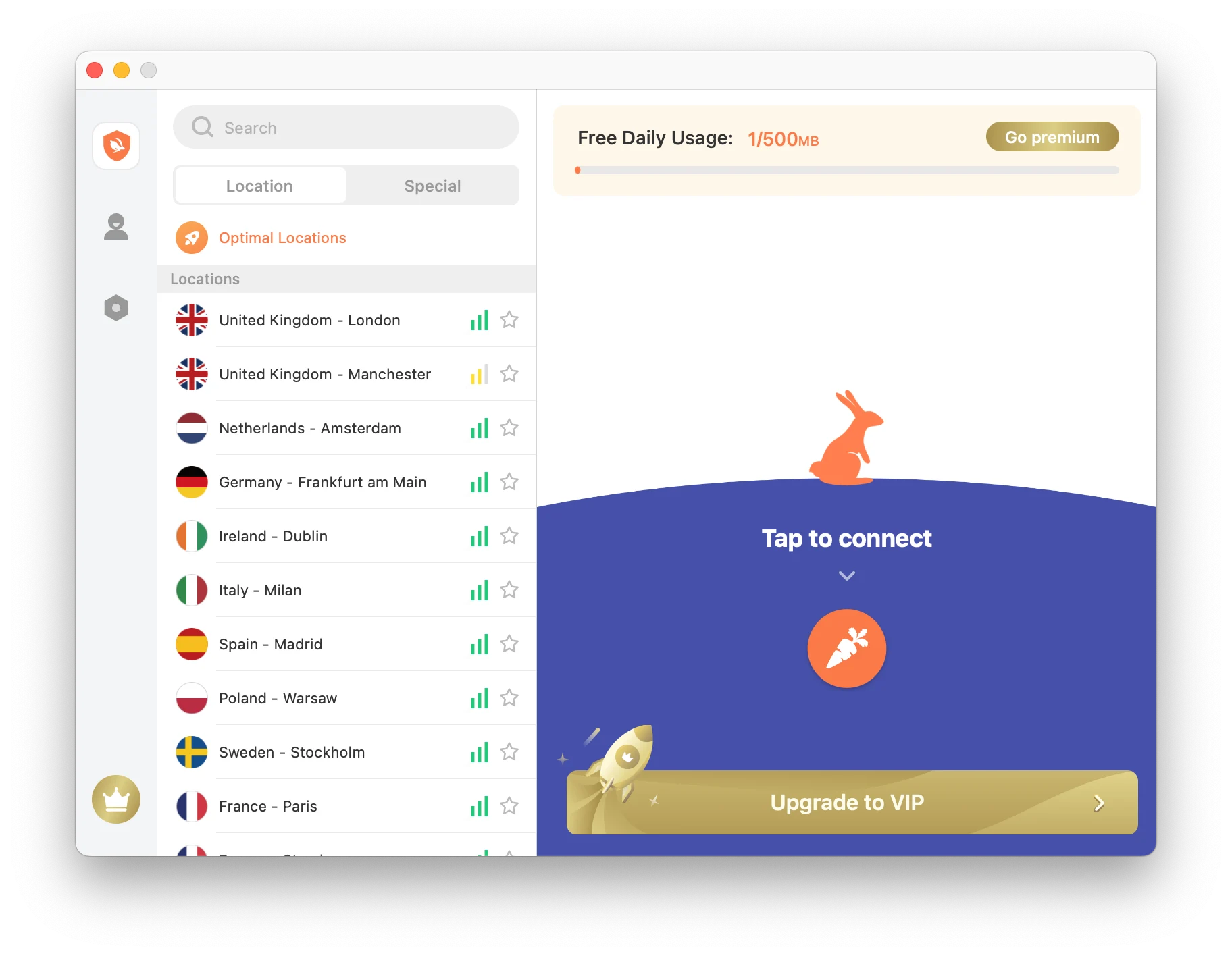
Turbo VPN’s macOS app places its entire server network behind a paywall.
The options are better on Windows and Android but still poor compared to top-rated free VPNs like Windscribe, which offers 10 countries.
We’d like to see additional locations in Asia beyond Singapore, and at least one server in South America or Africa.
We do appreciate the number of city-level options on Android, with both US coasts covered. You can also connect to multiple locations in Germany, Canada, and the UK on Android.
User Experience
Ranked #38 out of 45 VPNs for User Experience
Turbo VPN has so few features that there’s no learning curve. However, constant ads and poor app design make it unpleasant to use. All apps share the same UI, which ensures consistency, but the desktop versions are poorly optimized.
Turbo VPN is quick to install and start using. It doesn’t require account registration or payment details—just download and go.
The exception is the Windows app, which failed to launch when downloaded from the Turbo VPN website. We had to install it from the Microsoft Store instead, which took a bit longer since it required creating a Microsoft account.
Here’s a closer look at our hands-on experience with Turbo VPN on different devices:
Desktop & Laptop (Windows & macOS)
Turbo VPN looks bad on computer screens, especially on Windows. Its desktop clients resemble stretched mobile apps, resulting in blurry text and a “stretched” UI.
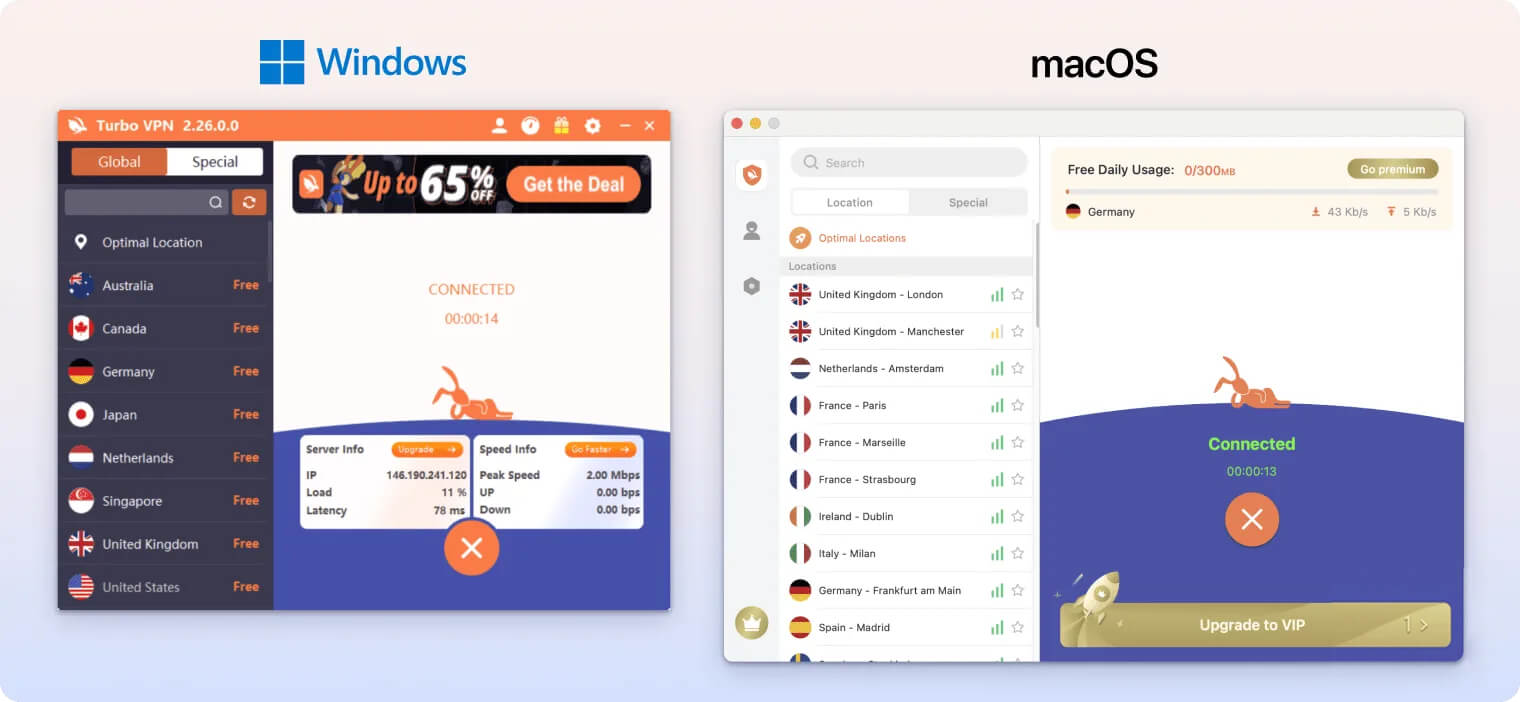
Connecting is simple: click the orange-and-white carrot button once. To disconnect, click the X.
The rest of the app is bare-bones, with most features locked behind a paywall, though this isn’t always clear. For example, the macOS app displays multiple server locations, but clicking one opens a full-screen pop-up asking you to subscribe.
We were also puzzled by a 500MB data cap on macOS, which doesn’t exist on Windows or mobile. Even more confusing, the in-app counter counts up from 0 instead of down from 500MB, which often made it seem like we had more data left than we did.
Mobile (iPhone & Android)
Turbo VPN’s apps fit mobile screens well and look much better than on desktop.
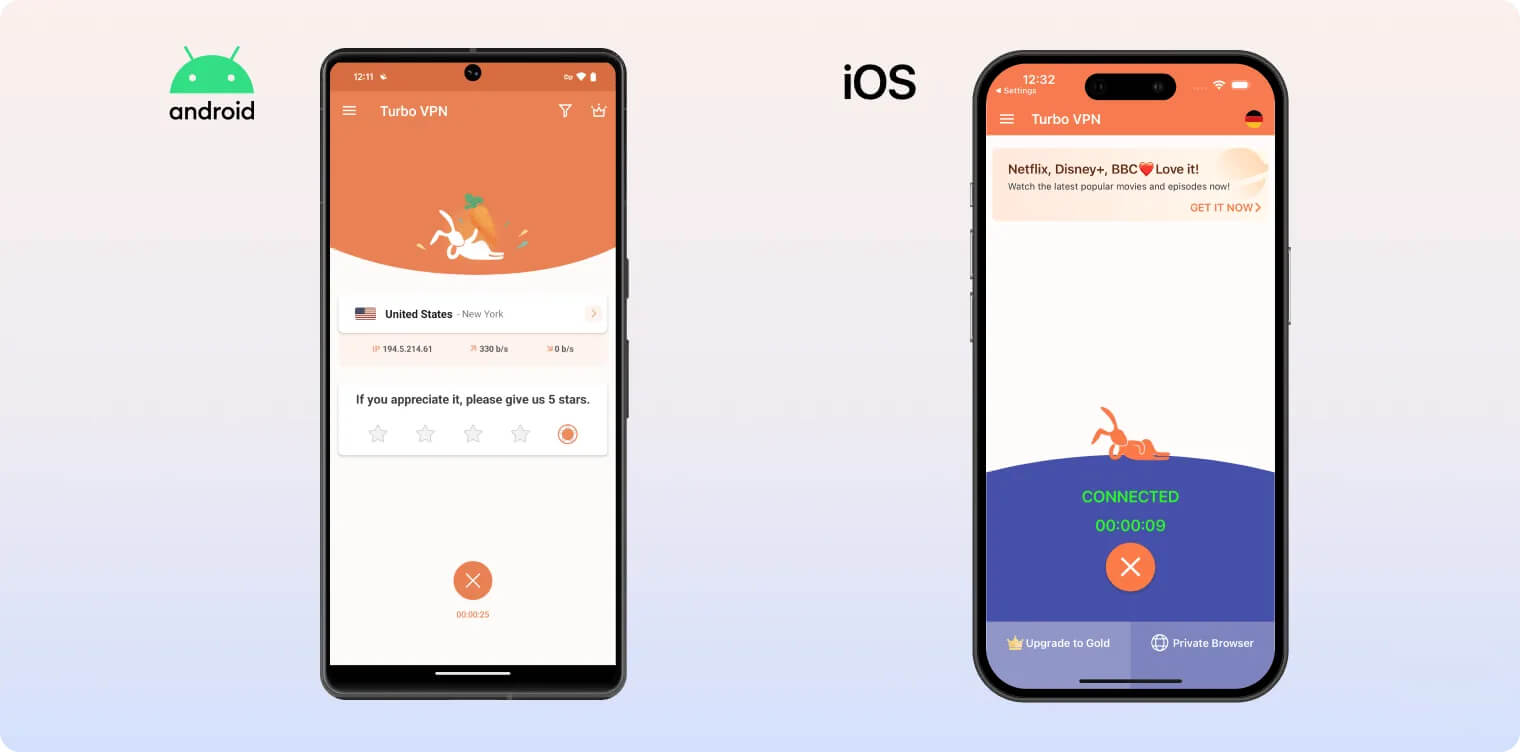
That said, using Turbo VPN on mobile was far more frustrating due to constant, unskippable ads.
On both Android and iOS, you must watch a 30-second video ad every time you connect or disconnect. This became infuriating over multiple days of testing.
We also found it annoying that the Android app repeatedly asks you to rate it on the Google Play Store. The only way to remove the prompt is to tap it and follow the redirect to the Play Store.
Torrenting
Ranked #39 out of 45 VPNs for Torrenting
Turbo VPN does not allow torrenting or P2P connections. If you attempt to bypass this, your account may be banned.
| Torrenting Attribute | Turbo VPN (Free) |
|---|---|
| Permits P2P Traffic | No |
| Average Download Bitrate | N/A |
| Countries with P2P Servers | 0 |
| Port Forwarding | No |
| Kill Switch | No |
| Logging Policy | Identifiable Data |
Previously, Turbo VPN blocked P2P traffic and its privacy policy warned that your account could be suspended if you torrented too often.
In our latest tests, we were able to torrent on the US server, and any reference to account suspension has been removed from the privacy policy.
However, Turbo VPN’s support team confirmed that both torrenting and P2P connections are still banned on its servers.
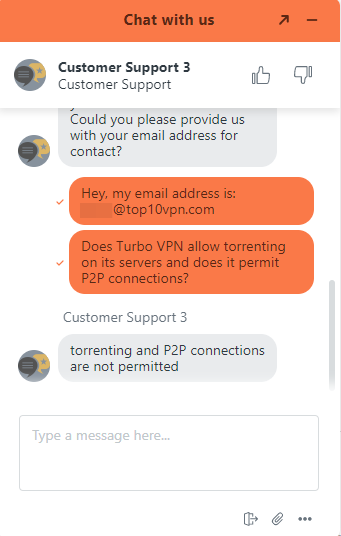
Turbo VPN does not allow torrenting on any of its servers.
Even if Turbo VPN allowed torrenting, we still wouldn’t recommend it. Its intrusive logging means your downloads could be traced back to you, and the lack of a kill switch risks exposing your real IP address.
Instead of Turbo VPN, consider one of our recommended free VPNs for torrenting. All of our picks allow P2P across their networks and include a working kill switch.
Device Compatibility
Turbo VPN has apps for Android, iOS, Windows, and macOS, plus a Chrome browser extension. Features and server coverage vary slightly by platform, but the apps function similarly. There are no dedicated apps for routers or streaming devices like Fire TV.
| Windows | Yes |
|---|---|
| Mac | Yes |
| iOS | Yes |
| Android | Yes |
| Linux | No |
| Amazon Fire TV | No |
| Android TV | No |
| Apple TV | No |
| Router | No |
| Chrome | Yes |
Simultaneous Connections: 5
Turbo VPN works similarly across platforms, but server options and features differ. For instance, the Android app offers the most servers and is the only platform with split tunneling.
The browser extension is basic but easy to use. It won’t encrypt your browser traffic, but it can spoof your location to Singapore, Germany, or the US.
5 Simultaneous Connections
With a single Turbo VPN account, you can use the VPN on up to five devices at once. This is fairly standard, though some providers like Surfshark and IPVanish don’t impose limits.
Additional Features
Turbo VPN’s extra features are limited to split tunneling and a surprisingly helpful 24/7 live chat. It does not include an ad blocker, dedicated IP addresses, or multi-hop servers. We were also disappointed by the lack of obfuscated protocols or servers.
| Additional Feature | Turbo VPN (Free) |
|---|---|
| Split Tunneling | Yes |
| VPN Obfuscation | No |
| Multi-Hop Servers | No |
| Dedicated IP | No |
| Ad Blocker | No |
Surprisingly Robust Customer Service
Turbo VPN recently overhauled its customer support. Where it was once almost nonexistent, it’s now comparable to some popular VPNs.
The biggest improvement is its 24/7 live chat, accessed via a chat window on the support page. A chatbot first tries to find an answer from a short FAQ section, but you can instantly escalate to a live agent.
The agent responded quickly and was helpful in resolving our issue.
Email support has improved, too. You now fill out a simple online form and receive a response within hours.
User-Friendly & Customizable Split Tunneling
Turbo VPN’s split tunneling feature is available only on Android. It lets you include or exclude apps from the VPN tunnel using two separate modes.
We found it easy to use thanks to clear in-app explanations and user-friendly controls.
Turbo VPN Key Data
| Attribute | Turbo VPN | Typical Free VPN |
|---|---|---|
| Owner | Innovative Connecting | Independent |
| Launch Date | 2018 | 2015 |
| Safe to Use | No | No |
| Data Cap | Unlimited | 10GB per month |
| Payment Details Required | No | No |
| Account Required | Yes | Yes |
| Contains Ads | Yes | Yes |
| Local Download Speed | 8Mbps (92% loss) | 61Mbps (39% loss) |
| International Download Speed | 7Mbps (93% loss) | 55Mbps (45% loss) |
| Countries with Servers | 7 | 4 |
| Privacy Policy | Identifiable Data | Identifiable Data |
| Simultaneous Connections | 5 | 1 |
| Manually Select Server Location | Yes | Yes |
| Netflix Libraries | 0 | 0 |
| Torrenting | No | No |
| Works In China? | No | No |
| Customer Support | 24/7 Live Chat | Online Resources |
| Apps & Extensions |
          |
|
Price
Price Plans
| Safe to Use | No |
|---|---|
| Data Cap | Unlimited |
| Payment Details Required | No |
| Manually Select Server Location | Yes |
| Account Required | Yes |
| Contains Ads | Yes |